
XAMPP + PhpStorm + Xdebug本地实验环境搭建
参考:
下载合适的XDebug
点击这里,选择合适xdebug

XAMPP配置
php_xdebug-xxxx.dll
拷贝dll至 D:\XAMPP\php\ext
php.ini
文末追加
[XDebug]

zend_extension = "D:\XAMPP\php\ext\php_xdebug-2.7.0RC2-7.3-vc15.dll"

xdebug.profiler_append =

xdebug.profiler_enable =

xdebug.profiler_enable_trigger =

xdebug.profiler_output_dir = "d:\xampp\tmp"

;xdebug.profiler_output_name = "cachegrind.out.%t-%s"

xdebug.remote_enable =

xdebug.remote_handler = "dbgp"

xdebug.remote_host = "127.0.0.1"

xdebug.remote_log="d:\xampp\tmp\xdebug.txt"

xdebug.remote_port =

xdebug.trace_output_dir = "d:\xampp\tmp"

;  ( hour),  = 10h

xdebug.remote_cookie_expire_time =

xdebug.idekey="PhpStorm"
Stop/Start Apache
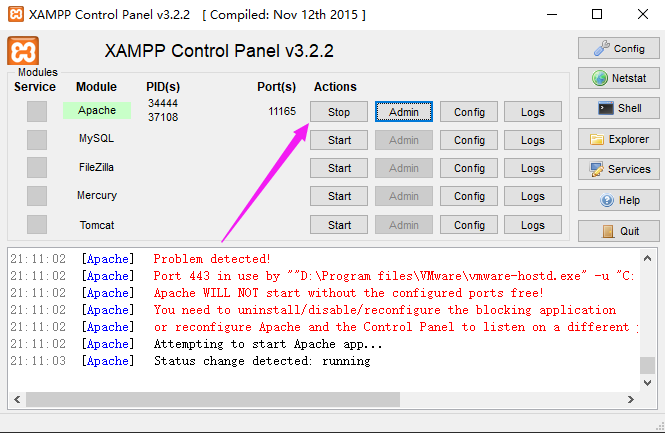
检查xdebug是否安装成功
方法1:运行 http://localhost/dashboard/phpinfo.php 并检查xdebug
方法2:php -m 并检查xdebug

PHPStorm配置
xdebug相应配置
- 打开phpStorm,进入File>Settings>PHP>Servers,这里要填写服务器端的相关信息,name填localhost,host填localhost,port填80,debugger选XDebug
- 进入File>Settings>PHP>Debug,看到XDebug选项卡,port填9000,其他默认
- 进入File>Settings>PHP>Debug>DBGp Proxy,IDE key 填 PHPSTORM,host 填localhost,port 填80
- 点OK退出设置
PHPstorm项目配置
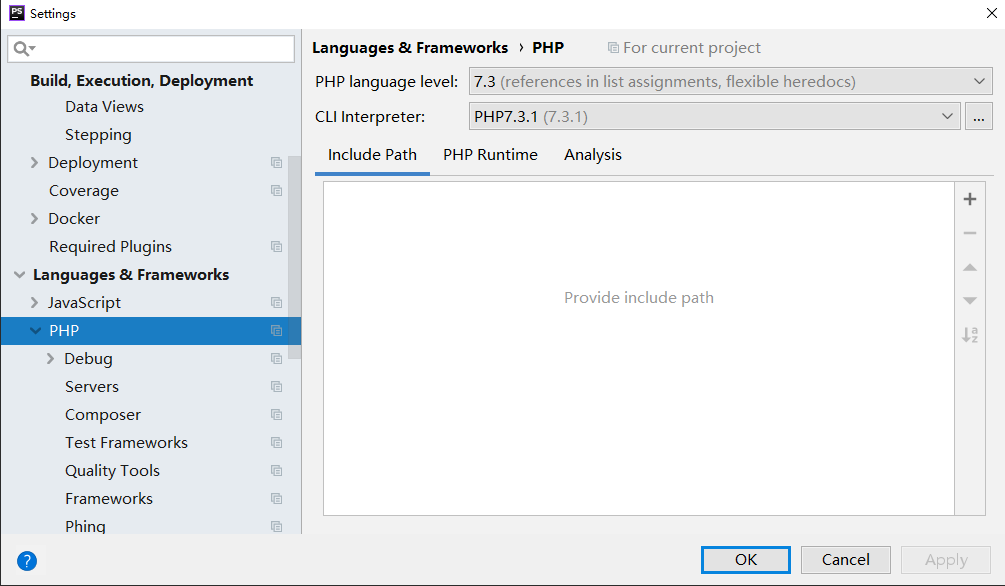
指定PHP intepreter
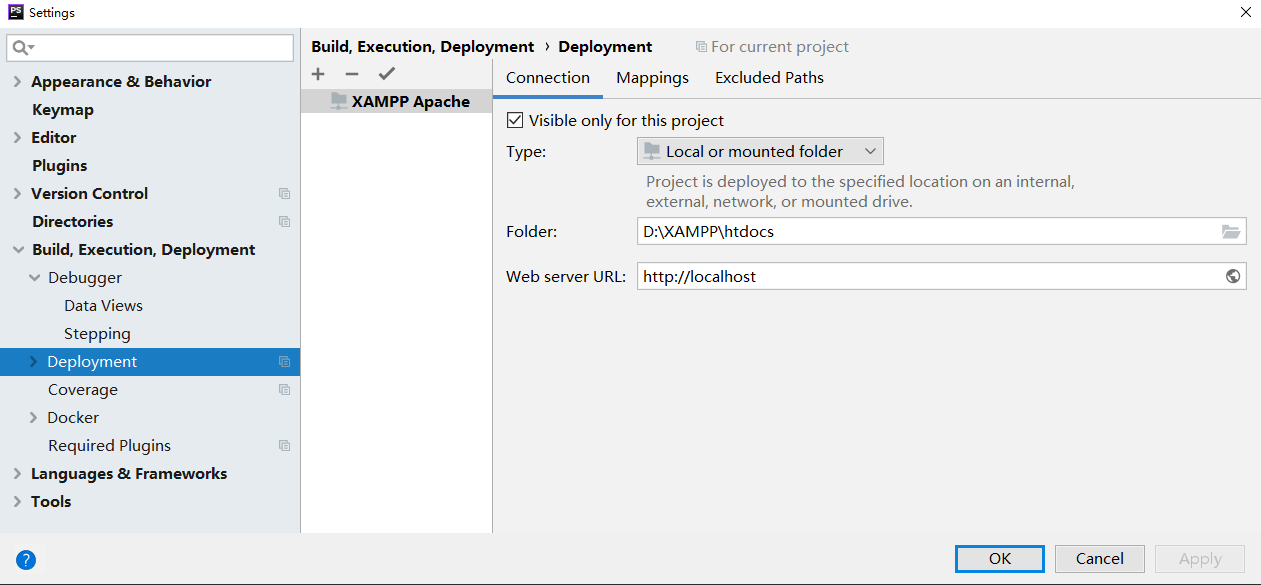
指定项目部署位置
浏览器配置
在适当浏览器上安装插件,这里
- easiest Xdebug for Firefox:这个扩展是Firefox上用于使得与IDE一起调试起来更加容易。你可以在https://addons.mozilla.org/en-US/firefox/addon/the-easiest-xdebug/上找到这个扩展.
- Xdebug Helper for Chrome:这个扩展是运行在Chrome浏览器上的,它将会帮助你通过点击一下按钮就可以允许/禁止调试和性能分析。你可以在https://chrome.google.com/extensions/detail/eadndfjplgieldjbigjakmdgkmoaaaoc找到这个扩展.
- Xdebug Toggler for Safari:这个扩展是运行在Safari上的,允许你在Safari中自动的开始Xdebug调试过程,你可以在Github上找到这个扩展https://github.com/benmatselby/xdebug-toggler.
- Xdebug launcher for Opera:这个扩展是运行在Opera上的,它允许你在Xdebug上开启一个Xdebug会话。
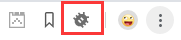
以Chrome为例,安装完插件后如图
测试xdebug
实验代码
orderform.html
<html>

<head><title>Bob's Auto Parts</title></head>

<body>

<form action="processorder.php" method="post">

<table border="0">

<tr bgcolor="#cccccc">

  <td width="150">Item</td>

  <td width="15">Quantity</td>

</tr>

<tr>

  <td>Tires</td>

  <td align="center"><input type="text" name="tireqty" size="3"

     maxlength="3" /></td>

</tr>

<tr>

  <td>Oil</td>

  <td align="center"><input type="text" name="oilqty" size="3"

     maxlength="3" /></td>

</tr>

<tr>

  <td>Spark Plugs</td>

  <td align="center"><input type="text" name="sparkqty" size="3"

     maxlength="3" /></td>

</tr>

<tr>

  <td>How did you find Bob's?</td>

  <td><select name="find">

        <option value = "a">I'm a regular customer</option>

        <option value = "b">TV advertising</option>

        <option value = "c">Phone directory</option>

        <option value = "d">Word of mouth</option>

      </select>

  </td>

</tr>

<tr>

  <td colspan="2" align="center"><input type="submit" value="Submit Order" /></td>

</tr>

</table>

</form>

</body>

</html>
processorder.php
<html>

<head>

  <title>Bob's Auto Parts - Order Results</title>

</head>

<body>

<h1>Bob's Auto Parts</h1>

<h2>Order Results</h2>

<?php

  echo '<p>Order processed at ';

  echo date('H:i, jS F');

  echo '</p>';

  echo '<p>Your order is as follows: </p>';

  echo $tireqty.' tires<br />';

  echo $oilqty.' bottles of oil<br />';

  echo $sparkqty.' spark plugs<br />';

  $totalqty = 0;

  $totalamount = 0.00;

  $totalqty = 0;

  $totalqty = $tireqty + $oilqty + $sparkqty;

  echo 'Items ordered: '.$totalqty.'<br />';

  $totalamount = 0.00;

  define('TIREPRICE', 100);

  define('OILPRICE', 10);

  define('SPARKPRICE', 4);

  $totalamount = $tireqty * TIREPRICE

               + $oilqty * OILPRICE

               + $sparkqty * SPARKPRICE;

  echo 'Subtotal: $'.number_format($totalamount,2).'<br />';

  $taxrate = 0.10;  // local sales tax is 10%

  $totalamount = $totalamount * (1 + $taxrate);

  echo 'Total including tax: $'.number_format($totalamount,2).'<br />';

?>

</body>

</html>
调试演示
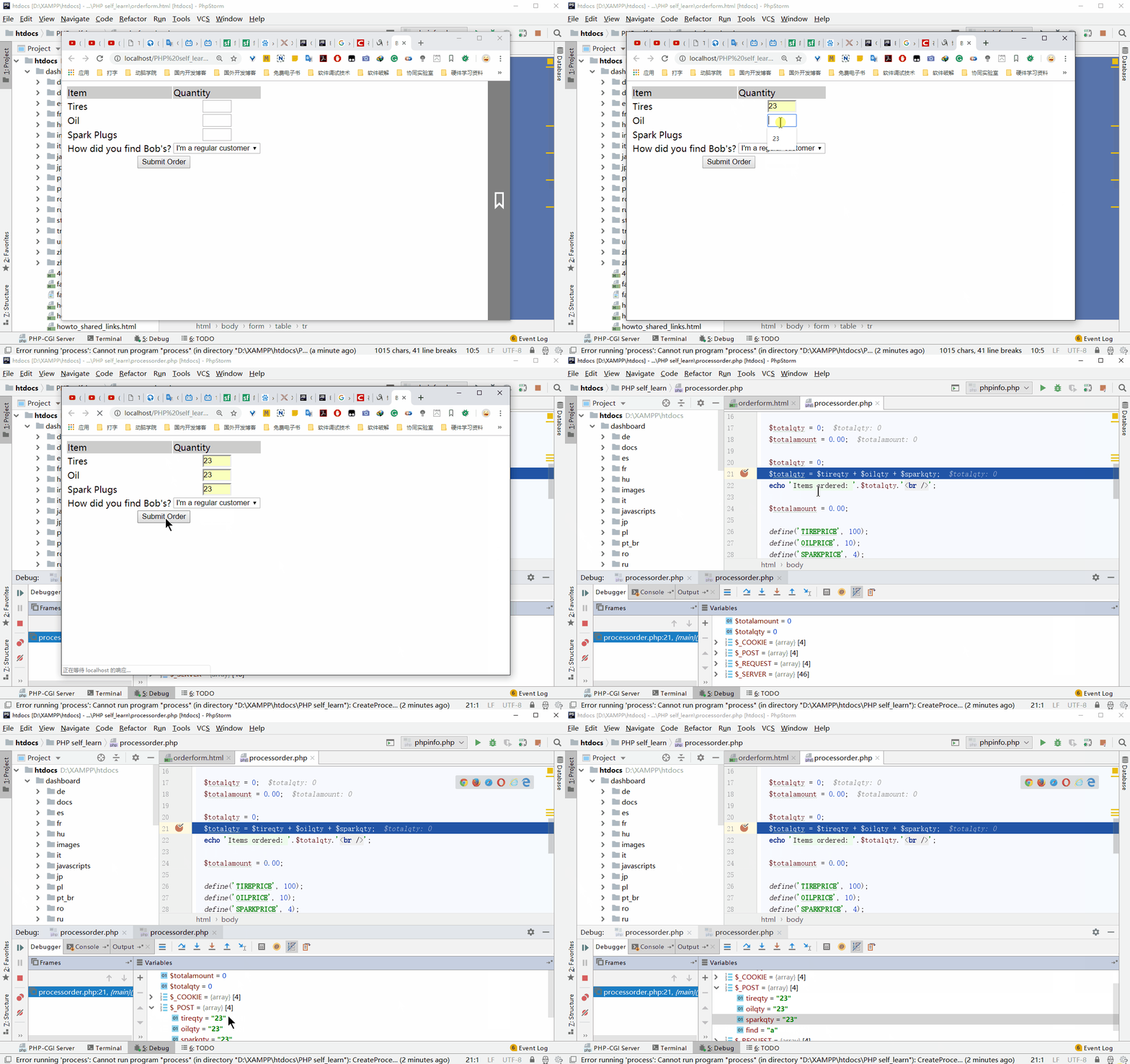
在PHP中打断点,浏览器触发断点
XAMPP + PhpStorm + Xdebug本地实验环境搭建的更多相关文章
- PhpStorm Xdebug远程调试环境搭建原理分析及问题排查
2017年05月26日 经验心得 目录 一. 环境介绍 二. 远程环境配置 2.2 Xdebug安装 2.3 配置 三. 本地phpstorm配置 3.1 下载远程代码 3.2 添加php解释器 ...
- 论持久战之PHPStorm Xdebug Remote 调试环境搭建(不依赖本地环境)
最近公司自己搭建了一个资源管理平台,哈哈,当然是我在github上找的,后台用PHP开发.个人觉得写得非常nice,web页面几乎模拟了真实OS,有兴趣的朋友下载部署体验https://github. ...
- [xDebug] PhpStorm Xdebug远程调试环境搭建
对于简单的工程,直接print_r();exit()已经足够,但是对于大型项目有时就有点力不从心.. 1,环境介绍 本地:windows10(192.168..)+ phpstorm8远程:Cento ...
- centos7+nginx 1.9.0+php-fpm+phpstorm+xdebug+vmware开发环境搭建
1.php-fpm yum install php-fpm 默认配置在本地9000端口监听 service php-fpm restart启动 2.nginx 1.9.0 需先安装gcc zlib o ...
- LVS本地实验环境搭建
文中实验需要使用以下软件: CentOS的镜像 Virtual Box GNS3 0.实验前的准备工作 0.1.修改yum源 为了方便安装软件,我们设置yum源为公司yum源 1.直接复制公司机器上的 ...
- 本地环境 XAMPP+phpStorm+XDebug+chrome配置和断点调试 注册方法
我的安装环境:XAMPP版本号V3.1.0 ;phpStorm版本8.0.3;windowsxp 32bit.您老人家先过目一下,不然怕影响意义. XAMPP.phpStorm 都直接安装在了D盘根目 ...
- https,https的本地测试环境搭建,asp.net结合https的代码实现,http网站转换成https网站之后遇到的问题
一:什么是https SSL(Security Socket Layer)全称是加密套接字协议层,它位于HTTP协议层和TCP协议层之间,用于建立用户与服务器之间的加密通信,确保所传递信息的安 ...
- 【转】https,https的本地测试环境搭建,asp.net结合https的代码实现,http网站转换成https网站之后遇到的问题
正需要这个,写的很好,就转过来了 转自: http://www.cnblogs.com/naniannayue/ 一:什么是https SSL(Security Socket Layer)全称 ...
- 操作系统内核Hack:(一)实验环境搭建
操作系统内核Hack:(一)实验环境搭建 三四年前,心血来潮,入手<Orange's:一个操作系统的实现>学习操作系统内核,还配套买了王爽的<汇编语言(第二版)>和<80 ...
随机推荐
- window 安装使用npm
[安装步骤] 一.安装node.js 1.前往node.js官网下载并安装工具,这里安装路径选到D盘,D:\nodejs 安装完毕后在命令行输入以下命令测试是否安装成功,正确会出现版本号 npm -v ...
- shell基础知识之数组
数组允许脚本利用索引将数据集合保存为独立的条目.Bash支持普通数组和关联数组,前者 使用整数作为数组索引,后者使用字符串作为数组索引.当数据以数字顺序组织的时候,应该使 用普通数组,例如一组连续的迭 ...
- JAVA中用StopWatch计算代码耗时的方法
StopWatch翻译过来的意思就是秒表,其作用也就像我们平时使用的秒一样.spring中就有提供这个工具类(org.springframework.util.StopWatch). 日常开发中,经常 ...
- LODOP打印图片水平居中
其他居中,查看本博客相关博文:LODOP中打印项水平居中简短问答.图片也属于超文本打印项,因此如果想把图片居中,也需要图片本身内容相对于图片打印项宽度居中,然后再设置打印项居中.如图,同一张图片,都设 ...
- odoo controller 继承
方式一: 继承基类,直接重写方法 from odoo.addons.web.controllers.main import Export class PsExport(Export): @http.r ...
- SQL Server 2008新增的审核/审计功能(Audit)
很多时候我们都需要对数据库或者数据库服务器实例进行审核/审计 例如对失败的登录次数进行审计,某个数据库上的DDL语句进行审计,某个数据库表里面的delete语句进行审计 事实上,我们这些审计的需求基本 ...
- Symfony框架笔记
控制器获取前端传入的参数 $parameters = $request->request; $data = $parameters->all(); 引用静态资源(js.css.img) 使 ...
- Django框架之第五篇(模板层) --变量、过滤器、标签、自定义标签、过滤器,模板的继承、模板的注入、静态文件
模板层 模板层就是html页面,Django系统中的(template) 一.视图层给模板传值的两种方法 方式一:通过键值对的形式传参,指名道姓的传参 n = 'xxx'f = 'yyy'return ...
- PHP 输入输出流 php://input 获取表单中2个重名name的值
PHP 输入输出流 php://input 获取表单中2个重名name的值 <?php // PHP有一种"所有IO都是流"的说法. // 压缩流参考 https://w ...
- [個人紀錄] WindowsLiveWriter 插入代碼跳出錯誤
跳出找不到設定檔Can’t load configruaration fromC:\Users\…\AppData\Roaming\Windows Live Writer\WindowsLiveWri ...