
6_5.springboot2.x数据整合springData JPA
1、配置文件
pom.xml
    <dependencies>

        <dependency>

            <groupId>org.springframework.boot</groupId>

            <artifactId>spring-boot-starter-data-jdbc</artifactId>

        </dependency>

        <dependency>

            <groupId>org.springframework.boot</groupId>

            <artifactId>spring-boot-starter-data-jpa</artifactId>

        </dependency>

        <dependency>

            <groupId>org.springframework.boot</groupId>

            <artifactId>spring-boot-starter-web</artifactId>

        </dependency>

        <dependency>

            <groupId>mysql</groupId>

            <artifactId>mysql-connector-java</artifactId>

            <scope>runtime</scope>

        </dependency>

        <dependency>

            <groupId>org.springframework.boot</groupId>

            <artifactId>spring-boot-starter-test</artifactId>

            <scope>test</scope>

        </dependency>

    </dependencies>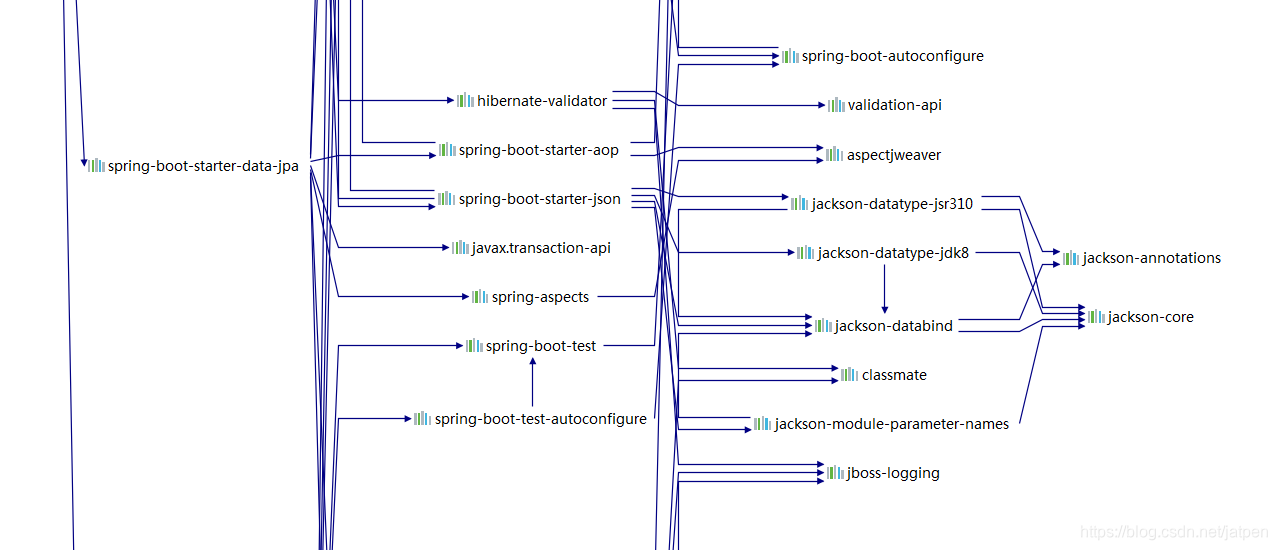
2、application.yml
spring:

  datasource:

    url: jdbc:mysql://localhost:3306/jpa?useUnicode=true&characterEncoding=utf-8&useSSL=false&serverTimezone = GMT

    username: root

    password: 123456

    driver-class-name: com.mysql.cj.jdbc.Driver

  jpa:

    hibernate:

      # 更新或者创建数据表

      ddl-auto: update

      # 展示sql

    show-sql: true

  main:

    allow-bean-definition-overriding: true
3、新建pojo
使用JPAz注解配置映射关系
package com.spoot.springboot.pojo;

import com.fasterxml.jackson.annotation.JsonIgnoreProperties;

import javax.persistence.*;

//使用JPAz注解配置映射关系

//@Entity告诉JPA这是一个实体类和数据表映射的类 @Table指定和哪个表对应;如果省略表明就是user

@Entity

@Table(name = "tb_user")

@JsonIgnoreProperties(value = { "hibernateLazyInitializer", "handler" })

public class User {

    //这是一个主键.同时标注这是一个自增主键

    @Id

    @GeneratedValue(strategy = GenerationType.IDENTITY)

    private Integer id;

    @Column(name = "last_name",length = 255)

    private String lastName;

    @Column

    private String email;

    public Integer getId() {

        return id;

    }

    public void setId(Integer id) {

        this.id = id;

    }

    public String getLastName() {

        return lastName;

    }

    public void setLastName(String lastName) {

        this.lastName = lastName;

    }

    public String getEmail() {

        return email;

    }

    public void setEmail(String email) {

        this.email = email;

    }

}
@JsonIgnoreProperties(value = { "hibernateLazyInitializer", "handler" })
fasterxml.jackson将对象转换为json
4、编写repository接口
package com.spoot.springboot.repository;

import com.spoot.springboot.pojo.User;

import org.springframework.data.jpa.repository.JpaRepository;

//继承JpaRepository完成数据的操作 JpaRepository<User,Integer> 泛型操作的类和主键

public interface UserRepository extends JpaRepository<User,Integer> {

}
继承JpaRepository完成数据的操作 JpaRepository<User,Integer> 泛型操作的类和主键
5、controller
package com.spoot.springboot.controller;

import com.spoot.springboot.pojo.User;

import com.spoot.springboot.repository.UserRepository;

import org.springframework.beans.factory.annotation.Autowired;

import org.springframework.web.bind.annotation.GetMapping;

import org.springframework.web.bind.annotation.PathVariable;

import org.springframework.web.bind.annotation.RequestMapping;

import org.springframework.web.bind.annotation.RestController;

import java.util.Optional;

@RestController

public class UserController {

    @Autowired

    UserRepository userRepository;

    @RequestMapping("/user/{id}")

    public User getUset(@PathVariable("id") Integer id){

        User user = userRepository.getOne(id);

        return user;

    }

    @GetMapping("/user")

    public User getUset(User user){

        User save = userRepository.save(user);

        return save;

    }

}
在yml中配置 ddl-auto: update会自动更新和创建表
测试:
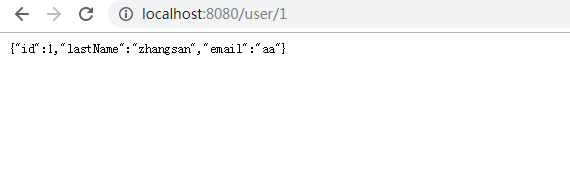
OK!
6_5.springboot2.x数据整合springData JPA的更多相关文章
- 6_4.springboot2.x数据整合springData介绍
介绍 Spring Data 项目的目的是为了简化构建基于Spring 框架应用的数据访问技术,包括非关系数据库.Map-Reduce 框架.云数据服务等等:另外也包含对关系数据库的访问支持. spr ...
- 【串线篇】spring boot整合SpringData JPA
一.SpringData简介 其中SpringData JPA底层基于hibernate 二.整合SpringData JPA JPA: Java Persistence API的简称,中文名Java ...
- SpringBoot整合SpringData JPA入门到入坟
首先创建一个SpringBoot项目,目录结构如下: 在pom.xml中添加jpa依赖,其它所需依赖自行添加 <dependency> <groupId>org.springf ...
- 第11章—使用对象关系映射持久化数据—SpringBoot+SpringData+Jpa进行查询修改数据库
SpringBoot+SpringData+Jpa进行查询修改数据库 JPA由EJB 3.0软件专家组开发,作为JSR-220实现的一部分.但它又不限于EJB 3.0,你可以在Web应用.甚至桌面应用 ...
- 整合SpringData JPA
ORM(Object Relational Mapping): 1).编写一个实体类(bean)和数据表进行映射,并且配置好映射关系: //使用JPA注解配置映射关系 @Entity //告诉JPA这 ...
- 6_3.springboot2.x数据整合Mybatis(注解和非注解)
1.配置文件 pom.xml 导入mybatis提供的启动器 <dependency> <groupId>org.mybatis.spring.boot</groupId ...
- 6.4 SpringData JPA的使用
引言:该文档是参考尚硅谷的关于springboot教学视屏后整理而来.当然后面还加入了一些自己从网上收集整理而来的案例! 一.SpringData JPA初步使用 1. springdata简介 2. ...
- 尚硅谷springboot学习34-整合SpringData JPA
SpringData简介
- SpringBoot图文教程12—SpringData Jpa的基本使用
有天上飞的概念,就要有落地的实现 概念十遍不如代码一遍,朋友,希望你把文中所有的代码案例都敲一遍 先赞后看,养成习惯 SpringBoot 图文教程系列文章目录 SpringBoot图文教程1「概念+ ...
随机推荐
- redis集群报错:(error) MOVED 5798 127.0.0.1:7001
原因 这种情况一般是因为启动redis-cli时没有设置集群模式所导致. 解决方案 启动时使用-c参数来启动集群模式,命令如下: redis-cli -c -p 7000 测试 127.0.0.1:7 ...
- delphi 不规则窗体与桌面宠物
二.支持区域操作的编程接口在Windows的API函数中有一组用于区域操作的函数,可以用来生成区域.合并区域.获取区域数据.根据数据生成区域.把区域和窗体联系等,其中常用的几个函数有:生成矩形区域的C ...
- 暑假集训test-8-30
这套题有毒,T1标程挂了,T2题面完全莫名其妙,T3没有告诉取模害我打了好久高精... A题. 统计每个数后面比它小的数的个数记作f把,操作一个数就是把它后面所有比它小的数和它的f清0,然后若是它到它 ...
- Core Location Framework学习
在Apple开发中,尤其是移动设备开发,经常会使用Core Location Framework,这个框架可以使得iOS设备获取当前的地理位置.本文就具体到Core Location 框架中,查看其声 ...
- 基于Netty的RPC架构学习笔记(八):protocol buff学习使用
文章目录 简介 准备 protobuf配置文件 生成java代码 举个
- 无LoadLibrary获取指定模块基址
实际上,这块可以写成汇编,然后做远程注入用 方法 1.通过fs:[30h]获取当前进程的_PEB结构 2.通过_PEB的Ldr成员获取_PEB_LDR_DATA结构 3.通过_PEB_LDR_DATA ...
- 002-Java数据类型
Java数据类型 基本数据类型 和 引用数据类型 基本数据类型 整型:byte - 8bit / short - 2字节 / int - 4字节 / long - 8字节 浮点型:float doub ...
- LinkedHashMap+Spring Aop实现简易的缓存系统
之前介绍说要做在线文库的系统,当数据量大的时候,根据标签tag的对文档信息的查询将是一个很耗时的工作,原来分析LinkedHashMap源码的时候了解到它有一个双向链表的结构,可以通过将刚被访问的元素 ...
- 机器突然宕机导致hdfs启动一直超时的行为
今天手里其中一个集群几个机器突然宕机,启动hdfs一直超时. clouder-scm-agent主要报了这个错RROR: Unexpected error 'getpwuid(): uid not f ...
- php 执行mysql inset 指令无效
网数据库里插入一条 inset into je_user("name","va") values("df","12"), ...