
Jquery-EasyUI学习2~
下面这个Demo用的是MVC+Ado.Net、存储过程
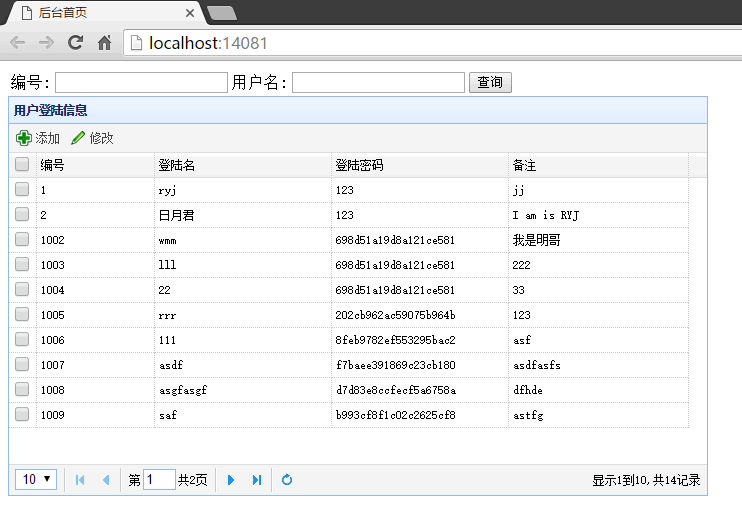
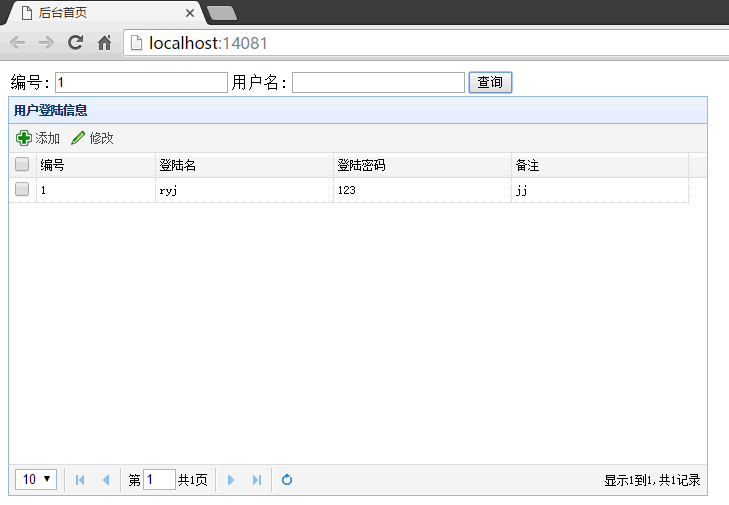
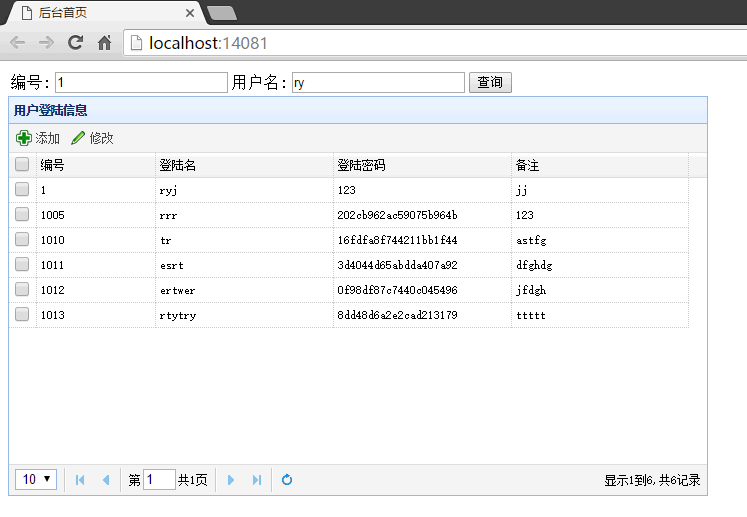
实现功能:分页查询,添加、修改功能。模糊查询功能
先来几张效果图:

创建存储过程如下
go

create proc usp_FenYe2

@selId int,

@selName nvarchar,

@pageIndex int,

@pageSize int,

@recordCount int output,

@pageCount int output

as

begin

if @selId!= and (@selName='')

begin

select *from(

select *,rn=ROW_NUMBER() over(order by UserId) from UserMsg where IsDelete= and( UserId=@selId)

)as t where t.rn between ((@pageIndex-)*@pageSize+) and @pageIndex*@pageSize

set @recordCount=(select count(*) from (select *from UserMsg where IsDelete= and( UserId=@selId))as t);

set @pageCount=CEILING((@recordCount*1.0)/@pageSize)

end

else if @selId= and (@selName!='')

begin

select *from(

select *,rn=ROW_NUMBER() over(order by UserId) from UserMsg where IsDelete= and( UserName like '%'+@selName+'%')

)as t where t.rn between ((@pageIndex-)*@pageSize+) and @pageIndex*@pageSize

set @recordCount=(select count(*) from (select * from UserMsg where IsDelete= and( UserName like '%'+@selName+'%'))as t);

set @pageCount=CEILING((@recordCount*1.0)/@pageSize)

end

else if @selId!= and(@selName!='')

begin

select *from(

select *,rn=ROW_NUMBER() over(order by UserId) from UserMsg where IsDelete= and(UserId=@selId or(UserName like '%'+@selName+'%'))

)as t where t.rn between ((@pageIndex-)*@pageSize+) and @pageIndex*@pageSize

set @recordCount=(select count(*) from (select *from UserMsg where IsDelete= and(UserId=@selId or (UserName like '%'+@selName+'%')))as t);

set @pageCount=CEILING((@recordCount*1.0)/@pageSize)

end

else

begin

select *from(

select *,rn=ROW_NUMBER() over(order by UserId) from UserMsg where IsDelete=)as t where t.rn between ((@pageIndex-)*@pageSize+) and @pageIndex*@pageSize

set @recordCount=(select count(*) from UserMsg);

set @pageCount=CEILING((@recordCount*1.0)/@pageSize)

end

end

go
整个项目代码见:https://github.com/shuai7boy/easyUITest
Jquery-EasyUI学习2~的更多相关文章
- jQuery EasyUI学习资源汇总
jQuery EasyUI学习资源汇总 EasyUi – 1.入门 EasyUi – 2.布局Layout + 3.登录界面 EasyUi – 4.datwagrid 学习Jquery EasyUI的 ...
- JQuery EasyUI学习框架
前言 前端技术,新项目的开发拟使用EasyUI框架(基于EasyUI丰富UI组件库),项目负责人的提示EasyUI分配给我这个任务.发展前,我需要这对于一个新手EasyUI框架学习一些基本的入门.记录 ...
- jQuery EasyUI学习二
1. 课程介绍 1. Datagrid组件(掌握) 2. Dialog.form组件(掌握) 3. Layout.Tabs;(掌握) Datagrid组件 2.1. 部署运行pss启动无错 ...
- JQuery EasyUI学习笔记
转载请注明原文地址:http://www.cnblogs.com/ygj0930/p/6690888.html 简介与准备 jQuery EasyUI 是一个基于 jQuery 的框架,集成了各种用 ...
- JQuery EasyUI学习记录(三)
1.jQuery EasyUI messager使用方式 1.1 alert方法 $(function(){ //1.alert方法---提示框 $.messager.alert("标题&q ...
- JQuery EasyUI学习记录(二)
1.jquery easyUI动态添加选项卡(查看jquery easyUI手册) 1.1 用于动态添加一个选项卡 1.1.1 选中指定的选项卡和判断某个选项卡是否存在 测试代码: <a id= ...
- JQuery EasyUI学习记录(一)
1.主页设计(JQuery EasyUI插件) 下载easyUI开发包: 将easyUI资源文件导入页面中: <link rel="stylesheet" type=&quo ...
- jQuery EasyUI学习一
1. jQuery EasyUI介绍 1. 创建组件的方式和原理(掌握) 2. 组件三要素(掌握) 3. Panel.LinkButton.上下文菜单;(掌握) 简介 2.1. jQuer ...
- JQuery EasyUI学习记录(五)
1.datagrid使用方法(重要) 1.1将静态html渲染为datagrid样式 <!--方式一: 将静态html渲染为datagrid样式 --> <table class=& ...
- JQuery EasyUI学习记录(四)
1.EasyUI中的validatebox使用 提供的校验规则: 1.非空校验required="required" 2.使用validType指定 email: 正则表达式匹配电 ...
随机推荐
- iOS打包Framework真机和模拟器兼容合并版本 - 详细攻略步骤
打包Framework,测试时: 1.用模拟器打包,测试时只能跑在模拟器 2.用真机打包,测试时只能跑在真机 那么怎么做到一个版本兼容以上两种场景呢? 解决如下: 1.打开终端 2.输入 lipo ...
- 搭建持续集成接口测试平台(Jenkins+Ant+Jmeter)
一.环境准备: 1.JDK:http://www.oracle.com/technetwork/java/javase/downloads/index.html 2.Jmeter:http://jme ...
- android 读取根目录下的文件或文件夹
@Override public void onCreate(Bundle savedInstanceState) { super.onCreate(savedInstanceState); setC ...
- ssh升级
Openssh升级操作步骤(此方法仅供参考) 1 .开启telnet服务 未避免openssh升级失败,导致ssh无法连接,在升级前首先开启telnet服务. 首先要确定是否安装了telnet 修改配 ...
- linux线程同步(1)-互斥量
一.概述 互斥量是线程同步的一种机制,用来保护多线程的共享资源.同一时刻,只允许一个线程对临界区进行 ...
- linux编程之内存映射
一.概述 内存映射是在调用进程的虚拟地址空间创建一个新的内存映射. 内存映射分为2种: 1.文件映射 ...
- windows下 MySQL手动安装与卸载
下载文件以后进行解压 ,指定文件的具体位置 1.安装 选择路径下的mysqld --intall 指定服务名称 --设置配置文件 例子: C:\Users\Administrator\Desktop ...
- cuda fft 计算
#include <assert.h> #include <stdio.h> #include <stdlib.h> #include <string.h&g ...
- 【原创Android游戏】--猜数字游戏V1.1 --数据存储,Intent,SimpleAdapter的学习与应用
--------------------------------------------------------------- V0.1版本 上次做完第一个版本后,发现还有一些漏洞,并且还有一些可以添 ...
- POJ2157Maze[DFS !]
Maze Time Limit: 2000MS Memory Limit: 65536K Total Submissions: 3818 Accepted: 1208 Description ...