
Red Hat EX413 通过笔记
最近通过了EX413考试,在这里记录一下~
EX413是Red Hat RH413对应的考试,RH413主要涉及Linux主机加固内容。考试大概18题的样子,给两台虚拟机,然后按照各个题目要求进行安全加固配置,考过210分即通过。考完第二天就会收到Red Hat成绩单,效率很高。
Dear xxxx:

The results of your EX413 Exam

are reported below.

Exam Domain Number:           5

Passing score for the exam:    210

Your score:                    250

Result: PASS

Congratulations -- you have earned the EX413

Certificate.
RH413所有章节:
Objective 1

Identify Red Hat Common Vulnerabilities and Exposures (CVEs) and Red Hat Security Advisories (RHSAs) and selectively update systems based on this information

Objective 2

Verify package security and validity

Objective 3

Identify and employ standards-based practices for configuring file system security, create and use encrypted file systems, tune file system features, and use specific mount options to restrict access to file system volumes.

Objective 4

Configure default permissions for users and use special file permissions, attributes, and access control lists (ACLs) to control access to files

Objective 5

Install and use intrusion detection capabilities in Red Hat Enterprise Linux to monitor critical system files

Objective 6

Manage user account security and user password security

Objective 7

Manage system login security using pluggable authentication modules (PAM)

Objective 8

Configure console security by disabling features that allow systems to be rebooted or powered off using bootloader passwords

Objective 9

Configure system-wide acceptable use notifications

Objective 10

Install, configure, and manage identity management services and configure identity management clients

Objective 11

Configure remote system logging services, configure system logging, and manage system log files using mechanisms such as log rotation and compression

Log Rotation

journal is a component of systemd for logging

journalctl is used for viewing the journal log

journal only logs in memory or a small ring file in /run/log/journal; to create persistent storage create the directory /var/log/journal

Objective 12

Configure system auditing services and review audit reports

Objective 13

Use network scanning tools to identify open network service ports and configure and troubleshoot system firewalling

References
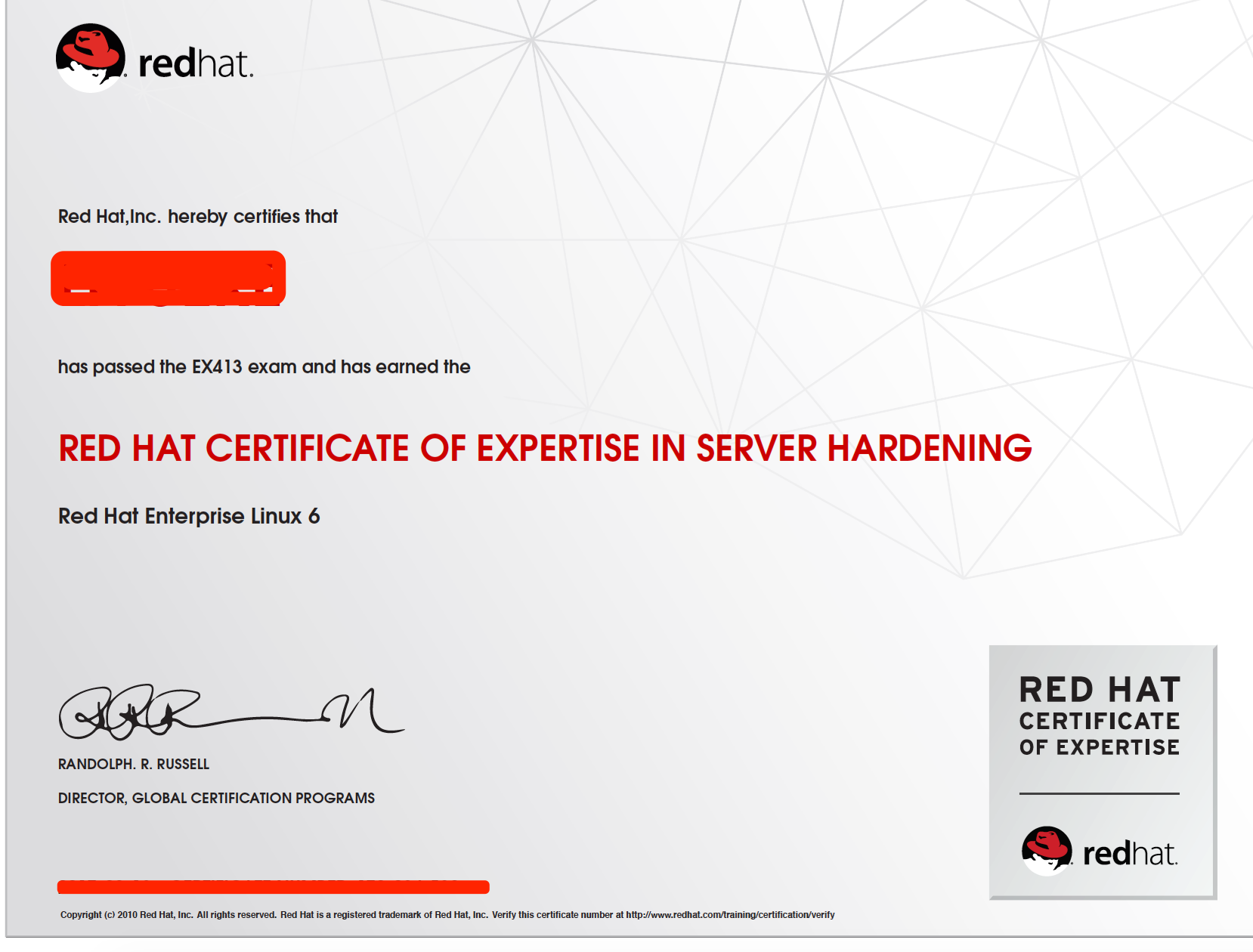
考到的点有:
yum 配置更新,配置GPG-PUBKEY
安装部署IPA-server,IPA-client
目录,文件特殊权限
文件掩码
用户默认权限设置
PAM模块
文件系统ACL
等..
Red Hat EX413 通过笔记的更多相关文章
- VMware Workstation 12 Player之安装林耐斯-Linux Red Hat 7 -系统
Linux系统之Red Hat 7 安装笔记... Red Hat(红帽)公司(NYSE:RHT)是一家开源解决方案供应商,也是标准普尔500指数成员.总部位于美国北卡罗来纳州的罗利市,截止2015年 ...
- Linux 命令大全之Red Hat 7常用命令总结二
Linux 命令大全之RedHat7常用命令笔记... ----------------------------------------------------- 征服Linux从终端开始 ----- ...
- How to create Oracle ASM devices using device-mapper multipath devices in Red Hat Enterprise Linux 6
How to create Oracle ASM devices using device-mapper multipath devices in Red Hat Enterprise Linux 6 ...
- Red Hat Cluster Suite 组件 fencing FAQ
说明 Red Hat Cluster实现HA的关键组件之一是fencing.没有设置fencing,虽然看上去也能够运行Cluster,但是一旦遇到故障切换就会出现异 常,所以深入理解fencing原 ...
- KALI Linux problems & Study Red Hat | Ubuntu
Problem When you ask some website with https head.you may met the problem secure connection failed ...
- Red Hat Enterprise Server 6.0 安装Sendmail相关包
由于需要在Linux服务器(Red Hat Enterprise Linux Server release 6.0)上配置邮件服务,需要安装Sendmail包,一般Sendmail的安装有两种方式:R ...
- Red Hat Enterprise Linux 6.6安装体验
Red Hat Enterprise Linux 6.6的安装首界面有五个选项,这跟以前的Red Hat Enterprise Linux 5.x的安装界面是有一些区别的. 安装或者升级现有系统( ...
- Red Hat Enterprise Linux 各个版本以及发布日期
Red Hat Enterprise Linux 7 Release/Update General Availability Date redhat-release Errata Date* Kern ...
- linux red hat 给普通用户开启root权限
环境:虚拟机:red hat 6.5:root角色用户:普通用户:宏基笔记本:win7: 操作过程: 1.登录普通用户,进入图形界面(可以设置为启动登录进入命令行界面): 2.按Crl+ALT+F2进 ...
随机推荐
- (2)分布式下的爬虫Scrapy应该如何做-关于对Scrapy的反思和核心对象的介绍
本篇主要介绍对于一个爬虫框架的思考和,核心部件的介绍,以及常规的思考方法: 一,猜想 我们说的爬虫,一般至少要包含几个基本要素: 1.请求发送对象(sender,对于request的封装,防止被封) ...
- 「日常训练」「小专题·USACO」 Wormholes(1-4)
题意 之后补充. 分析 这是一条很好的考察递归(或者说搜索)的题目.它的两个过程(建立初步解,验证)都用到了递归(或者说运用递归可以相当程度的减少代码量). 具体实现见代码.注意,为了使用std::p ...
- Navicat oracle to postgresql ERR
可能的解决思路是设好源数据和目标数据库后,先建立表结构,然后修改表结构字段数据类型 参考 https://www.cnblogs.com/stephen-liu74/archive/2012/04/3 ...
- react实现网站换肤功能
一.目标 提供几种主题色给用户选择,然后根据用户的选择改变应用的主题色: 二.实现原理 1.准备不同主题色的样式文件: 2.将用户的选择记录在本地缓存中: 3.每次进入应用时,读取缓存 ...
- LeetCode 215——数组中的第 K 个最大元素
1. 题目 在未排序的数组中找到第 k 个最大的元素.请注意,你需要找的是数组排序后的第 k 个最大的元素,而不是第 k 个不同的元素. 示例 1: 输入: [3,2,1,5,6,4] 和 k = 2 ...
- 关于org.springframework.web.filter.CharacterEncodingFilter的学习
介绍 org.springframework.web.filter.CharacterEncodingFilter 这是一个过滤器,是Spring在web请求中定义request和response的编 ...
- lintcode-95-验证二叉查找树
95-验证二叉查找树 给定一个二叉树,判断它是否是合法的二叉查找树(BST) 一棵BST定义为: 节点的左子树中的值要严格小于该节点的值. 节点的右子树中的值要严格大于该节点的值. 左右子树也必须是二 ...
- PAT L2-019 悄悄关注
https://pintia.cn/problem-sets/994805046380707840/problems/994805059731177472 新浪微博上有个“悄悄关注”,一个用户悄悄关注 ...
- PHP整数取余返回负数解决办法
<?php $num1 = 1494313163777; $num2 = 9999; //直接计算取余会出错,出现负数 -8779 //echo $num1 % $num2;exit; //算上 ...
- 详细介绍弹性盒模型(display:flex)
弹性盒模型,即Flexbox,是css3中的新特性,其实弹性盒模型的原身是dispaly:box:这里,我们暂时不考虑旧的,我们只看新的. 为容器指定弹性盒子,只需在父元素(也就是容器)中设置:dis ...