
[Python] Turtle库的运用, 创作精美绘画

更多示例代码下载地址 : https://github.com/Amd794/Python123
前言
- 最初来自于 Wally Feurzig 和 Seymour Papert 于 1966 年所创造的 Logo 编程语言
- 可以通过相关的指令, 轻松地绘制出精美的形状和图案
- 可以培养学习计算机的兴趣, 以一种娱乐的方式了解计算机的趣味
- Python 海龟创意绘画, Turtle库创作精美图画
- 通过阅读本文, 你可以学习到LSystem的应用和掌握绘制一些图形 , 有关介绍: https://en.wikipedia.org/wiki/L-system
turtle 基础教程
- 个人推荐看官方的文档, https://docs.python.org/zh-cn/3/library/turtle.html
部分效果预览


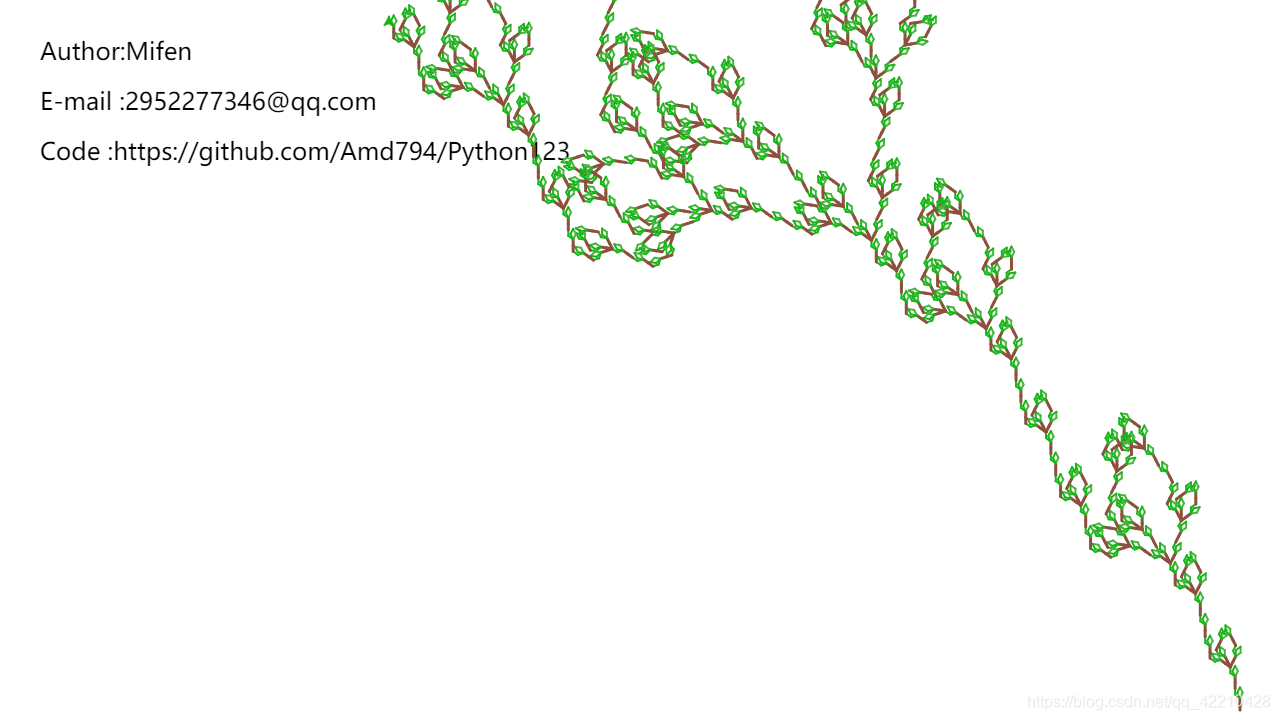
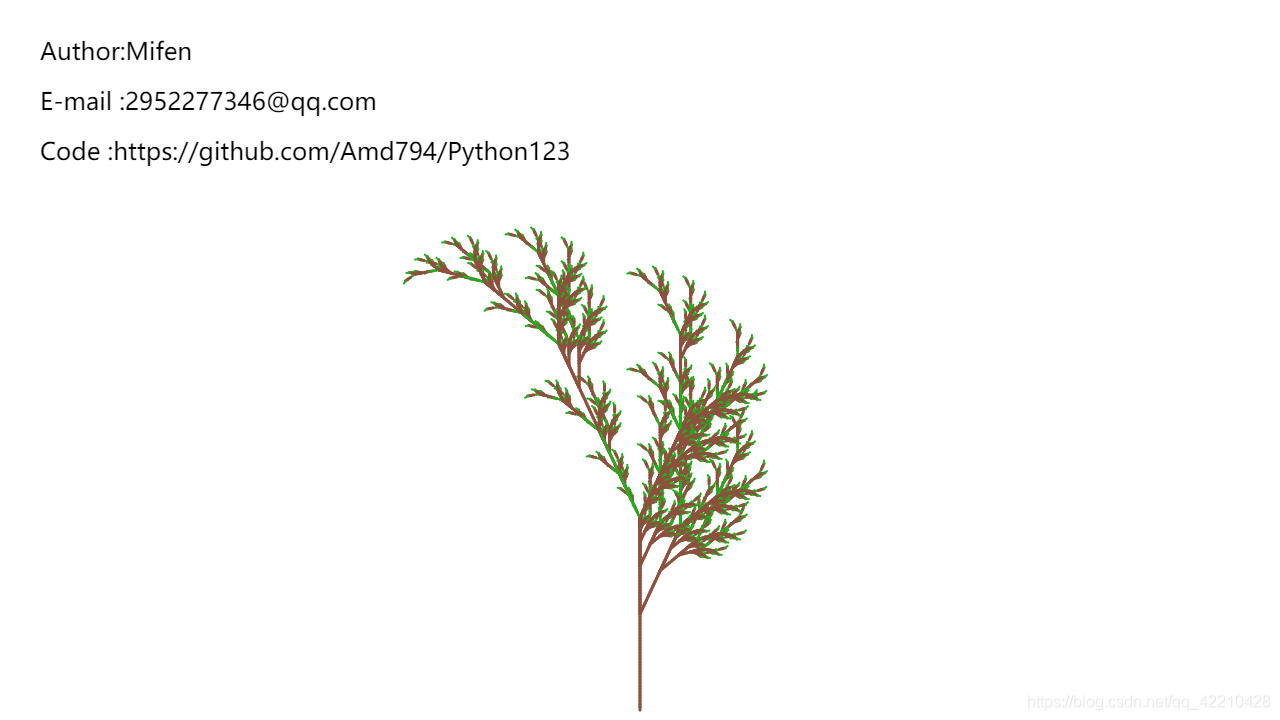
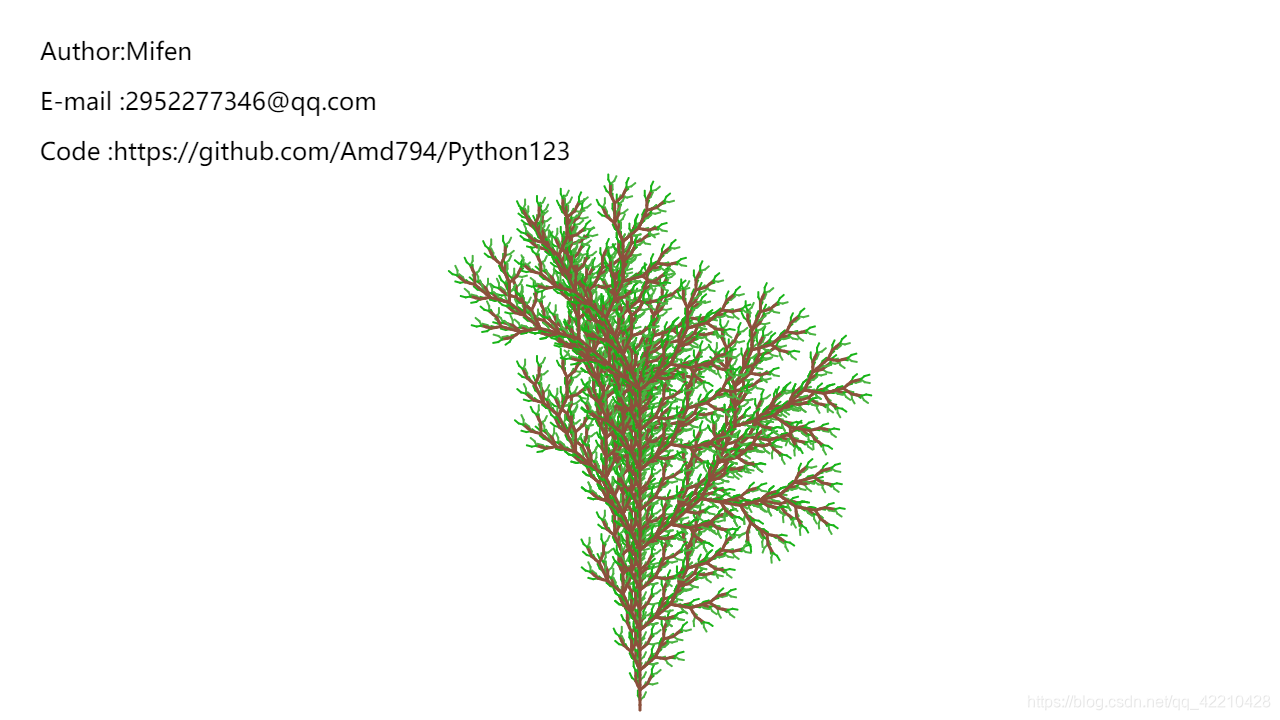
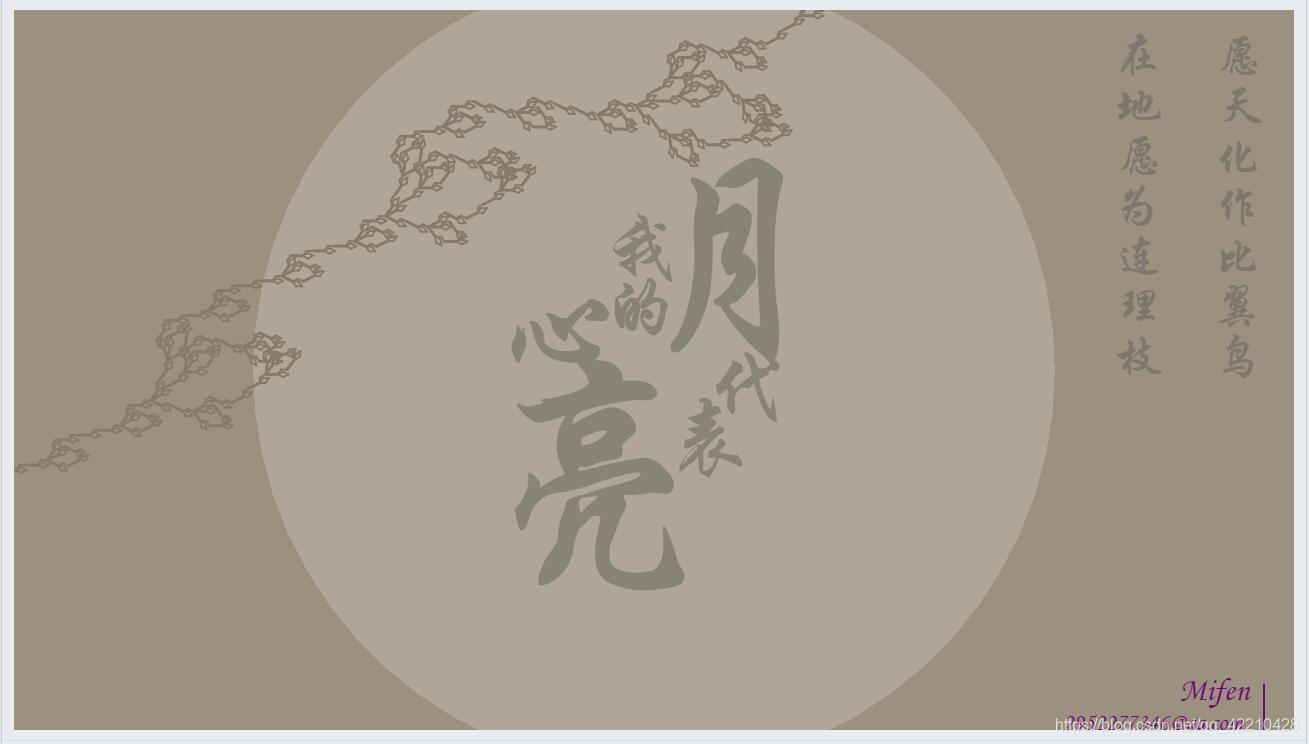

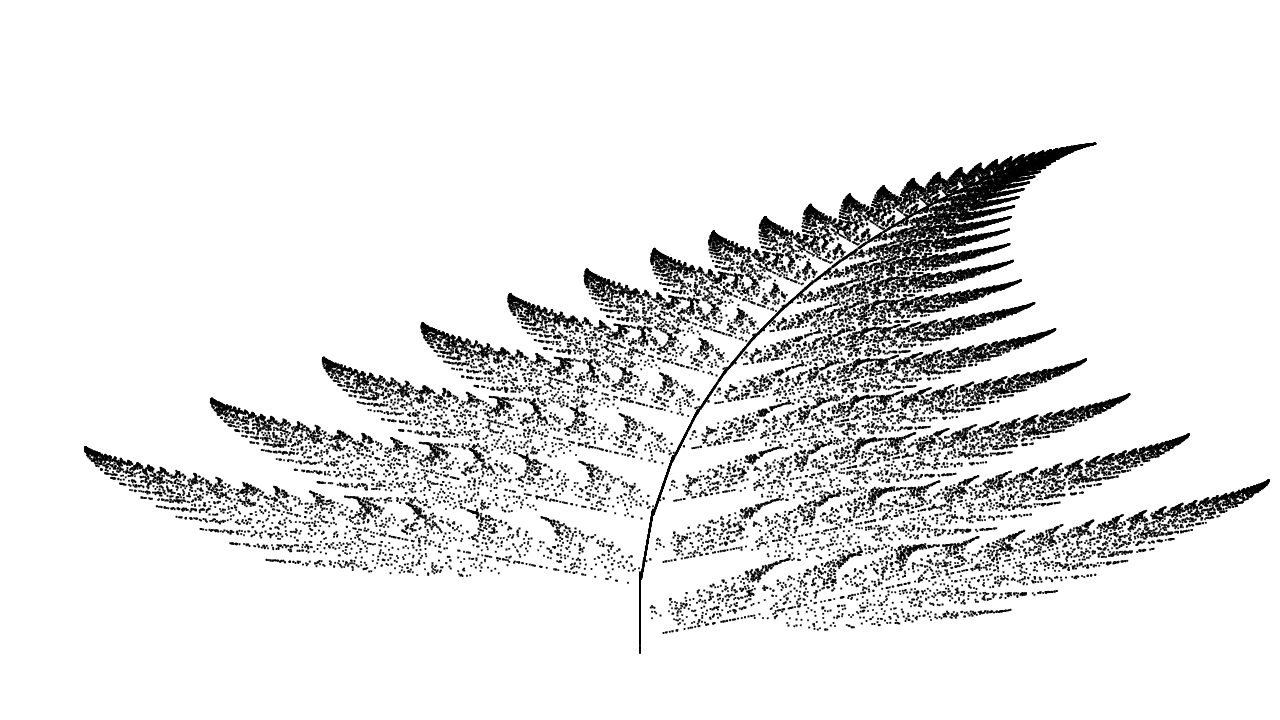
简单的例子应用
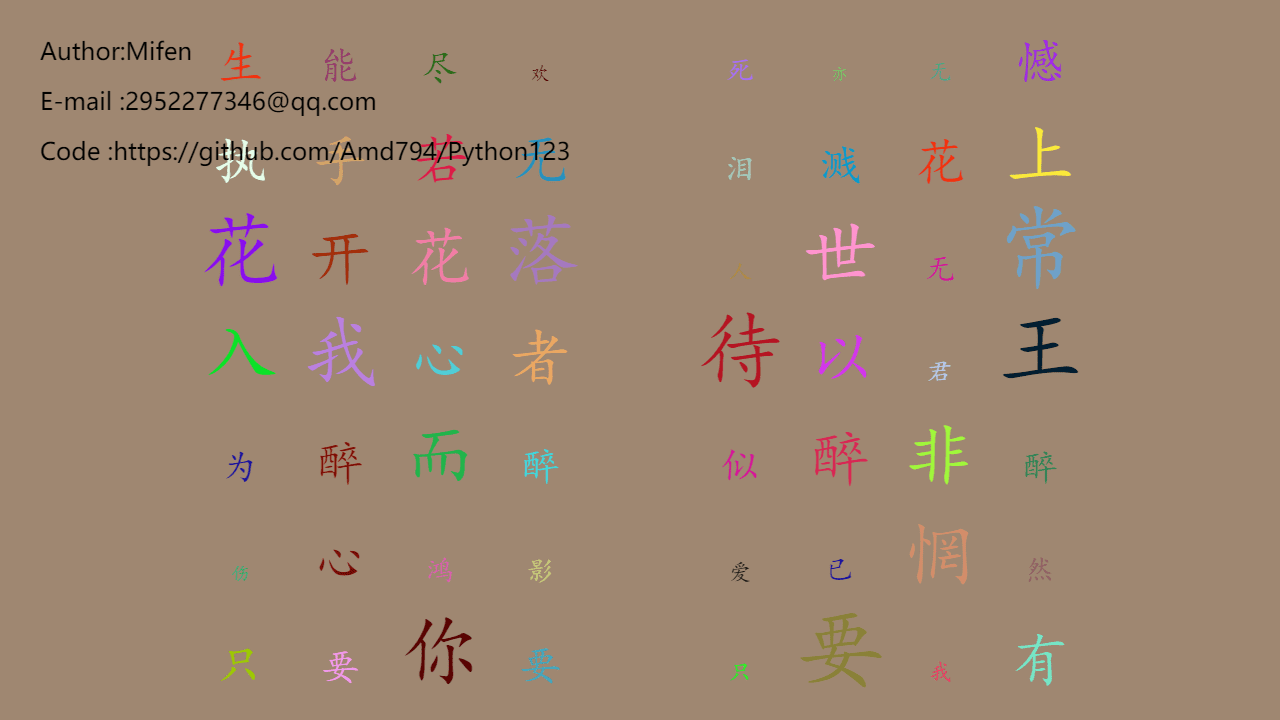
turtle文字的应用
一个很简单的随机文字
|
01
02
03
04
05
06
07
08
09
10
11
12
13
14
15
16
17
18
19
20
21
22
23
24
25
26
27
28
29
30
31
32
33
34
35
36
37
38
39
40
41
42
43
44
45
46
47
48
49
50
51
52
53
54
55
56
57
58
59
60
61
62
63
64
65
66
67
68
69
70
71
72
73
74
75
|
from turtle import *import randomstr_ = """守一段情 念一个人。时光不老 我们不散。厮守终生 不离不弃。天暗下来 你就是光。亡魂溺海 止于终老。生死挈阔 与子成说。柔情似水 佳期如梦。我中有你 你中有我。青山不老 为雪白头。心若向阳 无畏悲伤。一人一心 白首不离。心如荒岛 囚我终老。我的世界 只有你懂。你若安好 便是晴天。心有灵犀 一点就通。厮守海角 非你不娶。执子的手 漫漫的走。执子之手 与子偕老。山河拱手 为君一笑。红尘初妆 山河无疆。千秋功名 一世葬你。既不回头 何必不忘。既然无缘 何须誓言。今日种种 似水无痕。明夕何夕 君已陌路。才会相思 便害相思。人来人往 繁华似锦。回首万年 情衷伊人。生能尽欢 死亦无憾。执手若无 泪溅花上。花开花落 人世无常。入我心者 待以君王。为醉而醉 似醉非醉。伤心鸿影 爱已惘然。只要你要 只要我有。日久生情 日久情疏。忧佳相随 风雨无悔。有生之年 誓死娇宠引喻山河 指日可诚。水上鸳鸯 云中翡翠。天荒地老 海誓山盟。生则同襟 死则同穴。生有此女 夫复何求""".split("。")setup(1280,720) # 设置窗口大小colormode(255) # 使用的颜色模式, 整数还是小数up()a, b = -500, 280goto(a,b)bgcolor("black")down()def w(str_,b): bgcolor( random.randint(0,255),random.randint(0,255),random.randint(0,255)) # 随机生成RGB值, 每次调用函数改变背景颜色 for i in range(len(str_)): up() goto(a+100*i,b) down() size = random.randint(12,68) # 随机字体大小 color( random.randint(0,255),random.randint(0,255),random.randint(0,255)) # 随机字体颜色 write(str_[i], align="center",font=("楷体",size)) for k in range(4): for i in range(7): w(str_[i+7*k],b-100*i) reset() # 清屏 for i in range(7): w(str_[i+7*4],b-100*i) |
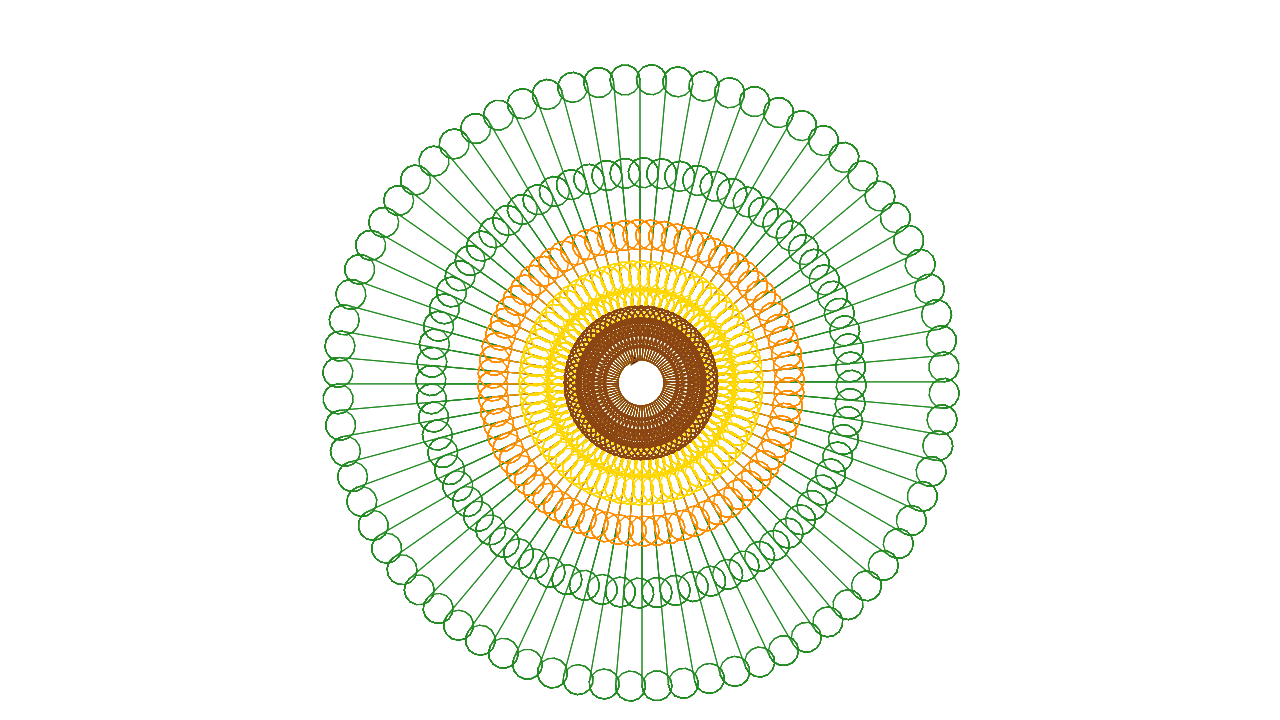
简单的图形例子
主要是通过改变角度和位置偏移, 做出各种效果
|
01
02
03
04
05
06
07
08
09
10
11
12
13
14
15
16
17
|
from turtle import *speed(0)bgcolor("white") pencolor("MediumAquamarine")h = 10for j in range(360): for i in range(4): forward(h) right(90) right(3) h = h*1.01 |



Lsystem 的应用
实质是通过不断变换规则, 绘制出各种发杂图形
以下符号字符的几何解释。
| # | 字符 | 含义 |
|---|---|---|
| 1 | F |
按行绘制一条线向前移动 |
| 2 | f |
按线条长度向前移动而不绘制线条 |
| 3 | + |
通过转动角度向左转动 |
| 4 | - |
通过转动角度向右转动 |
| 5 | / | 反向(即:转动180度) |
| 6 | [ |
将当前绘图状态推入堆栈 |
| 7 | ] |
从堆栈弹出当前绘图状态 |
| 8 | # |
按线宽增量增加线宽 |
| 9 | ! |
通过线宽增量减小线宽 |
| 10 | @ |
绘制带有线宽半径的点 |
| 12 | } |
关闭多边形并用填充颜色填充 |
| 13 | < |
将线长乘以线长比例因子 |
| 14 | > |
将线长除以线长比例因子 |
| 15 | & |
交换+和 - 的含义 |
| 16 | ( |
通过转动角度增量减小转动角度 |
| 17 | ) |
通过转动角度增量来增加转动角度 |
| 18 | { |
打开多边形 |
相关说明
 1 draw_path(length, angle, path, expalnation)

 2 主要用来绘制海龟行走路径

 3 length ---->每次行走的距离

 4 angle  ---->偏移的角度

 5 path  ---->初始路径图案,即0阶的形状

 6 expalnation  ---->用来记录打印每一步操作

 7 apply_rules(path, rules)

 8 主要是转换每一阶段的path

 9 path  ---->初始路径图案,即0阶的形状

10 rules ---->转换的规则

11 getColor()

12 提供一个随机rgb值

13 initialization()

14 初始化各种参数

15 Introduction(x=-600, y=-350)

16 注解

17 默认海龟初始位置(-600,-350)

18 run(n,angle,length,path,rules)

19 启动程序
实现如下:
|
01
02
03
04
05
06
07
08
09
10
11
12
13
14
15
16
17
18
19
20
21
22
23
24
25
26
27
28
29
30
31
32
33
34
35
36
37
38
39
40
41
42
43
44
45
46
47
48
49
50
51
52
53
54
55
56
57
58
59
60
61
62
63
64
65
66
67
68
69
70
71
72
73
74
75
76
77
78
79
80
81
82
83
84
85
86
87
88
89
90
91
92
93
|
# -*- coding: utf-8 -*-# Time : 2019/4/5 22:20# Author : Mifen# Email : 2952277346@qq.com# Github : https://github.com/Amd794import timeimport turtle as tfrom turtle import *setup(1280,720)t.speed(0)t.pensize(1)length = 5path = 'FX'angle = 25up()color("#262626;")goto(-600, 300)write('Author:Mifen', font=("微软雅黑", 18))goto(-600, 250)write('E-mail :2952277346@qq.com', font=("微软雅黑", 18))goto(-600, 200)write('Code :https://github.com/Amd794/Python123', font=("微软雅黑", 18))goto(-600, -350)down()expalnation = { 'F': '画线', 'x': '-', '+': '逆时针旋转', '-': '顺时针旋转', '[': '记录当前位置', ']': '恢复上一个位置', 'a': '上色', 'b': '上色', 'c': '上色'}rules = { 'F': 'aFF-[b-F+F]+[c+F-F]', 'X': 'aFF+[b+F]+[c-F]'}def draw_path(path, expalnation): posList, angleList = [], [] t.up() t.goto(0, -350) t.down() t.lt(90) for symbol in path: if symbol == 'F': t.forward(length) elif symbol == '+': t.left(angle) elif symbol == '-': t.rt(angle) elif symbol == '[': posList.append(t.pos()) angleList.append(t.heading()) elif symbol == 'a': t.pensize(3) t.color("#8c503c") elif symbol == 'b': t.pensize(2) t.color("#4ab441") elif symbol == 'c': t.pensize(2) t.color("#18b418") elif symbol == ']': t.up() t.home() t.goto(posList.pop()) t.left(angleList.pop()) t.down()def apply_rules(path, rules): L = [_ for _ in path] for i in range(len(L)): symbol = L[i] if symbol == 'F': L[i] = rules[symbol] if symbol == 'X': L[i] = rules[symbol] path = ''.join(L) return pathfor _ in range(5): path = apply_rules(path, rules)draw_path(path, expalnation) |
综合以上, 来一个整合:
|
001
002
003
004
005
006
007
008
009
010
011
012
013
014
015
016
017
018
019
020
021
022
023
024
025
026
027
028
029
030
031
032
033
034
035
036
037
038
039
040
041
042
043
044
045
046
047
048
049
050
051
052
053
054
055
056
057
058
059
060
061
062
063
064
065
066
067
068
069
070
071
072
073
074
075
076
077
078
079
080
081
082
083
084
085
086
087
088
089
090
091
092
093
094
095
096
097
098
099
100
101
102
103
104
105
106
107
108
109
110
111
112
113
114
115
116
117
118
119
120
121
122
123
|
# -*- coding: utf-8 -*-# Time : 2019/4/6 22:45# Author : Mifen# Email : 2952277346@qq.com# Github : https://github.com/Amd794from turtle import *import timeimport turtle as tdef gotopos(x, y): up() goto(x, y) down() ht()def author(): pensize(2) gotopos(610, -315) lt(-90) fd(80) pensize(1) lt(-270) gotopos(525, -330) color("#772a2b") write("Mifen", font=("华文隶书", 24)) gotopos(409, -360) write("2952277346@qq.com", font=("华文隶书", 18)) gotopos(250, -390) write("https://github.com/Amd794/Python123", font=("华文隶书", 18))def apply_rules(path, rules): L = [_ for _ in path] for i in range(len(L)): symbol = L[i] if symbol == 'F': L[i] = rules[symbol] if symbol == 'X': L[i] = rules[symbol] path = ''.join(L) return pathdef draw_path(path): posList, angleList = [], [] for symbol in path: if symbol == 'F': t.forward(length) elif symbol == '+': t.left(angle) elif symbol == '-': t.rt(angle) elif symbol == '[': posList.append(t.pos()) angleList.append(t.heading()) elif symbol == 'a': t.pensize(3) t.color("#867b68") elif symbol == 'b': t.pensize(2) t.color("#867b68") elif symbol == 'c': t.pensize(2) t.color("#867b68") elif symbol == ']': t.up() t.home() t.goto(posList.pop()) t.left(angleList.pop()) t.down()def writez(x, y, str_, size=56, font="华文行楷"): gotopos(x, y) write(str_, font=(font, size))setup(1280, 800)speed(5)bgcolor("#9c917f")color("#afa697")begin_fill()gotopos(0, -400)circle(400)end_fill()author()color("#7d776d")s = "愿天化作比翼鸟"s2 = "在地愿为连理枝"for i in range(len(s)): writez(560, 350 - i * 50, s[i], 36)for i in range(len(s2)): writez(460, 350 - i * 50, s2[i], 36)color("#888475")writez(-50, 100, "我")writez(-50, 40, "的")writez(-160, 0, "心", 96)writez(-50, 0, "月", 176)writez(33, -30, "代", 62)writez(-18, -95, "表", 78)writez(-213, -210, "亮", 196)gotopos(249, -26)color("#867b68")speed(0)gotopos(-650, -100)length = 6path = 'F'angle = 27rules = { 'F': 'aFF[b-F++F][c+F--F]c++F--F', 'X': 'aFF+[b+F]+[c-F]'}for _ in range(4): path = apply_rules(path, rules)draw_path(path)gotopos(570, -330)done() |
[Python] Turtle库的运用, 创作精美绘画的更多相关文章
- Python turtle库详解
Python turtle库详解 Turtle库是Python语言中一个很流行的绘制图像的函数库,想象一个小乌龟,在一个横轴为x.纵轴为y的坐标系原点,(0,0)位置开始,它根据一组函数指令的控制,在 ...
- Python turtle库的画笔控制说明
turtle.penup() 别名 turtle.pu() :抬起画笔海龟在飞行 turtle.pendown() 别名 turtle.pd():画笔落下,海龟在爬行 turtle.pensize(w ...
- Python Turtle库绘制蟒蛇
使用Python Turtle库来绘制蟒蛇 import turtle引入了海龟绘图体系 使用setup函数,设定了一个宽650像素和高350像素的窗体,其位置左上角坐标是200,200 说明位置在距 ...
- 一篇文教你使用python Turtle库画出“精美碎花小清新风格树”快来拿代码!
Turtle库手册可以查询查询 python图形绘制库turtle中文开发文档及示例大全,手册中现有示例,不需要自己动手就可以查看演示. 使用Turtle画树,看了一下网上的代码,基本上核心的方法是使 ...
- python turtle库的几个小demo
一.先上图 一个同切圆和五角星 上代码 import turtle #同切圆 turtle.pensize(2) turtle.circle(10) turtle.circle(40) turtle. ...
- python turtle库
turtle库初步 先看 https://www.cnblogs.com/chy8/p/9448606.html 一 turtle库介绍 turtle乌龟 import turtle from tur ...
- Python turtle库学习笔记
1.简介 Python的turtle库的易操作,对初学者十分友好.对于初学者来说,刚学编程没多久可以写出许多有趣的可视化东西,这是对学习编程极大的鼓舞,可以树立对编程学习的信心.当然turtle本身也 ...
- Python turtle库绘制简单图形
一.简介 Python中的turtle库是一个直观有趣的图形绘制函数库.turtle库绘制图形有一个基本框架:一个小海龟在坐标系中爬行,其爬行轨迹形成了绘制图形. 二.简单的图形列举 1.绘制4个不同 ...
- 第1课(续集),python turtle库的使用
原文再续,书接上一回 上回讲到了,python IDLE的草稿本和作业本,并顺便试了试python的输入输出,变量,运算的体验,大家应该能感受到python的简单了吧. 下面我们继续体验python的 ...
- Python turtle库的应用——蛇
turtle库介绍 1.Turtle中的turtle.setup()函数用于启动一个图形窗口,它有四个参数 turtle.setup(width, height, startx, starty) 分别 ...
随机推荐
- OO第一次大作业
前言 前言的前言 这是我的第一篇blog,有点小激动,我还找教程设置了一下我的背景,本来还想弄个页面小宠物,但是看了一下感觉有点复杂,下次一定.如果对我blog的内容有任何修正或者建议可以评论让我知道 ...
- 2021-7-29 MySql的简单使用
创建表格 先判断users表是否存在,然后设置user_id为无符号(UNSIGNED)自动增长(AUTO_INCREMENT)的整型 并通过PRIMARY KEY设置user_id为主键 ENG ...
- 论文解读(DWL)《Dynamic Weighted Learning for Unsupervised Domain Adaptation》
[ Wechat:Y466551 | 付费咨询,非诚勿扰 ] 论文信息 论文标题:Dynamic Weighted Learning for Unsupervised Domain Adaptatio ...
- 解决WSL执行systemctl命令报错:Failed to get D-Bus connection
问题描述 笔者通过WSL安装了CentOS7系统,刚开始一切都很顺利.当执行systemctl命令时,却意外报错:Failed to get D-Bus connection: Operation n ...
- 论文解读(TAT)《 Transferable Adversarial Training: A General Approach to Adapting Deep Classifiers》
Note:[ wechat:Y466551 | 可加勿骚扰,付费咨询 ] 论文信息 论文标题:Transferable Adversarial Training: A General Approach ...
- 一个超经典 WinForm 卡死问题的最后一次反思
一:背景 1. 讲故事 在我分析的 200+ dump 中,同样会遵循着 28原则,总有那些经典问题总是反复的出现,有很多的朋友就是看了这篇 一个超经典 WinForm 卡死问题的再反思 找到我,说 ...
- jmeter 二次开发详解
背景: JMeter 是一个功能强大的性能测试工具,但它可能无法满足特定项目或组织的特定需求.通过进行二次开发,可以定制 JMeter,使其适应具体项目的需求.例如,可能需要添加自定义的 测试元件.报 ...
- 搭建LNMP 架构
搭建LNMP 架构 环境准备 lnmp 需要 安装 nginx mysql php 软件 #关闭防火墙 systemctl disable --now firewalld #临时禁用SELinux的强 ...
- 原来你是这样的SpringBoot--初识SpringBootAdmin
简介 Spring Boot Admin(SBA)是一个针对spring-boot的actuator接口进行UI美化封装的监控工具.它可以:在列表中浏览所有被监控spring-boot项目的基本信息, ...
- charts自适应
大屏echarts自适应文字大小 1.在utils中创建 setFontSize.js function setFontSize(val) { const baseSize = 50; let sca ...