
Python turtle库学习笔记
1.简介
Python的turtle库的易操作,对初学者十分友好。对于初学者来说,刚学编程没多久可以写出许多有趣的可视化东西,这是对学习编程极大的鼓舞,可以树立对编程学习的信心。当然turtle本身也十分有趣,可以用它画出很多奇妙的图案。
2.绘图的基本知识
(1)画布(canvas)
画布就是turtle为我们展开用于绘图区域,我们可以设置它的大小和初始位置。
设置画布大小
turtle.screensize(canvwidth=None,canvheight=None,bg=None),参数分别为画布的宽(单位像素),高,背景颜色。
如:
turtle.screensize(800,600,"green")
turtle.screensize()#返回默认大小(400,300)
turtle.setup(width=0.5,height=0.75,startx=None,starty=None) 参数:width,height:输入宽和高为整数时,表示像素;为小数时,表示占据 电脑屏幕的比例,(startx,starty):这一坐标表示矩形窗口左上角顶点的位置,如果为空,则 窗口位于屏幕中心。
如:
turtle.setup(width=0.6,height=0.6)
turtle.setup(width=800,height=800,startx=100,starty=100)
(2)画笔
i)画笔的状态
在画布上,默认有一个坐标原点为画布中心的坐标轴,坐标原点上有一只面朝x轴正方向小乌龟。这里我们描述小乌龟时使用了两个词语:坐标原点(位置),面朝x轴正方向(方向),turtle绘图中,就是使用位置方向描述小乌龟(画笔)的状态。
ii)画笔的属性
画笔(画笔的属性,颜色、画线的宽度等)
turtle.pensize(): 设置画笔的宽度;
turtle.pencolor(): 没有参数传入,返回当前画笔颜色,传入参数设置画笔颜色,可以是字符串如"green","red",也可以是RGB3元组。
turtle.speed(speed): 设置画笔移动速度,画笔绘制的速度范围[0,10]整数,数字越大越快。
(3)绘图窗口的原点(0,0)在正中间。默认情况下,海龟向正右方移动。
(4)操纵海龟绘图有着许多的命令,这些命令可以划分为两种: 一种为运动命令,一种为画笔控制命令
i)运动命令:
forward(d) 向前移动距离d代表距离
backward(d) 向后移动距离d代表距离
right(degree) 向右转动多少度
left(degree) 向左转动多少度
goto(x,y) 将画笔移动到坐标为(x,y)的位置
stamp() 绘制当前图形
speed(speed) 画笔绘制的速度范围[0,10]整数
ii)画笔控制命令:
down() 画笔落下,移动时绘制图形
up() 画笔抬起,移动时不绘制图形
setheading(degree) 海龟(turtle)朝向,degree代表角度
reset() 恢复所有设置
pensize(width) 画笔的宽度
pencolor(colorstring) 画笔的颜色
fillcolor(colorstring) 绘制图形的填充颜色
circle(radius,extent) 绘制一个圆形,其中radius为半径,extent为度数,例如若extent为120,则画一个三分之一圆;
3.turtle绘图案例
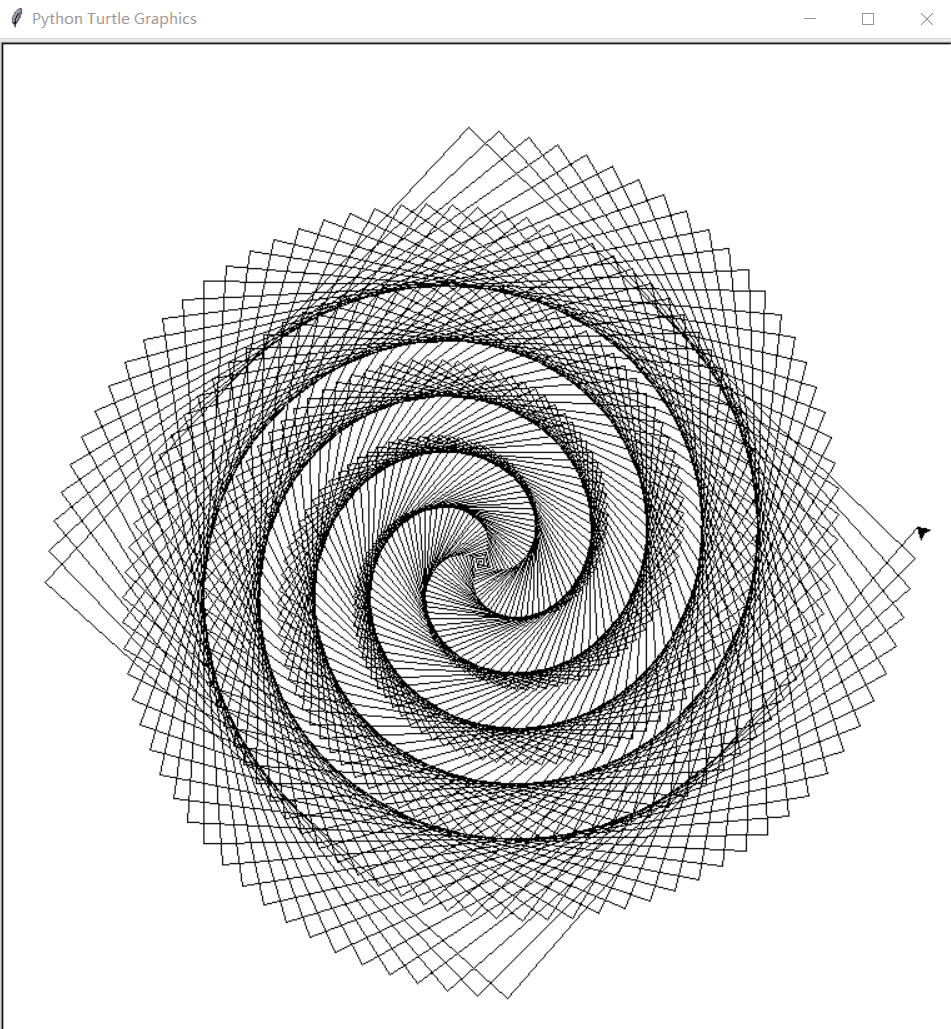
(1)方形螺旋图像:
from turtle import *

for i in range(500):

    forward(i)

    left(91)
运行效果:
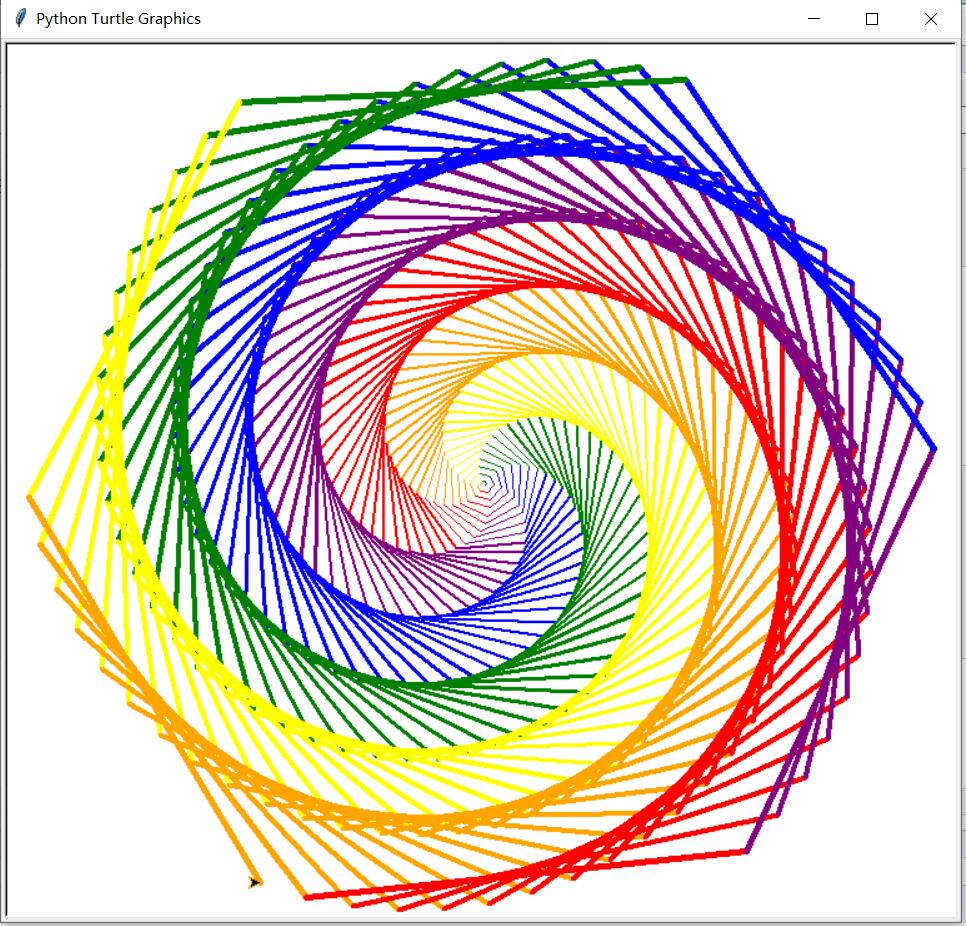
(2)彩色螺旋图
from turtle import *

colors = ['red', 'purple', 'blue', 'green', 'yellow', 'orange']

for x in range(360):

    pencolor(colors[x % 6])

    width(x / 100 + 1)

    forward(x)

    left(59)
运行效果:
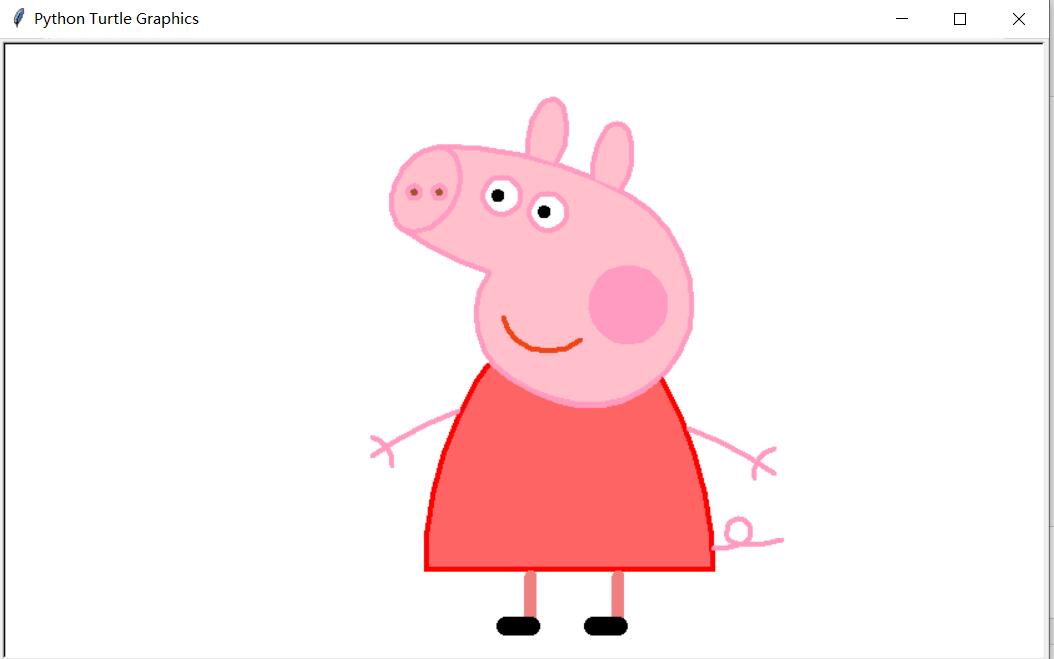
(3)小猪佩奇
# coding:utf-8

from turtle import*

def nose(x,y):#鼻子

    pu()

    goto(x,y)

    pd()

    seth(-30)

    begin_fill()

    a=0.4

    for i in range(120):

        if 0<=i<30 or 60<=i<90:

            a=a+0.08

            lt(3) #向左转3度

            fd(a) #向前走a的步长

        else:

            a=a-0.08

            lt(3)

            fd(a)

    end_fill()

    pu()

    seth(90)

    fd(25)

    seth(0)

    fd(10)

    pd()

    pencolor(255,155,192)

    seth(10)

    begin_fill()

    circle(5)

    color(160,82,45)

    end_fill()

    pu()

    seth(0)

    fd(20)

    pd()

    pencolor(255,155,192)

    seth(10)

    begin_fill()

    circle(5)

    color(160,82,45)

    end_fill()

def head(x,y):#头

    color((255,155,192),"pink")

    pu()

    goto(x,y)

    seth(0)

    pd()

    begin_fill()

    seth(180)

    circle(300,-30)

    circle(100,-60)

    circle(80,-100)

    circle(150,-20)

    circle(60,-95)

    seth(161)

    circle(-300,15)

    pu()

    goto(-100,100)

    pd()

    seth(-30)

    a=0.4

    for i in range(60):

        if 0<=i<30 or 60<=i<90:

            a=a+0.08

            lt(3) #向左转3度

            fd(a) #向前走a的步长

        else:

            a=a-0.08

            lt(3)

            fd(a)

    end_fill()

def ears(x,y): #耳朵

    color((255,155,192),"pink")

    pu()

    goto(x,y)

    pd()

    begin_fill()

    seth(100)

    circle(-50,50)

    circle(-10,120)

    circle(-50,54)

    end_fill()

    pu()

    seth(90)

    fd(-12)

    seth(0)

    fd(30)

    pd()

    begin_fill()

    seth(100)

    circle(-50,50)

    circle(-10,120)

    circle(-50,56)

    end_fill()

def eyes(x,y):#眼睛

    color((255,155,192),"white")

    pu()

    seth(90)

    fd(-20)

    seth(0)

    fd(-95)

    pd()

    begin_fill()

    circle(15)

    end_fill()

    color("black")

    pu()

    seth(90)

    fd(12)

    seth(0)

    fd(-3)

    pd()

    begin_fill()

    circle(3)

    end_fill()

    color((255,155,192),"white")

    pu()

    seth(90)

    fd(-25)

    seth(0)

    fd(40)

    pd()

    begin_fill()

    circle(15)

    end_fill()

    color("black")

    pu()

    seth(90)

    fd(12)

    seth(0)

    fd(-3)

    pd()

    begin_fill()

    circle(3)

    end_fill()

def cheek(x,y):#腮

    color((255,155,192))

    pu()

    goto(x,y)

    pd()

    seth(0)

    begin_fill()

    circle(30)

    end_fill()

def mouth(x,y): #嘴

    color(239,69,19)

    pu()

    goto(x,y)

    pd()

    seth(-80)

    circle(30,40)

    circle(40,80)

def body(x,y):#身体

    color("red",(255,99,71))

    pu()

    goto(x,y)

    pd()

    begin_fill()

    seth(-130)

    circle(100,10)

    circle(300,30)

    seth(0)

    fd(230)

    seth(90)

    circle(300,30)

    circle(100,3)

    color((255,155,192),(255,100,100))

    seth(-135)

    circle(-80,63)

    circle(-150,24)

    end_fill()

def hands(x,y):#手

    color((255,155,192))

    pu()

    goto(x,y)

    pd()

    seth(-160)

    circle(300,15)

    pu()

    seth(90)

    fd(15)

    seth(0)

    fd(0)

    pd()

    seth(-10)

    circle(-20,90)

    pu()

    seth(90)

    fd(30)

    seth(0)

    fd(237)

    pd()

    seth(-20)

    circle(-300,15)

    pu()

    seth(90)

    fd(20)

    seth(0)

    fd(0)

    pd()

    seth(-170)

    circle(20,90)

def foot(x,y):#脚

    pensize(10)

    color((240,128,128))

    pu()

    goto(x,y)

    pd()

    seth(-90)

    fd(40)

    seth(-180)

    color("black")

    pensize(15)

    fd(20)

    pensize(10)

    color((240,128,128))

    pu()

    seth(90)

    fd(40)

    seth(0)

    fd(90)

    pd()

    seth(-90)

    fd(40)

    seth(-180)

    color("black")

    pensize(15)

    fd(20)

def tail(x,y):#尾巴

    pensize(4)

    color((255,155,192))

    pu()

    goto(x,y)

    pd()

    seth(0)

    circle(70,20)

    circle(10,330)

    circle(70,30)

def setting():          #参数设置

    pensize(4)

    hideturtle()

    colormode(255)

    color((255,155,192),"pink")

    setup(840,500)

    speed(10)

def main():

    setting()           #画布、画笔设置

    nose(-100,100)      #鼻子

    head(-69,167)       #头

    ears(0,160)         #耳朵

    eyes(0,140)         #眼睛

    cheek(80,10)        #腮

    mouth(-20,30)       #嘴

    body(-32,-8)        #身体

    hands(-56,-45)      #手

    foot(2,-177)        #脚

    tail(148,-155)      #尾巴

    done()              #结束

    main()

main()
运行效果:
Python turtle库学习笔记的更多相关文章
- 对于Python turtle的学习笔记
进一步地,我尝试学习了Python 的其中一个非常重要的函数库——turtle库 这是一个用于python绘图的函数库,方便又好用! 对于它的安装,现在我们所用的python 3的系统运用到的指令是: ...
- python requests库学习笔记(上)
尊重博客园原创精神,请勿转载! requests库官方使用手册地址:http://www.python-requests.org/en/master/:中文使用手册地址:http://cn.pytho ...
- Turtle库学习笔记
一.Turtle库是Python语言中一个很流行的绘制图像的函数库,想象一个小乌龟,在一个横轴为x.纵轴为y的坐标系原点,(0,0)位置开始,它根据一组函数指令的控制,在这个平面坐标系中移动,从而在它 ...
- python requests库学习笔记(下)
1.请求异常处理 请求异常类型: 请求超时处理(timeout): 实现代码: import requestsfrom requests import exceptions #引入exc ...
- Python PIL库学习笔记
1.PIL简介 Python Imaging Library(缩写为PIL)(在新的版本中被称为Pillow)是Python编程语言的开源库,它增加了对打开,操作和保存许多不同图像文件格式的支持.它适 ...
- python os库学习笔记
os.getcwd(): 获取当前目录 os.name: 获取当前使用的操作系统 eg: print os.name os.remove(): 删除指定文件 eg: os.remove('test.t ...
- 吴裕雄--天生自然Python Matplotlib库学习笔记:matplotlib绘图(1)
Matplotlib 可能是 Python 2D-绘图领域使用最广泛的套件.它能让使用者很轻松地将数据图形化,并且提供多样化的输出格式. from pylab import * size = 128, ...
- Python Requests 库学习笔记
概览 实例引入 import requests response = requests.get('https://www.baidu.com/') print(type(response)) prin ...
- 吴裕雄--天生自然Python Matplotlib库学习笔记:matplotlib绘图(2)
import numpy as np import matplotlib.pyplot as plt fig = plt.figure() fig.subplots_adjust(bottom=0.0 ...
随机推荐
- Struts2,Spring3,Hibernate4整合--SSH框架
Struts2,Spring3,Hibernate4整合--SSH框架(学习中) 一.包的导入 1.Spring包 2.Hibernate 包 3.struts 包 (还欠 struts2-sprin ...
- icp算法
https://github.com/tttamaki/ICP-test https://github.com/tttamaki/SICP-test
- [Java] 通过XPath获取XML中某个节点的属性
/** * Get PA Url * @author jzhang6 * @return url */ public String getPAUrl(){ String PAUrl = "& ...
- Spring JMX之二:远程访问MBean
虽然最初的JMX规范提及了通过MBean进行应用的远程管理,但是它并没有定义实际的远程 访问协议或API.因此,会由JMX供应商定义自己的JMX远程访问解决方案,但这通常又是专 有的. 为了满足以标准 ...
- Basic4android v3.00 发布
这次发布的版本主要是增加了快速debuger. 在运行时,可以在IDE 里面随时修改代码,而不需要重新发布应用. 大大提高了开发效率. Basic4android v3.00 is released. ...
- Linux下编译busybox时出现的问题
编译busybox的时候出现了一个问题: sync.c:(.text.sync_main+0x78): undefined reference to `syncfs' collect2: ld ret ...
- jmeter 使用ANT运行 设置自动停止时间
1.直接看图
- C#动态编译引擎-CS-Script 简单使用
Technorati 标记: cs-script 介绍可以参看 http://www.cnblogs.com/shanyou/p/3413585.html 还可以参看 这个 项目介绍 性能测试 c ...
- [51单片机] nRF24L01 无线模块 串口法命令 通过无线控制另一个的灯
>_<!概述: 这是在上一个的基础上通过按键发送4种不同命令来控制接收端的LED灯亮的改进版(上一个:http://www.cnblogs.com/zjutlitao/p/3840013. ...
- IIS 8 nodejs + iisnode 配置
最近再Server 2012 + IIS 8 中配置NodeJS 运行环境,具体配置过程就不细说了(随便搜搜一堆),安装完nodejs 和 iisnode 之后,出现一个报错,如下: The iisn ...