
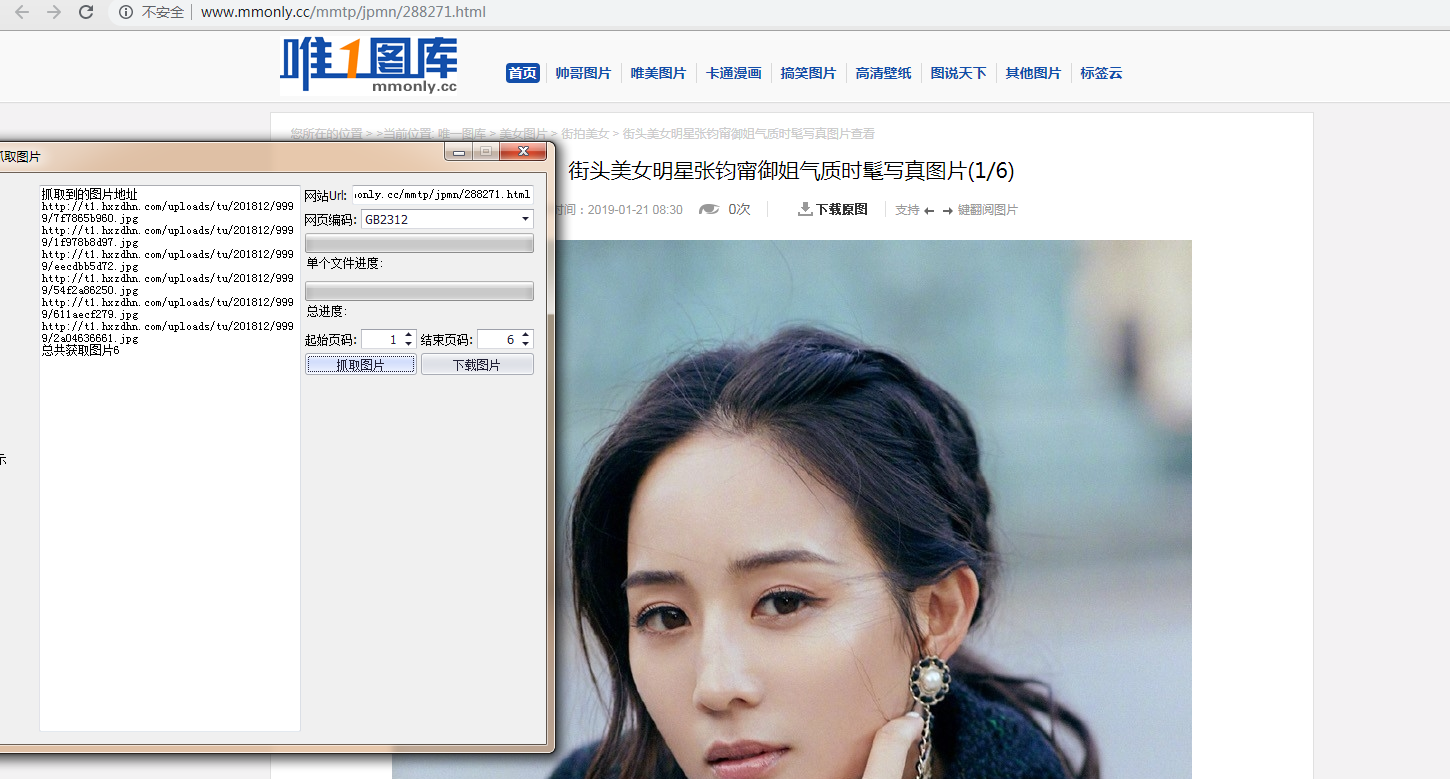
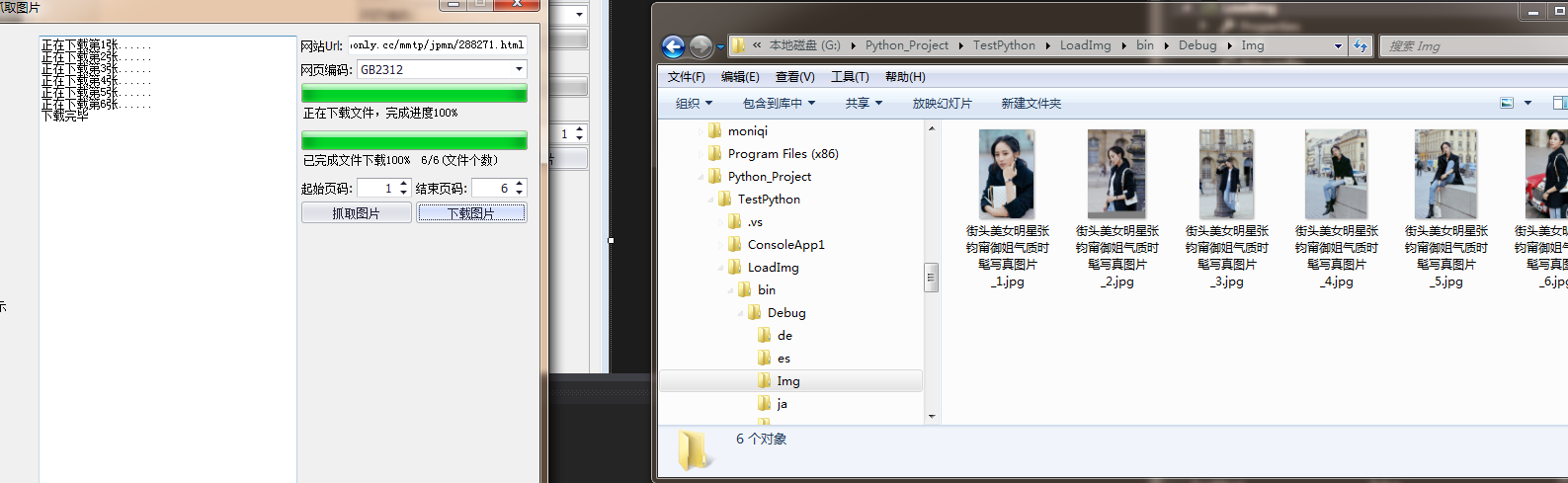
利用HtmlAgilityPack插件写的一个抓取指定网页的图片 第一次写 很乱 随便看看就行
public partial class Form1 : Form
{
/// <summary>
/// 存放图片地址
/// </summary>
List<string> ImgList = new List<string>();
/// <summary>
/// 当前下载文件
/// </summary>
int _loadFile = 0;
//图片标题
string title = "";
/// <summary>
/// 文件总数
/// </summary>
int _totalFile = 0;
string[] exts = {
".bmp", ".dib", ".jpg", ".jpeg",
".jpe", ".jfif", ".png", ".gif",
".tif", ".tiff" };
public Form1()
{
InitializeComponent();
Control.CheckForIllegalCrossThreadCalls = false;
}
private void Form1_Load(object sender, EventArgs e)
{
this.comboBoxEdit1.Properties.Items.Add("UTF-8");
this.comboBoxEdit1.Properties.Items.Add("GB2312");
}
/// <summary>
/// 获取当前页面图片数量
/// </summary>
/// <param name="sender"></param>
/// <param name="e"></param>
private void button1_Click(object sender, EventArgs e)
{
getImgs();
}
/// <summary>
/// 下载图片
/// </summary>
/// <param name="sender"></param>
/// <param name="e"></param>
private void button2_Click(object sender, EventArgs e)
{
try
{
this.textBox1.Clear();
if (ImgList.Count <= 0) return;
//重置加载文件数
_loadFile = 0;
int index = 1;
Task.Factory.StartNew(() =>
{
foreach (var item in ImgList)
{
WebClient webClient = new WebClient();
webClient.DownloadProgressChanged += new DownloadProgressChangedEventHandler(webClient_DownloadProgressChanged);
webClient.DownloadFileCompleted += new AsyncCompletedEventHandler(webClient_DownloadFileCompleted);
webClient.Proxy = null;
Uri uri = new Uri(item);
if (!Directory.Exists(System.Environment.CurrentDirectory + "\\Img"))
{
Directory.CreateDirectory(System.Environment.CurrentDirectory + "\\Img");
}
var imghouzhui = item.Substring(item.LastIndexOf(".")).Substring(0, 4);
string fileName = title == "" ? Guid.NewGuid().ToString() : title + "_" + index + imghouzhui;
webClient.DownloadFileAsync(uri, System.Environment.CurrentDirectory + "\\Img\\" + fileName);
index++;
}
});
}
catch (Exception ex)
{
MessageBox.Show(ex.Message);
}
}
/// <summary>
/// 下载文件进度条
/// </summary>
/// <param name="sender"></param>
/// <param name="e"></param>
private void webClient_DownloadProgressChanged(object sender, DownloadProgressChangedEventArgs e)
{
this.Invoke(new MethodInvoker(delegate
{
this.progressBar2.Value = e.ProgressPercentage;
this.label2.Text = string.Format("正在下载文件,完成进度{0}% {1}/{2}(字节)"
, e.ProgressPercentage
, e.BytesReceived
, e.TotalBytesToReceive);
}));
}
/// <summary>
/// 抓取https://www.mntup.com/网站写真
/// </summary>
public void getImgs()
{
this.textBox1.Clear();
this.progressBar1.Value = 0;
this.progressBar2.Value = 0;
this.label2.Text = "单个文件进度:";
this.label1.Text = "总进度:";
ImgList.Clear();
HtmlWeb htmlWeb = new HtmlWeb();
if (textBox2.Text.Trim().Length <= 0 || comboBoxEdit1.SelectedText == "")
{
return;
}
try
{
htmlWeb.OverrideEncoding = Encoding.GetEncoding(comboBoxEdit1.SelectedText.ToString());
int pageMinIndex = Convert.ToInt32(pageMin.Value);
int pageMaxIndex = Convert.ToInt32(pageMax.Value);
this.textBox1.AppendText("抓取到的图片地址");
for (int i = pageMinIndex; i <= pageMaxIndex; i++)
{
string url = this.textBox2.Text.Trim().ToString();
if (i >= 2)
{
url = url.Substring(0, url.LastIndexOf(".")).ToString() + "_" + i + ".html";
}
HtmlAgilityPack.HtmlDocument htmlDocument = htmlWeb.Load(url);
//if (htmlDocument.DocumentNode.InnerText.Contains("未找到")) return;
////*[@id="big-pic"]
HtmlNodeCollection nodes = null;
if (url.Contains("https://www.mntup.com"))
{
title = htmlDocument.DocumentNode.SelectSingleNode("//div[@class='title']").InnerText;
nodes = htmlDocument.DocumentNode.SelectNodes("//img");
}
else if (url.StartsWith("http://www.mmonly.cc", StringComparison.OrdinalIgnoreCase))
{
title = htmlDocument.DocumentNode.SelectSingleNode("//h1").InnerText.Substring(0, htmlDocument.DocumentNode.SelectSingleNode("//h1").InnerText.Length - 5);
nodes = htmlDocument.DocumentNode.SelectNodes("//div[@id='big-pic']//img");
}
else
{
title = htmlDocument.DocumentNode.SelectSingleNode("//div[@class='title']")?.InnerText;
nodes = htmlDocument.DocumentNode.SelectNodes("//img");
}
bool flag2 = nodes == null || nodes.Count <= 0;
if (flag2)
{
MessageBox.Show($@"当前页{i}未找到图片,或没有第{i}页");
ImgList.Clear();
textBox1.Clear();
return;
}
int index = this.textBox2.Text.Trim().IndexOf(".com");
string urls = this.textBox2.Text.Trim().ToString().Substring(0, 21);
foreach (HtmlNode item in nodes)
{
//https://www.mntup.com/YouMi/zhangyumeng_38bebee5.html
string houzui = item.Attributes["src"]?.Value;
if (string.IsNullOrEmpty(houzui)) continue;
houzui = houzui.Substring(houzui.LastIndexOf("."), 4);
if (houzui != ".jpg")
{
continue;
};
string imgurl = "";
if (!item.Attributes["src"].Value.StartsWith("http") &&
!item.Attributes["src"].Value.StartsWith("https"))
{
imgurl = urls + item.Attributes["src"].Value;
}
else
{
imgurl = item.Attributes["src"].Value;
}
this.textBox1.AppendText(imgurl + "\r\n");
this.ImgList.Add(imgurl);
}
}
//ImgList = ImgList.Distinct().ToList();
this._totalFile = ImgList.Count;
this.textBox1.AppendText("总共获取图片" + ImgList.Count);
}
catch (Exception ex)
{
MessageBox.Show(ex.Message);
return;
}
}
/// <summary>
/// 文件下载时事件
/// </summary>
/// <param name="sender"></param>
/// <param name="e"></param>
private void webClient_DownloadFileCompleted(object sender, AsyncCompletedEventArgs e)
{
//https://image.baidu.com/search/index?tn=baiduimage&ipn=r&ct=201326592&cl=2&lm=-1&st=-1&fm=index&fr=&hs=0&xthttps=111111&sf=1&fmq=&pv=&ic=0&nc=1&z=&se=1&showtab=0&fb=0&width=&height=&face=0&istype=2&ie=utf-8&word=%E8%90%9D%E8%8E%89&oq=%E8%90%9D%E8%8E%89&rsp=-1
_loadFile++;
int percent = (int)(100.0 * _loadFile / _totalFile);
this.Invoke(new MethodInvoker(delegate
{
this.progressBar1.Value = percent;
this.label1.Text = string.Format("已完成文件下载{0}% {1}/{2}(文件个数)"
, percent
, _loadFile
, _totalFile);
}));
this.textBox1.Invoke(new Action(() =>
{
textBox1.AppendText($"正在下载第{_loadFile}张......\r\n");
}));
if (sender is WebClient)
{
((WebClient)sender).CancelAsync();
((WebClient)sender).Dispose();
}
if (percent == 100)
{
this.textBox1.Invoke(new Action(() =>
{
this.textBox1.AppendText("下载完毕");
}));
}
}
}
利用HtmlAgilityPack插件写的一个抓取指定网页的图片 第一次写 很乱 随便看看就行的更多相关文章
- 利用python脚本(re)抓取美空mm图片
很久没有写博客了,这段时间一直在搞风控的东西,过段时间我把风控的内容整理整理发出来大家一起研究研究. 这两天抽空写了两个python爬虫脚本,一个使用re,一个使用xpath. 直接上代码——基于re ...
- 利用HtmlAgilityPack库进行HTML数据抓取
主要介绍基于XPATH的文本分析方式的实现,代码如下: using System; using System.Collections.Generic; using System.Linq; using ...
- 利用python脚本(xpath)抓取数据
有人会问re和xpath是什么关系?如果你了解js与jquery,那么这个就很好理解了. 上一篇:利用python脚本(re)抓取美空mm图片 # -*- coding:utf-8 -*- from ...
- 微信朋友圈转疯了(golang写小爬虫抓取朋友圈文章)
很多人在朋友圈里转发一些文章,标题都是什么转疯啦之类,虽然大多都也是广告啦,我觉得还蛮无聊的,但是的确是有一些文章是非常值得收藏的,比如老婆经常就会收藏一些养生和美容的文章在微信里看. 今天就突发奇想 ...
- 利用wget 抓取 网站网页 包括css背景图片
利用wget 抓取 网站网页 包括css背景图片 wget是一款非常优秀的http/ftp下载工具,它功能强大,而且几乎所有的unix系统上都有.不过用它来dump比较现代的网站会有一个问题:不支持c ...
- 30分钟编写一个抓取 Unsplash 图片的 Python爬虫
我一直想用 Python and Selenium 创建一个网页爬虫,但从来没有实现它. 几天前, 我决定尝试一下,这听起来可能是挺复杂的, 然而编写代码从 Unsplash 抓取一些美丽的图片 ...
- fiddler4如何只抓取指定浏览器的包
在实际工作中,常常会抓取浏览器的数据,其加载的数据较多,不好区分,不知道其是哪个是需要抓取的数据,所以就需抓取指定浏览器的数据,这样就能很清晰知道数据的来源. 步骤一: 打开fiddler4,再打开浏 ...
- python网络爬虫抓取动态网页并将数据存入数据库MySQL
简述以下的代码是使用python实现的网络爬虫,抓取动态网页 http://hb.qq.com/baoliao/ .此网页中的最新.精华下面的内容是由JavaScript动态生成的.审查网页元素与网页 ...
- 下载远程(第三方服务器)文件、图片,保存到本地(服务器)的方法、保存抓取远程文件、图片 将图片的二进制字节字符串在HTML页面以图片形式输出 asp.net 文件 操作方法
下载远程(第三方服务器)文件.图片,保存到本地(服务器)的方法.保存抓取远程文件.图片 将一台服务器的文件.图片,保存(下载)到另外一台服务器进行保存的方法: 1 #region 图片下载 2 3 ...
随机推荐
- DataGrid数据绑定
后台数据绑定 用户场景是生成报表,展示公司各员工每个月的绩效 数据结构 包括报表和单个员工绩效两个实体 public class Report { /// <summary> /// 统计 ...
- x:Static
用途:访问代码中的变量等 后台定义一个变量 public partial class GetStaticFromBackgroundCode : Window { public static stri ...
- SqlServer 使用脚本创建分发服务及事务复制的可更新订阅
原文:SqlServer 使用脚本创建分发服务及事务复制的可更新订阅 [创建使用本地分发服务器] /************************[使用本地分发服务器配置发布]*********** ...
- web-dev-server配置
webpack-dev-server是一个小型的Node.js Express服务器,它使用webpack-dev-middleware来服务于webpack的包,除此自外,它还有一个通过Sock.j ...
- Android手机导出文件
因为要写联系人相关的东西,所以得把db导出来看看 第一步:Root手机 尝试了几个Root工具,发现就KingRoot能root 第二个:编写bat脚本 脚本内容是先将DB文件从/data/data ...
- Android零基础入门第18节:EditText的属性和使用方法
原文:Android零基础入门第18节:EditText的属性和使用方法 EditText与TextView非常相似,它甚至与TextView 共用了绝大部分XML属性和方法.EditText与Tex ...
- HTML 滚动条实现
##在对应的div中,添加overflow,固定高度为400px<div class="panel-body" style="height: 400px; over ...
- 管道通信实例(A程序作为服务器,不断从B程序接收数据,并发送到C程序中)
A程序作为服务器,不断从B程序接收数据,并发送到C程序中:#include <stdio.h>#include <conio.h> #include <tchar.h&g ...
- 使用 Visual Studio 开发并调试 Mail Add-in (mail app for Outlook)
准备工作 如果你的邮箱搭建在 Exchange Server 上,则可以创建邮件应用程序(Mail Add-in)来扩展Office本身的功能,使用 Office Add-in Model 开发的 M ...
- 80%的岗位是没有太多能力上的要求的(少部分聪明的人开始觉醒,这部分一定是那些主动追求、主动学习的人;30岁现象能区分真正专业和不学无术的人)good
不要沦陷程序员的30岁问题 热门> 就是学习能力和工作热情态度的问题. 我之前也跟作者一样思考过这个问题,答案是否定的. 在知识积累的行业,年纪越大,越吃香,比如金融,医学,IT.就怕3 ...