
wpf ListBox,item两列不等高。
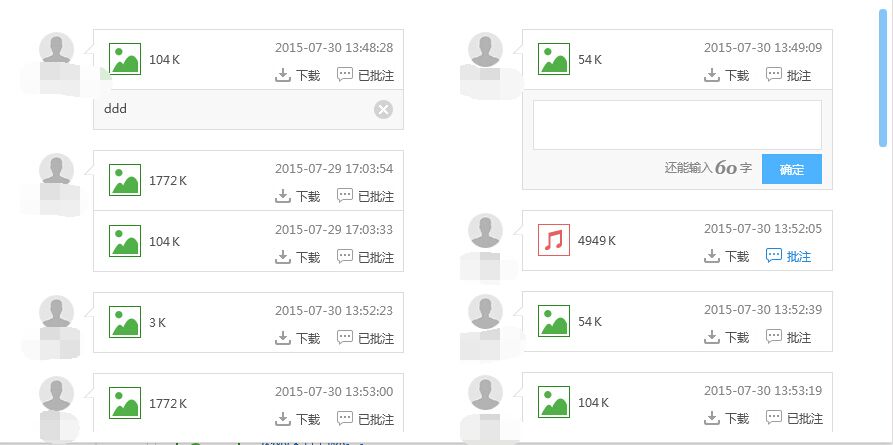
业务有这样的需求,类似瀑布流。内容两列不等高展示。
只需要继承panel,重写MeasureOverride和ArrangeOverride方法就行了。
很简单,内容都在代码里。
using System;

using System.Collections.Generic;

using System.Linq;

using System.Text;

using System.Threading.Tasks;

using System.Windows;

using System.Windows.Controls;

namespace XXXXXX

{

    public class TwoColumnPanel : Panel

    {

        /// <summary>

        /// 先测量需要多大尺寸,做个申报准备

        /// </summary>

        /// <param name="constraint">限定的尺寸,比如,规定了width和height</param>

        /// <returns></returns>

        protected override Size MeasureOverride(Size constraint)

        {

            //定义预期的宽度和高度

            double height = 0, height1 = 0, height2 = 0, width = 0;

            UIElement element;

            if (Children.Count > 0)

            {

                element = Children[0];

                width = element.DesiredSize.Width*2;

            }

            //遍历每个元素,计算所需的总尺寸

            for (int i = 0; i < Children.Count; i++)

            {

                element = Children[i];

                //按照限定的尺寸测量一下自己,拿镜子找着自己

                element.Measure(constraint);

                if (i % 2 == 0)

                {

                    height1 += element.DesiredSize.Height;

                }

                else

                {

                    height2 += element.DesiredSize.Height;

                }

            }

            height = height1 > height2 ? height1 : height2;

            //申报,我需要这个尺寸

            return new Size(width, height);

        }

        /// <summary>

        /// 排列每个元素

        /// </summary>

        /// <param name="arrangeBounds">测量的尺寸</param>

        /// <returns></returns>

        protected override Size ArrangeOverride(Size arrangeBounds)

        {

            double currentX2 = 0,currentY1 = 0,currentY2 = 0;

            UIElement element;

            if (Children.Count > 0)

            {

                element = Children[0];

                currentX2 = element.DesiredSize.Width;

            }

            for (int i = 0; i < Children.Count; i++)

            {

                element = Children[i];

                //排列每个元素

                if (i % 2 == 0)

                {

                    Children[i].Arrange(new Rect(0, currentY1, element.DesiredSize.Width, element.DesiredSize.Height));

                    currentY1 += element.DesiredSize.Height;

                }

                else

                {

                    Children[i].Arrange(new Rect(currentX2, currentY2, element.DesiredSize.Width, element.DesiredSize.Height));

                    currentY2 += element.DesiredSize.Height;

                }

            }

            return arrangeBounds;

        }

    }

}
wpf ListBox,item两列不等高。的更多相关文章
- 多种方法实现div两列等高(收集整理)
HTML骨架 <div id="header">头部</div> <div id ="container"> <div ...
- JQuery 实现两列等高并自适应高度
想要使用 JQuery 实现两列等高并自适应高度,其实也很简单,原理就是取得左右两边的高度,然后判断这个值,把大的值赋给小的就行了.看代码: $(document).ready(function() ...
- 两列等高布局 padding+margin的负值 CSS布局奇淫技巧之-多列等高
代码: 效果图: watermark/2/text/aHR0cDovL2Jsb2cuY3Nkbi5uZXQv/font/5a6L5L2T/fontsize/400/fill/I0JBQkFCMA==/ ...
- 纯css实现两列等高
<!doctype html> <html> <head> <meta /> <title>Title</title> < ...
- css两列等高布局
布局方案 等高布局有几种不同的方法,但目前为止我认为浏览器兼容最好最简便的应该是padding补偿法.首先把列的padding-bottom设为一个足够大的值,再把列的margin-bottom设一个 ...
- 利用jQuery进行三行两列等高布局
<!DOCTYPE html PUBLIC "-//W3C//DTD XHTML 1.0 Transitional//EN" "http://www.w3.org/ ...
- 布局两列div等高方法
一.左右布局,左侧div绝对定位,外div相对定位 <!DOCTYPE html> <html lang="en"> <head> <me ...
- 两列布局,读《css那些事儿》
两列布局: 1.两列定宽: 要点:float.width固定. :after清除浮动. 前提:两列的盒模型宽度相加不能大于父元素的宽度,否则会出现错位现象. <!DOCTYPE html> ...
- flex 垂直居中、两列对齐、自适应宽
flex 垂直居中 <div id="parent"> <div id="child"> </div> </div&g ...
随机推荐
- 关于Windows下的文件后缀名问题
一.背景说明 有很多的小伙伴对windows下的文件后缀名不能很好地理解作用和区别,更不用说高深的使用了,在这里给大家说一下这些文件后缀名到底有什么区别,有什么作用呢? 二.说明 简单的说来,wind ...
- 类中实现 Dispose And Finalize
1.Dispose方法中,应该使用GC.SuppressFinalize防止GC调用Finalize方法,因为显示调用Dispose比较好. 2.Disposed字段保证了两次调用Dispose方法不 ...
- 二、获取微信用户openId
/// <summary> /// 登录首页 /// </summary> /// <returns></returns> public ActionR ...
- 第四章 面向对象与IO操作
一.类(类中可以写字段.属性.方法.构造函数)1.定义一个类用关键字class,后面加类名,类名第一个字母用大写,可用private或public修饰符定义访问级别,类可定义在同一命名空间中,也可定义 ...
- python基础——错误处理
python基础——错误处理 在程序运行的过程中,如果发生了错误,可以事先约定返回一个错误代码,这样,就可以知道是否有错,以及出错的原因.在操作系统提供的调用中,返回错误码非常常见.比如打开文件的函数 ...
- hdu3038(带权并查集)
题目链接: http://acm.split.hdu.edu.cn/showproblem.php?pid=3038 题意: n表示有一个长度为n的数组, 接下来有m行形如x, y, d的输入, 表示 ...
- NYOJ题目57 6174问题
aaarticlea/png;base64,iVBORw0KGgoAAAANSUhEUgAAAscAAAJLCAIAAACE5qzaAAAgAElEQVR4nO3dMXKrutvH8XcT6bOQ1C ...
- elipse插件整理
整理一下用过的eclipse插件: 1. WindowBuilder :swing插件,可以拖啊拖啊拖出来一个窗口,可以显著提高开发效率. 官网: http://www.eclipse.org/w ...
- Clr Via C#读书笔记---计算限制的异步操作
线程池基础 1,线程的创建和销毁是一个昂贵的操作,线程调度以及上下文切换耗费时间和内存资源. 2,线程池是一个线程集合,供应你的用程序使用. 3,每个CLR有一个自己的线程池,线程池由CLR控制的所有 ...
- Jquery.Datatables 基本创建方法
基本创建 <!--定义操作列按钮模板--> <script id="tpl" type="text/x-handlebars-template" ...