
python PIL图像处理-生成图片验证码
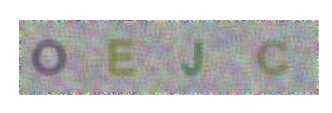
生成效果如图:
代码
from PIL import Image,ImageDraw,ImageFont,ImageFilter

import random

# 打开一个jpg图像文件:

im = Image.open('./image/mao.jpg')

# 获得图像尺寸:

w, h = im.size

# 缩放到50%:

#im.thumbnail((w//2, h//2))

# 把缩放后的图像用jpeg格式保存:

im.save('./image/mao2.jpg', 'jpeg');

#im.save('./image/mao2.jpg')

#生成图片验证码

# 随机字母:

def rndChar():

    return chr(random.randint(65, 90))

# 随机颜色1:

def rndColor():

    return (random.randint(64, 255), random.randint(64, 255), random.randint(64, 255))

# 随机颜色2:

def rndColor2():

    return (random.randint(32, 127), random.randint(32, 127), random.randint(32, 127))

# 240 x 60:

width = 60 * 4

height = 60

image = Image.new('RGB', (width, height), (255, 255, 255))

# 创建Font对象:

#font = ImageFont.truetype('Arial.ttf', 36)

font =ImageFont.truetype('C:/windows/fonts/Arial.ttf', 36)

# 创建Draw对象:

draw = ImageDraw.Draw(image)

# 填充每个像素:

for x in range(width):

    for y in range(height):

        draw.point((x, y), fill=rndColor())

# 输出文字:

for t in range(4):

    draw.text((60 * t + 10, 10), rndChar(), font=font, fill=rndColor2())

# 模糊:

image = image.filter(ImageFilter.BLUR)

image.save('./image/code.jpg', 'jpeg')

image.show()
python PIL图像处理-生成图片验证码的更多相关文章
- python PIL 图像处理操作
python PIL 图像处理 # 导入Image库 import Image # 读取图片 im = Image.open("1234.jpg") # 显示图片 im.show( ...
- python PIL 图像处理
python PIL 图像处理 This blog is from: https://www.jianshu.com/p/e8d058767dfa Image读出来的是PIL的类型,而skimage. ...
- python PIL 图像处理库简介(一)
1. Introduction PIL(Python Image Library)是python的第三方图像处理库,但是由于其强大的功能与众多的使用人数,几乎已经被认为是python官方图像处 ...
- python PIL图像处理库
1. Introduction PIL(Python Image Library)是python的第三方图像处理库,但是由于其强大的功能与众多的使用人数,几乎已经被认为是python官方图像处理库了. ...
- python——PIL(图像处理库)
PIL(Python Imaging Library,python图像处理库)提供了通用的图像处理功能,以及大量有用的基本图像操作,如图像缩放,裁剪,旋转,颜色转换等. 1.打开图像并显示 from ...
- python PIL图像处理-框选
框选图中位置 代码 from PIL import Image,ImageDraw,ImageFont,ImageFilter import random #--------------------- ...
- python PIL图像处理-图片上添加文字
首先需要安装库pillow cmd安装命令:pip install pillow 安装完后,编写脚本如下: from PIL import Image, ImageDraw, ImageFont de ...
- python PIL图像处理
新建图像 # 三个参数分别代表图像的模式:常用的为RGB(3通道) .RGBA(4通道为透明通道,0为完全透明, 256为不透明) # 第二个参数为图像的长宽参数 # 第三个为默认的填充颜色,RGB时 ...
- Python,PIL压缩裁剪图片
自己写了用来压缩 DC 照片的,批量处理整目录文件,非常方便.需要安装 PIL #!/usr/bin/env python import Image import os import os.path ...
随机推荐
- [bzoj1010][HNOI2008]玩具装箱toy_斜率优化dp
玩具装箱toy bzoj-1010 HNOI-2008 题目大意:P教授要去看奥运,但是他舍不下他的玩具,于是他决定把所有的玩具运到北京.他使用自己的压缩器进行压缩,其可以将任意物品变成一堆,再放到一 ...
- OpenCV+iOS开发使用文档
一. 前言 OpenCV是开源的跨平台的计算机视觉库,实现了图像处理.计算机视觉和机器学习的很多通用算法. 对于移动设备没有快速输入的键盘,大的屏幕,其优势在于图像和声音,因此要 ...
- 优秀软件project师必备的7大特性
不是每个程序猿都能成为优秀的软件project师. 在过去的6年时间里,我在Ooyala.Quora和now Quip这3个创业公司面试过许很多多挺有发展潜力的"种子选手".他们都 ...
- maven打包需要设置main-class的插件写法
maven打包需要设置main-class的插件写法 <build> <plugins> <plugin> <groupId>org.apache.ma ...
- js 推断字符串是否包括某字符串
var Cts = "bblText"; if(Cts.indexOf("Text") > 0 ) { alert('Cts中包括Text字符串'); } ...
- HDOJ题目3440 House Man(差分约束)
House Man Time Limit: 2000/1000 MS (Java/Others) Memory Limit: 32768/32768 K (Java/Others) Total ...
- Photon + Unity3D 线上游戏开发 学习笔记(四)
这一节 我们建立 photon Server 端的框架 一个最简单的Photon框架 就包括一个 Applocation 类 和 一个 peer 类,作用例如以下: * Application 类是 ...
- Google Code Jam在线測试题目--Alien Language
Problem After years of study, scientists at Google Labs have discovered an alien language transmitte ...
- USACO Section 2.1 Ordered Fractions
/* ID: lucien23 PROG: frac1 LANG: C++ */ #include <iostream> #include <fstream> #include ...
- Linux(redhat 5.8)下 安装jetty 部署 使用
首先须要安装JDK,自行解决 下载jetty安装包http://dist.codehaus.org/jetty/ 我下载的是8.1.15 tar -xzvf *.tar.gz 解压完之后,基本就能够用 ...