
Centos5.11 使用yum源
由于我是用的系统是Centos 5.11以停止更新很多年,故此yum也不能用,找了很多方法,最终yum能稳定的运行在Centos5.11上,下面开始一一讲解步骤:
1:首先更新yum源
地址:http://vault.centos.org/
网站是有各个版本镜像的,所以 通过lsb_release -a查询下,系统版本如图

下面是我的yum源完整版本,下面会说出具体针对系统版本进行修改yum源方法:
vim /etc/yum.repos.d/Centos-Base.repo
# CentOS-Base.repo

#

# The mirror system uses the connecting IP address of the client and the

# update status of each mirror to pick mirrors that are updated to and

# geographically close to the client.  You should use this for CentOS updates

# unless you are manually picking other mirrors.

#

# If the mirrorlist= does not work for you, as a fall back you can try the

# remarked out baseurl= line instead.

#

#

[base]

name=CentOS-$releasever - Base

baseurl=http://vault.centos.org/5.11/os/x86_64/

gpgcheck=

gpgkey=file:///etc/pki/rpm-gpg/RPM-GPG-KEY-CentOS-5

#released updates

[updates]

name=CentOS-$releasever - Updates

baseurl=http://vault.centos.org/5.11/os/x86_64/

gpgcheck=

gpgkey=file:///etc/pki/rpm-gpg/RPM-GPG-KEY-CentOS-5

#packages used/produced in the build but not released

[addons]

name=CentOS-$releasever - Addons

baseurl=http://vault.centos.org/5.11/os/x86_64/

gpgcheck=

gpgkey=file:///etc/pki/rpm-gpg/RPM-GPG-KEY-CentOS-5

#additional packages that may be useful

[extras]

name=CentOS-$releasever - Extras

baseurl=http://vault.centos.org/5.11/os/x86_64/

gpgcheck=

gpgkey=file:///etc/pki/rpm-gpg/RPM-GPG-KEY-CentOS-5

#additional packages that extend functionality of existing packages

[centosplus]

name=CentOS-$releasever - Plus

baseurl=http://vault.centos.org/5.11/os/x86_64/

gpgcheck=

enabled=

gpgkey=file:///etc/pki/rpm-gpg/RPM-GPG-KEY-CentOS-5

#contrib - packages by Centos Users

[contrib]

name=CentOS-$releasever - Contrib

baseurl=http://vault.centos.org/5.11/os/x86_64/

gpgcheck=

enabled=

gpgkey=file:///etc/pki/rpm-gpg/RPM-GPG-KEY-CentOS-5
注:如果你的版本是5.10(举例说明),打开此网站,http://vault.centos.org,根据上述地址http://vault.centos.org/5.11/os/x86_64/来进行修改,比如系统是5.10的话,是x86_64的,我们可以修改成http://vault.centos.org/5.10/os/x86_64/,修改完成后,浏览器打开输入地址,看看是不是可以显示出以下页面:
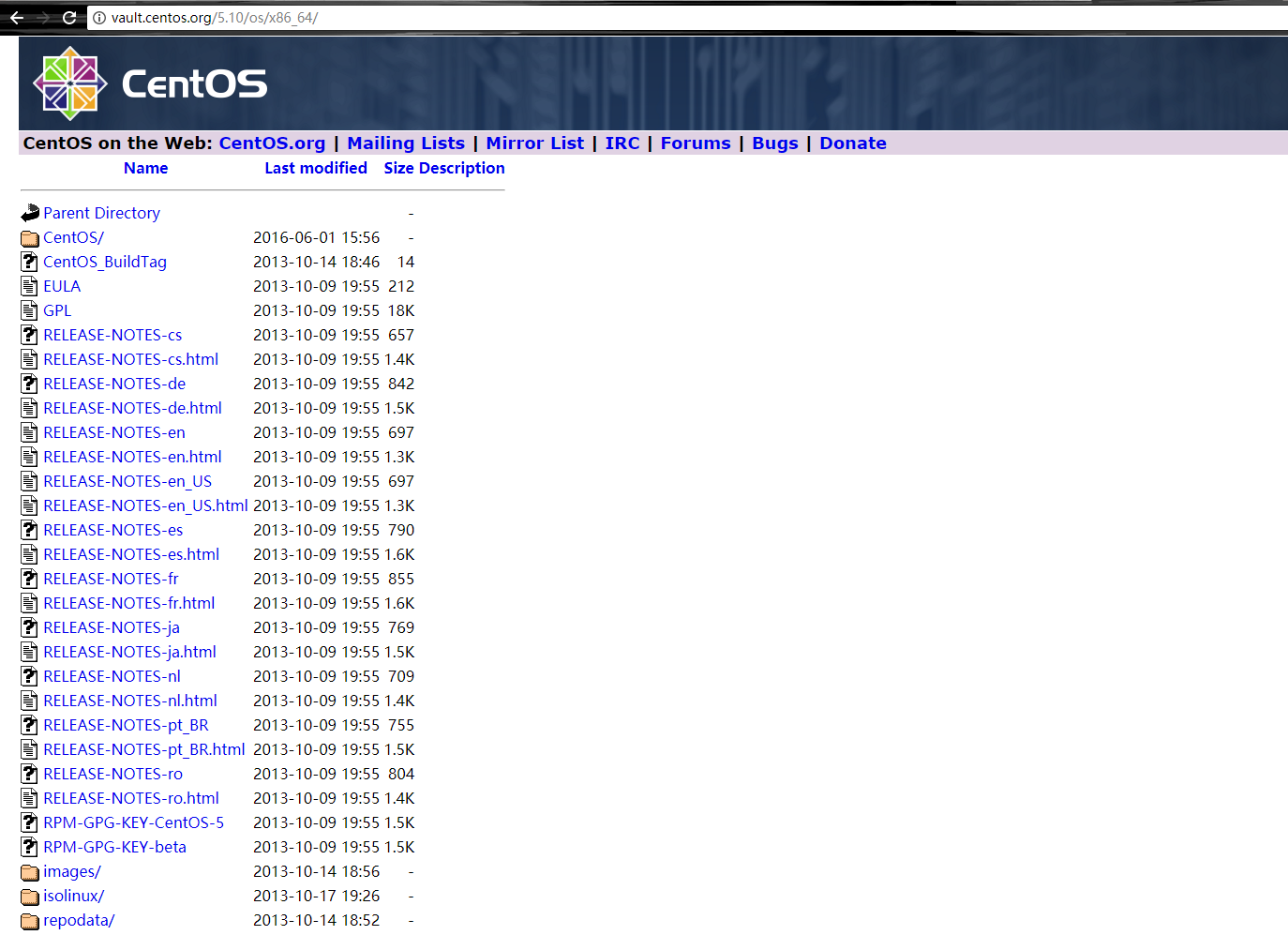
如果显示出上述页面,那根据我上面的5.11版本的Centos源把baseurl=http://vault.centos.org/5.11/os/x86_64/ 修改成 baseurl=http://vault.centos.org/5.10/os/x86_64/(是上述文件内容中,所有http://vault.centos.org/5.11/os/x86_64/地址),即可
修改完成后,保存,使用如下命令进行测试
yum clean all
yum makecache
测试成功后,可用yum进行安装、卸载软件
Centos5.11 使用yum源的更多相关文章
- centos6.4搭建基于ftp的yum源让本地局域网服务器使用
1. 挂载centos6.4 DVD镜像[root@centos64 ~]# mount /dev/cdrom /mnt 2. 安装vsftp软件,启动vsftpd服务,拷贝centos6.4 DVD ...
- 阿里云centos5升级yum源为6
升级后出现Errno -3] Error performing checksum 需要安装 python-hashlib Python 2.4 安装 hashlib 2012年11月13日 14:29 ...
- CentOS-5的yum源无法使用问题
CentOS-5的yum源无法使用问题 [root@37wan ~]# yum -y install gcc Loaded plugins: fastestmirror Determining fas ...
- CentOS修改各大yum源(centos5,centos6,centos7)
备份原配置文件 进入yum源配置目录: cd /etc/yum.repos.d 如果没有先安装wget: sudo yum install wget 修改yum源,就是修改CentOS-Base.re ...
- 建立自己的Yum源
转自http://kicklinux.com/setup-yum-repos-server/ 命令 reposync 可以直接同步yum源 如/etc/yum.repos.d/cloudera-cdh ...
- CentOS下建立本地YUM源并自动更新
1. 尽管有很多的免费镜像提供yum源服务,但是还是有必要建立自己的yum服务器,主要出于以下几点考虑: l 网络速度:访问互联网可能比较慢 l 节省带宽:如果有大量的服务器,架设自己的yum源可以有 ...
- redhat7 配置使用centos的yum源
新安装了redhat7.安装后,登录系统,使用yum update 更新系统.提示: This system is not registered to Red Hat Subscription Man ...
- 利用阿里云提供的镜像快速更换本地的yum源
打开网页:http://mirrors.aliyun.com/ 从“ 文件列表 ”找到自己的系统: Mirror Last update Help CPAN 2015-07-15 15:36:50 ...
- 配置yum源方法,以及失效时的处理
正常方法如下: step1: 备份原CentOS-Base.repo 文件 mv /etc/yum.repos.d/CentOS-Base.repo /etc/yum.repos.d/CentOS-B ...
随机推荐
- leetcode 750. Number Of Corner Rectangles
Given a grid where each entry is only 0 or 1, find the number of corner rectangles. A corner rectang ...
- php命名空间使用总结
从php5.3开始可以使用命名空间,命名空间是为了防止命名 空间的元素重复而使用的.命名空间的元素包括:class.function.const(从php5.3开始在类外部也可以用const定义常量, ...
- html video api控件总结
<!DOCTYPE html PUBLIC "-//W3C//DTD XHTML 1.0 Transitional//EN" "http://www.w3.org/ ...
- Gym - 101147G G - The Galactic Olympics —— 组合数学 - 第二类斯特林数
题目链接:http://codeforces.com/gym/101147/problem/G G. The Galactic Olympics time limit per test 2.0 s m ...
- pypi指定下载源
pip install -i http://pypi.douban.com/simple/ scipy==0.19.0
- Python作业之用户管理
作业 流程图没有画,懒,不想画 readme没有写,懒,不想写.看注释吧233333 #! /usr/bin/env python # -*- coding: utf-8 -*- # __author ...
- 深入理解c语言——‘\0’ ,‘0’, “0” ,0之间的区别
看来基础还是很重要的,基础不扎实就难以学好c语言,就别说写出高质量的c语言代码了.今天,我就被这个问题折磨的不行了,哈哈,不过现在终于明白了‘\0’ ,‘0’, “0” 之间的区别了.困惑和快乐与你分 ...
- 用margin还是用padding?(3)—— 负margin实战
看过一篇文章是关于我知道你不知道的负Margin,里面对margin做了总结: 当margin四个值都为正数值的话,那么margin按照正常逻辑同周围元素产生边距.当元素margin的top和left ...
- OpenCV——Perlin Noise
// define head function #ifndef PS_ALGORITHM_H_INCLUDED #define PS_ALGORITHM_H_INCLUDED #include < ...
- boost replace_if replace_all_regex_copy用法
#include <boost/algorithm/string.hpp> // for is_any_of #include <boost/range/algorithm/repl ...