
OpenCV——Perlin Noise
// define head function

#ifndef PS_ALGORITHM_H_INCLUDED

#define PS_ALGORITHM_H_INCLUDED

#include <iostream>

#include <string>

#include "cv.h"

#include "highgui.h"

#include "cxmat.hpp"

#include "cxcore.hpp"

#include "math.h"

using namespace std;

using namespace cv;

void Show_Image(Mat&, const string &);

#endif // PS_ALGORITHM_H_INCLUDED

/*

perlin noise.

*/

#include "PS_Algorithm.h"

#include <time.h>

using namespace std;

using namespace cv;

void Generate_smoothnoise(Mat& src, Mat& std, int octave);

float Cosine_Interpolate(float x1,float x2,float alpha);

#define pi 3.1415926

int main()

{

    string Img_name("4.jpg");

    Mat Img;

    Img=imread(Img_name);

    Mat Cloud(Img.size(), CV_32FC1);

    Mat Cloud_Temp(Img.size(), CV_32FC1);

    Mat Base_Noise(Img.size(), CV_32FC1);

    cv::randn(Base_Noise, 0.5, 0.25);

    // Show_Image(Base_Noise, "N1");

    float persistance = 0.8;

    float totalAmplitude = 0.0;

    float amplitude;

    int octaveCount=8;

    for (int i=0; i<octaveCount; i++)

    {

        amplitude=std::pow(persistance,(octaveCount-i));

        totalAmplitude=totalAmplitude+amplitude;

        Generate_smoothnoise(Base_Noise, Cloud_Temp, i);

        Cloud=Cloud+Cloud_Temp*amplitude;

    }

    Cloud=Cloud/totalAmplitude;

    Show_Image(Cloud, "out.jpg");

    imwrite("Out.jpg", Cloud*255);

    waitKey();

}

void Generate_smoothnoise(Mat& src, Mat& dst, int octave)

{

    src.copyTo(dst);

    int width=src.cols;

    int height=src.rows;

    float samplePeriod=pow(2,octave);

    float sampleFrequency=1/samplePeriod;

    int sample_i0, sample_i1;

    float vertical_blend, horizontal_blend;

    int sample_j0, sample_j1;

    float top, bottom;

    for (int i=0; i<height-1; i++)

    {

        sample_i0=(int)(i/samplePeriod)*samplePeriod;

        sample_i1=(int)(sample_i0+samplePeriod)%height;

        vertical_blend = (i - sample_i0) * sampleFrequency;

        for (int j=0; j<width-1; j++)

        {

            sample_j0 = (int)(j / samplePeriod) * samplePeriod;

            sample_j1 = (int)(sample_j0 + samplePeriod)% width;

            horizontal_blend = (j - sample_j0) * sampleFrequency;

            if (sample_i0<0)  sample_i0=0;

            if (sample_j0<0)  sample_j0=0;

            if (sample_i1<0)  sample_i1=0;

            if (sample_j1<0)  sample_j1=0;

            // blend the top two corners

            top = Cosine_Interpolate(src.at<float>(sample_i0,sample_j0),

                    src.at<float>(sample_i0,sample_j1), horizontal_blend);

            // blend the bottom two corners

            bottom = Cosine_Interpolate(src.at<float>(sample_i1,sample_j0),

                    src.at<float>(sample_i1,sample_j1), horizontal_blend);

            // final blend

            dst.at<float>(i,j) = Cosine_Interpolate(top, bottom, vertical_blend);

        }

    }

}

float Cosine_Interpolate(float x1,float x2,float alpha)

{

    float ft, f;

    float y;

    ft = alpha * pi;

    f = (1 - cos(ft)) * .5;

    y=x1*(1-f)+x2*f;

    return y;

}

// define the show image

#include "PS_Algorithm.h"

#include <iostream>

#include <string>

using namespace std;

using namespace cv;

void Show_Image(Mat& Image, const string& str)

{

    namedWindow(str.c_str(),CV_WINDOW_AUTOSIZE);

    imshow(str.c_str(), Image);

}
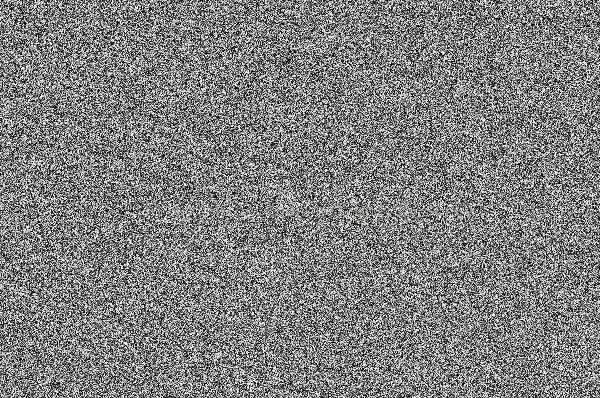
原图
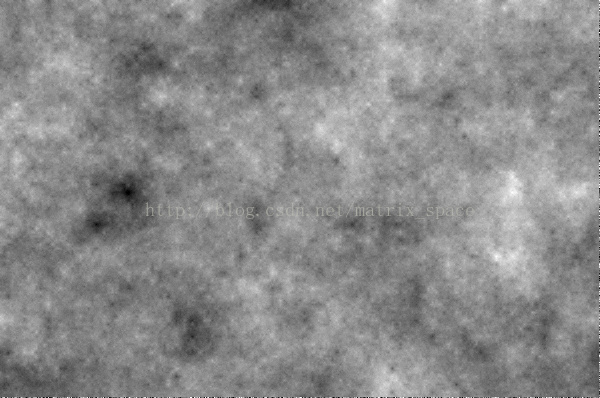
效果图
OpenCV——Perlin Noise的更多相关文章
- Perlin Noise 及其应用
Perlin Noise 可以用来表现自然界中无法用简单形状来表达的物体的形态,比如火焰.烟雾.表面纹路等.要生成 Perlin Noise 可以使用工具离线生成,也可以使用代码运行时生成.最简单常用 ...
- 【Ray Tracing The Next Week 超详解】 光线追踪2-4 Perlin noise
Preface 为了得到更好的纹理,很多人采用各种形式的柏林噪声(该命名来自于发明人 Ken Perlin) 柏林噪声是一种比较模糊的白噪声的东西:(引用书中一张图) 柏林噪声是用来生成一些看似杂乱 ...
- python perlin noise
python 利用 noise 生成纹理. # -*- coding: utf-8 -*- """ Created on Mon Apr 23 20:04:41 2018 ...
- 利用perlin noise 生成 wood texture
%%% Perlin Noise %%% Wood_texture clc; clear all; close all; addpath('E:\PhotoShop Algortihm\Image P ...
- OpenCV - Add Noise的一些方法
噪声常用有两种:一种椒盐噪声,一种高斯噪声. import numpy as np def pepper_and_salt(src, proportion): """ : ...
- 利用Perlin nosie 完毕(PS 滤镜—— 分成云彩)
%%%% Cloud %%%% 利用perlin noise生成云彩 clc; clear all; close all; addpath('E:\PhotoShop Algortihm\Image ...
- 利用Perlin nosie 完成(PS 滤镜—— 分成云彩)
%%%% Cloud %%%% 利用perlin noise生成云彩 clc; clear all; close all; addpath('E:\PhotoShop Algortihm\Image ...
- GraphicsLab Project 之 Curl Noise
作者:i_dovelemon 日期:2020-04-25 主题:Perlin Noise, Curl Noise, Finite Difference Method 引言 最近在研究流体效果相关的模拟 ...
- python 不同版本下载资源
Unofficial Windows Binaries for Python Extension Packages by Christoph Gohlke, Laboratory for Fluore ...
随机推荐
- Frotinet60D IP映射 開放指定端口是實際應用
有多個外網IP的環境中,在某一部電腦上,如何使用多個外網IP中的某一個?且為使用的Bitcomet開放TCP,TUP特定端口? 1.在本機windows防火墻中"輸入" 和&quo ...
- C中的预编译编译链接
http://ke.qq.com/webcourse/index.html#course_id=67888&term_id=100058920&taid=13934591901 ...
- sh脚本——#!/bin/bash
#!/bin/bash是指此脚本使用/bin/bash来解释执行. 其中,#!是一个特殊的表示符,其后,跟着解释此脚本的shell路径. bash只是shell的一种,还有很多其它shell,如:sh ...
- idea2018注册方法
下面是具体的破解激活步骤: 1. 下载破解补丁文件,路径为:http://idea.lanyus.com/jar/JetbrainsCrack-2.7-release-str.jar 2.将补丁放在安 ...
- vim 模式切换
1. 从插入模式退回到normal模式 <esc> <C-c> <C-[>
- IOS 汤姆猫核心代码
// // MJViewController.m // 03-Tom // // Created by apple on 13-11-24. // Copyright (c) 2013年 itcast ...
- java 重定向和转发(转载)
jsp中result的默认类型为dispatcher. dispatcher:与<jsp:forward page=""/>效果相同 redirect:与respons ...
- IOS UIScrollView滚动到指定位置
[mScrollView setContentOffset:CGPointMake(0,200) animated:YES];
- html中设置透明遮罩层的兼容性代码
说明:下面遮罩层的height视实际情况自行修改,要求显示的div层的样式需加上position:relative,位于遮罩层层div的下面一行.<div id="ceng" ...
- WEBRTC开发入门
WEBRTC "WebRTC,名称源自网页实时通信(Web Real-Time Communication)的缩写,是一个支持网页浏览器进行实时语音对话或视频对话的技术,是谷歌2010年以6 ...