
peripheralStateNotificationCB
 /*********************************************************************

  * @fn      peripheralStateNotificationCB 外围设备 状态 通知 回调函数

  *

  * @brief   Notification from the profile of a state change. 通知来自于profile的状态改变!

  *

  * @param@param   newState - new state 形参:新状态,类型是一个枚举变量

  *

  * @return@return  none

  */

 static void peripheralStateNotificationCB( gaprole_States_t newState )

 {

 #ifdef PLUS_BROADCASTER //暂时不知 不作任何处理,2016年12月16日15:14:51

   static uint8 first_conn_flag = ;

 #endif // PLUS_BROADCASTER

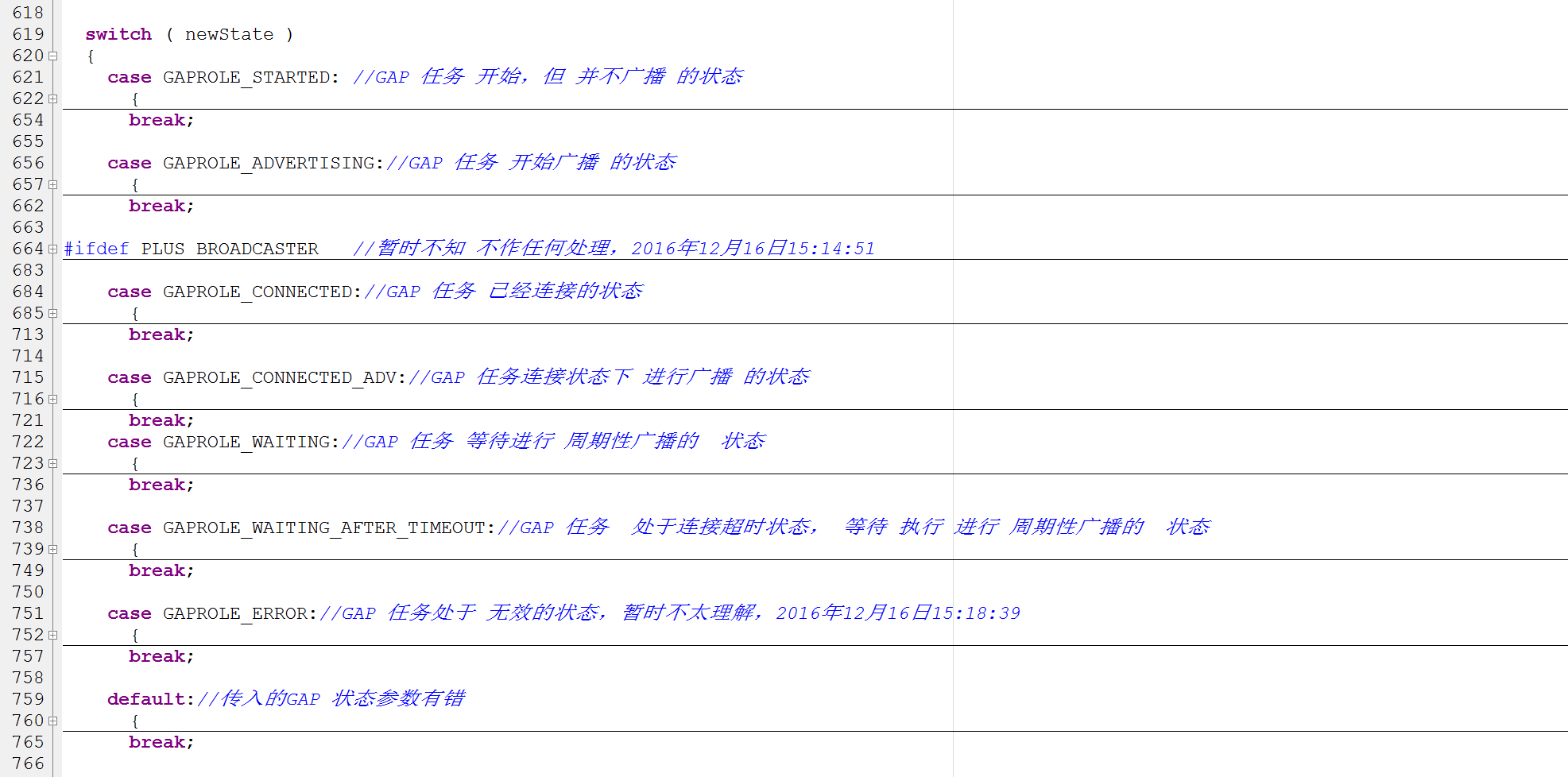
   switch ( newState )

   {

     case GAPROLE_STARTED: //GAP 任务 开始,但 并不广播 的状态

       {

         uint8 ownAddress[B_ADDR_LEN]; //定义一个 存放 设备 地址的 buffer

         uint8 systemId[DEVINFO_SYSTEM_ID_LEN];//定义一个存放 设备ID buffer

         //GAP 任务获取 设备 地址放到 ownAddress 临时 buffer中

         GAPRole_GetParameter(GAPROLE_BD_ADDR, ownAddress);

         // use 6 bytes of device address for 8 bytes of system ID value

         systemId[] = ownAddress[];

         systemId[] = ownAddress[];

         systemId[] = ownAddress[];

         // set middle bytes to zero

         systemId[] = 0x00;

         systemId[] = 0x00;

         // shift three bytes up

         systemId[] = ownAddress[];

         systemId[] = ownAddress[];

         systemId[] = ownAddress[];

         //设备信息设置参数 系统ID  为 设备 地址的 前三个字节+00+后三个字节

         DevInfo_SetParameter(DEVINFO_SYSTEM_ID, DEVINFO_SYSTEM_ID_LEN, systemId);

         #if (defined HAL_LCD) && (HAL_LCD == TRUE)

           // Display device address

           HalLcdWriteString( bdAddr2Str( ownAddress ),  HAL_LCD_LINE_2 );

           HalLcdWriteString( "Initialized",  HAL_LCD_LINE_3 );

         #endif // (defined HAL_LCD) && (HAL_LCD == TRUE)

       }

       break;

     case GAPROLE_ADVERTISING://GAP 任务 开始广播 的状态

       {

         #if (defined HAL_LCD) && (HAL_LCD == TRUE)

           HalLcdWriteString( "Advertising",  HAL_LCD_LINE_3 );

         #endif // (defined HAL_LCD) && (HAL_LCD == TRUE)

       }

       break;

 #ifdef PLUS_BROADCASTER   //暂时不知 不作任何处理,2016年12月16日15:14:51

     /* After a connection is dropped a device in PLUS_BROADCASTER will continue

      * sending non-connectable advertisements and shall sending this change of

      * state to the application.  These are then disabled here so that sending

      * connectable advertisements can resume.

      */

     case GAPROLE_ADVERTISING_NONCONN:

       {

         uint8 advertEnabled = FALSE;

         // Disable non-connectable advertising.

         GAPRole_SetParameter(GAPROLE_ADV_NONCONN_ENABLED, sizeof(uint8),

                            &advertEnabled);

         // Reset flag for next connection.

         first_conn_flag = ;

       }

       break;

 #endif //PLUS_BROADCASTER

     case GAPROLE_CONNECTED://GAP 任务 已经连接的状态

       {

         #if (defined HAL_LCD) && (HAL_LCD == TRUE)

           HalLcdWriteString( "Connected",  HAL_LCD_LINE_3 );

         #endif // (defined HAL_LCD) && (HAL_LCD == TRUE)

 #ifdef PLUS_BROADCASTER

         // Only turn advertising on for this state when we first connect

         // otherwise, when we go from connected_advertising back to this state

         // we will be turning advertising back on.

         if ( first_conn_flag ==  )

         {

             uint8 advertEnabled = FALSE; // Turn on Advertising

             // Disable connectable advertising.

             GAPRole_SetParameter(GAPROLE_ADVERT_ENABLED, sizeof(uint8),

                                  &advertEnabled);

             // Set to true for non-connectabel advertising.

             advertEnabled = TRUE;

             // Enable non-connectable advertising.

             GAPRole_SetParameter(GAPROLE_ADV_NONCONN_ENABLED, sizeof(uint8),

                                  &advertEnabled);

             first_conn_flag = ;

         }

 #endif // PLUS_BROADCASTER

       }

       break;

     case GAPROLE_CONNECTED_ADV://GAP 任务连接状态下 进行广播 的状态

       {

         #if (defined HAL_LCD) && (HAL_LCD == TRUE)

           HalLcdWriteString( "Connected Advertising",  HAL_LCD_LINE_3 );

         #endif // (defined HAL_LCD) && (HAL_LCD == TRUE)

       }

       break;

     case GAPROLE_WAITING://GAP 任务 等待进行 周期性广播的  状态

       {

         #if (defined HAL_LCD) && (HAL_LCD == TRUE)

           HalLcdWriteString( "Disconnected",  HAL_LCD_LINE_3 );

         #endif // (defined HAL_LCD) && (HAL_LCD == TRUE)

 #ifdef PLUS_BROADCASTER

         uint8 advertEnabled = TRUE;

         // Enabled connectable advertising.

         GAPRole_SetParameter(GAPROLE_ADVERT_ENABLED, sizeof(uint8),

                              &advertEnabled);

 #endif //PLUS_BROADCASTER

       }

       break;

     case GAPROLE_WAITING_AFTER_TIMEOUT://GAP 任务  处于连接超时状态, 等待 执行 进行 周期性广播的  状态

       {

         #if (defined HAL_LCD) && (HAL_LCD == TRUE)

           HalLcdWriteString( "Timed Out",  HAL_LCD_LINE_3 );

         #endif // (defined HAL_LCD) && (HAL_LCD == TRUE)

 #ifdef PLUS_BROADCASTER

         // Reset flag for next connection.

         first_conn_flag = ;

 #endif //#ifdef (PLUS_BROADCASTER)

       }

       break;

     case GAPROLE_ERROR://GAP 任务处于 无效的状态,暂时不太理解,2016年12月16日15:18:39

       {

         #if (defined HAL_LCD) && (HAL_LCD == TRUE)

           HalLcdWriteString( "Error",  HAL_LCD_LINE_3 );

         #endif // (defined HAL_LCD) && (HAL_LCD == TRUE)

       }

       break;

     default://传入的GAP 状态参数有错

       {

         #if (defined HAL_LCD) && (HAL_LCD == TRUE)

           HalLcdWriteString( "",  HAL_LCD_LINE_3 );

         #endif // (defined HAL_LCD) && (HAL_LCD == TRUE)

       }

       break;

   }

   gapProfileState = newState;

 #if !defined( CC2540_MINIDK )

   VOID gapProfileState;     // added to prevent compiler warning with 添加编译器 警告 事件

                             // "CC2540 Slave" configurations

 #endif

 }
截图 比较好看一点:
peripheralStateNotificationCB的更多相关文章
- simpleBLEPeripheral.c 文件分析
这个配置或者说任务, 让这个蓝牙设备成为了一个简单的BLE外设. 这里定义了外设的广播数据, 以及最重要, char被改变之后的回调, 引出后来的coreHandler里面的, ack 以及写e2pr ...
- 蓝牙(BLE)应用框架接口设计和应用开发——以TI CC2541为例
本文从功能需求的角度分析一般蓝牙BLE单芯片的应用框架(SDK Framework)的接口设计过程,并以TI CC2541为例说明BLE的应用开发方法. 一.应用框架(Framework) 我们熟知的 ...
- 用蓝牙芯片CC2541/CC2540实现一个智能恒温箱
最近突然想自己做一个智能小冰箱玩一玩,于是决定动手试一试. 成品效果图 原材料 半导体制冷片一只 散热风扇 12V电源一台 智能恒温箱电路板 控制板的PCB图 原理图 供电部分原理图 制冷片控制部分原 ...
- 6、CC2541修改按键调节广播发送功率例程为持续发送4DB的蓝牙基站
一.目的 在 OSAL操作系统-实验31 从机广播功率修改-(20141029更新).zip 基础上进行修改,该工程是通过5向按键的上下按键来控制广播功率的加减,总共有4个档位.我们的目的是直接用最高 ...
随机推荐
- 排序算法Nb三人组-快速排序
核心思想: 将列表中第一个元素拿出来,放到一边,左右两个循环,左面的大于拿出来的数,就把他挪到右面, 右面的小于拿出来的数就把他放在左面,这是列表被第一个元素''分''为两个列表,在对两个列表进行同样 ...
- 空白符对HTML结构的影响与解决方案
何为空白符? 空白符: 空格.制表符.换行符 注意:浏览器在解析HTML时会把所有空白符合并成一个空格 空白符对HTML结构的影响 HTML5中<textarea>标签placeholde ...
- UX2内核浏览加速技术纲要[带你解决WebView卡顿]
UX2内核是本人负责主要开发的浏览服务项目,其主要目的是为开发者提供一个简单好用.轻便的网络浏览服务.UX2内核的安卓端是基于WebView进行深度优化的,同时欢迎大家使用这个内核用于app页面或浏览 ...
- EF单实对应多表
一.单实体对应多表 适用场景主表,拥有相同主键附属表或扩展表. 1. 建表词句 CREATE TABLE [Chapter2].[Product]( [SKU] [int] primary key , ...
- C语言函数指针(指向函数的指针)
转载:http://c.biancheng.net/cpp/html/3248.html 一个函数总是占用一段连续的内存区域,函数名在表达式中有时也会被转换为该函数所在内存区域的首地址,这和数组名非常 ...
- sqlserver批量删除表
--批量删除表 ) DECLARE tmpCur CURSOR FOR SELECT name FROM sys.objects WHERE TYPE='U' AND name LIKE N'%_Qu ...
- writing a javascript module ready for ES6 import
javascript模块化是一个比较大也是比较容易混淆的topic.通常几乎所有的第三方Library都支持CMD,AMD,ES6,Global object方式来引用lib所暴露出来的服务. 那么如 ...
- windows系统的错误码
https://blog.csdn.net/u011785544/article/details/51682290
- 打通 Spark 系统运行内幕机制循环流程
本课主题 打通 Spark 系统运行内幕机制循环流程 引言 通过 DAGScheduelr 面向整个 Job,然后划分成不同的 Stage,Stage 是从后往前划分的,执行的时候是從前往后执行的,每 ...
- Oracle 12c logminer测试
首先开启归档:SQL> archive log list Database log mode Archive ModeAutomatic archival ...