
13-[Mysql]--pymysql模块
1、介绍
之前我们都是通过MySQL自带的命令行客户端工具mysql来操作数据库,那如何在python程序中操作数据库呢?这就用到了pymysql模块,该模块本质就是一个套接字客户端软件,使用前需要事先安装
pip3 install pymysql
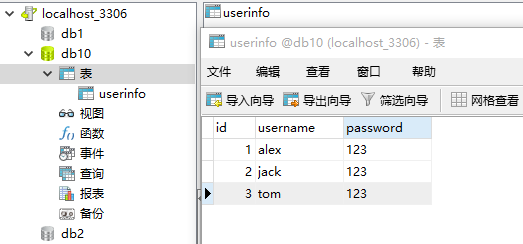
import pymysql

user = input('user>>>').strip()

pwd = input('pwd>>>').strip()

# 建立连接

conn = pymysql.connect(

    host='127.0.0.1',       # localhost

    port=3306,

    user='root',

    password='root',

    db='db10',

    charset='utf8'

)

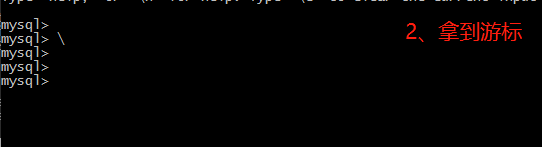
# 拿到游标

cursor=conn.cursor() #执行完毕返回的结果集默认以元组显示

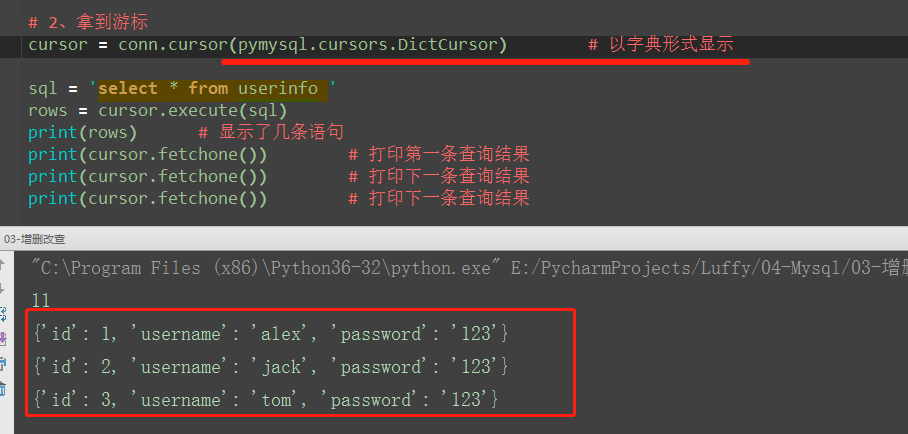
#cursor=conn.cursor(cursor=pymysql.cursors.DictCursor)   # 以字典显示

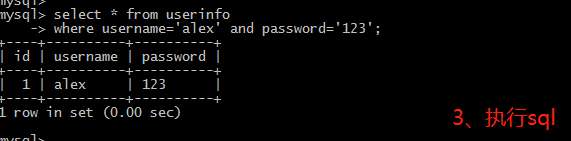
# 执行sql语句

sql = "select * from userinfo where username='%s' and password='%s'" % (user, pwd)       #注意%s需要加引号

rows = cursor.execute(sql)            # 执行sql语句,返回sql查询成功的记录数目

# 关闭游标

cursor.close()

# 关闭连接

conn.close()

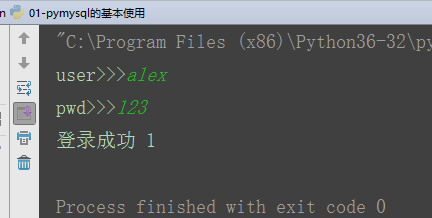
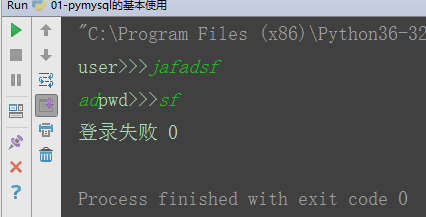
if rows:

    print('登录成功', rows)

else:

    print('登录失败', rows)

2、execute()之sql注入
(1)原理
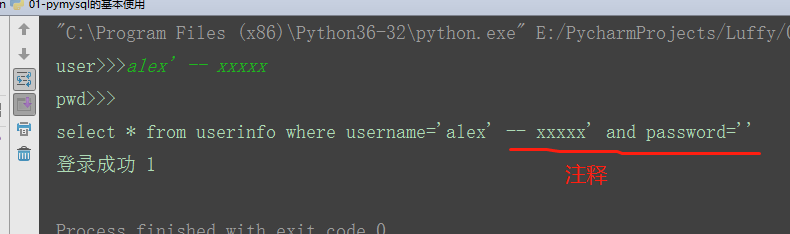
注意:符号--会注释掉它之后的sql,正确的语法:--后至少有一个任意字符
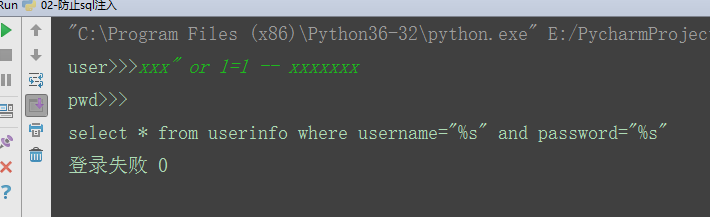
根本原理:就根据程序的字符串拼接name='%s',我们输入一个xxx' -- haha,用我们输入的xxx加'在程序中拼接成一个判断条件name='xxx' -- haha'
最后那一个空格,在一条sql语句中如果遇到select * from t1 where id > 3 -- and name='egon';则--之后的条件被注释掉了

#1、sql注入之:用户存在,绕过密码

egon' -- 任意字符

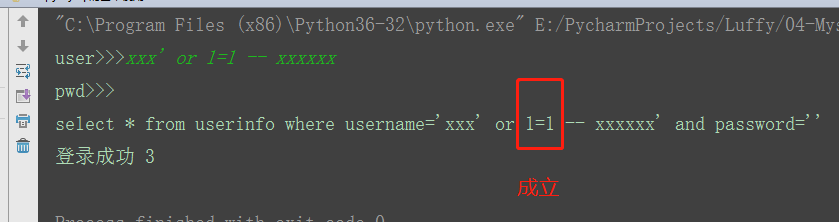
#2、sql注入之:用户不存在,绕过用户与密码

xxx' or 1=1 -- 任意字符
(2)解决方法:
# 原来是我们对sql进行字符串拼接

# sql="select * from userinfo where name='%s' and password='%s'" %(user,pwd)

# print(sql)

# res=cursor.execute(sql)

#改写为(execute帮我们做字符串拼接,我们无需且一定不能再为%s加引号了)

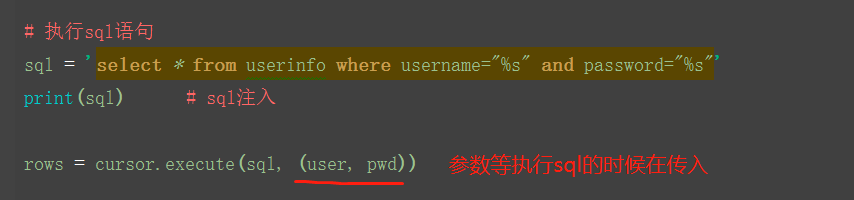
sql="select * from userinfo where name=%s and password=%s"          #!!!注意%s需要去掉引号,因为pymysql会自动为我们加上

res=cursor.execute(sql,(user,pwd))                                  # pymysql模块自动帮我们解决sql注入的问题,只要我们按照pymysql的规矩来。
3、 增、删、改:conn.commit()
import pymysql

#链接

conn=pymysql.connect(host='localhost',user='root',password='',database='egon')

#游标

cursor=conn.cursor()

#part2

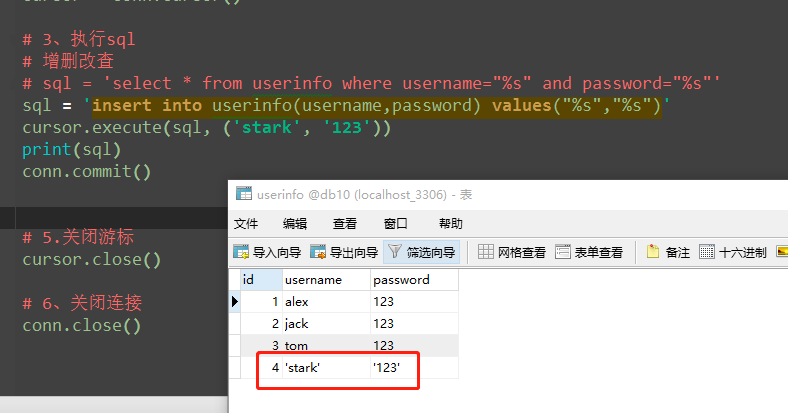
sql='insert into userinfo(name,password) values(%s,%s);'

res=cursor.execute(sql,("root",""))     # 增加一条数据

print(res)     # 执行sql语句,返回sql影响成功的行数

#part3

res=cursor.executemany(sql,[("root",""),("lhf",""),("eee","")])     # 增加多条数据

print(res)

conn.commit()    # 提交后才发现表中插入记录成功

cursor.close()

conn.close()

# in方法的使用
triggerid = ('10011', '10010')
sql = "select * from triggers where triggerid in %s"
ret = handle.execute(sql, triggerid)
print(ret)


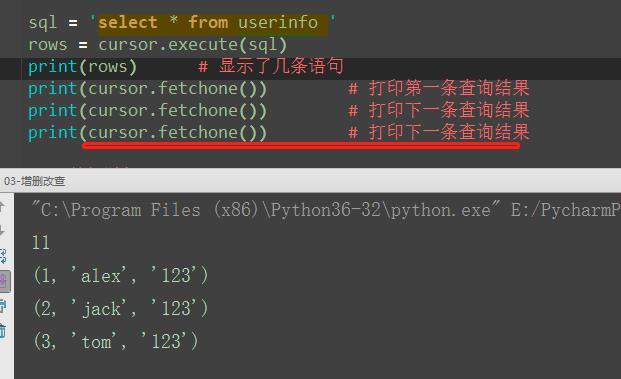
4、查:fetchone,fetchmany,fetchall

import pymysql

#链接

conn=pymysql.connect(host='localhost',user='root',password='',database='egon')

#游标

cursor=conn.cursor()

#执行sql语句

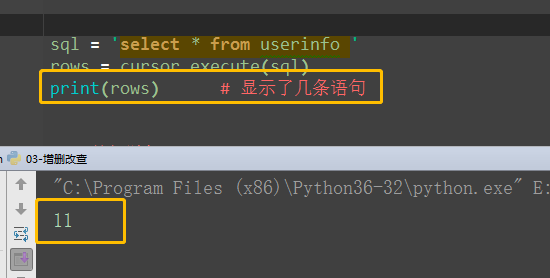
sql='select * from userinfo;'

rows=cursor.execute(sql) #执行sql语句,返回sql影响成功的行数rows,将结果放入一个集合,等待被查询

res1=cursor.fetchone()      # 取出第一条data

res2=cursor.fetchone()      # 取出next数据

res3=cursor.fetchone()

res4=cursor.fetchmany(2)      # 取出2条数据

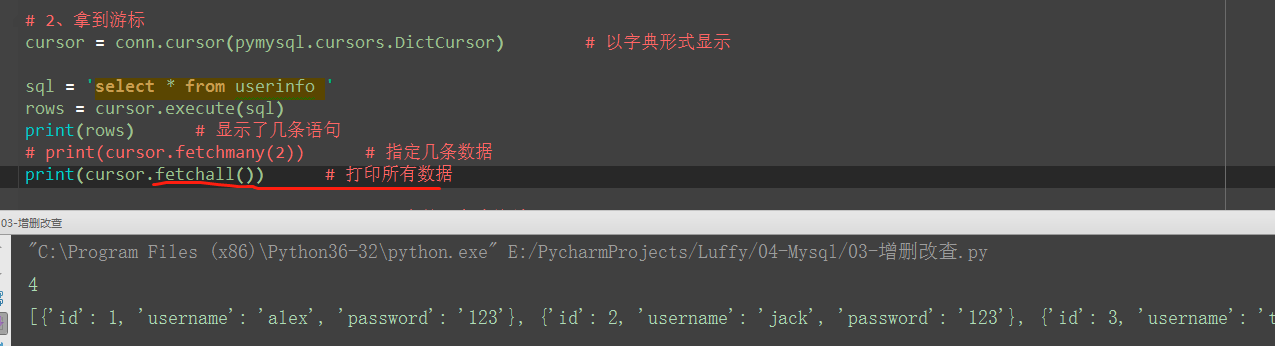
res5=cursor.fetchall()                  # 全部取出来

print(res1)

print(res2)

print(res3)

print(res4)

print(res5)

print('%s rows in set (0.00 sec)' %rows)

cursor.close()

conn.close()

5、相对位置,绝对位置,获取插入的最后一条的自增id
import pymysql

# 1.建立连接

conn = pymysql.connect(

    host='127.0.0.1',

    port=3306,

    user='root',

    password='root',

    db='db10',

    charset='utf8'

)

# 2、拿到游标

cursor = conn.cursor(pymysql.cursors.DictCursor)        # 以字典形式显示

sql = 'select * from userinfo '

rows = cursor.execute(sql)

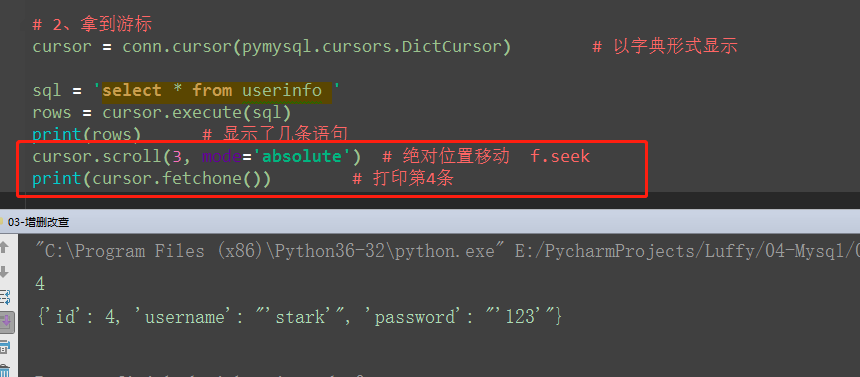
cursor.scroll(3, mode='absolute')  # 绝对位置移动  f.seek

print(cursor.fetchmany(2))      # 指定几条数据

# 5.关闭游标

cursor.close()

# 6、关闭连接

conn.close()
import pymysql

# 1.建立连接

conn = pymysql.connect(

    host='127.0.0.1',

    port=3306,

    user='root',

    password='root',

    db='db10',

    charset='utf8'

)

# 2、拿到游标

cursor = conn.cursor(pymysql.cursors.DictCursor)        # 以字典形式显示

sql = 'select * from userinfo '

rows = cursor.execute(sql)

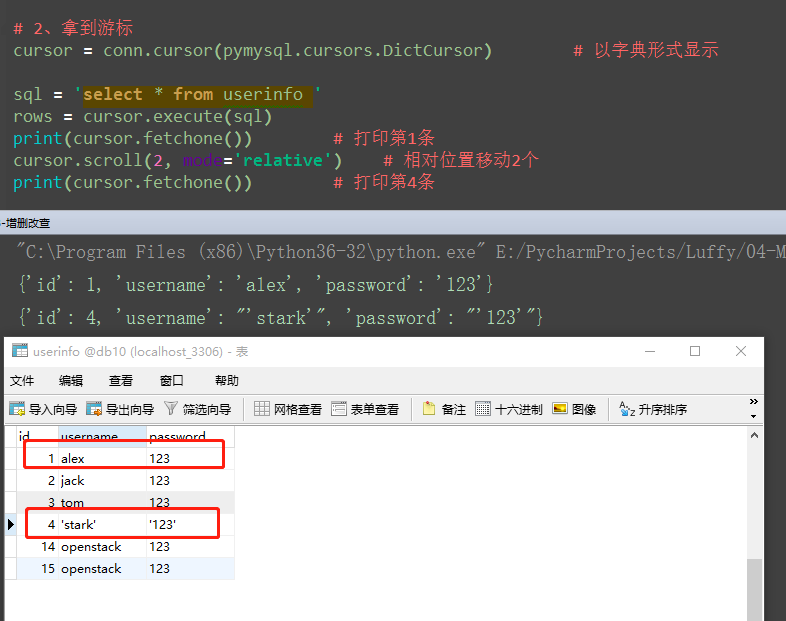
print(cursor.fetchone())        # 打印第1条

cursor.scroll(2, mode='relative')    # 相对位置移动2个

print(cursor.fetchone())        # 打印第4条

# 5.关闭游标

cursor.close()

# 6、关闭连接

conn.close()
import pymysql

conn=pymysql.connect(host='localhost',user='root',password='',database='egon')

cursor=conn.cursor()

sql='insert into userinfo(name,password) values("xxx","123");'

rows=cursor.execute(sql)

print(cursor.lastrowid)     # 在插入语句后查看

conn.commit()

cursor.close()

conn.close()

13-[Mysql]--pymysql模块的更多相关文章
- python开发mysql:Pymysql模块
pymysql模块的使用 #1 基本使用 # import pymysql # conn=pymysql.connect(host='localhost',user='root',password=' ...
- python连接MySQL pymysql模块,游标,SQL注入问题,增删改查操作
pymysql模块 pymysql是用python控制终端对MySQL数据库进行操作的第三方模块 import pymysql # 1.连接数据库 client = pymysql.connect( ...
- MySQL— pymysql模块(防止sql注入),可视化软件Navicat
一.Pymysql import pymysql #python2.X 中是 mysqldb 和 pythonmysql 用法是一模一样的 #pymysql可以伪装成上面这两个模块 user = in ...
- day40:python操作mysql:pymysql模块&SQL注入攻击
目录 part1:用python连接mysql 1.用python连接mysql的基本语法 2.用python 创建&删除表 3.用python操作事务处理 part2:sql注入攻击 1.s ...
- 多表查询、可视化工具、pymysql模块
create table dep( id int primary key auto_increment, name varchar(16), work varchar(16) ); create ta ...
- Navicat,SQL注入,pymysql模块
# 关键字exists(了解) 只返回布尔值 True False 返回True的时候外层查询语句执行 返回False的时候外层查询语句不再执行 select * from emp where exi ...
- Python中操作mysql的pymysql模块详解
Python中操作mysql的pymysql模块详解 前言 pymsql是Python中操作MySQL的模块,其使用方法和MySQLdb几乎相同.但目前pymysql支持python3.x而后者不支持 ...
- python 存储引擎 mysql(库,表, 行) 单表多表操作 (foreign key) sql_mode pymysql模块讲解
##################总结############### mysql 常用数据类型 整型:tinyint int(42亿条左右) bigint 小数:float double dec ...
- (转)Python中操作mysql的pymysql模块详解
原文:https://www.cnblogs.com/wt11/p/6141225.html https://shockerli.net/post/python3-pymysql/----Python ...
- python 全栈开发,Day63(子查询,MySQl创建用户和授权,可视化工具Navicat的使用,pymysql模块的使用)
昨日内容回顾 外键的变种三种关系: 多对一: 左表的多 对右表一 成立 左边的一 对右表多 不成立 foreign key(从表的id) refreences 主表的(id) 多对多 建立第三张表(f ...
随机推荐
- Oracle GI 日志收集工具 - TFA
1.TFA的目的: TFA是个11.2版本上推出的用来收集Grid Infrastructure/RAC环境下的诊断日志的工具,它可以用非常简单的命令协助用户收集RAC里的日志,以便进一步进行诊断:T ...
- Oracle GoldenGate DDL 详细说明 使用手册(较早资料)
一. 概述 DDL 相关的参数包括:DDL.DDLERROR.DDLOPTIONS.DDLSUBST.DDLTABLE.GGSCHEMA. PURGEDDLHISTORY.PURGEMARKERHIS ...
- 使用UISearchDisplayController
使用UISearchDisplayController 虽然UISearchDisplayController名字中带有controller,可他不是一个UIView相关的controller,因为, ...
- 铁乐学python_day28_模块学习3
大部份内容摘自授课老师的博客http://www.cnblogs.com/Eva-J/ OS模块复习一二 >>> import os >>> os.getcwd() ...
- September 23rd 2017 Week 38th Saturday
Lonely people will always remember his life occurred in each person. 寂寞的人总是会用心记住他生命中出现过的每个人. If you ...
- VRS外部文件
igs08_1708.atx:IGS卫星和接收机段天线PCO改正 Configure:配置文件
- 我的Java之旅——答答租车系统的改进
之前的答答租车系统虽然可以实现项目的要求,但是没有用Java面向对象,今天用面向对象的三大特性封装.继承和多态来改进原来的代码.题目和之前的代码参考上篇博客,这里不再述说. 改进后的代码: Vehic ...
- OpenStack虚拟机快照和增量备份实现
1 快照的概念一般对快照的理解就是能够将系统还原到某个瞬间,这就是快照的作用.快照针对要保存的数据分为内存快照和磁盘快照,内存快照就是保存当前内存的数据,磁盘快照就是保存硬盘的数据.快照针对保存方式又 ...
- redis开启远程连接访问和需要密码的方法
redis默认是不能远程访问的,如果希望多台机子共用redis数据库,那就需要开启redis远程连接访问.既然可以远程连接了,那就需要密码登陆,否则不安全.下面是具体的方法,按照步骤一步一步来就OK了 ...
- 【洛谷】【搜索(dfs)】P1363 幻想迷宫
[题目描述:] 幻象迷宫可以认为是无限大的,不过它由若干个N*M的矩阵重复组成.矩阵中有的地方是道路,用'.'表示:有的地方是墙,用'#'表示.LHX和WD所在的位置用'S'表示.也就是对于迷宫中的一 ...