
Android Studio下HierarchyViewer的使用
什么是HierarchyViewer
Hierarchy Viewer是随AndroidSDK发布的工具,位置在tools文件夹下,名为hierarchyviewer.bat。它是Android自带的非常有用而且使用简单的工具,可以帮助我们更好地检视和设计用户界面(UI),绝对是UI检视的利器,下面来详细介绍如何在Android Studio开发环境下使用Hierarchy Viewer。
如何在Android Studio开发环境下使用HierarchyViewer
1.启动模拟器,通过模拟器运行你的应用
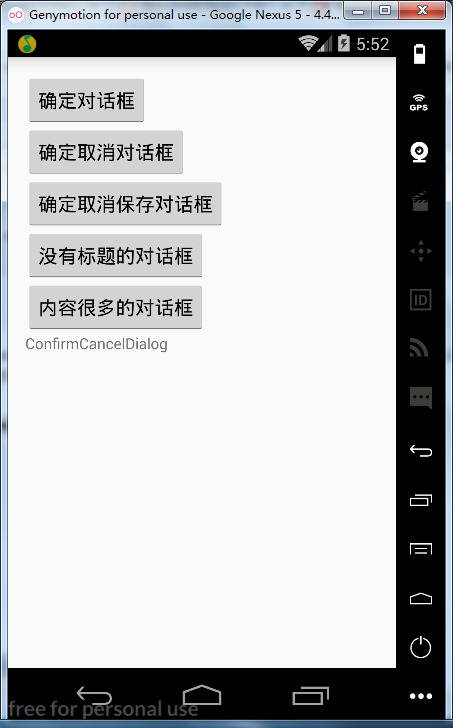
<?xml version="1.0" encoding="utf-8"?>

<LinearLayout

    xmlns:android="http://schemas.android.com/apk/res/android"

    xmlns:tools="http://schemas.android.com/tools"

    android:id="@+id/activity_main"

    android:layout_width="match_parent"

    android:layout_height="match_parent"

    android:paddingBottom="@dimen/activity_vertical_margin"

    android:paddingLeft="@dimen/activity_horizontal_margin"

    android:paddingRight="@dimen/activity_horizontal_margin"

    android:paddingTop="@dimen/activity_vertical_margin"

    android:orientation="vertical"

    tools:context="com.why.project.confirmcanceldialogdemo.MainActivity">

    <Button

        android:id="@+id/btn_confirm"

        android:layout_width="wrap_content"

        android:layout_height="wrap_content"

        android:text="确定对话框"/>

    <Button

        android:id="@+id/btn_confirmcancel"

        android:layout_width="wrap_content"

        android:layout_height="wrap_content"

        android:text="确定取消对话框"/>

    <Button

        android:id="@+id/btn_confirmcancelbetween"

        android:layout_width="wrap_content"

        android:layout_height="wrap_content"

        android:text="确定取消保存对话框"/>

    <Button

        android:id="@+id/btn_notitle"

        android:layout_width="wrap_content"

        android:layout_height="wrap_content"

        android:text="没有标题的对话框"/>

    <Button

        android:id="@+id/btn_message"

        android:layout_width="wrap_content"

        android:layout_height="wrap_content"

        android:text="内容很多的对话框"/>

    <TextView

        android:layout_width="wrap_content"

        android:layout_height="wrap_content"

        android:text="ConfirmCancelDialog" />

</LinearLayout>
2.打开Android Device Monitor
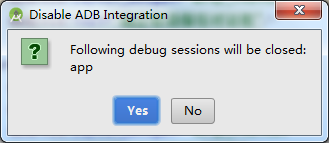
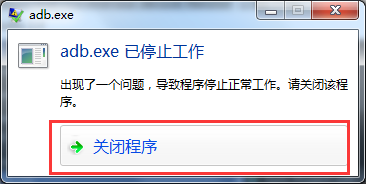
APP先运行起来再使用Android Device Monitor
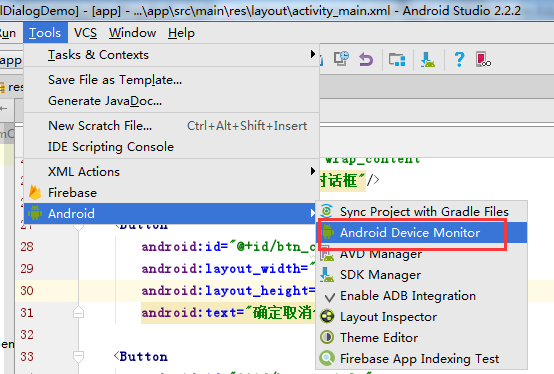
依次点击菜单Tools>Android>Android Device Monitor,如下图:
3.进入Android Device Monitor界面,打开HierarchyViewer
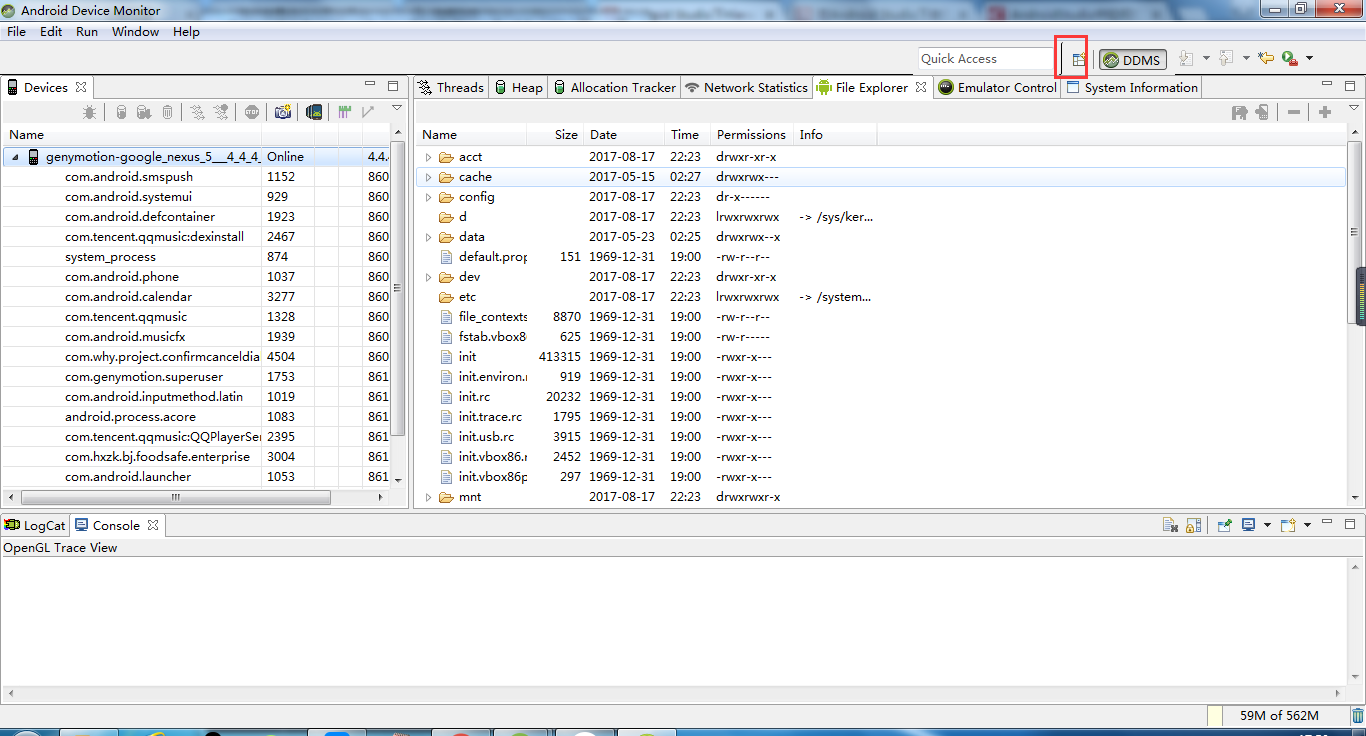
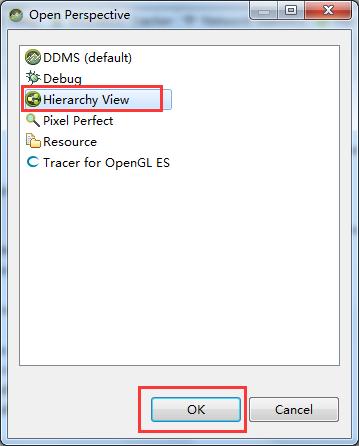
4.加载出当前Activity的节点,可选中进行分析
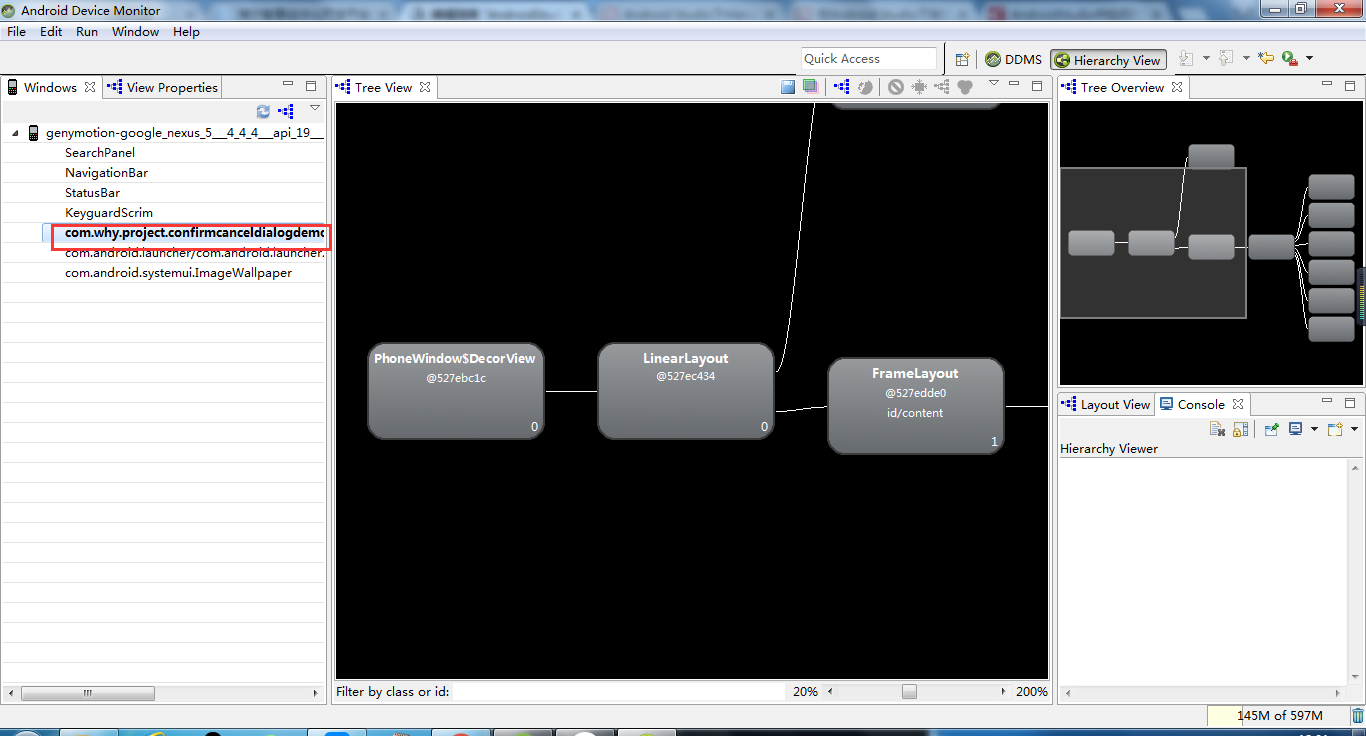
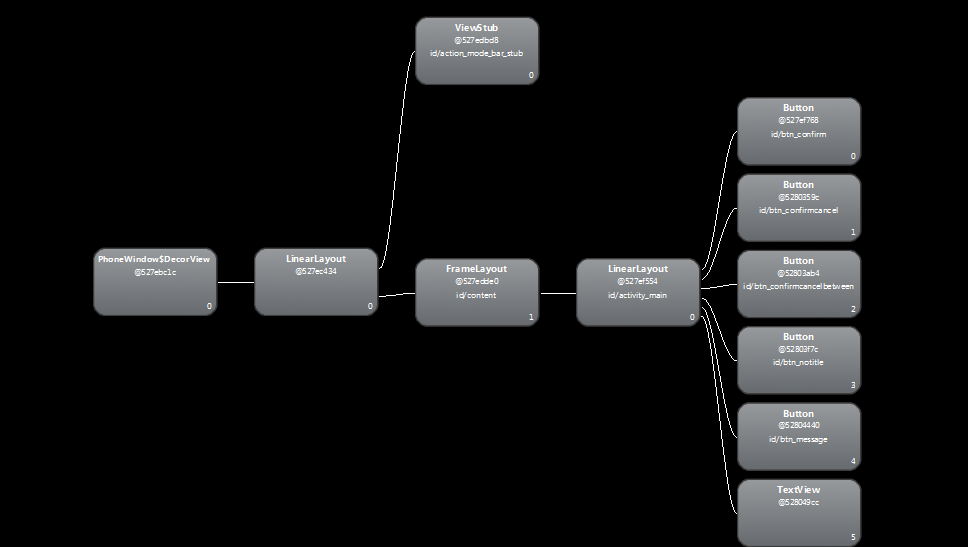
附录1 将Tree View保存成图片
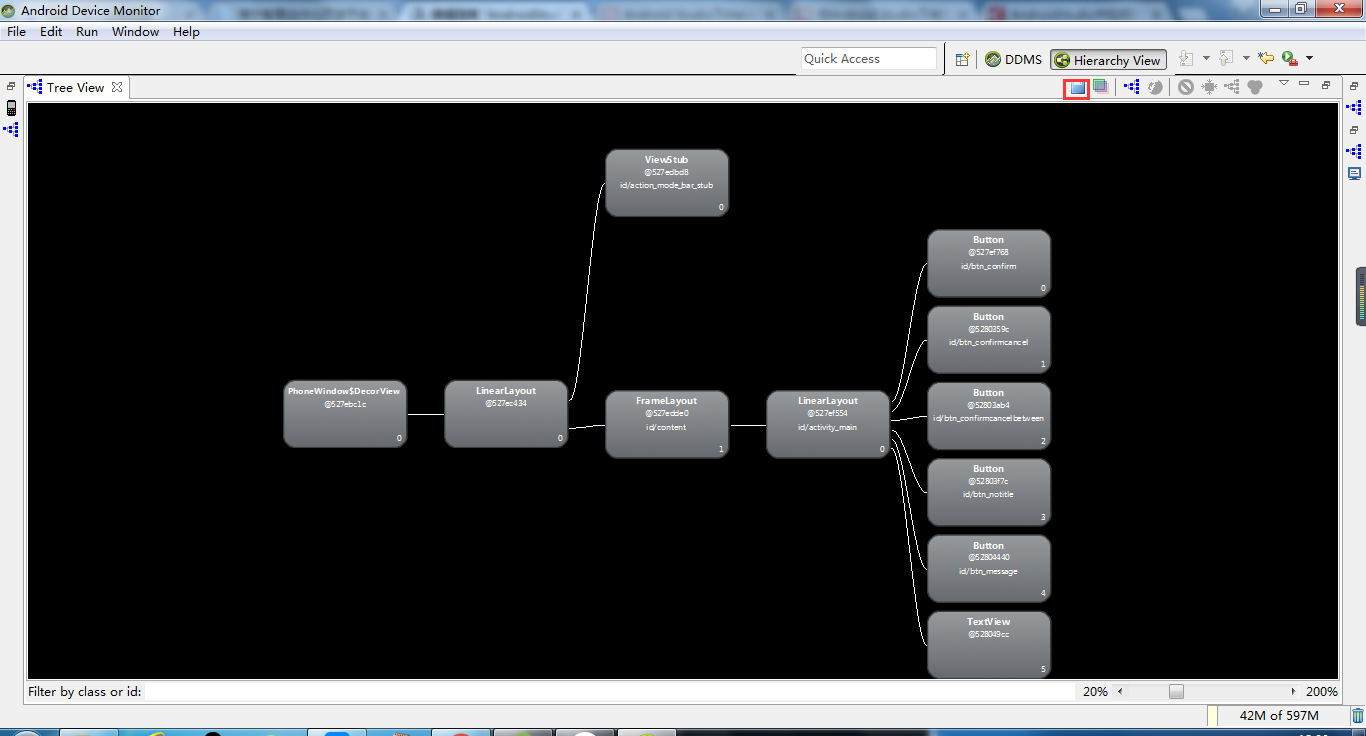
附录2 显示每个View节点的性能指标(颜色点)以及Measure、Layout、Draw的耗时的耗时
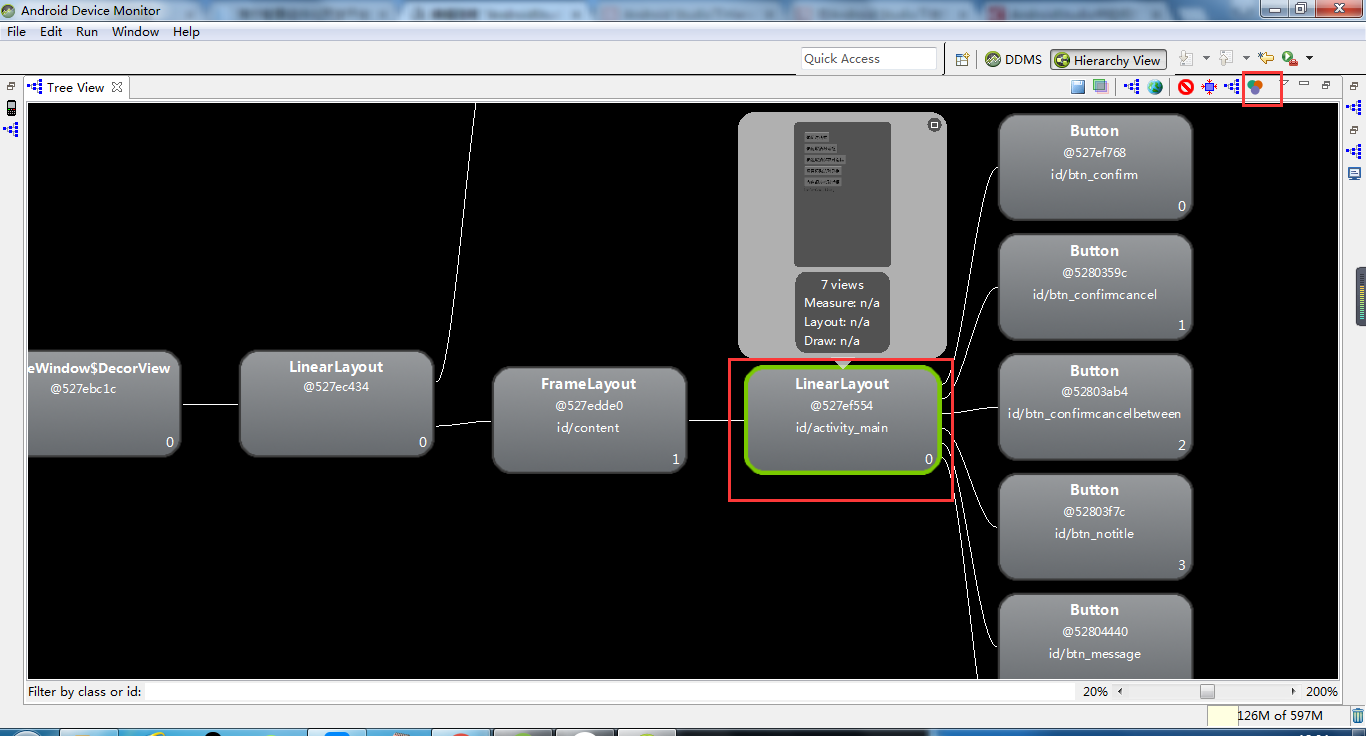

参考资料:
Android Studio下HierarchyViewer的使用
在Android Studio下使用Hierarchy Viewer
AndroidStudio中如何打开hierarchyviewer
Android Studio下HierarchyViewer的使用的更多相关文章
- Android studio下gradle Robolectric单元测试配置
android studio下gradle Robolectric单元测试配置 1.Robolectric Robolectric是一个基于junit之上的单元测试框架.它并不依赖于Android提供 ...
- Android studio 下JNI编程实例并生成so库
Android studio 下JNI编程实例并生成so库 因为公司需要为Android相机做美颜等图像后期处理,需要使用JNI编程,最近学了下JNI,并且在Android Studio下实现了一个小 ...
- Android Studio下打jar包
在我们使用Eclipse时,我们常常使用的第三方类库文件大多都是jar包形式,用起来很方便.但是jar包只能打包class文件,对于Android UI类库而言,我们常常需要打包资源文件,对于界面不多 ...
- Android Studio下导出jar包和aar包
Android Studio下导出jar包和aar包 jar包和aar包的区别 步骤 1. 创建Android工程 创建工程比较简单,不错复述 2. 创建一个Library(Module) 创建了一个 ...
- Android Studio下多渠道打包
Android Studio下实现多渠道打包 直接上步骤 步骤 1. 清单文件添加属性(以友盟统计为例) 在application标签下添加meta-data属性 <application -- ...
- Android Studio下使用NDK的流程
我要重新拿回持之以恒徽章!! 老规矩,先说看能学会什么:ANDROID STUDIO下NDK的使用方法.JNI的基本使用方法,C语言调用JAVA的方法. 首先要下载NDK,如果你没有VPN可以来htt ...
- Android studio 下 JNI 开发实例
在AS中进行 NDK 开发之前,我们先来简单的介绍几个大家都容易搞懵的概念: 到底什么是JNI,什么是NDK? 何为“交叉编译”? 先看什么是 JNI?JNI 的全称就是 Java Native In ...
- Android Studio下添加assets目录
Android Studio下添加assets目录 分类: Android Studio2013-11-06 18:09 10872人阅读 评论(2) 收藏 举报 android studioasse ...
- Android Studio下jni应用
最近在将一个小应用从eclipse开发迁移到android studio,程序中有native代码实现,在eclipse是靠Android.mk这么个mk文件来组织编译的,但到android stud ...
随机推荐
- iOS dispatch_semaphore_t(信号量)和 2.dispatch_group_t (组)
2017年,回望过去,前半年还致力于iOS开发,后半年就开始了python的漫漫之路,一路上走走停停,不过还好,总的来说,2017是收获的一年,也是付出的一年.2018加油! 话题转回来,关于线程执行 ...
- 通俗易懂--SVM算法讲解(算法+案例)
1.SVM讲解 新闻分类案例 SVM是一个很复杂的算法,不是一篇博文就能够讲完的,所以此篇的定位是初学者能够接受的程度,并且讲的都是SVM的一种思想,通过此篇能够使读着会使用SVM就行,具体SVM的推 ...
- js生成tree形组织机构下拉框
1.首先我们正常数据是如下所示: [ { id: 1, pid: 0, name: '公司组织' }, { id: 2, pid: 1, name: '总经办' }, { id: 3, pid: 1, ...
- go语言的条件语句和循环语句
一,条件语句 常见的就是if语句: 单支条件语句: if 条件 :执行语句 (注,如果是没有逻辑运算符连接的话,是可以不需要括号的,也可以加上括号,如:if (条件):执行语句) 双支 ...
- 线程中的setDaemon方法
setDaemon方法必须在start方法前定义.t1.setDaemon(True),该语句的意思是:将主线程A设置为子线程t1的守护线程.也就是在执行程序时,t1会随着主线程A的退出而退出,不论t ...
- (转载)sqlmap用户手册详解
文章转载自 http://www.vuln.cn/2035 当给sqlmap这么一个url (http://www.target.com/sqlmap/mysql/get_int.php?id=1) ...
- IT行业三大定律
1:摩尔定律 该定律由Inter公司创始人戈登摩尔提出,摩尔定律指出:每一年半计算机等IT产品的性能会翻一番:或者说相同性能的产品在一年半后价格会降一半. 表现为:为适应摩尔定律,IT公司必须在较 ...
- 个人 WPF+EF(DBFirst) 简单应用开发习惯及EF学习测试(备忘) -- 2
接上篇:个人 WPF+EF(DBFirst) 简单应用开发习惯及EF学习测试(备忘) -- 1 Step1 在主程序中设置连接数据库 从Model类库的 App.Config 把数据库字符串拷贝出来, ...
- 疑难杂症:Java中Scanner连续获取int和String型发生错误.
使用Scanner类获取输入,连续获取int类型和String类型数据时候,发生错误. Scanner sc = new Scanner(System.in); System.out.println( ...
- querySelectorAll选择器的js实现
自从标准浏览器增加了querySelector这个类JQ的方法后,选择一个元素变成了一件so easy的事情.但是某些浏览器还是不支持.使用jq库又有点太大,其实可以自己动手实现这个选择器,具体代码如 ...