
osg RTT 多相机-局部放大镜
#ifdef _WIN32

#include <Windows.h>

#endif // _WIN32

#include<iostream>

#include <osgViewer/Viewer>

#include <osgViewer/ViewerEventHandlers>

#include <osgViewer/CompositeViewer>

#include <osgDB/ReadFile>

#include <osg/Geode>

#include <osg/Node>

#include <osg/Geometry>

#include <osg/GraphicsContext>

#include <osg/ShapeDrawable>

#include <osg/Material>

#include <osg/Image>

#include <osg/Texture2D>

#include <osg/TexEnv>

#include <osg/TexGen>

#include <osg/NodeVisitor>

#include <osg/MatrixTransform>

#include <osg/PositionAttitudeTransform>

#include <osg/AnimationPath>

#include <osg/Matrixd>

#include <osg/PagedLOD>

#include <osg/Camera>

#include <osgText/Text>

#include <osgGA/TrackballManipulator>

#include <osgGA/GUIEventHandler>

#include <osgGA/CameraManipulator>

#include <osgGA/StandardManipulator>

#include <osgGA/OrbitManipulator>

#include <osgGA/TrackballManipulator>

#include <osgUtil/IntersectionVisitor>

#include <osgUtil/LineSegmentIntersector>

osg::Node* createCircle()

{

    //osg::ref_ptr<osg::Geode> geode1 = new osg::Geode;

    //osg::ref_ptr<osg::StateSet> stateSet1 = geode1->getOrCreateStateSet();

    osg::Geode *geode1 = new osg::Geode;

    osg::StateSet *stateSet1 = geode1->getOrCreateStateSet();

    osg::ref_ptr<osg::Image> image1 = osgDB::readImageFile("D:\\参考手册\\OSG\\mzj.jpg");

    if (!image1.valid())

    {

        return geode1;

    }

    osg::ref_ptr<osg::Texture2D> texture2d1 = new osg::Texture2D;

    texture2d1->setImage(, image1);

    stateSet1->setTextureAttributeAndModes(, texture2d1, osg::StateAttribute::ON);

    stateSet1->setMode(GL_LIGHTING, osg::StateAttribute::OFF);

    osg::TessellationHints *hits = new osg::TessellationHints;

    hits->setDetailRatio(0.8f);

    geode1->addDrawable(new osg::ShapeDrawable(new osg::Cylinder(osg::Vec3(400.0, 300.0, 0.0), , 0.1), hits));

    return geode1;

}

osg::Node* createCircle1(osg::Texture2D *texture2dParam)

{

    //osg::ref_ptr<osg::Geode> geode1 = new osg::Geode;

    //osg::ref_ptr<osg::StateSet> stateSet1 = geode1->getOrCreateStateSet();

    osg::Geode *geode1 = new osg::Geode;

    osg::StateSet *stateSet1 = geode1->getOrCreateStateSet();

    stateSet1->setTextureAttributeAndModes(, texture2dParam, osg::StateAttribute::ON);

    stateSet1->setMode(GL_LIGHTING, osg::StateAttribute::OFF);

    osg::TessellationHints *hits = new osg::TessellationHints;

    hits->setDetailRatio(0.8f);

    geode1->addDrawable(new osg::ShapeDrawable(new osg::Cylinder(osg::Vec3(400.0, 300.0, 0.0), , 0.1), hits));

    return geode1;

}

osg::Camera* createBackground(std::string strImg)

{

    osg::ref_ptr<osg::Geode> geode1 = new osg::Geode;

    osg::ref_ptr<osg::Geometry> geometry1 = new osg::Geometry;

    osg::ref_ptr<osg::Camera> camera1 = new osg::Camera;

    camera1->setAllowEventFocus(false);

    camera1->setProjectionMatrixAsOrtho2D(, , , );

    camera1->setViewport(, , , );

    camera1->setReferenceFrame(osg::Transform::ABSOLUTE_RF);

    camera1->setRenderOrder(osg::Camera::PRE_RENDER);

    camera1->setClearMask(GL_DEPTH_BUFFER_BIT | GL_COLOR_BUFFER_BIT);

    //camera1->setClearColor(osg::Vec4());

    camera1->setViewMatrix(osg::Matrix::identity());

    //压入顶点

    osg::ref_ptr<osg::Vec3Array> vertex = new osg::Vec3Array;

    vertex->push_back(osg::Vec3(0.0, 0.0, 0.0));

    vertex->push_back(osg::Vec3(960.0, 0.0, 0.0));

    vertex->push_back(osg::Vec3(960.0, 600.0, 0.0));

    vertex->push_back(osg::Vec3(0.0, 600.0, 0.0));

    geometry1->setVertexArray(vertex);

    //压入法线

    osg::ref_ptr<osg::Vec3Array> norml = new osg::Vec3Array;

    norml->push_back(osg::Vec3(0.0, 0.0, 1.0));

    geometry1->setNormalArray(norml);

    geometry1->setNormalBinding(osg::Geometry::BIND_OVERALL);

    //纹理坐标

    osg::ref_ptr<osg::Vec2Array> coord = new osg::Vec2Array;

    coord->push_back(osg::Vec2(0.0, 0.0));

    coord->push_back(osg::Vec2(1.0, 0.0));

    coord->push_back(osg::Vec2(1.0, 1.0));

    coord->push_back(osg::Vec2(0.0, 1.0));

    geometry1->setTexCoordArray(, coord);

    geometry1->addPrimitiveSet(new osg::DrawArrays(osg::PrimitiveSet::QUADS, , ));

    osg::ref_ptr<osg::Image> img1 = osgDB::readImageFile(strImg);

    if (!img1.valid())

    {

        std::cout << "" << std::endl;

    }

    osg::ref_ptr<osg::Texture2D> texture2d = new osg::Texture2D;

    texture2d->setImage(, img1);

    geometry1->getOrCreateStateSet()->setTextureAttributeAndModes(, texture2d, osg::StateAttribute::ON);

    camera1->addChild(geode1);

    geode1->getOrCreateStateSet()->setMode(GL_LIGHTING, osg::StateAttribute::OFF);

    geode1->addDrawable(geometry1);

    return camera1.release();

}

//创建hud

osg::Camera* createCamera()

{

    osg::ref_ptr<osg::Camera> camera1 = new osg::Camera;

    camera1->setViewMatrix(osg::Matrix::identity());

    camera1->setAllowEventFocus(false);

    camera1->setReferenceFrame(osg::Transform::ABSOLUTE_RF);

    camera1->setViewport(, , , );

    camera1->setProjectionMatrixAsOrtho2D(, , , );

    camera1->setClearMask(GL_DEPTH_BUFFER_BIT);

    camera1->setRenderOrder(osg::Camera::POST_RENDER);

    camera1->addChild(createCircle());

    return camera1.release();

}

osg::Camera* createHUD(osg::Texture2D *texture2d)

{

    osg::ref_ptr<osg::Camera> camera1 = new osg::Camera;

    camera1->setViewMatrix(osg::Matrix::identity());

    camera1->setAllowEventFocus(false);

    camera1->setReferenceFrame(osg::Transform::ABSOLUTE_RF);

    camera1->setViewport(, , , );

    camera1->setProjectionMatrixAsOrtho2D(, , , );

    camera1->setClearMask(GL_DEPTH_BUFFER_BIT);

    camera1->setRenderOrder(osg::Camera::POST_RENDER);

    camera1->addChild(createCircle1(texture2d));

    return camera1.release();

}

//烘焙纹理

void createRTT(osgViewer::Viewer *viewerParam)

{

    osg::ref_ptr<osg::Group> group1 = new osg::Group;

    osg::ref_ptr<osg::Node> node1 = osgDB::readNodeFile("D:\\参考手册\\BIM\\osg\\build20190628.osgb");

    group1->addChild(node1.get());

    if (!viewerParam)

    {

        return;

    }

    unsigned int width, height;

    //获取系统分辨率

    osg::GraphicsContext::WindowingSystemInterface *wsInterface = osg::GraphicsContext::getWindowingSystemInterface();

    if (!wsInterface)

    {

        return;

    }

    wsInterface->getScreenResolution(osg::GraphicsContext::ScreenIdentifier(), width, height);

    osg::ref_ptr<osg::GraphicsContext::Traits> traits1 = new osg::GraphicsContext::Traits;

    //width = 800;

    //height = 600;

    traits1->x = ;

    traits1->y = ;

    traits1->width = width;

    traits1->height = height;

    traits1->windowDecoration = false;

    traits1->doubleBuffer = true;

    traits1->sharedContext = ;

    osg::ref_ptr<osg::GraphicsContext> graphicsContext1 = osg::GraphicsContext::createGraphicsContext(traits1);

    if (!graphicsContext1.valid())

    {

        return;

    }

    //创建主相机

    osg::ref_ptr<osg::Camera> masterCamera = new osg::Camera;

    masterCamera->setGraphicsContext(graphicsContext1);

    masterCamera->setViewport(, , width, height);

    //osg::Camera *masterCamera = createBackground("D:\\参考手册\\images\\104.jpg");

    //masterCamera->setViewport(0, 0, width, height);

    viewerParam->addSlave(masterCamera);

    //烘焙RTT相机

    osg::ref_ptr<osg::Camera> rttCamera = new osg::Camera;

    rttCamera->setRenderOrder(osg::Camera::PRE_RENDER);

    rttCamera->setGraphicsContext(graphicsContext1);

    rttCamera->setViewport(, , width, height);

    rttCamera->addChild(node1);

    viewerParam->addSlave(rttCamera, osg::Matrix::scale(,,),osg::Matrix::identity(),false);

    //替换

    osg::Texture2D *texture2d1 = new osg::Texture2D;

    texture2d1->setInternalFormat(GL_RGBA);

    rttCamera->attach(osg::Camera::COLOR_BUFFER, texture2d1);

    group1->addChild(createHUD(texture2d1));

    viewerParam->setSceneData(group1);

    //viewerParam->setUpViewInWindow(200, 200, 800, 600, 0);

}

int main()

{

    osg::ref_ptr<osgViewer::Viewer> viewer1 = new osgViewer::Viewer;

    osg::ref_ptr<osg::Group> group1 = new osg::Group;

    osg::ref_ptr<osg::Node> node1 = osgDB::readNodeFile("");

    //group1->addChild(node1.get());

    group1->addChild(createCamera());

    createRTT(viewer1);

    //viewer1->setSceneData(group1.get());

    //viewer1->setUpViewInWindow(200, 200, 800, 600, 0);

    return viewer1->run();

}
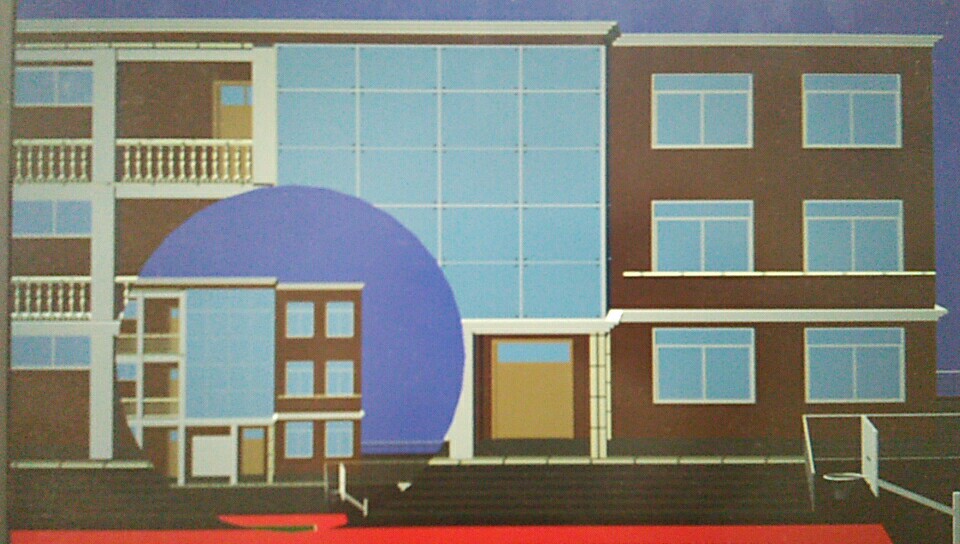
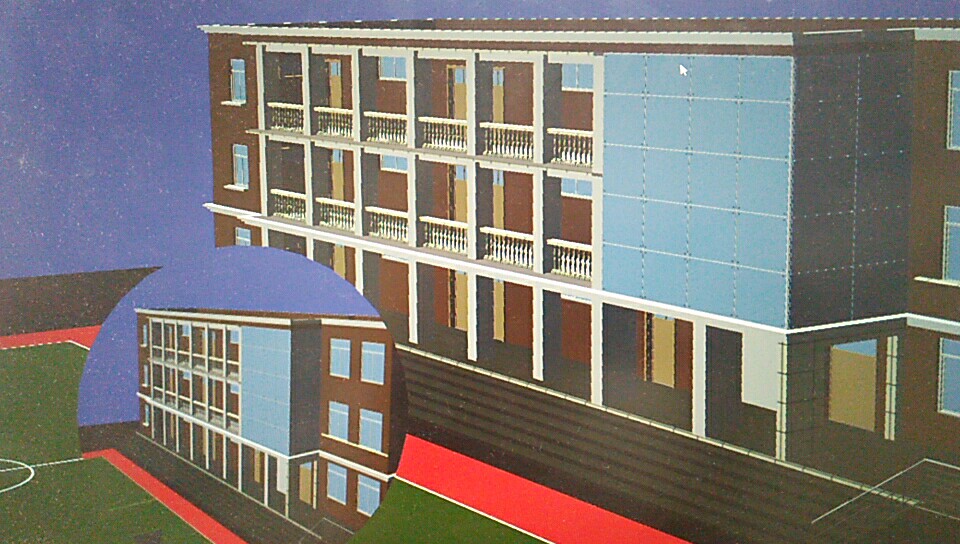
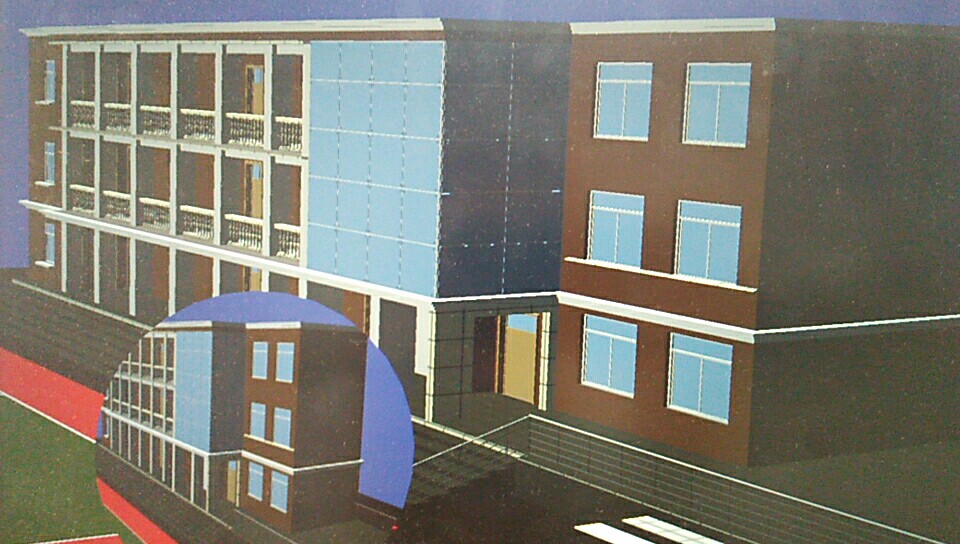
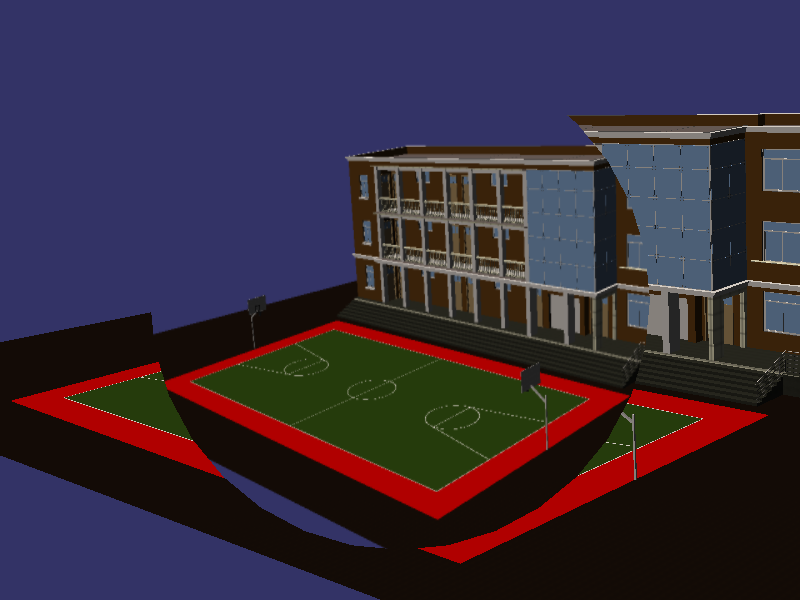
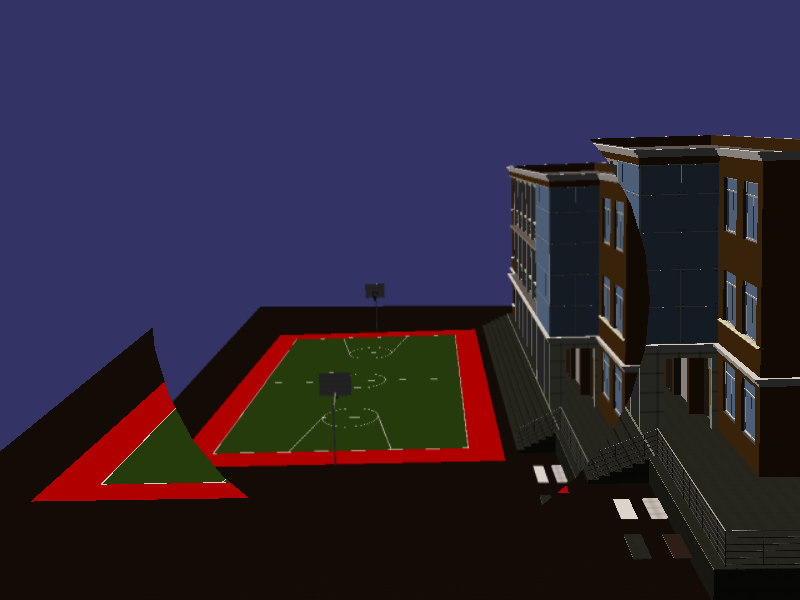
osg RTT 多相机-局部放大镜的更多相关文章
- magnify.m —— 图像局部放大镜工具函数
magnify.m 函数下载地址:magnify - File Exchange - MATLAB Central: magnify.m 函数在执行时,是一种交互式处理. 简单演示如下: clear, ...
- OSG入坑之路[转]
转载自:https://segmentfault.com/a/1190000010506374?utm_source=tag-newest osg插件原理:https://blog.csdn.net/ ...
- OSG的HUD抬头文字显示
原文:http://blog.csdn.net/tmljs1988/article/details/7562926 可以运行 1. HUD流程图: 完整源代码如下: /*OSG中的HUD, ...
- [osg][原]自定义osgGA漫游器
相机矩阵变化基础:http://blog.csdn.net/popy007/article/details/5120158 osg漫游器原理:http://blog.csdn.net/csxiaosh ...
- [原][osgEarth]在osgearth中添加相机路径动画
在osg中添加相机动画路径请参考:http://www.cnblogs.com/lyggqm/p/8075277.html 这里的代码是在osgearth中添加相机动画路径漫游器: #include ...
- 3D Computer Grapihcs Using OpenGL - 17 添加相机(旋转)
在11节我们说过,MVP矩阵中目前只应用了两个矩阵,World to View 矩阵被省略了,这就导致我们的画面没有办法转换视角. 本节我们将添加这一环节,让相机可以旋转. 为了实现这一目的,我们添加 ...
- 8个超震撼的HTML5和纯CSS3动画源码
HTML5和CSS3之所以强大,不仅因为现在大量的浏览器的支持,更是因为它们已经越来越能满足现代开发的需要.Flash在几年之后肯定会消亡,那么HTML5和CSS3将会替代Flash.今天我们要给大家 ...
- 11个超震撼的HTML5和纯CSS3动画源码
1.jQuery多功能手风琴个人信息菜单面板 这是一款基于jQuery的手风琴个人信息菜单面板,每一个菜单项展开后可以自定义布局,因此可以为每一个菜单项实现多功能.类似这样的多功能菜单还有jQuery ...
- [翻译]:Cinemachine 官方文档(0)
目录 Overview : Installation and Getting Started :安装并开始 User Guide :用户指南 What is Cinemachine? : 什么是Cin ...
随机推荐
- 操作socket笔记
网络编程 1.tcp协议 #tcpserver #单纯一对一发 tcp = socket.socket(socket.AF_INET, socket.SOCK_STREAM) # 创建tcp套接字 参 ...
- python学习之面向对象
目录 __main__,__name__ __module__,__class__ __init__ __del__ __repr__,__str__ __mro__ __call__ __new__ ...
- JavaScript-日常代码-时间
取得今天0点: var start = new Date(new Date(new Date().toLocaleDateString()).getTime()); console.log(start ...
- [GraphQL] Query GraphQL Interface Types in GraphQL Playground
Interfaces are similar to Unions in that they provide a mechanism for dealing with different types o ...
- Update和Select结合统计更新
Update和Select结合统计更新 update table_a set updatetime=getdate(), name=b.name from (select name,age from ...
- 什么是webpack模块化构建工具
百度百科模块化:是指解决一个复杂问题时自顶向下逐层把系统划分成若干模块的过程,有多种属性,分别反映其内部特性. 计算机模块化:一般指的是可以被抽象封装的最小/最优代码集合,模块化解决的是功能耦合问题. ...
- 四十四.Linux基本防护 用户切换与提权 SSH访问控制 SELinux安全 、SSH访问控制 SELinux安全
1.Linux基本防护措施 与用户相关的配置文件 /etc/passwd /etc/shadow /etc/group /etc/gshadow /etc/login.defs /etc/s ...
- P2736 “破锣摇滚”乐队 Raucous Rockers
题目描述 你刚刚继承了流行的“破锣摇滚”乐队录制的尚未发表的N(1 <= N <= 20)首歌的版权.你打算从中精选一些歌曲,发行M(1 <= M <= 20)张CD.每一张C ...
- php 多维数组,根据某个特定字段过滤重复值
//假如 数据是这样的$arr=[ [ 'goods_name'=>'xxx', 'goods_id'=>111,],[ 'goods_name'=>'xxx', 'goods_id ...
- redis配置数据持久化---APPEND ONLY MODE
Redis配置数据持久化---APPEND ONLY MODE 2016年04月01日 19:05:11 阅读数:9918 Redis可以实现数据的持久化存储,即将数据保存到磁盘上. Redis的持久 ...