
使用PowerShell 连接Azure
除了使用门户登入外,还可以使用PowerShell的方式来连接Azure。
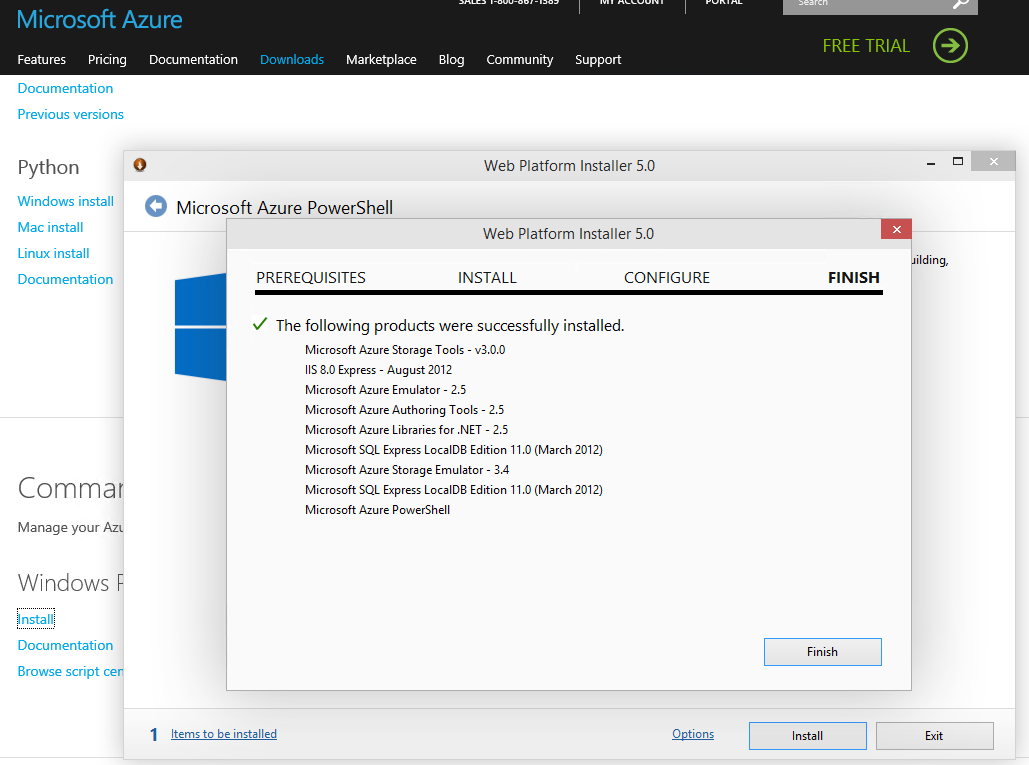
首先要去下载组件
http://azure.microsoft.com/en-us/downloads/?rnd=1
http://www.windowsazure.cn/downloads/#cmd-line-tools
一个是国际版的,一个是国内版,工具版本相同。
通过Web Platform Installer 来集成安装其实会根据不同操作系统安装一些组件,以下是在Window 10下需要安装的部分
查看是否有这个module
PS C:\Windows\system32> Get-Module -ListAvailable Azure

    Directory: C:\Program Files (x86)\Microsoft SDKs\Azure\PowerShell\ServiceManagement

ModuleType Version    Name                                ExportedCommands

---------- -------    ----                                ----------------

Manifest   0.8.11     Azure                               {Disable-AzureServiceProjectRemoteDesktop, Enable-AzureMem...

PS C:\Windows\system32>
添加一个中国地区的Azure账号
add-azureaccount -Enviroment AzureChinaCloud
可以通过这样的方法来获取这个语句
PS C:\WINDOWS\system32> get-help add-AzureAccount -Examples

    --------------------------  Example : Add an account in Azure China  --------------------------

    PS C:\>Add-AzureAccount -Environment AzureChinaCloud

    This command uses the Environment parameter to add an Azure China account to Windows PowerShell. When you run the

    command, a windows pops up to request the user name and password of the account.
来查询到此句语句
添加一个国际版本的Azure账号
add-azureaccount
输入账号请保持全部小写。
获取添加的账号以及订阅信息。(SubscriptionId已删除)
PS C:\WINDOWS\system32> Get-AzureSubscription

SubscriptionId            :

SubscriptionName          : MSDN

Environment               : AzureCloud

SupportedModes            : AzureServiceManagement,AzureResourceManager

DefaultAccount            : anderson.ling@outlook.com

Accounts                  : {anderson.ling@outlook.com}

IsDefault                 : True

IsCurrent                 : True

CurrentStorageAccountName :

SubscriptionId            :

SubscriptionName          : Pay

Environment               : AzureChinaCloud

SupportedModes            : AzureServiceManagement

DefaultAccount            : Andreson@signalTips.partner.onmschina.cn

Accounts                  : {Andreson@signalTips.partner.onmschina.cn}

IsDefault                 : False

IsCurrent                 : False

CurrentStorageAccountName :

SubscriptionId            :

SubscriptionName          : Free

Environment               : AzureChinaCloud

SupportedModes            : AzureServiceManagement

DefaultAccount            : Ling@SHTriathlon.partner.onmschina.cn

Accounts                  : {Ling@SHTriathlon.partner.onmschina.cn}

IsDefault                 : False

IsCurrent                 : False

CurrentStorageAccountName :
可以根据这篇文章
http://www.cnblogs.com/threestone/p/4001943.html
修改订阅名称
可以获取当前订阅账户
PS C:\WINDOWS\system32> Get-AzureSubscription -Current

SubscriptionId            :

SubscriptionName          : Free

Environment               : AzureChinaCloud

SupportedModes            : AzureServiceManagement

DefaultAccount            : Ling@SHTriathlon.partner.onmschina.cn

Accounts                  : {Ling@SHTriathlon.partner.onmschina.cn}

IsDefault                 : False

IsCurrent                 : True

CurrentStorageAccountName :
可以通过来切换订阅账号SubscriptionName,SubscriptionId
PS C:\WINDOWS\system32> Select-AzureSubscription -SubscriptionName Pay

PS C:\WINDOWS\system32> Get-AzureSubscription -Current

SubscriptionId            :

SubscriptionName          : Pay

Environment               : AzureChinaCloud

SupportedModes            : AzureServiceManagement

DefaultAccount            : Andreson@signalTips.partner.onmschina.cn

Accounts                  : {Andreson@signalTips.partner.onmschina.cn}

IsDefault                 : False

IsCurrent                 : True

CurrentStorageAccountName :
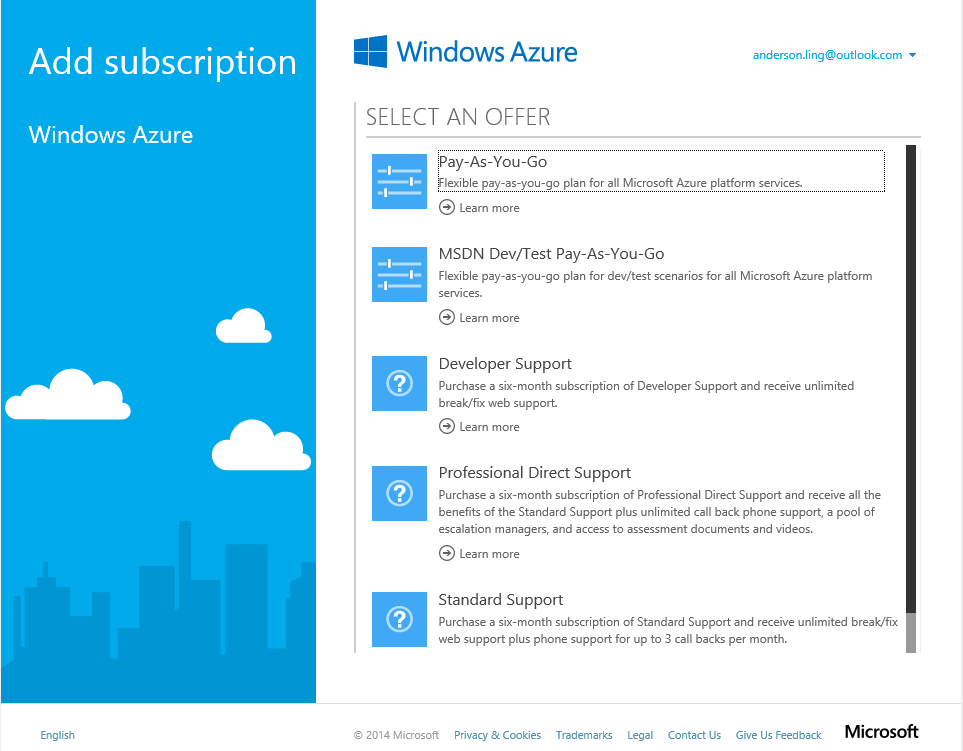
国际版可以在一个订阅中添加中多个订阅,mooncake版本不开发此项功能
中国版 Azure 现提供 Azure Traffic Manager
http://blogs.msdn.com/b/azchina/archive/2014/10/13/azure-traffic-manager-in-azure-in-china.aspx
How to install and configure Azure PowerShell
http://azure.microsoft.com/en-us/documentation/articles/install-configure-powershell/
使用PowerShell 连接Azure的更多相关文章
- PowerShell管理Azure
PowerShell第一次连接Azure1.下载Azure SDK,安装azure powershell http://azure.microsoft.com/zh-cn/downloads/?rnd ...
- PowerShell 操作 Azure SQL Active Geo-Replication 实战
<Azure SQL Database Active Geo-Replication简介>一文中,我们比较全面的介绍了 Azure SQL Database Active Geo-Repl ...
- PowerShell 连接SQL
因为对SQL操作比较多,但有些操作其实都是重复性的,只是参数不太一样了,例如silo id, server name 等.希望可以通过powershell脚本提高效率. 尝试如下 1. 使用Power ...
- 本地git部署web连接azure的git存储库
本地git部署web 创建本地存储仓库 输入以下命令创建git本地仓库(会在当前目录下生产一个.git的目录) git init 然后提交内容 在git仓库所在的目录下存放好需要的网页文件 将文 ...
- Windows 上安装 Azure PowerShell及Azure PowerShell部署虚拟机
一.Azure PowerShell部署 1.使用 PowerShellGet 在 Windows 上安装 Azure PowerShell 从 Azure PowerShell 版本 6.0 开 ...
- 如何使用 Azure PowerShell 在 Azure Marketplace 中查找 Windows VM 映像
本主题介绍如何使用 Azure PowerShell 在 Azure Marketplace 中查找 VM 映像. 创建 Windows VM 时使用此信息来指定 Marketplace 映像. 确保 ...
- PowerShell 操作 Azure SQL Active Geo-Replication
前文中我们比较全面的介绍了 Azure SQL Database Active Geo-Replication 的主要特点和优势.接下来我们将从自动化的角度介绍如何通过 PowerShell 在项目中 ...
- PHP连接Azure Redis
概述 Azure Redis缓存基于流行的开源Redis缓存,可以通过各种Redis客户端进行访问,这些客户端适用于许多编程语言.每个客户端有自身的API,用于通过Redis命令调用Redis缓存实例 ...
- 使用SAS令牌连接Azure EventHub
概述 事件中心使用在命名空间和事件中心级别提供的共享访问签名.SAS令牌是从SAS密钥生成的,它是以特定格式编码的URL的SHA哈希. 事件中心可以使用密钥(策略)的名称和令牌重新生成哈希,以便对发送 ...
随机推荐
- 【Android 界面效果20】Android GradientDrawable类的详解,设置activity的背景颜色渐变效果
看到这个例子的标题RoundRects,我的第一感觉是介绍RoundRectShape, 打开例子看了代码却是使用GradientDrawable来实现的. GradientDrawable 支持使用 ...
- Android之EditText文本变化的监听
监听EditText的文本变化需要给EditText控件加一个addTextChangeListener监听器 editText.addTextChangeListener(textWatcher); ...
- log4net日志文件名输出格式化
日志文件输出格式: 20130626.txt20130627.txt20130628.txt20130629.txt <appender name="rolling" typ ...
- hdu 3804 树链剖分
思路:将边权排序,然后插入线段树,这样就可以直接用二分查找确定答案. #pragma comment(linker, "/STACK:1024000000,1024000000") ...
- 【转】Oracle 中的 TO_DATE 和 TO_CHAR 函数 日期处理
Oracle 中的 TO_DATE 和 TO_CHAR 函数oracle 中 TO_DATE 函数的时间格式,以 2008-09-10 23:45:56 为例 格式 说明 显示值 备注 Year(年) ...
- [转]移动App测试中的最佳做法
Daniel Knott 用过各种不同编程语言和软件质量保证工具.他在软件开发和测试方面干了七年,自2010年起,他一直在德国汉堡的XING AG公司就职,几个项目里,比如XING调查和XING建议, ...
- 数理方程:Laplace变换 & 留数(更新中)
更新:25 APR 2016 Laplace变换 设函数\(f(t)\)在\(t>0\)时有定义,积分 \(F(s)=\int_0^{+\infty}f(t)e^{-st}dt \qquad ( ...
- Jquery图片轮播和CSS图片轮播
学习Jquery以后,很多时候觉得比写源生代码要简单一点.我们用JQuery做了一个图片轮播的动画,感觉比写CSS要简单一些.下面我来具体讲一下是怎么用JQuery来写. <body> & ...
- 纯css3 transforms 3D文字翻开翻转3D开放式效果
详细内容请点击 在线预览立即下载 在本教程中,将基于CSS3创建的一个实现一个有趣的3D开放式效果.教程的目的是展示我们如何能带来一些生活上使用CSS3 . html: <ul class=&q ...
- 关于java中普通代码块、构造代码块与静态代码块
1.普通代码块 public static void main(String[] args) { /*普通代码块: *直接定义在在方法或语句中出现”{普通代码的执行语句}“的就称为普通代码块. *普通 ...