
python selenium 问题汇总
FAQ
1.python+selenium+Safari浏览器,定位元素
selenium.common.exceptions.ElementNotVisibleException: Message: An element command could not be completed because the element is not visible on the page.
在GitHub上有人提出过同样的问题,https://github.com/SeleniumHQ/selenium/issues/5355,有一个回答如下:
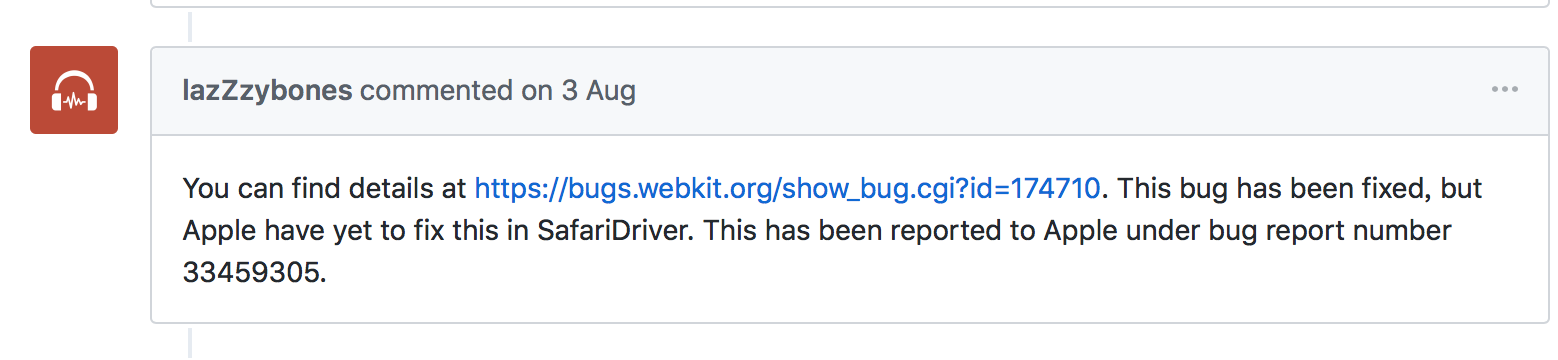
可以参考https://bugs.webkit.org/show_bug.cgi?id=174710,这个bug在Safari开发版已经修复,但并未发布。
那么怎么解决Safari浏览器的点击问题呢?
解决方法如下:
通过调用js的方法进行操作
execute_script(script, *args)

#Example:

ele = browser.find_element_by_xpath('//*[@id="1$Menu"]/li')

browser.execute_script('arguments[0].click();', ele)
2.python3+selenium 3.13 + geckodriver 21.0,提示ConnectionResetError,切换为较低版本的driver即可
学习selenium时,如果sleep时间大于等于5秒,就会提示ConnectionResetError: [Errno 54] Connection reset by peer。
换成chrome浏览器,可以正常运行。
demo.py
from selenium import webdriver

from time import sleep, ctime

#chrome

#driver = webdriver.Chrome(executable_path='//Users/csj/Desktop/seleniumdriver/chromedriver/chromedriver')

#Firefoxdriver 21.0

driver = webdriver.Firefox(executable_path='//Users/csj/Desktop/seleniumdriver/firefoxdriver/21.0/geckodriver')

#Firefoxdriver 20.1

#driver = webdriver.Firefox(executable_path='//Users/csj/Desktop/seleniumdriver/firefoxdriver/20.1/geckodriver')

#Firefoxdriver 20.0

#driver = webdriver.Firefox(executable_path='//Users/csj/Desktop/seleniumdriver/firefoxdriver/20.0/geckodriver')

#Firefox 19.1

#driver = webdriver.Firefox(executable_path='//Users/csj/Desktop/seleniumdriver/firefoxdriver/19.1/geckodriver')

driver.implicitly_wait(10)

driver.get("http://www.baidu.com")

print(ctime())

sleep(5)

print(ctime())

driver.find_element_by_id("kw").send_keys("selenium")

driver.close()
使用Firefoxdriver 21.0,报如下错误:
Traceback (most recent call last):

  File "/Users/csj/PycharmProjects/untitled/demo.py", line 13, in <module>

    driver.find_element_by_id("kw").send_keys("selenium")

  File "/Users/csj/anaconda/lib/python3.6/site-packages/selenium/webdriver/remote/webdriver.py", line 353, in find_element_by_id

    return self.find_element(by=By.ID, value=id_)

  File "/Users/csj/anaconda/lib/python3.6/site-packages/selenium/webdriver/remote/webdriver.py", line 957, in find_element

    'value': value})['value']

  File "/Users/csj/anaconda/lib/python3.6/site-packages/selenium/webdriver/remote/webdriver.py", line 312, in execute

    response = self.command_executor.execute(driver_command, params)

  File "/Users/csj/anaconda/lib/python3.6/site-packages/selenium/webdriver/remote/remote_connection.py", line 472, in execute

    return self._request(command_info[0], url, body=data)

  File "/Users/csj/anaconda/lib/python3.6/site-packages/selenium/webdriver/remote/remote_connection.py", line 496, in _request

    resp = self._conn.getresponse()

  File "/Users/csj/anaconda/lib/python3.6/http/client.py", line 1331, in getresponse

    response.begin()

  File "/Users/csj/anaconda/lib/python3.6/http/client.py", line 297, in begin

    version, status, reason = self._read_status()

  File "/Users/csj/anaconda/lib/python3.6/http/client.py", line 258, in _read_status

    line = str(self.fp.readline(_MAXLINE + 1), "iso-8859-1")

  File "/Users/csj/anaconda/lib/python3.6/socket.py", line 586, in readinto

    return self._sock.recv_into(b)

ConnectionResetError: [Errno 54] Connection reset by peer
换成chrome,可以正常运行。老板提醒可能是版本的问题,分别用 Firefox 20.1, 20.0, 19.1,均能运行成功,没有再提示ConnectionResetError。
休眠时间设置为10秒,也没有再报错。
python selenium 问题汇总的更多相关文章
- WEB自动化(Python+selenium)的API
在做Web自动化过程中,汇总了Python+selenium的API相关方法,给公司里的同事做了第二次培训,分享给大家 ...
- Python Selenium 文件上传之SendKeys
昨天写了Web 文件下载的ui自动化,下载之后,今天就要写web 文件上传的功能了. 当然从折腾了俩小时才上传成功.下面写一下自己操作的步骤 首先网上说的有很多方法 如 input 标签的最好做了,直 ...
- Python selenium的js扩展实现
python写的数据采集,对一般有规律的页面用 urllib2 + BeautifulSoup + 正则就可以搞定. 但是有些页面的内容是通过js生成,或者通过js跳转的,甚至js中还加入几道混淆机制 ...
- 【Python + Selenium】之JS定位总结
感谢:小琰子 Python+Selenium 脚本中的一些js的用法汇总: 1.滚动条 driver.set_window_size(500,500) js = "window.scroll ...
- python+selenium 简单尝试
前言 selenium是一种自动化测试工具,简单来说浏览器会根据写好的测试脚本自动做一些操作. 关于自动化测试,一开始接触的是splinter,但是安装的时候发现它是基于selenium的,于是打算直 ...
- python+selenium 浏览器的问题
以前用selenium调用firefox是不需要驱动的,最近安装了python3.52+最新的firefox 发现调不起来了 搜索以后发现Firefox 47+需要搞个firefox的驱动 gecko ...
- 一次完整的自动化登录测试-基于python+selenium进行cnblog的自动化登录测试
Web登录测试是很常见的测试!手动测试大家再熟悉不过了,那如何进行自动化登录测试呢!本文作者就用python+selenium结合unittest单元测试框架来进行一次简单但比较完整的cnblog自动 ...
- Python + Selenium 实现登录Office 365
最近捡起之前用的Python + Selenium实现工作中需要的登录Office 365功能.(吐槽:国内网络真是卡,登录Office 365实属不易.另外Selenium这样的网站都要墙,无法理解 ...
- python+selenium+Robot
准备工作: 1.下载python2.7 http://python.org/getit/ 2.下载下载setuptools [python 的基础包工具] 可以帮助我们轻松的下载,构建,安装,升级,卸 ...
随机推荐
- SOD范例
SOD申请台站波形数据范例: <?xml version="1.0"?> <sod> <eventArm> <fdsnEvent> ...
- 互评Beta版本
作业要求[https://edu.cnblogs.com/campus/nenu/2018fall/homework/2448] 基于NABCD评论作品,及改进建议 1.杨老师粉丝群.作品:<P ...
- tomcat catalina.out(一,windows下的catalina.out)
最近在研究项目时,发现linux操作系统中,catalina_home/logs/catalina.out的文件有几个G的大小,便上网查了下这个文件的生成方式及如何避免,下面是我整理的材料: 之前我们 ...
- FDMemTable.Delta 转SQL语句脚本
{*******************************************************} { } { XE7.XE8.XE10 安卓 IOS 框架 } { } { 版权所有 ...
- Bugzilla使用规范
登陆Bugzilla Bugzilla登陆地址: http://172.21.8.39:21500/manual/ 账号:XXX@sim.com 密码:123456 Bugzilla简介 Bugzil ...
- ZOJ2402 Lenny's Lucky Lotto List 简单DP
Lenny's Lucky Lotto Lists Time Limit: 2 Seconds Memory Limit:65536 KB Lenny likes to play the g ...
- POJ:2386 Lake Counting(dfs)
Lake Counting Time Limit: 1000MS Memory Limit: 65536K Total Submissions: 40370 Accepted: 20015 D ...
- 租酥雨的NOIP2018赛前日记
租酥雨的NOIP2018赛前日记 离\(\mbox{NOIP2018}\)只剩下不到一个月的时间辣! 想想自己再过一个月就要退役了,觉得有必要把这段时间的一些计划与安排记录下来. 就从国庆收假开始吧. ...
- ES中Module的使用
Module 1.ES6在语言标准的层面上,实现了模块功能,成为浏览器和服务器通用的模块解决方案,完全可以取代 CommonJS 和 AMD 规范,基本特点如下: 每一个模块只加载一次, 每一个JS只 ...
- BKL 大内核锁
BKL 大内核锁 BKL是一种递归锁.一个进程可以多次请求一个锁,并不会像自旋锁那么产生死锁. BKL可以在进程上下文中. BKL是有害的. 在内核中不鼓励使用BKL.一个执行线程可以递归的请求锁lo ...