
NX二次开发-创建旋转UF_MODL_create_revolved
     NX9+VS2012

     #include <uf.h>

     #include <uf_curve.h>

     #include <uf_modl.h>

     UF_initialize();

     //圆心点

     double p1[] = {0.0, 0.0, 0.0};

     tag_t CenterTag = NULL_TAG;

     UF_CURVE_create_point(p1, &CenterTag);

     //辅助点

     double HelpPoint[] = {100.0, 0.0, 0.0};

     tag_t HelpPointTag = NULL_TAG;

     UF_CURVE_create_point(HelpPoint, &HelpPointTag);

     //类型

     UF_CURVE_limit_t limit[];

     UF_CURVE_limit_p_t pLimit[] = { &limit[], &limit[] };

     limit[].limit_type = UF_CURVE_limit_value;

     limit[].value = ;//按值

     limit[].limit_type = UF_CURVE_limit_value;

     limit[].value = ;//按值

     //创建XZ基准平面,用来放圆弧

     double PlanePoint[] = { 0.0, 0.0, 0.0 };

     double Direction1[] = { 1.0, 0.0, 0.0 };

     tag_t DplaneTag = NULL_TAG;

     UF_MODL_create_fixed_dplane(PlanePoint, Direction1, &DplaneTag);

     tag_t ArcTag = NULL_TAG;

     UF_CURVE_create_arc_center_radius(CenterTag, , HelpPointTag, pLimit, DplaneTag, FALSE, &ArcTag);

     //创建直线

     UF_CURVE_line_t LineCoods1;

     LineCoods1.start_point[] = 0.0;

     LineCoods1.start_point[] = 0.0;

     LineCoods1.start_point[] = 0.0;

     LineCoods1.end_point[] = 0.0;

     LineCoods1.end_point[] = 100.0;

     LineCoods1.end_point[] = 0.0;

     tag_t Line1Tag = NULL_TAG;

     UF_CURVE_create_line(&LineCoods1, &Line1Tag);

     UF_CURVE_line_t LineCoods2;

     LineCoods2.start_point[] = 0.0;

     LineCoods2.start_point[] = 0.0;

     LineCoods2.start_point[] = 0.0;

     LineCoods2.end_point[] = 0.0;

     LineCoods2.end_point[] = 0.0;

     LineCoods2.end_point[] = -100.0;

     tag_t Line2Tag = NULL_TAG;

     UF_CURVE_create_line(&LineCoods2, &Line2Tag);

     //创建旋转

     uf_list_p_t EdgeLits;

     UF_MODL_create_list(&EdgeLits);//创建链表

     UF_MODL_put_list_item(EdgeLits, Line1Tag);//Tag添加到链表

     UF_MODL_put_list_item(EdgeLits, Line2Tag);

     UF_MODL_put_list_item(EdgeLits, ArcTag);

     char *Limit[] = { "0.0", "360.0" };

     double Point1[] = { 0.0, 0.0, 0.0 };

     double Direction[] = { 0.0, 0.0, 1.0 };

     UF_FEATURE_SIGN Sign = UF_NULLSIGN;

     uf_list_p_t FeatureList;

     UF_MODL_create_revolved(EdgeLits, Limit, Point1, Direction, Sign, &FeatureList);

     UF_MODL_delete_list(&FeatureList);//删除链表

     UF_MODL_delete_list(&EdgeLits);

     UF_terminate();
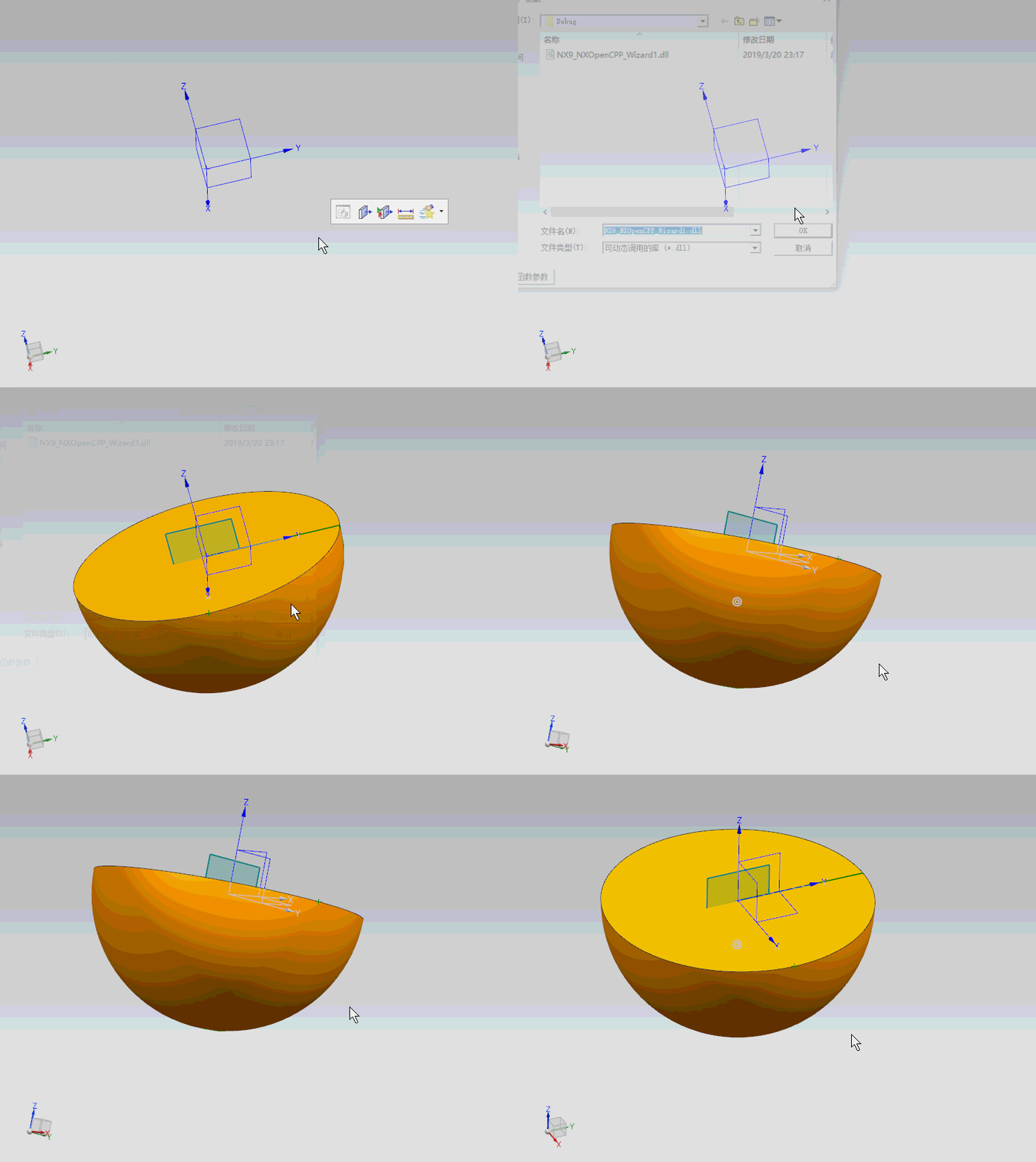
NX二次开发-创建旋转UF_MODL_create_revolved的更多相关文章
- NX二次开发-创建(临时)坐标系
函数:UF_CSYS_create_csys() . UF_CSYS_create_temp_csys() 函数说明:创建坐标系 .创建临时坐标系 用法: #include <uf.h> ...
- NX二次开发-创建NX9 NXOpenCPP Wizard开发向导模板
这篇文章,我在CSDN,在唐工论坛都发过.http://www.nxopen.cn/forum.php?mod=viewthread&tid=2039&highlight=NX9 博客 ...
- NX二次开发-创建功能区工具栏UF_UI_create_ribbon
NX9+VS2012 1.打开D:\Program Files\Siemens\NX 9.0\UGII\menus\ug_main.men 找到装配和PMI,在中间加上一段 TOGGLE_BUTTON ...
- NX二次开发-创建经典工具栏UF_UI_create_toolbar
NX9+VS2012 1.打开D:\Program Files\Siemens\NX 9.0\UGII\menus\ug_main.men 找到装配和PMI,在中间加上一段 TOGGLE_BUTTON ...
- NX二次开发-创建一个3 x 3矩阵UF_CSYS_create_matrix
1 NX9+VS2012 #include <uf.h> #include <uf_csys.h> #include <uf_mtx.h> UF_initializ ...
- NX二次开发-创建CSYS坐标系UF_CSYS_create_csys
NX9+VS2012 #include <uf.h> #include <uf_csys.h> #include <uf_mtx.h> UF_initialize( ...
- NX二次开发-创建临时坐标系UF_CSYS_create_temp_csys
NX9+VS2012 #include <uf.h> #include <uf_csys.h> #include <uf_mtx.h> UF_initialize( ...
- NX二次开发-创建直线UF_CURVE_create_line与NXOpen->CreateLine
NX11+VS2013 #include <uf.h> #include <uf_curve.h> #include <NXOpen/CurveCollection.hx ...
- NX二次开发-创建直线(起点-向量方向-长度)UF_CURVE_create_line
NX9+VS2012 #include <uf.h> #include <uf_curve.h> #include <uf_csys.h> #include < ...
随机推荐
- python网络爬虫学习
网络爬虫 Requests官方中文教程地址:http://docs.python-requests.org/zh_CN/latest/user/quickstart.html Beautiful So ...
- PHP ftp_mkdir() 函数
定义和用法 ftp_mkdir() 函数在 FTP 服务器上创建一个新目录. 如果成功,该函数返回新目录的名称和路径.如果失败,则返回 FALSE. 语法 ftp_mkdir(ftp_connecti ...
- 【Dart学习】-- Dart之extends && implements && with的用法与区别
一,概述 继承(关键字 extends) 混入 mixins (关键字 with) 接口实现(关键字 implements) 这三种关系可以同时存在,但是有前后顺序: extends -> m ...
- bzoj1098题解
[题意分析] 给你一张无向图,求其补图的联通块数及各个联通块大小. [解题思路] 暴搜! 然而n2会T怎么办? 仔细观察发现m远小于n2,也就是说这是一张极其稠密的补图. 这时就要用到黑科技了:flo ...
- I/O复用select 使用简介
一:五种I/O模型区分: 1.阻塞I/O模型 最流行的I/O模型是阻塞I/O模型,缺省情形下,所有套接口都是阻塞的.我们以数据报套接口为例来讲解此模型(我们使用UDP而不是TCP作为例子的原 ...
- 使用linkedhashmap实现LRU(最近最少使用缓存算法)
import java.util.LinkedHashMap; import java.util.Map; public class LRUCache<K, V> extends Link ...
- monkeyrunner 进行多设备UI测试
monkeyrunner进行多设备UI测试 首先你要连接好多个手机设置好已经连接好的手机的ip列表ipp = ['192xxx','192xxx']杀掉之前所有appium进程subprocess. ...
- Tomcat运行错误示例三
Tomcat运行错误示例三 最近碰到tomcat启动的问题,如图: 以前也碰见过这种情况,这次写的时候忘记加return,所以跳出了错误,加上之后的效果,如图: 参考网址 参考网址
- SPSS聚类分析:K均值聚类分析
SPSS聚类分析:K均值聚类分析 一.概念:(分析-分类-K均值聚类) 1.此过程使用可以处理大量个案的算法,根据选定的特征尝试对相对均一的个案组进行标识.不过,该算法要求您指定聚类的个数.如果知道, ...
- Linux内存管理(深入理解Linux内核)
Linux的内存管理,实际上是借助80x86的硬件分段和分页电路,将逻辑地址转化为物理地址的. 物理内存中,有一部分是一直(Permanently)映射给内核使用的,这部分主要用于保存内核的代码,以及 ...