
Android数据适配器Adapter简介
1、简介
Adapter是用来帮助填充数据的中间桥梁,简单点说就是:将各种数据以合适的形式显示到view上,在常见的View(List View,Grid View)等地方都需要用到Adapter!
初次接触感觉和OC中TableView的cell功能一样!
继承关系:

BaseAdapter:抽象类,实际开发中我们会继承这个类并且重写相关方法,用得最多的一个Adapter!

ArrayAdapter:支持泛型操作,最简单的一个Adapter,只能展现一行文字~

SimpleAdapter:同样具有良好扩展性的一个Adapter,可以自定义多种效果!

SimpleCursorAdapter:用于显示简单文本类型的listView,一般在数据库那里会用到,不过有点过时, 不推荐使用!
2、简单实例
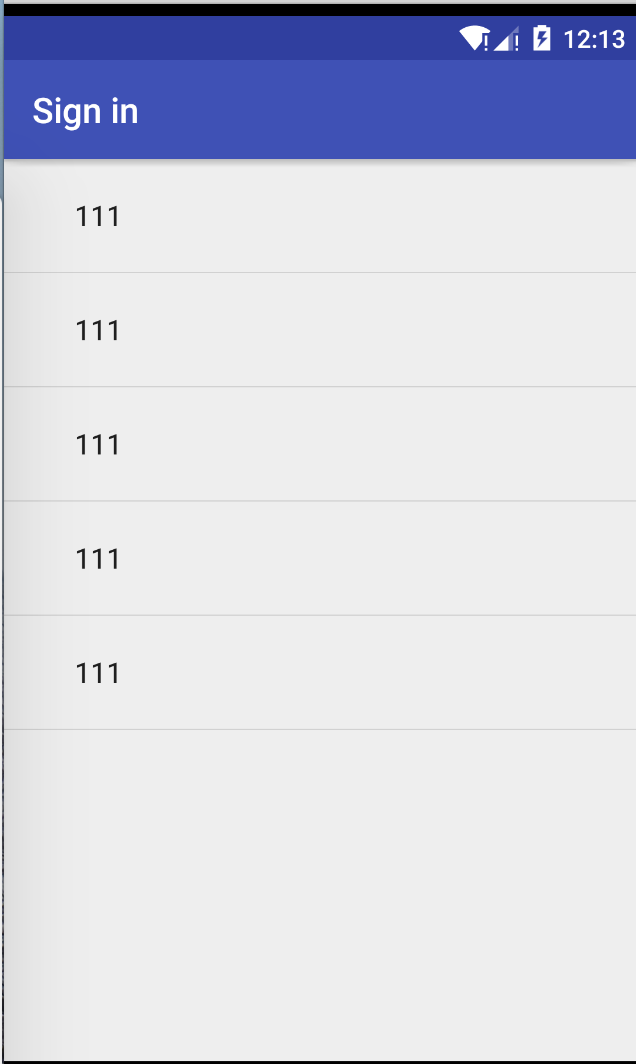
对应的Java文件:
public class LoginActivity extends AppCompatActivity  {

    @Override

    protected void onCreate(Bundle savedInstanceState) {

        super.onCreate(savedInstanceState);

        setContentView(R.layout.activity_login);

        String[] strarr = {"111","111","111","111","111",};

        ArrayAdapter<String> arrayAdapter =new ArrayAdapter<String>(this,android.R.layout

                .simple_expandable_list_item_1,strarr);

        ListView listView = (ListView)findViewById(R.id.listview);

        listView.setAdapter(arrayAdapter);

    }

}
ArrayAdapter有五种布局类型:
simple_expandable_list_item_1: 
simple_expandable_list_item_2: 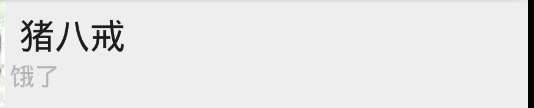
simple_list_item_checked: 
simple_list_item_multiple_choice: 
simple_list_item_single_choice: 
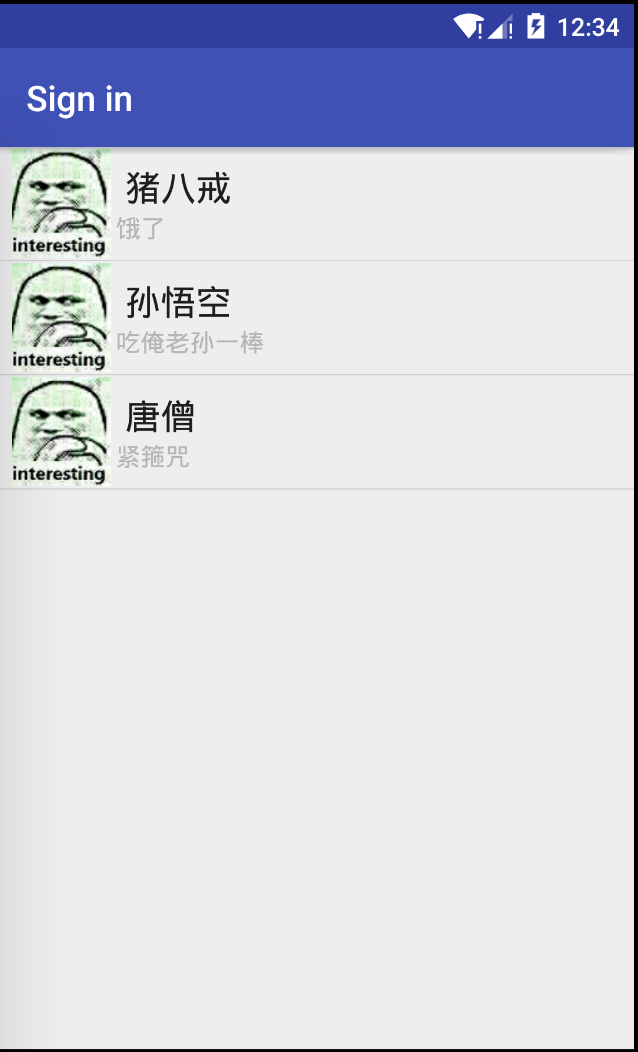
每个item的xml布局文件:
<LinearLayout xmlns:android="http://schemas.android.com/apk/res/android"

    xmlns:tools="http://schemas.android.com/tools"

    android:layout_width="match_parent"

    android:layout_height="match_parent"

    android:gravity="center"

    android:orientation="horizontal">

    <ImageView

        android:id="@+id/imgtou"

        android:layout_width="64dp"

        android:layout_height="64dp"

        android:baselineAlignBottom="true"

        android:paddingLeft="8dp" />

    <LinearLayout

        android:layout_width="match_parent"

        android:layout_height="wrap_content"

        android:orientation="vertical">

        <TextView

            android:id="@+id/name"

            android:layout_width="wrap_content"

            android:layout_height="wrap_content"

            android:paddingLeft="8dp"

            android:textColor="#1D1D1C"

            android:textSize="20sp" />

        <TextView

            android:id="@+id/says"

            android:layout_width="wrap_content"

            android:layout_height="wrap_content"

            android:paddingLeft="8px"

            android:textColor="#B4B4B9"

            android:textSize="14sp" />

    </LinearLayout>

</LinearLayout>
数据Java文件:
public class LoginActivity extends AppCompatActivity  {

    private String[] names = new String[]{"猪八戒","孙悟空","唐僧"};

    private String[] says = new String[]{"饿了","吃俺老孙一棒","紧箍咒"};

    private  int[] images = new int[]{R.drawable.icon,R.drawable.icon,R.drawable.icon};

    @Override

    protected void onCreate(Bundle savedInstanceState) {

        super.onCreate(savedInstanceState);

        setContentView(R.layout.activity_login);

        List<Map<String,Object>> listitem = new ArrayList<Map<String,Object>>();

        for (int i=0;i<names.length;i++){

            Map<String, Object> showitem = new HashMap<String, Object>();

            showitem.put("icon",images[i]);

            showitem.put("name",names[i]);

            showitem.put("say",says[i]);

            listitem.add(showitem);

        }

        //public SimpleAdapter(Context context, List<? extends Map<String, ?>> data, int resource, String[] from, int[] to) {}

        SimpleAdapter simpleAdapter = new SimpleAdapter(getApplicationContext(),listitem ,R.layout

                .list_item,new String[]{"icon","name","say"},new int[]{R.id.imgtou, R.id.name, R

                .id.says});

        ListView listView = (ListView)findViewById(R.id.listview);

        listView.setAdapter(simpleAdapter);

    }

}
Android数据适配器Adapter简介的更多相关文章
- Android数据适配器(Adapter)优化:使用高效的ViewHolder
原文链接:http://stackvoid.com/using-adapter-in-efficiency-way/ 在使用Listview或GridView的时候,往往须要自己定义数据适配器.一般都 ...
- Android 数据适配器
把复杂的数据(数组.链表.数据库.集合等)填充到指定的视图界面上. arrayAdapter(数组适配器): 用于绑定一些格式单一的数据,数据源:数据或者集合. private Li ...
- Android学习之Adapter(数据适配器)
1.定义 数据适配器是AdapterView视图(如ListView - 列表视图控件.Gallery - 缩略图浏览器控件.GridView - 网格控件.Spinner - 下拉列表控件. ...
- ListView和Adapter数据适配器的简单介绍
ListView 显示大量相同格式数据 常用属性: listSelector listView每项在选中.按下等不同状态时的Drawable divider ...
- Android必学之数据适配器BaseAdapter
什么是数据适配器? 下图展示了数据源.适配器.ListView等数据展示控件之间的关系.我们知道,数据源是各种各样的,而ListView所展示数据的格式则是有一定的要求的.数据适配器正是建立了数据源与 ...
- 浅析android适配器adapter中的那些坑
做项目中遇到的,折磨了我将近两天,今天把经验分享出来.让大家以后少走点弯路,好了.简单来说一下什么是android的适配器,怎样定义.怎样添加适配器的重用性.怎样去减少程序的耦合性 适配器顾名思义是用 ...
- Android 常用数据适配器SimpleAdapter
在<Android 常用数据适配器ArrayAdapter>中介绍了ArrayAdapter数据适配器.但是存在一个缺陷,那就是条目的图标都固定相同,要显示每个条目的图标都不相同,那么使用 ...
- Android 常用数据适配器ArrayAdapter
接着上篇文章<Android 采用Layout Inflater创建一个View对象>,本文采用常用数据适配器ArrayAdapter 新建项目后,在layout文件夹下新建list_it ...
- 无废话Android之listview入门,自定义的数据适配器、采用layoutInflater打气筒创建一个view对象、常用数据适配器ArrayAdapter、SimpleAdapter、使用ContentProvider(内容提供者)共享数据、短信的备份、插入一条记录到系统短信应用(3)
1.listview入门,自定义的数据适配器 <RelativeLayout xmlns:android="http://schemas.android.com/apk/res/and ...
随机推荐
- python执行环境
转自 http://www.cnblogs.com/BeginMan/p/3191856.html 一.python特定的执行环境 在当前脚本继续进行 创建和管理子进程 执行外部命令或程序 执行需要输 ...
- C++之关键字&标识符命名规则
关键字 **作用:**关键字是C++中预先保留的单词(标识符) * **在定义变量或者常量时候,不要用关键字** C++关键字如下: 提示:在给变量或者常量起名称时候,不要用C++得关键字,否则会产生 ...
- iOS开发系列-修改项目工程名
当前有项目工程名为iOS,需要修改工程名为IFLY.在修改前注意备份项目 修改项目名 出现弹框,点击Rename 修改工程目录文件名 注意Tests与UITests不要删除 选中IFLY.xcodep ...
- 【数论】[SDOI2010]古代猪文
大概就是求这个: $$G^\sum_{k|N} C_{n}^{k}$$ 显然只要把后面的$\sum_{k|N}C_{n}^{k}$求出来就好了 几个要用的定理: 欧拉定理的推论:(a和n互质) $$a ...
- RabbitMQ学习第一记:用java连接RabbitMQ
1.什么是RabbitMQ MQ(Message Queue):消息队列,是服务端设计的一个可以存储大量消息的队列,并提供客户端操作队列的方法:生产队列(向队列中添加数据).消费队列(从队列中取数据) ...
- Centos6 安装完之后,没有网络
Virtualbox安装的centos 6.10的虚拟机,安装时,网络是NAT网络,安装完之后,将网络改为桥接网卡,启动虚拟机之后,使用 ifconfig 命令查看没有到eth0的信息,只有127.0 ...
- 【JZOJ6274】梦境
description analysis 其实可以贪心 先把区间按左端点排序,转折点也排序 扫一次转折点,把所有左端点在当前点左边的区间丢进优先队列里 按照贪心策略,对于某个转折点,一定选择右端点离它 ...
- Spring Boot 成长之路(一) 快速上手
1.创建工程 利用IntelliJ IDEA新建一个Spring Boot项目的Web工程 2.查看初始化的spring boot项目 工程建好之后会出现如下的目录结构: 值得注意的第一件事是,整个项 ...
- 概率期望——cf round362 div1
给定n个数,求i的位置的期望 那么反向考虑,j!=i排在i前面的概率是0.5,那么对i的位置的期望贡献就是1*0.5 这题就是拓展应用一下 #include<bits/stdc++.h> ...
- 数组那些事(slice,splice,forEach,map,filter等等)
周五,再过会要下班了,刚才把<javascript高级程序设计>数组这块又看了下,加深下记忆.今天来继续练练笔,嘿嘿!(写下自己印象不深的东西) 一.数组的定义(数组定义分为两种) 方法一 ...