
解决:WebDriverException: 'chromedriver' executable needs to be in PATH
打算学习用selenium + phantomJS爬取淘女郎页面照片。
一. 先安装lxml模块
python默认的解析器是html.parser,但lxml解析器更加强大,速度更快
1. 执行 pip install virtualenv
2. 从官方网站下载与系统,Python版本匹配的lxml文件:
http://pypi.python.org/pypi/lxml/2.3/
3. 执行 easy_install lxml-2.3-py2.7-win-amd64.egg
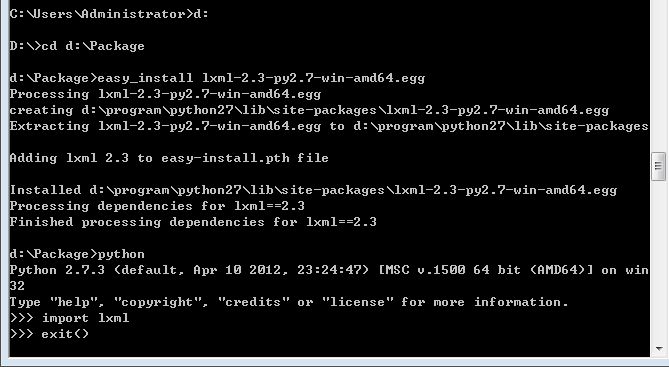
二. 安装selenium
pip install selenium
三. 使用selenium写个代码,体验一下,却出现报错
 from selenium import webdriver

 browser = webdriver.Chrome()
 browser.get('http://www.baidu.com')
运行一下,出现报错
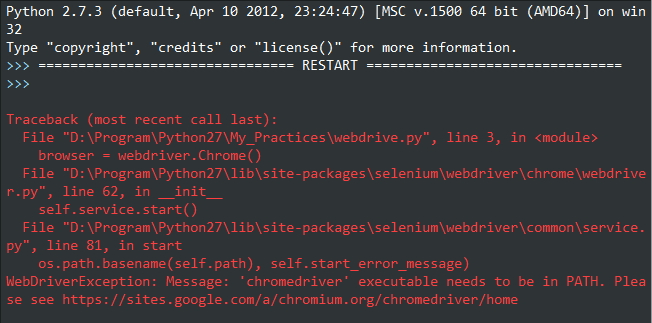
原因是没有安装chrome浏览器的chromedriver(浏览器驱动),好了直接下载chromedriver.exe,把它放到chrome的安装目录下...\Google\Chrome\Application\ ,并配置环境变量,再次运行,又出现问题了:
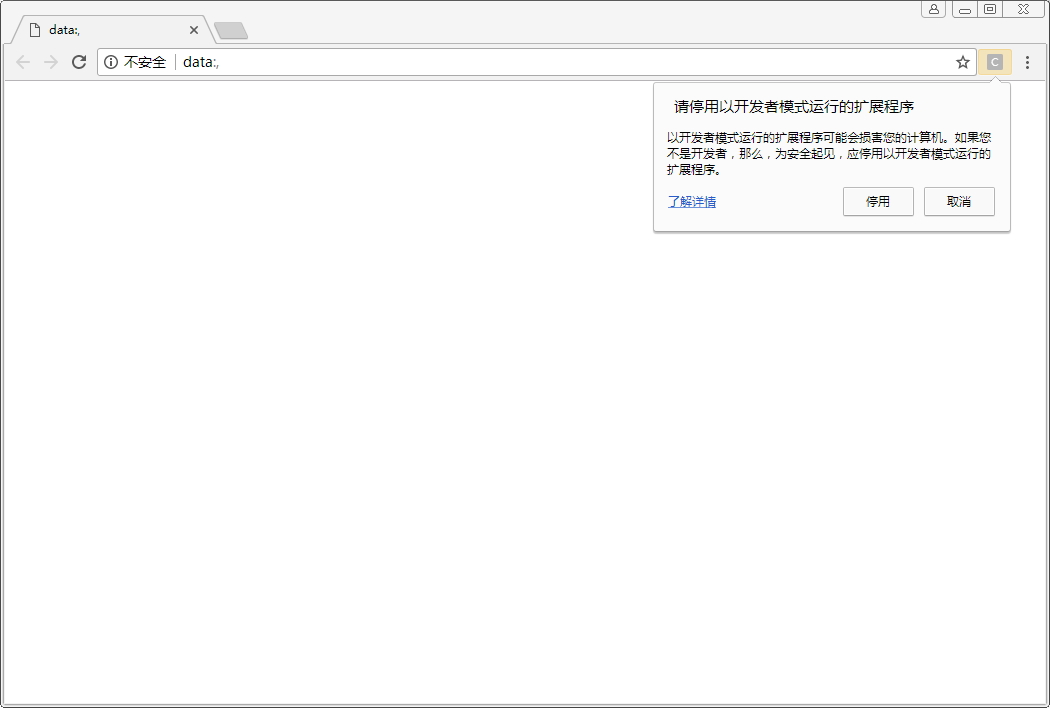
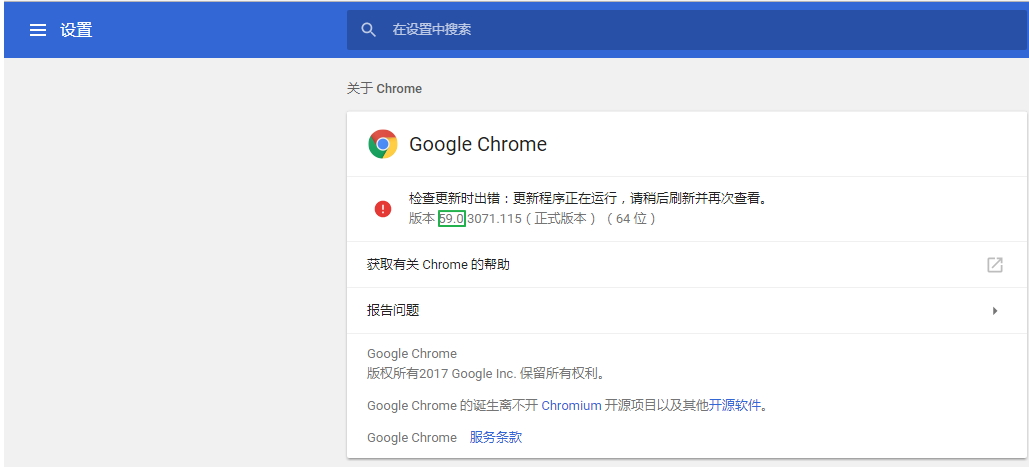
原因:这是chrome浏览器版本和chromedriver版本不对应引起的,需要先查看chrome版本(可以在浏览器输入:chrome://help),我的版本是59:
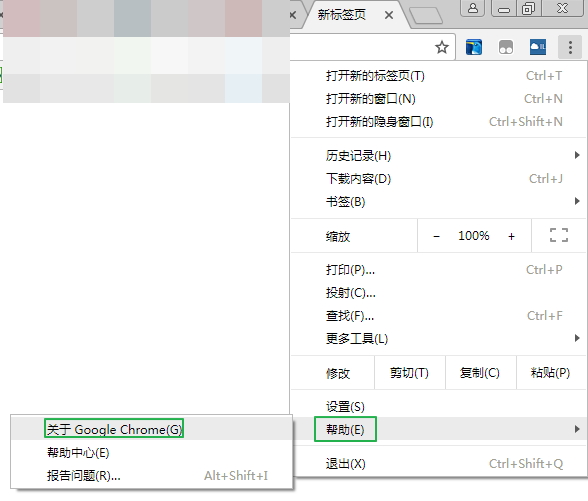
再查看chrome浏览器与chromedriver的对应表,这里这个博客selenium之 chromedriver与chrome版本映射表(更新至v2.31),列出版本映射表:
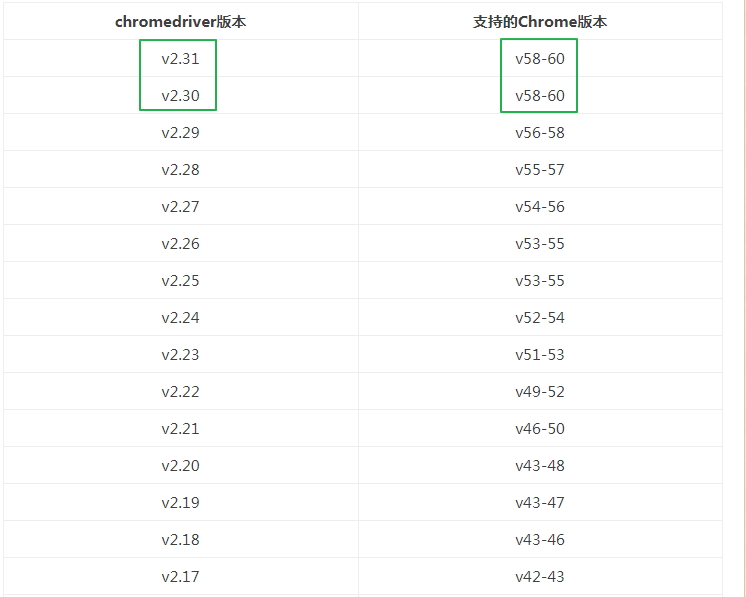
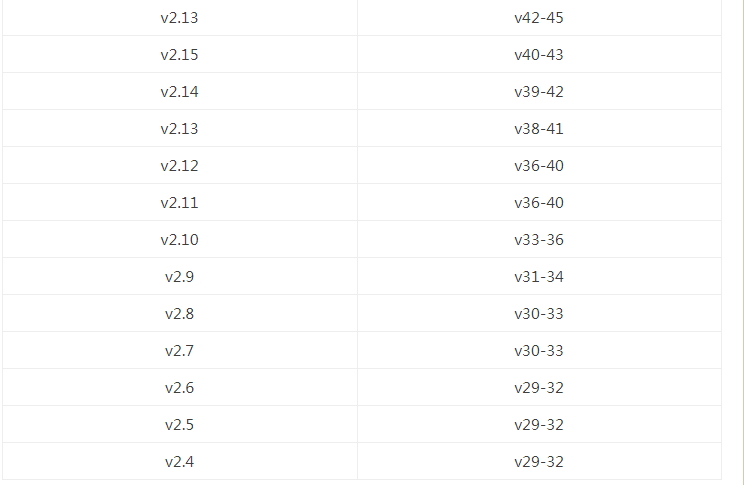
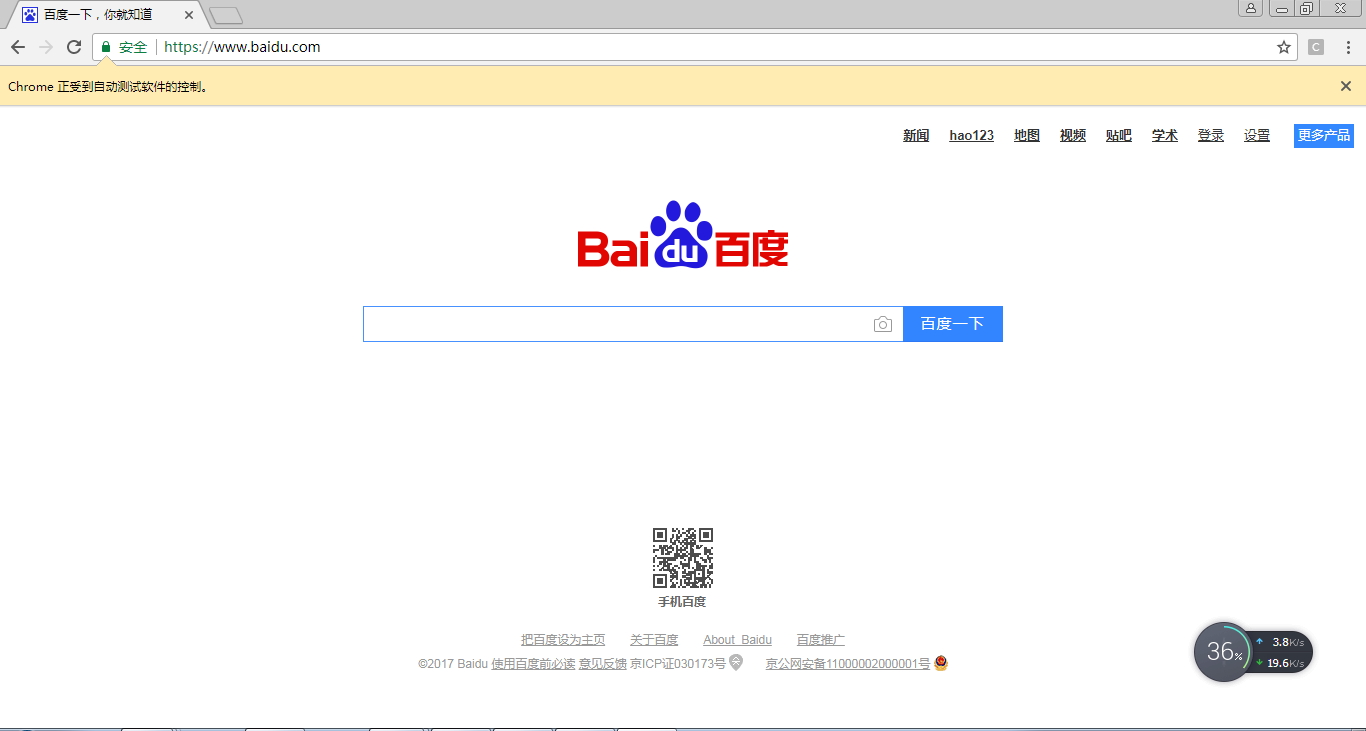
我的版本59对应的chromedriver的版本是2.3.0或2.3.1,从http://chromedriver.storage.googleapis.com/index.html下载2.3.0,得以成功运行:
注:
可以去官网地址查看每个chromedriver版本对应的chrome浏览器版本:https://sites.google.com/a/chromium.org/chromedriver/downloads
下载地址:https://chromedriver.storage.googleapis.com/index.html
解决:WebDriverException: 'chromedriver' executable needs to be in PATH的更多相关文章
- 解决:'chromedriver' executable needs to be in PATH的问题
0.前言 今天写一个B站登录的模拟器时,用到了Chrome浏览器,但是会报了一个异常"'chromedriver' executable needs to be in PATH", ...
- (续篇)Selenium 安装配置以及如何解决('chromedriver' executable needs to be in PATH. Please see https://sites.google.com/a/chromium.org/ch)或者(unknown error:cannot find Chrome binary)问题?
注:本帖针对小小白哦~~(づ ̄3 ̄)づ╭- 接pip安装的帖子,不需要的直接跳过... 首先上图,出现如下的错误,那你可是找到知己了: 或者: 抱歉抱歉,这图截的不太清晰,凑合着用吧,但是也能看出来错 ...
- 解决selenium.common.exception.WebDriverException:Message:'chromedriver' executable needs to be in Path
'chromedriver' executable needs to be in Path 声明:本人萌新,刚学python不久记录一下自己的坑,发出来若能帮助到一些人尽早解决问题那便是极好的,( ̄▽ ...
- selenium使用遇到的问题(selenium.common.exceptions.WebDriverException: Message: 'chromedriver' executable needs to be in PATH.)
1.安装pip3 install selenium 2.使用browser=webdriver.Chrome()时报错 :selenium.common.exceptions.WebDriverExc ...
- python+selenium,打开浏览器时报selenium.common.exceptions.WebDriverException: Message: 'chromedriver' executable needs to be in PATH
有一年多没写web自动化了,今天搭建环境的时候报了一个常见错误,但是处理过程有点闹心,报错就是常见的找不到驱动<selenium.common.exceptions.WebDriverExcep ...
- 关于 'chromedriver' executable needs to be in PATH 的解决办法
用 chrome 浏览器跑 selenium,执行以下脚本: from selenium import webdriverdr=webdriver.Chrome()dr.maximize_window ...
- mac-webui-selenium下的webdriver selenium.common.exceptions.WebDriverException: Message: 'chromedriver' executable needs to be in PATH
from selenium import webdriver def test1(): url='http://www.baidu.com' driver=webdriver.Chrome(" ...
- centos7 selenium.common.exceptions.WebDriverException: Message: 'chromedriver' executable needs to be in PATH
1.查看安装的chrome浏览器版本 2.查看版本对应的驱动 https://sites.google.com/a/chromium.org/chromedriver/downloads 下载后拷贝到 ...
- Chromedriver executable needs to be in path 解决办法
执行webdriver.Chrome()时报错:Chromedriver executable needs to be in path. 原因可能是为有安装Chromedriver 可能是Chrome ...
随机推荐
- 面试10大算法汇总+常见题目解答(Java)
原文地址:http://www.lilongdream.com/2014/04/10/94.html(为转载+整理) 以下从Java的角度总结了面试常见的算法和数据结构:字符串,链表,树,图,排序,递 ...
- (1)虚拟机的安装与使用,linux系统安装
一.百度下载 VMware workStation 二.新建虚拟机 在这里分为典型和自定义,典型及许多磁盘类型及接口类型为默认,自定义高级则可以都做选择设置. 三.自定义(高级)安装 (1)点击下一步 ...
- 对称加密&非对称加密
对称密钥密码算法的特点: 算法简单,加/解密速度快,但密钥管理复杂,不便于数字签名: 非对称密钥密码算法的特点: 算法复杂,加/解密速度慢,密钥管理简单,可用于数字签名. 所以将两者结合起来,形成混合 ...
- jquery 字符串转为json
使用ajax从服务器拿到的数据,jquery总是认为是字符串,无法直接使用,可以通过下面代码转换: $.get("服务器路径", function(data) { data = e ...
- [笔记]如何将传统的回调函数转换为C#5.0支持的await格式
C#5.0引入了编译器支持的 async 和 await 关键字,这就为开发者提供了使用同步思想写异步代码的方便. 但是有些传统函数仅提供了异步回调实现,如何对其封装,使其可以享受await的便利呢? ...
- Harbor私有仓库搭建
1.安装docker yum install -y dockersystemctl start dockersystemctl enable docker 2.安装docker-compose 1.下 ...
- Hibernate_HelloWord
Hibernate操作步骤 1.新建项目 2.加jar包 3.写XML配置文件hibernate.cfg.xml 4.写log4j.properties日志文件 5.在MySql数据库中建studen ...
- STM32探秘 之FSMC
源:STM32探秘 之FSMC STM32 FSMC总线深入研究
- 使用jsp+javabean完成用户登陆功能
User.java package com.po; public class User implements java.io.Serializable { private String usernam ...
- Python编程-架构、Socket
一.客户端/服务器架构 1.C/S架构 Client/Server架构,即服务器/客户端架构. 客户端和服务器端的程序不同,用户的程序主要在客户端,服务器端主要提供数据管理.数据共享.数据及系统维护和 ...