
解决:WebDriverException: 'chromedriver' executable needs to be in PATH
打算学习用selenium + phantomJS爬取淘女郎页面照片。
一. 先安装lxml模块
python默认的解析器是html.parser,但lxml解析器更加强大,速度更快
1. 执行 pip install virtualenv
2. 从官方网站下载与系统,Python版本匹配的lxml文件:
http://pypi.python.org/pypi/lxml/2.3/
3. 执行 easy_install lxml-2.3-py2.7-win-amd64.egg
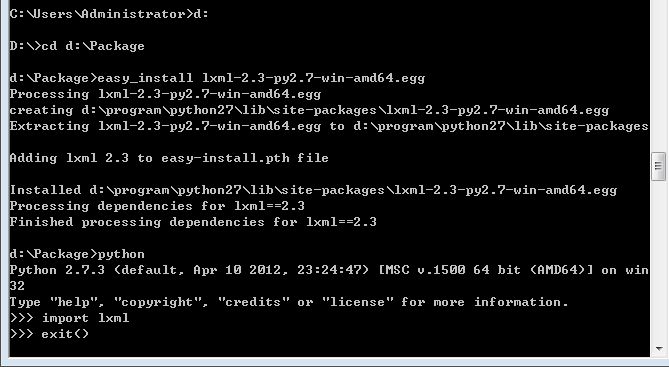
二. 安装selenium
pip install selenium
三. 使用selenium写个代码,体验一下,却出现报错
 from selenium import webdriver

 browser = webdriver.Chrome()
 browser.get('http://www.baidu.com')
运行一下,出现报错
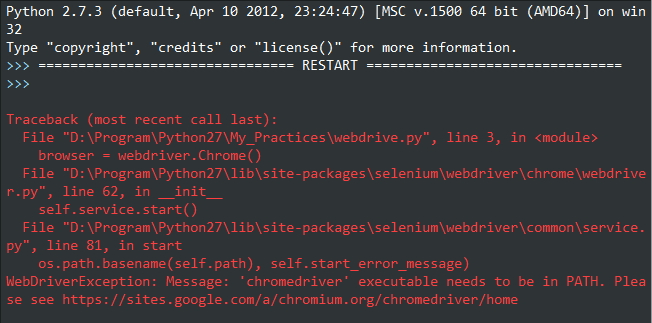
原因是没有安装chrome浏览器的chromedriver(浏览器驱动),好了直接下载chromedriver.exe,把它放到chrome的安装目录下...\Google\Chrome\Application\ ,并配置环境变量,再次运行,又出现问题了:
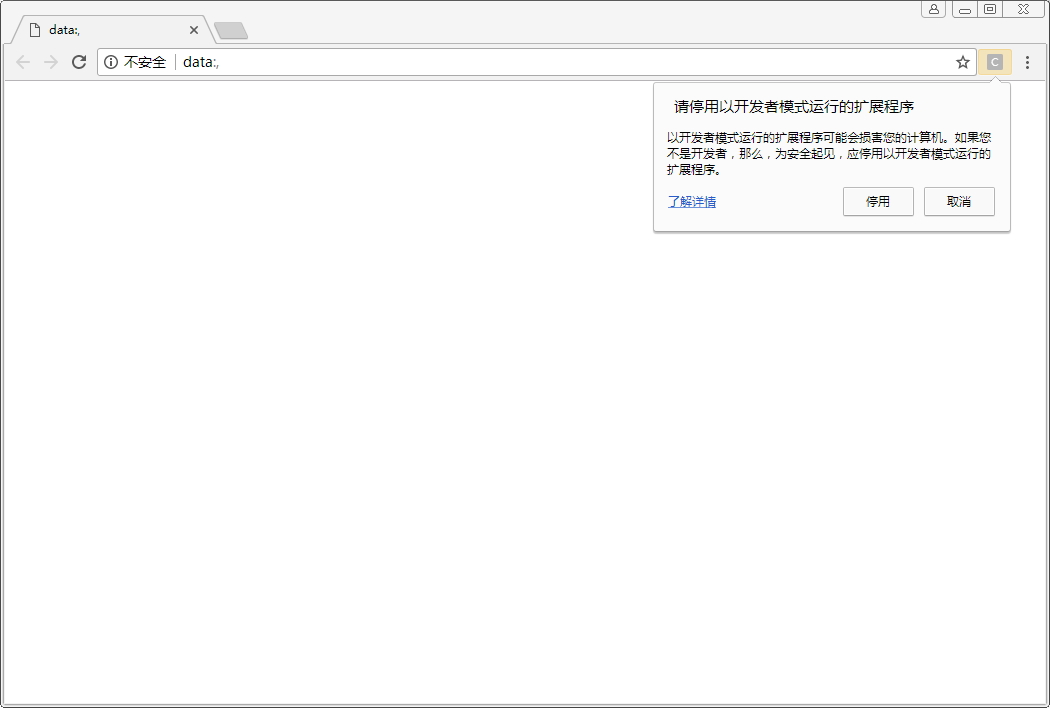
原因:这是chrome浏览器版本和chromedriver版本不对应引起的,需要先查看chrome版本(可以在浏览器输入:chrome://help),我的版本是59:
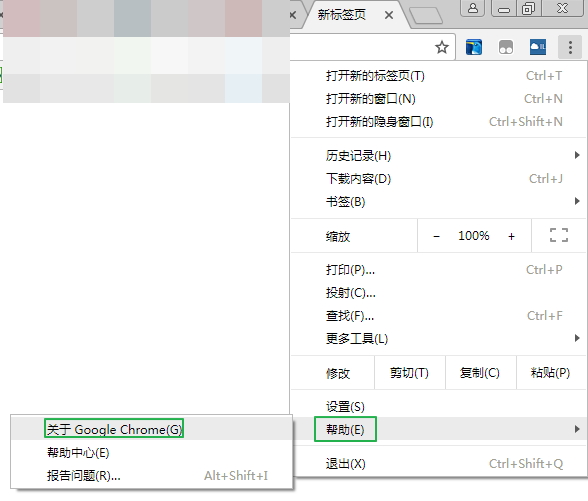
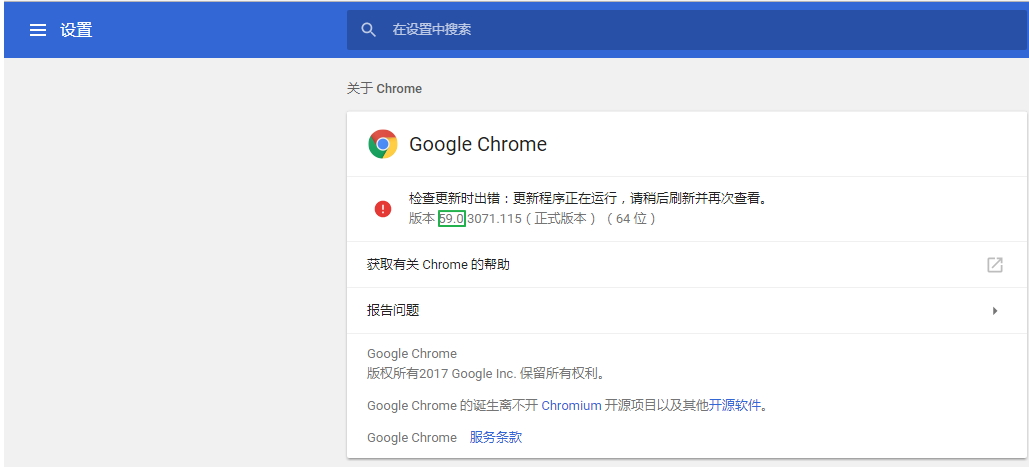
再查看chrome浏览器与chromedriver的对应表,这里这个博客selenium之 chromedriver与chrome版本映射表(更新至v2.31),列出版本映射表:
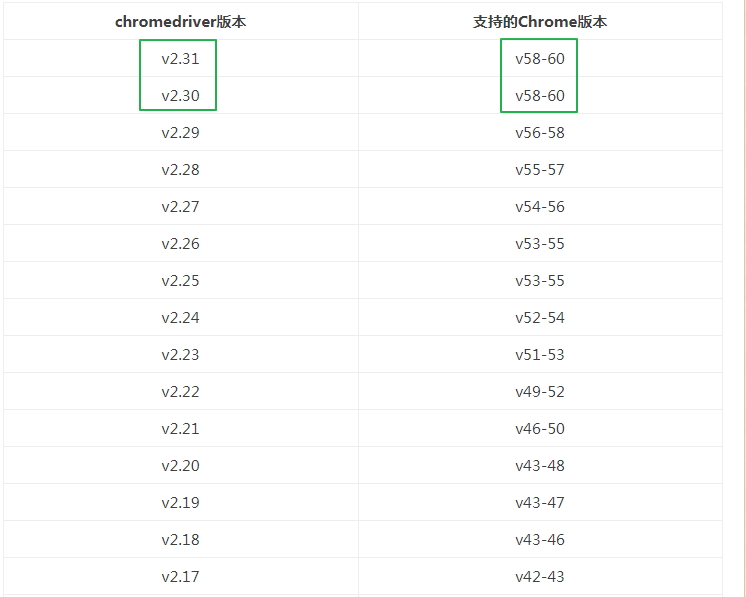
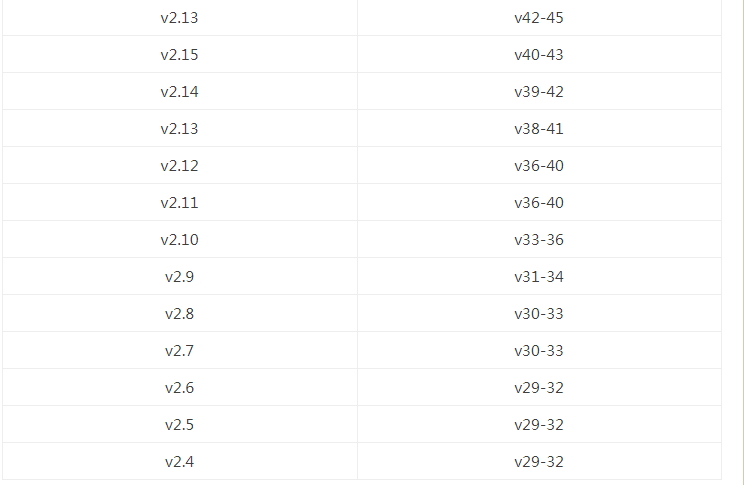
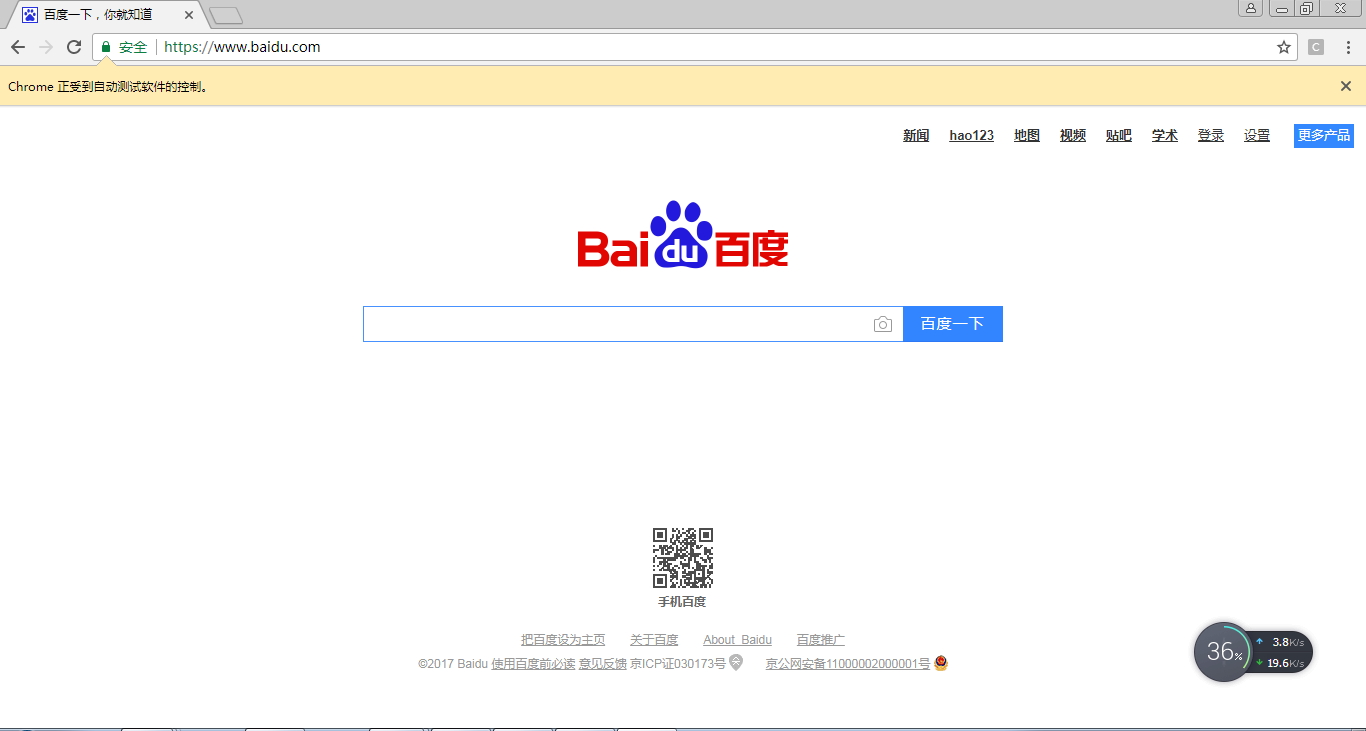
我的版本59对应的chromedriver的版本是2.3.0或2.3.1,从http://chromedriver.storage.googleapis.com/index.html下载2.3.0,得以成功运行:
注:
可以去官网地址查看每个chromedriver版本对应的chrome浏览器版本:https://sites.google.com/a/chromium.org/chromedriver/downloads
下载地址:https://chromedriver.storage.googleapis.com/index.html
解决:WebDriverException: 'chromedriver' executable needs to be in PATH的更多相关文章
- 解决:'chromedriver' executable needs to be in PATH的问题
0.前言 今天写一个B站登录的模拟器时,用到了Chrome浏览器,但是会报了一个异常"'chromedriver' executable needs to be in PATH", ...
- (续篇)Selenium 安装配置以及如何解决('chromedriver' executable needs to be in PATH. Please see https://sites.google.com/a/chromium.org/ch)或者(unknown error:cannot find Chrome binary)问题?
注:本帖针对小小白哦~~(づ ̄3 ̄)づ╭- 接pip安装的帖子,不需要的直接跳过... 首先上图,出现如下的错误,那你可是找到知己了: 或者: 抱歉抱歉,这图截的不太清晰,凑合着用吧,但是也能看出来错 ...
- 解决selenium.common.exception.WebDriverException:Message:'chromedriver' executable needs to be in Path
'chromedriver' executable needs to be in Path 声明:本人萌新,刚学python不久记录一下自己的坑,发出来若能帮助到一些人尽早解决问题那便是极好的,( ̄▽ ...
- selenium使用遇到的问题(selenium.common.exceptions.WebDriverException: Message: 'chromedriver' executable needs to be in PATH.)
1.安装pip3 install selenium 2.使用browser=webdriver.Chrome()时报错 :selenium.common.exceptions.WebDriverExc ...
- python+selenium,打开浏览器时报selenium.common.exceptions.WebDriverException: Message: 'chromedriver' executable needs to be in PATH
有一年多没写web自动化了,今天搭建环境的时候报了一个常见错误,但是处理过程有点闹心,报错就是常见的找不到驱动<selenium.common.exceptions.WebDriverExcep ...
- 关于 'chromedriver' executable needs to be in PATH 的解决办法
用 chrome 浏览器跑 selenium,执行以下脚本: from selenium import webdriverdr=webdriver.Chrome()dr.maximize_window ...
- mac-webui-selenium下的webdriver selenium.common.exceptions.WebDriverException: Message: 'chromedriver' executable needs to be in PATH
from selenium import webdriver def test1(): url='http://www.baidu.com' driver=webdriver.Chrome(" ...
- centos7 selenium.common.exceptions.WebDriverException: Message: 'chromedriver' executable needs to be in PATH
1.查看安装的chrome浏览器版本 2.查看版本对应的驱动 https://sites.google.com/a/chromium.org/chromedriver/downloads 下载后拷贝到 ...
- Chromedriver executable needs to be in path 解决办法
执行webdriver.Chrome()时报错:Chromedriver executable needs to be in path. 原因可能是为有安装Chromedriver 可能是Chrome ...
随机推荐
- h5 localStorage本地存储
用户名:<input type="text" id="txtname"/> 密码:<input type="text" i ...
- 我的Android进阶之旅------>Android使用9Patch图片作为不失真背景
做人要大度,海纳百川,做事要圆滑,左右逢源,这让我想到了编程也是如此,代码要扩展,界面也要考虑自适应. 这篇文章是android开发人员的必备知识,是我特别为大家整理和总结的,不求完美,但是有用. 1 ...
- Sql Server 2005 .bak备份文进行还原数据库
https://jingyan.baidu.com/article/9158e000250b91a25412283f.html https://www.cnblogs.com/webmen/p/575 ...
- 印象笔记Mac端快捷键
- python基础知识——包
包是一种通过使用“模块名”来组织python模块的名称空间的方式. 无论是import形式还是from...import形式,凡是在导入语句中(不是在使用时)遇到带点的,就需要意识到——这是包. 包是 ...
- 面向对象高级编程——使用__slots__
正常情况下,我们定义了一个class,创建了一个class的实例后,我们可以给该实例绑定任何属性和方法,这就是动态语言的灵活性.先定义class: >>> class Student ...
- classmethod和staticmethod区别
实例方法:在类中,定义的方法,这个方法的第一个参数默认是实例对象,一般习惯使用self 类方法:在类中,定义的方法,这个方法的第一个参数默认是类对象,一般习惯用cls表示,用@classmethod装 ...
- SQL SERVER 2005 Express版, 精简版 下载
Microsoft SQL Server 2005 Express Edition(数据库) https://www.microsoft.com/zh-CN/download/details.as ...
- 每天一个Linux命令(46)ifconfig命令
在windows系统中,ipconfig命令行工具被用来获取网络接口配置信息并对此进行修改.Linux系统拥有一个类似的工具,也就是ifconfig(interfaces config). ( ...
- git操作整理
昨天手残 然后在GitHub for windows 上点了revert 然后就给重置了 更手残的是又给同步了 . 但是 GitHub 会保留之前的版本 . 只要删掉本次修改就可. 解决方案: g ...