
Struts2学习第3天--OGNL、EL、值栈

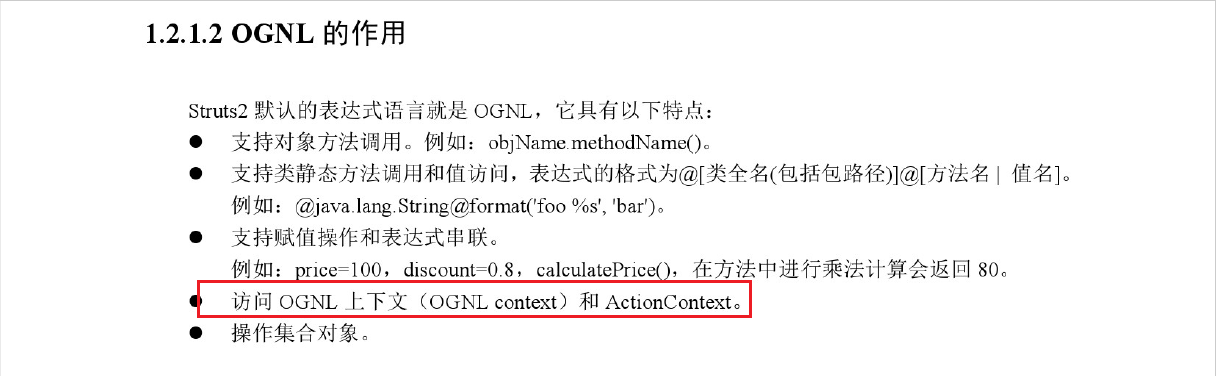

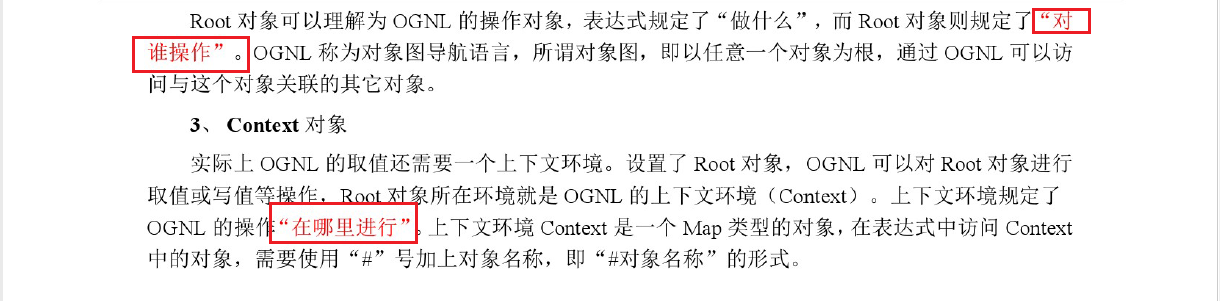
JAVA中的OGNL:
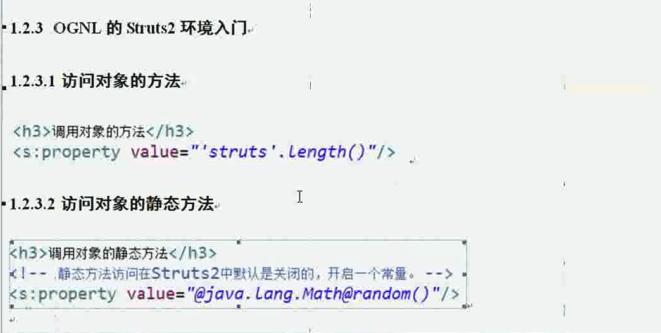
1 调用对象的方法:
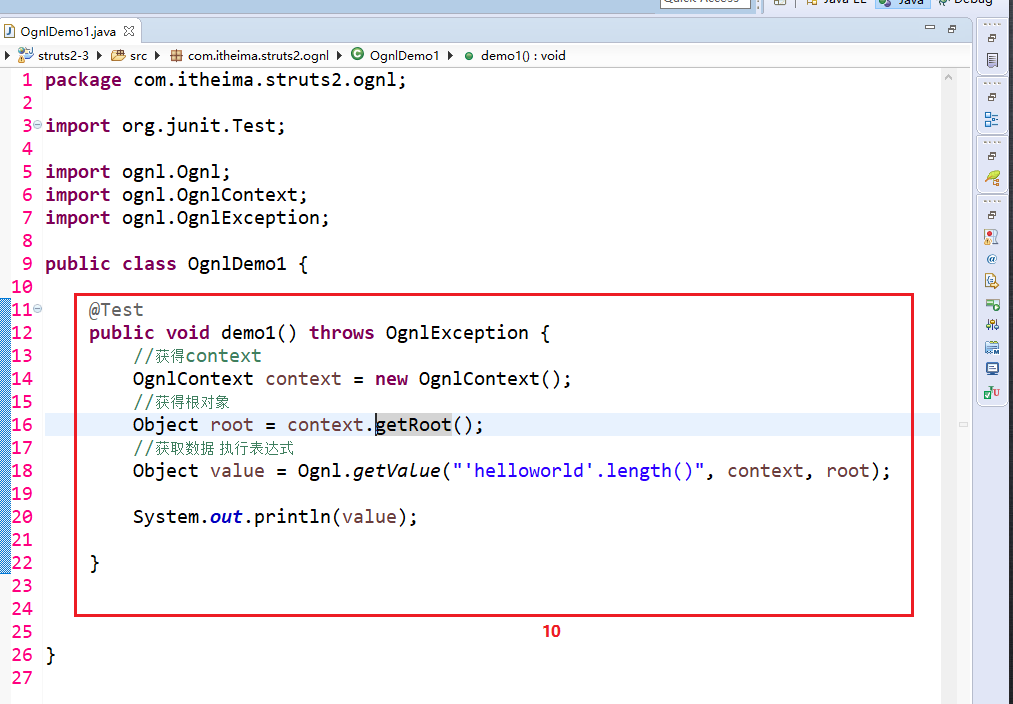
2 访问对象的静态方法:
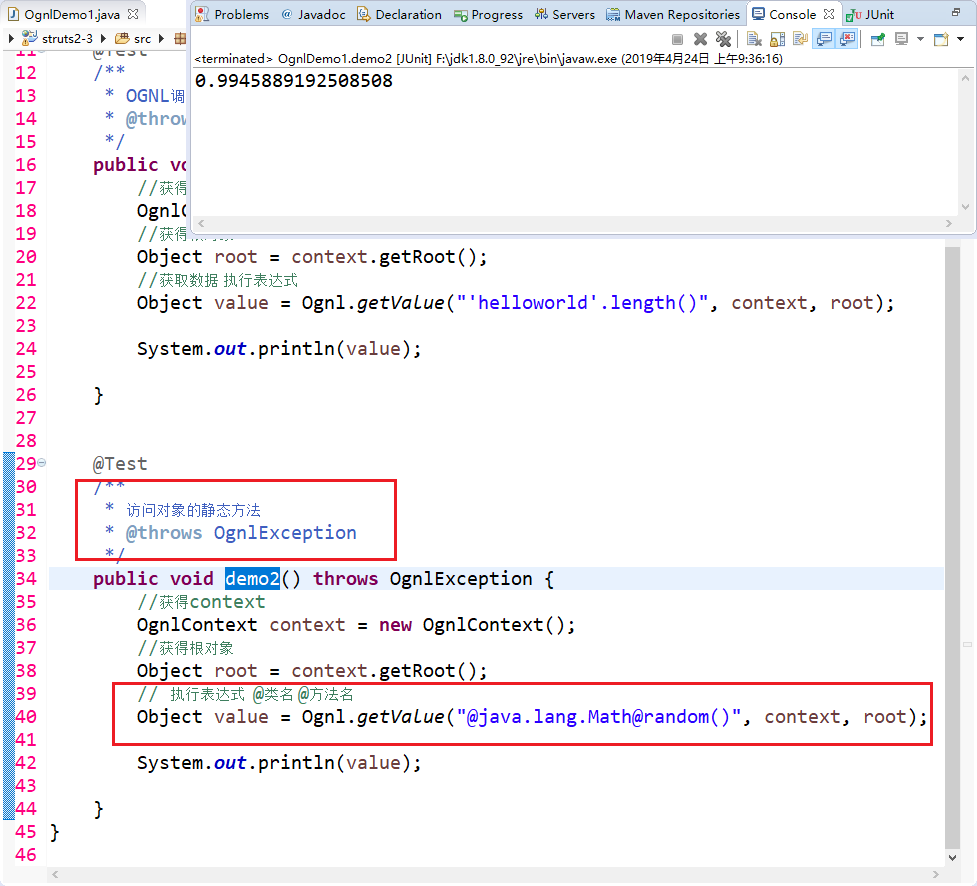
3 获取OGNLContext、Root中的数据。
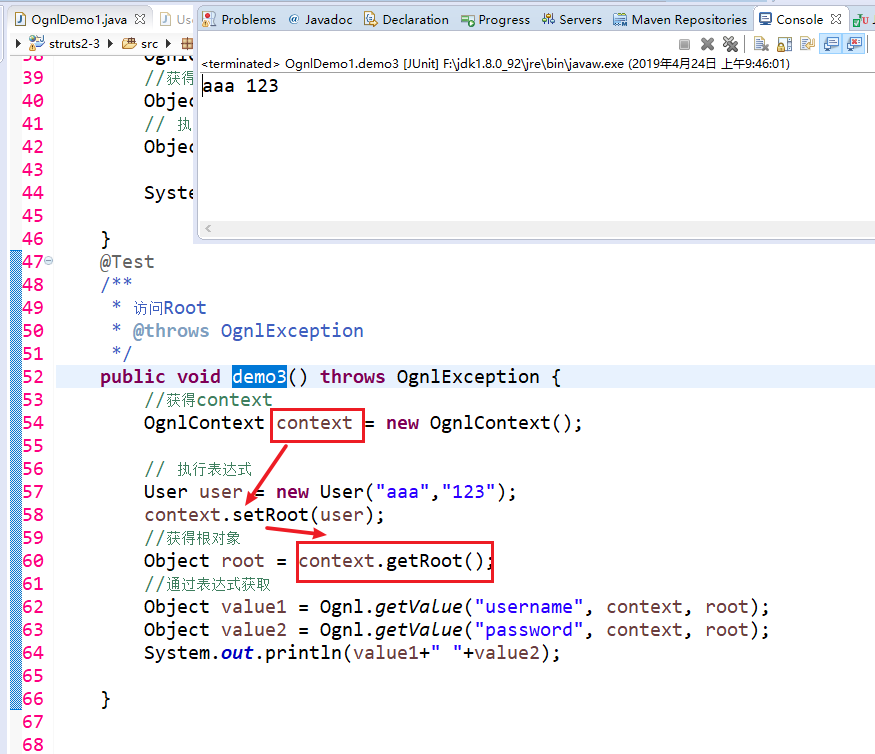
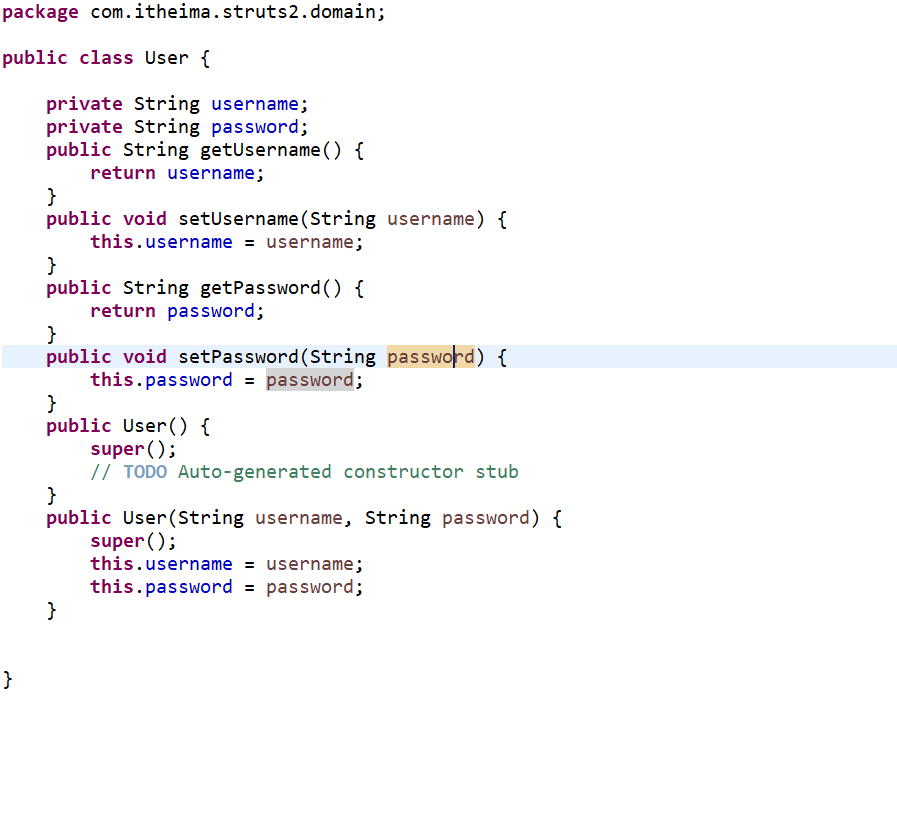
User:
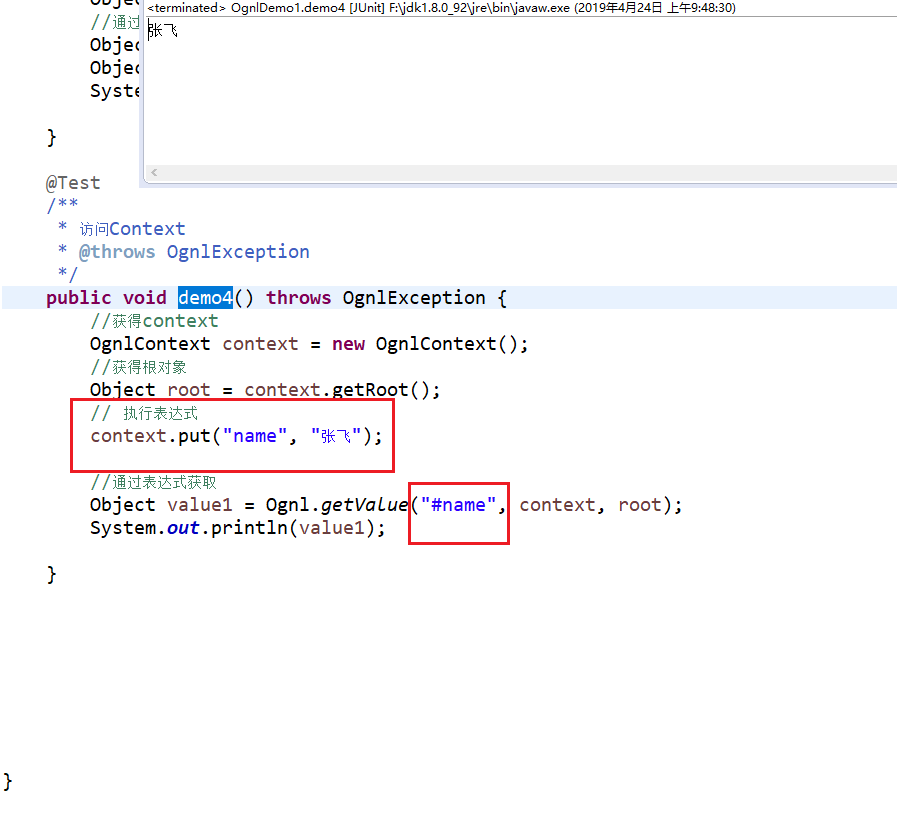
4 访问Context:
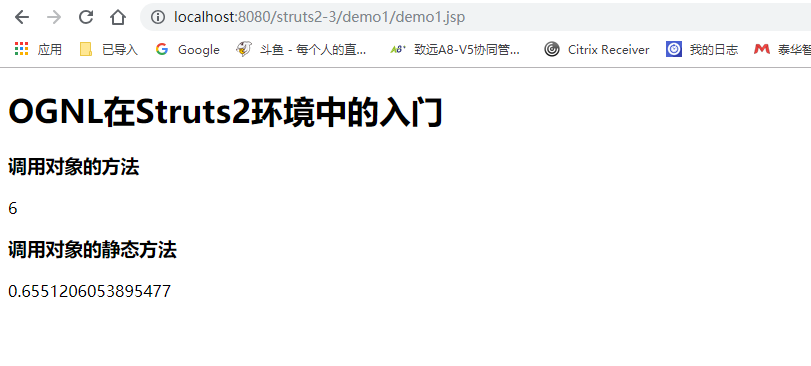
关键还是在Struts2环境中的使用:
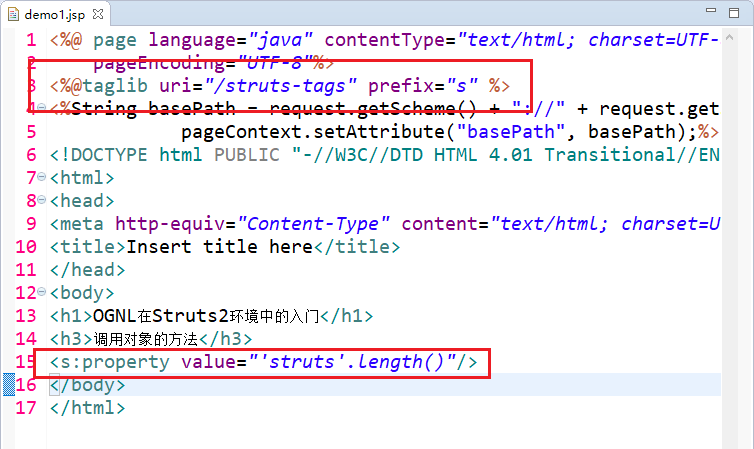
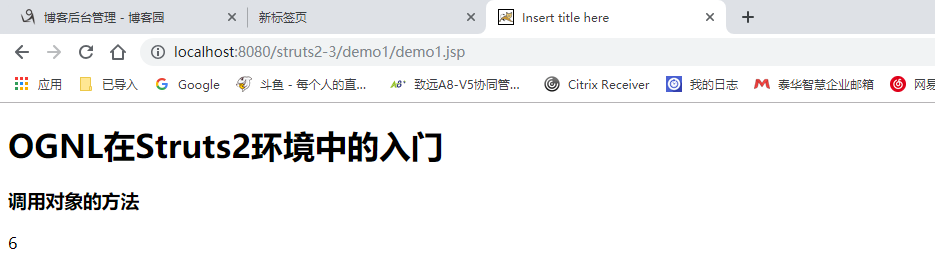
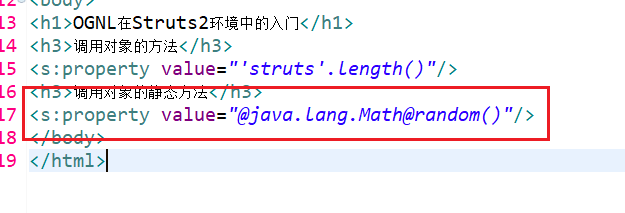
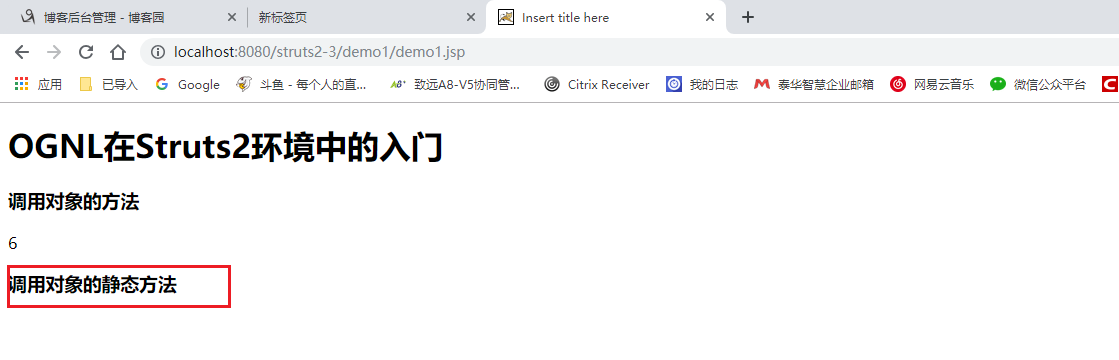
并没有打印 静态方法的值,因为Struts2默认关闭了。

再次刷新后发现有值了。

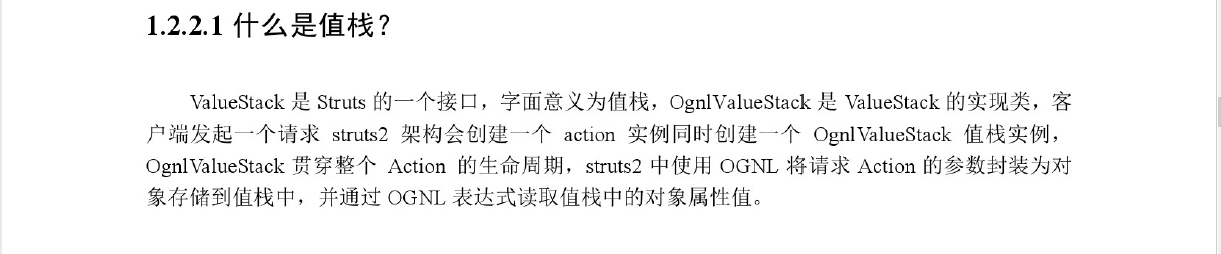


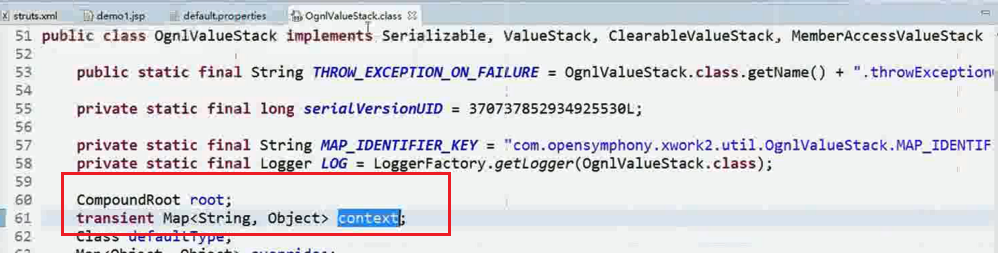
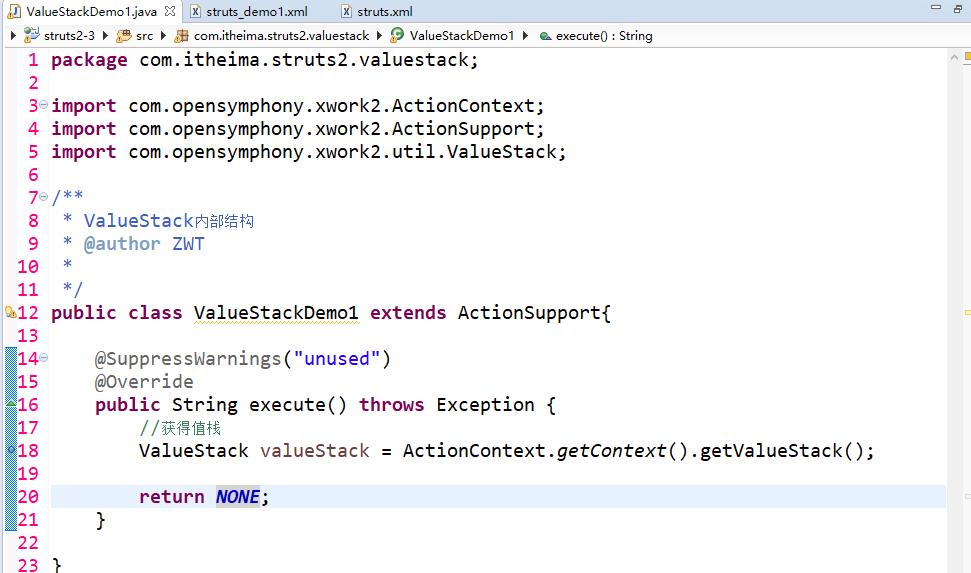
编写demo

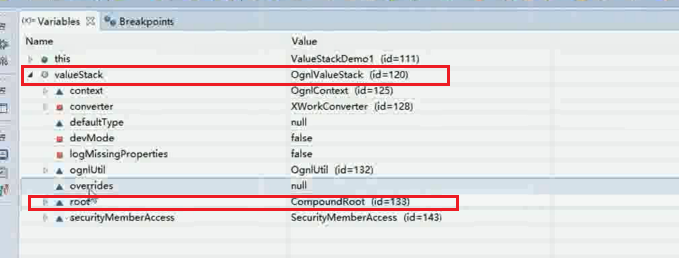
debug启动 打断点发现: root和context均在这里面。


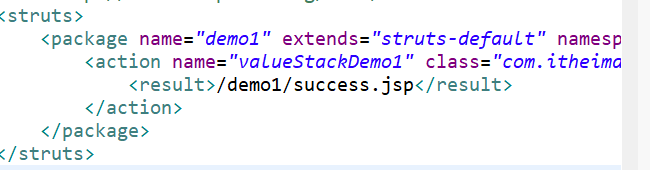
修改demo返回值

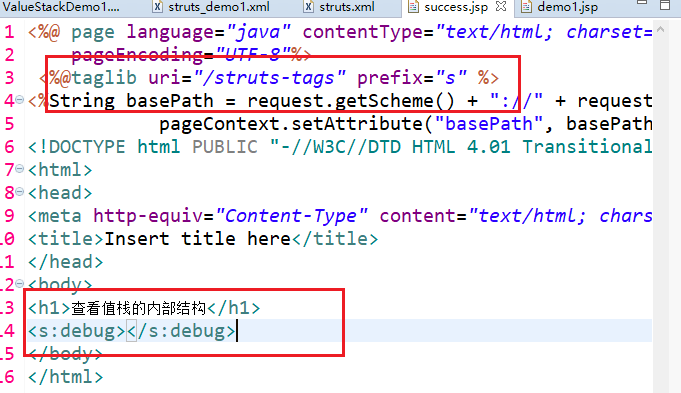
运行:
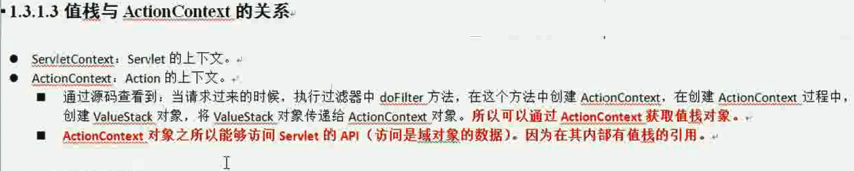
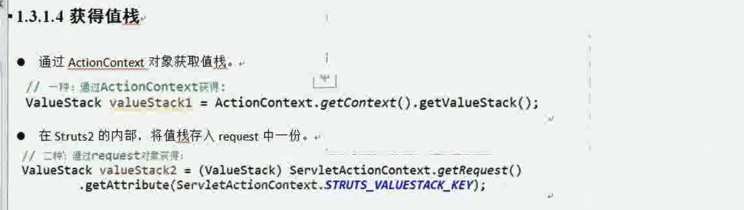
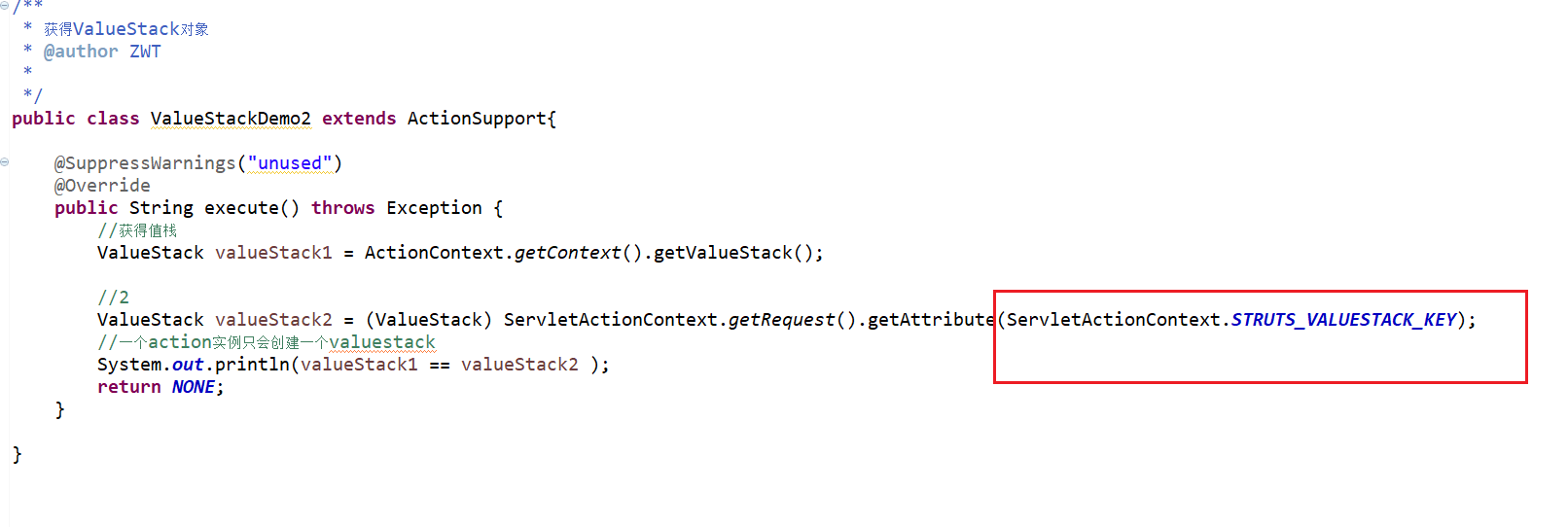


方式1:
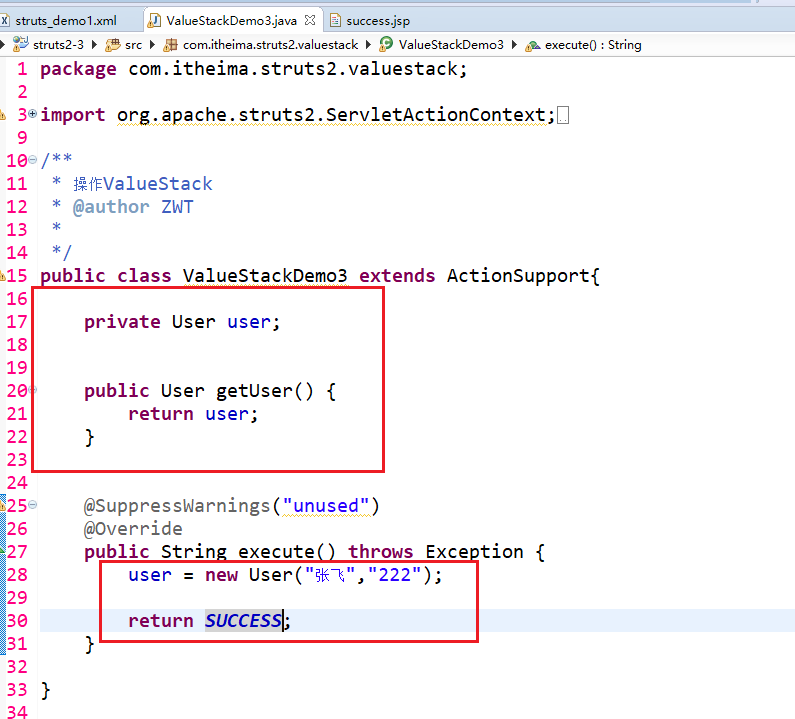
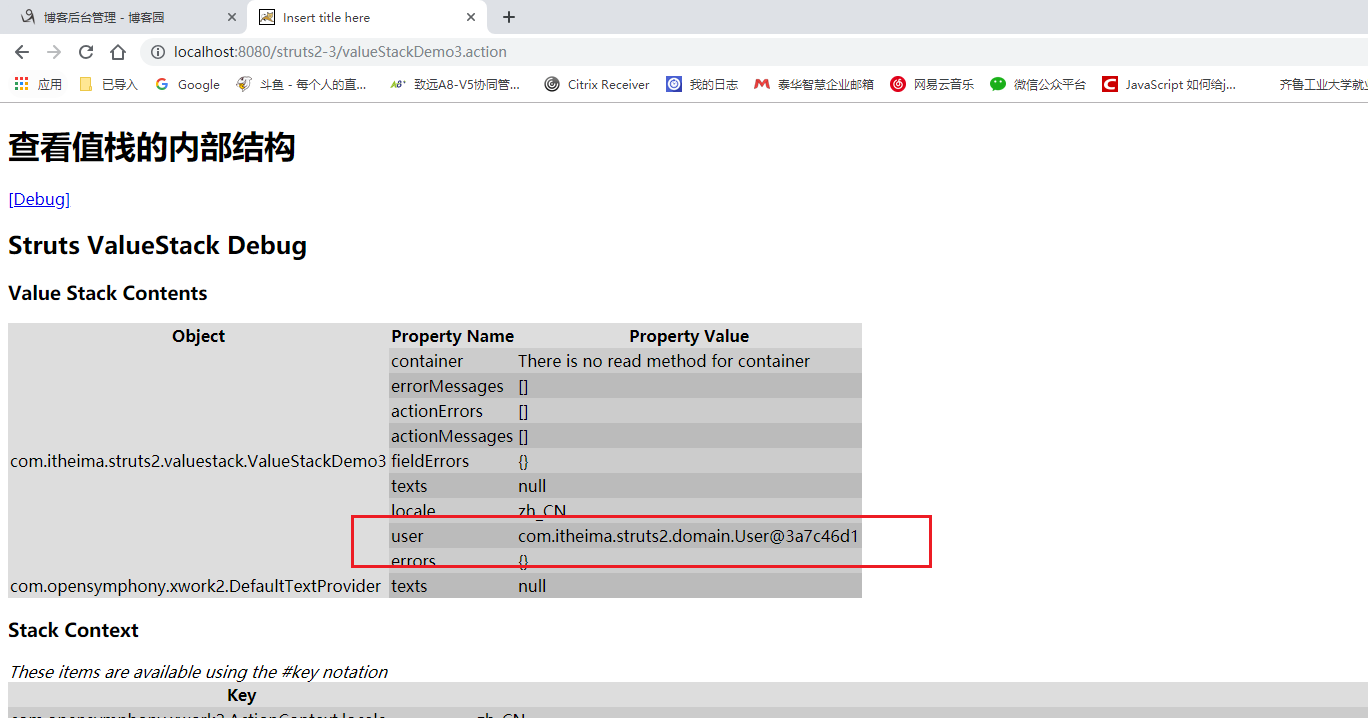
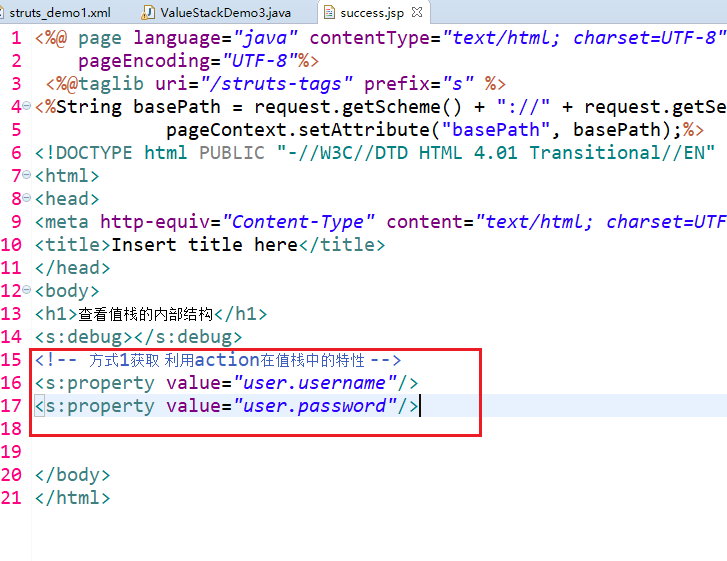
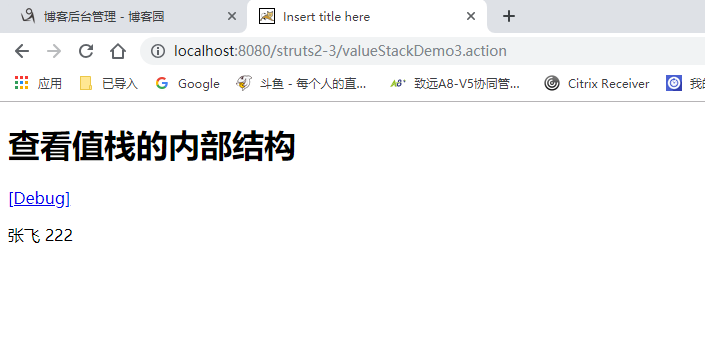
方式2:
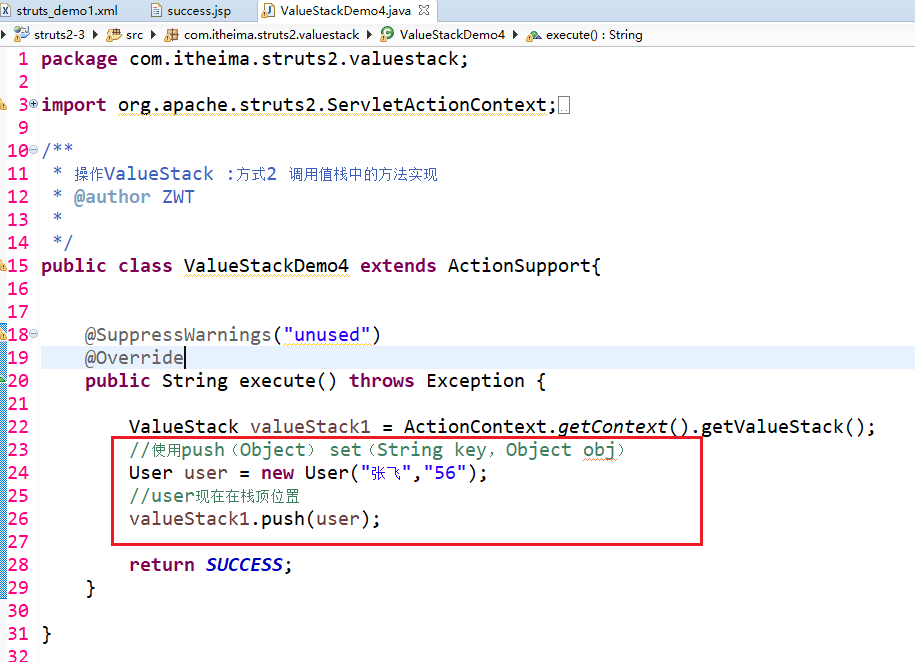
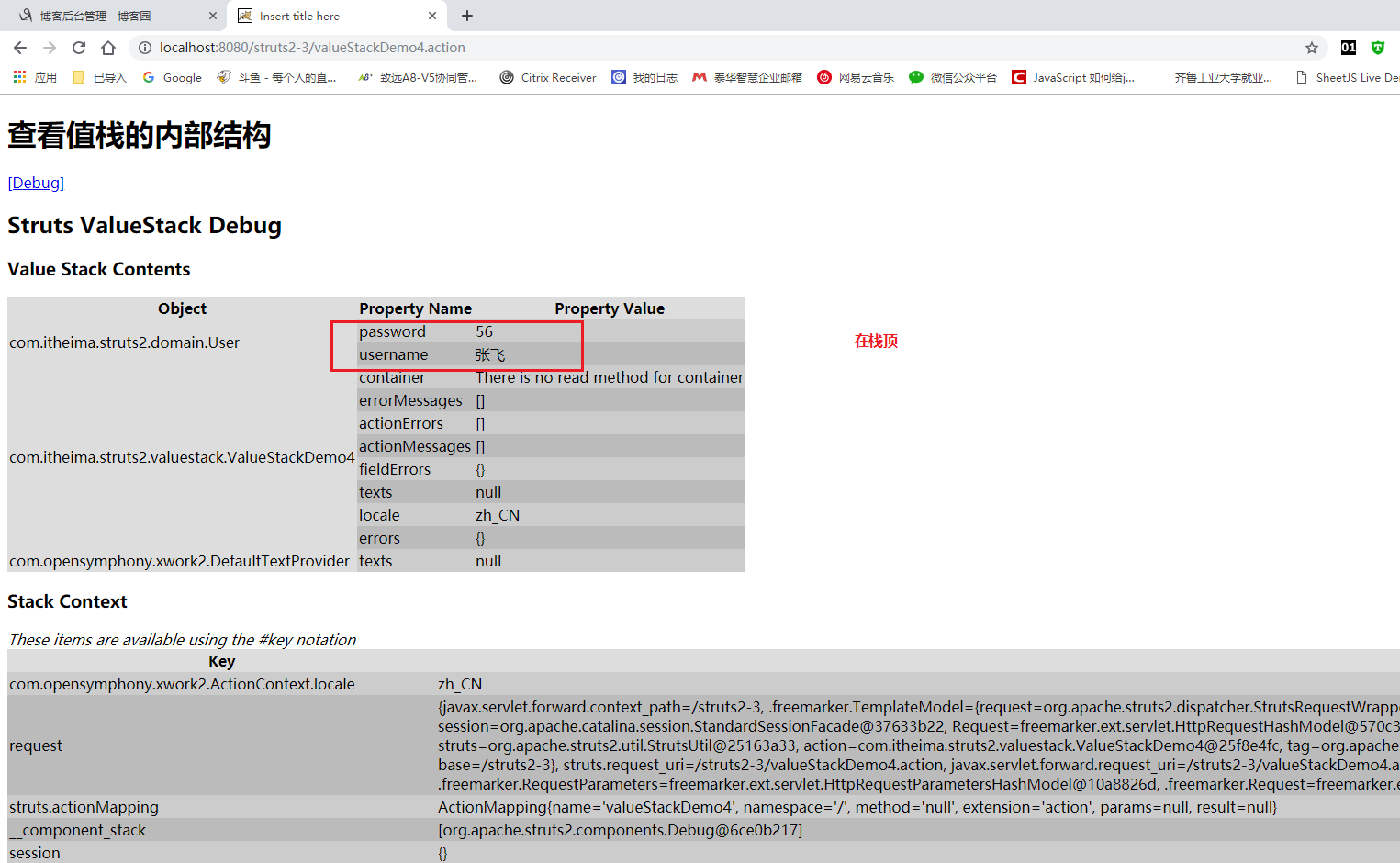

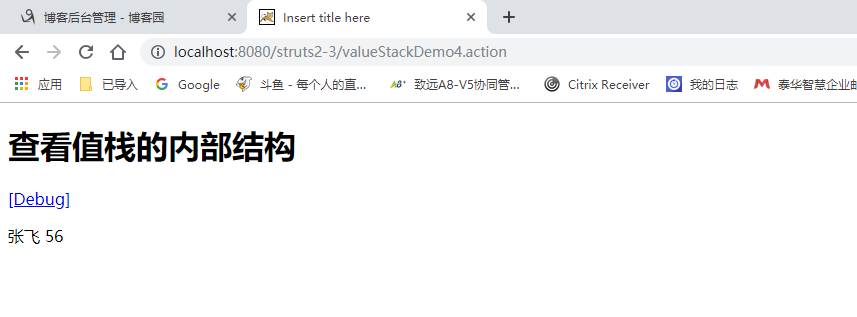
如果有多个user 默认展示栈顶的!!!


没有set get方法 无法查看 但是已经在栈顶了。
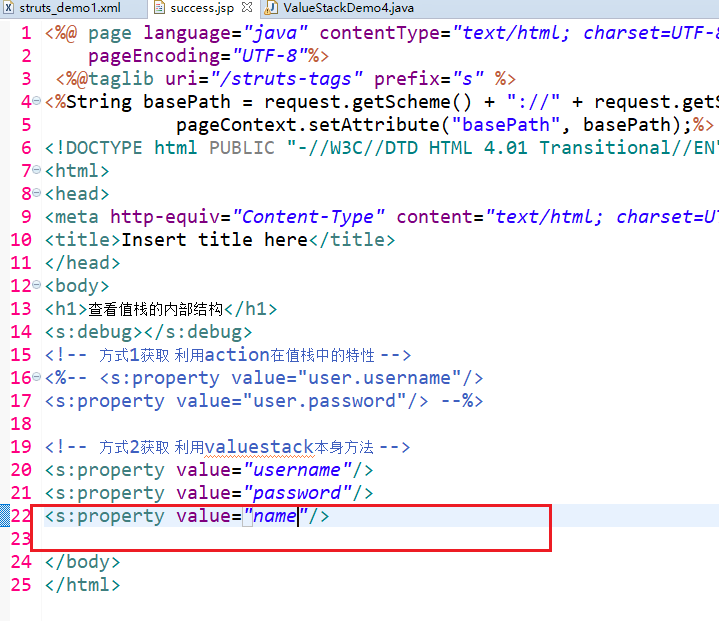
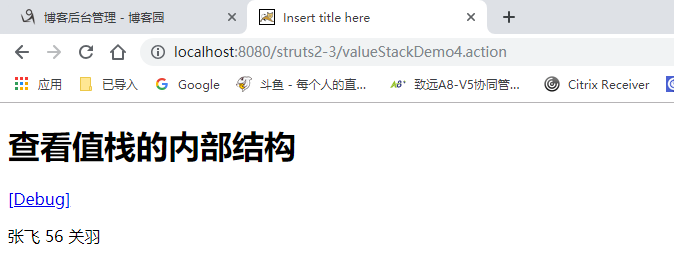
获取值栈的数据:


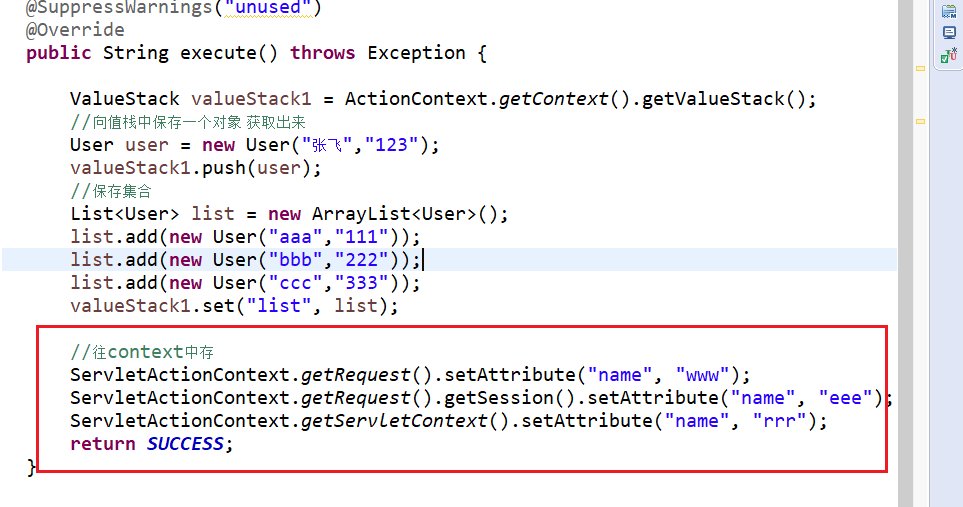
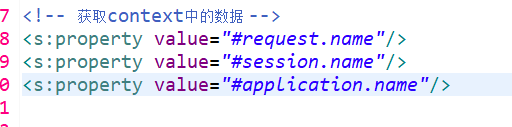
在debug里可以找到:
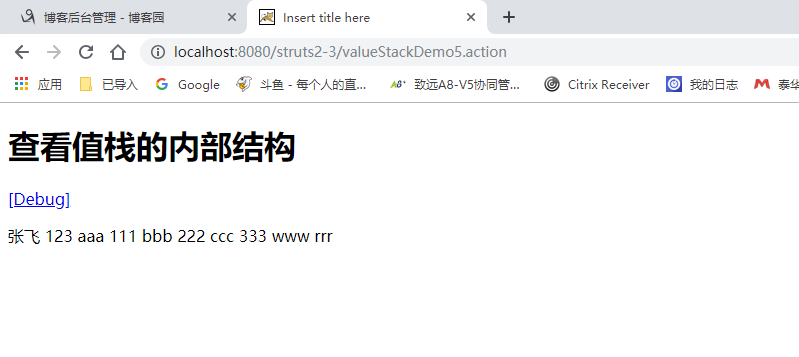
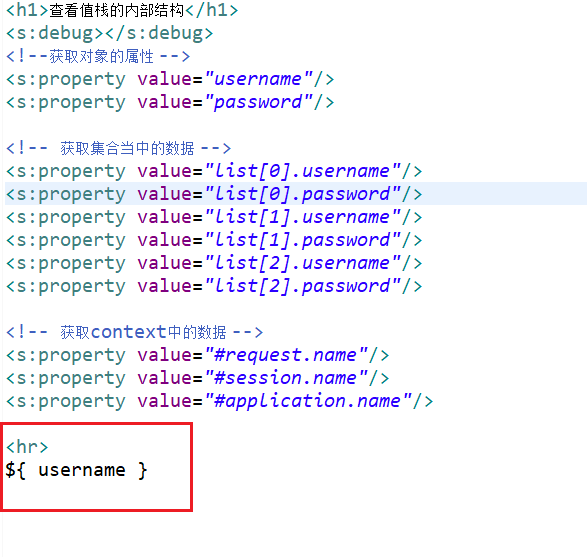
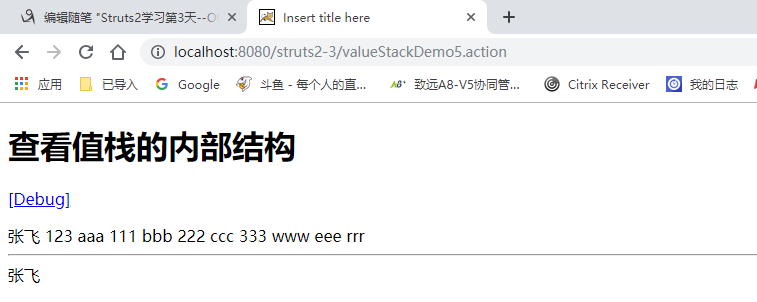

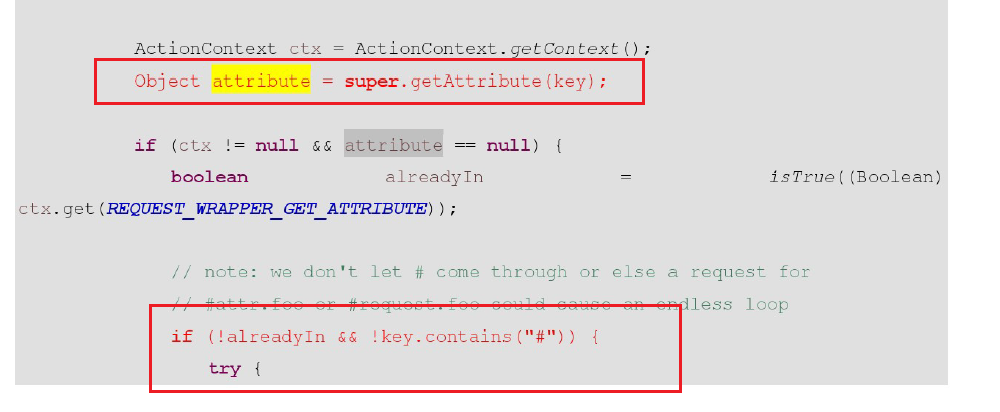
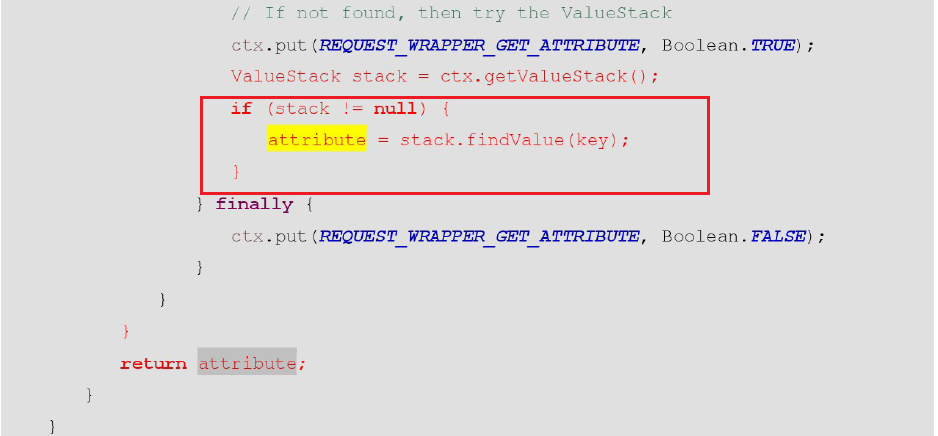
request中找不到 就自动去值栈中寻找。
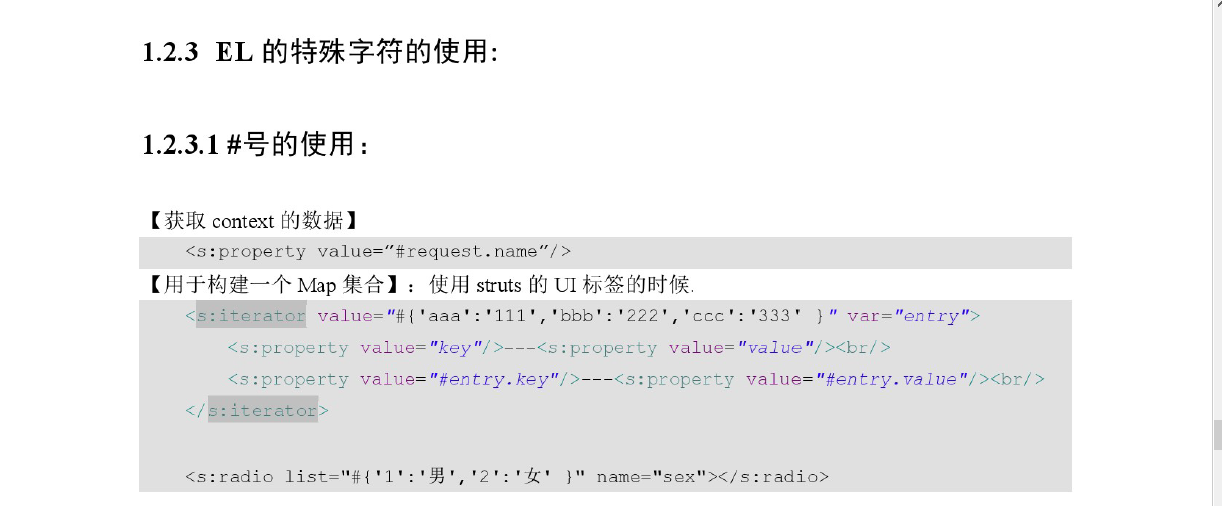


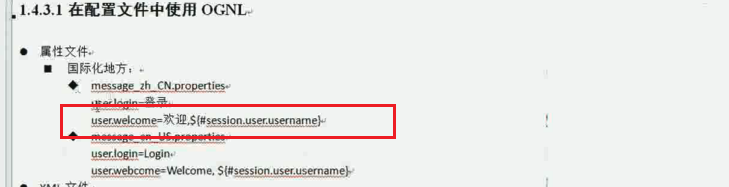

修改crm
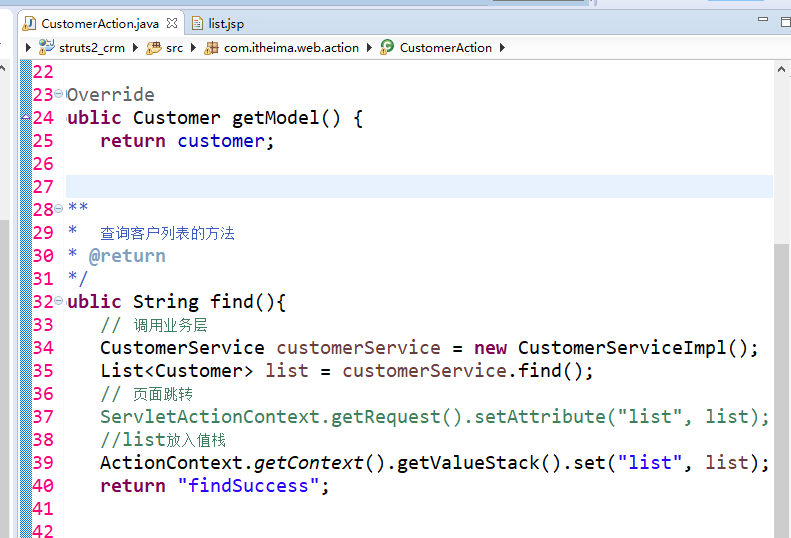
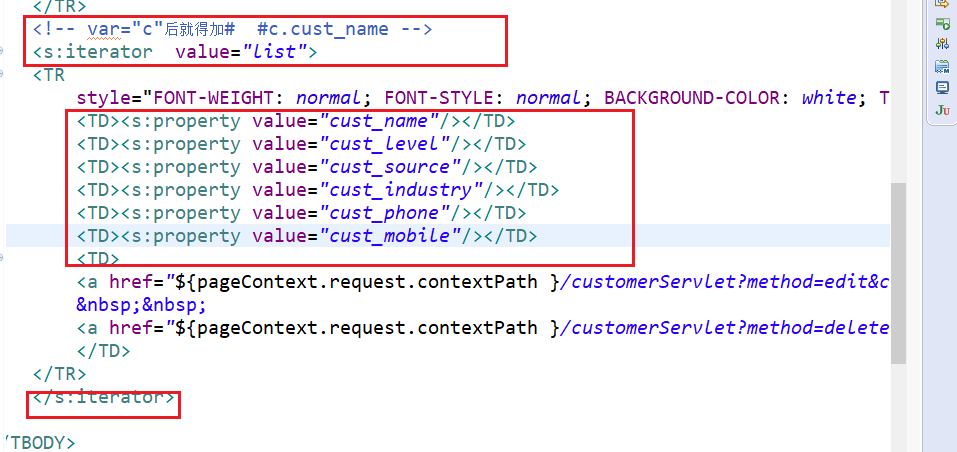
jsp中去掉jstl 引入struts标签库 然后不用foreach循环 改用s标签 。

今日代码:

package com.itheima.struts2.valuestack;

import com.opensymphony.xwork2.ActionContext;

import com.opensymphony.xwork2.ActionSupport;

import com.opensymphony.xwork2.util.ValueStack;

/**

 * ValueStack内部结构

 * @author ZWT

 *

 */

public class ValueStackDemo1 extends ActionSupport{

	@SuppressWarnings("unused")

	@Override

	public String execute() throws Exception {

		//获得值栈

		ValueStack valueStack = ActionContext.getContext().getValueStack();

		return SUCCESS;

	}

}
package com.itheima.struts2.valuestack;

import org.apache.struts2.ServletActionContext;

import com.opensymphony.xwork2.ActionContext;

import com.opensymphony.xwork2.ActionSupport;

import com.opensymphony.xwork2.util.ValueStack;

/**

 * 获得ValueStack对象

 * @author ZWT

 *

 */

public class ValueStackDemo2 extends ActionSupport{

	@SuppressWarnings("unused")

	@Override

	public String execute() throws Exception {

		//获得值栈

		ValueStack valueStack1 = ActionContext.getContext().getValueStack();

		//2

		ValueStack valueStack2 = (ValueStack) ServletActionContext.getRequest().getAttribute(ServletActionContext.STRUTS_VALUESTACK_KEY);

		//一个action实例只会创建一个valuestack

		System.out.println(valueStack1 == valueStack2 );

		return NONE;

	}

}
package com.itheima.struts2.valuestack;

import org.apache.struts2.ServletActionContext;

import com.itheima.struts2.domain.User;

import com.opensymphony.xwork2.ActionContext;

import com.opensymphony.xwork2.ActionSupport;

import com.opensymphony.xwork2.util.ValueStack;

/**

 * 操作ValueStack

 * @author ZWT

 *

 */

public class ValueStackDemo3 extends ActionSupport{

	private User user;

	public User getUser() {

		return user;

	}

	@SuppressWarnings("unused")

	@Override

	public String execute() throws Exception {

		user = new User("张飞","222");

		return SUCCESS;

	}

}
package com.itheima.struts2.valuestack;

import org.apache.struts2.ServletActionContext;

import com.itheima.struts2.domain.User;

import com.opensymphony.xwork2.ActionContext;

import com.opensymphony.xwork2.ActionSupport;

import com.opensymphony.xwork2.util.ValueStack;

/**

 * 操作ValueStack :方式2 调用值栈中的方法实现

 * @author ZWT

 *

 */

public class ValueStackDemo4 extends ActionSupport{

	@SuppressWarnings("unused")

	@Override

	public String execute() throws Exception {

		ValueStack valueStack1 = ActionContext.getContext().getValueStack();

		//使用push(Object)  set(String key, Object obj)

		User user = new User("张飞","56");

		//user现在在栈顶位置

		valueStack1.push(user);

		//创建map集合 map压入栈顶

		valueStack1.set("name", "关羽");

		return SUCCESS;

	}

}
package com.itheima.struts2.valuestack;

import java.util.ArrayList;

import java.util.List;

import org.apache.struts2.ServletActionContext;

import com.itheima.struts2.domain.User;

import com.opensymphony.xwork2.ActionContext;

import com.opensymphony.xwork2.ActionSupport;

import com.opensymphony.xwork2.util.ValueStack;

/**

 * 获取值栈的数据

 * @author ZWT

 *

 */

public class ValueStackDemo5 extends ActionSupport{

	@SuppressWarnings("unused")

	@Override

	public String execute() throws Exception {

		ValueStack valueStack1 = ActionContext.getContext().getValueStack();

		//向值栈中保存一个对象 获取出来

		User user = new User("张飞","123");

		valueStack1.push(user);

		//保存集合

		List<User> list = new ArrayList<User>();

		list.add(new User("aaa","111"));

		list.add(new User("bbb","222"));

		list.add(new User("ccc","333"));

		valueStack1.set("list", list);

		//往context中存

		ServletActionContext.getRequest().setAttribute("name", "www");

		ServletActionContext.getRequest().getSession().setAttribute("name", "eee");

		ServletActionContext.getServletContext().setAttribute("name", "rrr");

		return SUCCESS;

	}

}
<?xml version="1.0" encoding="UTF-8" ?>

<!DOCTYPE struts PUBLIC

	"-//Apache Software Foundation//DTD Struts Configuration 2.3//EN"

	"http://struts.apache.org/dtds/struts-2.3.dtd">

<struts>

	<package name="demo1" extends="struts-default" namespace="/">

		<action name="valueStackDemo1" class="com.itheima.struts2.valuestack.ValueStackDemo1">

			<result>/demo1/success.jsp</result>

		</action>

		<action name="valueStackDemo2" class="com.itheima.struts2.valuestack.ValueStackDemo2">

		</action>

		<action name="valueStackDemo3" class="com.itheima.struts2.valuestack.ValueStackDemo3">

			<result>/demo1/success.jsp</result>

		</action>

		<action name="valueStackDemo4" class="com.itheima.struts2.valuestack.ValueStackDemo4">

			<result>/demo1/success.jsp</result>

		</action>

		<action name="valueStackDemo5" class="com.itheima.struts2.valuestack.ValueStackDemo5">

			<result>/demo1/success2.jsp</result>

		</action>

	</package>

</struts>
<?xml version="1.0" encoding="UTF-8" ?>

<!DOCTYPE struts PUBLIC

	"-//Apache Software Foundation//DTD Struts Configuration 2.3//EN"

	"http://struts.apache.org/dtds/struts-2.3.dtd">

<struts>

	<!-- 配置Struts2的常量 -->

	<constant name="struts.action.extension" value="action"/>

	<!--开启静态方法访问  -->

	<constant name="struts.ognl.allowStaticMethodAccess" value="true"></constant>

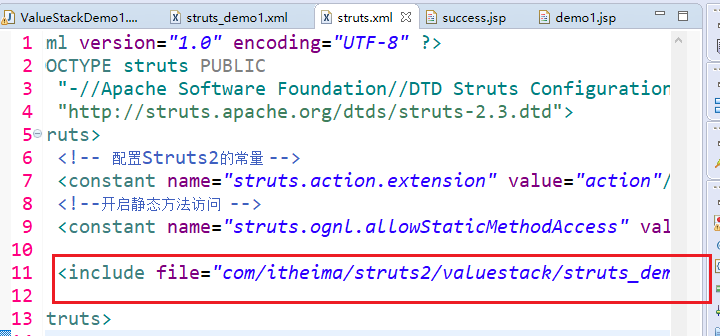
	<include file="com/itheima/struts2/valuestack/struts_demo1.xml"></include>

</struts>
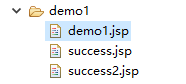
<%@ page language="java" contentType="text/html; charset=UTF-8"

    pageEncoding="UTF-8"%>

<%@taglib uri="/struts-tags" prefix="s" %>

<%String basePath = request.getScheme() + "://" + request.getServerName() + ":" + request.getServerPort()+ request.getContextPath();

			pageContext.setAttribute("basePath", basePath);%>

<!DOCTYPE html PUBLIC "-//W3C//DTD HTML 4.01 Transitional//EN" "http://www.w3.org/TR/html4/loose.dtd">

<html>

<head>

<meta http-equiv="Content-Type" content="text/html; charset=UTF-8">

<title>Insert title here</title>

</head>

<body>

<h1>OGNL在Struts2环境中的入门</h1>

<h3>调用对象的方法</h3>

<s:property value="'struts'.length()"/>

<h3>调用对象的静态方法</h3>

<s:property value="@java.lang.Math@random()"/>

</body>

</html>
<%@ page language="java" contentType="text/html; charset=UTF-8"

    pageEncoding="UTF-8"%>

 <%@taglib uri="/struts-tags" prefix="s" %>

<%String basePath = request.getScheme() + "://" + request.getServerName() + ":" + request.getServerPort()+ request.getContextPath();

			pageContext.setAttribute("basePath", basePath);%>

<!DOCTYPE html PUBLIC "-//W3C//DTD HTML 4.01 Transitional//EN" "http://www.w3.org/TR/html4/loose.dtd">

<html>

<head>

<meta http-equiv="Content-Type" content="text/html; charset=UTF-8">

<title>Insert title here</title>

</head>

<body>

<h1>查看值栈的内部结构</h1>

<s:debug></s:debug>

<!-- 方式1获取 利用action在值栈中的特性 -->

<%-- <s:property value="user.username"/>

<s:property value="user.password"/> --%>

<!-- 方式2获取 利用valuestack本身方法 -->

<s:property value="username"/>

<s:property value="password"/>

<s:property value="name"/>

</body>

</html>
<%@ page language="java" contentType="text/html; charset=UTF-8"

    pageEncoding="UTF-8"%>

 <%@taglib uri="/struts-tags" prefix="s" %>

<%String basePath = request.getScheme() + "://" + request.getServerName() + ":" + request.getServerPort()+ request.getContextPath();

			pageContext.setAttribute("basePath", basePath);%>

<!DOCTYPE html PUBLIC "-//W3C//DTD HTML 4.01 Transitional//EN" "http://www.w3.org/TR/html4/loose.dtd">

<html>

<head>

<meta http-equiv="Content-Type" content="text/html; charset=UTF-8">

<title>Insert title here</title>

</head>

<body>

<h1>查看值栈的内部结构</h1>

<s:debug></s:debug>

<!--获取对象的属性 -->

<s:property value="username"/>

<s:property value="password"/>

<!-- 获取集合当中的数据 -->

<s:property value="list[0].username"/>

<s:property value="list[0].password"/>

<s:property value="list[1].username"/>

<s:property value="list[1].password"/>

<s:property value="list[2].username"/>

<s:property value="list[2].password"/>

<!-- 获取context中的数据 -->

<s:property value="#request.name"/>

<s:property value="#session.name"/>

<s:property value="#application.name"/>

<hr>

${ username }

</body>

</html>
<%@ page language="java" contentType="text/html; charset=UTF-8"

    pageEncoding="UTF-8"%>

<%@taglib uri="/struts-tags" prefix="s" %>

<%String basePath = request.getScheme() + "://" + request.getServerName() + ":" + request.getServerPort()+ request.getContextPath();

			pageContext.setAttribute("basePath", basePath);%>

<!DOCTYPE html PUBLIC "-//W3C//DTD HTML 4.01 Transitional//EN" "http://www.w3.org/TR/html4/loose.dtd">

<html>

<head>

<meta http-equiv="Content-Type" content="text/html; charset=UTF-8">

<title>Insert title here</title>

</head>

<body>

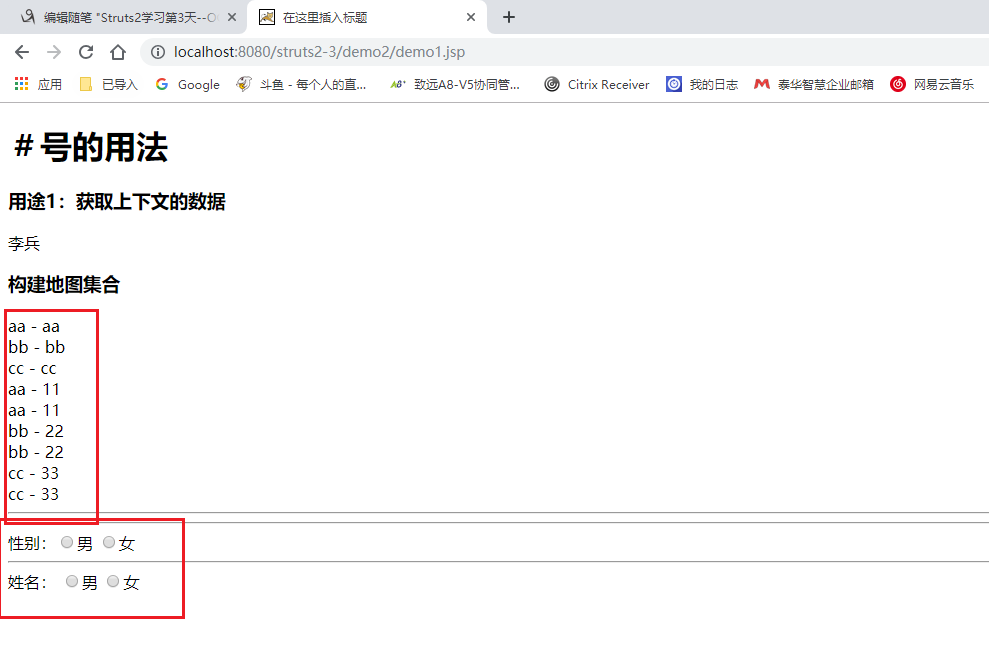
<h1>#号的用法</h1>

<h3>用途1:获取context的数据</h3>

<%

	request.setAttribute("name","李兵");

	%>

<s:property value="#request.name"/>

<h3>构建map集合</h3>

<!-- list  i只要定义 context中也有-->

<s:iterator var="i" value="{'aa','bb','cc'}">

	<s:property value="i"/>--<s:property value="#i"/><br>

</s:iterator>

<!-- map -->

<s:iterator  var="entry" value="#{'aa':'11','bb':'22','cc':'33' }">

	<s:property value="key"/>--<s:property value="value"/><br>

	<s:property value="#entry.key"/>--<s:property value="#entry.value"/><br>

</s:iterator>

<hr>

<!-- value值 和 外面的‘男’ 一样就用list  不然用map -->

<%-- 性别:<input type="radio" name="sex1" value="男">男

<input type="radio" name="sex1" value="女">女

<hr>

<s:radio list="{'男','女'}" name="sex2" label="姓名" /> --%>

<hr>

性别:<input type="radio" name="sex1" value="1">男

<input type="radio" name="sex1" value="2">女

<hr>

<s:radio list="#{'1':'男','2':'女'}" name="sex2" label="姓名" />

</body>

</html>
<%@ page language="java" contentType="text/html; charset=UTF-8"

    pageEncoding="UTF-8"%>

<%@taglib uri="/struts-tags" prefix="s" %>

<%String basePath = request.getScheme() + "://" + request.getServerName() + ":" + request.getServerPort()+ request.getContextPath();

			pageContext.setAttribute("basePath", basePath);%>

<!DOCTYPE html PUBLIC "-//W3C//DTD HTML 4.01 Transitional//EN" "http://www.w3.org/TR/html4/loose.dtd">

<html>

<head>

<meta http-equiv="Content-Type" content="text/html; charset=UTF-8">

<title>Insert title here</title>

</head>

<body>

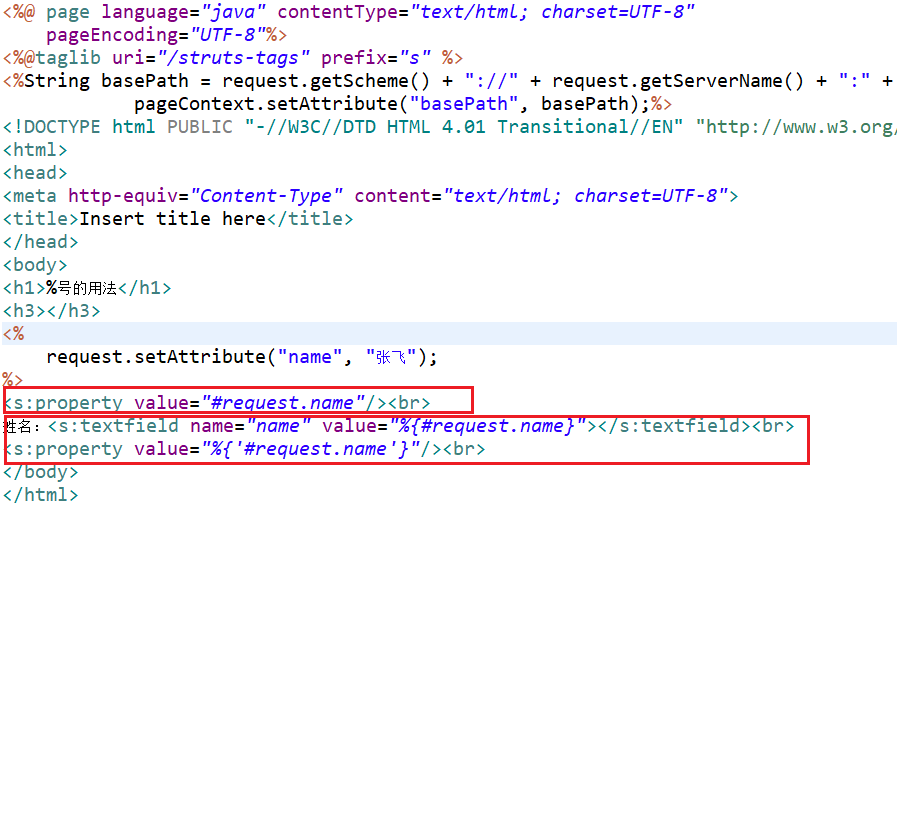
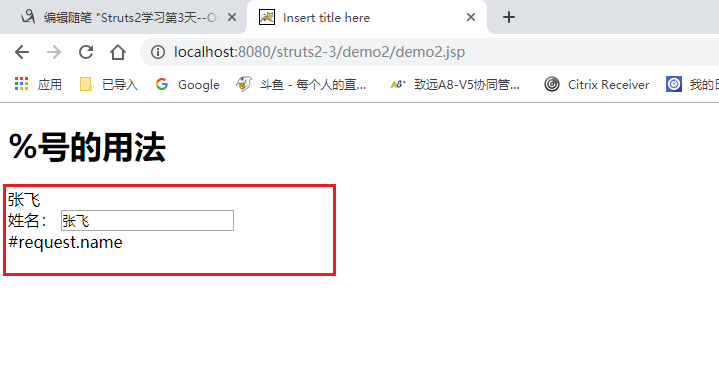
<h1>%号的用法</h1>

<h3></h3>

<%

	request.setAttribute("name", "张飞");

%>

<s:property value="#request.name"/><br>

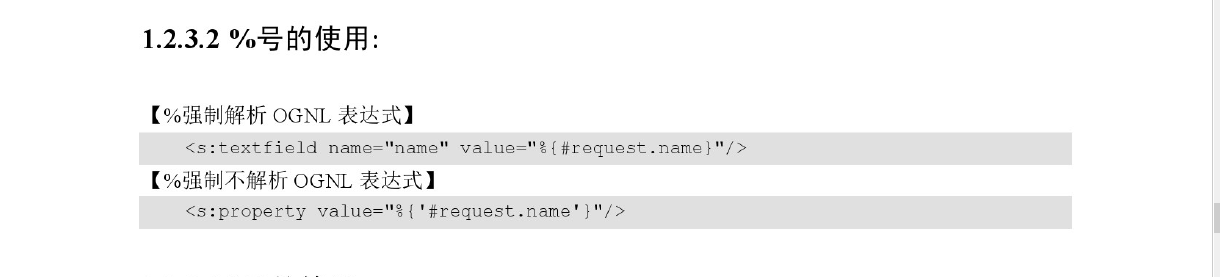
姓名:<s:textfield name="name" value="%{#request.name}"></s:textfield><br>

<s:property value="%{'#request.name'}"/><br>

</body>

</html>
Struts2学习第3天--OGNL、EL、值栈的更多相关文章
- Struts工作机制图+OGNL+EL+值栈(Map,对象栈)
struts 值栈 通过get set方法 方便的获取,设置属性值 比如从jsp页面传来的參数...从Action设置jsp所要回显的内容 注意EL表达式,struts2对request进 ...
- Struts2笔记3--获取ServletAPI和OGNL与值栈
获取ServletAPI: 第一种方式: //在request域中放入属性req,暂且认为getContext()获取的是request域空间,但实际不是 ActionContext.getConte ...
- struts2中,OGNL访问值栈的时候查找的顺序是什么?请排序:模型对象、临时对象、固定名称的对象、Action对象
struts2中,OGNL访问值栈的时候查找的顺序是什么?请排序:模型对象.临时对象.固定名称的对象.Action对象 解答:struts2的值栈排列顺序为:1).临时对象:2).模型对象:3).Ac ...
- (转)OGNL与值栈
http://blog.csdn.net/yerenyuan_pku/article/details/67709693 OGNL的概述 什么是OGNL 据度娘所说: OGNL是Object-Graph ...
- 框架学习之Struts2(三)---OGNL和值栈
一.OGNL概述 1.1OGNL是对象图导航语言(Object-Graph Navigation Languaged)的缩写,他是一种功能强大的表达式语言,通过简单一致的表达式语法,可以存取Java对 ...
- Struts2学习(四)———— ognl表达式、值栈、actionContext之间的关系
一.什么是Ognl? 通过百度百科查询到的解释,其中详细的说明了OGNL的作用. 下面我们就对OGNL这5个作用进行讲解 1.存取对象的任意属性,简单说就是对javabean进行操作(重要) 2.调用 ...
- Struts2 (三) — OGNL与值栈
一.OGNL表达式 1.概述 1.1什么是OGNL OGNL是Object-Graph Navigation Language的缩写,俗称对象图导航语言. 它是一种功能强大的表达式语言,通过它简单 ...
- EL与OGNL以及值栈的理解
这里先添加下在项目遇到的问题: 这两天在做论坛项目的时候,犯了一个错误:将数据放入值栈中,结果jsp页面获取不到. 困扰了许久: 总结如下: (1)每个action对应相应页面的值栈中值的获取,在属于 ...
- Struts2学习第七课 OGNL
request变成了struts重写的StrutsRequestWrapper 关于值栈: helloWorld时,${productName}读取productName值,实际上该属性并不在requ ...
随机推荐
- (转)Docker - 创建 Docker overlay network (containers 通信)
原文链接: http://www.cnblogs.com/AlanWalkOn/p/6101875.html --- 创建基于Key-Value的Docker overlay network. 这样运 ...
- DB2的安装
jiangxin@db01:~$ su – root #切换到root用户 密码: root@db01:~# uname -a #查看内核和操作系统信息 Linux db01 4.4.0-66-gen ...
- python2 encode和decode函数说明
字符串编码常用类型:utf-8,gb2312,cp936,gbk等. python中,我们使用decode()和encode()来进行解码和编码 在python中,使用unicode类型作为编码的基础 ...
- WEB扫描器Atscan的安装和使用
项目地址:https://github.com/AlisamTechnology/ATSCAN root@sch01ar:/sch01ar# git clone https://github.com/ ...
- 不需要SDK调用图灵机器人的方法
图灵机器人的调用其实就是你给服务器发一个文字消息过去,他回你一个,看起来模仿人类对话一样. 不知道为什么要弄个SDK这么麻烦的方法,以前的接口官网上已经没有了,但是还是可以用的.返回的是JSON但也懒 ...
- [原创]Spring JdbcTemplate 使用总结与经验分享
引言 近期开发的几个项目,均是基于Spring boot框架的web后端项目,使用JdbcTemplate执行数据库操作,实际开发过程中,掌握了一些有效的开发经验,踩过一些坑,在此做个记录及总结,与各 ...
- Winform Datagridview 单元格html格式化支持富文本
Winform Datagridview 单元格html格式化支持富文本 示例: 源码:https://github.com/OceanAirdrop/DataGridViewHTMLCell 参考: ...
- CentOS Firewall简单使用
启动 systemctl start firewalld 停止 systemctl stop firewalld 获取 firewalld 状态 firewall-cmd --state 在不改变状态 ...
- VS 配置外部DLL的引用路径【可执行文件的环境路径】
右键项目,属性->配置属性->调试->环境,在这里写入可执行文件运行时的环境路径,格式为:PATH=ABC,如PATH=$(SolutionDir)/env 这样,我们就可以把运行时 ...
- request.getHeader("x-forwarded-for")这是什么意思
request.getHeader,简单的说就是获取请求的头部信息,根据http协议,它能获取到用户访问链接的信息,以下是我们常用的: request.getHeader("referer& ...