
8 -- 深入使用Spring -- 5...2 使用@Cacheable执行缓存
8.5.2 使用@Cacheable执行缓存
@Cacheable可用于修饰类或修饰方法,当使用@Cacheable修饰类时,用于告诉Spring在类级别上进行缓存 ------ 程序调用该类的实例的任何方法时都需要缓存,而且共享同一个缓存区;当使用@Cacheable修饰方法时,用于告诉Spring在方法级别上进行缓存 ------ 只有当程序调用该方法时才需要缓存。
1. 类级别的缓存
当使用@Cacheable修饰类时,就可控制Spring在类级别进行缓存,这样程序调用类的任意方法时,只要传入的参数相同,Spring就会使用缓存。
Component : UserServiceImpl
package edu.pri.lime._8_5_2.classrank.impl;

import org.springframework.cache.annotation.Cacheable;

import org.springframework.stereotype.Service;

import edu.pri.lime._8_5_2.classrank.UserService;

import edu.pri.lime._8_5_2.classrank.bean.User;

@Service(value="userService")

@Cacheable(value = "users")

public class UserServiceImpl implements UserService{

    @Override

    public User getUserByNameAndAge(String name, int age) {

        System.out.println("---正在执行getUserByNameAndAge()查询方法---");

        return new User(name,age);

    }

    @Override

    public User getAnotherUser(String name, int age) {

        System.out.println("---正在执行findAnotherUser()查询方法---");

        return new User(name,age);

    }

}
app_8_5_2_ehcache.xml:不成功,请使用SimpleCacheManager作为缓存管理器
<?xml version="1.0" encoding="UTF-8"?>

<!-- Spring 配置文件的根元素,使用Spring-beans-4.0.xsd语义约束 -->

<beans xmlns:xsi="http://www.w3.org/2001/XMLSchema-instance"

    xmlns="http://www.springframework.org/schema/beans" xmlns:context="http://www.springframework.org/schema/context"

    xmlns:cache="http://www.springframework.org/schema/cache" xmlns:aop="http://www.springframework.org/schema/aop"

    xmlns:P="http://www.springframework.org/schema/p"

    xsi:schemaLocation="http://www.springframework.org/schema/beans

http://www.springframework.org/schema/beans/spring-beans-4.0.xsd

http://www.springframework.org/schema/aop

http://www.springframework.org/schema/aop/spring-aop-4.0.xsd

http://www.springframework.org/schema/cache

http://www.springframework.org/schema/cache/spring-cache-4.0.xsd

http://www.springframework.org/schema/context

http://www.springframework.org/schema/context/spring-context-4.0.xsd">

    <context:component-scan base-package="edu.pri.lime._8_5_2.classrank">

    </context:component-scan>

    <cache:annotation-driven cache-manager="cacheManager" />

    <bean id="cacheManager" class="org.springframework.cache.support.SimpleCacheManager">

        <property name="caches">

            <set>

                <bean

                    class="org.springframework.cache.concurrent.ConcurrentMapCacheFactoryBean">

                    <property name="name" value="default" />

                </bean>

                <bean

                    class="org.springframework.cache.concurrent.ConcurrentMapCacheFactoryBean">

                    <property name="name" value="users" />

                </bean>

            </set>

        </property>

    </bean>

    <!--

    <bean id="ehCacheManager" class="org.springframework.cache.ehcache.EhCacheManagerFactoryBean">

        <property name="configLocation" value="classpath:app_8_5_2_ehcache.xml"/>

        <property name="shared" value="false"/>

    </bean>

    <bean id="cacheManager" class="org.springframework.cache.ehcache.EhCacheCacheManager">

        <property name="cacheManager" ref="ehCacheManager"/>

    </bean> -->

</beans>
Class : SpringTest
package edu.pri.lime._8_5_2.classrank.impl;

import org.springframework.context.ApplicationContext;

import org.springframework.context.support.ClassPathXmlApplicationContext;

import edu.pri.lime._8_5_2.classrank.UserService;

import edu.pri.lime._8_5_2.classrank.bean.User;

public class SpringTest {

    public static void main(String[] args) {

        ApplicationContext ctx = new ClassPathXmlApplicationContext("app_8_5_2_classrank.xml");

        UserService userService = (UserService) ctx.getBean("userService");

        User userA = userService.getUserByNameAndAge("lime", 24);

        User userB = userService.getAnotherUser("lime", 24);

        System.out.println(userA == userB);

    }

}
Console :
---正在执行getUserByNameAndAge()查询方法---

true
@Cacheable(value="users")指定UserServiceImple进行类级别的缓存,这样程序调用该类的任意方法时,只要传入的参数相同,Spring就会使用缓存,即时方法的返回值并不真正的同一个对象。
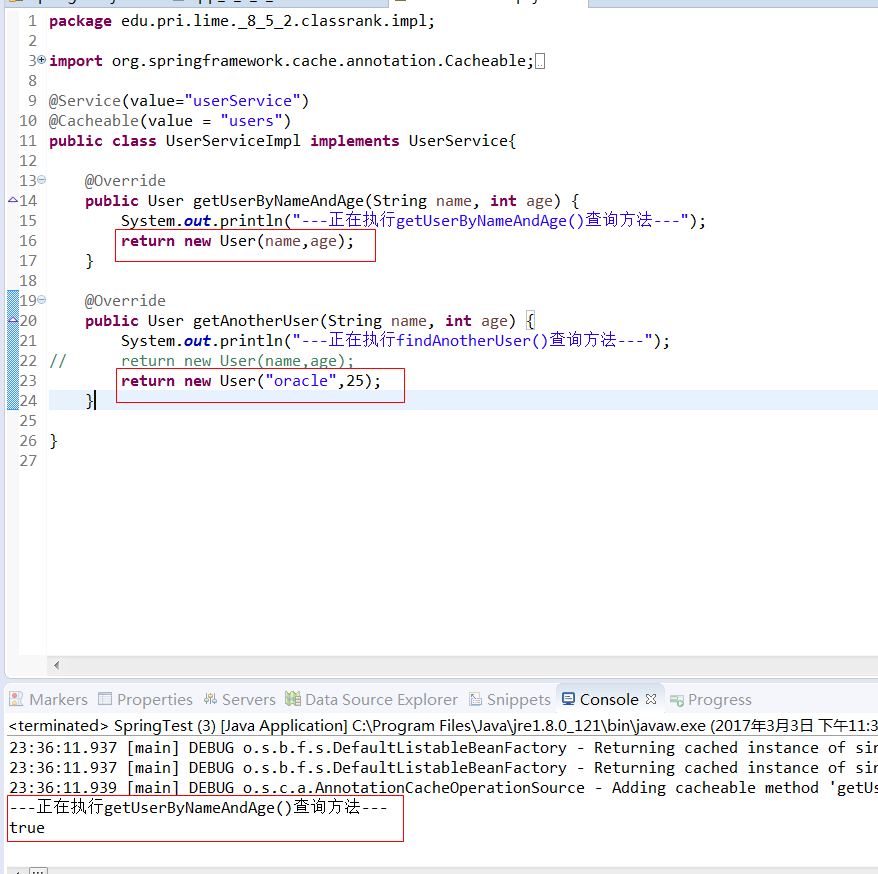
此处所指的缓存的意义是:当程序第一次调用该类的实例的某个方法时,Spring缓存机制会将该方法返回的数据放入指定缓存区 ------ 就是@Cacheable注解的value属性所指定的缓存区(此处指定将数据放入users缓存区,正是缓存管理器配置的users缓存区)。以后程序调用该类的实例的任何方法时,只要出入的参数相同,Spring将不会真正执行该方法,而是直接利用缓存区中的数据。
类级别的缓存默认以所有方法参数作为key来缓存方法返回的数据 ------ 同一类不管调用哪个方法,只要调用方法时传入的参数相同,Spring都会直接利用缓存区中的数据。
使用@Cacheable时可指定如下属性:
⊙ value : 必需属性。该属性可指定多个缓存区的名字,用于指定将方法返回值放入指定的缓存区内。
⊙ key : 通过SpEL表达式显式指定缓存的key。多个参数组合的key 用#name + #age + ...
⊙ condition : 该属性指定一个返回boolean值的SpEL表达式,只有当该表达式返回true时,Spring才会缓存方法返回值。
⊙ unless : 该属性指定一个返回boolean值的SpEL表达式,当该表达式返回true时,Spring就不缓存方法返回值。
提示:
与@Cacheable注解功能类似的还有一个@CachePut注解,@CachePut注解同样会让Spring将方法返回值放入缓存区。与@Cacheable不同的是,@CachePut修饰的方法不会读取缓存区中的数据 ------ 这意味着不管缓存区是否已有数据,@CachePut总会告诉Spring要重新执行这些方法,并再次将方法返回值放入缓存区。
修改UserServiceImpl : @Cacheable(value = “users” , key = “#name”) 显式指定以name参数作为缓存的key,这样只要调用的方法具有相同的name参数,Spring缓存机制就会生效。
package edu.pri.lime._8_5_2.classrank.service.cacheablekey.main;

import org.springframework.context.ApplicationContext;

import org.springframework.context.support.ClassPathXmlApplicationContext;

import edu.pri.lime._8_5_2.classrank.bean.User;

import edu.pri.lime._8_5_2.classrank.service.cacheable.UserService;

public class SpringTest {

    public static void main(String[] args) {

        ApplicationContext ctx = new ClassPathXmlApplicationContext("app_8_5_2_classrankkey.xml");

        UserService userService = (UserService) ctx.getBean("userService");

        User userA = userService.getUserByNameAndAge("lime", 22);

        User userB = userService.getAnotherUser("lime", 24);

        System.out.println(userA == userB);

    }

}
Console :
---正在执行getUserByNameAndAge()查询方法---

true
使用@Cacheable注解显式指定key = “#name” ,这就意味着缓存使用name参数作为缓存的key。
condition属性与unless属性的功能基本相似,但规则恰好相反:当condition指定的条件为true时,Spring缓存机制才会执行缓存;当unless指定的条件为true时,Spring缓存机制就不执行缓存。
Class : UserServiceImpl
package edu.pri.lime._8_5_2.classrank.service.cacheablecondition.impl;

import org.springframework.cache.annotation.Cacheable;

import org.springframework.stereotype.Service;

import edu.pri.lime._8_5_2.classrank.bean.User;

import edu.pri.lime._8_5_2.classrank.service.cacheablecondition.UserService;

@Service("userService")

@Cacheable(value="users" ,condition="#age<100")

public class UserServiceImpl implements UserService{

    @Override

    public User getUserByNameAndAge(String name, int age) {

        System.out.println("---正在执行getUserByNameAndAge()查询方法---");

        return new User(name,age);

    }

    @Override

    public User getAnotherUser(String name, int age) {

        System.out.println("---正在执行getAnotherUser()查询方法---");

        return new User("oracle",25);

    }

}
XML :
<?xml version="1.0" encoding="UTF-8"?>

<!-- Spring 配置文件的根元素,使用Spring-beans-4.0.xsd语义约束 -->

<beans xmlns:xsi="http://www.w3.org/2001/XMLSchema-instance"

    xmlns="http://www.springframework.org/schema/beans" xmlns:context="http://www.springframework.org/schema/context"

    xmlns:cache="http://www.springframework.org/schema/cache" xmlns:aop="http://www.springframework.org/schema/aop"

    xmlns:P="http://www.springframework.org/schema/p"

    xsi:schemaLocation="http://www.springframework.org/schema/beans

http://www.springframework.org/schema/beans/spring-beans-4.0.xsd

http://www.springframework.org/schema/aop

http://www.springframework.org/schema/aop/spring-aop-4.0.xsd

http://www.springframework.org/schema/cache

http://www.springframework.org/schema/cache/spring-cache-4.0.xsd

http://www.springframework.org/schema/context

http://www.springframework.org/schema/context/spring-context-4.0.xsd">

    <context:component-scan base-package="edu.pri.lime._8_5_2.classrank.service.cacheablecondition.impl">

    </context:component-scan>

    <!-- 启用Spring缓存 -->

    <cache:annotation-driven cache-manager="cacheManager" />

    <!-- 使用simpleCacheManager缓存管理器 -->

    <bean id="cacheManager" class="org.springframework.cache.support.SimpleCacheManager">

        <!-- 配置缓存区 -->

        <property name="caches">

            <set>

                <!-- 使用ConcurrentMapCacheFactoryBean工程Bean生产缓存区 -->

                <bean

                    class="org.springframework.cache.concurrent.ConcurrentMapCacheFactoryBean">

                    <!-- 定义缓存区名称 -->

                    <property name="name" value="default" />

                </bean>

                <bean

                    class="org.springframework.cache.concurrent.ConcurrentMapCacheFactoryBean">

                    <!-- 定义缓存区名称 -->

                    <property name="name" value="users" />

                </bean>

            </set>

        </property>

    </bean>

</beans>
Console :
---正在执行getUserByNameAndAge()查询方法---

---正在执行getAnotherUser()查询方法---

false

---正在执行getUserByNameAndAge()查询方法---

---正在执行getAnotherUser()查询方法---

false

---正在执行getUserByNameAndAge()查询方法---

---正在执行getAnotherUser()查询方法---

false
疑惑 : 跟想象中的不一样啊! 说好的condition表达式呢?
使用@Cacheable修饰方法时,可控制Spring在方法级别进行缓存,这样当程序调用该方法时,只要传入的参数相同,Spring就会使用缓存。
2.方法级别的缓存
Class : UserServiceImpl
package edu.pri.lime._8_5_2.functionrank.service.impl;

import org.springframework.cache.annotation.Cacheable;

import org.springframework.stereotype.Service;

import edu.pri.lime._8_5_2.functionrank.bean.User;

import edu.pri.lime._8_5_2.functionrank.service.UserService;

@Service("userService")

public class UserServiceImpl implements UserService{

    @Override

    @Cacheable(value="userA")

    public User getUserByNameAndAge(String name, int age) {

        System.out.println("---正在执行getUserByNameAndAge()查询方法---");

        return new User(name,age);

    }

    @Override

    @Cacheable(value="userB")

    public User getAnotherUser(String name, int age) {

        System.out.println("---正在执行findAnotherUser()查询方法---");

        return new User("oracle",25);

    }

}
XML : app_8_5_2_functionrankvalue.xml
<?xml version="1.0" encoding="UTF-8"?>

<!-- Spring 配置文件的根元素,使用Spring-beans-4.0.xsd语义约束 -->

<beans xmlns:xsi="http://www.w3.org/2001/XMLSchema-instance"

    xmlns="http://www.springframework.org/schema/beans" xmlns:context="http://www.springframework.org/schema/context"

    xmlns:cache="http://www.springframework.org/schema/cache" xmlns:aop="http://www.springframework.org/schema/aop"

    xmlns:P="http://www.springframework.org/schema/p"

    xsi:schemaLocation="http://www.springframework.org/schema/beans

http://www.springframework.org/schema/beans/spring-beans-4.0.xsd

http://www.springframework.org/schema/aop

http://www.springframework.org/schema/aop/spring-aop-4.0.xsd

http://www.springframework.org/schema/cache

http://www.springframework.org/schema/cache/spring-cache-4.0.xsd

http://www.springframework.org/schema/context

http://www.springframework.org/schema/context/spring-context-4.0.xsd">

    <!-- 扫描Spring的组件 -->

    <context:component-scan base-package="edu.pri.lime._8_5_2.functionrank.service.impl"/>

    <!-- 启用Spring缓存 -->

    <cache:annotation-driven cache-manager="cacheManager" />

    <!-- 使用simpleCacheManager缓存管理器 -->

    <bean id="cacheManager" class="org.springframework.cache.support.SimpleCacheManager">

        <!-- 配置缓存区 -->

        <property name="caches">

            <set>

                <!-- 使用ConcurrentMapCacheFactoryBean工程Bean生产缓存区 -->

                <bean

                    class="org.springframework.cache.concurrent.ConcurrentMapCacheFactoryBean">

                    <!-- 定义缓存区名称 -->

                    <property name="name" value="userA" />

                </bean>

                <bean

                    class="org.springframework.cache.concurrent.ConcurrentMapCacheFactoryBean">

                    <!-- 定义缓存区名称 -->

                    <property name="name" value="userB" />

                </bean>

            </set>

        </property>

    </bean>

</beans>
Class : SpringTest
package edu.pri.lime._8_5_2.functionrank;

import org.springframework.context.ApplicationContext;

import org.springframework.context.support.ClassPathXmlApplicationContext;

import edu.pri.lime._8_5_2.functionrank.bean.User;

import edu.pri.lime._8_5_2.functionrank.service.UserService;

public class SpringTest {

    public static void main(String[] args) {

        ApplicationContext ctx = new ClassPathXmlApplicationContext("app_8_5_2_functionrankvalue.xml");

        UserService userService = ctx.getBean("userService",UserService.class);

        User userA = userService.getUserByNameAndAge("lime", 24);

        User userB = userService.getAnotherUser("lime", 24);

        System.out.println(userA == userB);

        User userC = userService.getUserByNameAndAge("lime", 24);

        User userD = userService.getAnotherUser("lime", 24);

        System.out.println(userA == userC);

    }

}
Console :
---正在执行getUserByNameAndAge()查询方法---

---正在执行findAnotherUser()查询方法---

false

true
方法级别的缓存中,方法之间使用不同的缓存区,因此它们不能共享缓存。
啦啦啦
啦啦啦
啦啦啦
啦啦啦
8 -- 深入使用Spring -- 5...2 使用@Cacheable执行缓存的更多相关文章
- Spring Boot中使用EhCache实现缓存支持
SpringBoot提供数据缓存功能的支持,提供了一系列的自动化配置,使我们可以非常方便的使用缓存.,相信非常多人已经用过cache了.因为数据库的IO瓶颈.一般情况下我们都会引入非常多的缓存策略, ...
- 【快学SpringBoot】Spring Cache+Redis实现高可用缓存解决方案
前言 之前已经写过一篇文章介绍SpringBoot整合Spring Cache,SpringBoot默认使用的是ConcurrentMapCacheManager,在实际项目中,我们需要一个高可用的. ...
- spring boot:使用spring cache+caffeine做进程内缓存(本地缓存)(spring boot 2.3.1)
一,为什么要使用caffeine做本地缓存? 1,spring boot默认集成的进程内缓存在1.x时代是guava cache 在2.x时代更新成了caffeine, 功能上差别不大,但后者在性能上 ...
- 当spring 容器初始化完成后执行某个方法
在做web项目开发中,尤其是企业级应用开发的时候,往往会在工程启动的时候做许多的前置检查. 比如检查是否使用了我们组禁止使用的Mysql的group_concat函数,如果使用了项目就不能启动,并指出 ...
- Spring Web MVC中的页面缓存支持 ——跟我学SpringMVC系列
Spring Web MVC中的页面缓存支持 ——跟我学SpringMVC系列
- 在Spring、Hibernate中使用Ehcache缓存(2)
这里将介绍在Hibernate中使用查询缓存.一级缓存.二级缓存,整合Spring在HibernateTemplate中使用查询缓存.,这里是hibernate3,使用hibernate4类似,不过不 ...
- spring boot整合reids 然后实现缓存分页(方法之一) 以及RedisTemplate存到reids 里面get 就消失的坑
业务需求 首页 实现缓存分页 spring boot 整合redis (我的是2.0.3版本的) 在pom 文件写上依赖包即可 <dependency><!--依赖包--> ...
- Spring + MySQL + Mybatis + Redis【二级缓存】执行流程分析
一级缓存基于 PerpetualCache 的 HashMap 本地缓存,其存储作用域为 Session,当 Session flush 或 close 之后,该Session中的所有 Cache 就 ...
- (转)为Spring集成的Hibernate配置二级缓存
http://blog.csdn.net/yerenyuan_pku/article/details/52896195 前面我们已经集成了Spring4.2.5+Hibernate4.3.11+Str ...
随机推荐
- Cocos Creator 的实现拖尾效果
在游戏中,有时会需要在某个游戏对象上加上移动后的轨迹若隐若现的效果.使得游戏的效果较好,比如游戏大招,刀光,法术,流星划痕之类. Cocos Creator提供了一种内置的拖尾渐隐效果的实现方法:组件 ...
- 15个优秀的开源项目,让你轻松应对Android开发
一.huabanDemo-android 应用material design版的花瓣网App 项目地址 https://github.com/LiCola/huabanDemo 二.创建视差效果引导页 ...
- JDBC(4)—Preparedstatement
功能:使用PreparedStatement操作数据表,其功能与Statement一致,但为何要使用PreparedStatement呢. 一.原因: 1.使用sql语句进行操作数据表时,需要拼写sq ...
- VS2008中捕获内存泄露(转)
内存泄露十分讨厌,捕获内存泄露更加令人厌烦…… 其实,VS本身就有内存泄露的检测机制.只需做以下操作即可开启.(同时必须在debug模式 下运行程序并且以 正常流程退出 ) // 在入口函数cpp中添 ...
- VMware内CentOS7虚拟机硬盘扩容
转自:https://blog.csdn.net/Wang_Xin_SH/article/details/77872885 简介 CentOS7虚拟机原硬盘空间只分配了10GB,需要扩容到20GB. ...
- 加密入门(三):TrueCrypt(转)
http://terrychen.info/encryption-truecrypt/ TrueCrypt 是一款功能强大的开源加密工具,利用 TrueCrypt 可以创建一个加密文件作为虚拟加密卷, ...
- Vert.x入门教程之Hello World
http://blog.csdn.net/caihuangshi/article/details/51648182
- nodejs sass安装报错一招解决
背景: 这个问题不是一天两天了,有时候是网速不行,有时候是被墙了,有时候是github把node-sass的包转移目录导致下载失败. Cannot download "https://git ...
- 使用 BeautifulSoup 进行解析 html
#coding=utf-8 import urllib2 import socket import httplib from bs4 import BeautifulSoup UserAgen ...
- android ndk-build 编译静态库libxx.a 以及Android studio openssl 静态库配置(cmake)
android ndk-build 编译静态库libxx.a 需求场景: 目前有安卓编码好的现在的openssl的两个.a,我们需要调用openssl的函数,并把功能再封装成.a; 这样使用时,在an ...