
8.SpringBoot 模板引擎 Thymeleaf
1.模板引擎原理
JSP、Velocity、Freemarker、Thymeleaf 都是模板引擎。SpringBoot推荐的Thymeleaf;语法更简单,功能更强大;
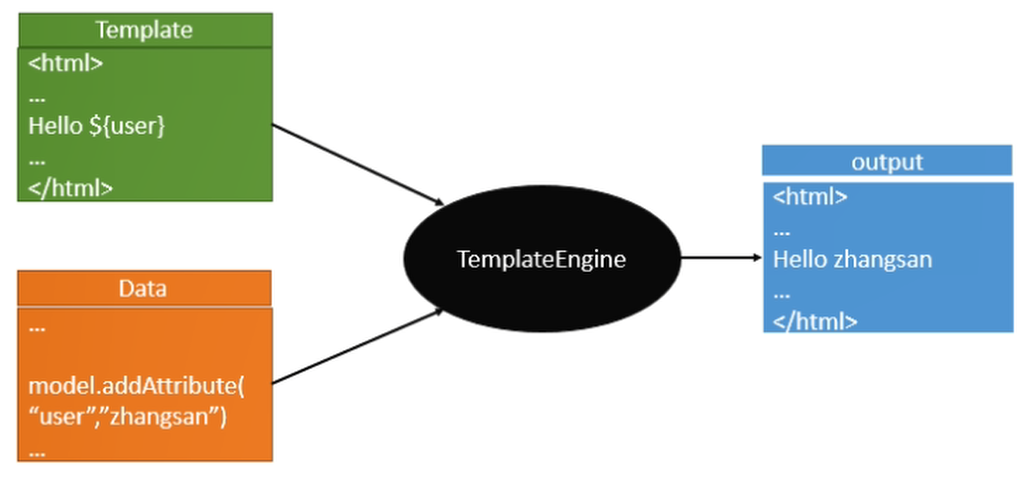
Thymeleaf模板引擎
Thymeleaf是一款用于渲染XML/XHTML/HTML5内容的模板引擎。类似JSP, Velocity,FreeMaker等,它也可以轻易的与Spring MVC等Web框架进行集成 作为Web应用的模板引擎。与其它模板引擎相比,Thymeleaf最大的特点是能够 直接在浏览器中打开并正确显示模板页面,而不需要启动整个Web应用
Spring Boot推荐使用Thymeleaf、Freemarker等后现代的模板引擎技术;一但导入相 关依赖,会自动配置ThymeleafAutoConfiguration、FreeMarkerAutoConfiguration。
2.引入依赖
<dependency>

    <groupId>org.springframework.boot</groupId>

    <artifactId>spring-boot-starter-thymeleaf</artifactId>

</dependency>
@Controller

@RequestMapping("/hello")

public class HelloWorldController

{

    @RequestMapping("/success")

    public String success() {

        return "success";

    }

}
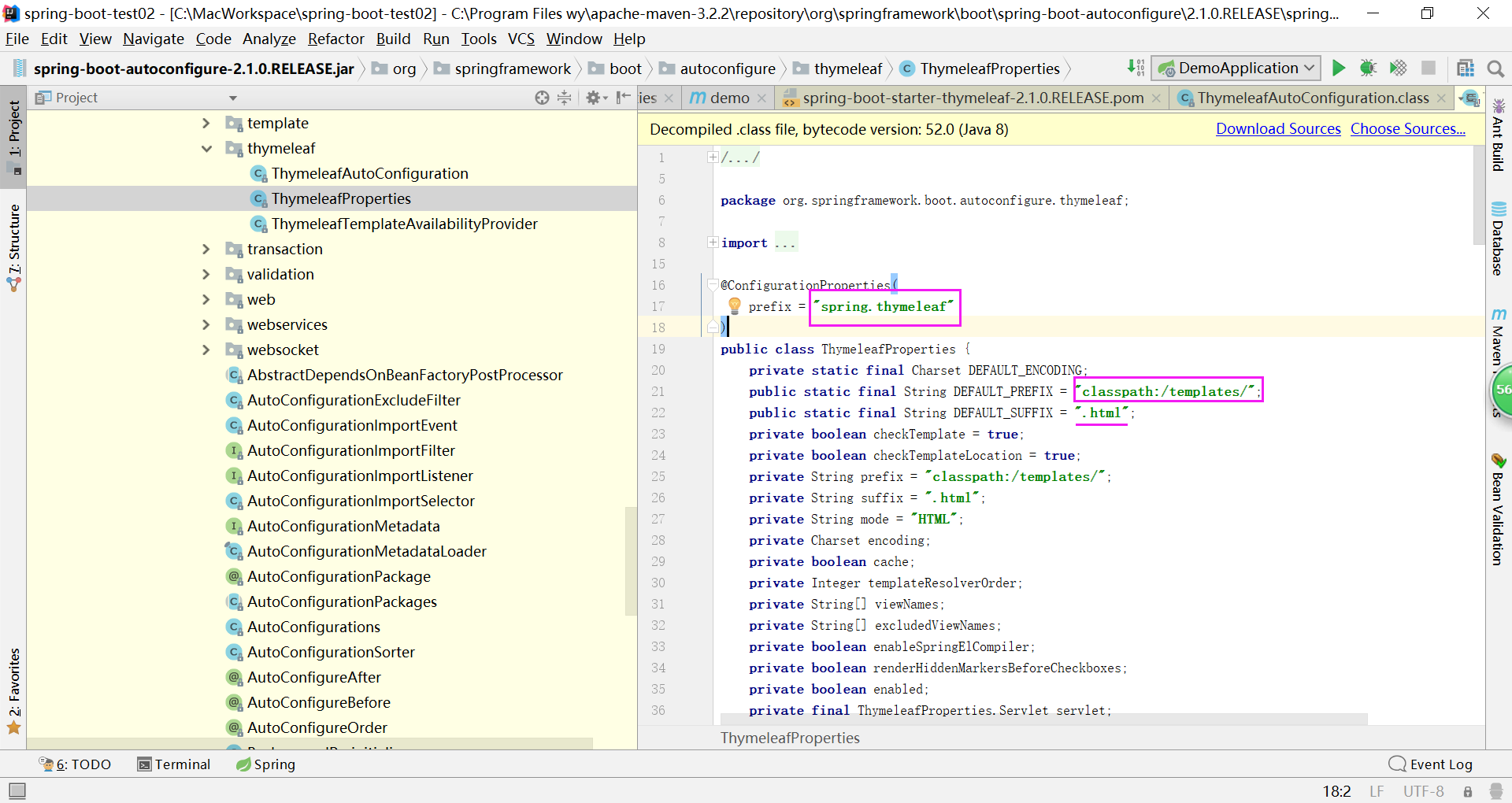
只要我们把HTML页面放在classpath:/templates/,thymeleaf就能自动渲染;
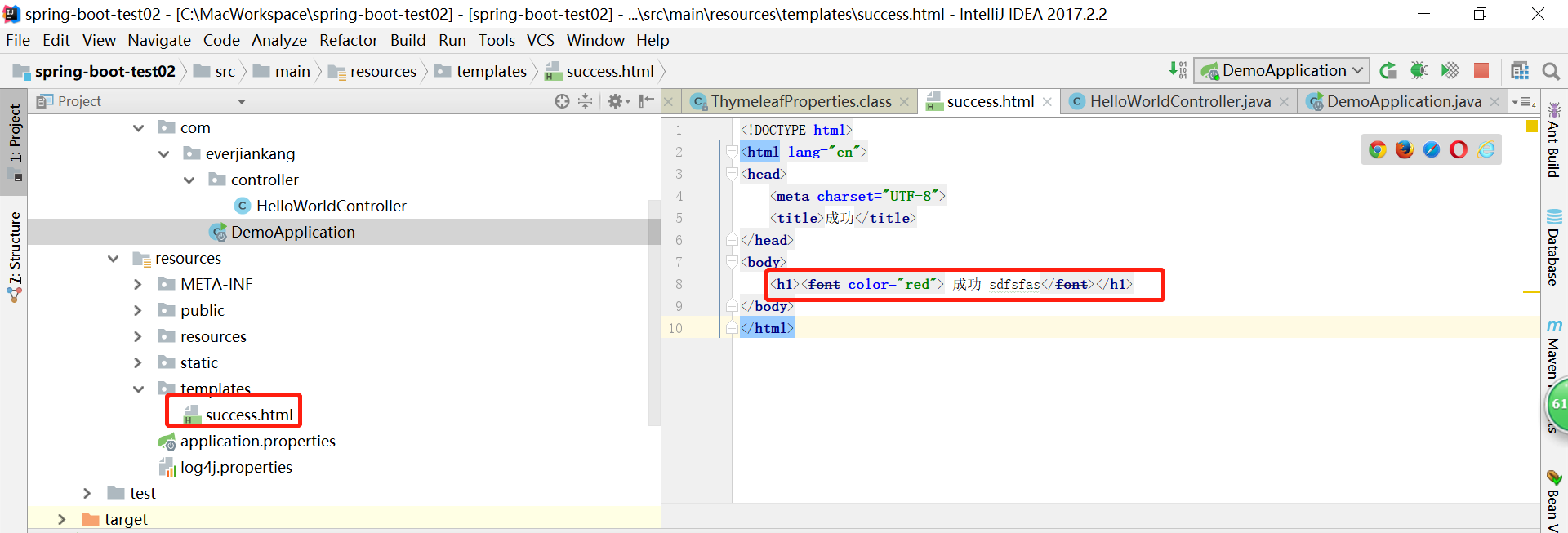
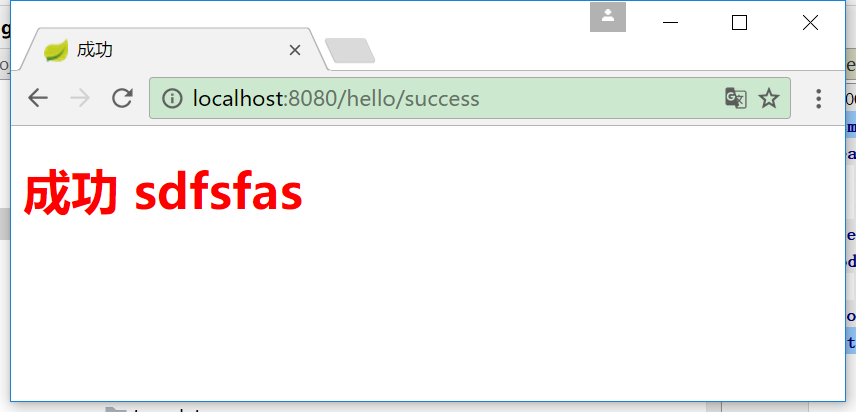
但是每次改动html代码都需要重新启动项目,太不方便
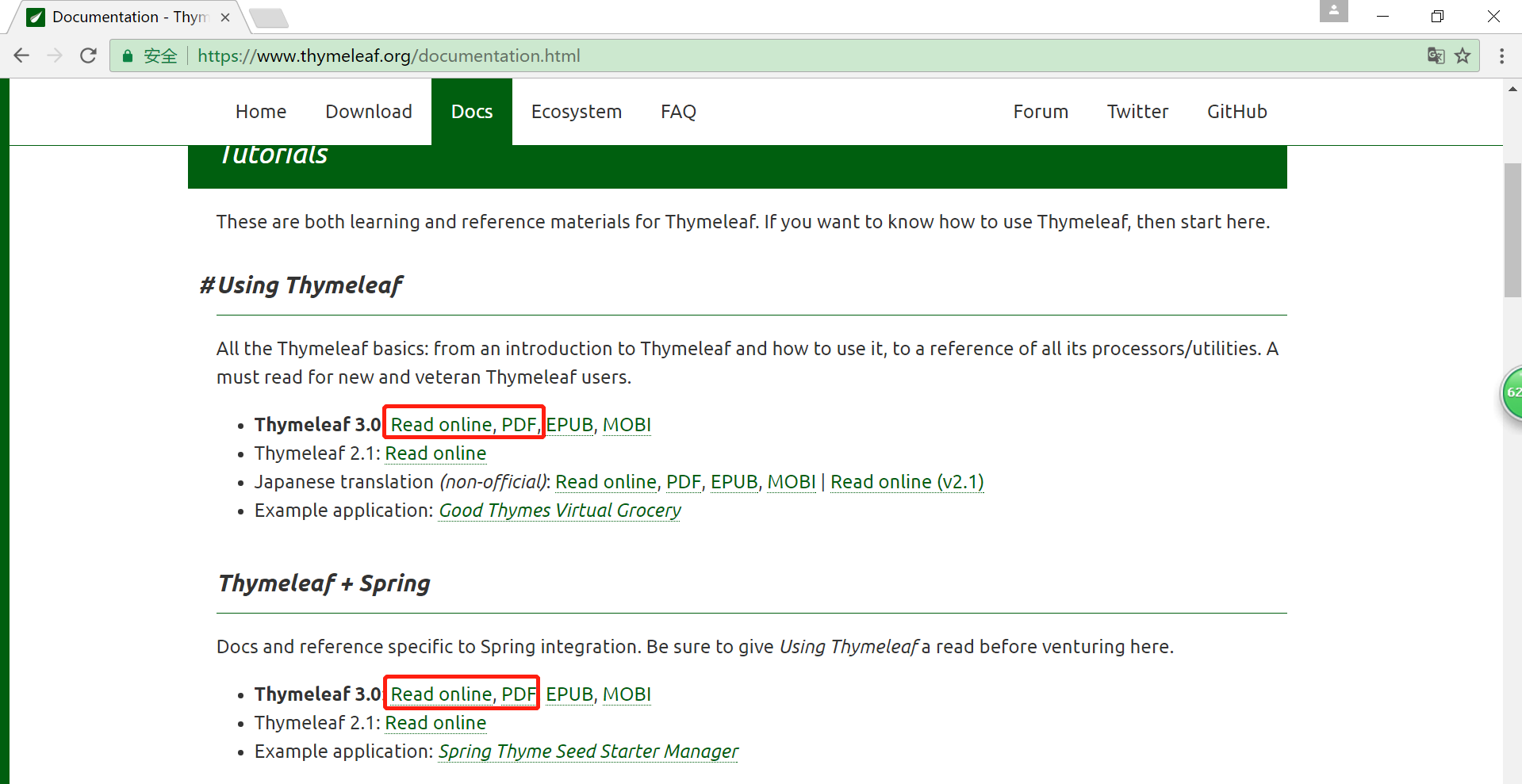
Thyme leaf官方文档:https://www.thymeleaf.org/
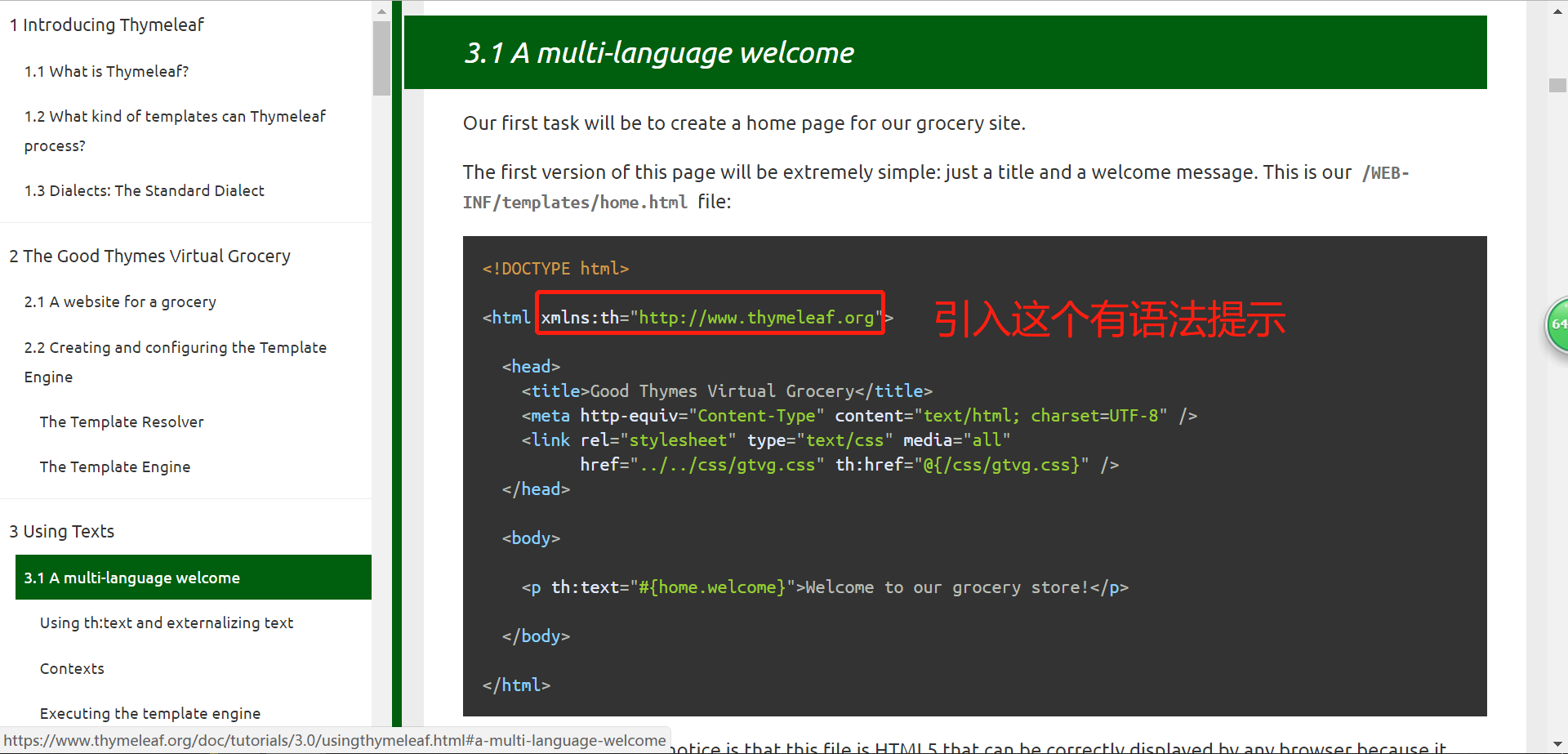
<!DOCTYPE html>

<html xmlns:th="http://www.thymeleaf.org">

  <head>

    <title>Good Thymes Virtual Grocery</title>

    <meta http-equiv="Content-Type" content="text/html; charset=UTF-8" />

    <link rel="stylesheet" type="text/css" media="all"

          href="../../css/gtvg.css" th:href="@{/css/gtvg.css}" />

  </head>

  <body>

    <p th:text="#{home.welcome}">Welcome to our grocery store!</p>

  </body>

</html>
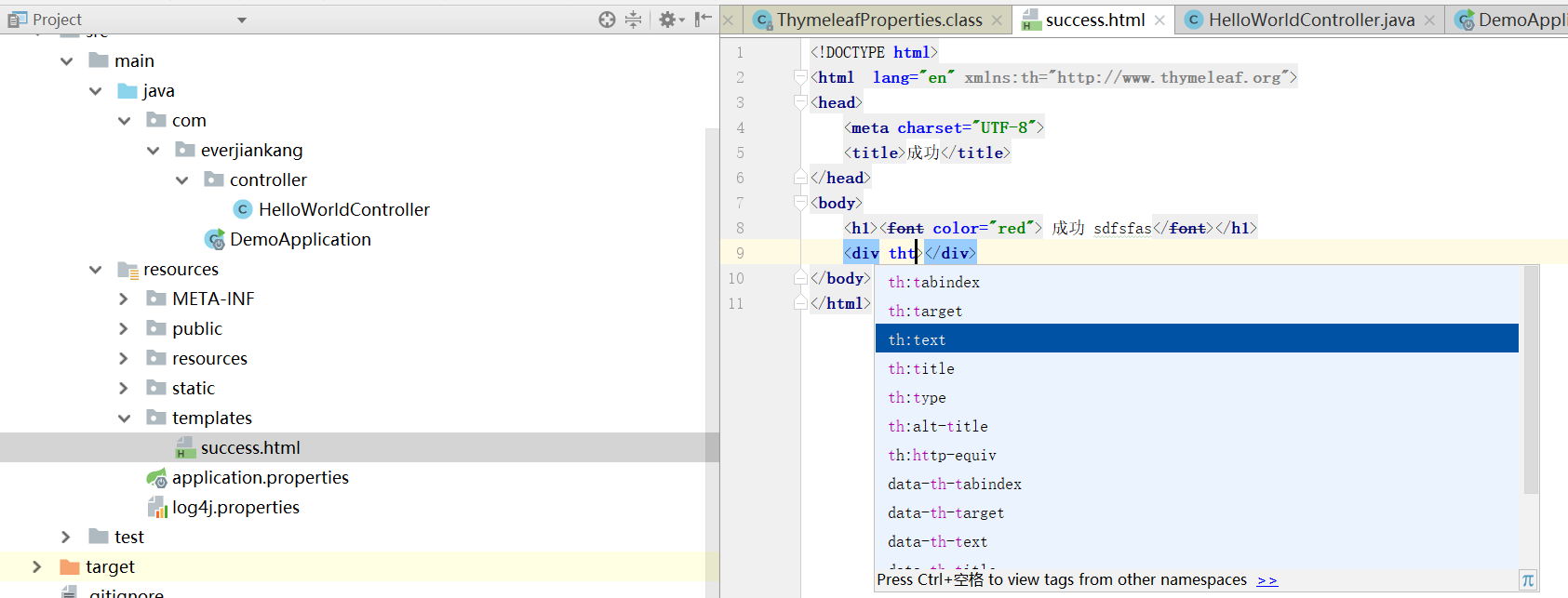
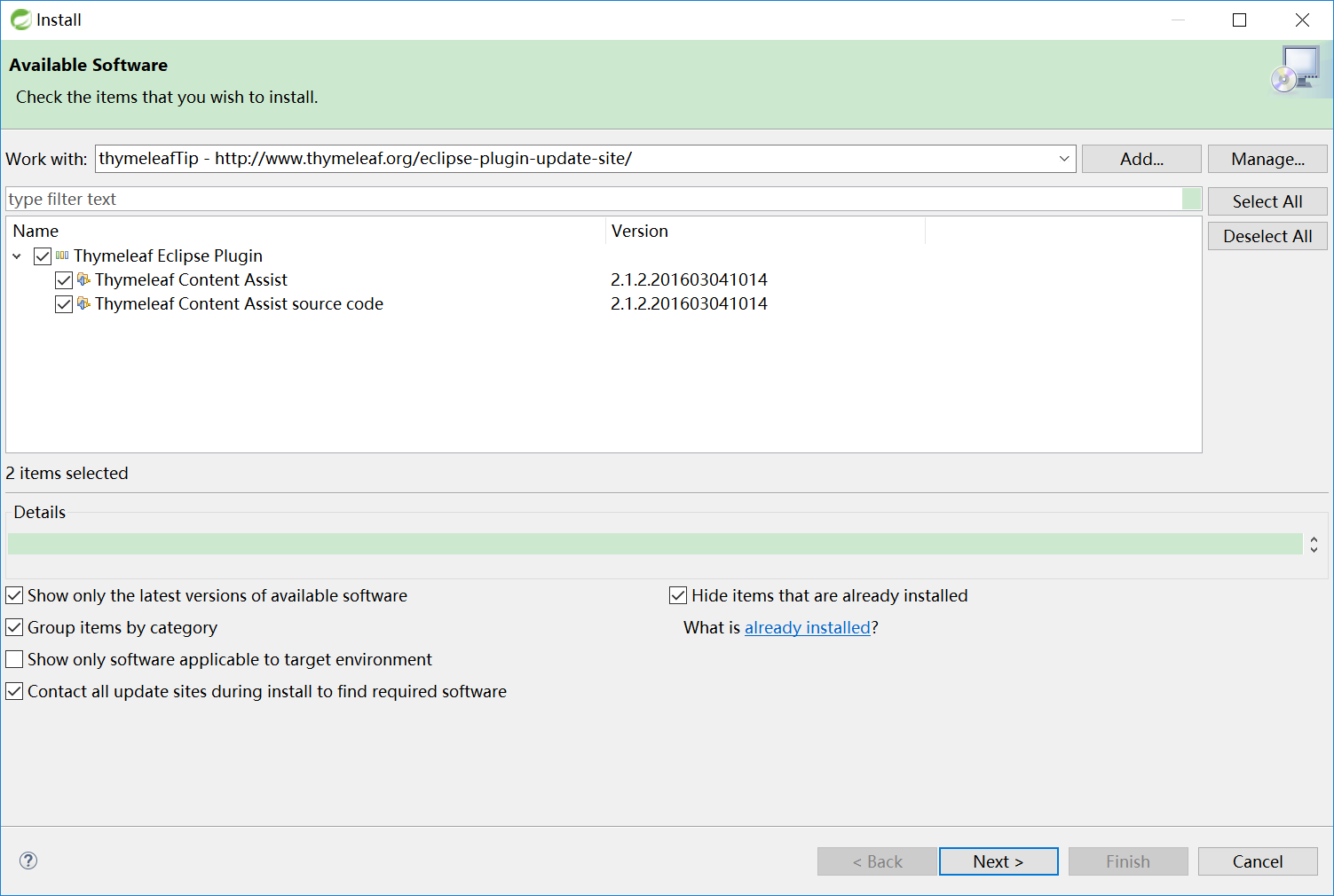
IDEA会有提示,但是eclipse没有,eclipse需要安装插件才能提示
插件地址为: http://www.thymeleaf.org/eclipse-plugin-update-site/
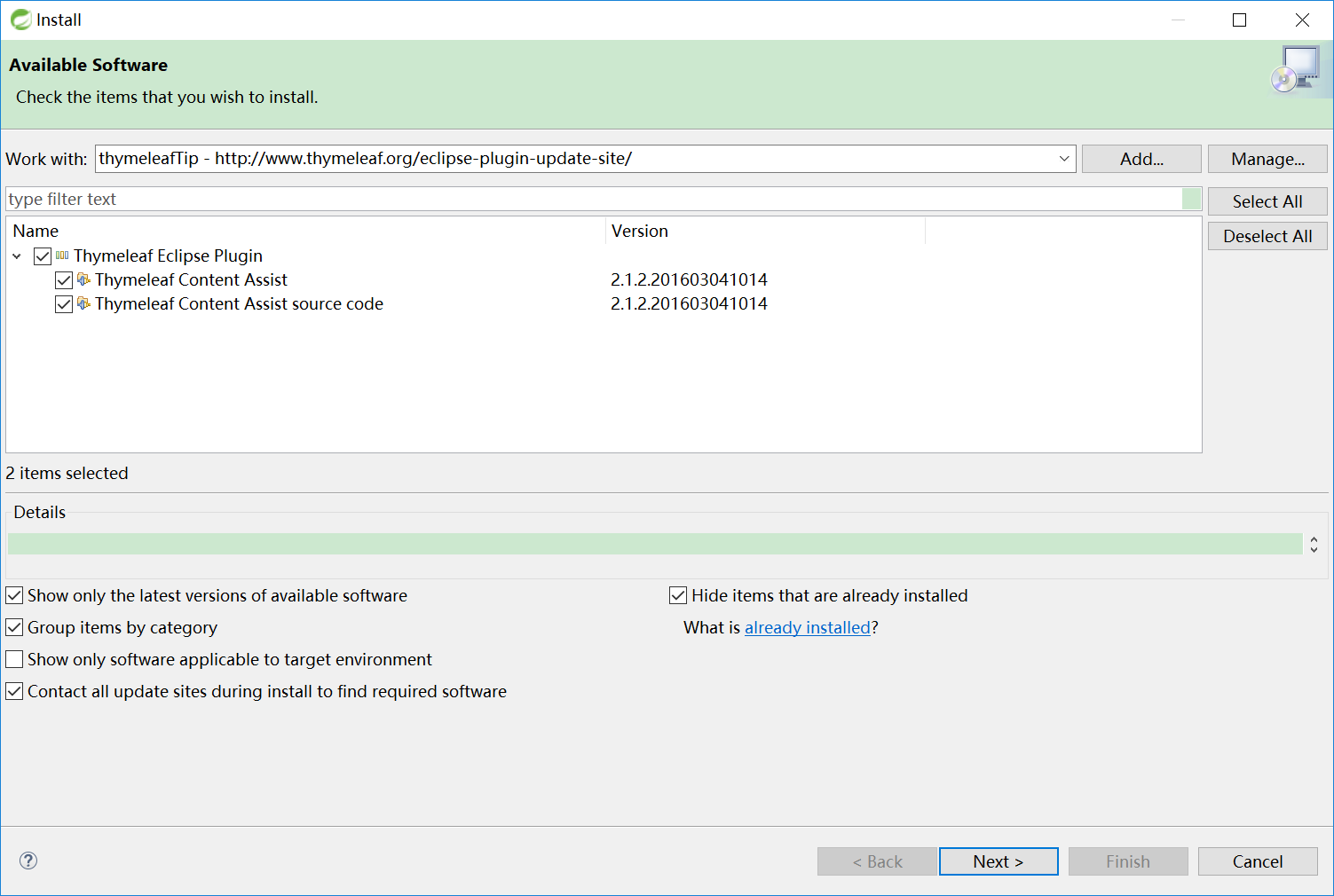
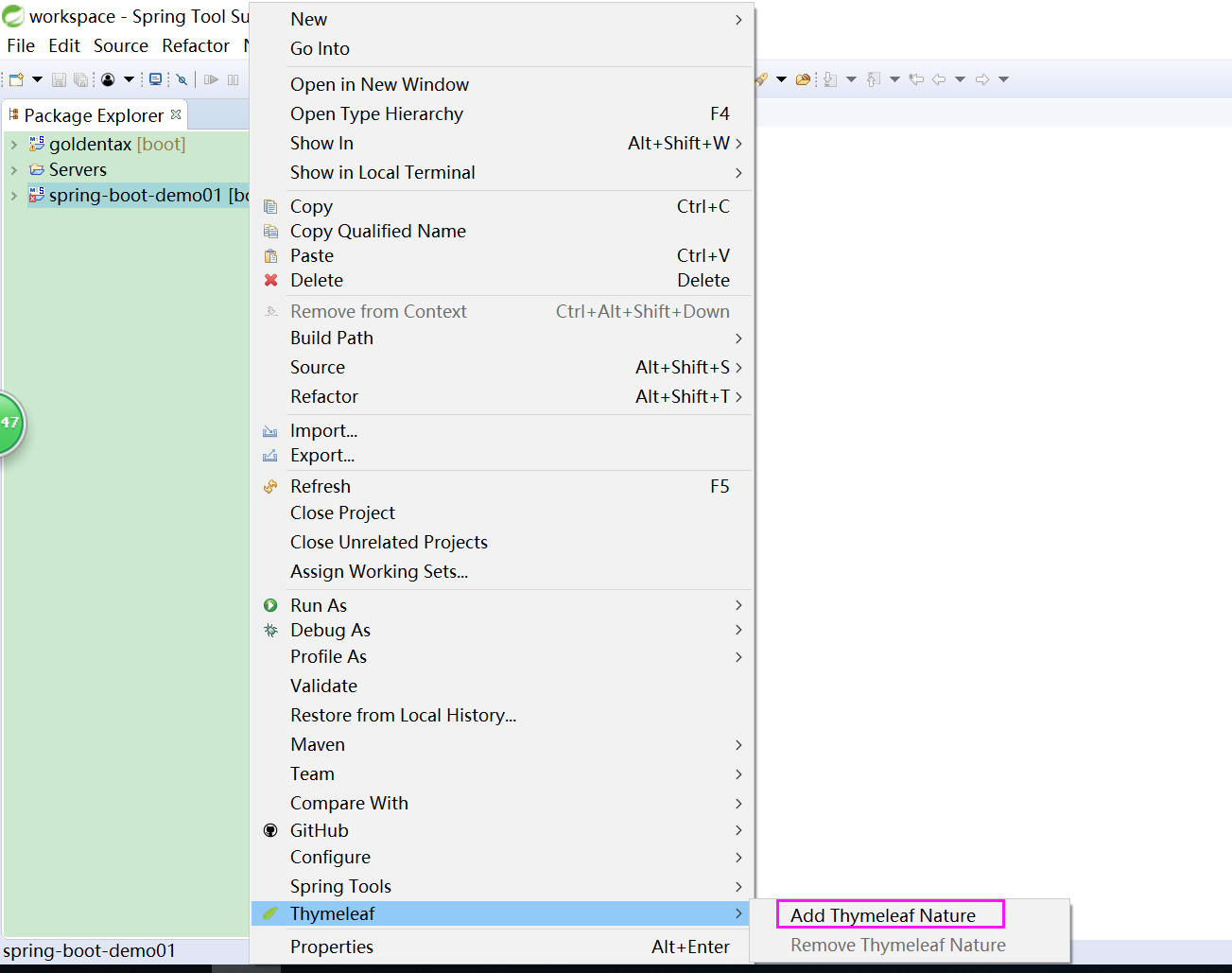
最后:右键项目 >> Thymeleaf >> Add Thymeleaf Nature.
使用:
1、导入thymeleaf的名称空间
<html lang="en" xmlns:th="http://www.thymeleaf.org">
2.类中设置变量
@RequestMapping("/success")

 public String success(Map<String,Object> map) {

      map.put("result","hello world");

      return "success";

 }
3.页面取值
<!DOCTYPE html>

<html lang="en" xmlns:th="http://www.thymeleaf.org">

  <head>

      <meta charset="UTF-8">

      <title>Title</title>

  </head>

  <body>

     <h1>成功!</h1>

     <!--th:text 将div里面的文本内容设置为${hello}变量的值,覆盖 文本内容:“这是显示欢迎信息”-->
    <div th:text="${result}">这是显示欢迎信息</div>
  </body>
</html>
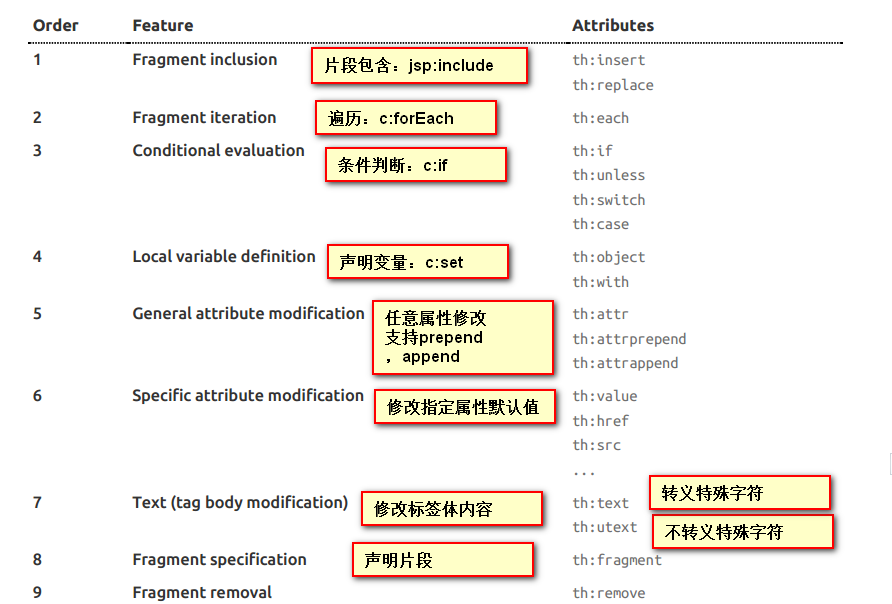
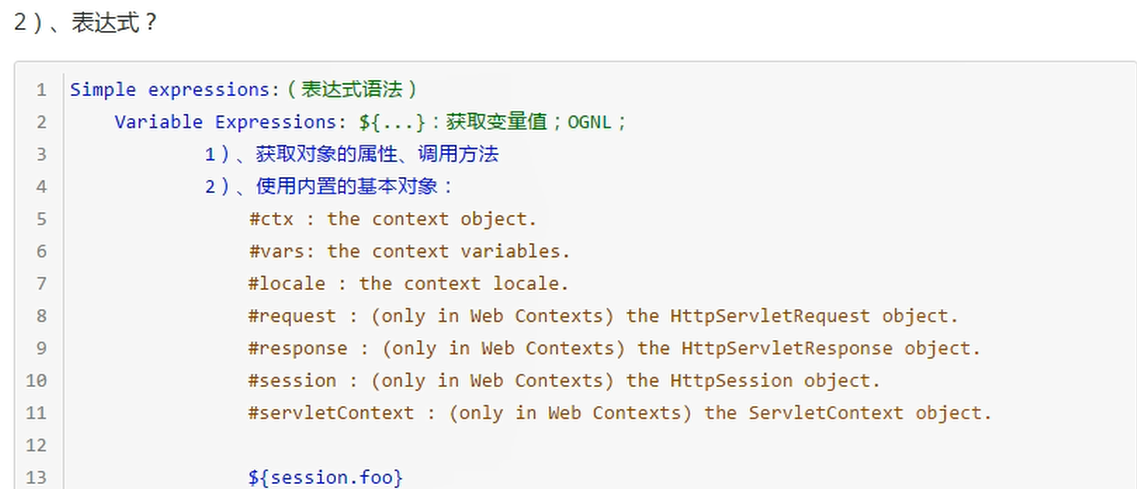
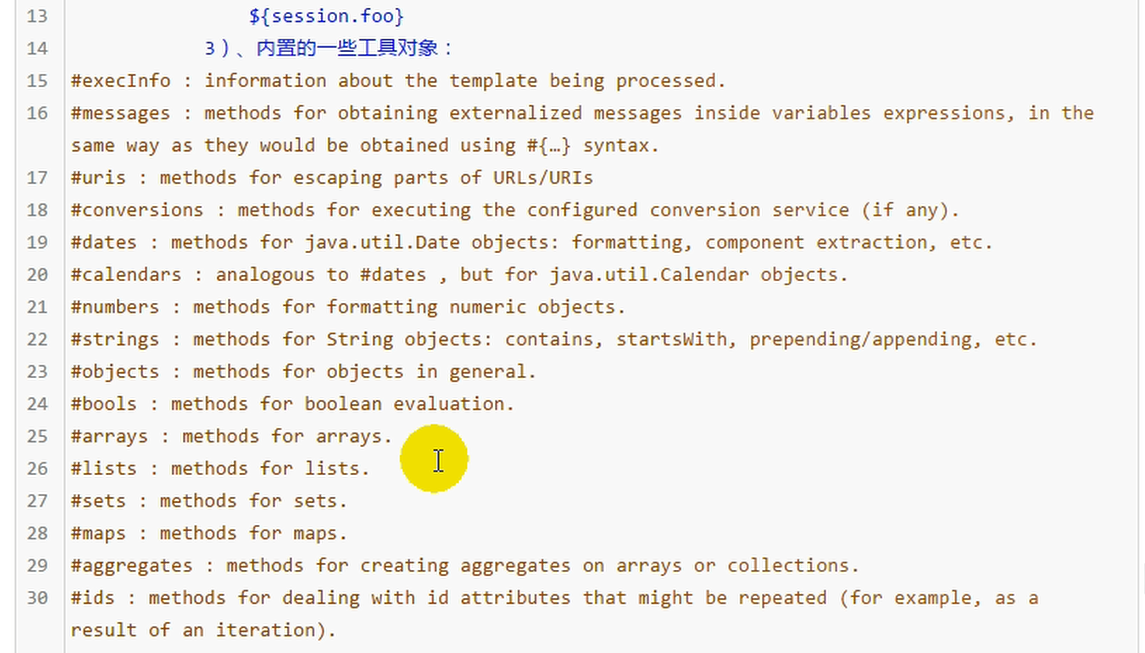
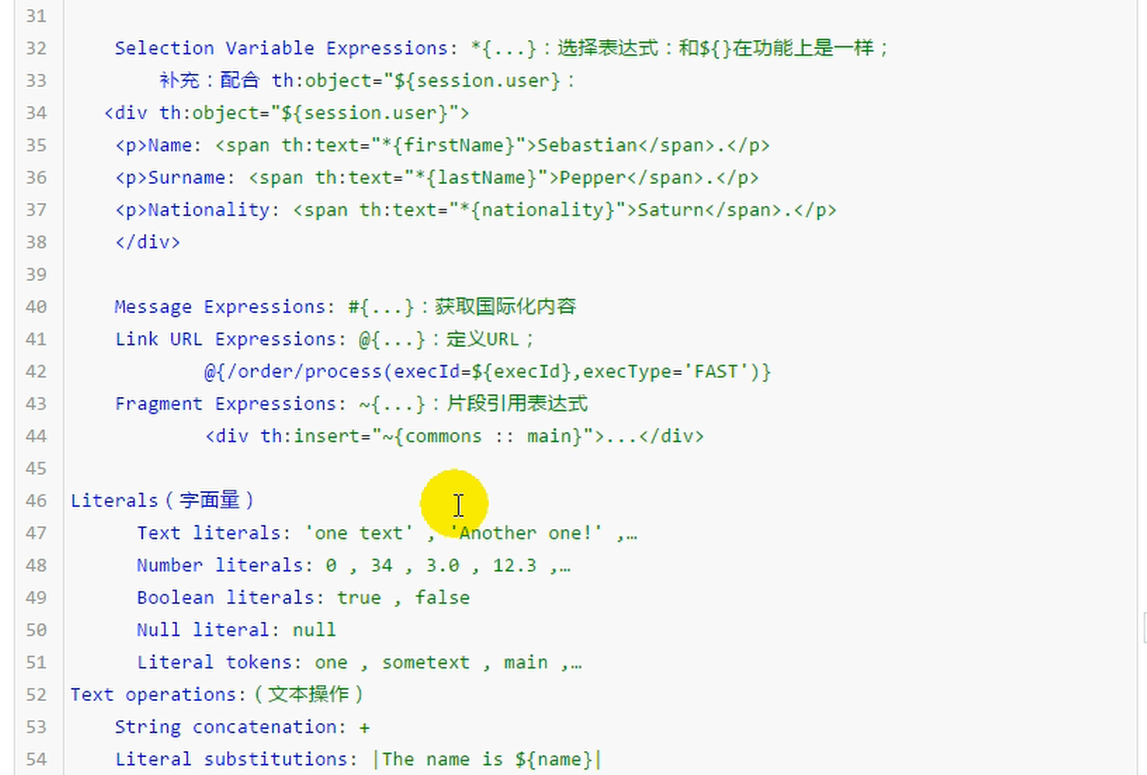
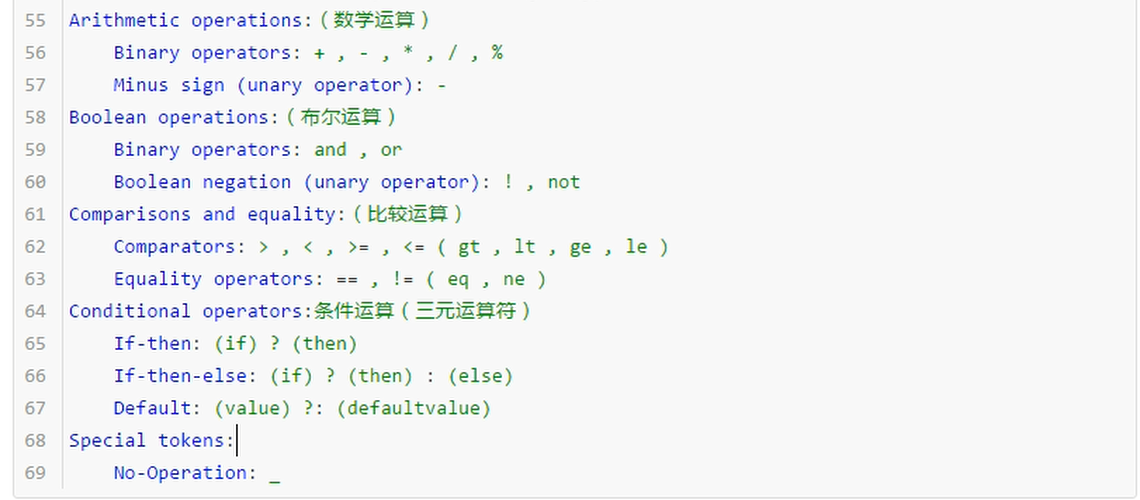
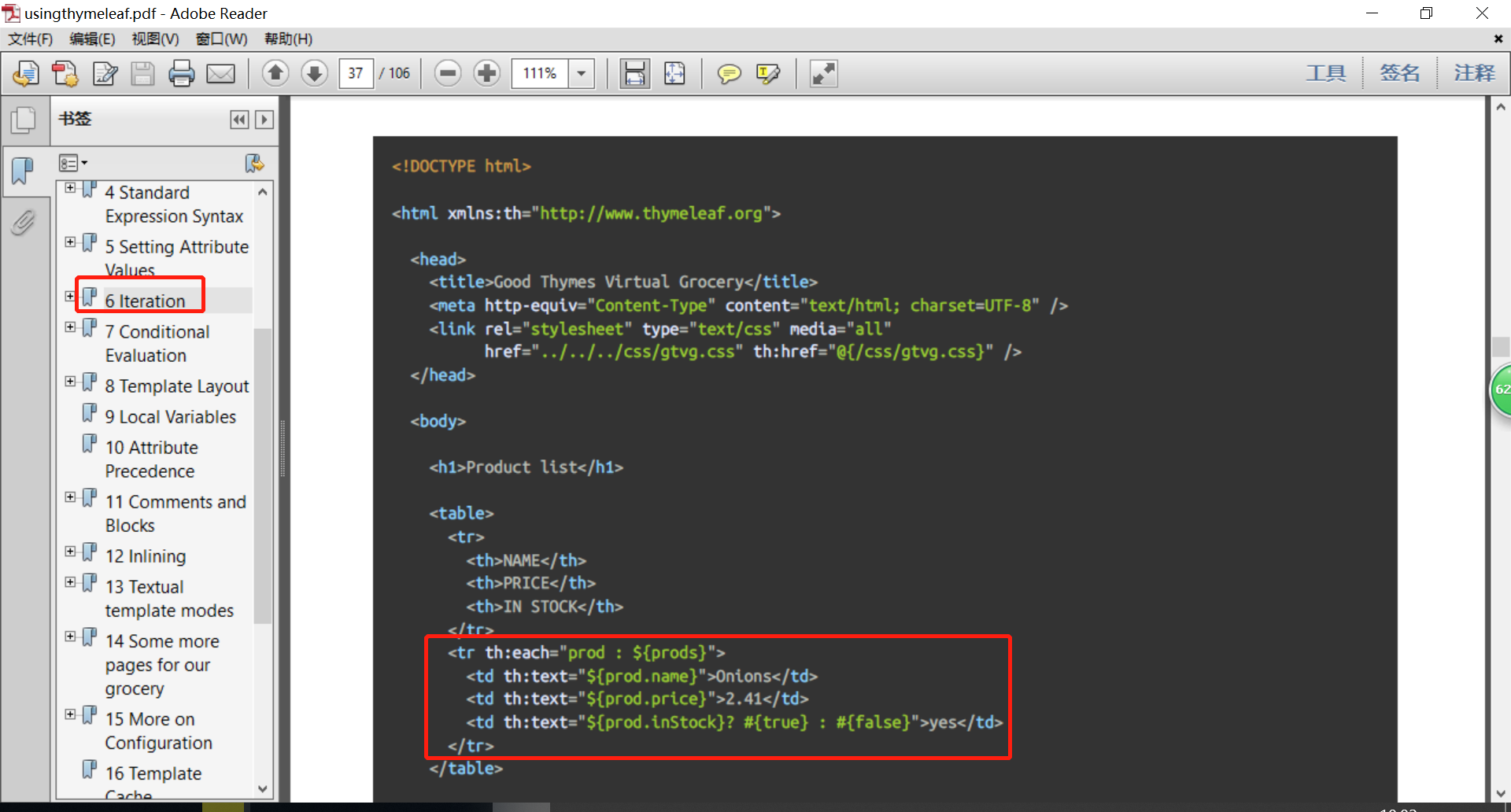
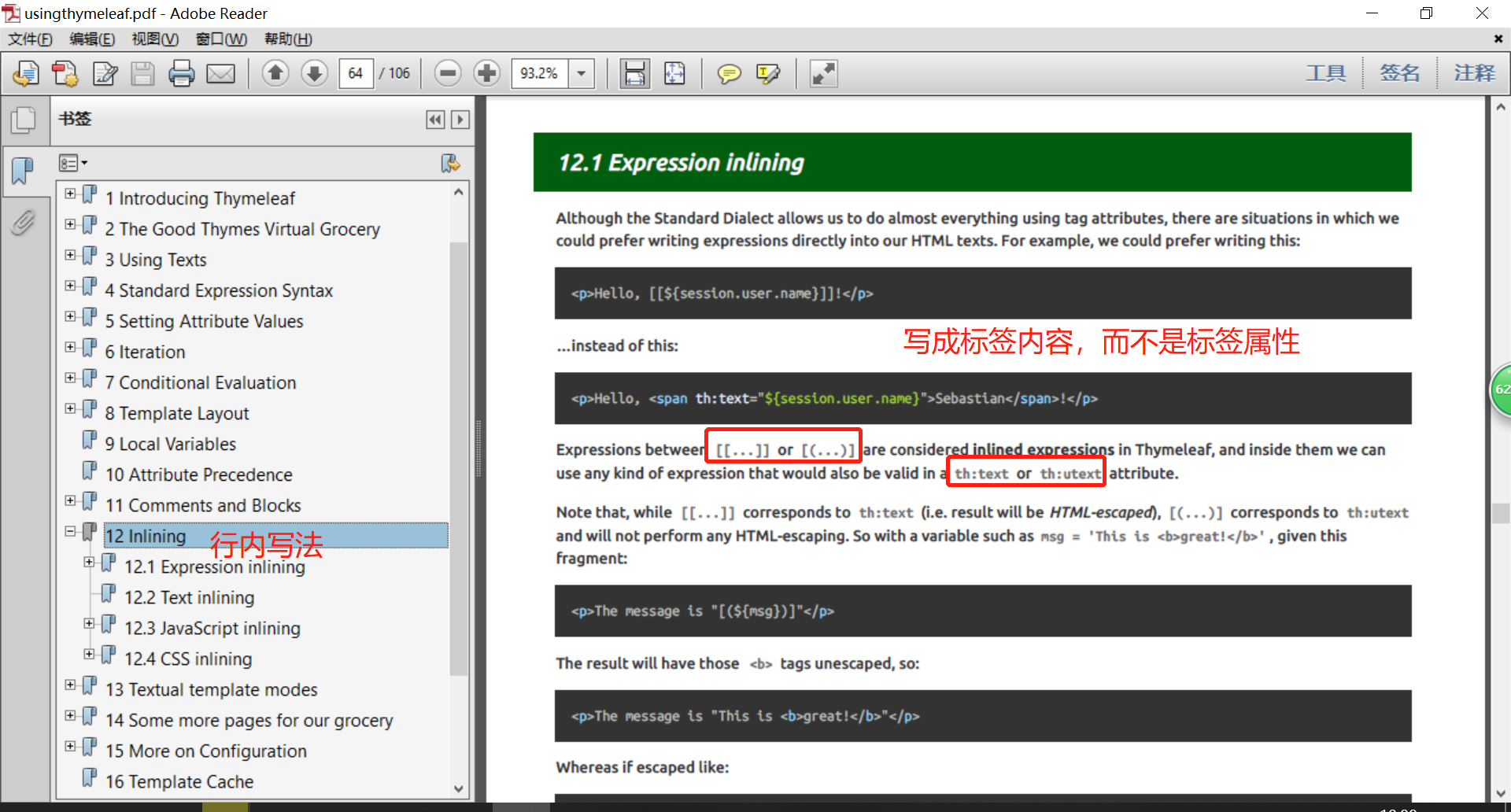
Thymeleaf官方文档:属性优先级
<!DOCTYPE html>

<html  lang="en" xmlns:th="http://www.thymeleaf.org">

<head>

    <meta charset="UTF-8">

    <title>成功</title>

</head>

<body>

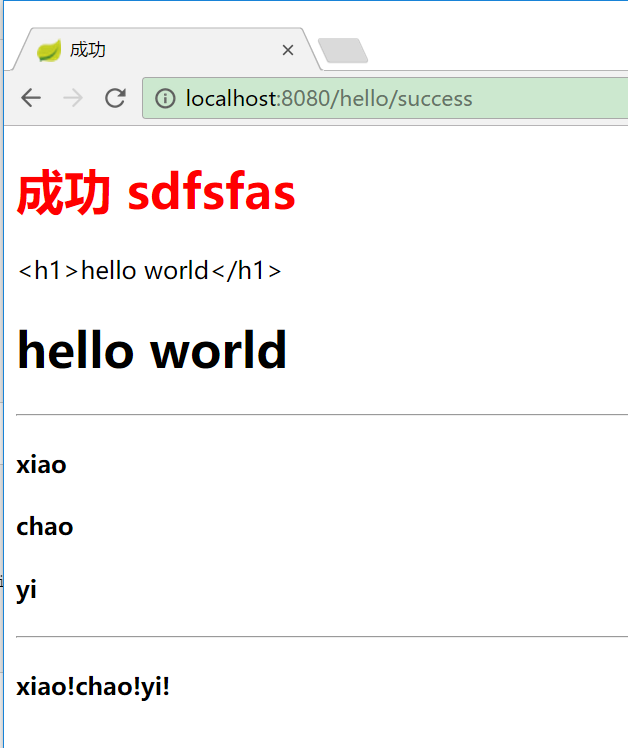
    <h1><font color="red"> 成功 sdfsfas</font></h1>

    <div th:text="${result}"></div>

    <div th:utext="${result}"></div>

<hr>

    <!-- 生成4个h4标签-->

<h4 th:text="${user}" th:each="user:${users}"></h4>

<hr>

<h4>

    <!-- 生产3个span标签-->

   <span th:each="user:${users}">[[${user}]]!</span>

</h4>

</body>

</html>
    @RequestMapping("/success")

    public String success(Map<String,Object> map) {

        map.put("result","<h1>hello world</h1>");

        map.put("users", Arrays.asList("xiao","chao","yi"));

        return "success";

    }
IDEA 会有提示
8.SpringBoot 模板引擎 Thymeleaf的更多相关文章
- SpringBoot:模板引擎 thymeleaf、ContentNegotiatingViewResolver、格式化转换器
目录 模板引擎 thymeleaf ContentNegotiatingViewResolver 格式化转换器 模板引擎 thymeleaf.ContentNegotiatingViewResolve ...
- Spring Boot (四)模板引擎Thymeleaf集成
一.Thymeleaf介绍 Thymeleaf是一种Java XML / XHTML / HTML5模板引擎,可以在Web和非Web环境中使用.它更适合在基于MVC的Web应用程序的视图层提供XHTM ...
- 新一代Java模板引擎Thymeleaf
新一代Java模板引擎Thymeleaf-spring,thymeleaf,springboot,java 相关文章-天码营 https://www.tianmaying.com/tutorial/u ...
- SpringBoot系列:Spring Boot使用模板引擎Thymeleaf
一.Java模板引擎 模板引擎(这里特指用于Web开发的模板引擎)是为了使用户界面与业务数据(内容)分离而产生的,它可以生成特定格式的文档,用于网站的模板引擎就会生成一个标准的HTML文档. 在jav ...
- SpringBoot入门系列(四)整合模板引擎Thymeleaf
前面介绍了Spring Boot的优点,然后介绍了如何快速创建Spring Boot 项目.不清楚的朋友可以看看之前的文章:https://www.cnblogs.com/zhangweizhong/ ...
- SpringBoot入门:新一代Java模板引擎Thymeleaf(理论)
Spring Boot 提供了spring-boot-starter-web来为Web开发予以支持,spring-boot-starter-web为我们提供了嵌入的Tomcat以及SpringMVC的 ...
- springboot:Java模板引擎Thymeleaf介绍
Thymeleaf是一款用于渲染XML/XHTML/HTML5内容的模板引擎.类似JSP,Velocity,FreeMaker等,它也可以轻易的与Spring MVC等Web框架进行集成作为Web应用 ...
- 模板引擎Thymeleaf
1.Thymeleaf简介 Thymeleaf 是一个跟 Velocity.FreeMarker 类似的模板引擎,它可以完全替代 JSP .相较与其他的模板引擎,它有如下三个极吸引人的特点 Thyme ...
- Spring Boot中使用模板引擎Thymeleaf
一.Thymeleaf简介 Thymeleaf[taɪm lif],百里香叶,是一个流行的模板引擎,该模板引擎采用Java语言开发.Java中常见的模板引擎有Velocity.Freemaker.Th ...
随机推荐
- PP-物料清单用户处理手册
1 系统操作时间 1. 新旧物料的替换需有BOM的产生2. BOM中组件发生变化时需有BOM的更改2 系统操作权限角色编码 角色名称Z:PP_PS_007_1000_200 PP主数据维护员 3 适应 ...
- 关于ArcGIS常用功能的实现
关于ArcGIS中常见的一些功能的总结,一般首先在前台中放置地图,代码如下所示: <esri:Map Grid.Row="0" Grid.Column="0&quo ...
- 自学Aruba6.2-控制器基本维护操作(web页面配置)
点击返回:自学Aruba之路 自学Aruba6.2-控制器基本维护操作(web页面配置) 1 显示当前控制器版本 Dashboard---Controller中 2 升级Aruab os版本 Main ...
- 【BZOJ1879】[SDOI2009]Bill的挑战(动态规划)
[BZOJ1879][SDOI2009]Bill的挑战(动态规划) 题面 BZOJ 洛谷 题解 本来还想着容斥来着,这个数据范围直接暴力就好.设\(f[i][S]\)表示当前填到了第\(i\)位,和\ ...
- 【原创】python多线程测试接口性能
除了使用性能测试工具进行性能测试,我们也可以直接用python多线程进行性能测试. 下面,使用这几个模块,对一个查询接口做性能测试: requests:发送http请求 json:返回的字符串转换成j ...
- 【洛谷P2261】余数求和
题目大意:给定 n, k,求\(\sum\limits_{i=1}^n k\%n\) 的值. 题解:除法分块思想的应用. \(x\%y=x-y\lfloor {x\over y}\rfloor\),因 ...
- .net Forms身份验证不能用在应用的分布式部署中吗?
参照网上的一些方法,使用Forms身份验证对应用进行分布式部署,发现没有成功. 应用部署的两台内网服务器:192.168.1.19,192.168.1.87,使用Nginx做负载分配,配置完全相同:每 ...
- Failed to load because no supported source was found
Uncaught (in promise) DOMException: Failed to load because no supported source was found? 等待解决:
- 二进制手动部署kubernetes 1.10.10
转载于:https://www.jevic.cn/2018/09/23/kuberentes-1.10.10/?tdsourcetag=s_pcqq_aiomsg#heapster 通读一遍在实际操作 ...
- Python练习1
一.linux,基于文件大小,创建时间,修改时间,文件内容,文件名称等进行查找汇总和输出 2019-01-04 只操作文本文件 #!/usr/bin/env python # -*- coding: ...