
Linux CentOS7 VMware 安装PHP5 、安装PHP7
一、安装PHP5
PHP官网www.php.net 当前主流版本为5.6/7.1
cd /usr/local/src/
wget http://cn2.php.net/distributions/php-5.6.30.tar.gz
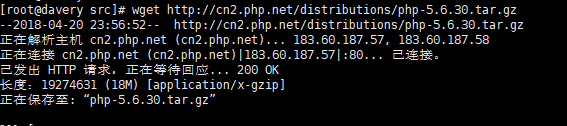
tar zxvf php-5.6.30.tar.gz

cd php-5.6.30
./configure --prefix=/usr/local/php --with-apxs2=/usr/local/apache2.4/bin/apxs --with-config-file-path=/usr/local/php/etc --with-mysql=/usr/local/mysql --with-pdo-mysql=/usr/local/mysql --with-mysqli=/usr/local/mysql/bin/mysql_config --with-libxml-dir --with-gd --with-jpeg-dir --with-png-dir --with-freetype-dir --with-iconv-dir --with-zlib-dir --with-bz2 --with-openssl --with-mcrypt --enable-soap --enable-gd-native-ttf --enable-mbstring --enable-sockets --enable-exif
报错

yum install -y libxml2-devel

yum install -y openssl openssl-devel

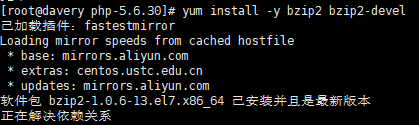
yum install -y bzip2 bzip2-devel
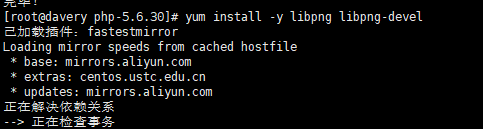
yum install -y libpng libpng-devel
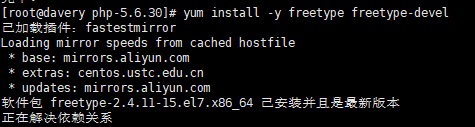
yum install -y freetype freetype-devel
yum install -y epel-release

yum -y install libjpeg-devel

报错centos里面没有libmcrypt,只能下载
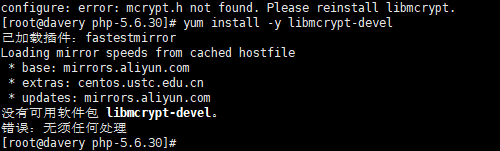 libmcrypt
libmcrypt http://sourceforge.net/project/showfiles.php?group_id=87941&package_id=91774&release_id=487459
mhash http://sourceforge.net/project/showfiles.php?group_id=87941&package_id=91948&release_id=642101
mcrypt :http://sourceforge.net/project/showfiles.php?group_id=4286&package_id=4300&release_id=645636
三者缺一不可
安装libmcrypt
#tar -zxvf libmcrypt-2.5.8.tar.gz

#cd libmcrypt-2.5.8

#./configure

#make&&make install 说明:libmcript默认安装在/usr/local
安装mhash
#tar -zxvf mhash-0.9.9.9.tar.gz

#cd mhash-0.9.9.9

#./configure

#make && make install
安装mcrypt
#tar -zxvf mcrypt-2.6.8.tar.gz

#cd mcrypt-2.6.8

#LD_LIBRARY_PATH=/usr/local/lib ./configure

#make && make install
最后安装
cd ..
cd php-5.6.30
./configure --prefix=/usr/local/php --with-apxs2=/usr/local/apache2.4/bin/apxs --with-config-file-path=/usr/local/php/etc --with-mysql=/usr/local/mysql --with-pdo-mysql=/usr/local/mysql --with-mysqli=/usr/local/mysql/bin/mysql_config --with-libxml-dir --with-gd --with-jpeg-dir --with-png-dir --with-freetype-dir --with-iconv-dir --with-zlib-dir --with-bz2 --with-openssl --with-mcrypt --enable-soap --enable-gd-native-ttf --enable-mbstring --enable-sockets --enable-exif
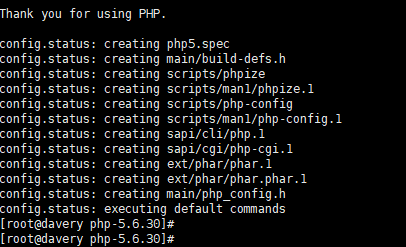
安装完成
make && make install
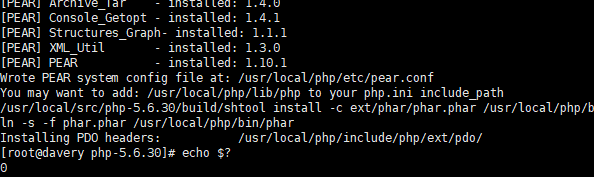


cp php.ini-production /usr/local/php/etc/php.ini 配置文件路径

二、安装PHP7
cd /usr/local/src/
wget http://cn2.php.net/distributions/php-7.1.6.tar.bz2
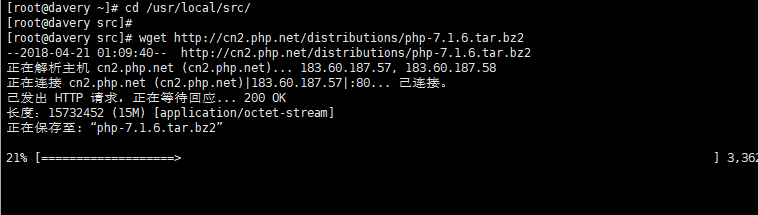
tar zxf php-7.1.6.tar.bz2 报错

tar jxvf php-7.1.6.tar.bz2

cd php-7.1.6
./configure --prefix=/usr/local/php7 --with-apxs2=/usr/local/apache2.4/bin/apxs --with-config-file-path=/usr/local/php7/etc --with-pdo-mysql=/usr/local/mysql --with-mysqli=/usr/local/mysql/bin/mysql_config --with-libxml-dir --with-gd --with-jpeg-dir --with-png-dir --with-freetype-dir --with-iconv-dir --with-zlib-dir --with-bz2 --with-openssl --with-mcrypt --enable-soap --enable-gd-native-ttf --enable-mbstring --enable-sockets --enable-exif

make && make install


ls /usr/local/apache2.4/modules/libphp7.so
cp php.ini-production /usr/local/php7/etc/php.ini

Linux CentOS7 VMware 安装PHP5 、安装PHP7的更多相关文章
- Linux CentOS7 VMware 安装软件包的三种方法、rpm包介绍、rpm工具用法、yum工具用法、yum搭建本地仓库
一.安装软件包的三种方法 Linux下游三种安装方法,rpm工具.yum工具.源码包.rpm按装一个程序包时,有可能因为该程序包依赖另一个程序包而无法安装:yum工具,可以连同依赖的程序包一起安装. ...
- Linux CentOS7系统中php安装配置
本篇讲解如何配置php开发环境,让你的php代码可以正常的在网页中运行. 准备工作 linux centos7操作系统 ssh软件 nginx php资源 想要了解更多关于php的内容,请访问: ph ...
- linux(centos7) nginx php mysql安装
环境: linux:centos7 php:7.0 基础命令 // yum install -y lrzsz // centos7 默认已安装yum install epel-release ngin ...
- Linux CentOS7系统中phpMyAdmin安装配置
今天介绍的是如何在Linux CentOS7系统中配置phpMyAdmin. 目录 环境准备 安装包 基本设置 网站预览 环境准备 linux centos7系统 ssh软件 php语言环境 mysq ...
- Linux CentOS7系统中mysql8安装配置
mysql是世界上最流行的关系型数据库管理系统,由瑞典MySQL AB公司开发,目前属于Oracle公司所有.今天我将记录一下如何在Linux centos7系统上安装和配置MySQL. 目录 环境准 ...
- 安装PHP5和PHP7
5月25日任务 课程内容: 11.10/11.11/11.12 安装PHP511.13 安装PHP7php中mysql,mysqli,mysqlnd,pdo到底是什么http://blog.csdn. ...
- 在Apache中安装php5.6 & php7.3
1.下载 httpd-2.4.41-win64-VC15.zip.php5.6 + vc11. php7.3 + vc14-16 2.配置httpd,在 httpd.conf L180 添加如下 ...
- Linux centos7编译源码安装redis
1.安装准备 ① 由于redis底层用c语言编写的,安装redis需要先将官网下载的源码进行编译,编译依赖make和gcc环境,如果没有则需要安装(一般系统中已经装了了make和gcc,无须再装) 安 ...
- 关于linux centos7 vmware 和windows7 文件共享笔记
本方法是以win7,VMware9.0.1 ,centos6.4为基础实验的. 对于linux的初级使用阶段,都会Windows中使用linux虚拟机VMWare或者其它的.在Windows与linu ...
随机推荐
- MyBatis-Spring整合之方式4
直接删除Mybatis的配置文件,修改Beans.xml文件的sqlSessionFactory的参数内容,如下: <!--配置sqlSessionFactory--> <bean ...
- Unity生成的WebGL如何在浏览器中运行
前言:以为在学完了COMP30019后,应该不会再接触Unity了,没想到之后实习让我去做把一个Unity项目转到WebGL,而关于Unity的WebGL资料很少,基本除了Unity的Manual就只 ...
- 解析C语言编程对缓冲区的理解
转载自:http://soft.chinabyte.com/database/47/12481547.shtml 下面介绍缓冲区的知识. 一.什么是缓冲区 缓冲区又称为缓存,它是内存空间的一部分.也就 ...
- go get下载包失败问题
文章引用自 解决go get下载包失败问题 从github克隆 golang在github上建立了一个镜像库,如https://github.com/golang/net就对应是 https://go ...
- JSON parse error: default constructor not found. class java.time.YearMonth; nested exception is com.alibaba.fastjson.JSONException: default constructor not found. class java.time.YearMonth
java8新出的YearMonth可以方便的用来表示某个月.我的项目中使用springmvc来接收YearMonth类型的数据时发现 x-www-from-urlencoded 格式的数据可以使用&q ...
- 【IO多路复用】
" 目录 一.IO模型介绍 二.阻塞IO(blocking IO) 三.非阻塞IO(non-blocking IO) 四.多路复用IO(IO multiplexing) 五.异步IO(Asy ...
- RemoteView设置高度
刚开始内层LinearLayout直接用 android:layout_height="match_parent" <?xml version="1.0" ...
- ASP.NET FileUpload 上传文件类型验证
验证的核心方法: public static bool IsAllowedExtension(FileUpload hifile) { //原方法是这样的,会提示找不到文件 //System.IO.F ...
- HDU5444 Elven Postman
按要求递归建树输出~ #include<cstdio> #include<algorithm> #include<cstring> using namespace ...
- K8S的安装
两种方式安装k8s: 传统方式,使用二进制. 优点:能够让我们更清楚k8s的组件关系,可扩展性强,可定制化 缺点:不利于新手部署 使用kubeadm安装 优点:简单,高效 缺点:所有的事情都被kude ...