
CSS - 定位(position),难点
元素的定位属性主要包括定位模式和边偏移两部分。
1. 边偏移
| 边偏移属性 | 描述 |
|---|---|
| top | 顶端偏移量,定义元素相对于其父元素上边线的距离 |
| bottom | 底部偏移量,定义元素相对于其父元素下边线的距离 |
| left | 左侧偏移量,定义元素相对于其父元素左边线的距离 |
| right | 右侧偏移量,定义元素相对于其父元素右边线的距离 |
2. 定位模式(定位的分类)
选择器{position:属性值;}
| 值 | 描述 |
|---|---|
| static | 自动定位(默认定位方式) |
| relative | 相对定位,相对于其原文档流的位置进行定位 |
| absolute | 绝对定位,相对于其上一个已经定位的父元素进行定位 |
| fixed | 固定定位,相对于浏览器窗口进行定位 |
3. 静态定位static
3.1 静态定位是所有元素的默认定位方式,当position属性的取值为static时,可以将元素定位于静态位置。 所谓静态位置就是各个元素在HTML文档流中默认的位置。(标准流特性)
3.2 静态定位状态下,无法通过边偏移属性(top、bottom、left或right)来改变元素的位置。
3.3 静态定位唯一的用处就是取消定位。 position: static;
4. 相对定位relative(自恋)
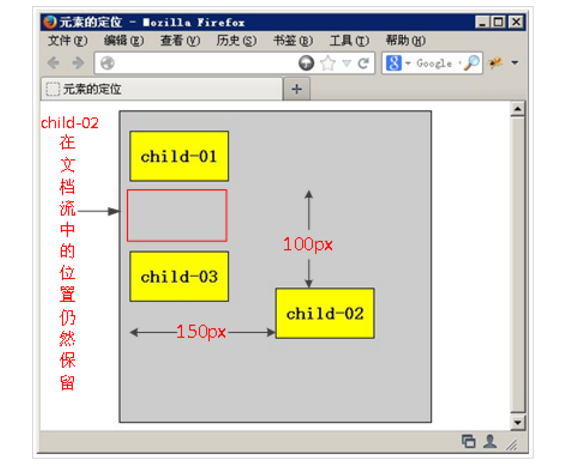
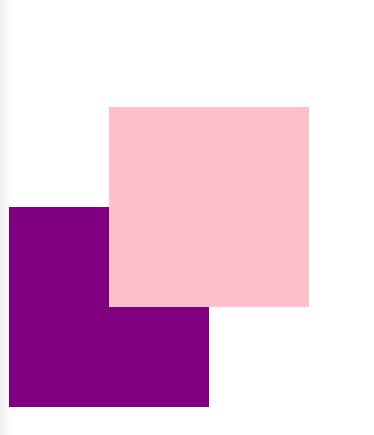
4.1 相对定位是将元素相对于它在标准流中的位置进行定位
4.2 对元素设置相对定位后,可以通过边偏移属性改变元素的位置,但是它在文档流中的位置仍然保留。https://segmentfault.com/a/1190000011395218,https://stackoverflow.com/questions/26560303/does-setting-position-to-relative-on-a-div-takes-it-out-of-document-flow。
4.3 相对定位的盒子仍在标准流中,它后面的盒子仍以标准流方式对待它。(相对定位不脱标)
4.4 如果说浮动的主要目的是让多个块级元素一行显示,那么定位的主要价值就是移动位置,让盒子到我们想要的位置上去。
<!DOCTYPE html>

<html lang="en">

<head>

	<meta charset="UTF-8">

	<title>Document</title>

	<style>

	div {

		width: 200px;

		height: 200px;

		background-color: pink;

	}

	.top {

/*        注释这条看看*/

		position: relative;

		top: 100px;

		left: 100px;

	}

	.bottom {

		background-color: purple;

	}

	</style>

</head>

<body>

	<div class="top"></div>

	<div class="bottom"></div>

</body>

</html>
5. 绝对定位absolute(拼爹)
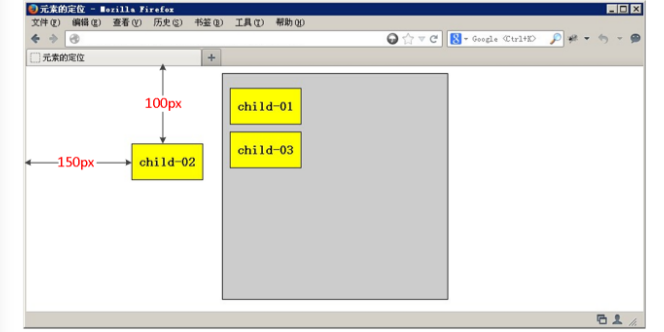
5.1 相对于其上一个已经定位的父元素进行定位
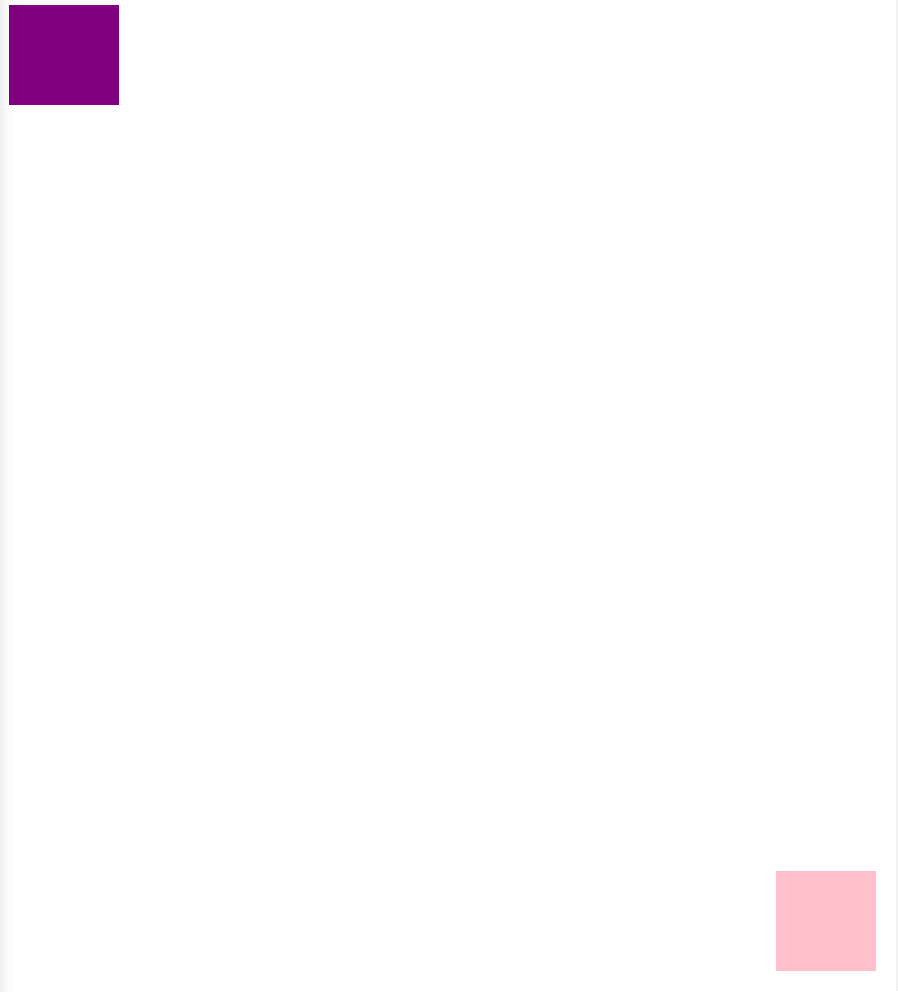
5.2 可以通过边偏移移动位置,但是它完全脱标,完全不占位置。
5.3 若所有父元素都没有定位,以浏览器当前屏幕为准对齐(document文档)。
<!DOCTYPE html>

<html lang="en">

<head>

	<meta charset="UTF-8">

	<title>Document</title>

	<style>

	body {

		height: 2000px;

	}

	div {

		width: 100px;

		height: 100px;

		background-color: pink;

		/*position: absolute;

		top: 10px;

		left: 10px;*/

	}

	.top {

/*        注释看看*/

		position: absolute;

/*        脱标,不占位置 跟浮动一样*/

		right: 20px;

		bottom: 20px;

	}

	.bottom {

		background-color: purple;

		width: 110px;

	}

	</style>

</head>

<body>

	<div class="top"></div>

	<div class="bottom"></div>

</body>

</html>
<!DOCTYPE html>

<html lang="en">

<head>

	<meta charset="UTF-8">

	<title>Document</title>

	<style>

	.father {

		width: 500px;

		height: 500px;

		background-color: pink;

		margin: 100px;

/*        position: relative;*/

	}

	.son {

		width: 200px;

		height: 200px;

		background-color: purple;

/*        注释看看*/

		position: absolute;

		top: 50px;

		left: 50px;

		/*若所有父元素都没有定位,以浏览器当前屏幕为准对齐(document文档)。*/

	}

	</style>

</head>

<body>

	<div class="father">

		<div class="son"></div>

	</div>

</body>

</html>
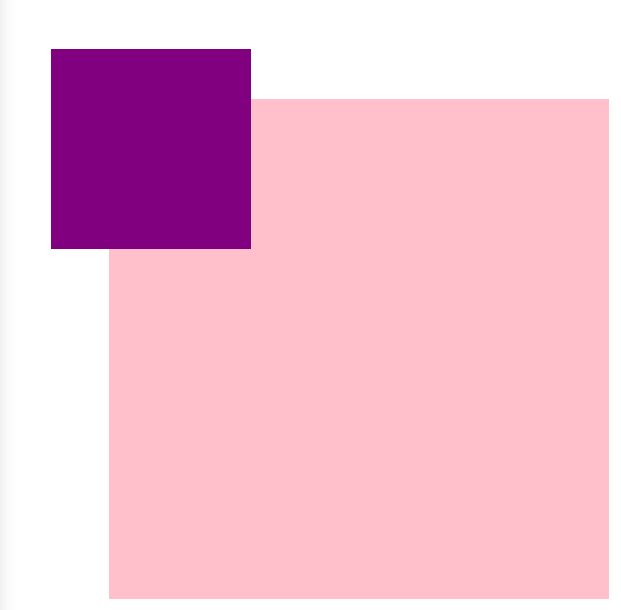
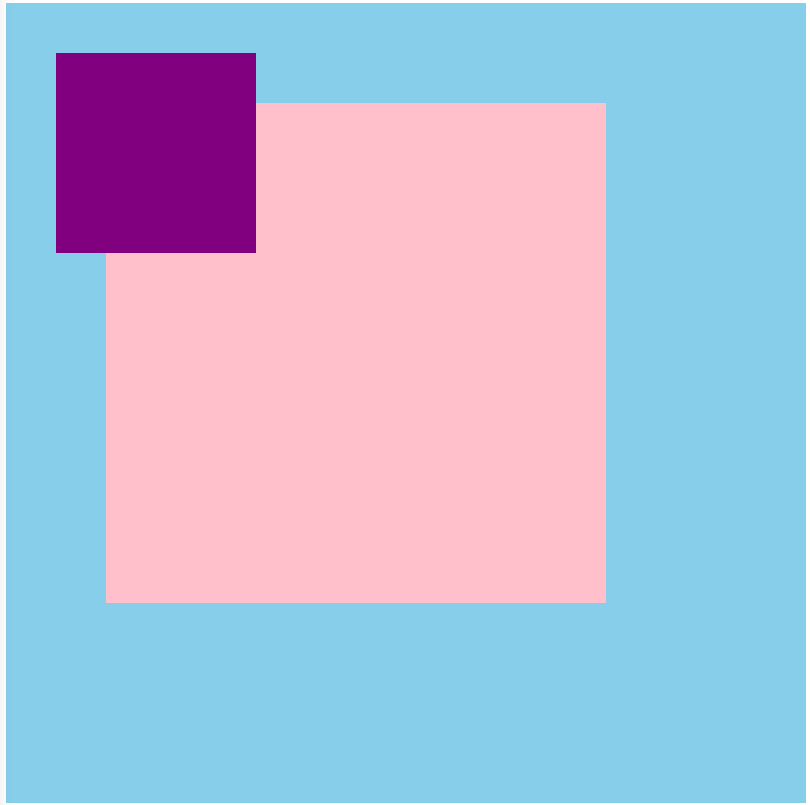
5.4 若父元素都有定位,绝对定位是将元素依据最近的已经定位(绝对、固定或相对定位)的父元素(祖先)进行定位。
<!DOCTYPE html>

<html lang="en">

<head>

	<meta charset="UTF-8">

	<title>Document</title>

	<style>

	.grandfather {

		width: 800px;

		height: 800px;

		background-color: skyblue;

		position: absolute;

	}

	.father {

		width: 500px;

		height: 500px;

		background-color: pink;

		margin: 100px;

/*		position: absolute;*/

	}

	.son {

		width: 200px;

		height: 200px;

		background-color: purple;

		position: absolute;

		top: 50px;

		left: 50px;

		/*若所有父元素都没有定位,以浏览器当前屏幕为准对齐(document文档)。*/

	}

	</style>

</head>

<body>

<div class="grandfather">

	<div class="father">

		<div class="son"></div>

	</div>

</div>

</body>

</html>
6. 子绝父相,最合适的搭配(相对定位不脱标,绝对定位脱标)
6.1 子级是绝对定位的话, 父级要用相对定位。
6.2 看上面的5.4,子级是绝对定位,父亲只要是定位即可(不管父亲是绝对定位还是相对定位,甚至是固定定位都可以),就是说, 子绝父绝,子绝父相都是正确的。
6.3 因为子级是绝对定位,不会占有位置,可以放到父盒子里面的任何一个地方。父盒子布局时,需要占有位置,因此父亲只能是相对定位(不脱标)。这就是子绝父相的由来。
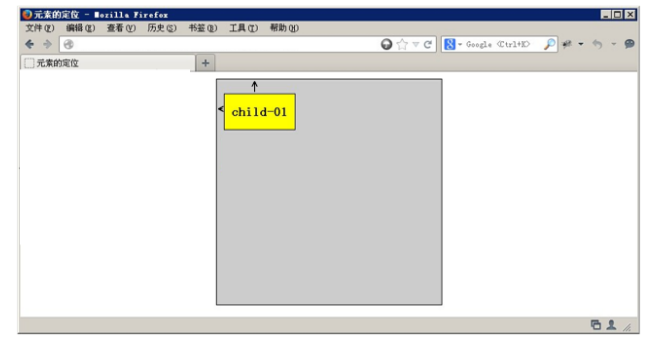
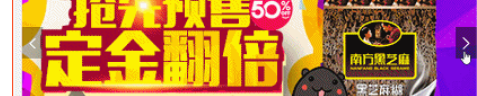
这两个箭头(左移动,右移动)是子绝。
可以实现,小黄色块可以在图片上移动
左右箭头压住图片
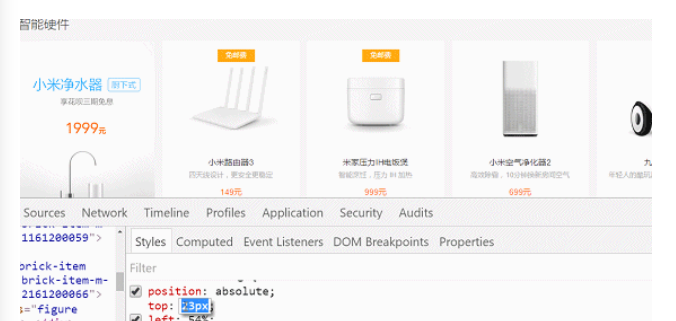
hot 在盒子外面多出一块


7. 绝对定位是完全脱标,浮动是半脱标
<!DOCTYPE html>

<html lang="en">

<head>

    <meta charset="UTF-8">

    <title>Document</title>

    <style>

        * {

            margin: 0;

            padding: 0;

        }

        div {

            width: 200px;

            height: 200px;

            background-color: pink;

        }

        .top {

            /*            float不是完全脱标,文字,图片还可以看*/

            float: left;

            /*        position: absolute;*/

            /*绝对定位是完全脱标,看不到文字,图片*/

        }

        .bottom {

            background-color: purple;

        }

    </style>

</head>

<body>

    <div class="top">123123</div>

    <div class="bottom">adsfadfasdfasdfasdf</div>

</body>

</html>
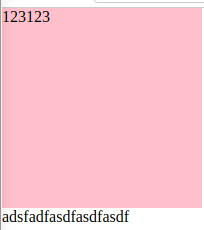
浮动,能看到文字
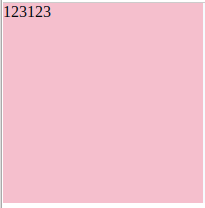
绝对定位,看不到文字
8. 绝对定位水平居中
8.1 普通的盒子是左右margin 改为 auto就可, 但是对于绝对定位就无效了
8.2 定位的盒子也可以水平或者垂直居中,算法如下
8.3 首先left 50% 父盒子的一半大小
8.4 外边距margin设置为自己盒子大小的负一半 margin-left
<!DOCTYPE html>

<html lang="en">

<head>

	<meta charset="UTF-8">

	<title>Document</title>

	<style>

	div {

		width: 200px;

		height: 200px;

		background-color: pink;

/*		margin: 100px auto;*/

/*		float: left;*/

		position: absolute;

		/*加了定位 浮动的的盒子  margin 0 auto 失效了*/

		left: 50%;

		margin-left: -100px;

		top: 50%;

		margin-top: -100px;

	}

	</style>

</head>

<body>

	<div></div>

</body>

</html>
9. 固定定位fixed
9.1 固定定位的元素跟父亲没有任何关系,只认浏览器。
9.2 固定定位完全脱标,不占有位置,不随着滚动条滚动。
10. 叠放次序(z-index)
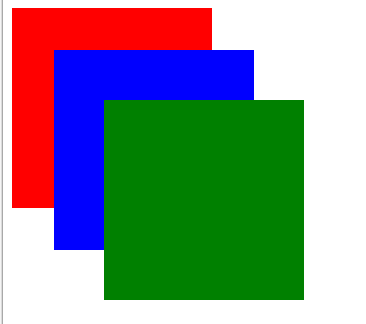
10.1 要想调整重叠定位元素的堆叠顺序,可以对定位元素应用z-index层叠等级属性,其取值可为正整数、负整数和0。例如 z-index: 3; font-weight: 700
10.2 z-index的默认属性值是0,取值越大,定位元素在层叠元素中越居上。
10.3 如果取值相同,则根据书写顺序,后来居上。
10.4 后面数字一定不能加单位。
10.5 只有相对定位,绝对定位,固定定位有此属性,其余标准流,浮动,静态定位都无此属性,亦不可指定此属性。
例子1.
<!DOCTYPE html>

<html lang="en">

<head>

	<meta charset="UTF-8">

	<title>Document</title>

	<style>

	div {

		width: 200px;

		height: 200px;

		background-color: red;

		position: absolute;

/*		z-index: 0;  只有定位的盒子才有*/

	}

	.red {

		z-index: 1;

	}

	.blue {

		background-color: blue;

		left: 50px;

		top: 50px;

		z-index: 2;

	}

	.green {

		background-color: green;

		left: 100px;

		top: 100px;

		z-index: 999;

	}

	</style>

</head>

<body>

	<div class="red"></div>

	<div class="blue"></div>

	<div class="green"></div>

</body>

</html>
例子2. 因为先float(使多个元素显示在同一行),然后margin-left左移1,右边div的左边压着左边的div的右边,所以hover左边的div时显示不出左边div的右边。
<!DOCTYPE html>

<html lang="en">

<head>

	<meta charset="UTF-8">

	<title>Document</title>

	<style>

	div {

		width: 250px;

		height: 400px;

		border: 1px solid #ccc;

		float: left;

/*        margin-left: -1px消除边框重叠*/

		margin-left: -1px;

/*		position: relative;*/

		/*z-index: 0;*/

	}

	div:hover {

		border: 1px solid #f40;

		/*position: relative; 相对定位比标准流高一级 浮在上面的*/

/*		z-index: 1;*/

	}

	</style>

</head>

<body>

	<div></div>

	<div></div>

	<div></div>

	<div></div>

	<div></div>

</body>

</html>
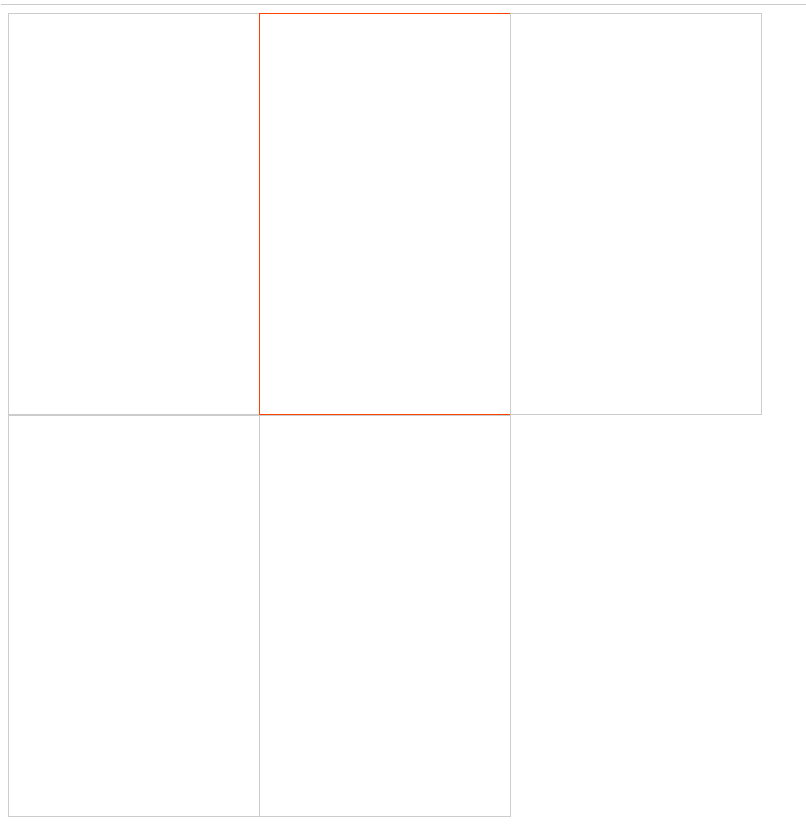
解决方法为设置z-index,使用z-index的前提先设置position
<!DOCTYPE html>

<html lang="en">

<head>

	<meta charset="UTF-8">

	<title>Document</title>

	<style>

	div {

		width: 250px;

		height: 400px;

		border: 1px solid #ccc;

		float: left;

/*        margin-left: -1px消除边框重叠*/

		margin-left: -1px;

/*		position: relative;*/

		/*z-index: 0;*/

	}

	div:hover {

		border: 1px solid #f40;

		position: relative; 相对定位比标准流高一级 浮在上面的

		z-index: 1;

	}

	</style>

</head>

<body>

	<div></div>

	<div></div>

	<div></div>

	<div></div>

	<div></div>

</body>

</html>
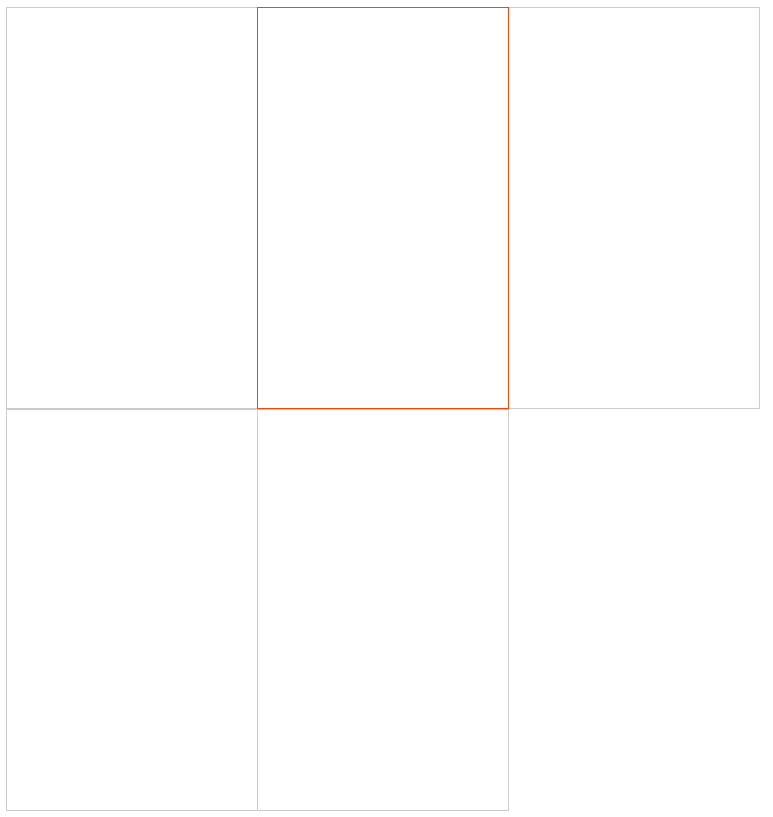
11. 定位模式转换
跟浮动一样,元素添加了绝对定位和固定定位之后, 元素模式也会发生转换,都转换为行内块(inline-block)模式
因此,行内元素如果添加了绝对定位或者固定定位后(或者浮动后),可以不用转换模式,直接设置width和height
12. 四种定位总结
| 定位模式 | 是否脱标占有位置 | 是否可以使用边偏移 | 移动位置基准 |
|---|---|---|---|
| 静态static | 不脱标,正常模式 | 不可以 | 正常模式 |
| 相对定位relative | 不脱标,占有位置 | 可以 | 相对自身位置移动(自恋型) |
| 绝对定位absolute | 完全脱标,不占有位置 | 可以 | 相对于定位父级移动位置(拼爹型) |
| 固定定位fixed | 完全脱标,不占有位置 | 可以 | 相对于浏览器移动位置(认死型) |
CSS - 定位(position),难点的更多相关文章
- div+css定位position详解
div+css定位position详解 1.div+css中的定位position 最主要的两个属性:属性 absolute(绝对定位) relative(相对定位),有他们才造就了div+css布局 ...
- 《css定位 position》课程笔记
这是我学习课程css定位 position时做的笔记! 本节内容 html的三种布局方式 position可选参数 z-index 盒子模型和定位的区别 侧边栏导航跟随实例 html的三种布局方式 三 ...
- web前端css定位position和浮动float
最近做了几个项目:配资公司,ecmal商城等,客户对前台要求都很高.所以,今天来谈谈css的基础,以及核心,定位问题. div.h1或p元素常常被称为块级元素.这意味着这些元素显示为一块内容,即“块框 ...
- css定位position认识
1.绝对定位(position: absolute) 2.相对定位(position: relative) 3.固定定位(position: fixed) 绝对定位 设置position:absolu ...
- CSS定位position
position选项来定义元素的定位属性,选项有5个可选值:static.relative.absolute.fixed.inherit 属性值为relative.absolute.fixed时top ...
- css 定位position总结
在CSS中,Position 属性经常会用到,主要是绝对定位和相对定位,简单的使用都没有问题,尤其嵌套起来,就会有些混乱,今记录总结一下,防止久而忘之. CSS position 属性值: absol ...
- css定位position属性深究
1.static:对象遵循常规流.此时4个定位偏移属性不会被应用. 2.relative:对象遵循常规流,并且参照自身在常规流中的位置通过top,right,bottom,left这4个定位偏移属性进 ...
- 【前段开发】10步掌握CSS定位: position static relative absolute float
希望能帮到须要的人,转自:http://www.see-design.com.tw/i/css_position.html 1. position:static 元素的 position 屬性默認值為 ...
- css定位-position
前言 定位的目的就是把元素摆放到指定的位置. 定位上下文:定位元素的大小,位置都是相对于定位上下文的. position属性值有5个值 static:所有有元素定位默认的初始值都是static.就是不 ...
随机推荐
- python中的坎坷之函数、集合
函数 作用:实现一个功能,函数理解成一个工具,遇到问题把这个工具拿来用 优点:函数更方便,复用,可以在多个场景下用 1.带参数的函数 name='lzs-nice' nane.split('-') # ...
- <位运算> 任意二进制数 异或两个相同的二进制数 还是原本的值
二进制,即0与1. 因为两个相同的二进制 异或必为0.(类似于不进位加法) 二进制里与0异或为其原本的0与1.. 可得任意二进制数 异或两个相同的二进制数 还是原本的值. 可用于交换和加密.
- dom4j+反射实现bean与xml的相互转换
由于目前在工作中一直用的dom4j+反射实现bean与xml的相互转换,记录一下,如果有不正确的地方欢迎大家指正~~~ 一.反射机制 在此工具类中使用到了反射技术,所以提前也看了一些知识点,例如:ht ...
- 《MFC dialog中加入OpenGL窗体》
<MFC dialog中加入OpenGL窗体> 最近学习了如何在MFC对话框程序中加入OpenGL窗体的方法,在这里将自己的实现过程归纳一下. 步骤零: 加入PictureControl控 ...
- 2.1.FastDFS-单机拆分版-单机版安装配置
Centos610系列配置 1.什么是FastDFS? FastDFS是一个开源的分布式文件系统,她对文件进行管理,功能包括:文件存储.文件同步.文件访问(文件上传.文件下载)等,解决了大容量存储和负 ...
- 初探three.js几何体-Geometry
three.js几何体我们还没有说完,这一节我们说一说THREE.Geometry(),简单几何体都是继承了这个对象,使用它会相对麻烦一些,但是可操作性非常高,今天我们使用它制作一个自定义几何体-五角 ...
- 【代码总结】MYSQL数据库的常见操作
============================== MYSQL数据库的常见操作 ============================== 一.mysql的连接与关闭 -h:指定所连接的服 ...
- WLC RTU license
目前思科的某些WLC不是一定要license文件去安装,例如这里提到的RTU license. RTU:Right To Use Right to Use (RTU) licensing is a m ...
- mqtt开源服务器 EMQX ,客户端MQTTX5.0,使用指南
服务器 EMQX 官网: https://docs.emqx.io/broker/v3/cn/getstarted.html#mqtt-clients 一.安装启动 # 各平台下载https://ww ...
- floyd的魔改应用——洛谷P2419 [USACO08JAN]牛大赛Cow Contest 题解
想找原题请点击这里:传送门 原题: 题目背景 [Usaco2008 Jan] 题目描述 N ( ≤ N ≤ ) cows, conveniently numbered ..N, are partici ...