
What is a Digital Signature? 理解数字签名与数字证书
What is a Digital Signature?An introduction to Digital Signatures, by David Youd
 Bob |
 |
 (Bob's public key)
|

Bob has been given two keys. One of Bob's keys is called a Public Key, the other is called a Private Key.
| Bob's Co-workers: | ||||
 |
 |
 |
|
Anyone can get Bob's Public Key, but Bob keeps his Private Key to himself |
| Pat | Doug | Susan | ||
Bob's Public key is available to anyone who needs it, but he keeps his Private Key to himself. Keys are used to encrypt information. Encrypting information means "scrambling it up", so that only a person with the appropriate key can make it readable again. Either one of Bob's two keys can encrypt data, and the other key can decrypt that data.
Susan (shown below) can encrypt a message using Bob's Public Key. Bob uses his Private Key to decrypt the message. Any of Bob's coworkers might have access to the message Susan encrypted, but without Bob's Private Key, the data is worthless.
|
|
"Hey Bob, how about lunch at Taco Bell. I hear they have free refills!" |  |
HNFmsEm6Un BejhhyCGKOK JUxhiygSBCEiC 0QYIh/Hn3xgiK BcyLK1UcYiY lxx2lCFHDC/A |
|
|
HNFmsEm6Un BejhhyCGKOK JUxhiygSBCEiC 0QYIh/Hn3xgiK BcyLK1UcYiY lxx2lCFHDC/A | 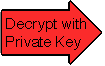 |
"Hey Bob, how about lunch at Taco Bell. I hear they have free refills!" |
With his private key and the right software, Bob can put digital signatures on documents and other data. A digital signature is a "stamp" Bob places on the data which is unique to Bob, and is very difficult to forge. In addition, the signature assures that any changes made to the data that has been signed can not go undetected.
 |
 |
 |
|
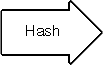
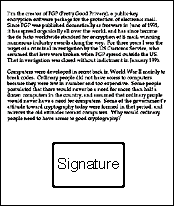
To sign a document, Bob's software will crunch down the data into just a few lines by a process called "hashing". These few lines are called a message digest. (It is not possible to change a message digest back into the original data from which it was created.) |
|
 |
 |
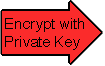
Bob's software then encrypts the message digest with his private key. The result is the digital signature.
|
 |
 |
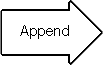
Finally, Bob's software appends the digital signature to document. All of the data that was hashed has been signed.
|
|
|
 |
|
Bob now passes the document on to Pat.
|
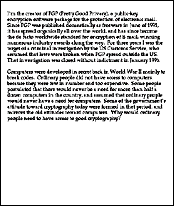
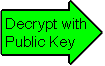
First, Pat's software decrypts the signature (using Bob's public key) changing it back into a message digest. If this worked, then it proves that Bob signed the document, because only Bob has his private key. Pat's software then hashes the document data into a message digest. If the message digest is the same as the message digest created when the signature was decrypted, then Pat knows that the signed data has not been changed. |
Plot complication...
|
Doug (our disgruntled employee) wishes to deceive Pat. Doug makes sure that Pat receives a signed message and a public key that appears to belong to Bob. Unbeknownst to Pat, Doug deceitfully sent a key pair he created using Bob's name. Short of receiving Bob's public key from him in person, how can Pat be sure that Bob's public key is authentic? |
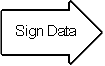
It just so happens that Susan works at the company's certificate authority center. Susan can create a digital certificate for Bob simply by signing Bob's public key as well as some information about Bob.
|
|
 |
|
 |
Now Bob's co-workers can check Bob's trusted certificate to make sure that his public key truly belongs to him. In fact, no one at Bob's company accepts a signature for which there does not exist a certificate generated by Susan. This gives Susan the power to revoke signatures if private keys are compromised, or no longer needed. There are even more widely accepted certificate authorities that certify Susan.
Let's say that Bob sends a signed document to Pat. To verify the signature on the document, Pat's software first uses Susan's (the certificate authority's) public key to check the signature on Bob's certificate. Successful de-encryption of the certificate proves that Susan created it. After the certificate is de-encrypted, Pat's software can check if Bob is in good standing with the certificate authority and that all of the certificate information concerning Bob's identity has not been altered.
Pat's software then takes Bob's public key from the certificate and uses it to check Bob's signature. If Bob's public key de-encrypts the signature successfully, then Pat is assured that the signature was created using Bob's private key, for Susan has certified the matching public key. And of course, if the signature is valid, then we know that Doug didn't try to change the signed content.
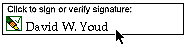
Although these steps may sound complicated, they are all handled behind the scenes by Pat's user-friendly software. To verify a signature, Pat need only click on it.
(c) 1996, David Youd
Permission to change or distribute is at the discretion of the author
Warning: You may be missing a few lines of text if you print this document. This seems to occur on pages following pages that have blank space near the bottom due to moving tables with large graphics in them to the next page so that the images are not split across pages. If this happens to you, simply print out document in sections. (Ex: I have the problem on page 4, so I print pages 1-3, then pages 4-5.)
What is a Digital Signature? 理解数字签名与数字证书的更多相关文章
- 通俗理解数字签名,数字证书和https
最近在开发关于PDF合同文档电子签章的功能,大概意思就是在一份PDF合同上签名,盖章,使其具有法律效应.签章有法律效应必须满足两个条件: 能够证明签名,盖章者是谁,无法抵赖 PDF合同在签章后不能被更 ...
- 转!!通俗理解数字加密,数字签名,数字证书和https
原博文地址:https://www.jianshu.com/p/4932cb1499bf 前言 最近在开发关于PDF合同文档电子签章的功能,大概意思就是在一份PDF合同上签名,盖章,使其具有法律效应. ...
- 数字签名、数字证书的原理以及证书的获得java版
数字签名原理简介(附数字证书) 首先要了解什么叫对称加密和非对称加密,消息摘要这些知识. 1. 非对称加密 在通信双方,如果使用非对称加密,一般遵从这样的原则:公钥加密,私钥解密.同时,一般一个密钥加 ...
- 和安全有关的那些事(非对称加密、数字摘要、数字签名、数字证书、SSL、HTTPS及其他)
转自http://blog.csdn.net/bluishglc/article/details/7585965 对于一般的开发人员来说,很少需要对安全领域内的基础技术进行深入的研究,但是鉴于日常系统 ...
- 大话https演化过程(对称加密、非对称加密、公钥、私钥、数字签名、数字证书)
大话https演化过程(包括概念:对称加密.非对称加密.公钥.私钥.数字签名.数字证书.https访问全过程) 在网络上发送数据是非常不安全的,非常容易被劫持或是被篡改,所以每次定向发送数据你都可 ...
- 数字签名与数字证书以及https
数字签名与数字证书以及httpshttps://blog.csdn.net/lzghxjt/article/details/79604602
- 对称加密、非对称加密、数字签名、数字证书、SSL是什么
非对称密钥加解密 对于一份数据,通过一种算法,基于传入的密钥(一串由数字或字符组成的字符串,也称key),将明文数据转换成了不可阅读的密文,这就是“加密”,同样的,密文到达目的地后,需要再以相应的算法 ...
- 探究公钥、私钥、对称加密、非对称加密、hash加密、数字签名、数字证书、CA认证、https它们究竟是什么,它们分别解决了通信过程的哪些问题。
一.准备 1. 角色:小白.美美.小黑. 2. 剧情:小白和美美在谈恋爱:小黑对美美求而不得.心生怨念,所以从中作梗. 3. 需求:小白要与美美需通过网络进行通信,联络感情,所以必须保证通信的安全性. ...
- 公钥、私钥、数字签名、数字证书、对称与非对称算法、HTTPS
作者: yoyoso https://my.oschina.net/ioslighter/blog/359207 对公钥和私钥有点稀里糊涂的,搜索了一些资料,作一些整理吧,先看这个: 加密--公钥 看 ...
随机推荐
- spring-boot 使用servlet2.5(四)
环境 jdk 6 tomcat 6.0.53 sts 4.4.2 maven 3.2.5 背景 由于环境限制,还在使用 servlet 2.5,所以需要将 spring boot 进行配置,支持 se ...
- 永久修改Putty设置
在使用远程登录Putty时,会发现修改一些设置并且退出后发现自己之前改的设置不见了,可以通过保存设置解决 假设我要修改远程终端的背景颜色,选择系统颜色 勾选后,如果不保存下次登入时又要进行设置 点击D ...
- PHP实现字母数字混合验证码
一款简单的PHP实现字母数字混合验证码,支持自定义验证码.验证码图片.宽度.高度.个数.背景图片等 验证码调用地址:Application\Home\Controller\CodeController ...
- linux 下安装 jre
本文链接:https://blog.csdn.net/qq_34368587/article/details/79559102 Linux下安装Java运行环境 现需要项目部署到Linux中,需要配置 ...
- Eclipse怎么升级版本
java工程上右键——选择Properties——Project Faces——右边java项选择相应的版本就OK了
- [转载]VS2005的工程用VS2010打开后,用VS2005不能打开的解决方法
首先,在“项目”菜单里,把项目属性“目标平台”改为框架2.0,保存退出. 然后,用记事本或用编辑文本文件的方式打开你的项目文件,后缀为.sln 第一行:把“Microsoft Visual Studi ...
- mysq练习
表名和字段 –1.学生表Student(s_id,s_name,s_birth,s_sex) --学生编号,学生姓名, 出生年月,学生性别–2.课程表Course(c_id,c_name,t_id) ...
- java代码实现图片内容转文字
前言 现在的手机已经可以实现拍照转文字了.作为一名程序员,得使用java代码实现这一功能,虽然可能没啥用!!! pom.xml 添加依赖 <dependency> <groupId& ...
- [leetcode] 题解记录 11-20
博客园markdown太烂, 题解详情https://github.com/TangliziGit/leetcode/blob/master/solution/11-20.md Leetcode So ...
- ext grid添加2行topbar
bbar: paginToolbar(this.getStore()), dockedItems: [{ xtype: 'toolbar', dock: 'top', items: me.create ...