
Xilinx Platform Usb Cable
Key Features
- High-performance FPGA configuration and PROM/CPLD programming
- Includes innovative FPGA-based acceleration firmware encapsulated in a small
form factor pod attached to the cable - Supports JTAG and Slave-Serial programming topologies
- Firmware downloadable over cable
- Includes innovative FPGA-based acceleration firmware encapsulated in a small
- Easy to use
- Fully integrated and optimized for use with Xilinx iMPACT software
- Intuitive multiple cable management from a single application
- Compatible with Windows and Linux operating systems
- Automatically senses and adapts to target I/O voltage
- Interfaces to devices operating at 5V (TTL), 3.3V (LVCMOS), 2.5V, 1.8V and 1.5V
- Bus-powered USB device (no power supply required)
- Flyleads compatible
- Target power status LED
- Firmware updates are transparent to the user
- Reliable
- Backwards compatibility with Platform Cable USB, including Pb-Free (RoHS-compliant)
- USB Integrators Forum (USB-IF) certified
- CE and FCC compliant
- Leverages industry standards, including JTAG Boundary-Scan IEEE 1149.1, SPI and USB 2.0
- Compatible with Full-Speed and Hi-Speed USB ports
- Programs and configures all Xilinx devices**
- Third-party PROM device programming support
- Directly programs selected Serial Peripheral Interface (SPI) flash memory devices
- Indirectly programs selected SPI or parallel flash memory devices via FPGA JTAG port
- Highly optimized for use with Xilinx design tools - ISE® Foundation™ Software, Embedded Development Kit, ChipScope Pro Analyzer and System Generator for DSP.
- Pb-Free (RoHS-compliant)
- Recommended for prototyping use only
** Note: Xilinx iMPACT software is required for programming and configuration
Platform Cable USB 功能概述
- 采用CY7C68013A+XC2C256方案,与原装Platform Cable USB完全兼容
- 支持所有Xilinx器件下载,包括FPGA / CPLD / ISP Configuration PROM所有器件
- 支持JTAG / Slave Serial / SPI下载模式,可配置所有Xilinx器件
- 支持目标系统的下载接口电压:5V / 3.3V / 2.5V / 1.8V / 1.5V
- 支持Xilinx ISE / iMPACT / ChipScope
- 目标器件下载时钟可选,且支持XILINX软件的自动调速
支持的软件
- Xilinx ISE
- iMPACT
- ChipScope
支持的器件
- 支持所有Xilinx器件下载,包括FPGA / CPLD / ISP Configuration PROM所有器件
产品特性
- 采用CY7C68013A+XC2C256方案,与原装Platform Cable USB完全兼容
与PC机的连接
- 通过USB接口与计算机连接
与目标板的连接
- 通过 JTAG、Slave Serial、SPI 接口与目标板连接
硬件开发环境
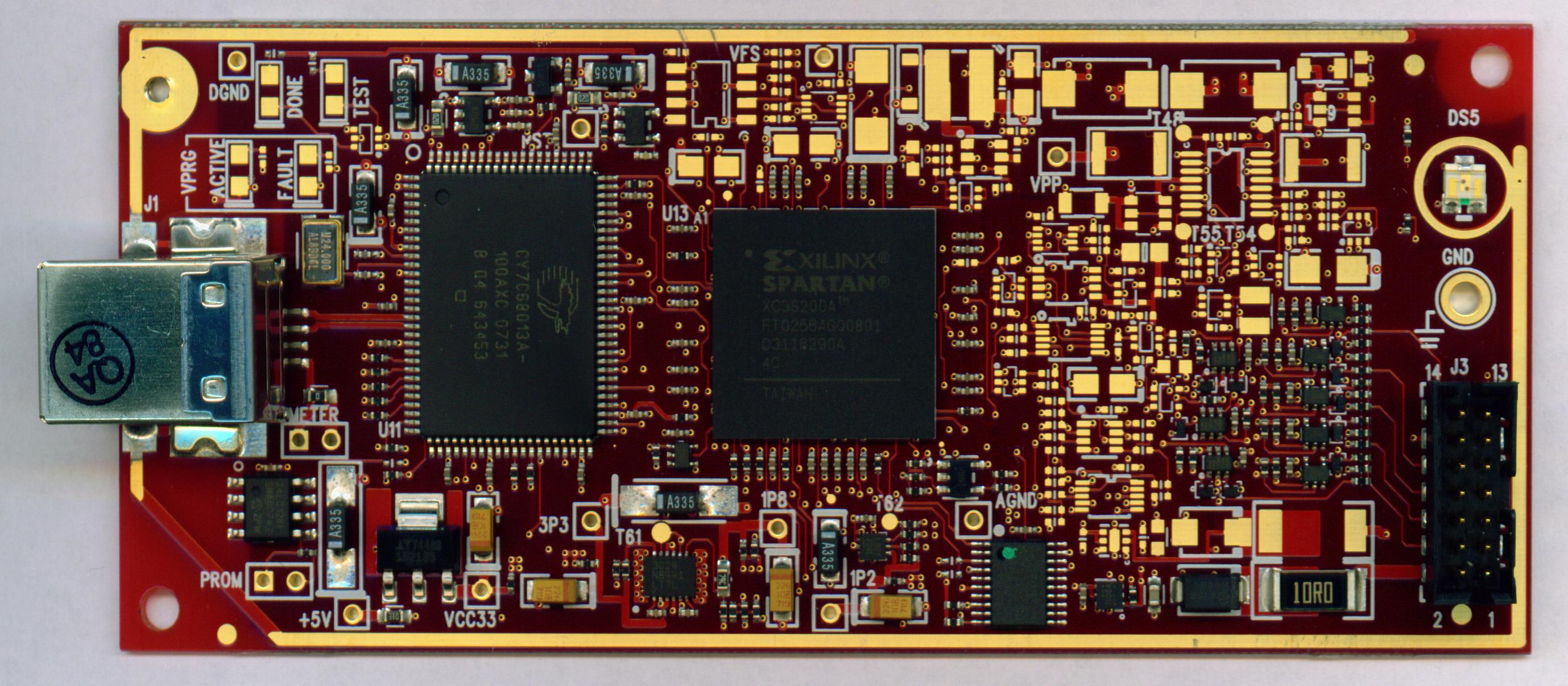
通过Platform Cable USB连接“FPGA/CPLD目标板”和“PC”,建立完整的硬件开发环境,对目标芯片进行编程、调试
连接目标板
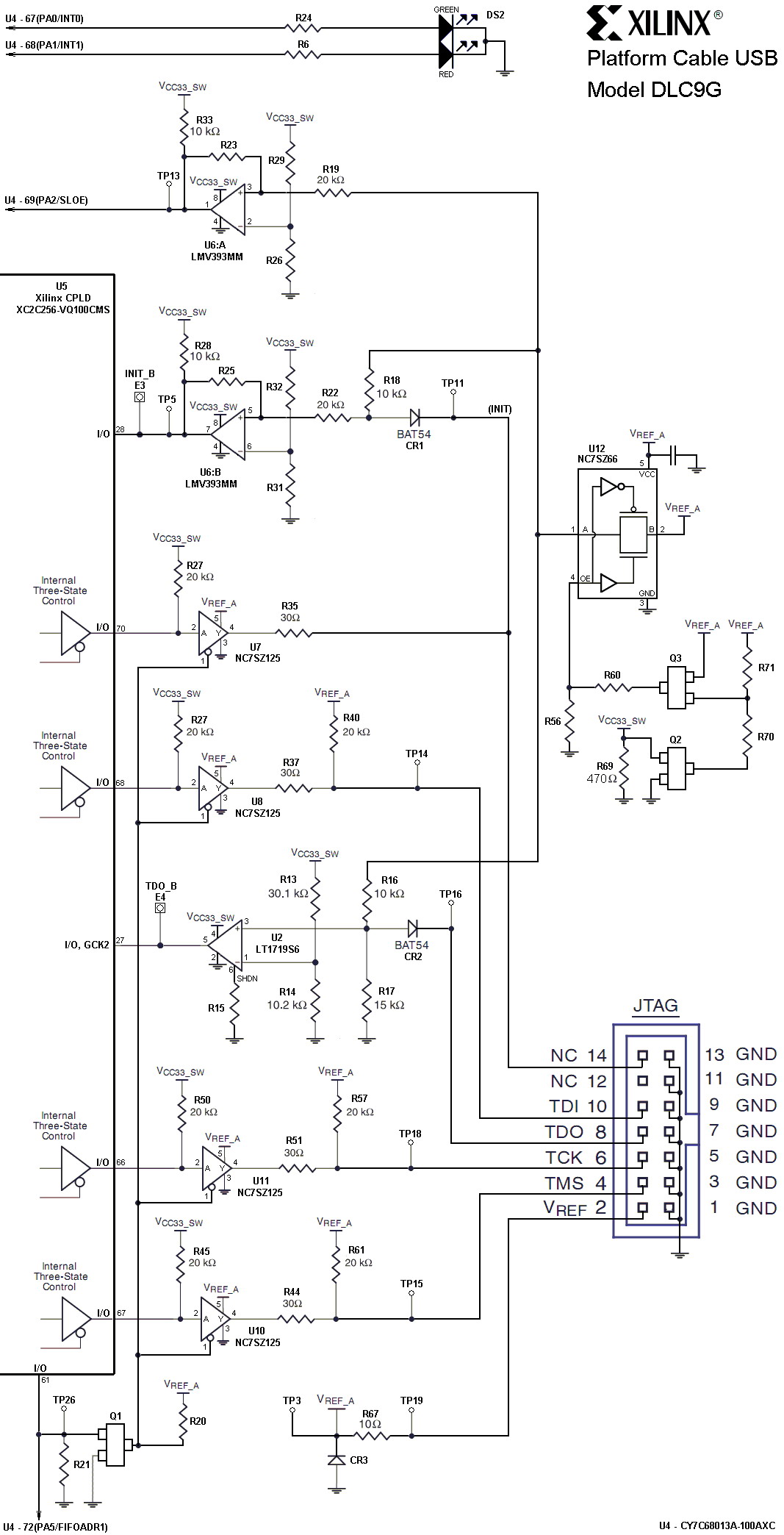
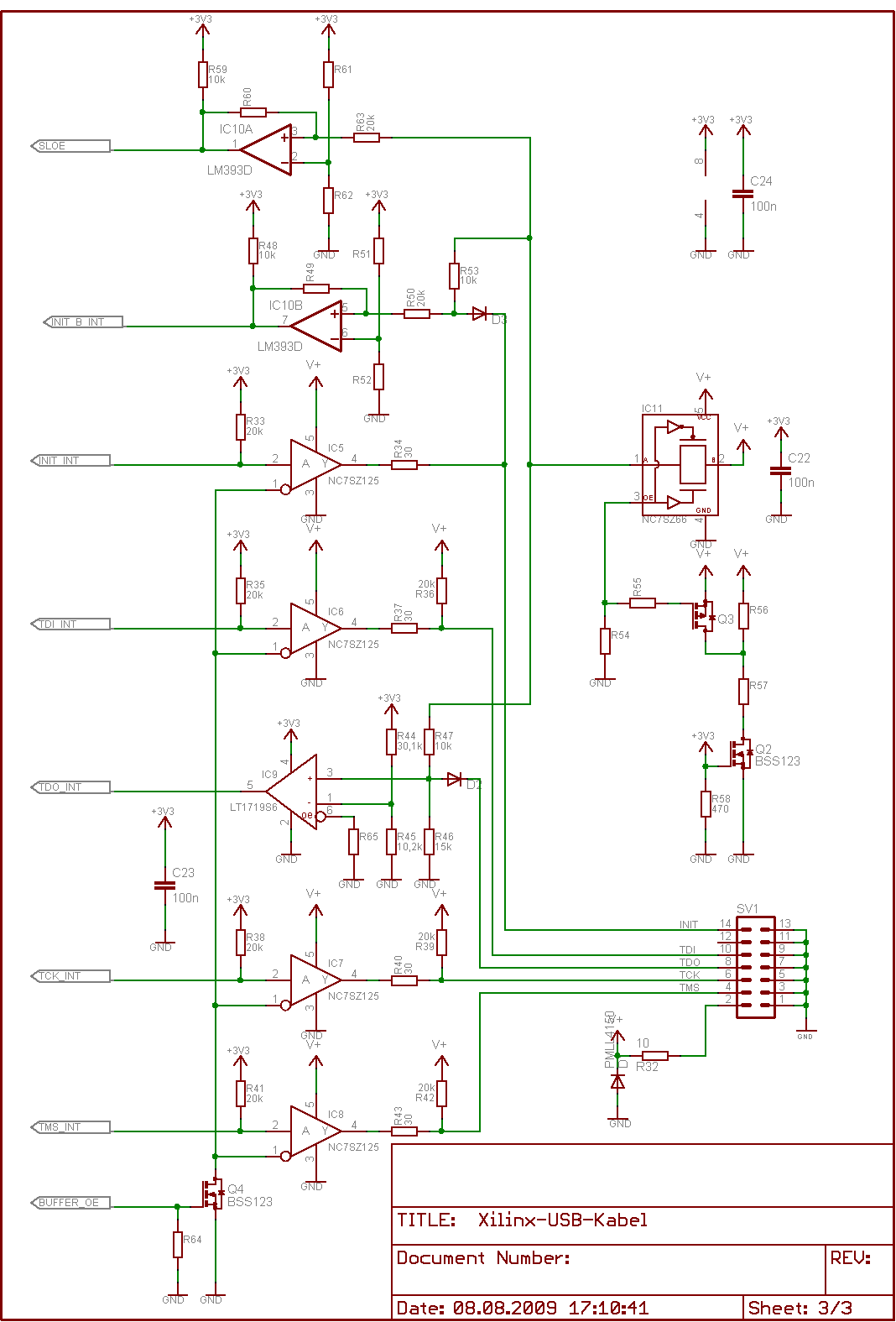
Platform Cable USB可以通过三种接口连接至目标板,接口定义如下:

Platform Cable USB状态灯说明
- 红紫色:接入了USB
- 紫色:接入了USB,且Vref有电供入(连接的开发板有上电)





Xilinx Platform Usb Cable的更多相关文章
- About USB Data Link Cable API
About USB Data Link Cable API The text on this webpage is licensed under the Creative Commons Attrib ...
- Xilinx Zynq FPGA Boards板
Xilinx Zynq FPGA Boards板 Xilinx Zynq FPGA Boards 介绍 Styx是一个易于使用的Zynq开发模块,具有Xilinx的Zynq ZC7020 SoC和FT ...
- usb.ids
# # List of USB ID's # # Maintained by Vojtech Pavlik <vojtech@suse.cz> # If you have any new ...
- Failed to connect to Xilinx hw_server. Check if the hw_server is running and correct TCP port is used.
Failed to connect to Xilinx hw_server. Check if the hw_server is running and correct TCP port is us ...
- Roomblock: a Platform for Learning ROS Navigation With Roomba, Raspberry Pi and RPLIDAR(转)
What is this? "Roomblock" is a robot platform consists of a Roomba, a Raspberry Pi 2, a ...
- Linux/drivers/usb/serial/ftdi_sio.c
Linux/drivers/usb/serial/ftdi_sio.h /* 2 * Driver definitions for the FTDI USB Single Port Serial Co ...
- 树莓派USB摄像头与camera模块对比
http://www.cnblogs.com/weixinforspurs/p/5575962.html ——————————————————————————————————————————————— ...
- usb驱动开发9之设备描述符
前面分析了usb的四大描述符之端点描述符,接口描述符(每一个接口对应一个功能,与之配备相应驱动),配置描述符,最后分析设备如何包括这些描述符.首先记住,在usb的世界里,设备大于配置,配置大于接口,接 ...
- linux设备驱动归纳总结(九):1.platform总线的设备和驱动【转】
本文转载自:http://blog.chinaunix.net/uid-25014876-id-111745.html linux设备驱动归纳总结(九):1.platform总线的设备和驱动 xxxx ...
随机推荐
- Java数据类型以及变量的定义
1130136248 Java的基本数据类型 变量就是申请内存来存储值.也就是说,当创建变量的时候,需要在内存中申请空间. 内存管理系统根据变量的类型为变量分配存储空间,分配的空间只能用来储存该类 ...
- delphi TComponent类 2
来自:http://blog.csdn.net/lailai186/article/details/7442385 ------------------------------------------ ...
- 关于主键的设计、primary key
主键:用于唯一标识一个表中一行数据. 外键:用于建立两个表之间的关系,A表中有一列是B表中的主键,那么A表中这列的数据就受到B表主键的约束. 那么关于主键应该如何设计呢,这里我说下优缺点: 1.用自动 ...
- 常用sql 全记录(添加中)
-- 数据库SQL总结中........... --SQL分类: (CREATE,ALTER,DROP,DECLARE) ---DDL—数据定义语言(SELECT,DELETE,UPDATE,INSE ...
- python 多线程删除MySQL表
一.需求分析 在<python 统计MySQL表信息>这篇博客中,链接如下: https://www.cnblogs.com/xiao987334176/p/9901692.html 已经 ...
- windows 依赖查看
使用工具Download Process Explorer查看运行程序所依赖的动态库. 中文说明:适用于 Windows 的 Process Explorer 10.21 版
- 一个文件系统过滤驱动的demo
因为没写过FSD过滤驱动,所以拿来练练手,没有什么技术含量.参考自Win内核安全与驱动开发. 先梳理一下大概的流程,就是怎么去绑定设备栈.怎么去过滤各种请求的. 首先肯定是要绑定设备栈的,来看下怎么绑 ...
- **PHP删除数组中特定元素的两种方法array_splice()和unset()
方法一: 复制代码代码如下: <?php$arr1 = array(1,3, 5,7,8);$key = array_search(3, $arr1); if ($key !== false) ...
- hdu 4349 求C(n,0),C(n,1),C(n,2)...C(n,n).当中有多少个奇数 (Lucas定理推广)
Lucas定理:把n写成p进制a[n]a[n-1]a[n-2]...a[0],把m写成p进制b[n]b[n-1]b[n-2]...b[0],则C(n,m)与C(a[n],b[n])*C(a[n-1], ...
- #Git 详细中文安装教程
Step 1 Information 信息 Please read the following important information before continuing 继续之前,请阅读以下重要 ...