
开源组件websocket-sharp中基于webapi的httpserver使用体验
一、背景
因为需要做金蝶ERP的二次开发,金蝶ERP的开放性真是不错,但是二次开发金蝶一般使用引用BOS.dll的方式,这个dll对newtonsoft.json.dll这个库是强引用,必须要用4.0版本,而asp.net mvc的webapi client对newtonsoft.json.dll的最低版本是6.0.这样就不能用熟悉的webapi client开发了。金蝶ERP据说支持无dll引用方式,标准的webapi方式,但官方支持有限,网上的文档也有限且参考意义不大。所以最后把目光聚集在自建简单httpserver上,最好是用.net 4作为运行时。在此感谢“C#基于websocket-sharp实现简易httpserver(封装)”作者的分享,了解到这个开源组件。
二、定制和修改
- 1、修改“注入控制器到IOC容器”的方法适应现有项目的解决方案程序集划分
- 2、修改“响应HttpPost请求”时方法参数解析和传递方式,增加了“FromBoby”自定义属性来标记参数是个数据传输对象。
- 3、扩展了返回值类型,增加了HtmlResult和ImageResult等类型
代码:
1)、修改“注入控制器到IOC容器”的方法
 /// <summary>

        /// 注入控制器到IOC容器

        /// </summary>

        /// <param name="builder"></param>

        public void InitController(ContainerBuilder builder)

        {

            Assembly asb = Assembly.Load("Business.Controller");

            if (asb != null)

            {

                var typesToRegister = asb.GetTypes()

                                      .Where(type => !string.IsNullOrEmpty(type.Namespace))

                                      .Where(type => type.BaseType == typeof(ApiController) || type.BaseType.Name.Equals("K3ErpBaseController"));

                if (typesToRegister.Count() > 0)

                {

                    foreach (var item1 in typesToRegister)

                    {

                        builder.RegisterType(item1).PropertiesAutowired();

                        foreach (var item2 in item1.GetMethods())

                        {

                            IExceptionFilter _exceptionFilter = null;

                            foreach (var item3 in item2.GetCustomAttributes(true))

                            {

                                Attribute temp = (Attribute)item3;

                                Type type = temp.GetType().GetInterface(typeof(IExceptionFilter).Name);

                                if (typeof(IExceptionFilter) == type)

                                {

                                    _exceptionFilter = item3 as IExceptionFilter;

                                }

                            }

                            MAction mAction = new MAction()

                            {

                                RequestRawUrl = @"/" + item1.Name.Replace("Controller", "") + @"/" + item2.Name,

                                Action = item2,

                                TypeName = item1.GetType().Name,

                                ControllerType = item1,

                                ParameterInfo = item2.GetParameters(),

                                ExceptionFilter = _exceptionFilter

                            };

                            dict.Add(mAction.RequestRawUrl, mAction);

                        }

                    }

                }

            }

            container = builder.Build();

        }
2)、修改“响应HttpPost请求”时方法参数解析和传递方式,增加了“FromBoby”自定义属性;增加了HtmlResult和ImageResult等类型
  /// <summary>

        /// 响应HttpPost请求

        /// </summary>

        /// <param name="sender"></param>

        /// <param name="e"></param>

        private void Httpsv_OnPost(object sender, HttpRequestEventArgs e)

        {

            MAction requestAction = new MAction();

            string content = string.Empty;

            try

            {

                byte[] binaryData = new byte[e.Request.ContentLength64];

                content = Encoding.UTF8.GetString(GetBinaryData(e, binaryData));

                string action_name = string.Empty;

                if (e.Request.RawUrl.Contains("?"))

                {

                    int index = e.Request.RawUrl.IndexOf("?");

                    action_name = e.Request.RawUrl.Substring(0, index);

                }

                else

                    action_name = e.Request.RawUrl;

                if (dict.ContainsKey(action_name))

                {

                    requestAction = dict[action_name];

                    object first_para_obj;

                    object[] para_values_objs = new object[requestAction.ParameterInfo.Length];

                    //没有参数,默认为空对象

                    if (requestAction.ParameterInfo.Length == 0)

                    {

                        first_para_obj = new object();

                    }

                    else

                    {

                        int para_count = requestAction.ParameterInfo.Length;

                        for (int i = 0; i < para_count; i++)

                        {

                            var para = requestAction.ParameterInfo[i];

                            if (para.GetCustomAttributes(typeof(FromBodyAttribute), false).Any())

                            {

                                //反序列化Json对象成数据传输对象

                                var dto_object = para.ParameterType;

                                para_values_objs[i] = JsonConvert.DeserializeObject(content, dto_object);

                            }

                            else

                            {

                                //参数含有FromBodyAttribute的只能有一个,且必须是第一个

                                int index = e.Request.RawUrl.IndexOf("?");

                                if (e.Request.RawUrl.Contains("&"))

                                {

                                    bool existsFromBodyParameter = false;

                                    foreach (var item in requestAction.ParameterInfo)

                                    {

                                        if (item.GetCustomAttributes(typeof(FromBodyAttribute), false).Any())

                                        {

                                            existsFromBodyParameter = true;

                                            break;

                                        }

                                    }

                                    string[] url_para = e.Request.RawUrl.Substring(index + 1).Split("&".ToArray(), StringSplitOptions.RemoveEmptyEntries);

                                    if (existsFromBodyParameter)

                                        para_values_objs[i] = url_para[i - 1].Replace(para.Name + "=", "");

                                    else

                                        para_values_objs[i] = url_para[i].Replace(para.Name + "=", "");

                                }

                                else

                                {

                                    para_values_objs[i] = e.Request.RawUrl.Substring(index + 1).Replace(para.Name + "=", "");

                                }

                            }

                        }

                    }

                    var action = container.Resolve(requestAction.ControllerType);

                    var action_result = requestAction.Action.Invoke(action, para_values_objs);

                    if (action_result == null)

                    {

                        e.Response.StatusCode = 204;

                    }

                    else

                    {

                        e.Response.StatusCode = 200;

                        if (requestAction.Action.ReturnType.Name.Equals("ApiActionResult"))

                        {

                            e.Response.ContentType = "application/json";

                            byte[] buffer = Encoding.UTF8.GetBytes(JsonConvert.SerializeObject(action_result));

                            e.Response.WriteContent(buffer);

                        }

                        if (requestAction.Action.ReturnType.Name.Equals("agvBackMessage"))

                        {

                            e.Response.ContentType = "application/json";

                            byte[] buffer = Encoding.UTF8.GetBytes(JsonConvert.SerializeObject(action_result));

                            e.Response.WriteContent(buffer);

                        }

                        else if (requestAction.Action.ReturnType.Name.Equals("HtmlResult"))

                        {

                            HtmlResult result = (HtmlResult)action_result;

                            e.Response.ContentType = result.ContentType;

                            byte[] buffer = result.Encoder.GetBytes(result.Content);

                            e.Response.WriteContent(buffer);

                        }

                        else if (requestAction.Action.ReturnType.Name.Equals("ImageResult"))

                        {

                            ImageResult apiResult = (ImageResult)action_result;

                            e.Response.ContentType = apiResult.ContentType;

                            byte[] buffer = Convert.FromBase64String(apiResult.Base64Content.Split(",".ToArray(), StringSplitOptions.RemoveEmptyEntries).LastOrDefault());

                            e.Response.WriteContent(buffer);

                        }

                        else

                        {

                            byte[] buffer = Encoding.UTF8.GetBytes(action_result.ToString());

                            e.Response.WriteContent(buffer);

                        }

                    }

                }

                else

                {

                    e.Response.StatusCode = 404;

                }

            }

            catch (Exception ex)

            {

                if (requestAction.ExceptionFilter == null)

                {

                    byte[] buffer = Encoding.UTF8.GetBytes(ex.Message + ex.StackTrace);

                    e.Response.WriteContent(buffer);

                    e.Response.StatusCode = 500;

                }

                else

                {

                    if (requestAction.ExceptionFilter != null)

                    {

                        if (ex.InnerException != null)

                        {

                            requestAction.ExceptionFilter.OnException(ex.InnerException, e);

                        }

                        else

                        {

                            requestAction.ExceptionFilter.OnException(ex, e);

                        }

                    }

                }

            }

        }
三、体验概述
- 1、稳,可用性很高,简单直接。
- 2、使用之后对mvc的底层理解提高很多。
- 3、对Autofac等IOC容器有了新的认识,项目里大量使用了属性注入方式来解除耦合。
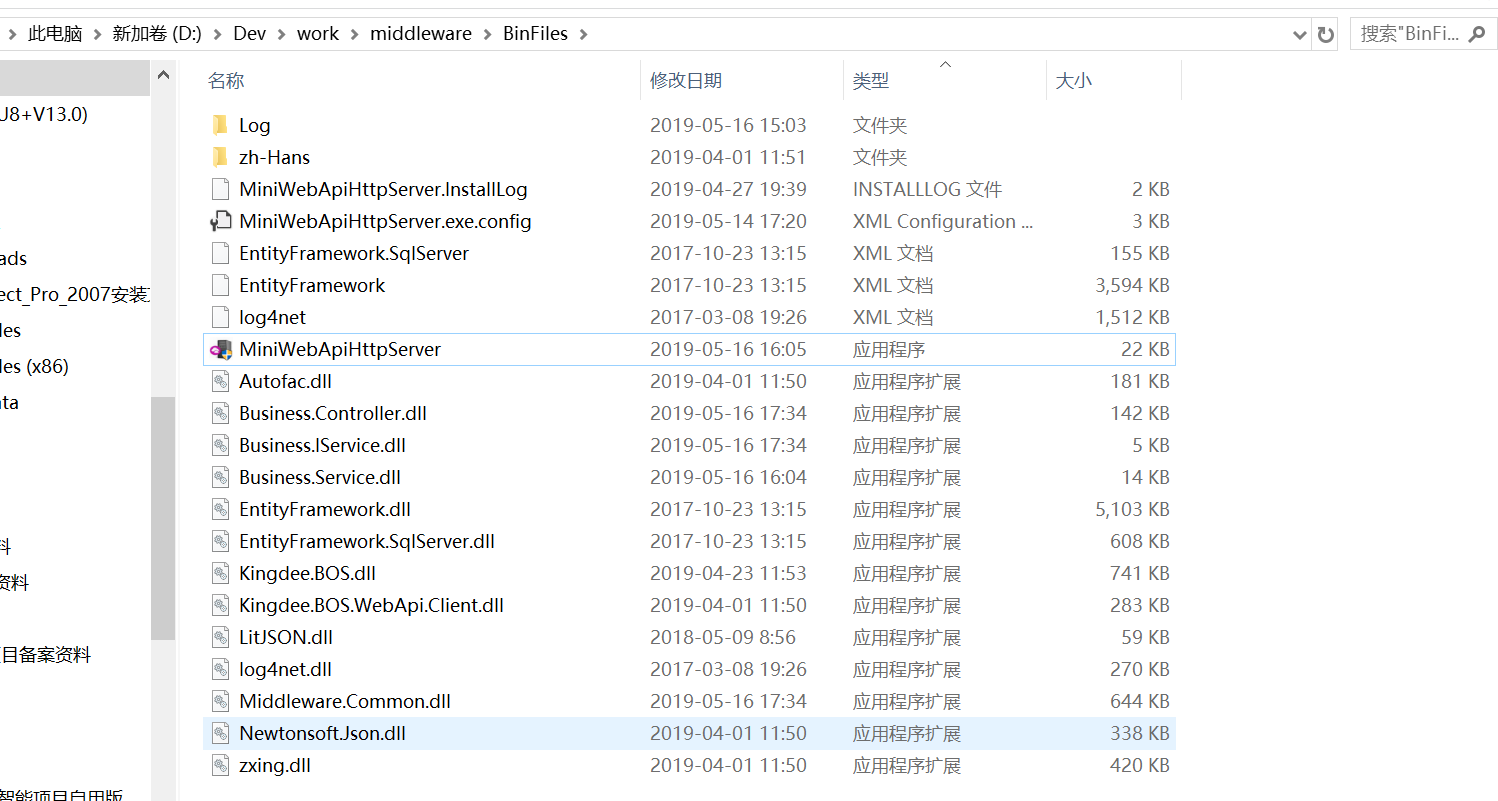
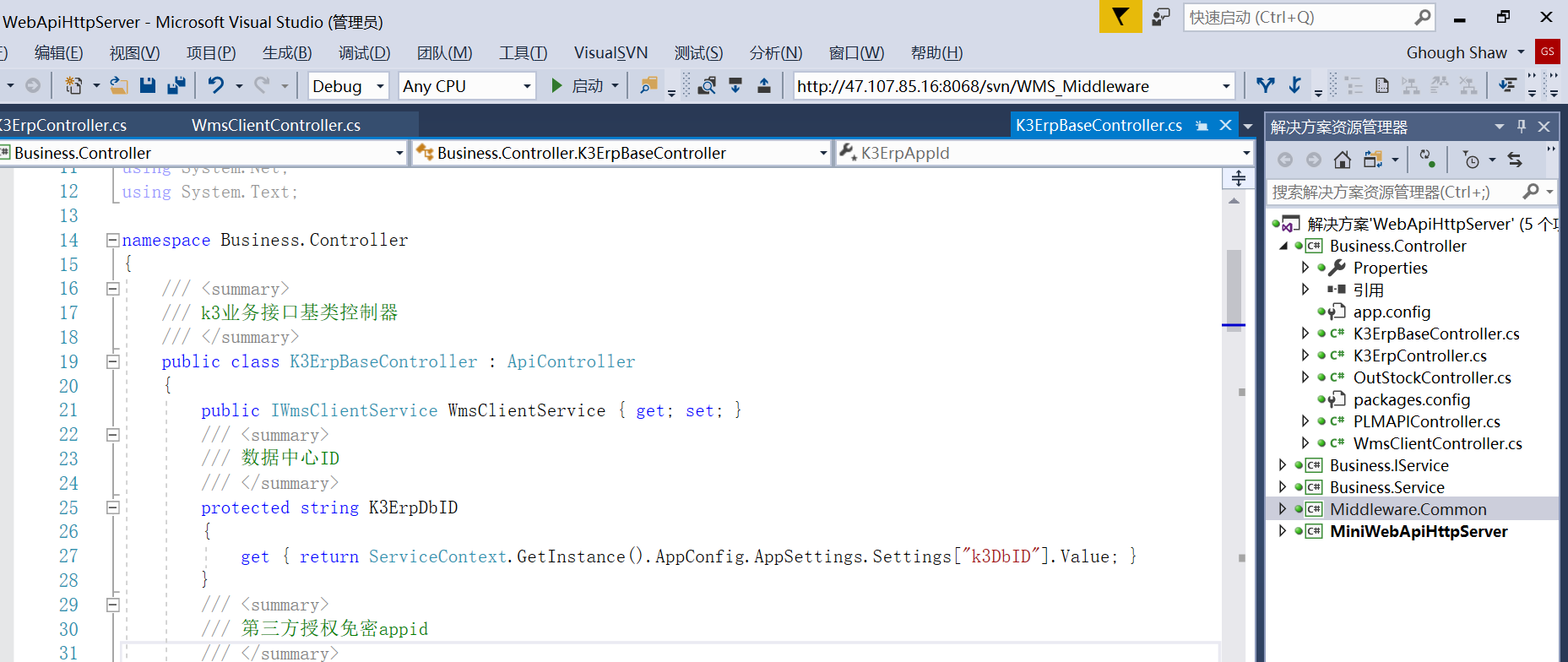
四、一些截图
开源组件websocket-sharp中基于webapi的httpserver使用体验的更多相关文章
- itest 开源测试管理项目中封装的下拉列表小组件:实现下拉列表使用者前后端0行代码
导读: 主要从4个方面来阐述,1:背景:2:思路:3:代码实现:4:使用 一:封装背景 像easy ui 之类的纯前端组件,也有下拉列表组件,但是使用的时候,每个下拉列表,要配一个URL ...
- 开源组件ExcelReport 1.5.2 使用手册
ExcelReport是一款基于NPOI开发的报表引擎组件.它基于关注点分离的理念,将数据与样式.格式分离.让模板承载样式.格式等NPOI不怎么擅长且实现繁琐的信息,结合NPOI对数据的处理的优点将E ...
- .net 开源组件
文章转自:http://www.cnblogs.com/asxinyu/p/dotnet_opensource_project_3.html 在前2篇文章这些.NET开源项目你知道吗?让.NET开 ...
- Android自定义控件 开源组件SlidingMenu的项目集成
在实际项目开发中,定制一个菜单,能让用户得到更好的用户体验,诚然菜单的样式各种各样,但是有一种菜单——滑动菜单,是被众多应用广泛使用的.关于这种滑动菜单的实现,我在前面的博文中也介绍了如何自定义去实现 ...
- 如何在WebSocket类中访问Session
我最近正在做一个基于websocket的webQQ,最后代码会开源带github上,所以过程中我就不贴所有的代码啦~就贴问题的关键. 我在WebSocket里发消息的时候需要用到session,因为在 ...
- BeetleX高性能通讯开源组件
net core高性能通讯开源组件BeetleX https://www.cnblogs.com/smark/p/9617682.html BeetleX beetleX是基于dotnet core实 ...
- 微信开源组件WCDB漫谈及Demo
代码地址如下:http://www.demodashi.com/demo/12422.html 前言 移动端的数据库选型一直是一个难题,直到前段时间看到了WeMobileDev(微信前端团队)放出了第 ...
- 饿了吗开源组件库Element模拟购物车系统
传统的用html+jquery来实现购物车系统要非常的复杂,但是购物车系统完全是一个数据驱动的系统,因此采用诸如Vue.js.angular.js这些框架要简单的多.饿了吗开源的组件库Element是 ...
- 如何利用阿里视频云开源组件,快速自定义你的H5播放器?
摘要: Aliplayer希望提供一种方便.简单.灵活的机制,让客户能够扩展播放器的功能,并且Aliplayer提供一些组件的基本实现,用户可以基于这些开源的组件实现个性化功能,比如自定义UI和自己A ...
随机推荐
- 【MySQL】MMM和MHA高可用架构
用途 对MySQL主从复制集群的Master的健康监控. 当Master宕机后把写VIP迁移到新Master. 重新配置集群中的其他Slave从新Master同步 MMM架构 主服务器发生故障时, 1 ...
- 一个简单的利用 WebClient 异步下载的示例(五)(完结篇)
接着上一篇,我们继续来优化.我们的 SkyParallelWebClient 可否支持切换“同步下载模式”和“异步下载模式”呢,好处是大量的代码不用改,只需要调用 skyParallelWebClie ...
- ASP.NET 里身份验证安全相关配置
安全相关的 <authorization > <allow verbs = "" users = "" roles = "" ...
- IP 跟踪
#coding=utf-8import sysimport os import re import urllibimport subprocess def getlocation(ip): resul ...
- IOS疯狂基础之观察者模式
转自:http://blog.csdn.net/wudizhukk/article/details/8981535 一.KVO Key-Value Observing,它提供一种机制,当指定的对象的属 ...
- ios视频网盘
http://pan.baidu.com/share/home?uk=1711799154#category/type=0
- Linux下用火焰图进行性能分析【转】
转自:https://blog.csdn.net/gatieme/article/details/78885908 版权声明:本文为博主原创文章,遵循 CC 4.0 BY-SA 版权协议,转载请附上原 ...
- win10企业版LTSC批量激活
slmgr -ipk M7XTQ-FN8P6-TTKYV-9D4CC-J462D slmgr -skms kms.03k.org slmgr -ato slmgr -dlv
- 软件工程1916|W(福州大学)_助教博客】团队第六次作业(第9次)成绩公示
1. 作业链接: 团队作业第六次-团队Github实战训练 2. 评分准则: 本次作业评分分为两部分,一部分是博客分数(满分100分),另一部分是工程能力分数(满分30分). 博客分数计算方式: 团队 ...
- uiautomator 调试例子
package com.bing.cn; import com.android.uiautomator.testrunner.UiAutomatorTestCase; public class Dem ...