
Kubernetes dashboard安装
1. To download Dashboard plugin deployment YAML file from internet.
#cd /home
#mkdir k8s
#cd k8s
##官方链接https://kubernetes.io/docs/tasks/access-application-cluster/web-ui-dashboard/
2. To Create certificate for dashboard
# mkdir certs
# openssl req -nodes -newkey rsa:2048 -keyout certs/dashboard.key -out certs/dashboard.csr -subj "/C=/ST=/L=/O=/OU=/CN=kubernetes-dashboard"
# openssl x509 -req -sha256 -days 365 -in certs/dashboard.csr -signkey certs/dashboard.key -out certs/dashboard.crt
# kubectl create secret generic kubernetes-dashboard-certs --from-file=certs -n kube-system
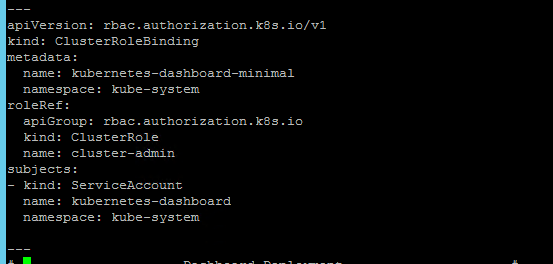
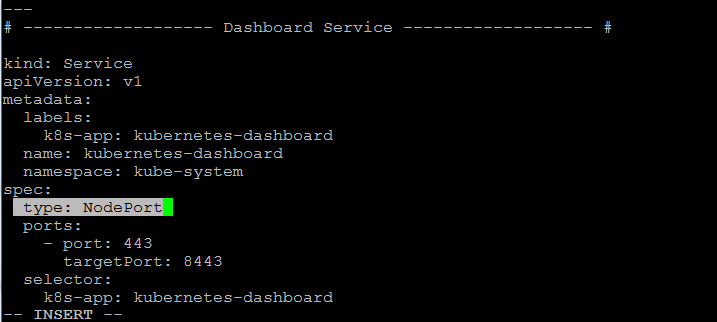
3.To modify the default kubernetes-dashboard.yaml file, Modify the rbac parameter, and add type: NodePort to expose Dashboard service can be accessed by outside.
# vi kubernetes-dashboard.yaml
4.To create Dashboard
# kubectl create -f kubernetes-dashboard.yaml

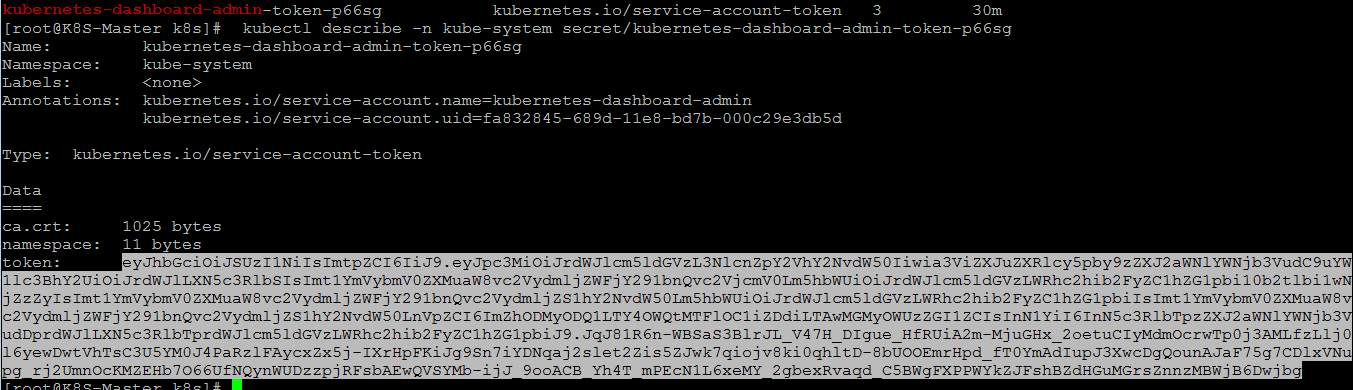
5.To get NodePort and access token.
# kubectl -n kube-system get secret | grep kubernetes-dashboard

# kubectl describe -n kube-system secret/kubernetes-dashboard-token-xxxxx
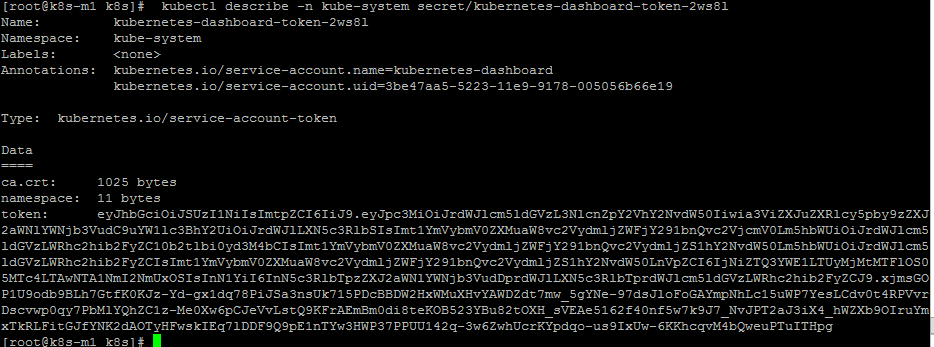
# kubectl get svc -n kube-system (Dashboard runs on port 32580)

6. To access the Dashboard (https://192.168.4.200:32580)
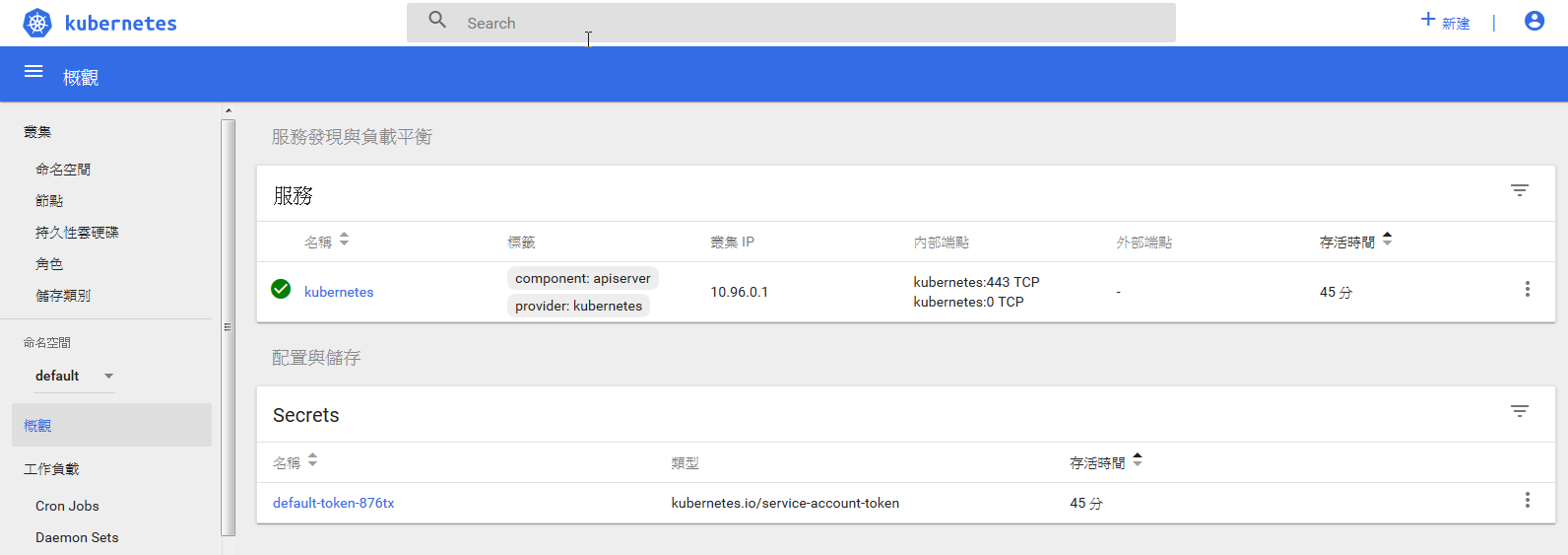
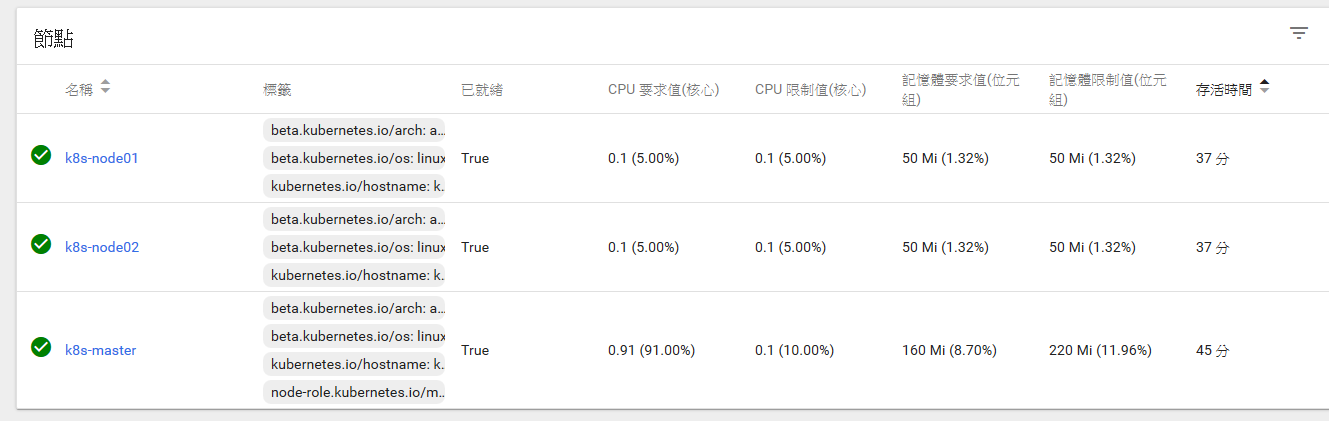
Note:
1) If you login the dashboard , you find the dashboard show error like “User "system:anonymous" cannot get at the cluster scope.”,
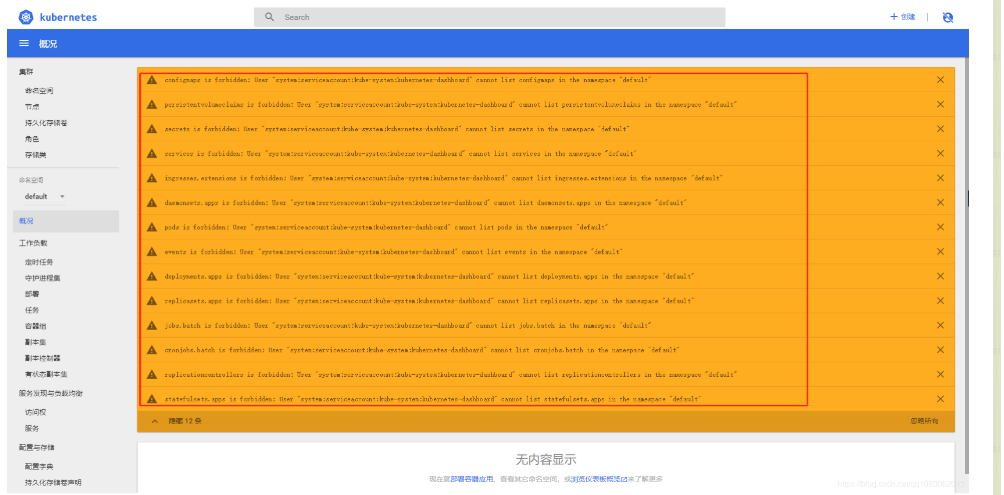
# vi /etc/kubernetes/manifests/kube-apiserver.yaml
添加如下参数:
--anonymous-auth=false

2) Kube-apiserver down after installing the kubernetes dashboard?
Change or add bellow parameters.(bellow is for only one master lab environment)
- --insecure-bind-address=127.0.0.1
- --insecure-port=8080
livenessProbe:
failureThreshold: 8
httpGet:
host: 127.0.0.1
path: /healthz
port: 8080
scheme: HTTP
initialDelaySeconds: 15
timeoutSeconds: 15
Kubernetes dashboard安装的更多相关文章
- kubernetes dashboard 安装时出现9090: getsockopt: connection refused错误
转载于:https://blog.csdn.net/lucy06/article/details/79082302 安装kubernetes dashboard时,出现错误: Error: 'dia ...
- kubernetes dashboard 安装
环境:CentOS Linux release 7.3.1611 (Core)IP:192.168.0.103 [1]组件安装yum install device-mapperyum install ...
- Kubernetes Dashboard 安装与认证
1.安装dashboard $ kubectl apply -f https://raw.githubusercontent.com/kubernetes/dashboard/v1.10.1/src/ ...
- install kubernetes dashboard 安装 kubernetes dashboard 详细
参考: http://www.bubuko.com/infodetail-2242562.html http://www.cnblogs.com/zhenyuyaodidiao/p/6500897.h ...
- Kubernetes入门(二)——Dashboard 安装
Kubernetes集群搭建完成后,可以通过命令行方式可以了解集群资源的使用情况,但是这种方式比较笨拙且不直观,因此考虑给集群安装Dashboard,这样能更直观了解集群状态.本文Dashboard的 ...
- Kubernetes 及安装注意事项
Docker Desktop for Mac/Windows开启Kubernetes 及安装注意事项 Table of Contents 1 解决方案 2 注意事项 2.1 Choose Kubeco ...
- K8s+dashboard安装部署【h】
系统安装使用虚拟机安装两个centos系统,在/etc/hosts里增加两行192.168.140.128 kuber-master192.168.140.129 kuber-node1 关闭防火墙s ...
- docker for mac 安装 kubernetes、kubernetes dashboard
安装参考地址(按照此文档,安装成功):https://yq.aliyun.com/articles/508460 官方说明:https://kubernetes.io/docs/tasks/acces ...
- 安装kubernetes dashboard
一.kubernetes dashboard kubernetes dashboard是k8s的web管理界面 二.安装 k8s的版本为1.5 1.创建dashboard-controller.yam ...
随机推荐
- Java for-each循环解惑
Java for-each循环解惑 2014/04/24 | 分类: 技术之外 | 0 条评论 | 标签: JAVA 分享到:21 本文由 ImportNew - liqing 翻译自 javarev ...
- 普通Linux用户1分钟上手vi编辑器
*导读:普通用户只要花1分钟看第二部分即可.高级用户请忽略本文* 目录 1. 编辑器之战 2. vi的使用 2.1 vi的3个模式 2.2 vi的3个模式切换 2.3 vi最基本的命令 2.4 vi的 ...
- python 使用pip安装使用国内镜像加速下载安装包的方法
清华大学提供开源镜像站:https://mirrors.tuna.tsinghua.edu.cn/help/pypi/ pypi 镜像每 5 分钟同步一次. pip install 包的名字 == 版 ...
- 学习笔记DL006:特征分解,奇异值分解
特征分解. 整数分解质因素. 特征分解(eigendecomposition),使用最广,矩阵分解一组特征向量.特征值.方阵
- crontab(暂存待完善)
crontab -e 编辑 ,(使用默认编辑器) -l 列出 第1列分钟1-59 第2列小时1-23(0表示子夜) 第3列日1-31 第4列月1-12 第5列星期0-6(0表示星期天) 第6列要运 ...
- 285款photoshop烟花笔刷
这是一套非常漂亮的PS烟花笔刷,包含285款不同形状效果的笔刷样式,此套photoshop烟花笔刷非常容易使用,使用可以将它们用作照片叠加,用于数码照片处理,作为游戏或艺术品的视觉效果,以及作为装饰元 ...
- python 执行oracle、python脚本文件
import os # sql脚本结尾加';'!!! os.system('sqlplus.exe scott/s123@127.0.0.1:1521/ORCL @D:/PycharmProjects ...
- Java高级特性 第9节 Socket机制
一.Socket简介 1.Socket概述 Java最初是作为网络编程语言出现的,它对网络的高度支持,使得客户端和服务器流畅的沟通变成现实.而在网络编程中,使用最多的就是Socket,每一个实用的网络 ...
- Go 知识点
必须在源文件中非注释的第一行指明这个文件属于哪个包,如:package main. package main表示一个可独立执行的程序,每个 Go 应用程序都包含一个名为 main 的包. main 函 ...
- 18.6 使用TFTP下载时ping不通或出现ping通下载失败
下载成功loading: #### 下载失败loading: T T T T 解决办法,使主机干净,即关闭360.主机防火墙,程序插除完后写入才可执行.[2018年6月28日15:16:33测试后,关 ...