
yii2的下载安装
1.直接使用归档文件安装yii2的高级模板:
从 yiiframework.com 下载归档文件。
下载yii2的高级模板的压缩文件,
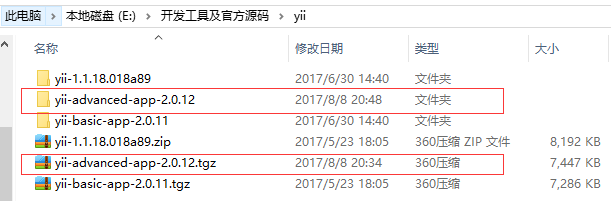
将yii-advanced-app-2.0.12文件夹复制到项目的目录中如下:

查看yii-advanced-app-2.0.12的子集目录发现有backend和frontend,backend为后台项目, frontend为 前台项目:
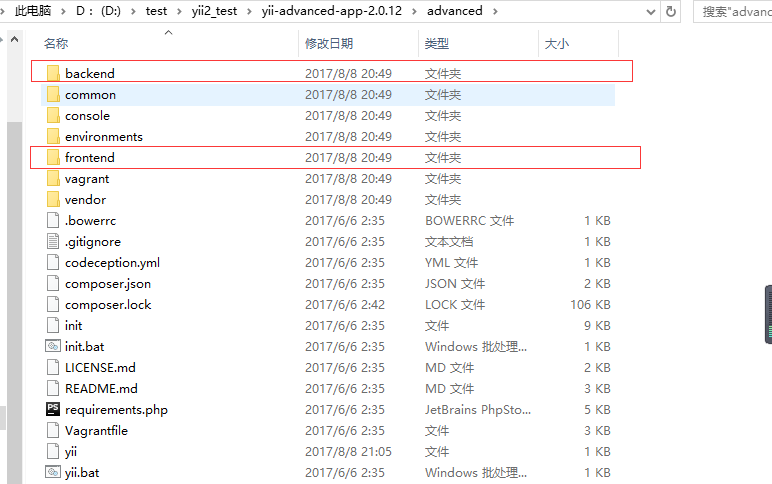
配置后台项目和前台的项目web服务如下:
这是后台项目backend的nginx配置:
server {
root D:/test/yii2_test/yii-advanced-app-2.0.12/advanced/backend/web/;
index index.php index.html;
server_name dev.yii2_backend.com;
# set $yii_bootstrap "index.html";
set $yii_bootstrap "index.php";
charset utf-8;
location / {
index $yii_bootstrap;
try_files $uri $uri/ $yii_bootstrap?$args;
if (!-e $request_filename) {
rewrite (.*) /index.php/$1;
}
}
location ~ ^/(protected|framework|nbproject|themes/\w+/views) {
deny all;
}
location ~ .*\.(gif|jpg|jpeg|png|bmp|swf)$ {
expires 30d;
}
location ~ .*\.(js|css)?$ {
expires 7d;
}
#avoid processing of calls to unexisting static files by yii
location ~ \.(js|css|png|jpg|gif|swf|ico|pdf|mov|fla|zip|rar)$ {
try_files $uri =404;
}
# pass the PHP scripts to FastCGI server listening on 127.0.0.1:9000
#
location ~ \.php$ {
fastcgi_split_path_info ^(.+\.php)(.*)$;
#let yii catch the calls to unexising PHP files
set $fsn /$yii_bootstrap;
if (-f $document_root$fastcgi_script_name){
set $fsn $fastcgi_script_name;
}
#fastcgi_next_upstream error timeout invalid_header http_500 http_503 http_404;
#fastcgi_pass unix:/var/run/php5-fpm.sock;
fastcgi_pass 127.0.0.1:9000;
include fastcgi_params;
fastcgi_param SCRIPT_FILENAME $document_root$fsn;
#PATH_INFO and PATH_TRANSLATED can be omitted, but RFC 3875 specifies them for CGI
fastcgi_param PATH_INFO $fastcgi_path_info;
fastcgi_param PATH_TRANSLATED $document_root$fsn;
}
location ~ /\.ht {
deny all;
}
}
这是前台项目frontend的nginx配置:
server {
root D:/test/yii2_test/yii-advanced-app-2.0.12/advanced/frontend/web/;
index index.php index.html;
server_name dev.yii2_frontend.com;
# set $yii_bootstrap "index.html";
set $yii_bootstrap "index.php";
charset utf-8;
location / {
index $yii_bootstrap;
try_files $uri $uri/ $yii_bootstrap?$args;
if (!-e $request_filename) {
rewrite (.*) /index.php/$1;
}
}
location ~ ^/(protected|framework|nbproject|themes/\w+/views) {
deny all;
}
location ~ .*\.(gif|jpg|jpeg|png|bmp|swf)$ {
expires 30d;
}
location ~ .*\.(js|css)?$ {
expires 7d;
}
#avoid processing of calls to unexisting static files by yii
location ~ \.(js|css|png|jpg|gif|swf|ico|pdf|mov|fla|zip|rar)$ {
try_files $uri =404;
}
# pass the PHP scripts to FastCGI server listening on 127.0.0.1:9000
#
location ~ \.php$ {
fastcgi_split_path_info ^(.+\.php)(.*)$;
#let yii catch the calls to unexising PHP files
set $fsn /$yii_bootstrap;
if (-f $document_root$fastcgi_script_name){
set $fsn $fastcgi_script_name;
}
#fastcgi_next_upstream error timeout invalid_header http_500 http_503 http_404;
#fastcgi_pass unix:/var/run/php5-fpm.sock;
fastcgi_pass 127.0.0.1:9000;
include fastcgi_params;
fastcgi_param SCRIPT_FILENAME $document_root$fsn;
#PATH_INFO and PATH_TRANSLATED can be omitted, but RFC 3875 specifies them for CGI
fastcgi_param PATH_INFO $fastcgi_path_info;
fastcgi_param PATH_TRANSLATED $document_root$fsn;
}
location ~ /\.ht {
deny all;
}
}
配置hosts文件如下:
127.0.0.1 dev.yii2_backend.com
127.0.0.1 dev.yii2_frontend.com
通过dev.yii2_backend.com访问后台项目:
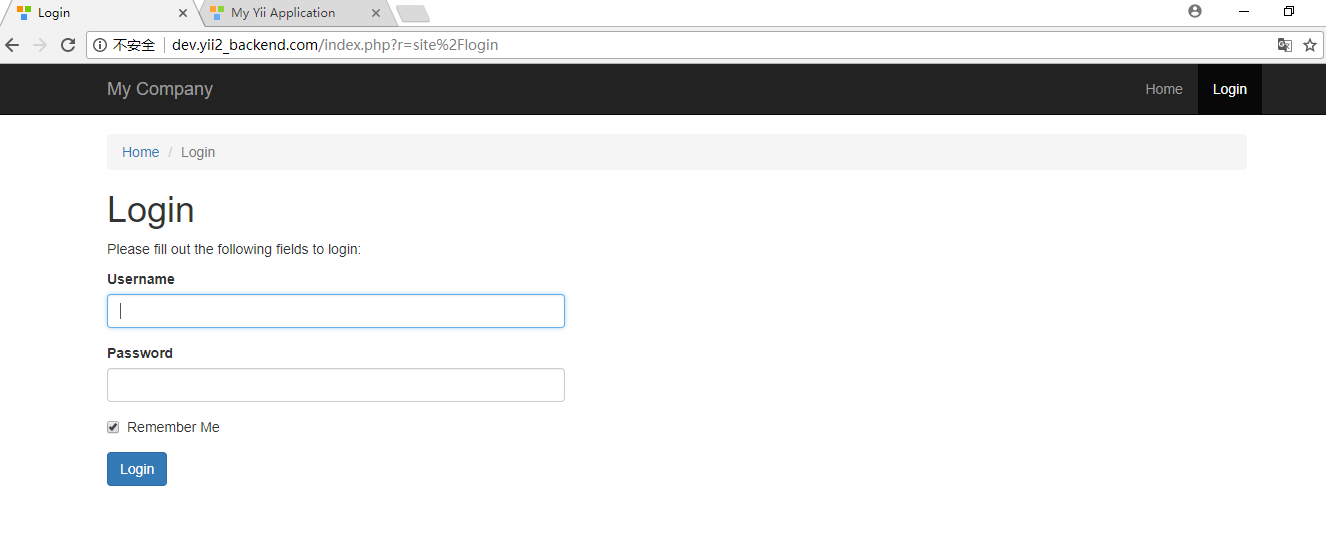
通过dev.yii2_frontend.com访问前台项目如下:

2. 使用归档文件安装yii2的普通模板
下载yii2的普通模板如下:
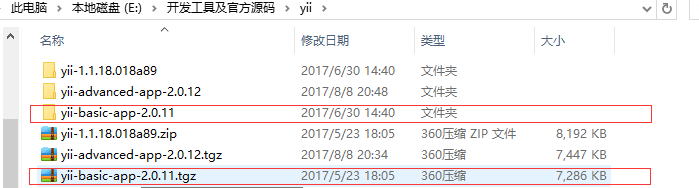
复制普通模板文件到项目目录:
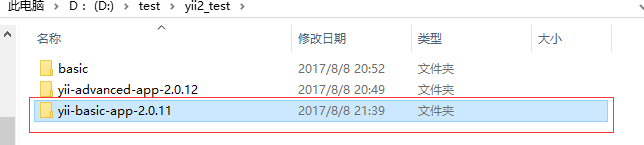
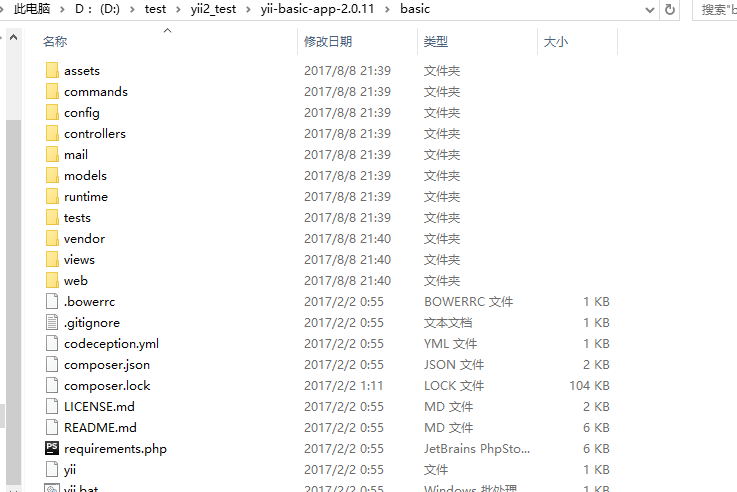
查看该项目子集目录列表:
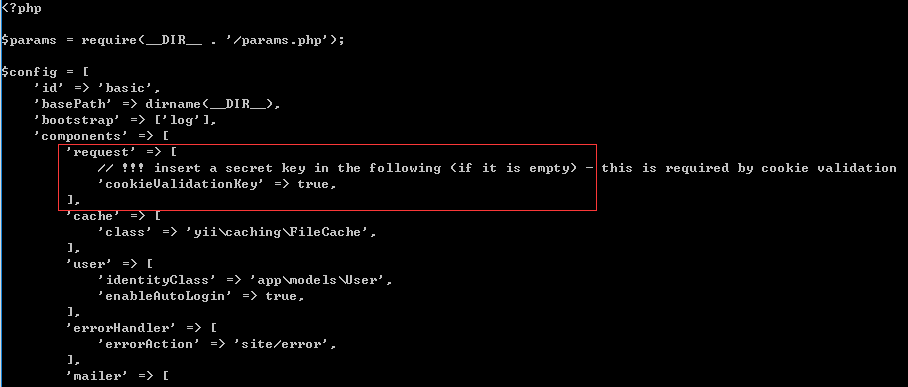
在该项目的配置文件中设置cookieValidationKey:
在config/web.php文件中设置cookieValidationKey为true
为该项目配置nginx:
server {
root D:/test/yii2_test/yii-basic-app-2.0.11/basic/web/;
index index.php index.html;
server_name dev.yii2_basic.com;
# set $yii_bootstrap "index.html";
set $yii_bootstrap "index.php";
charset utf-8;
location / {
index $yii_bootstrap;
try_files $uri $uri/ $yii_bootstrap?$args;
if (!-e $request_filename) {
rewrite (.*) /index.php/$1;
}
}
location ~ ^/(protected|framework|nbproject|themes/\w+/views) {
deny all;
}
location ~ .*\.(gif|jpg|jpeg|png|bmp|swf)$ {
expires 30d;
}
location ~ .*\.(js|css)?$ {
expires 7d;
}
#avoid processing of calls to unexisting static files by yii
location ~ \.(js|css|png|jpg|gif|swf|ico|pdf|mov|fla|zip|rar)$ {
try_files $uri =404;
}
# pass the PHP scripts to FastCGI server listening on 127.0.0.1:9000
#
location ~ \.php$ {
fastcgi_split_path_info ^(.+\.php)(.*)$;
#let yii catch the calls to unexising PHP files
set $fsn /$yii_bootstrap;
if (-f $document_root$fastcgi_script_name){
set $fsn $fastcgi_script_name;
}
#fastcgi_next_upstream error timeout invalid_header http_500 http_503 http_404;
#fastcgi_pass unix:/var/run/php5-fpm.sock;
fastcgi_pass 127.0.0.1:9000;
include fastcgi_params;
fastcgi_param SCRIPT_FILENAME $document_root$fsn;
#PATH_INFO and PATH_TRANSLATED can be omitted, but RFC 3875 specifies them for CGI
fastcgi_param PATH_INFO $fastcgi_path_info;
fastcgi_param PATH_TRANSLATED $document_root$fsn;
}
location ~ /\.ht {
deny all;
}
}
配置hosts文件:
127.0.0.1 dev.yii2_backend.com
127.0.0.1 dev.yii2_frontend.com
127.0.0.1 dev.yii2_basic.com
重启nginx:
nginx -s reload
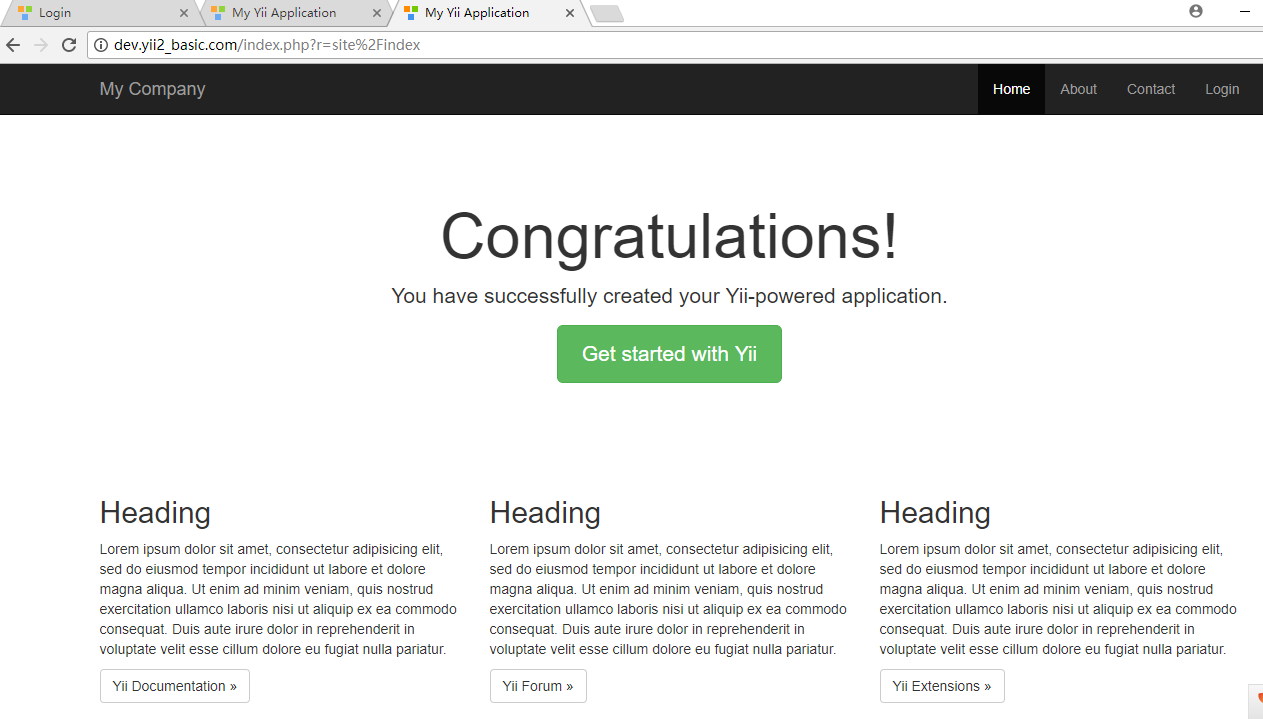
通过dev.yii2_basic.com访问yii2普通模板项目:
yii2的下载安装的更多相关文章
- Visual Studio for Mac Preview离线下载安装
Visual Studio for Mac离线下载安装. 环境:OS X EI Caption 10.11.2 .NET Core SDK 1.1 需预先安装 .NET Core 1.1 SDK ma ...
- jdk1.8下载安装
jdk8环境变量 jdk8图解安装 java8安装 1 2 3 4 5 6 7 分步阅读 JDK8 是JDK的最新版本,加入了很多新特性,如果我们要使用,需要下载安装: JDK8在windows ...
- Mac下载安装Android Studio教程
今天把公司闲置的一台Mac-mini重装了下系统感觉用着速度还不错,平时上班用的机器USB有些问题,所以打算用这台Mac.以往开发用Intellij Idea就够用,但是这次项目引用的jar包太多,遭 ...
- mac版 android破解软件下载安装
1 apktool下载安装 下载地址https://code.google.com/p/android-apktool/ [1].下载apktool.jar — 解压 [2].下载Mac上的辅助工具a ...
- 不通过App Store实现ios应用分发下载安装
最近公司的项目准备着手宣传工作了,宣传手册上要印制App的下载地址二维码,但是客户端应用还未上线,需要一种临时的方案解决应用分发下载问题,通常ios应用必须通过苹果应用商店才能下载安装,但是也可以看到 ...
- ERWin 7.2下载安装及注册机
ERWin 7.2下载安装及注册机 ERWin 7.2 下载地址: ftp://ftp.ca.com/CAproducts/erwin/ServicePacks/AFEDM72-b1644.exe ...
- cocoapod的下载安装解释
本文不提供cocoapod的下载安装的流程,因为那些只要百度一下就有的东西,而是对里面的代码进行解释,希望对iOS小白安装cocoapod有帮助: 一.cocoapod是什么? 开发过程中,我们会用到 ...
- 配置ActiveX控件在网页中下载安装
先检查客户端浏览器是否安装了ActiveX控件,如果没有安装ActiveX,就需要先给浏览器提示下载并允许安装.否则就直接使用该ActiveX控件.我们可以使用CodeBase来满足我们的要求:下面是 ...
- Xamarin Anroid开发教程之下载安装Xamarin
Xamarin Anroid开发教程之下载安装Xamarin Xamarin在过去安装时都会检查系统中是否安装了前面所提供的内容.而后来,Xamarin安装时只提供安装步骤,其它内容都需要读者自己下载 ...
随机推荐
- linux中启动 java -jar 运行程序
每天学习一点点 编程PDF电子书.视频教程免费下载:http://www.shitanlife.com/code 直接用java -jar xxx.jar,当退出或关闭shell时,程序就会停止掉.以 ...
- SQLAlchemy中的自引用
SQLALCHEMY采用adjacency list pattern来表示类的自引用. 例如,对于类Node自引用: class Node(Base): __tablename__='node' id ...
- pg安装入门
1.下载源码安装包 [root@test2019030517 ~]# wget https://ftp.postgresql.org/pub/source/v10.5/postgresql-10.5. ...
- [Micropython]TPYBoard v202 利用单片机快速实现家庭智能控制平台
一提到智能家庭,大家可能首先想到的是各种大佬级公司搞的牛逼产品,或者说是创新产品.想想就觉得很复杂,有的用工控机,有的用树莓派,还有的用arduino,不管用什么,都绕不过服务器进行控制,比如yeel ...
- /dev/mem可没那么简单
这几天研究了下/dev/mem.发现功能非常奇妙,通过mmap能够将物理地址映射到用户空间的虚拟地址上.在用户空间完毕对设备寄存器的操作,于是上网搜了一些/dev/mem的资料. 网上的说法也非常统一 ...
- [Spark][Python][DataFrame][RDD]DataFrame中抽取RDD例子
[Spark][Python][DataFrame][RDD]DataFrame中抽取RDD例子 sqlContext = HiveContext(sc) peopleDF = sqlContext. ...
- 【Java并发.4】对象的组合
到目前为止,我们已经介绍了关于线程安全与同步的一些基础知识.然而,我们并不希望对每一系内存访问都进行分析以确保程序是线程安全的,而是希望将一些现有的线程安全组件组合为更大规模的组件或程序. 4.1 设 ...
- ASP.Net Core 运行错误 Http Error 502.5 解决办法
Http Error 502.5 - Process Failure 如果你看到上面这张图片了的话,说明你在本地运行的时候报错了. 尤其好多都是我的群友,说下情况. 这个一般是本地的.NET Core ...
- 2018湘潭邀请赛C题(主席树+二分)
题目地址:https://www.icpc.camp/contests/6CP5W4knRaIRgU 比赛的时候知道这题是用主席树+二分,可是当时没有学主席树,就连有模板都不敢套,因为代码实在是太长了 ...
- Linux常用软件启动、停止、重启命令
一.PHP 启动命令: /usr/local/php5/sbin/php-fpm 停止命令: pkill php-fpm 二.MySQL 启动命令: /etc/init.d/mysqld start ...