
wepy - 与原生有什么不同(x.wpy)使用实例
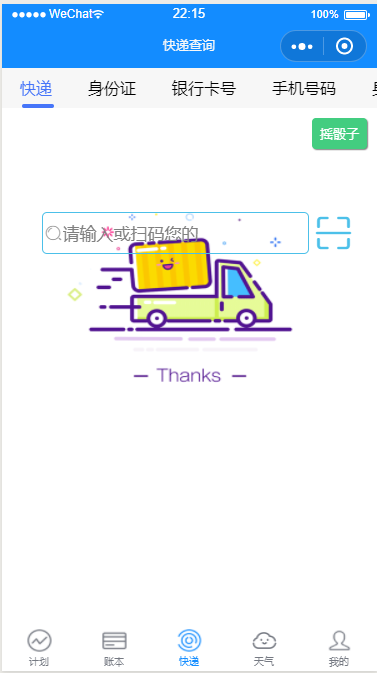
源码
 <template>

   <view class='mark' wx:if="{{showMark}}">

     <view animation="{{animationData}}" class="animCat">

       <image src="http://osk1hpe2y.bkt.clouddn.com/18-5-30/34559443.jpg"></image>

     </view>

     <button open-type="getUserInfo" lang="zh_CN" @getuserinfo="onGotUserInfo" class="css-button">开始吧!</button>

   </view>

   <!-- test-tab -->

   <view>

     <scroll-view scroll-x="true" class="tab-h" scroll-left="{{scrollLeft}}">

       <view class="tab-item {{currentTab==0?'active':''}}" data-current="0" bindtap="swichNav">快递</view>

       <view class="tab-item {{currentTab==1?'active':''}}" data-current="1" bindtap="swichNav">身份证</view>

       <view class="tab-item {{currentTab==2?'active':''}}" data-current="2" bindtap="swichNav">银行卡号</view>

       <view class="tab-item {{currentTab==3?'active':''}}" data-current="3" bindtap="swichNav">手机号码</view>

       <view class="tab-item {{currentTab==4?'active':''}}" data-current="4" bindtap="swichNav">身材计算</view>

     </scroll-view>

     <swiper class="tab-content" current="{{currentTab}}" duration="300" bindchange="switchTab" style="height:{{winHeight}}rpx">

       <!-- 快递查询 -->

       <swiper-item wx:for="{{[0,1,2,3,4]}}" wx:key="*this">

         <scroll-view scroll-y="true" class="scoll-h" wx:if="{{index==0}}">

           <ForexpressItem :history.sync='history'></ForexpressItem>

         </scroll-view>

         <scroll-view scroll-y="true" class="scoll-h" wx:elif="{{index==1}}">

           <PeoPleCard></PeoPleCard>

         </scroll-view>

         <scroll-view scroll-y="true" class="scoll-h" wx:elif="{{index==2}}">

           <IdCard></IdCard>

         </scroll-view>

         <scroll-view scroll-y="true" class="scoll-h" wx:elif="{{index==3}}">

           <MobileHome></MobileHome>

         </scroll-view>

         <scroll-view scroll-y="true" class="scoll-h" wx:elif="{{index==4}}">

           <Figure></Figure>

         </scroll-view>

       </swiper-item>

     </swiper>

   </view>

 </template>

 <script>

   import wepy from 'wepy';

   import ForexpressItem from '@/components/express/index';

   import IdCard from '@/components/querys/idCard';

   import Figure from '@/components/querys/figure';

   import MobileHome from '@/components/querys/mobileHome';

   import PeoPleCard from '@/components/querys/peoPleCard';

   import {

     formatTime

   } from '@/utils/util';

   export default class Forexpress extends wepy.page {

     config = {

       navigationBarTitleText: '快递查询'

     };

     components = {

       ForexpressItem,

       IdCard,

       Figure,

       MobileHome,

       PeoPleCard

     };

     data = {

       showMark: false,

       winHeight: '', //窗口高度

       currentTab: 0, //预设当前项的值

       scrollLeft: 0, //tab标题的滚动条位置,

       searchArr: ['快递', '身份证', '银行卡号', '手机号码', '身材'],

       history: []

     };

     methods = {

       switchTab: function(e) {

         let title = `${this.searchArr[e.detail.current]}查询`;

         wx.setNavigationBarTitle({

           title: title

         });

         this.currentTab = e.detail.current;

         this.$apply();

         this.methods.checkCor.call(this);

       },

       // 点击标题切换当前页时改变样式

       swichNav: function(e) {

         let title = `${this.searchArr[e.detail.current]}查询`;

         wx.setNavigationBarTitle({

           title: title

         });

         var cur = e.target.dataset.current;

         if (this.data.currentTaB == cur) {

           return false;

         } else {

           this.currentTab = cur;

         }

       },

       //判断当前滚动超过一屏时,设置tab标题滚动条。

       checkCor: function() {

         if (this.data.currentTab > 3) {

           this.scrollLeft = 300;

         } else {

           this.scrollLeft = 0;

         }

       },

       onShareAppMessage() {

         return {

           title: '武侯的猫-打造最简小工具',

           path: 'pages/forexpress',

           success(res) {

             console.log(res);

           },

           fail(res) {

             console.log(res);

           }

         };

       },

       onGotUserInfo(e) {

         if (e.detail.userInfo) {

           this.showMark = false;

           wx.setStorage({

             key: 'user',

             data: e.detail.userInfo

           });

         }

       }

     };

     onLoad() {

       let that = this;

       //动画

       var animation = wx.createAnimation({

         duration: 1200,

         timingFunction: 'linear'

       });

       this.animation = animation;

       // animation.scale(2, 2).rotate(45).step()

       this.setData({

         animationData: animation.export()

       });

       try {

         var res = wx.getSystemInfoSync();

         //start

         var clientHeight = res.windowHeight,

           clientWidth = res.windowWidth,

           rpxR = 750 / clientWidth;

         var calc = (clientHeight - (1 / rpxR) * 80) * rpxR;

         console.log(calc);

         this.winHeight = calc;

         //end

       } catch (e) {

         console.log('获取设备信息失败' + e);

       }

     }

     onShow() {

       let self = this;

       try {

         var res = wx.getStorageSync('user');

         console.log(res);

         if (res) this.showMark = false;

         if (!res) this.showMark = true;

         self.$apply();

       } catch (e) {

         this.showMark = true;

       }

       //快递历史

       this.history = wx.getStorageSync('saveList');

       this.$apply();

     }

   }

 </script>

 <style lang="less" scoped>

   .save {

     position: fixed;

     top: 20rpx;

     left: 20rpx;

     border: 2rpx solid #43cd80;

     border-radius: 8rpx;

     font-size: 26rpx;

     text-align: center;

     line-height: 30rpx;

     padding: 8rpx;

     background-color: #43cd80;

     z-index: 9999;

     color: #fff;

     box-shadow: 2rpx 2rpx 1rpx 0 grey;

   }

   .animCat {

     height: 50px;

     width: 50px;

     image {

       height: 50px;

       width: 50px;

     }

   }

   .css-button {

     width: 150px;

     margin: 50% auto;

     background: #138cff;

     color: #fff;

   }

   .scan-code {

     margin-right: 20rpx;

     width: 80rpx;

     height: 80rpx;

     text-align: center;

     line-height: 55rpx;

     color: #138cff;

     font-size: 24px;

   }

   .iconfont {

     color: #4cc0e9;

   }

   page {

     background-color: #fff; //background-image: linear-gradient(#7FC06E, #fff, #fff);

   }

   .express-img-wrap {

     height: 200rpx; //   background-image: linear-gradient(#138cff, #fff);

   }

   .express-img {

     width: 100%; //   height: 200rpx;

     position: absolute;

     top: 10%;

     left: 50%;

     transform: translateX(-50%);

   }

   .express-input-wrap {

     position: relative;

     display: flex;

     align-items: center;

     justify-content: center; //margin-top: 210rpx;

     //background-image: linear-gradient(#7FC06E, #fff);

     height: 100rpx; //border-bottom: 4rpx solid #7FC06E;

     .express-input {

       width: 60%;

       height: 80rpx;

       line-height: 80rpx;

       font-size: 35rpx;

       padding: 0 40rpx; //padding-left: rpx;

       border: 3rpx solid #4cc0e9;

       border-radius: 10rpx;

       color: #666;

     }

   }

   .express-input-wrap::before {

     transform: translatex(40rpx); //line-height: 60rpx;

     color: #999;

   }

   .express-input-wrap .icon-saoma {

     height: 80rpx;

     position: relative;

     font-size: 80rpx;

     line-height: 80rpx;

     margin-left: 10rpx;

   }

   .del {

     animation: dl 1s forwards; //margin: 0;

   }

   @keyframes dl {

     0% {

       transform: translate(0, 0);

     }

     10% {

       transform: translate(-100rpx, 0);

     }

     100% {

       transform: translate(1000rpx, -50rpx);

       opacity: 0;

     }

   }

   .history {

     padding: 20rpx 10rpx;

     box-sizing: border-box; //background-color: #f00;

     //width: 100%;

     height: auto;

     margin: 0rpx 10rpx;

     margin-bottom: 20rpx;

     overflow: hidden;

     position: relative;

     display: flex;

     align-items: center;

     border: 1rpx solid #138cff;

     border-radius: 20rpx;

     box-shadow: 4rpx -2rpx 4rpx #ccc;

     background: rgba(255, 255, 255, 0.8);

     .info-wrap {

       display: flex;

       width: 180rpx;

       flex-direction: column;

       text-align: left;

       margin-right: 8rpx;

       .company {

         font-size: 30rpx;

       }

       .number {

         font-size: 24rpx;

       }

     }

     .last-info-wrap {

       font-size: 24rpx;

       color: #666;

     }

     .phone {

       font-size: 40rpx; //transform: translateY(-10rpx);

     }

     .delete {

       width: 40rpx;

       height: 40rpx;

       position: absolute;

       top: 5rpx;

       right: 20rpx;

       border: 1rpx solid #ccc;

       border-radius: 10rpx;

       padding: 5rpx 5rpx 5rpx 12rpx;

       background: #63b8ff;

       color: #cd5555;

       font-size: 16px;

     }

   }

   .time {

     padding: 8rpx 0 0;

   }

   .mark {

     width: 100%;

     height: 100%;

     position: fixed;

     background: rgba(0, 0, 0, 0.8);

     top: 0;

     z-index: 100;

     overflow: hidden;

   }

   // .container .icon-sousuo-copy {

   //   color: #138cff;

   // }

   //test-tab start

   .tab-h {

     height: 80rpx;

     width: 100%;

     box-sizing: border-box;

     overflow: hidden;

     line-height: 80rpx;

     background: #f7f7f7;

     font-size: 16px;

     white-space: nowrap;

     position: fixed;

     top: 0;

     left: 0;

     z-index: 99;

   }

   .tab-item {

     margin: 0 36rpx;

     display: inline-block;

   }

   .tab-item.active {

     color: #4675f9;

     position: relative;

   }

   .tab-item.active:after {

     content: '';

     display: block;

     height: 8rpx;

     width: 100%;

     background: #4675f9;

     position: absolute;

     bottom: 0;

     left: 5rpx;

     border-radius: 16rpx;

   }

   .item-ans {

     width: 100%;

     display: flex;

     flex-grow: row no-wrap;

     justify-content: space-between;

     padding: 30rpx;

     box-sizing: border-box;

     height: 180rpx;

     align-items: center;

     border-bottom: 1px solid #f2f2f2;

   }

   .avatar {

     width: 100rpx;

     height: 100rpx;

     position: relative;

     padding-right: 30rpx;

   }

   .avatar .img {

     width: 100%;

     height: 100%;

   }

   .avatar .doyen {

     width: 40rpx;

     height: 40rpx;

     position: absolute;

     bottom: -2px;

     right: 20rpx;

   }

   .expertInfo {

     font-size: 12px;

     flex-grow: 2;

     color: #b0b0b0;

     line-height: 1.5em;

   }

   .expertInfo .name {

     font-size: 16px;

     color: #000;

     margin-bottom: 6px;

   }

   .askBtn {

     width: 120rpx;

     height: 60rpx;

     line-height: 60rpx;

     text-align: center;

     font-size: 14px;

     border-radius: 60rpx;

     border: 1px solid #4675f9;

     color: #4675f9;

   }

   .tab-content {

     margin-top: 80rpx;

   }

   .scoll-h {

     height: 100%;

   }

 </style>
页面模板
<style>

</style>

<template>

    <view>监听值:{{num}}</view>

</template>

<script>

import wepy from 'wepy';

let _page,_this;

export default class ep extends wepy.page {

  data = {

    num: 1

  };

  // 新的,引入了例如监听watch,还有组件通讯等新概念...

  watch = {

    num(newValue, oldValue) {

      console.log(`num value: ${oldValue} -> ${newValue}`);

    }

  };

  onLoad() {

    console.log('页面加载');

  }

  onShow(){

    console.log('页面显示!');

  }

  onHide(){

    console.log('页面隐藏');

  }

  onUnload(){

    console.log('页面卸载');

  }

}

</script>
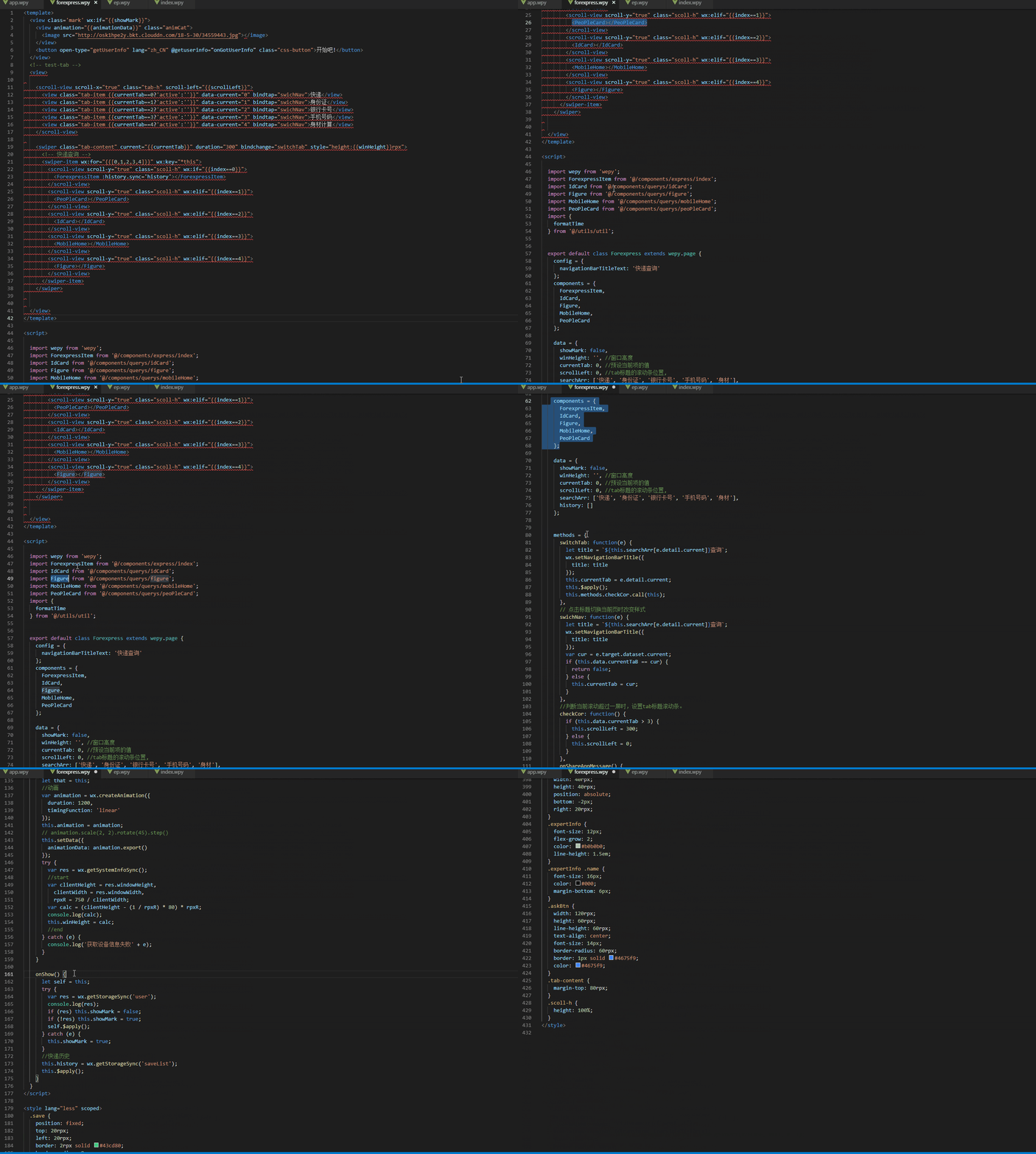
引入了组件化导入(相比小程序原生来说,强大很多) -> 源码在上,演示如下
wepy - 与原生有什么不同(x.wpy)使用实例的更多相关文章
- wepy - 与原生有什么不同(app.js和app.wpy比较)
app.js和app.wpy有什么不同呢? 答.app.wpy单文件包含了app.wxss\app.js\app.json\app.wxml app.js App({ /** * 当小程序初始化完成时 ...
- wepy - 与原生有什么不同(slot插槽)
wepy官方文档是这样介绍的 简单描述就是: index.wpy:子组件 panel.wpy:父组件 1.slot是内容分发的占位符 2.slot父组件在子组件使用时,名称必须一致 3.slot子组件 ...
- wepy - 与原生有什么不同($pages,$interceptors)
wepy内部封装的一些基类,我们要注意以 “$”开头命名,最好不用 关于wepy基类文档,请查看 关于$apply,其实就是主动刷新DOM,来更新数据. 何时使用它? 答. 你为data里面的数据进行 ...
- wepy - 与原生有什么不同(watcher监听器.)
<style> </style> <template> <view>监听值:{{num}}</view> </template> ...
- wepy - 与原生有什么不同(request)
关于request导入,清先查看这篇文档了解大概 缺陷: wx.request一个页面最多支持10个wx.request,况且不能保证请求先后顺序 对于wepy来说,使用了ES6 的Promise以 ...
- wepy - 与原生有什么不同(事件更改)
对于repeat,详情见官方文档 <style lang="less"> .userinfo { display: flex; flex-direction: colu ...
- wepy - 与原生有什么不同(单文件模式)
小程序采用同文件夹(文件名),统一通过app.json来管理 而vue以及wepy采用的是单文件模式(js.html.css)合并在一起了! wepy单文件模式 <style> .ok{ ...
- (转)[Unity3D]UI方案及制作细节(NGUI/EZGUI/原生UI系统) 内附unused-assets清除实例
转载请留下本文原始链接,谢谢.本文会不定期更新维护,最近更新于2013.09.17. http://blog.sina.com.cn/s/blog_5b6cb9500101bplv.html ...
- 用原生 JS 实现双向绑定及应用实例
写在前面: 所谓的双向绑定,无非是从界面的操作能实时反映到数据,数据的变更也能实时展现到界面.angular封装了双向绑定的方法,使双向绑定变得十分简单.但是在有些场景下(比如下面那个场景),不能使用 ...
随机推荐
- SnackDown Longest Increasing Subsequences 构造题
Longest Increasing Subsequences 题目连接: https://www.codechef.com/SNCKPA16/problems/MAKELIS Description ...
- macbook pro 开发帮助
java安装目录 /Library/java/JavaVirtualMachines/ 设置快捷目录 vim .bash_profile 文件中追加一下信息:export dirname=目录路径 重 ...
- [Database] MongoDB 副本集配置
MongoDB 副本集配置 MongoDB复制是将数据同步在多个服务器的过程. 复制提供了数据的冗余备份,并在多个服务器上存储数据副本,提高了数据的可用性, 并可以保证数据的安全性. 复制还允许您从硬 ...
- 《TCP/IP具体解释卷2:实现》笔记--IP:网际协议
本章介绍IP分组的结构和主要的IP处理过程,包含输入,转发和输出. 下图显示了IP层常见的组织形式. 在之前的文章中.我们看到了网络接口怎样把到达的IP分组放到IP输入队列ipintrq中去,并怎样调 ...
- SEO从理论到实践
GITHUB:http://www.liu12fei08fei.top/blog/12seo.html 明白seo是什么 知道怎么做 SEO从理论到实践 什么是SEO? SEO和SEM的区别 SEO和 ...
- java基础学习总结——数组
一.数组的基本概念 数组可以看成是多个相同类型数据组合,对这些数据的统一管理. 数组变量属引用类型,数组也可以看成是对象,数组中的每个元素相当于该对象的成员变量. 数组的元素可以是任何数据类型,包括基 ...
- iOS 调用短信、电话、邮件、浏览器等
1.调用 自带mail[[UIApplication sharedApplication] openURL:[NSURL URLWithString:@"mailto://admin@hzl ...
- iOS 下 Podfile 使用方法
配置 Podlist Pod 是 iOS 下包管理工具,类似于 JavaScript 里的 npm 或 yarn. 创建 Podfile 创建 Podfile 有两种方式: 打开 Terminal,在 ...
- Oracle学习中,重点是sql语句的学习,而所有的sql语句都要在scott用户下完成。
熟悉这个用户下的四张表,是必要的. 查看所有表名: SELECT * FROM tab; 查看每张表的结构: DESC 表名称: 1.部门表:dept no 名称 类型 描述 1 DEPTNO NU ...
- RecyclerView 缓存机制详解
一 前言 RecyclerView据官方的介绍,该控件用于在有限的窗口中展示大量数据集,其实这样功能的控件我们并不陌生,例如:ListView.GridView.RecyclerView可以用来代替传 ...