
在 Visual Studio 2010 中创建 ASP.Net Web Service
第一步:创建一个“ASP.Net Empty Web Application”项目
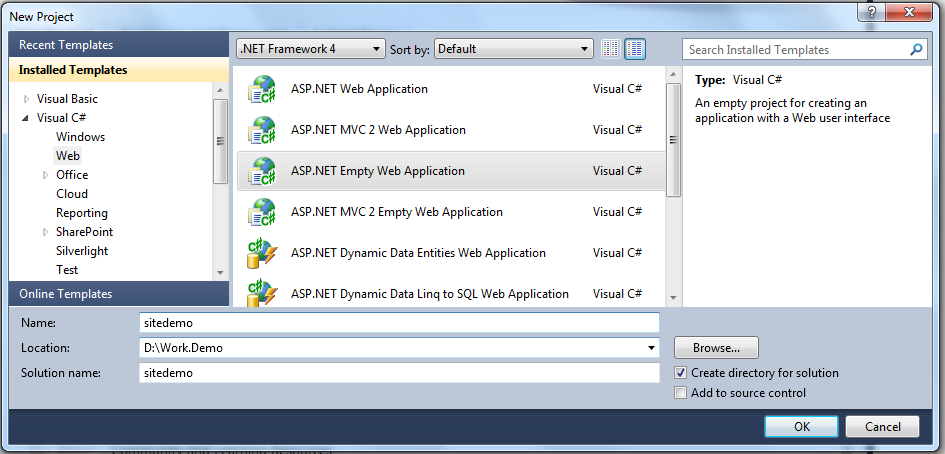
第二步:在项目中添加“Web Service”新项目
第一步之后,Visual Studio 2010会创建一个仅含一个站点配制文件(Web.config)的空站点,其余的什么也没有。
我们在Visual Studio 2010的Solution Explorer中,选中当前的这个project,添加新项目(右键菜单:Add --> New Item),选择“Web Service”这种类型:
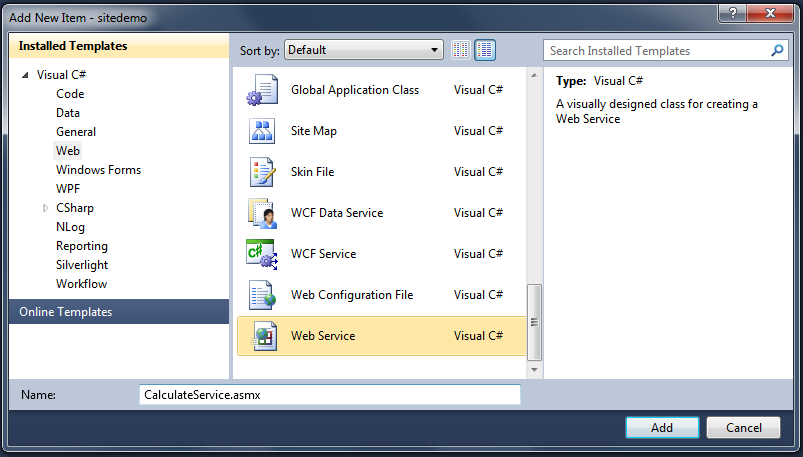
看到这里读者应该就恍然大悟了吧。
好,我们继续:
第三步:编码、运行
添加完Web Service这种new item之后,Visual Studio已经替我们写了个示范的Web方法了:
using System;

using System.Collections.Generic;

using System.Linq;

using System.Web;

using System.Web.Services;

namespace SecondNet

{

    /// <summary>

    /// WebService1 的摘要说明

    /// </summary>

    [WebService(Namespace = "http://tempuri.org/")]

    [WebServiceBinding(ConformsTo = WsiProfiles.BasicProfile1_1)]

    [System.ComponentModel.ToolboxItem(false)]

    // 若要允许使用 ASP.NET AJAX 从脚本中调用此 Web 服务,请取消对下行的注释。

    // [System.Web.Script.Services.ScriptService]

    public class WebService1 : System.Web.Services.WebService

    {

        [WebMethod]

        public string HelloWorld()

        {

            return "Hello World";

        }

    }

}
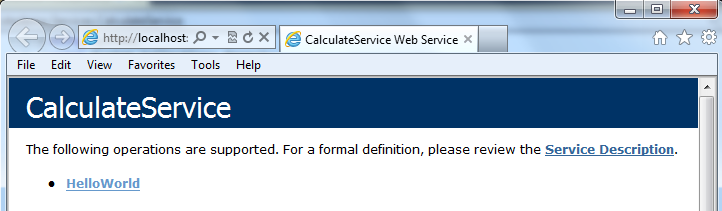
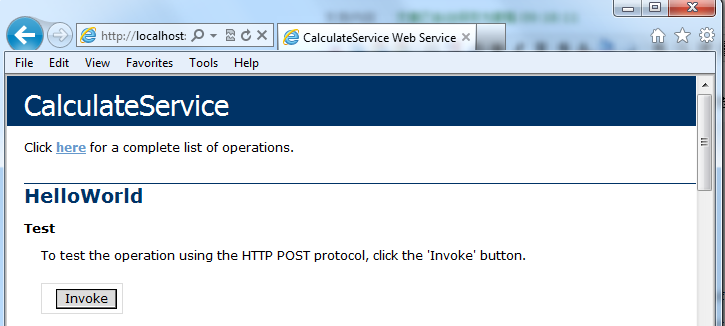
直接Press F5就可以看到结果:
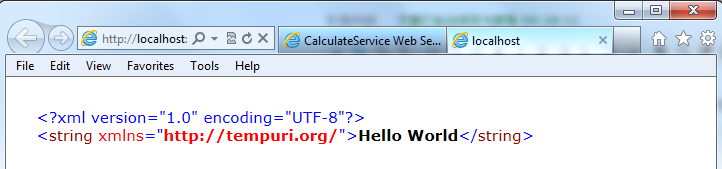
然后我们改写这段代码,添加我们自己的方法进去:
using System;

using System.Collections.Generic;

using System.Linq;

using System.Web;

using System.Web.Services;

namespace SecondNet

{

    /// <summary>

    /// WebService1 的摘要说明

    /// </summary>

    [WebService(Namespace = "http://tempuri.org/")]

    [WebServiceBinding(ConformsTo = WsiProfiles.BasicProfile1_1)]

    [System.ComponentModel.ToolboxItem(false)]

    // 若要允许使用 ASP.NET AJAX 从脚本中调用此 Web 服务,请取消对下行的注释。

    // [System.Web.Script.Services.ScriptService]

    public class WebService1 : System.Web.Services.WebService

    {

        [WebMethod]

        public string HelloWorld()

        {

            return "Hello World";

        }

        [WebMethod]

        public int Add(int x, int y)

        {

            return x + y;

        }

    }

}
运行:
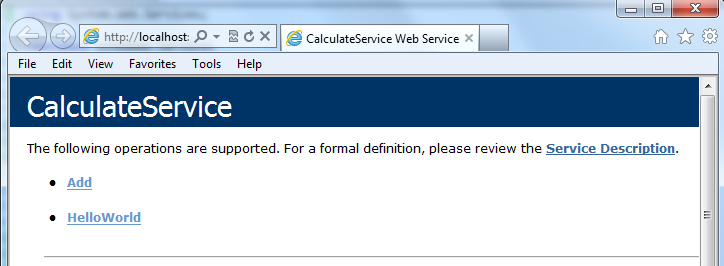
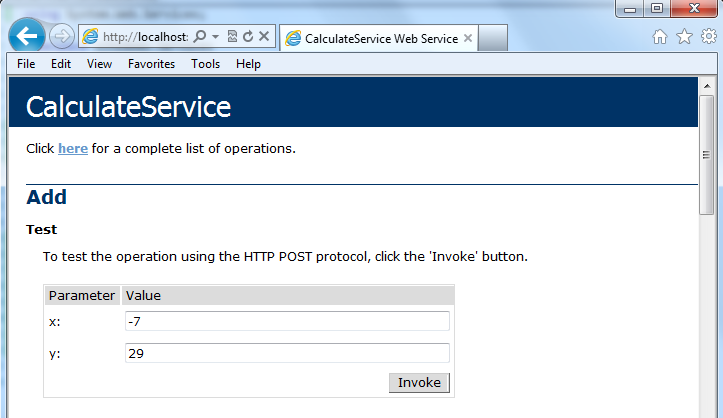
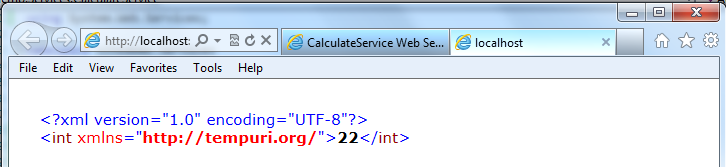
怎么样,是不是很简单?
总结
现在我们再回过头来看看,从VS2010之前版本的旧的创建Web Service的方式,到现在新的变化,Visual Studio改动了什么?
手头的机器没有装旧版的Visual Studio,我就现从网上抓一张教程里的截图吧,让我们看看旧版的Visual Studio里面大家创建Web Service时创建新项目的截图:
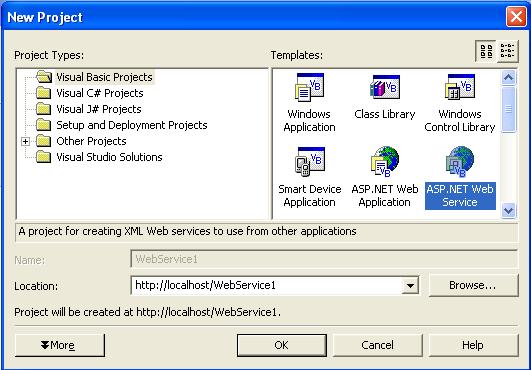
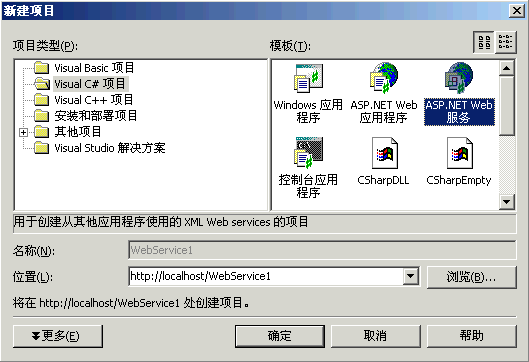
很多人说在Visual Studio 2010里面无法创建Web Service,他们大概是在寻找上面截图中的这种“ASP.Net Web Service”项目吧。
现在再回过头来看看,其实微软在Visual Studio 2010里面作了一个相当合理(make sense)的改变。
Web Service并不能单独存在,它必须Host在一个Web Site/Web Application上面。所以,在一个Web Site/Web Application里面,通过Add new item添加一个Web Service,这才是最合理的作法。
在 Visual Studio 2010 中创建 ASP.Net Web Service的更多相关文章
- Visual Studio 2010中创建ASP.Net Web Service
转自:http://blog.csdn.net/xinyaping/article/details/7331375 很多人在论坛里说,在Visual Studio 2010中不能创建“ASP.Net ...
- (转)在 Visual Studio 2010 中创建 ASP.Net Web Service
很多人在论坛里说,在Visual Studio 2010中不能创建“ASP.Net Web Service”这种project了,下面跟帖者云云,有的说这是因为微软已经将Web Service整合进W ...
- 【转载】在 Visual Studio 2012 中创建 ASP.Net Web Service
在 Visual Studio 2012 中创建 ASP.Net Web Service,步骤非常简单.如下: 第一步:创建一个“ASP.Net Empty Web Application”项目 创建 ...
- 在 Visual Studio 2013 中创建 ASP.NET Web 项目(0):专题导航 [持续更新中]
写在前面的话 随着 Visual Studio 2013 的正式推出,ASP.NET 和 Visual Studio Web 开发工具 也发布了各自的最新版本. 新版本在构建 One ASP.NET ...
- 在 Visual Studio 2013 中创建 ASP.NET Web 项目(1):概述 - 创建 Web 应用程序项目
注:本文是“在 Visual Studio 2013 中创建 ASP.NET Web 项目”专题的一部分,详情参见 专题导航 . 预备知识 本专题适用于 Visual Studio 2013 及以上版 ...
- 简单记录在Visual Studio 2013中创建ASP.NET Web API 2
在很多跨平台的应用中就需要Web API ,比如android与数据库的交互. Create a Web API Project 选择新建项目下的模板下的Visual C#节点下的Web节点,在模板列 ...
- 在 Visual Studio 2010 中创建 SharePoint 2010 事件接收器
Microsoft Visual Studio 2010 提供了一个可用于生成事件接收器的项目类型,事件接收器会在 Microsoft SharePoint 2010 网站上选择事件之前或之后执行操作 ...
- 在Visual Studio 2010 中创建类库(dll)
创建类库 选择"文件"->新建->项目->Visual C# ->类库,输入名称,选择位置,单击确定 浏览解决方案资源管理器,可以看到两个C#类,第一个是A ...
- Visual Studio 2010 中的 Web 开发
概述 Microsoft Visual Studio 2010 为 ASP.NET Web 应用程序的开发提供非常多新的功能.这些新功能旨在帮助开发者高速方便地创建和部署质量高且功能全的 Web 应用 ...
随机推荐
- commons-io源码阅读心得
FileCleanTracker: 开启一个守护线程在后台默默的删除文件. /* * Licensed to the Apache Software Foundation (ASF) under on ...
- js表格的输出
<html> <head> <title>隔行变色</title> <script type="text/javascript" ...
- Asp.Net Core简单整理
1.Asp.NetCore 中文入门文档 http://www.cnblogs.com/dotNETCoreSG/p/aspnetcore-index.html
- sublime text3输入中文的问题.
1.新建sublime_imfix.c文件 里面输入: /* * sublime-imfix.c * Use LD_PRELOAD to interpose some function to fix ...
- J2EE、J2SE、J2ME
http://developer.51cto.com/art/200906/130453.htm 本文介绍Java的三大块:J2EE.J2SE和J2ME.J2SE就是Java2的标准版,主要用于桌面应 ...
- Struts1和Struts2的区别和对比(完整版)
Struts2其实并不是一个陌生的Web框架,Struts2是以Webwork的设计思想为核心,吸收了Struts1的优点,因此,可以认为Struts2是Struts1和Webwork结合的产物. 简 ...
- Struts2配置文件_常量属性_独立测试分析
<constant name="struts.devMode" value="true" /> 设置开发模式,可以了解详细信息,该属性指定视图标签默 ...
- UITextAlignmentCenter' is deprecated: first deprecated in iOS 6.0
- 做个无边框winform窗体,并美化界面
今天下午程序写完,有些时间就搞下界面美化,做个无框窗体.首先把窗体的FormBorderStyle设置为None,就变成无框的啦,不过你会发现这样窗体上就没有原来的最大最小化和关闭按钮了哦,所以要自己 ...
- WPF中增加Month Calendar月历控件
XAML代码:(这里使用了codeproject.com网站上的一个Dll,你可以在这里下载它:http://www.codeproject.com/cs/miscctrl/MonthCalendar ...