
SpringBoot2.x整合Redis实战 4节课
1、分布式缓存Redis介绍
简介:讲解为什么要用缓存和介绍什么是Redis,新手练习工具
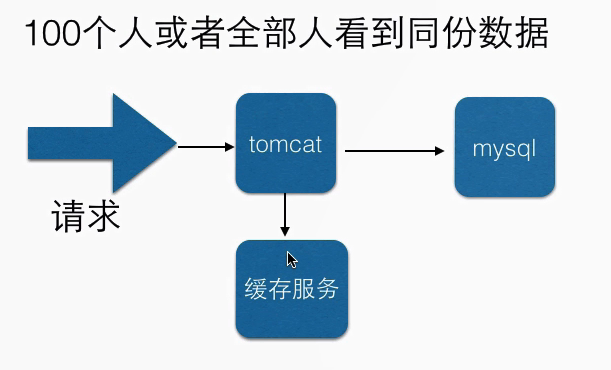
1、redis官网 https://redis.io/download
2、新手入门redis在线测试工具:http://try.redis.io/
2、源码编译安装Redis4.x
简介:使用源码安装Redis4.x和配置外网访问
1、快速安装 https://redis.io/download#installation
wget http://download.redis.io/releases/redis-4.0.9.tar.gz
tar xzf redis-4.0.9.tar.gz
cd redis-4.0.9
make
启动服务端:src/redis-server
启动客户端:src/redis-cli
2、默认是本地访问的,需要开放外网访问
1)打开redis.conf文件在NETWORK部分修改
注释掉bind 127.0.0.1可以使所有的ip访问redis
修改 protected-mode,值改为no
3、SpringBoot2.x整合redis实战讲解
简介:使用springboot-starter整合reids实战
1、官网:https://docs.spring.io/spring-boot/docs/2.1.0.BUILD-SNAPSHOT/reference/htmlsingle/#boot-features-redis
集群文档:https://docs.spring.io/spring-data/data-redis/docs/current/reference/html/#cluster
2、springboot整合redis相关依赖引入
<dependency>
<groupId>org.springframework.boot</groupId>
<artifactId>spring-boot-starter-data-redis</artifactId>
</dependency>
3、相关配置文件配置
#=========redis基础配置=========
spring.redis.database=0
spring.redis.host=127.0.0.1
spring.redis.port=6379
# 连接超时时间 单位 ms(毫秒)
spring.redis.timeout=3000
#=========redis线程池设置=========
# 连接池中的最大空闲连接,默认值也是8。
spring.redis.pool.max-idle=200
#连接池中的最小空闲连接,默认值也是0。
spring.redis.pool.min-idle=200
# 如果赋值为-1,则表示不限制;pool已经分配了maxActive个jedis实例,则此时pool的状态为exhausted(耗尽)。
spring.redis.pool.max-active=2000
# 等待可用连接的最大时间,单位毫秒,默认值为-1,表示永不超时
spring.redis.pool.max-wait=1000
4、常见redistemplate种类讲解和缓存实操(使用自动注入)
1、注入模板
@Autowired
private StirngRedisTemplate strTplRedis
2、类型String,List,Hash,Set,ZSet
对应的方法分别是opsForValue()、opsForList()、opsForHash()、opsForSet()、opsForZSet()
代码示例:
RdisTestController.java:
 package net.xdclass.base_project.controller;

 import net.xdclass.base_project.domain.JsonData;

 import org.json.JSONObject;

 import org.springframework.beans.factory.annotation.Autowired;

 import org.springframework.data.redis.core.StringRedisTemplate;

 import org.springframework.web.bind.annotation.GetMapping;

 import org.springframework.web.bind.annotation.RequestMapping;

 import org.springframework.web.bind.annotation.RestController;

 @RestController

 @RequestMapping("/api/v1/redis")

 public class RdisTestController {

     @Autowired

     private StringRedisTemplate redisTpl; //jdbcTemplate

     @GetMapping(value="add")

     public Object add(){

         //opsForValue : Returns the operations performed on simple values (or Strings in Redis terminology).

         redisTpl.opsForValue().set("name", "xdclass2018");

         return JsonData.buildSuccess();

     }

     @GetMapping(value="get")

     public Object get(){

         String value = redisTpl.opsForValue().get("name");

         return JsonData.buildSuccess(value);

     }

 }
4、Redis工具类封装讲解和实战
简介:高效开发方式 Redis工具类封装讲解和实战
1、常用客户端 https://redisdesktop.com/download
2、封装redis工具类并操作
装入对象:
     @GetMapping(value="save_user")

     public Object saveUser(){

         User user = new User(1,"abc","11",new Date());

         //String value = redisTpl.opsForValue().get("name");

         String userStr = JsonUtils.obj2String(user);

         boolean flag = redis.set("base:user:11", userStr);

         return JsonData.buildSuccess(flag);

     }

     @GetMapping(value="find_user")

     public Object findUser(){

         String userStr = redis.get("base:user:11");

         User user = JsonUtils.string2Obj(userStr, User.class);

         return JsonData.buildSuccess(user);

     }
base:user:11该命名方法的内容在可视化工具中会以文件夹形式展示
浏览器输入:http://localhost:8080/api/v1/redis/save_user

取值:
浏览器输入:http://localhost:8080/api/v1/redis/find_user
返回结果:

SpringBoot2.x整合Redis实战 4节课的更多相关文章
- 小D课堂 - 零基础入门SpringBoot2.X到实战_第9节 SpringBoot2.x整合Redis实战_39、SpringBoot2.x整合redis实战讲解
笔记 3.SpringBoot2.x整合redis实战讲解 简介:使用springboot-starter整合reids实战 1.官网:https://docs.spring.io/spring-bo ...
- 小D课堂 - 零基础入门SpringBoot2.X到实战_第9节 SpringBoot2.x整合Redis实战_40、Redis工具类封装讲解和实战
笔记 4.Redis工具类封装讲解和实战 简介:高效开发方式 Redis工具类封装讲解和实战 1.常用客户端 https://redisdesktop.com/download ...
- 小D课堂 - 零基础入门SpringBoot2.X到实战_第9节 SpringBoot2.x整合Redis实战_37、分布式缓存Redis介绍
笔记 1.分布式缓存Redis介绍 简介:讲解为什么要用缓存和介绍什么是Redis,新手练习工具 1.redis官网 https://redis.io/download ...
- 小D课堂 - 零基础入门SpringBoot2.X到实战_第9节 SpringBoot2.x整合Redis实战_38、源码编译安装Redis4.x
笔记 2.源码编译安装Redis4.x 简介:使用源码安装Redis4.x和配置外网访问 1.快速安装 https://redis.io/download#installation ...
- 【SpringBoot】整合Redis实战
========================9.SpringBoot2.x整合Redis实战 ================================ 1.分布式缓存Redis介绍 简介: ...
- centos mysql 实战 第一节课 安全加固 mysql安装
centos mysql 实战 第一节课 安全加固 mysql安装 percona名字的由来=consultation 顾问+performance 性能=per con a mysql ...
- 11、Logback日志框架介绍和SpringBoot整合实战 2节课
1.新日志框架LogBack介绍 简介:日志介绍和新日志框架Logback讲解 1.常用处理java的日志组件 slf4j,log4j,logback,common-logging 等 ...
- SpringBoot2.0 整合 Redis集群 ,实现消息队列场景
本文源码:GitHub·点这里 || GitEE·点这里 一.Redis集群简介 1.RedisCluster概念 Redis的分布式解决方案,在3.0版本后推出的方案,有效地解决了Redis分布式的 ...
- Springboot2.0整合Redis(注解开发)
一. pom.xm文件引入对应jar包 <dependency> <groupId>org.springframework.boot</groupId> <a ...
随机推荐
- BZOJ1127 POI2008KUP(悬线法)
首先显然地,如果某个格子的权值超过2k,其一定不在答案之中:如果在[k,2k]中,其自身就可以作为答案.那么现在我们只需要考虑所选权值都小于k的情况. 可以发现一个结论:若存在一个权值都小于k的矩阵其 ...
- C# == 和 Equals
先看一下解释 msdn对于 == 的解释: 对于预定义的值类型,如果操作数的值相等,则相等运算符 (==) 返回 true,否则返回 false. 对于 string 以外的引用类型,如果两个操作数引 ...
- python 和 scikit-learn 实现垃圾邮件过滤
文本挖掘(Text Mining,从文字中获取信息)是一个比较宽泛的概念,这一技术在如今每天都有海量文本数据生成的时代越来越受到关注.目前,在机器学习模型的帮助下,包括情绪分析,文件分类,话题分类,文 ...
- shell(1)-磁盘shell
查看硬盘的大小脚本[root@localhost ~]# vi repboot.sh#!/bin/bash# To show usage of /boot directory and mode of ...
- Logstash解析Json array
logstash解析json数组是一种常见的需求,我以网上一组数据为例来描述 我们的数据test.json内容如下:(此处我linux上的json文本需要是compact的) {"type& ...
- BSGS&EXBSGS 大手拉小手,大步小步走
大步小步走算法处理这样的问题: A^x = B (mod C) 求满足条件的最小的x(可能无解) 其中,A/B/C都可以是很大的数(long long以内) 先分类考虑一下: 当(A,C)==1 即A ...
- 关于chrome控制台出现代码叠加页面不能正常显示大小问题
见下图页面出现在chrome中的情况 描述状态:代码都变小了才出现控制台代码叠加问题 解决办法:使用鼠标滚轮放大代码就行啦,在设置里面让页面的大小显示为100%就可以了.
- Linux:批量修改分隔符(awk、BEGIN、FS、OFS、print、tr命令)
批量修改文件的分隔符,可以用FS和OFS命令 FS:Field Separator,字段分隔符 OFS:Out of Field Separator,输出字段分隔符 修改空格为分隔符 假设有这么一个文 ...
- Servlet学习:(三)Servlet3.0 上传文件
转: Servlet学习:(三)Servlet3.0 上传文件 2018年08月03日 11:57:58 iDark_CSDN 阅读数:362 一.注意事项 客户端(浏览器) 表单的提交方法必须是 ...
- pyqt4
PyQt4 工具包简介1.1 关于本指南 这是一个入门级的 PyQt 指南.其目的在于引导读者快速上手 PyQt4 工具包.该指南在 Linux 环境下创建并通过测试. 关于 PyQt PyQt 是用 ...