
iOS - UILabel
前言
	NS_CLASS_AVAILABLE_IOS(2_0) @interface UILabel : UIView <NSCoding>

	@available(iOS 2.0, *) 	 public class UILabel : UIView, NSCoding
- 实际上 label 就是一个可以显示文字的视图控件。
1、Label 的创建
Objective-C
	// 实例化 label 对象

	UILabel *label = [[UILabel alloc] initWithFrame:CGRectMake(10, 40, 100, 25)];

	// 将 label 加到 window 上显示出来

	[self.view addSubview:label];
Swift
	// 实例化 label 对象

	let label:UILabel = UILabel(frame: CGRectMake(10, 40, 100, 25))

	// 将 label 加到 window 上显示出来

	self.view.addSubview(label)
2、Label 的设置
Objective-C
	// 背景颜色

	label.backgroundColor = [UIColor redColor];

	// label 文字

	label.text = @"LabelLabelLabelLabelLabelLabelLabelLabelLabelLabel";

	// label 变属性文字

	label.attributedText = mutableAttributedString;

	// 设置字体

		// 系统样式

		label.font = [UIFont systemFontOfSize:30];

		// 加粗

		label.font = [UIFont boldSystemFontOfSize:30];

		// 倾斜

		label.font = [UIFont italicSystemFontOfSize:30];

		// 设置为指定字体类型的文字

		label.font = [UIFont fontWithName:@"Zapfino" size:15];

	// 获取系统字体库中的所有字体名称

	NSArray *fontNameArray = [UIFont familyNames];

	// 文字颜色

	label.textColor = [UIColor blackColor];

	// 文字对齐方式

	label.textAlignment = NSTextAlignmentCenter;

	// 文字阴影

	/*

		shadowColor:阴影颜色,shadowOffset:阴影偏移量

	*/

	label.shadowColor = [UIColor greenColor];

	label.shadowOffset = CGSizeMake(5, 5);

	// 文字换行方式

   	/*

   		// 以单词为单位换行(最后一行显示不完以单词截断剩下的内容不显示也不会省略(没有...))

		NSLineBreakByWordWrapping = 0,     // Wrap at word boundaries, default

		// 以字符为单位换行(最后一行显示不完以字符截断剩下的内容不显示也不会省略(没有...))

		NSLineBreakByCharWrapping,         // Wrap at character boundaries

		// 以单词为单位换行(最后一行显示不完以字符截断剩下的内容不显示也不会省略(没有...))

		NSLineBreakByClipping,             // Simply clip

		// 以单词换行,最后一行以字符截断,最后一行显示不完则省略最后一行的开头,以”...”显示

		NSLineBreakByTruncatingHead,       // Truncate at head of line: "...wxyz"

		// 以单词换行,最后一行以字符截断,最后一行显示不完则省略最后一行的中间,以”...”显示

		NSLineBreakByTruncatingTail,       // Truncate at tail of line: "abcd..."

		// 以单词换行,最后一行以字符截断,最后一行显示不完则省略最后一行的最后,以”...”显示

		NSLineBreakByTruncatingMiddle      // Truncate middle of line:  "ab...yz"

	*/

	label.lineBreakMode = NSLineBreakByWordWrapping;

	// 文字行数

	/*

		设置文字行数,0: 默认,行数不限

	*/

	label.numberOfLines = 0;

	// 文字自动调整

	label.adjustsFontSizeToFitWidth = YES;

	// 文字自适应 frame

	/*

		frame 自适配文字,宽度不变,必须要在添加了显示文字之后设置

	*/

	[label sizeToFit];

	// 设置 label 每一行文字的最大宽度

	/*

		在自动计算 label 高度时,为了保证计算出来的数值 跟 真正显示出来的效果 一致,若自动换行必须设置

	*/

	label.preferredMaxLayoutWidth = [UIScreen mainScreen].bounds.size.width - 20;
Swift
	// 背景颜色

	label.backgroundColor = UIColor.redColor()

	// label 文字

	label.text = "LabelLabelLabelLabelLabelLabelLabelLabelLabelLabel"

	// label 变属性文字

	label.attributedText = mutableAttributedString

	// 设置字体

		// 系统样式

		label.font = UIFont.systemFontOfSize(30)

		// 设置字体  加粗

		label.font = UIFont.boldSystemFontOfSize(30)

		// 设置字体  倾斜

		label.font = UIFont.italicSystemFontOfSize(30)

		// 设置为指定字体类型的文字

		label.font = UIFont(name: "Zapfino", size: 15)

	// 获取系统字体库中的所有字体名称

	let fontNameArray:NSArray = UIFont.familyNames()

	// 文字颜色

	label.textColor = UIColor.blackColor()

	// 文字对齐方式

	label.textAlignment = NSTextAlignment.Center

	// 文字阴影

	/*

		shadowColor:阴影颜色,shadowOffset:阴影偏移量

	*/

	label.shadowColor = UIColor.greenColor()

	label.shadowOffset = CGSizeMake(5, 5)

	// 文字换行方式

	/*

		// 以单词为单位换行(最后一行显示不完以单词截断剩下的内容不显示也不会省略(没有...))

		case ByWordWrapping

		// 以字符为单位换行(最后一行显示不完以字符截断剩下的内容不显示也不会省略(没有...))

		case ByCharWrapping

		// 以单词为单位换行(最后一行显示不完以字符截断剩下的内容不显示也不会省略(没有...))

		case ByClipping

		// 以单词换行,最后一行以字符截断,最后一行显示不完则省略最后一行的开头,以”...”显示

		case ByTruncatingHead

		// 以单词换行,最后一行以字符截断,最后一行显示不完则省略最后一行的中间,以”...”显示

		case ByTruncatingTail

		// 以单词换行,最后一行以字符截断,最后一行显示不完则省略最后一行的最后,以”...”显示

		case ByTruncatingMiddle

	*/

	label.lineBreakMode = .ByWordWrapping

	// 文字行数

	/*

		设置文字行数,0: 默认,行数不限

	*/

	label.numberOfLines = 0

	// 文字自动调整

	label.adjustsFontSizeToFitWidth = true

	// 文字自适应 frame

	/*

		frame 自适配文字,宽度不变,必须要在添加了显示文字之后设置

	*/

	label.sizeToFit()

	// 设置 label 每一行文字的最大宽度

	/*

		在自动计算 label 高度时,为了保证计算出来的数值 跟 真正显示出来的效果 一致,若自动换行必须设置

	*/

	label.preferredMaxLayoutWidth = UIScreen.mainScreen().bounds.size.width - 20
3、可变属性 Label 的创建
Objective-C
	UILabel *label = [[UILabel alloc] initWithFrame:CGRectMake(10, 50, 100, 30)];

	label.backgroundColor = [UIColor grayColor];

	[self.view addSubview:label];

	NSString *str1 = @"NSMutable";

	NSString *str2 = @"Attributed";

	NSString *str3 = @"String";

	// 设置 range 的大小

	NSRange range1 = NSMakeRange(0, str1.length);

	NSRange range2 = NSMakeRange(str1.length, str2.length);

	NSRange range3 = NSMakeRange(str1.length + str2.length, str3.length);

	// 实例化可变属性的字符串对象

	NSMutableAttributedString *str = [[NSMutableAttributedString alloc]

	                          initWithString:[NSString stringWithFormat:@"%@%@%@", str1, str2, str3]];

	// 设置文字的颜色和文字的大小

	[str addAttributes:@{NSForegroundColorAttributeName:[UIColor blueColor],

									NSFontAttributeName:[UIFont boldSystemFontOfSize:15]}

				 range:range1];

	[str addAttributes:@{NSForegroundColorAttributeName:[UIColor brownColor],

									NSFontAttributeName:[UIFont systemFontOfSize:40]}

				 range:range2];

	[str addAttributes:@{NSForegroundColorAttributeName:[UIColor greenColor],

									NSFontAttributeName:[UIFont italicSystemFontOfSize:25]}

				 range:range3];

	// 向 label 中添加文字

	label.attributedText = str;

	// frame 自适配文字,必须放在最后边,否则会不显示任何内容

	[label sizeToFit];
Swift
	let label:UILabel = UILabel(frame: CGRectMake(10, 50, 100, 30))

	label.backgroundColor = UIColor.grayColor()

	self.view.addSubview(label)

	let str1:NSString = "NSMutable"

	let str2:NSString = "Attributed"

	let str3:NSString = "String"

	// 设置 range 的大小

	let range1:NSRange = NSMakeRange(0, str1.length)

	let range2:NSRange = NSMakeRange(str1.length, str2.length)

	let range3:NSRange = NSMakeRange(str1.length + str2.length, str3.length)

	// 实例化可变属性的字符串对象

	let str:NSMutableAttributedString = NSMutableAttributedString(string:

											               String(format: "%@%@%@", str1, str2, str3))

	// 设置文字的颜色和文字的大小

	str.addAttributes([NSForegroundColorAttributeName:UIColor.blueColor(),

						   		  NSFontAttributeName:UIFont.boldSystemFontOfSize(15)],

				range: range1)

	str.addAttributes([NSForegroundColorAttributeName:UIColor.brownColor(),

						   		  NSFontAttributeName:UIFont.systemFontOfSize(40)],

				range: range2)

	str.addAttributes([NSForegroundColorAttributeName:UIColor.greenColor(),

						   		  NSFontAttributeName:UIFont.italicSystemFontOfSize(25)],

				range: range3)

	// 向 label 中添加文字

	label.attributedText = str

	// frame 自适配文字,必须放在最后边,否则会不显示任何内容

	label.sizeToFit()
4、Storyboard 中设置
在 Storyboard 场景中设置
Label 设置
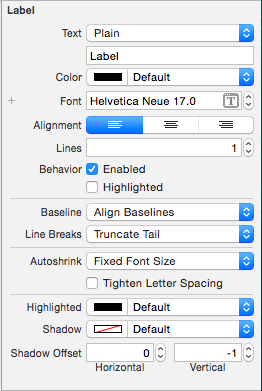
Text | 文字类型和显示的文字
--------------------------------|---------------------
Color | 文字颜色
Font | 文字字体
Alignment | 文字对齐方式
Lines | 行数
Behavior |
-- Enable |
-- Highlighted |
|
Baseline |
Line Breaks | 断行方式
|
Autoshrink |
-- Tighten Letter Spacing |
|
Highlighted | 高亮颜色
Shadow | 阴影颜色
Shadow Offset | 阴影偏移量
5、HUD
其他说法:指示器、遮盖、蒙板
UILabel 半透明 HUD 的做法:
背景色设置为半透明颜色,文字颜色透明度不变。
1> Storyboard 中设置背景半透明颜色
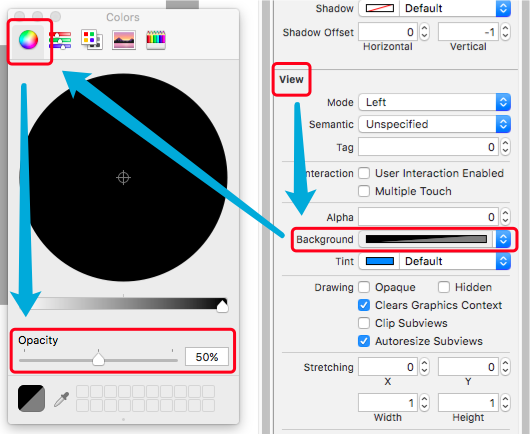
2> 纯代码中设置背景半透明颜色
Objective-C
	// 设置背景颜色为半透明

	self.labelHUD.backgroundColor = [[UIColor blackColor] colorWithAlphaComponent:0.5];
显示 HUD
Objective-C
	// 设置显示的提示文字

	self.labelHUD.text = @"数据加载完毕";

	// 显示 HUD

	self.labelHUD.alpha = 1.0;
隐藏 HUD
Objective-C
直接隐藏
	// 隐藏 HUD

	self.labelHUD.alpha = 0.0;
逐渐隐藏
	// 在 1 秒中内隐藏

	[UIView animateWithDuration:1 animations:^{

		self.labelHUD.alpha = 0.0;

	}];
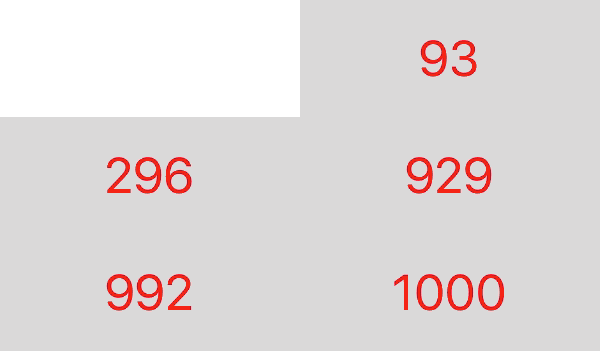
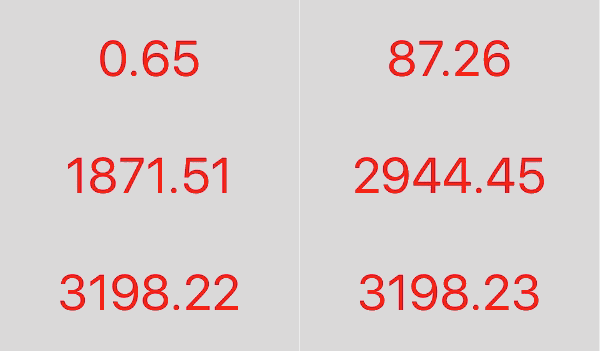
6、数字动态变化
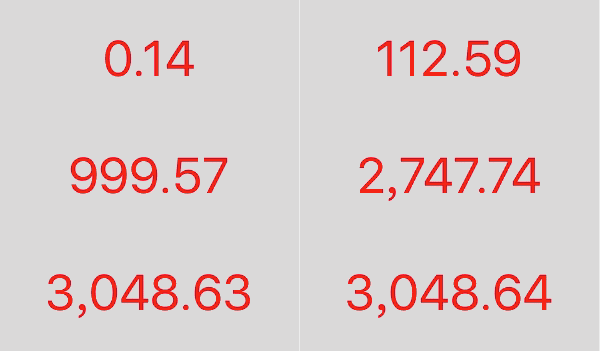
具体实现代码见 GitHub 源码 QExtension
具体讲解见 iOS - Label 数字动态变化
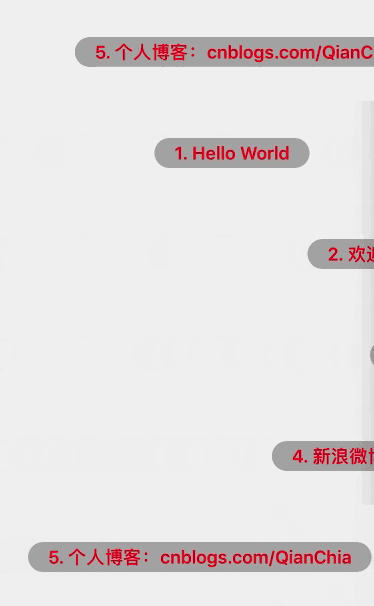
效果
7、跑马灯
7.1 简单实现
Objective-C
	UIView *backView = [[UIView alloc] initWithFrame:CGRectMake(10, 30, [[UIScreen mainScreen] bounds].size.width - 20, 50)];

	backView.backgroundColor = [UIColor grayColor];

	[self.view addSubview:backView];

	UILabel *label = [[UILabel alloc] initWithFrame:CGRectMake(0, 10, 120, 30)];

	label.backgroundColor = [UIColor yellowColor];

	label.textColor = [UIColor greenColor];

	label.text = @"Label Marquee";

	[backView addSubview:label];

  	// 子视图的范围不允许超过父视图的范围

	backView.clipsToBounds = YES;

	// 开始动画播放

		// 设置 label 的起始位置

		CGRect frame = label.frame;

		frame.origin.x = backView.frame.size.width;

		label.frame = frame;

	    // 开始简单动画

		[UIView beginAnimations:nil context:nil];

	    // 设置动画时间(开始播放动画)

		[UIView setAnimationDuration:5];

		// 匀速

		[UIView setAnimationCurve:UIViewAnimationCurveLinear];

		// 无限重复

		[UIView setAnimationRepeatCount:CGFLOAT_MAX];

		// 设置 label 的结束位置

		frame.origin.x = -frame.size.width;

		label.frame = frame;

		// 结束动画

		[UIView commitAnimations];

	// 一次播放动画结束
Swift
	let backView:UIView = UIView(frame: CGRectMake(10, 30, UIScreen.mainScreen().bounds.size.width - 20, 50))

	backView.backgroundColor = UIColor.grayColor()

	self.view.addSubview(backView)

	let label:UILabel = UILabel(frame: CGRectMake(0, 10, 120, 30))

	label.textColor = UIColor.greenColor()

	label.text = "Label Marquee"

	backView.addSubview(label)

  	// 子视图的范围不允许超过父视图的范围

	backView.clipsToBounds = true

	// 开始动画播放

		// 设置 label 的起始位置

		var frame:CGRect = label.frame

		frame.origin.x = backView.frame.size.width

		label.frame = frame

		// 开始简单动画

		UIView.beginAnimations(nil, context: nil)

		// 设置动画时间(开始播放动画)

		UIView.setAnimationDuration(5)

		// 匀速

		UIView.setAnimationCurve(UIViewAnimationCurve.Linear)

		// 无限重复

		UIView.setAnimationRepeatCount(9999999)

		// 设置 label 的结束位置

		frame.origin.x = -frame.size.width

		label.frame = frame

		// 结束动画

		UIView.commitAnimations()

	// 一次播放动画结束
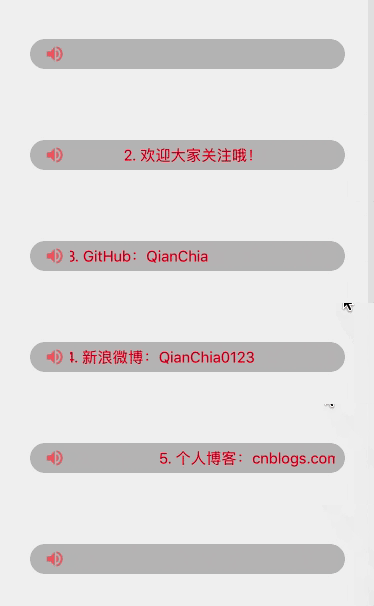
7.2 跑马灯实现封装
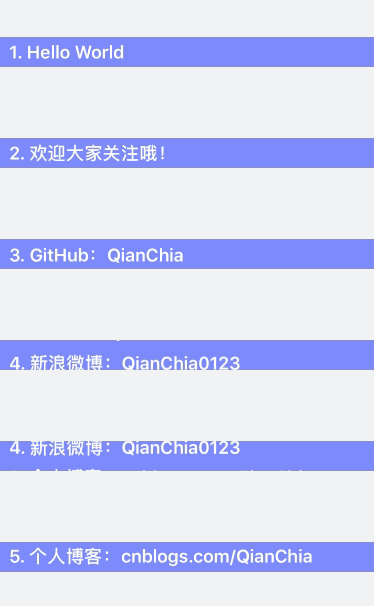
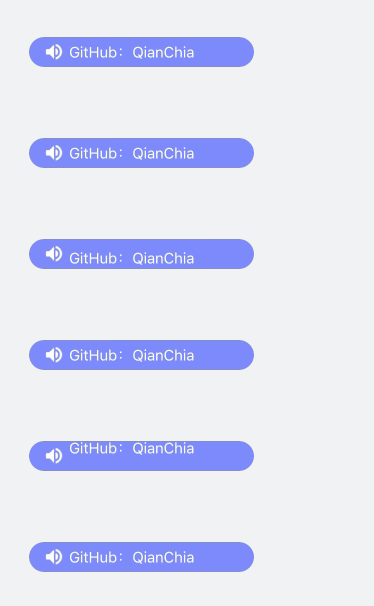
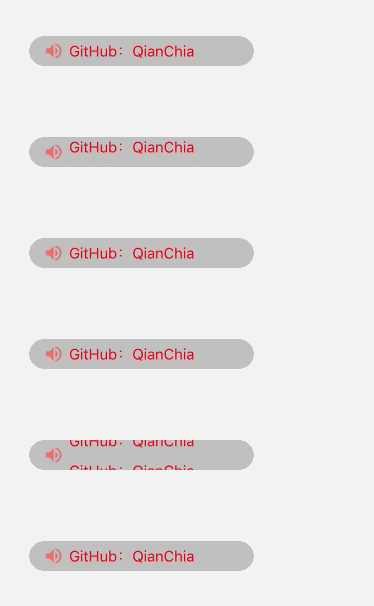
具体实现代码见 GitHub 源码 QExtension
具体讲解见 iOS - 跑马灯、弹幕
效果

8、弹幕
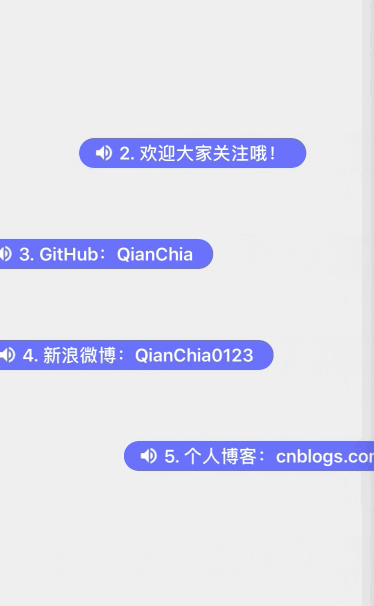
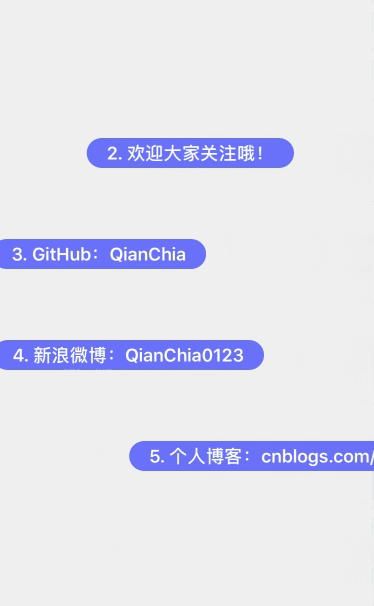
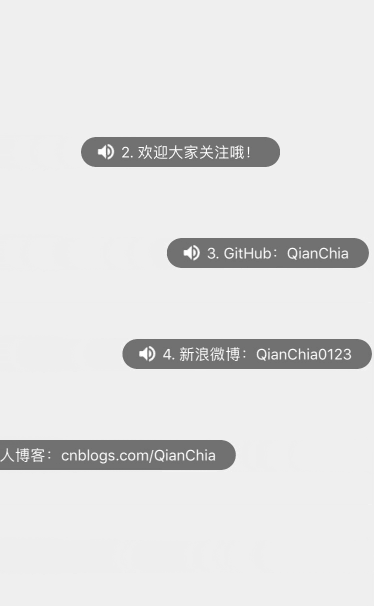
具体实现代码见 GitHub 源码 QExtension
具体讲解见 iOS - 跑马灯、弹幕
效果
iOS - UILabel的更多相关文章
- iOS UILabel UITextView UIButton 等等显示文本行间距
iOS UILabel UITextView UIButton 等等显示文本行间距都用如下方法 NSMutableParagraphStyle *paragraphStyle = [[NSMutab ...
- iOS UILabel 文字 置顶/置底 实现
iOS UILabel控件默认文字位置是居中的,如图所示: 但是我们经常碰到这样的需求,希望文字向上置顶,或者向下置底,但是很遗憾,iOS API中并没有提供相应的属性和方法,需要我们手动设置. 利用 ...
- IOS UILabel 根据内容自适应高度
iOS Label 自适应高度 适配iOS7以后的版本 更多 self.contentLabelView = [[UILabel alloc] init]; self.contentLabelVie ...
- iOS UILabel设置居上对齐,居中对齐,居下对齐
在iOS中默认的UILabel中的文字在竖直方向上仅仅能居中对齐,博主參考国外站点.从UILabel继承了一个新类,实现了居上对齐,居中对齐,居下对齐.详细例如以下: // // myUILabel ...
- ios - UILabel全属性
label是大家在开发过程中使用频率很高的一个用来显示文本信息的控件,但是她所有的属性你都了解吗,下面让我们来 重新认识一下label! 1.创建 CGRect rect = CGRectMake(, ...
- iOS -- UILabel的常见使用
UILabel是iOS开发经常用到的一个控件,主要用于显示文字.下面记录一些常用的UIlabel的使用. 先定义:UILabel *label = [[UILabel alloc]initWithFr ...
- iOS · UILabel加删除线
创建自定义子类DeleteLineLabel,继承自UILabel,然后在自定义子类DeleteLineLabel中 方法一(上下文): - (void)drawRect:(CGRect)rect { ...
- (转载)iOS UILabel自定义行间距时获取高度
本文介绍一下自定义行间距的UILabel的高度如何获取,需要借助一下开源的UILabel控件:TTTAttributedLabel 附下载地址 https://github.com/TTTAttrib ...
- iOS UILabel根据字符串长度自动适应宽度和高度
//这个frame是初设的,没关系,后面还会重新设置其size. UILabel *label = [[UILabel alloc] initWithFrame:CGRectMake(0,0, ...
随机推荐
- Symfony电子商务
http://zhilihe.com/content/symfony%E7%94%B5%E5%AD%90%E5%95%86%E5%8A%A1%E9%A1%B9%E7%9B%AE%E6%80%BB%E7 ...
- 微信公众平台自定义菜单PHP开发
微信公众平台自定义菜单PHP开发,微信公众平台自定义菜单是如何实现的呢?其实很简单,首先在微信公众平台升级为服务号,获取appid和appsecret,然后根据这2个参数获取access_token, ...
- ACM学习之路————一个大整数与一个小整数不得不说得的秘密
这个相对于两个大整数的运算来说,只能说是,low爆了. 只要利用好除法的性质,这类题便迎刃而解.O(∩_∩)O哈哈~ //大整数除一个int数 #include<iostream> #in ...
- Linux hrtimer分析(2)
http://blog.csdn.net/angle_birds/article/details/17375901 本文介绍Linux2.6.29中,配置高精度模式的hrtimer与未配置高精度模式时 ...
- php获取json文件数据并动态修改网站头部文件meta信息 --基于CI框架
话不多说了.直接开始吧 (如果有中文.请注意json只认utf-8编码) 首先你需要有一个json文件数据 { "index": { ...
- 算法心得2:关于k个最小和问题的思考
问题描述如下: 有k个整数数组,各包含k个元素.在每个数组中取一个元素加起来,可以得到k^k个和.求这些和中最小的k个值(重复计算的算多次). 如果同时考虑这k个数组的取值情况,其复杂程度不言而喻,并 ...
- js post提交页面
function post(URL, PARAMS) { var temp = document.createElement("form"); temp.action = URL; ...
- Unity-Animator深入系列---测试CrossFade和CrossFadeInFixedTime
回到 Animator深入系列总目录 CrossFade是按照动画的自身时间进行混合.如果动画10秒,混合持续时间0.2,会在2秒后混合完成 CrossFadeInFixedTime是按照实际时间进行 ...
- SharePoint自动化系列——Create a local user and add to SharePoint
转载请注明出自天外归云的博客园:http://www.cnblogs.com/LanTianYou/ 实现过程:在本地创建一个local user并将该user添加到Administrators组中, ...
- 如何使用不同参数组合生成独立的TestCase函数(Python)
在使用selenium2 Python做自动化测试的时候遇到个问题,写一个testcase 生成报告后,会有一个case的执行状态记录.这样我们写一个登录功能的自动化用例,只写一个case显然是不行的 ...