
OAuth2.0-4整合网关
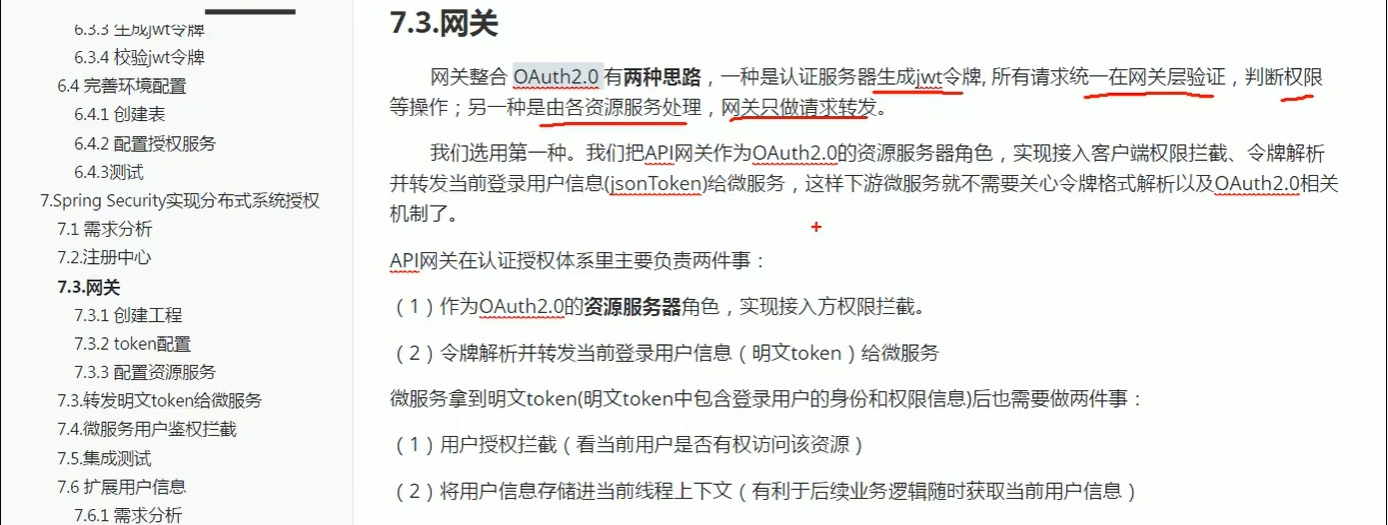
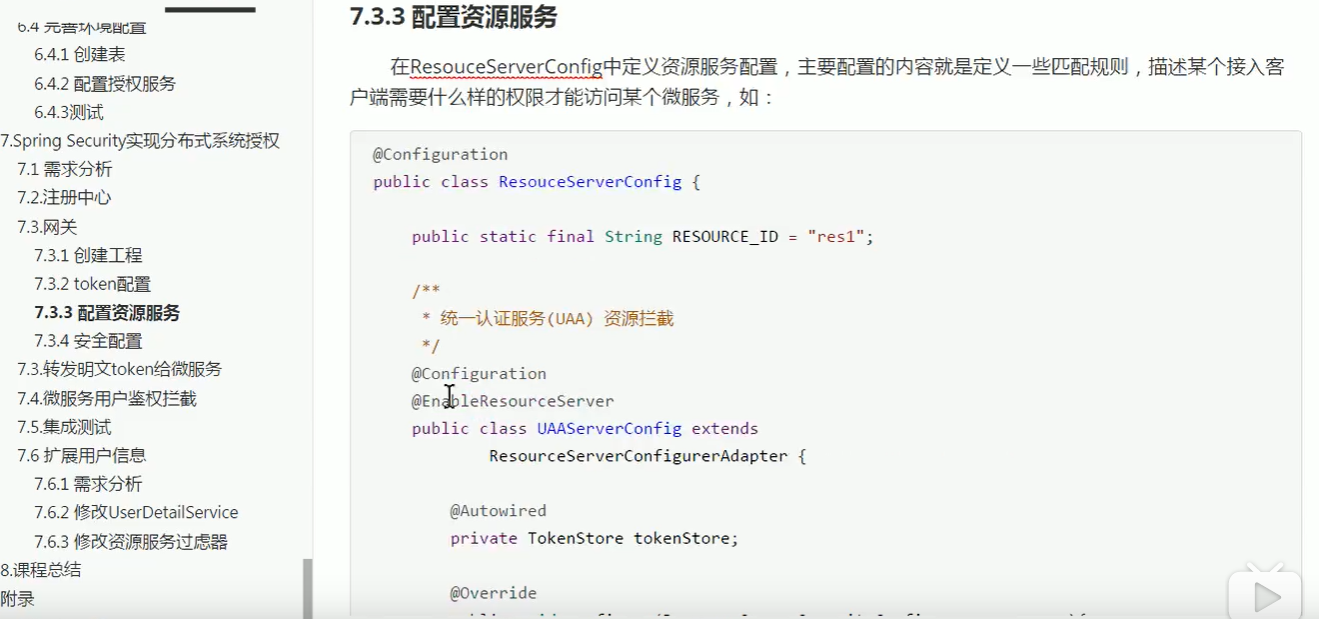

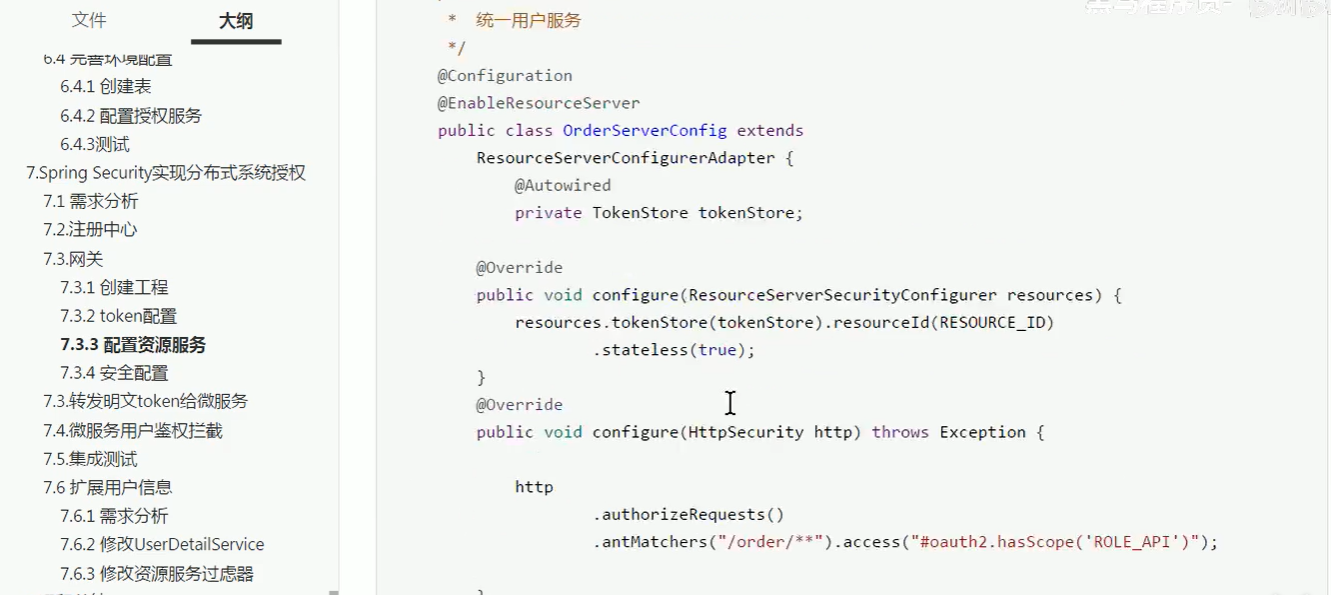
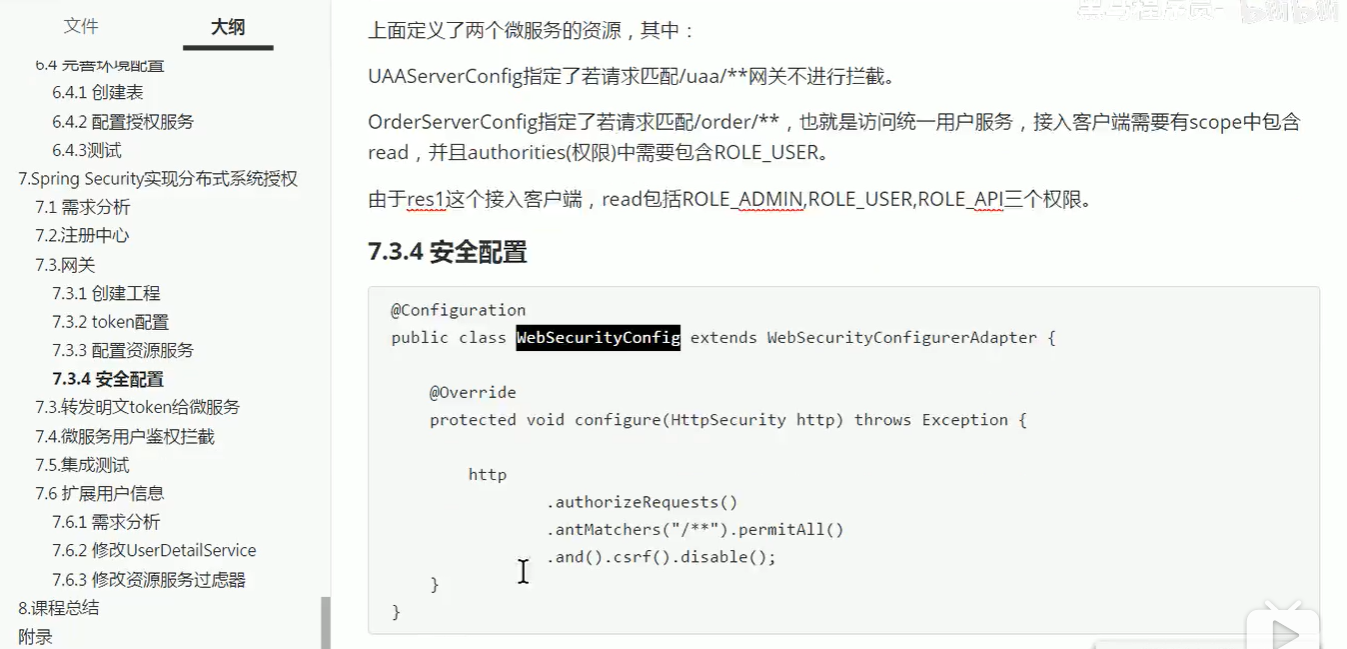

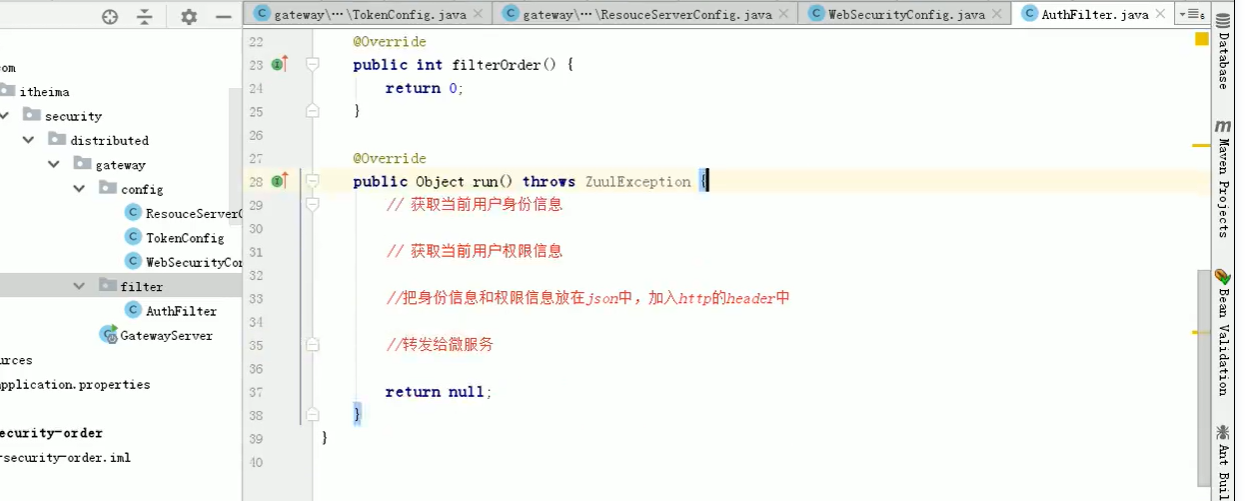
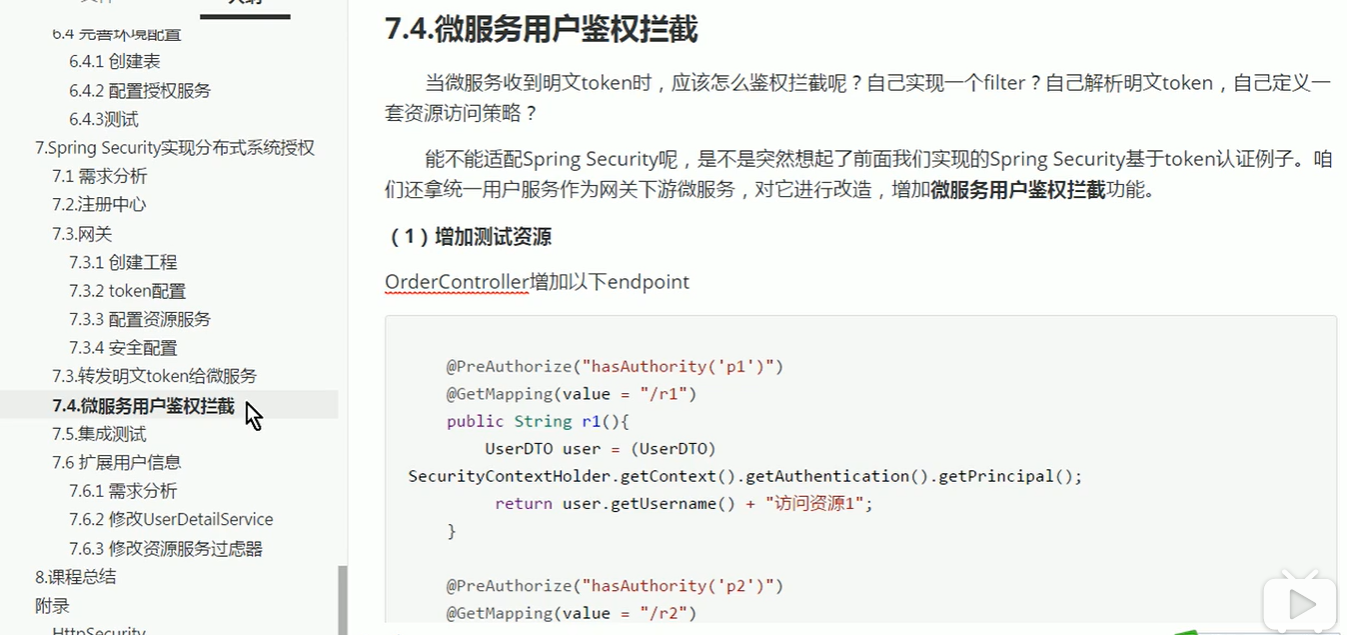

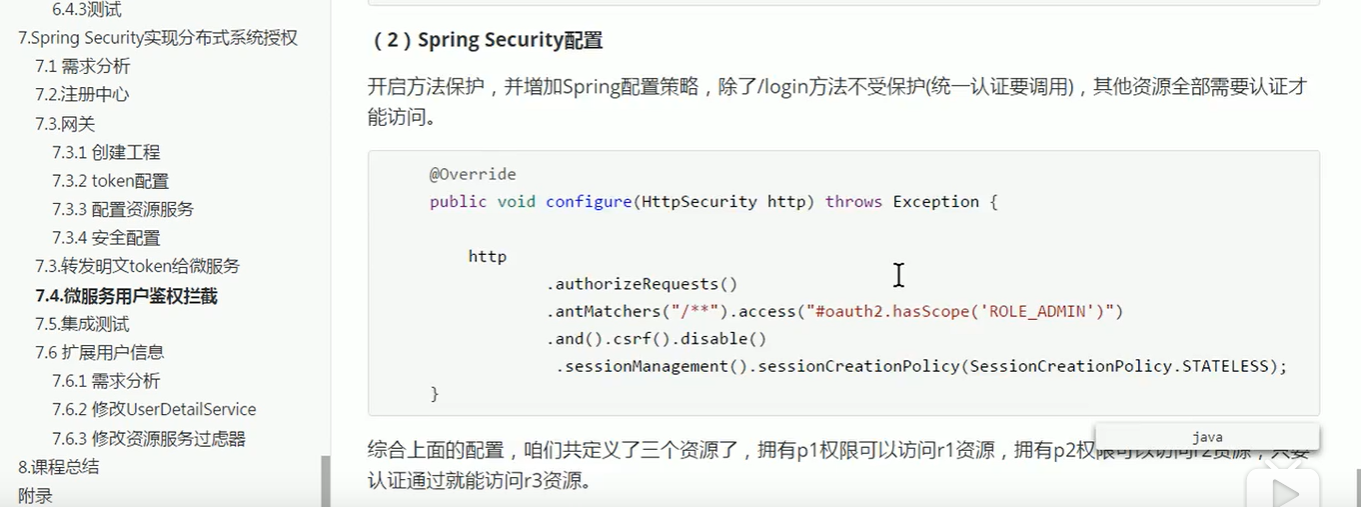
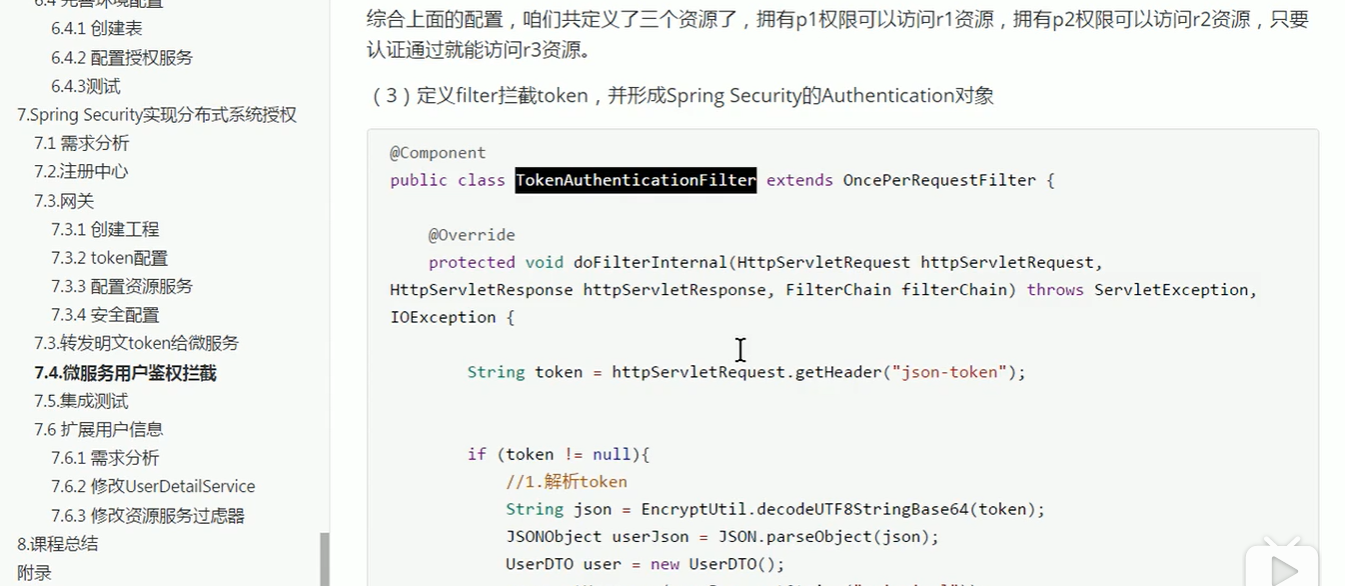

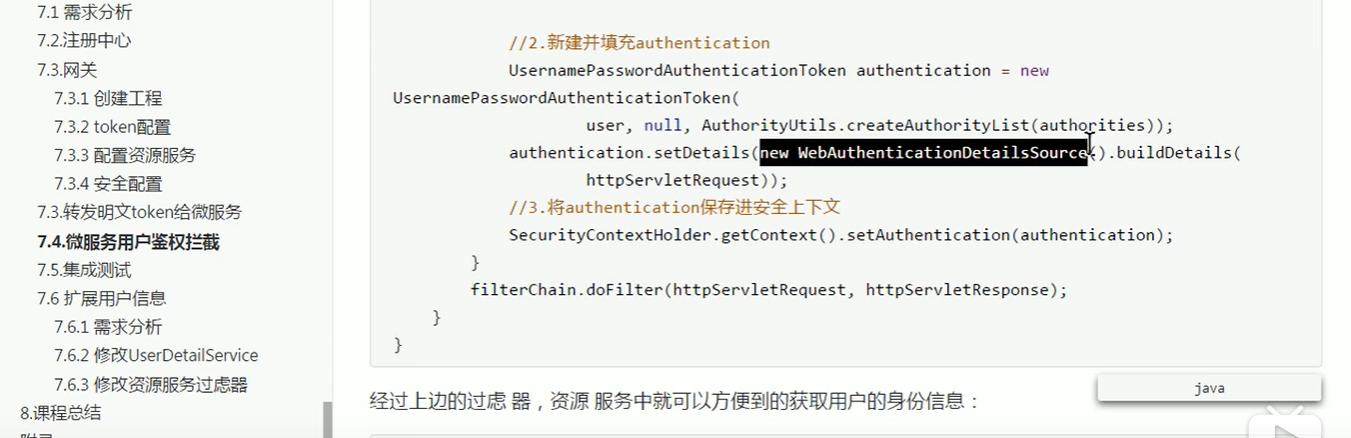
.antMatchers("/**").access("#oauth2.hasScope('scope1')")
上面这行代码,只是控制大范围的访问权限,具体到方法级的访问 还得看permission
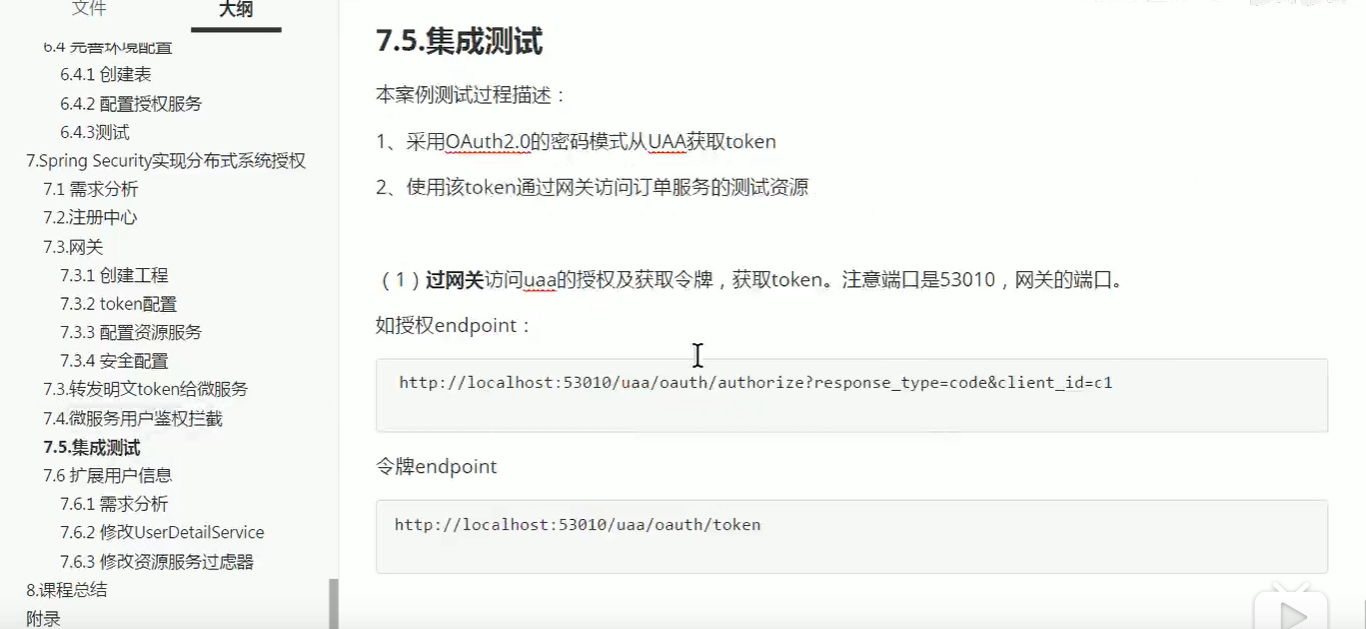
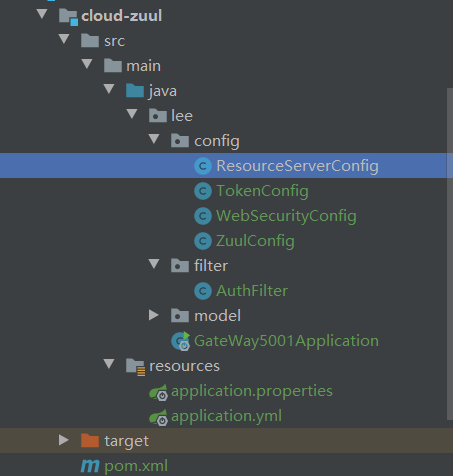
以上教程代码顺序如下:
网关服务:
1.application.properties
#zuul不传递cookie和head信息

#方法1:这个设置是开启全局的cookie和head传递

zuul.sensitive-headers=
2.application.yml
server:

  port: 5001

spring:

  application:

    name: zuul

  cloud:

    client:

      ipAddress: 127.0.0.1

eureka:

  instance:

    prefer-ip-address: false

    instance-id: ${spring.cloud.client.ipAddress}:${server.port}

    hostname: ${spring.cloud.client.ipAddress}

  client:

    serviceUrl:

      #eurekaServers

      defaultZone: http://127.0.0.1:2001/eureka

zuul:

  routes:

    authorization_server: /uaa/**

    order_server: /order/**

    sensitive-headers:
3.网关资源服务:
/**

 * 网关资源类

 */

@Configuration

public class ResourceServerConfig {

    public static final String RESOURCE_ID="res1";

    //1 uaa认证授权服务资源 配置

    @Configuration

    @EnableResourceServer

    public class UAAServerConfig  extends ResourceServerConfigurerAdapter{

        @Autowired

        private TokenStore tokenStore;

        @Override

        public void configure(ResourceServerSecurityConfigurer resources) throws Exception {

            resources

                    //设置我这个resource的id

                    .resourceId(RESOURCE_ID)

                    .tokenStore(tokenStore)

                    //这个貌似是配置要不要把token信息记录在session中

                    .stateless(true);

        }

        @Override

        public void configure(HttpSecurity http) throws Exception {

            http.authorizeRequests()

                    .antMatchers("/uaa/**").permitAll();//放行所有授权验证请求

        }

    }

    //2 order_server……等等微服务资源

    @Configuration

    @EnableResourceServer

    public class orderServerConfig  extends ResourceServerConfigurerAdapter{

        @Autowired

        private TokenStore tokenStore;

        @Override

        public void configure(ResourceServerSecurityConfigurer resources) throws Exception {

            resources

                    .resourceId(RESOURCE_ID)

                    .tokenStore(tokenStore)

                    .stateless(true);

        }

        @Override

        public void configure(HttpSecurity http) throws Exception {

            http.authorizeRequests()

                    //本项目所需要的授权范围,这个scope是写在auth服务的配置里的

                    .antMatchers("/order/**").access("#oauth2.hasScope('scope1')");

        }

    }

}
TokenConfig
@Configuration

public class TokenConfig {

    //配置如何把普通token转换成jwt token

    @Bean

    public JwtAccessTokenConverter tokenConverter() {

        JwtAccessTokenConverter converter = new JwtAccessTokenConverter();

        //使用对称秘钥加密token,resource那边会用这个秘钥校验token

        converter.setSigningKey("uaa123");

        return converter;

    }

    //配置token的存储方法

    @Bean

    public TokenStore tokenStore() {

        //把用户信息都存储在token当中,相当于存储在客户端,性能好很多

        return new JwtTokenStore(tokenConverter());

    }

}
网关约束WebSecurityConfig
@Configuration

public class WebSecurityConfig extends WebSecurityConfigurerAdapter {

    @Bean

    public PasswordEncoder passwordEncoder() {

        return new BCryptPasswordEncoder();

    }

    @Override

    protected void configure(HttpSecurity http) throws Exception {

        http.csrf().disable()

                .authorizeRequests()

                .antMatchers("/**").permitAll();

               // .and()

               // .formLogin()

              //  .and()

              //  .logout();

    }

    @Override

    @Bean

    public UserDetailsService userDetailsService() {

        /**

         * 基于内存创建用户

         */

        InMemoryUserDetailsManager manager=new InMemoryUserDetailsManager();

        manager.createUser(User.withUsername("zhangsan").password(passwordEncoder().encode("123")).authorities("admin").build());

        manager.createUser(User.withUsername("lisi").password(passwordEncoder().encode("123")).authorities("user").build());

        return manager;

    }

}
配置网关过滤器ZuulConfig、AuthFilter
/**

 * @Autor zhangjiawen

 * @Date: 2020/5/29 9:56

 */

@Configuration

public class ZuulConfig {

    @Bean

    public AuthFilter preAuthFilter(){

        return new AuthFilter();

    }

    @Bean

    public FilterRegistrationBean corsFilter(){

        final UrlBasedCorsConfigurationSource source=new UrlBasedCorsConfigurationSource();

        final CorsConfiguration config=new CorsConfiguration();

        config.setAllowCredentials(true);

        List<String> ruleList=new ArrayList<>();

        ruleList.add("*");

        config.setAllowedOrigins(ruleList);

        config.setAllowedHeaders(ruleList);

        config.setAllowedMethods(ruleList);

        config.setMaxAge(1800L);

        source.registerCorsConfiguration("/**",config);

        CorsFilter corsFilter=new CorsFilter(source);

        FilterRegistrationBean bean=new FilterRegistrationBean(corsFilter);

        bean.setOrder(Ordered.HIGHEST_PRECEDENCE);

        return bean;

    }

}
@Slf4j

public class AuthFilter extends ZuulFilter {

    @Override

    public String filterType() {

        return "pre";//表示请求之前拦截

    }

    @Override

    public int filterOrder() {

        return -1;

    }

    @Override

    public boolean shouldFilter() {

        return true;//如果想要过滤器生效必须改成true

    }

    /**

     * 转发解析token

     * @return

     * @throws ZuulException

     */

    @Override

    public Object run() throws ZuulException {

        //1获取当前用户身份信息

        RequestContext ctx=RequestContext.getCurrentContext();

            //从上下文拿到身份对象

        Authentication authentication= SecurityContextHolder.getContext().getAuthentication();

        if(!(authentication instanceof OAuth2Authentication)){

            log.error("-----!(authentication instanceof OAuth2Authentication)");

            return null;//如果不是oauth2.0格式的对象 直接返回;

        }

        OAuth2Authentication oAuth2Authentication=(OAuth2Authentication) authentication;

        Authentication userAuthentication = oAuth2Authentication.getUserAuthentication();

        //取出用户身份

        String principal = userAuthentication.getName();

        //2获取当前用户权限信息

        List<String> authorities=new ArrayList<>();

            //采用stream流的方式遍历

        userAuthentication.getAuthorities().stream().forEach(c-> authorities.add(c.getAuthority()));

            //将原请求参数重新放回

        OAuth2Request oAuth2Request = oAuth2Authentication.getOAuth2Request();

        Map<String, String> requestParameters = oAuth2Request.getRequestParameters();

        Map<String, Object> jsonToken =new HashMap<>(requestParameters);

        //3把用户身份权限信息放入json,存入http的header中

        if(userAuthentication!=null){

            jsonToken.put("principal",principal);

            jsonToken.put("authorities",authorities);

        }

        ctx.addZuulRequestHeader("json-token", Base64.encode(JSON.toJSONString(jsonToken)));

        //4转发给微服务

        return null;

    }

}
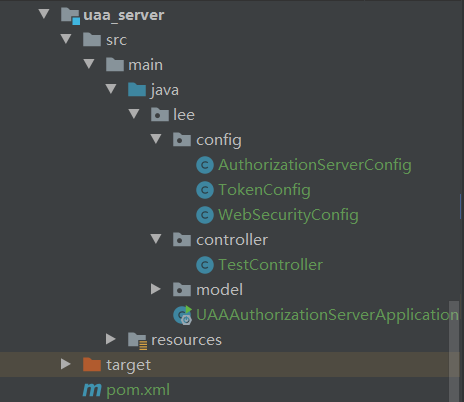
授权服务uaa:
资源order服务:
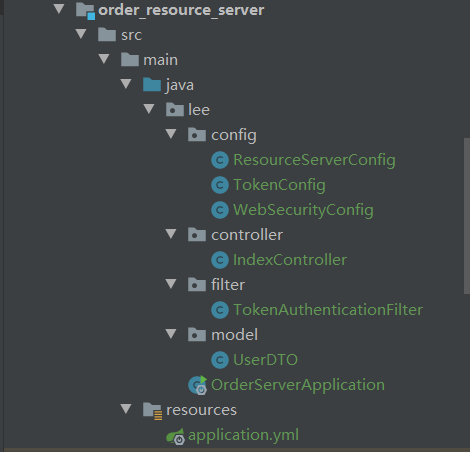
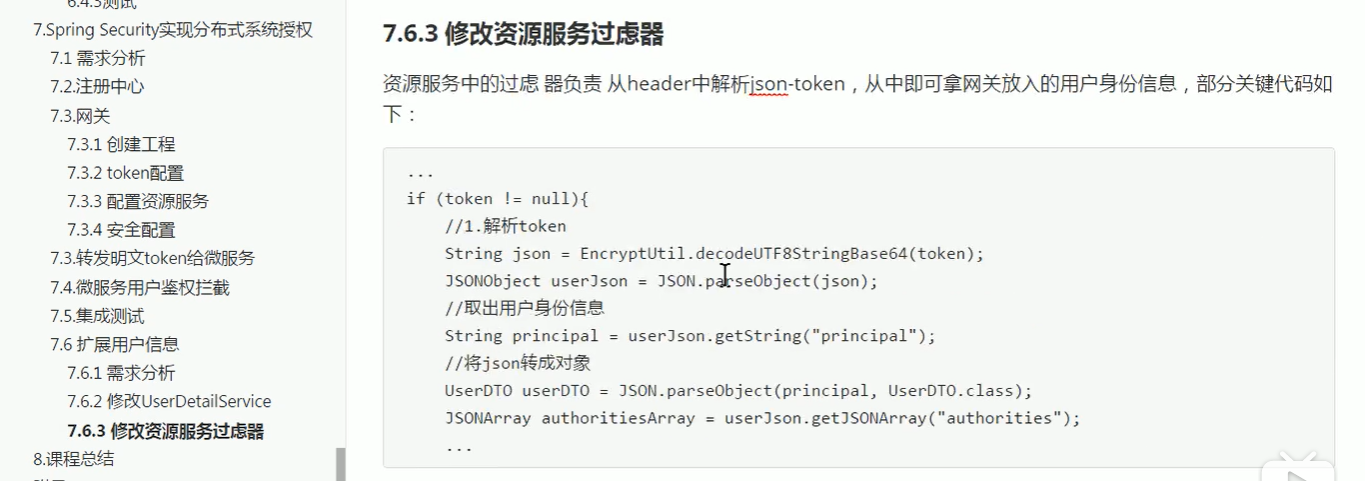
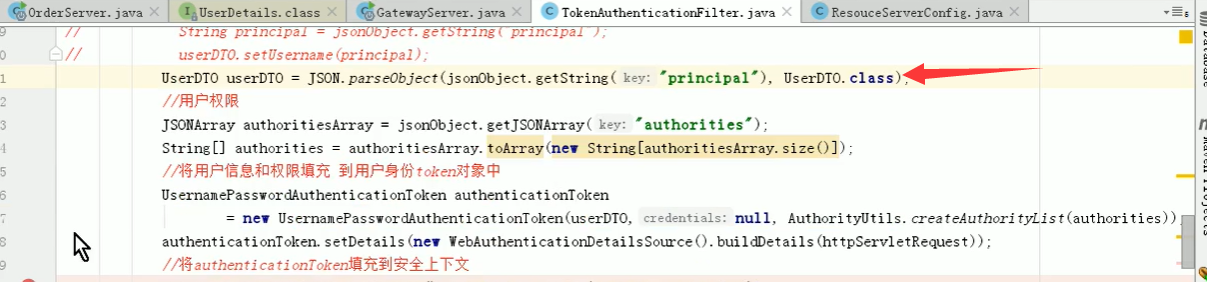
用户权限过滤器TokenAuthenticationFilter
/

 * @Autor zhangjiawen

 * @Date: 2020/5/29 10:16

 */

@Component

public class TokenAuthenticationFilter extends OncePerRequestFilter {

    @Override

    protected void doFilterInternal(HttpServletRequest request, HttpServletResponse response, FilterChain filterChain) throws ServletException, IOException {

        //解析出头中的token

        String token = request.getHeader("json-token");

        if(!StringUtils.isEmpty(token)){

            String json= Base64.decodeStr(token);

            //将token转成json对象

            JSONObject jsonObject= JSON.parseObject(json);

            //获取身份信息

            String principal = jsonObject.getString("principal");

            UserDTO userDTO=new UserDTO();

            userDTO.setUsername(principal);

            //获取权限信息

            JSONArray authoritiesArray = jsonObject.getJSONArray("authorities");

            String[] authorities=authoritiesArray.toArray(new String[authoritiesArray.size()]);

            //将用户身份权限信息填充到用户token对象中

            UsernamePasswordAuthenticationToken authenticationToken

                    =new UsernamePasswordAuthenticationToken(userDTO,null, AuthorityUtils.createAuthorityList(authorities));

            authenticationToken.setDetails(new WebAuthenticationDetailsSource().buildDetails(request));

            //将authenticationToken填充到安全上下文

            SecurityContextHolder.getContext().setAuthentication(authenticationToken);

            filterChain.doFilter(request,response);

        }

    }

}
所有项目源码本人结合网友提供的代码整理了最后一部分 分布式的权限控制 参考:
https://gitee.com/jiawenzhang/Oauth-cloud
感谢哔哩哔哩提供的视频,地址:https://www.bilibili.com/video/BV1VE411h7aL?p=45
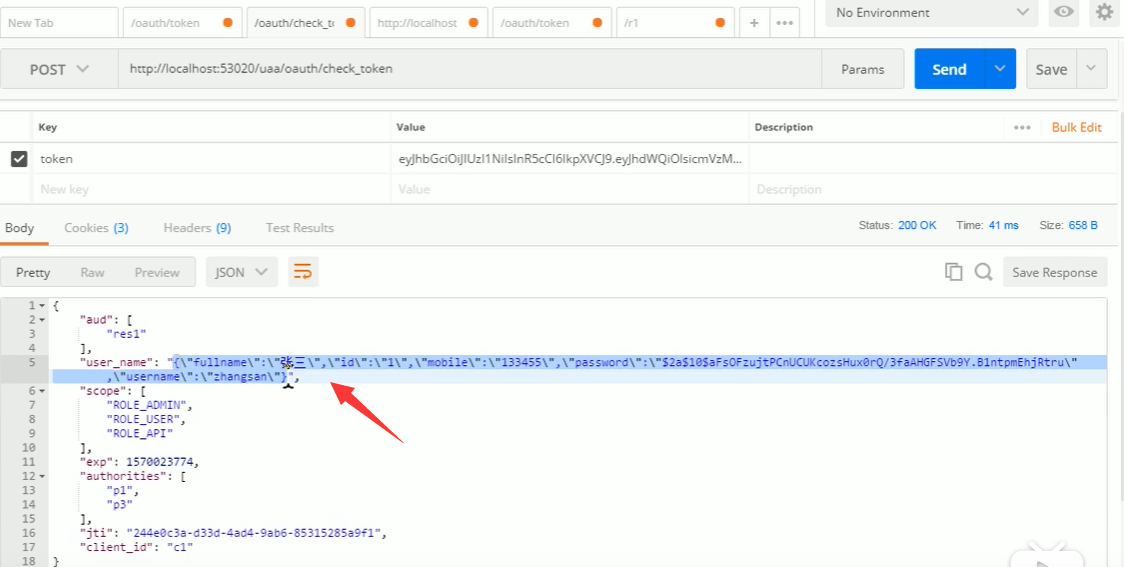
测试效果:
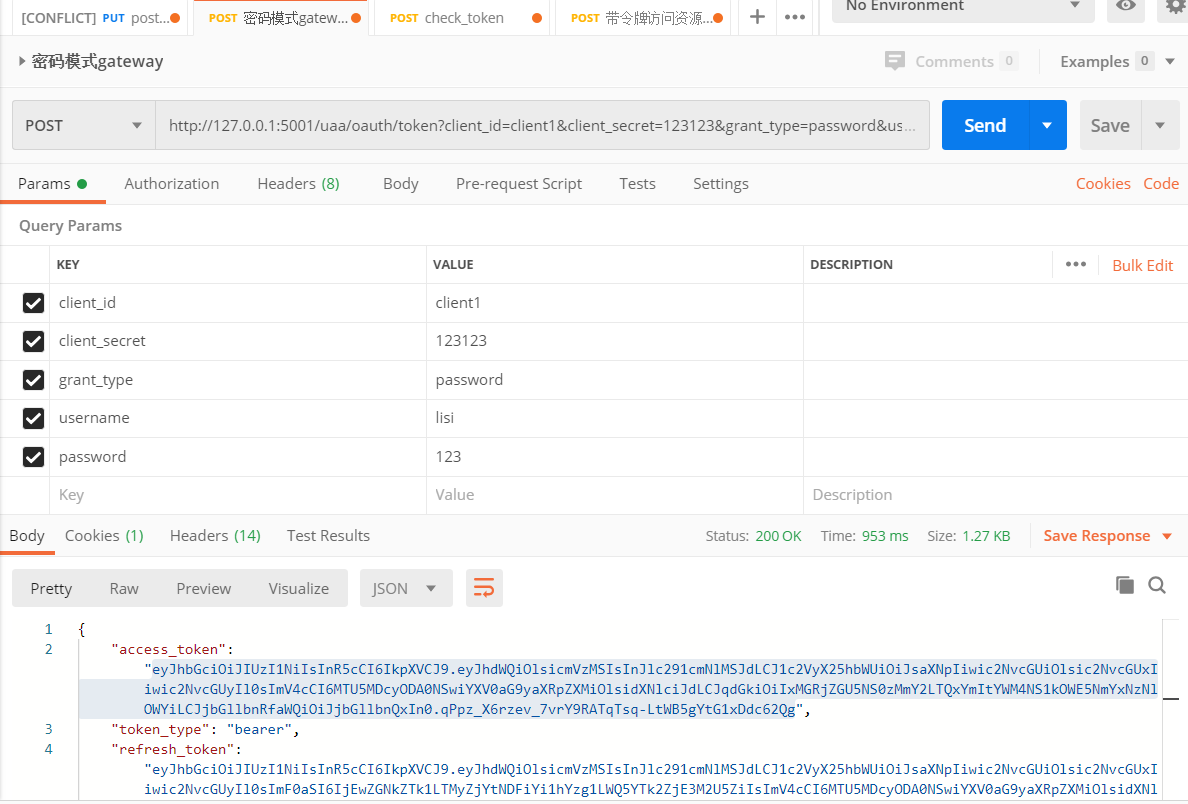
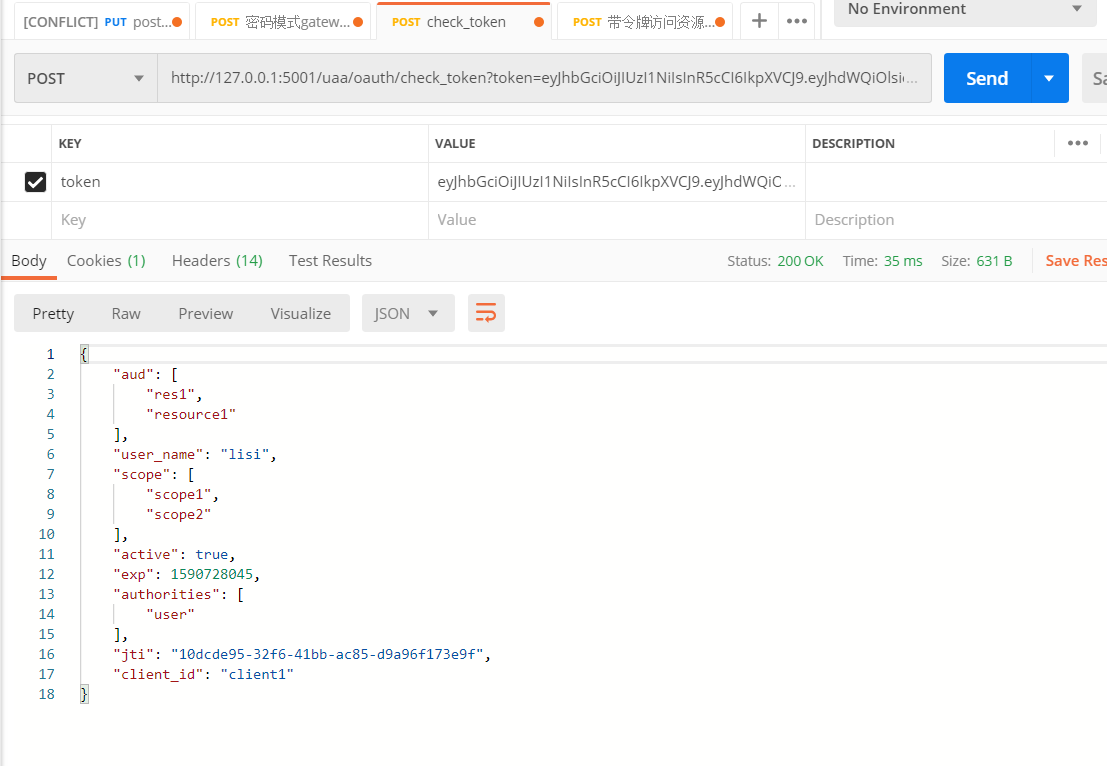


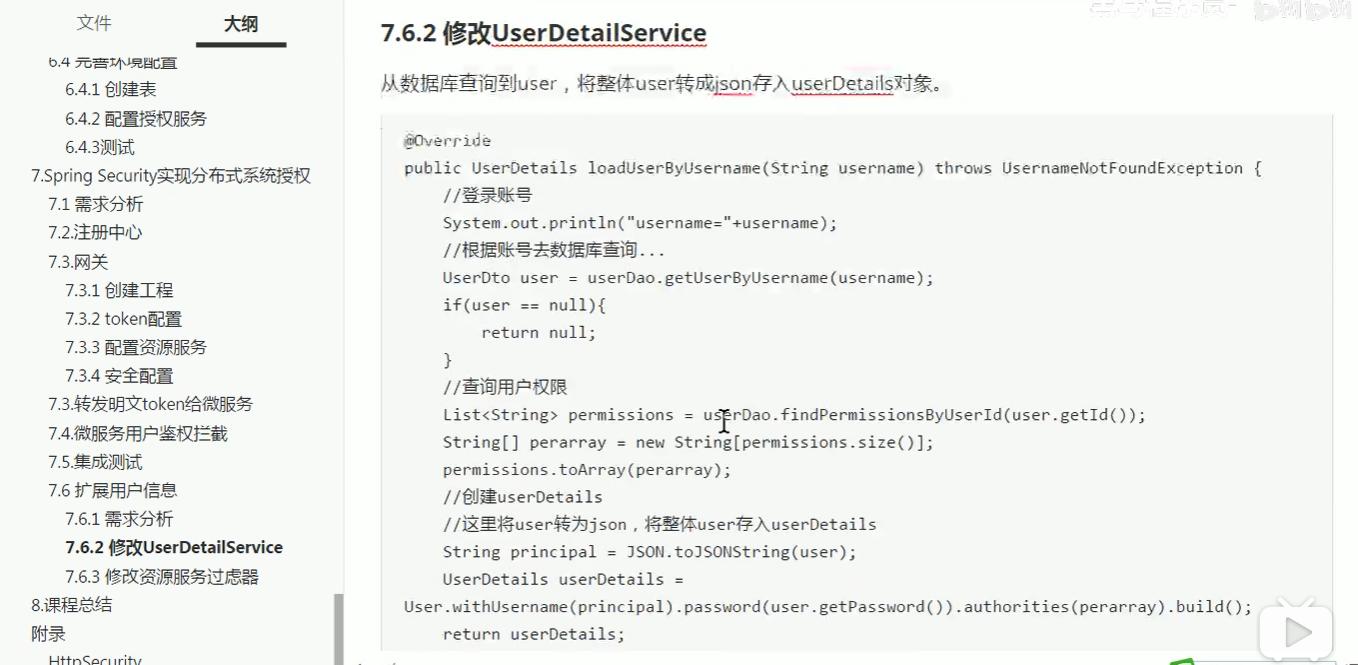
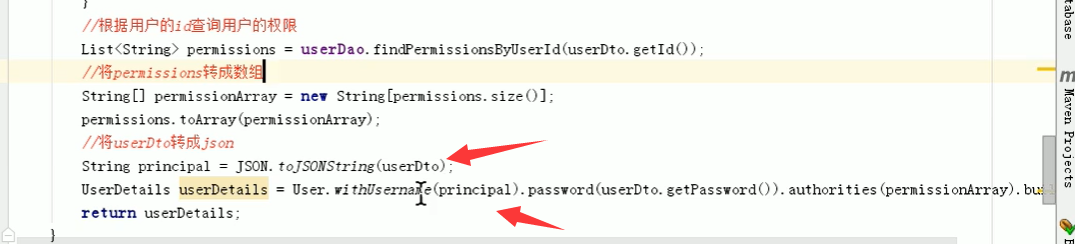
将用户信息转成json对象放到username中
OAuth2.0-4整合网关的更多相关文章
- security和oauth2.0的整合
security和oauth2.0的整合 之前已经介绍过security的相关的介绍,现在所需要做的就是security和oauth2.0的整合,在原有的基础上我们加上一些相关的代码;代码实现如下: ...
- 整合spring cloud云架构 - SSO单点登录之OAuth2.0登录认证(1)
之前写了很多关于spring cloud的文章,今天我们对OAuth2.0的整合方式做一下笔记,首先我从网上找了一些关于OAuth2.0的一些基础知识点,帮助大家回顾一下知识点: 一.oauth中的角 ...
- SpringBootSecurity学习(14)前后端分离版之 OAuth2.0介绍
登录总结 前面基本介绍了security的常规用法,同时介绍了JWT和它的一个简单实现,基本上开发中遇到的登录问题都能解决了,即使在分布式开发,或者微服务开发中实现登录也基本没有问题了.securit ...
- Spring Cloud云架构 - SSO单点登录之OAuth2.0登录认证(1)
今天我们对OAuth2.0的整合方式做一下笔记,首先我从网上找了一些关于OAuth2.0的一些基础知识点,帮助大家回顾一下知识点: 一.oauth中的角色 client:调用资源服务器API的应用 O ...
- Spring Cloud Zuul 网关使用与 OAuth2.0 认证授权服务
API 网关的出现的原因是微服务架构的出现,不同的微服务一般会有不同的服务地址,而外部客户端可能需要调用多个服务的接口才能完成一个业务需求,如果让客户端直接与各个微服务通信,会有以下的问题: 客户端会 ...
- Oauth2.0 整合springCloud的Zuul 解决关键BUG 报错信息:Principal must not be null
不清楚Oauth2.0 的 可以查看我前几篇博文 2018.4.8 补充 我出现这个原因:是我在资源服务器使用了 如下图所示 Principal Oauth2.0 提供的获取用户信息的方法 使其找到相 ...
- 妹子始终没搞懂OAuth2.0,今天整合Spring Cloud Security 一次说明白!
大家好,我是不才陈某~ 周二发了Spring Security 系列第一篇文章,有妹子留言说看了很多文章,始终没明白OAuth2.0,这次陈某花了两天时间,整理了OAuth2.0相关的知识,结合认证授 ...
- (十一) 整合spring cloud云架构 - SSO单点登录之OAuth2.0登录流程(2)
上一篇是站在巨人的肩膀上去研究OAuth2.0,也是为了快速帮助大家认识OAuth2.0,闲话少说,我根据框架中OAuth2.0的使用总结,画了一个简单的流程图(根据用户名+密码实现OAuth2.0的 ...
- QQ登录整合/oauth2.0认证-04-调整到QQ互联进行QQ登录
---------------------------------目录------------------------------------- QQ登录整合/oauth2.0认证-03-对第二节的代 ...
- QQ登录整合/oauth2.0认证-03-对第二节的代码改进
---------------------------目录---------------------------------- QQ登录整合/oauth2.0认证-01-申请appkey和appid ...
随机推荐
- es6新增特性总结
定义 ES6是ECMA为JavaScript制定的第6个标准版本,标准委员会决定,标准在每年6月正式发布并作为当年的正式版本,接下来的时间里就在此版本的基础上进行改动,直到下一年6月草案就自然变成新一 ...
- 数据清洗与准备知识图谱-《利用Python进行数据分析》
所有内容整理自<利用Python进行数据分析>,使用MindMaster Pro 7.3制作,emmx格式,源文件已经上传Github,需要的同学转左上角自行下载或者右击保存图片.
- .NET Core微服务开发网关篇-ocelot
通过上篇我们知道,网关是外部访问的统一入口,本文采用Ocelot作为Api网关. 环境要求: vs2019 .NetCore3.1 Ocelot16.0.1 创建一个产品服务Api站点(AAStore ...
- 从对象到类,Java中需要知道的这些东西
1. 对象的诞生 在平时的开发中,我们使用对象的时候,都是直接new一个临时变量然后进行各种逻辑赋值然后返回,但是你有没有想过一个对象在创建的过程中经历了什么呢,为什么创建时静态变量就已经赋完值了 ...
- Python Ethical Hacking - Malware Analysis(2)
Filtering Command Output using Regex #!/usr/bin/env python import smtplib import subprocess import r ...
- Python Ethical Hacking - Malware Analysis(1)
WRITING MALWARE Download file. Execute Code. Send Report. Download & Execute. Execute & Repo ...
- ASP.Net Core 3.1 With Autofac ConfigureServices returning an System.IServiceProvider isn't supported.
ASP.Net Core 3.1 With Autofac ConfigureServices returning an System.IServiceProvider isn't supported ...
- python 批量重命名文件名字
import os print(os.path) img_name = os.listdir('./img') for index, temp_name in enumerate(img_name): ...
- Bug -- WebService报错(两个类具有相同的 XML 类型名称 "{http://webService.com/}getPriceResponse"。请使用 @XmlType.name 和 @XmlType.namespace 为类分配不同的名称。)
调用WebService时报错 解决方法: 在提示的两个java文件中加如一行代码namespace = "http://namespace.thats.not.the.same.as.th ...
- matplotlib常用基础知识
linestyle(ls)线型参数表 常用color(c)参数表 marker标记符号表 plt常用方法表 plt.legend(loc=0)用于显示图例,图例的位置参数loc matplotlib常 ...