
JPA实体类注解、springboot测试类、lombok的使用
前提准备:
搭建一个springboot项目,详情请参见其它博客:点击前往
1 引入相关依赖
web、mysql、jpa、lombok
<?xml version="1.0" encoding="UTF-8"?>

<project xmlns="http://maven.apache.org/POM/4.0.0" xmlns:xsi="http://www.w3.org/2001/XMLSchema-instance"

    xsi:schemaLocation="http://maven.apache.org/POM/4.0.0 http://maven.apache.org/xsd/maven-4.0.0.xsd">

    <modelVersion>4.0.0</modelVersion>

    <groupId>cn.xiangxu</groupId>

    <artifactId>springboottest</artifactId>

    <version>0.0.1-SNAPSHOT</version>

    <packaging>jar</packaging>

    <name>springboottest</name>

    <description>Demo project for Spring Boot</description>

    <parent>

        <groupId>org.springframework.boot</groupId>

        <artifactId>spring-boot-starter-parent</artifactId>

        <version>1.5.9.RELEASE</version>

        <relativePath/> <!-- lookup parent from repository -->

    </parent>

    <properties>

        <project.build.sourceEncoding>UTF-8</project.build.sourceEncoding>

        <project.reporting.outputEncoding>UTF-8</project.reporting.outputEncoding>

        <java.version>1.8</java.version>

    </properties>

    <dependencies>

        <dependency>

            <groupId>org.springframework.boot</groupId>

            <artifactId>spring-boot-starter-data-jpa</artifactId>

        </dependency>

        <dependency>

            <groupId>org.springframework.boot</groupId>

            <artifactId>spring-boot-starter-web</artifactId>

        </dependency>

        <dependency>

            <groupId>mysql</groupId>

            <artifactId>mysql-connector-java</artifactId>

            <scope>runtime</scope>

        </dependency>

        <dependency>

            <groupId>org.springframework.boot</groupId>

            <artifactId>spring-boot-starter-test</artifactId>

            <scope>test</scope>

        </dependency>

        <!--工具相关-->

        <!-- https://mvnrepository.com/artifact/org.projectlombok/lombok -->

        <!--<dependency>-->

            <!--<groupId>org.projectlombok</groupId>-->

            <!--<artifactId>lombok</artifactId>-->

        <!--</dependency>-->

    </dependencies>

    <build>

        <plugins>

            <plugin>

                <groupId>org.springframework.boot</groupId>

                <artifactId>spring-boot-maven-plugin</artifactId>

            </plugin>

        </plugins>

    </build>

</project>
pom.xml
2 创建数据库表并利用工具生成实体类
详情参见其它博客:点击前往
package cn.xiangxu.springboottest.model;

import javax.persistence.Entity;

import javax.persistence.Id;

import javax.persistence.Table;

@Entity

@Table(name = "girl")

public class GirlModel {

    @Id

    private Integer girlId;

    private Integer age;

    private String name;

    public Integer getGirlId() {

        return girlId;

    }

    public void setGirlId(Integer girlId) {

        this.girlId = girlId;

    }

    public Integer getAge() {

        return age;

    }

    public void setAge(Integer age) {

        this.age = age;

    }

    public String getName() {

        return name;

    }

    public void setName(String name) {

        this.name = name == null ? null : name.trim();

    }

    @Override

    public String toString() {

        return "GirlModel{" +

                "girlId=" + girlId +

                ", age=" + age +

                ", name='" + name + '\'' +

                '}';

    }

}
2.1 JPA
JPA是Java Persistence API的简称,中文名Java持久层API,是JDK 5.0注解或XML描述对象-关系表的映射关系,并将运行期的实体对象持久化到数据库中
特点01:支持利用注解的形式实现实体类和数据库表之间的映射关系,框架会根据这个关系将实体对象持久化到数据库中
特点02:JPA已经提供了一些基本的数据操作API,开发者无需写任何代码就可以实现单表的CRUD
特点03:面向对象进行数据操作而不是面向数据库查询语言进行数据库操作
百度百科:点击前往
2.2 JPA相关的实体注解
2.2.1 @Entity
标记在类上,作为实体类的标识;有了这个注解后spring容器会自动对这个实体类进行扫描
技巧01:可以指定名称,例如 -> @Entity(name = "girl")
//

// Source code recreated from a .class file by IntelliJ IDEA

// (powered by Fernflower decompiler)

//

package javax.persistence;

import java.lang.annotation.Documented;

import java.lang.annotation.ElementType;

import java.lang.annotation.Retention;

import java.lang.annotation.RetentionPolicy;

import java.lang.annotation.Target;

@Documented

@Target({ElementType.TYPE})

@Retention(RetentionPolicy.RUNTIME)

public @interface Entity {

    String name() default "";

}
源码
2.2.2 @Table
当数据库中的表和实体类的类名不一致时需要用到这个注解
技巧01:数据库表明如果是 test_girl 实体类名是 TestGirl 时就认为数据库表名和实体类名是一致的
技巧02:指定数据库表名名称,例如 -> @Table(name = "girl")
//

// Source code recreated from a .class file by IntelliJ IDEA

// (powered by Fernflower decompiler)

//

package javax.persistence;

import java.lang.annotation.ElementType;

import java.lang.annotation.Retention;

import java.lang.annotation.RetentionPolicy;

import java.lang.annotation.Target;

@Target({ElementType.TYPE})

@Retention(RetentionPolicy.RUNTIME)

public @interface Table {

    String name() default "";

    String catalog() default "";

    String schema() default "";

    UniqueConstraint[] uniqueConstraints() default {};

    Index[] indexes() default {};

}
2.2.3 @Id
标记在实体类的字段上,指明哪个字段是数据表对应的主键
//

// Source code recreated from a .class file by IntelliJ IDEA

// (powered by Fernflower decompiler)

//

package javax.persistence;

import java.lang.annotation.ElementType;

import java.lang.annotation.Retention;

import java.lang.annotation.RetentionPolicy;

import java.lang.annotation.Target;

@Target({ElementType.METHOD, ElementType.FIELD})

@Retention(RetentionPolicy.RUNTIME)

public @interface Id {

}
2.2.4 @GeneratedValue
标记在主键字段上,用于指定主键值的生成策略
技巧01:@GeneratedValue(strategy=GenerationType.AUTO) 也是默认策略, 即写成@GeneratedValue也可; 类似于hibernate的native策略,生成方式取决于底层的数据库。
技巧02:@GeneratedValue(strategy = GenerationType.IDENTITY)指定“自动增长”策略,适用于MySQL;
技巧03:@GeneratedValue(strategy = GenerationType.SEQUENCE, generator = “seq_tbl_person”)指定“序列”策略,常用于Oracle,其中generator表示生成器的名字。而且还要指定@SequenceGenerator(name = “seq_tbl_person”, sequenceName = “seq_tbl_person”, allocationSize = 1)注解配合使用
其中name指定生成器的名字(与generator的值一样),sequenceName指定数据库中定义序列的名字,allocationSize指定序列每次增长1
//

// Source code recreated from a .class file by IntelliJ IDEA

// (powered by Fernflower decompiler)

//

package javax.persistence;

import java.lang.annotation.ElementType;

import java.lang.annotation.Retention;

import java.lang.annotation.RetentionPolicy;

import java.lang.annotation.Target;

@Target({ElementType.METHOD, ElementType.FIELD})

@Retention(RetentionPolicy.RUNTIME)

public @interface GeneratedValue {

    GenerationType strategy() default GenerationType.AUTO;

    String generator() default "";

}
2.2.5 @Column
标记在属性上,用于指定一些约束或者解决属性名和字段名的不一致问题;该注解有以下属性:
name:指定数据库表中的字段名称,当实体类的属性名称和数据库表的字段名称不一致时需要使用;但是利用工具生成的实体类一般不需要这个属性
unique:字段唯一约束,默认为false
nullable:字段非空约束,默认为true
insertable:该字段是否支持插入操作,默认为true
updatable:该字段是否支持更新操作,默认为true
columnDefinition:指明该字段在数据库中的类型,一般的类型在数据库中使用相应的类型进行对应的,但是Date类型需要指定,因为在数据库中有DATE,TIME两种类型
length:指定该属性的长度,仅对string类型的属性有效
//

// Source code recreated from a .class file by IntelliJ IDEA

// (powered by Fernflower decompiler)

//

package javax.persistence;

import java.lang.annotation.ElementType;

import java.lang.annotation.Retention;

import java.lang.annotation.RetentionPolicy;

import java.lang.annotation.Target;

@Target({ElementType.METHOD, ElementType.FIELD})

@Retention(RetentionPolicy.RUNTIME)

public @interface Column {

    String name() default "";

    boolean unique() default false;

    boolean nullable() default true;

    boolean insertable() default true;

    boolean updatable() default true;

    String columnDefinition() default "";

    String table() default "";

    int length() default 255;

    int precision() default 0;

    int scale() default 0;

}
2.2.6 @OrderBy
加载数据时指定顺序
//

// Source code recreated from a .class file by IntelliJ IDEA

// (powered by Fernflower decompiler)

//

package javax.persistence;

import java.lang.annotation.ElementType;

import java.lang.annotation.Retention;

import java.lang.annotation.RetentionPolicy;

import java.lang.annotation.Target;

@Target({ElementType.METHOD, ElementType.FIELD})

@Retention(RetentionPolicy.RUNTIME)

public @interface OrderBy {

    String value() default "";

}
2.2.7 @Transient
指定该属性不是数据库表的映射字段
技巧01:如果一个属性并非数据库表的字段映射。就务必将其标示为@Transient。否则。ORM框架默认其注解为@Basic
//

// Source code recreated from a .class file by IntelliJ IDEA

// (powered by Fernflower decompiler)

//

package javax.persistence;

import java.lang.annotation.ElementType;

import java.lang.annotation.Retention;

import java.lang.annotation.RetentionPolicy;

import java.lang.annotation.Target;

@Target({ElementType.METHOD, ElementType.FIELD})

@Retention(RetentionPolicy.RUNTIME)

public @interface Transient {

}
2.2.8 @OneToOne
描述一对一关联
待更新...2018年1月2日10:54:18
//

// Source code recreated from a .class file by IntelliJ IDEA

// (powered by Fernflower decompiler)

//

package javax.persistence;

import java.lang.annotation.ElementType;

import java.lang.annotation.Retention;

import java.lang.annotation.RetentionPolicy;

import java.lang.annotation.Target;

@Target({ElementType.METHOD, ElementType.FIELD})

@Retention(RetentionPolicy.RUNTIME)

public @interface OneToOne {

    Class targetEntity() default void.class;

    CascadeType[] cascade() default {};

    FetchType fetch() default FetchType.EAGER;

    boolean optional() default true;

    String mappedBy() default "";

    boolean orphanRemoval() default false;

}
2.2.9 @ManyToOne
描述多对一关联
待更新...2018年1月2日10:54:18
//

// Source code recreated from a .class file by IntelliJ IDEA

// (powered by Fernflower decompiler)

//

package javax.persistence;

import java.lang.annotation.ElementType;

import java.lang.annotation.Retention;

import java.lang.annotation.RetentionPolicy;

import java.lang.annotation.Target;

@Target({ElementType.METHOD, ElementType.FIELD})

@Retention(RetentionPolicy.RUNTIME)

public @interface ManyToMany {

    Class targetEntity() default void.class;

    CascadeType[] cascade() default {};

    FetchType fetch() default FetchType.LAZY;

    String mappedBy() default "";

}
2.2.10 @OneToMany
描述一对多关联 待更新...2018年1月2日10:54:18
//

// Source code recreated from a .class file by IntelliJ IDEA

// (powered by Fernflower decompiler)

//

package javax.persistence;

import java.lang.annotation.ElementType;

import java.lang.annotation.Retention;

import java.lang.annotation.RetentionPolicy;

import java.lang.annotation.Target;

@Target({ElementType.METHOD, ElementType.FIELD})

@Retention(RetentionPolicy.RUNTIME)

public @interface OneToMany {

    Class targetEntity() default void.class;

    CascadeType[] cascade() default {};

    FetchType fetch() default FetchType.LAZY;

    String mappedBy() default "";

    boolean orphanRemoval() default false;

}
2.2.11 @ManyToMany
描述多对多关联 待更新...2018年1月2日10:54:18
//

// Source code recreated from a .class file by IntelliJ IDEA

// (powered by Fernflower decompiler)

//

package javax.persistence;

import java.lang.annotation.ElementType;

import java.lang.annotation.Retention;

import java.lang.annotation.RetentionPolicy;

import java.lang.annotation.Target;

@Target({ElementType.METHOD, ElementType.FIELD})

@Retention(RetentionPolicy.RUNTIME)

public @interface OneToMany {

    Class targetEntity() default void.class;

    CascadeType[] cascade() default {};

    FetchType fetch() default FetchType.LAZY;

    String mappedBy() default "";

    boolean orphanRemoval() default false;

}
2.2.12 @JoinColumn
待更新...2018年1月2日10:54:18
//

// Source code recreated from a .class file by IntelliJ IDEA

// (powered by Fernflower decompiler)

//

package javax.persistence;

import java.lang.annotation.ElementType;

import java.lang.annotation.Retention;

import java.lang.annotation.RetentionPolicy;

import java.lang.annotation.Target;

@Target({ElementType.METHOD, ElementType.FIELD})

@Retention(RetentionPolicy.RUNTIME)

public @interface JoinColumn {

    String name() default "";

    String referencedColumnName() default "";

    boolean unique() default false;

    boolean nullable() default true;

    boolean insertable() default true;

    boolean updatable() default true;

    String columnDefinition() default "";

    String table() default "";

    ForeignKey foreignKey() default @ForeignKey;

}
2.2.13 @MappedSuperclass
待更新...2018年1月2日10:54:18
//

// Source code recreated from a .class file by IntelliJ IDEA

// (powered by Fernflower decompiler)

//

package javax.persistence;

import java.lang.annotation.Documented;

import java.lang.annotation.ElementType;

import java.lang.annotation.Retention;

import java.lang.annotation.RetentionPolicy;

import java.lang.annotation.Target;

@Documented

@Target({ElementType.TYPE})

@Retention(RetentionPolicy.RUNTIME)

public @interface MappedSuperclass {

}
2.2.14 @Embedded
待更新...2018年1月2日10:54:18
//

// Source code recreated from a .class file by IntelliJ IDEA

// (powered by Fernflower decompiler)

//

package javax.persistence;

import java.lang.annotation.ElementType;

import java.lang.annotation.Retention;

import java.lang.annotation.RetentionPolicy;

import java.lang.annotation.Target;

@Target({ElementType.METHOD, ElementType.FIELD})

@Retention(RetentionPolicy.RUNTIME)

public @interface Embedded {

}
参考文档:点击前往
3 编写持久层接口
请参见其他博客:点击前往
技巧01:必须进行数据库链接配置,因为我们导入了数据库连接的相关依赖,springboot项目的@EnableAutoConfiguration注解会自动根据依赖进行自动配置,如果找不到连接信息就会抛出异常
4 编写测试类
右键 -> go to -> test
ctrl + shift + t
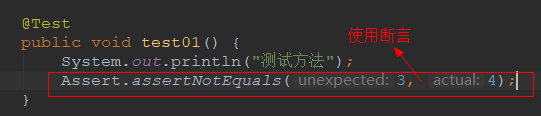
技巧01:在测试类上添加 @RunWith(SpringRunner.class) 和 @SpringBootTest
技巧02:可在测试类中依赖注入容器中的bean,具体的测试方法和junit一样
package cn.xiangxu.springboottest.dao;

import cn.xiangxu.springboottest.model.GirlModel;

import org.junit.Assert;

import org.junit.Test;

import org.junit.runner.RunWith;

import org.springframework.boot.test.context.SpringBootTest;

import org.springframework.test.context.junit4.SpringRunner;

import javax.annotation.Resource;

import java.util.List;

import static org.junit.Assert.*;

@RunWith(SpringRunner.class)

@SpringBootTest

public class GirlDaoTest {

    @Resource

    private GirlDao girlDao;

    @Test

    public void test01() {

        System.out.println("测试方法");

        Assert.assertNotEquals(3, 4);

    }

    @Test

    public void findAll() {

        List<GirlModel> girlModelList = girlDao.findAll();

        System.out.println(girlModelList);

        for (GirlModel girlModel : girlModelList) {

            System.out.println(girlModel);

        }

    }

}
5 lombok的使用
lombok是一个工具,导入lombok的依赖后就可以利用注解来代替一些简单的代码
5.1 使用lombok的坑
在使用了 lombok 注解,并且导入相关jar包后,通过IDEA运行时会出错;因为lombok会在项目进行打包时自动给添加了lombok注解的地方添加相应的代码,但是我们通过IDEA运行springboot项目时还未进行打包操作,所以会报错;通常的做法是在IDEA中安装一个插件
安装插件的教程:点击前往
5.2 lombok提供了很多的注解,三少常用的注解如下:
@Data -> 标注在实体类上回自动生成equals()、hashCode()、toString()、get方法、set方法【实体类神器注解】
//

// Source code recreated from a .class file by IntelliJ IDEA

// (powered by Fernflower decompiler)

//

package lombok;

import java.lang.annotation.ElementType;

import java.lang.annotation.Retention;

import java.lang.annotation.RetentionPolicy;

import java.lang.annotation.Target;

@Target({ElementType.TYPE})

@Retention(RetentionPolicy.SOURCE)

public @interface Data {

    String staticConstructor() default "";

}
@Getter -> 仅仅生成get方法
//

// Source code recreated from a .class file by IntelliJ IDEA

// (powered by Fernflower decompiler)

//

package lombok;

import java.lang.annotation.ElementType;

import java.lang.annotation.Retention;

import java.lang.annotation.RetentionPolicy;

import java.lang.annotation.Target;

@Target({ElementType.FIELD, ElementType.TYPE})

@Retention(RetentionPolicy.SOURCE)

public @interface Getter {

    AccessLevel value() default AccessLevel.PUBLIC;

    Getter.AnyAnnotation[] onMethod() default {};

    boolean lazy() default false;

    /** @deprecated */

    @Deprecated

    @Retention(RetentionPolicy.SOURCE)

    @Target({})

    public @interface AnyAnnotation {

    }

}
@Setter -> 仅仅生成set方法
//

// Source code recreated from a .class file by IntelliJ IDEA

// (powered by Fernflower decompiler)

//

package lombok;

import java.lang.annotation.ElementType;

import java.lang.annotation.Retention;

import java.lang.annotation.RetentionPolicy;

import java.lang.annotation.Target;

@Target({ElementType.FIELD, ElementType.TYPE})

@Retention(RetentionPolicy.SOURCE)

public @interface Setter {

    AccessLevel value() default AccessLevel.PUBLIC;

    Setter.AnyAnnotation[] onMethod() default {};

    Setter.AnyAnnotation[] onParam() default {};

    /** @deprecated */

    @Deprecated

    @Retention(RetentionPolicy.SOURCE)

    @Target({})

    public @interface AnyAnnotation {

    }

}
@Slf4j -> 日志对象
具体用法请参见博客:点击前往
//

// Source code recreated from a .class file by IntelliJ IDEA

// (powered by Fernflower decompiler)

//

package lombok.extern.slf4j;

import java.lang.annotation.ElementType;

import java.lang.annotation.Retention;

import java.lang.annotation.RetentionPolicy;

import java.lang.annotation.Target;

@Retention(RetentionPolicy.SOURCE)

@Target({ElementType.TYPE})

public @interface Slf4j {

    String topic() default "";

}
JPA实体类注解、springboot测试类、lombok的使用的更多相关文章
- SpringBoot测试类启动错误 java.lang.IllegalStateException: Unable to find a @SpringBootConfiguration, you need to use @ContextConfiguration or @SpringBootTest(classes=...) with your test
报错 java.lang.IllegalStateException: Unable to find a @SpringBootConfiguration, you need to use @Cont ...
- springboot管理类,springboot注入类
springboot管理类,springboot注入类 定义一个配置类,添加@Configuration注解,EvaluatorTemplate代表你需要注入的第三方类 @Configuration ...
- Springboot测试类之@RunWith注解
@runWith注解作用: --@RunWith就是一个运行器 --@RunWith(JUnit4.class)就是指用JUnit4来运行 --@RunWith(SpringJUnit4ClassRu ...
- Springboot 测试类没有找到bean注入
其他乱七八糟配置就不扯了,先上项目结构图 配置好参数后我再src/test/java类测试访问数据库时发现bean没有正确的注入.值得注意的是,这个项目的启动类是叫App.java 所以我们必须在这个 ...
- IntelliJ IDEA 2017版 SpringBoot测试类编写
SpringBoot的测试类编写Demo 源码见 https://github.com/liushaoye/baseone.git
- java 编程基础:【注解】 提取注解信息,利用自定义注解编写测试类,注解绑定事件
提取注解信息 使用注解修饰了类.方法.成员变量等成员之后,这些注解不会自己生效,必须由开发者提供相应工具来提取并处理注解信息. Java使用java.lang.annotation.Annotat ...
- springboot测试类
Controller测试类 /** * Created by zhiqi.shao on 2017/5/12. */ @RunWith(SpringJUnit4ClassRunner.class) @ ...
- springboot 测试类,项目使用shiro时报错UnavailableSecurityManagerException
大概的问题就是,正常运行项目是没有问题的 使用测试类是,加载不了shiro的securityManager,主要导致不是很清楚,望告知, 解决方法 @Resource org.apache.shiro ...
- SpringBoot 测试类 @RunWith & @SpringBootTest
@RunWith(SpringRunner.class) @SpringBootTest public class RabbitMqTest { @Autowired RabbitMqSender r ...
随机推荐
- 高可用的Spring FTP上传下载工具类(已解决上传过程常见问题)
前言 最近在项目中需要和ftp服务器进行交互,在网上找了一下关于ftp上传下载的工具类,大致有两种. 第一种是单例模式的类. 第二种是另外定义一个Service,直接通过Service来实现ftp的上 ...
- MySQL 性能优化的最佳20多条经验分享(一)(转)
当我们去设计数据库表结构,对操作数据库时(尤其是查表时的SQL语句),我们都需要注意数据操作的性能.这里,我们不会讲过多的SQL语句的优化,而只是针对MySQL这一Web应用最多的数据库.希望下面的这 ...
- WampSever 安装问题解析
鉴于有些电脑安装wampsever出现的几种问题 [1] 2.2版本问题 这里端口配置正确,本地服务器没有开启(也就是80端口没有占用) 还是出现这种情况 也就是Apache service 和 PH ...
- 删除kafka的topic及kafka基本命令
kafka的topic默认是不允许被删除的,删除后在topic后会出现”marked for deletion”字样,实际并未删除,现在创建同样的topic会提示topic已经存在. 解决办法: se ...
- C++雾中风景4:多态引出的困惑,对象的拷贝?
C++作为一门面向对象的语言,自然具备了面向对象的三大特征:封装,继承,多态.在学习多态性质的过程中,发现了C++与其他语言很大的区别(坑?).在C++中的=操作符的使用与C++呈现的内存模型似乎并不 ...
- Codeforces 482B Interesting Array
题意:构造一个长度为n的序列,使其满足m个形式如下如下约束:a[l]&a[l+1]&a[l+2]&....&a[r]=q 从Dalao的博客上看到这题,决定去水水.做法 ...
- Python笔记·第六章——字典 (dict) 的增删改查及其他方法
字典是python中唯一的映射类型,采用键值对(key-value)的形式存储数据.python对key进行哈希函数运算,根据计算的结果决定value的存储地址,所以字典是无序存储的,且key必须是可 ...
- 移动 云MAS 发短信 .net HTTP 请求
本人开发移动云MAS .net Http 请求 代码如下 using Newtonsoft.Json.Linq; using System; using System.Collections.Gen ...
- Spring之AOP一
面向切片式编程不仅在Java中存在,在其他语言也是存在,例如asp.net的管道模型中,可以利用aop来进行自定义一些操作,比如权限认证.日志等.今天主要是引入AOP,具体它涉及到的专有名词先不做解释 ...
- JAVA入门[14]-Spring MVC AOP
一.基本概念 1.AOP简介 DI能够让相互协作的软件组件保持松散耦合:而面向切面编程(aspect-oriented programming,AOP)允许你把遍布应用各处的功能分离出来形成可重用的组 ...