
OpenCV实战之文档扫描判卷
import cv2

import numpy as np

#图像显示

def cv_show(imgname,img):

    cv2.imshow(imgname,img)

    cv2.waitKey(0)

    cv2.destroyAllWindows()

#排序坐标函数

def order_pts(pts):

    rect=np.zeros((4,2),dtype='float32')

    s = np.sum(pts,axis=1)

    rect[0] = pts[np.argmin(s)]

    rect[2] = pts[np.argmax(s)]

    n = np.diff(pts,axis=1)

    rect[1] = pts[np.argmin(n)]

    rect[3] = pts[np.argmax(n)]

    return rect

#透视变换

def four_pts_change(img,pts):

    points = order_pts(pts)

    (tl,tr,bl,br) = points

    widthA = np.sqrt(((tr[1]-tl[1])**2)+((tr[0]-tl[0])**2))

    widthB = np.sqrt(((br[1] - bl[1]) ** 2) + ((br[0] - bl[0]) ** 2))

    width = max(int(widthA),int(widthB))

    lengthA = np.sqrt(((tr[1]-br[1])**2)+((tr[0]-br[0])**2))

    lengthB = np.sqrt(((tl[1] - bl[1]) ** 2) + ((tl[0] - bl[0]) ** 2))

    length = max(int(lengthA),int(lengthB))

    #输出图坐标

    dst = np.array([

        (0,0),

        (width-1,0),

        (width-1,length-1),

        (0,length)

    ],dtype='float32')

    M = cv2.getPerspectiveTransform(points,dst)

    wraped = cv2.warpPerspective(img,M,(width,length))

    return wraped

#正确答案

ANSWER_KEY={0:1,1:4,2:0,3:3,4:1}

# ANSWER_KEY = {0:1,1:3,2:0,3:4,4:1}

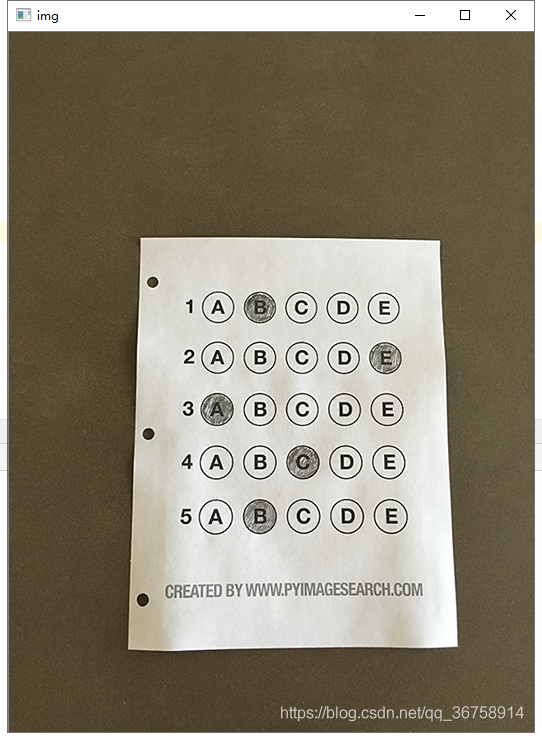
img = cv2.imread('./textcard.png')

cv_show('img',img)

orig = img.copy()

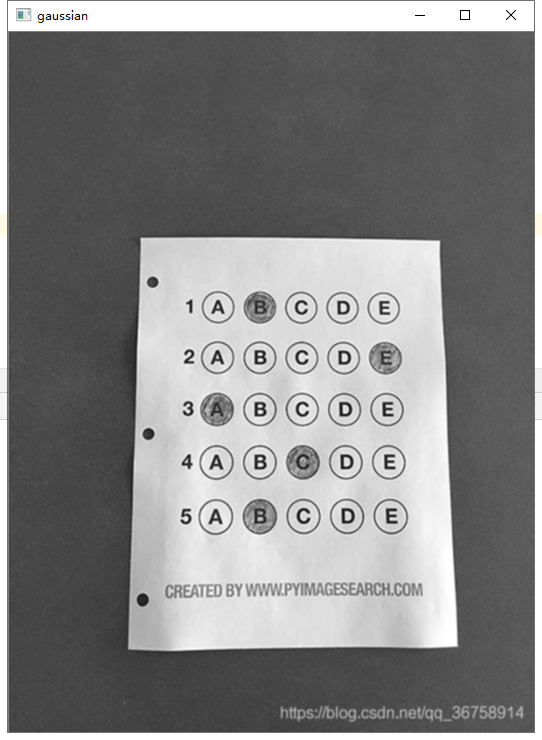
gray = cv2.cvtColor(img,cv2.COLOR_BGR2GRAY)

#高斯模糊

gaussian = cv2.GaussianBlur(gray,(3,3),0)

cv_show('gaussian',gaussian)

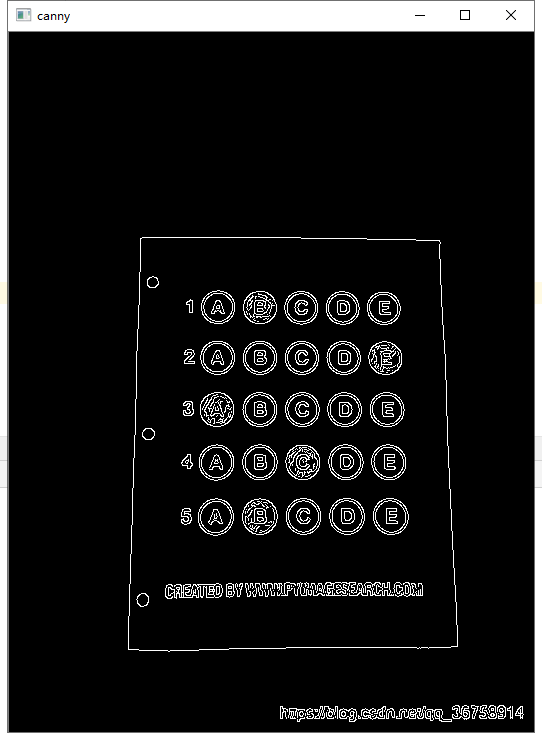
#边缘检测

canny = cv2.Canny(gaussian,70,150)

cv_show('canny',canny)
#轮廓检测

cnts = cv2.findContours(canny,cv2.RETR_EXTERNAL,cv2.CHAIN_APPROX_SIMPLE)[0]

cnts = sorted(cnts,key=cv2.contourArea,reverse=True)

# cv2.drawContours(orig,cnts,-1,(149,32,190),2)

# cv_show('orig',orig)

for i in cnts:

    perix = cv2.arcLength(i,True)

    approx = cv2.approxPolyDP(i,0.01*perix,True)

    if len(approx)==4:

        screen = approx

        break

cv2.drawContours(orig,[screen],-1,(149,32,190),2)

# cv_show('orig',orig)

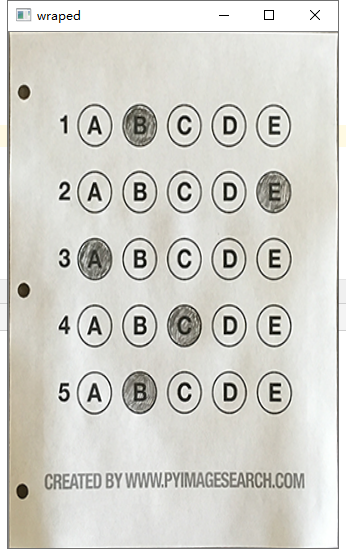
#透视变换

wraped = four_pts_change(img,screen.reshape(4,2))

cv_show('wraped',wraped)

wraped_gray = cv2.cvtColor(wraped,cv2.COLOR_BGR2GRAY)

#阈值处理

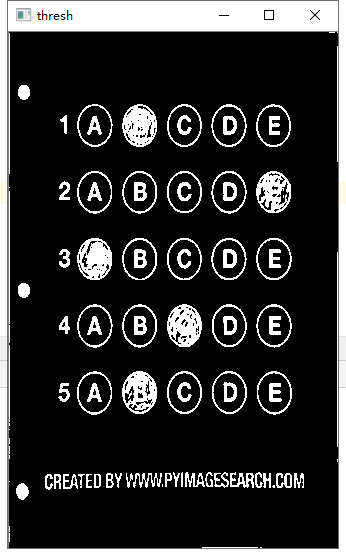
thresh = cv2.threshold(wraped_gray,0,255,cv2.THRESH_BINARY_INV|cv2.THRESH_OTSU)[1]

cv_show('thresh',thresh)

#检测轮廓

thresh_cnts=thresh.copy()

cnts1 = cv2.findContours(thresh_cnts,cv2.RETR_EXTERNAL,cv2.CHAIN_APPROX_SIMPLE)[0]

#白色填充轮廓

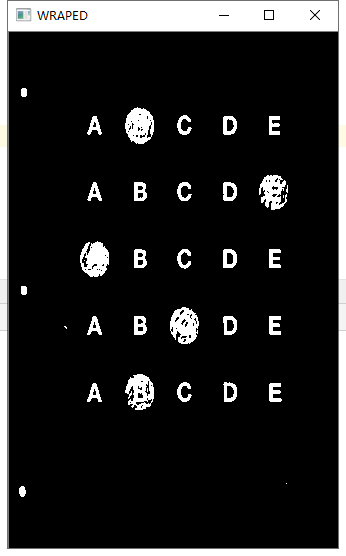
cv2.drawContours(thresh_cnts,cnts1,-1,(0,0,0),3)

cv_show('WRAPED',thresh_cnts)
#检测圆形

questions = []

for cnt in cnts1:

    (x,y,w,h) = cv2.boundingRect(cnt)

    # print((x,y,w,h))

    arc = w/float(h)

    if w>20 and h>20 and arc >0.6 and arc<1.1:

        questions.append(cnt)

print('一共有{}个选项'.format(len(questions)))

# print(questions)

#从上到下排序

boundingBox =[ cv2.boundingRect(i) for i in questions]

(questionCnts,boundingBox) = zip(*sorted(zip(questions,boundingBox),key=lambda b:b[1][1],reverse=False))

correct =0

#每行遍历

for (i,c) in enumerate(np.arange(0,len(questions),5)): #遍历每一行的第一个  返回值是[(1,0),(2,5),(3,10),(4,15),(5,20)]

    boundingBox = [cv2.boundingRect(a) for a in questionCnts[c:c+5]] #框出每一行的每个圆

    (cnts,boundingBox) = zip(*sorted(zip(questionCnts[c:c+5],boundingBox),key=lambda b:b[1][0],reverse=False))  #每一行的圆的轮廓和框框按从左到右的顺序排列

    bubble = None

    for (j,q) in enumerate(cnts):

        mask = np.zeros_like(thresh)

        cv2.drawContours(mask,[q],-1,255,-1) #白色填充圆

        # cv_show('mask', mask)

        mask = cv2.bitwise_and(thresh,thresh,mask=mask)  #抠出每一个选项

        # cv_show('mask',mask)

        total = cv2.countNonZero(mask)

        if bubble is None or total>bubble[0]:

            bubble = (total,j)

    k = ANSWER_KEY[i]

    if k == bubble[1]:

        correct +=1

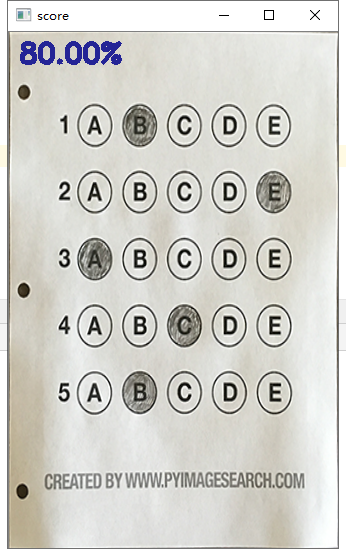
score = (correct/5)*100

print('[INFO]score : {:.2f}%'.format(score))

cv2.putText(wraped,'{:.2f}%'.format(score),(10,30),cv2.FONT_HERSHEY_SIMPLEX,0.9,(123,123,123),2)

cv_show('score',wraped)
OpenCV实战之文档扫描判卷的更多相关文章
- 深入学习OpenCV文档扫描及OCR识别(文档扫描,图像矫正,透视变换,OCR识别)
如果需要处理的原图及代码,请移步小编的GitHub地址 传送门:请点击我 如果点击有误:https://github.com/LeBron-Jian/ComputerVisionPractice 下面 ...
- [实战]MVC5+EF6+MySql企业网盘实战(23)——文档列表
写在前面 上篇文章实现了图片列表,这篇文章实现文档列表将轻车熟路,因为逻辑基本相似,只是查询条件的不同.这里将txt,doc,docx,ppt,pptx,xls,xlsx的文件都归为文档列表中. 系列 ...
- JavaEE实战——XML文档DOM、SAX、STAX解析方式详解
原 JavaEE实战--XML文档DOM.SAX.STAX解析方式详解 2016年06月22日 23:10:35 李春春_ 阅读数:3445 标签: DOMSAXSTAXJAXPXML Pull 更多 ...
- 分布式架构--Dubbo项目实战学习文档
安装Dubbo注册中心(Zookeeper-3.4.6) 安装Dubbo管理控制台 Tomcat中部署web应用 ---- Dubbo服务消费者Web应用war包的部署 Dubbo监控中心的介绍与简易 ...
- Hapi+MySql项目实战自动化文档生成(四)
自动化生成swagger文档 使用hapi插件hapi-swagger,简单配置下插件,先修改下plugin_config.js文件: //plugin_config.js const Swagger ...
- 工程师泄露5G核心技术文档 被判有期徒刑三年缓刑四年
2002 年至 2017 年 1 月,黄某瑜就职于中兴通讯公司,担任过射频工程师.无线架构师等职务.2008 年 4 月至 2016 年 10 月,王某就职于中兴通讯公司西安研究所,担任过 RRU 部 ...
- Node.js+Web TWAIN,实现Web文档扫描和图像上传
目录(?)[+] 通过Dynamic Web TWAIN SDK和Node.js的组合,只需要几行代码就可以实现在浏览器中控制扫描仪,获取图像后上传到远程服务器. 原文:Document Imag ...
- Sping源码+Redis+Nginx+MySQL等七篇实战技术文档,阿里大佬推荐
JVM JVM是Java Virtual Machine(Java虚拟机)的缩写,JVM是一种用于计算设备的规范,它是一个虚构出来的计算机,是通过在实际的计算机上仿真模拟各种计算机功能来实现的. 引入 ...
- 编译OpenCV文档
概述 使用OpenCV的过程中经常查看文档,每次都去官网查看,不过国内访问速度很慢,有一份本地的文档就好了.本文列出了在Linux(Fedora)系统上从OpenCV源码编译出documentatio ...
- opencv 离线文档下载地址在哪里?
OpenCV 官方离线文档下载地址:http://docs.opencv.org/ 如何生成离线文档? http://docs.opencv.org/master/d4/db1/tutorial_do ...
随机推荐
- Python学习笔记(五)if分支语句
一.if语法 示例: 1 money = int(input('请输入余额:')) 2 if money >= 5: 3 print('买得起!') 4 5 if True: 6 print(' ...
- 》》》Java利用aspose-words将word文档转换成pdf(破解 无水印)
参考转载:Java利用aspose-words将word文档转换成pdf(破解 无水印) (bbsmax.com) 1.引入 aspose.words 包2.添加解水印 license.xml3.写业 ...
- CH32V00+WS2812制作音乐谱显示
CH32V003,自带运放.SPI.PWM等外设模块,关键还便宜,便宜,便宜! 可以尝试来实现一个低成本的音乐谱显示. 1. 硬件设计 显示方面,使用64颗ws2812组成8*8的显示阵列,通过 CH ...
- 使用ADB拷贝Android设备的文件夹
在当前目录下执行,拷贝到当前目录. 拷贝照片 adb pull sdcard/DCIM 删除照片 adb shell rm -rvf sdcard/DCIM 拷贝图片 adb pull s ...
- windows 安装mysql-8.0.13(zip安装)
安装环境说明 系统版本:windows10 mysql版本:mysql-8.0.13-winx64.zip 下载地址:http://mirrors.163.com/mysql/Downloads/My ...
- SqlServer 优化的技巧
1.避免使用 select * select * 不会走覆盖索引,会出现大量的回表操作,从而导致SQL的查询性能很低 2.用union all 代替 union 1.使用union后,可以获取排重复后 ...
- CMMI-QA工作流程(角色区分)
qa 是如何工作的,如何保证产品质量的? 首先制定质量保证计划->根据过程清单和产品清单对组织级和项目级内容进行检查->不符合项记录在不符合项问题记录表中.反馈项目精力,跟踪问题知道问题解 ...
- go语言的结构体、指针、方法详解
资源来自:https://blog.csdn.net/DXB2021/article/details/122652779 结体体定义如下: type author struct{ field1 typ ...
- esxi虚拟机定时创建快照
1.vim-cmd vmsvc/getallvms 列出所有虚拟机信息 2.获取需要备份的虚拟机的Vmid 3.执行快照 vim-cmd vmsvc/snapshot.create Vmid $( ...
- windows服务包装程序
有些程序想随windows启动而自动运行,这样部署为windows服务是最自然的选择,但是有些第三方的程序,没有提供windows 服务的部署方式,或者自己写的程序,每次都要为部署为windows服务 ...