
k8s tensorflow
Online learning
Kubeflow实战系列
Prepare
了解ksonnet初探Google之Kubeflow (采用的是0.8.0)install depinstall ksKubeflow 安利:在 Kubernetes 上进行机器学习ksonnet功能类似helm kubernetes应用的包管理工具。 可以对比存裸部署sparkKubeflow 入门Jupyter notebook入门教程(上) - CSDN博客 Jupyter notebook教程 (more)
Docker 入门教程
最新的安装方式:KSURL="https://github.com/kubeflow/kubeflow/releases/latest"
LASTURL=""
LASTURL=$(curl $KSURL -s -L -I -o /dev/null -w '%{url_effective}')
if (test $? -ne ); then
LASTURL=$(wget -O /dev/null --content-disposition $KSURL >& |awk '/^Location: /{print $2}')
if [ $? -ne ]; then
echo "Error: Can not find the latest ksonnet version by wget."
fi
fi LATES=${LASTURL##*/}
echo $LATES mkdir kubeflow_$LATES
cd kubeflow_$LATES
export KUBEFLOW_TAG=$LATES curl https://raw.githubusercontent.com/kubeflow/kubeflow/${KUBEFLOW_TAG}/scripts/download.sh | bash
echo "Please run:"
echo "export KUBEFLOW_SRC=`pwd`"
echo "export KFAPP=~/kfapp"
cat > `pwd`/kubeflow.env <<EOL
export KUBEFLOW_TAG=$LATES
export KUBEFLOW_SRC=`pwd`
export KFAPP=~/kfapp
EOL
echo "Please run the commnad before doing any kubeflow setting up:"
echo "source `pwd`/kubeflow.env"
------------------------------------------------
以下是陈旧的安装方式源代码安装ksonnet脚本(ksonnet的变化很大, 经常出问题。 不建议源码安装)
go get -u github.com/golang/dep/cmd/dep

go get github.com/ksonnet/ksonnet

# Build and install binary under shortname `ks` into $GOPATH/bin

cd $GOPATH/src/github.com/ksonnet/ksonnet

sudo -E -H make install

export KUBECONFIG=/var/run/kubernetes/admin.kubeconfig
安装最最新发布版的ksonnet
KSURL="https://github.com/ksonnet/ksonnet/releases/latest"

LASTURL=""

LASTURL=$(curl $KSURL -s -L -I -o /dev/null -w '%{url_effective}')

if (test $? -ne ); then

    LASTURL=$(wget -O /dev/null --content-disposition $KSURL  >& |awk '/^Location: /{print $2}')

    if [ $? -ne  ]; then

        echo "Error: Can not find the latest ksonnet version by wget."

    fi

fi

LATES=""

if [ "$LASTURL" = "$KSURL" ];  then

  echo "Error: Not find the latest ksonnet version by curl."

else

  if test -n "$LASTURL"; then

    echo "OK: Find the latest ksonnet version."

  else

    echo "Error: Not find the latest ksonnet version by wget."

  fi

fi

LATES=${LASTURL##*/}

if [[ $LATES =~ ^v[-.]{,}$ ]]; then

    LATES=${LATES#v}

fi

wget https://github.com/ksonnet/ksonnet/releases/download/v$LATES/ks_${LATES}_linux_amd64.tar.gz

GOROOT=/usr/local
tar  -C $GOROOT/bin -xzf ks_${LATES}_linux_amd64.tar.gz --wildcards --no-anchored 'ks'

ln -s $GOROOT/bin/ks_${LATES}_linux_amd64/ks $GOROOT/bin/ks

# tar --extract --file=ks_0..0_linux_amd64.tar.gz ks_0..0_linux_amd64/ks
Using Kubeflow (翻译) (中文) (latest EN)
(中文简要介绍)
ks init my-kubeflow

sudo chown $USER:$USER ~/my-kubeflow -R
cd my-kubeflow

ks registry add kubeflow \

github.com/google/kubeflow/tree/master/kubeflow

ks pkg install kubeflow/core

ks pkg install kubeflow/tf-serving

ks pkg install kubeflow/tf-job

ks generate core kubeflow-core --name=kubeflow-core
check kubectl contexts:
kubectl config view

apiVersion: v1

clusters:

- cluster:

    certificate-authority-data: REDACTED

    server: https://localhost:6443/

  name: local-up-cluster

contexts:

- context:

    cluster: local-up-cluster

    user: local-up-cluster

  name: local-up-cluster

current-context: local-up-cluster

kind: Config

preferences: {}

users:

- name: local-up-cluster

  user:

    client-certificate-data: REDACTED

    client-key-data: REDACTED
Jupyter启动之后运行tf的example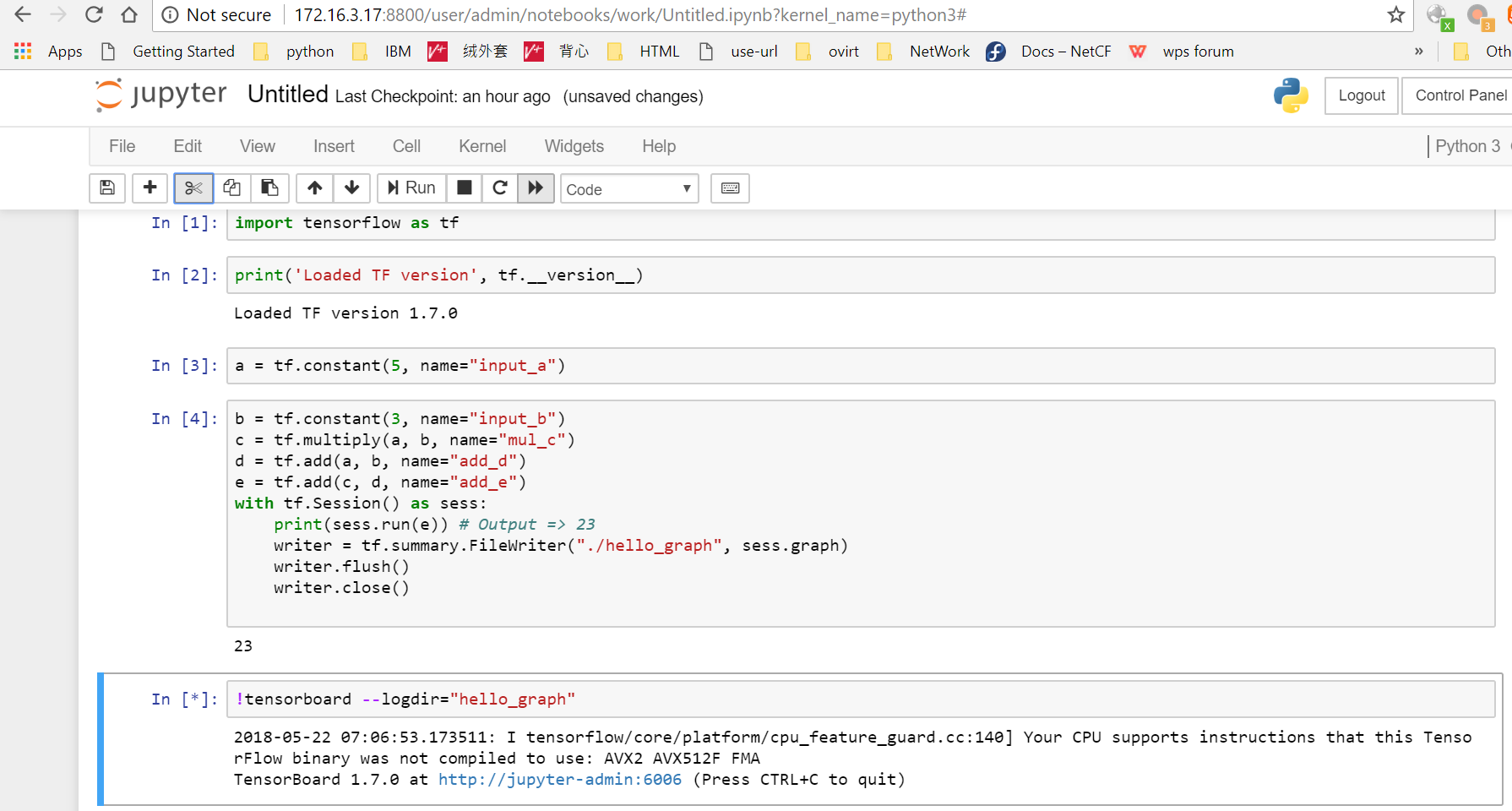
Troubleshooting
1.
$ sudo -E -H ks pkg install kubeflow/core

ERROR GET https://api.github.com/repos/google/kubeflow/commits/master: 403 API rate limit exceeded for 134.134.139.74. (But here's the good news: Authenticated requests get a higher rate limit. Check out the documentation for more details.) [rate reset in 26m21s]
403 API rate limit of 60 still exceeded
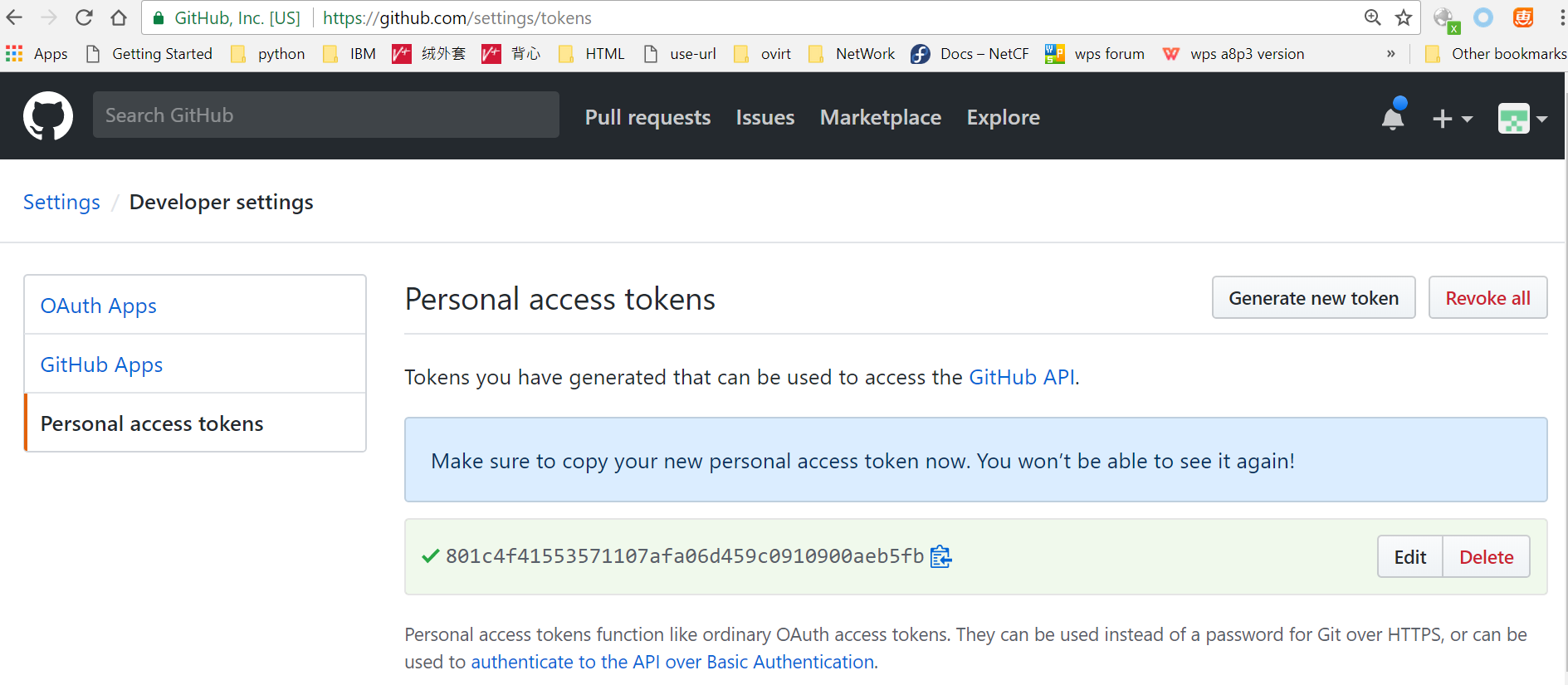
GTOKEN=801c4f41553571107afa06d459c0910900aeb5fb
GTOKEN=5d67c71ea35d85a5459e6e05a3075363d438b8c7
export GITHUB_TOKEN=$GTOKEN
echo "GITHUB_TOKEN=$GTOKEN" >> ~/.profile
2. Can not ks apply default -c kubeflow-core with ks 0.9.5
rollback to v0.8.0
@seekyiyi I have the same problem using v0.9.1(or dev build) version of ksonnet, but I use v0.8.0 can be solved.
centos 下安装go
git clone https://github.com/jamesarems/gocentos.git

cd gocentos

sh InstallGO.sh

source /etc/profile

go get -u github.com/golang/dep/cmd/dep

echo 'GOROOT=`go env |grep "GOROOT" |cut -d "=" -f2`

GOROOT=${GOROOT#\"}

GOROOT=${GOROOT%\"}

echo $GOROOT

GOPATH=`go env |grep GOPATH |cut -d "=" -f `

GOPATH=${GOPATH%\"}

GOPATH=${GOPATH#\"}

echo $GOPATH

declare -x GOROOT

declare -x GOPATH

export PATH=${PATH}:${GOROOT}/bin:${GOPATH}/bin' >> ~/.bashrc

source ~/.bashrc

echo $GOPATH

go get github.com/ksonnet/ksonnet

cd $GOPATH/src/github.com/ksonnet/ksonnet

make install

export KUBECONFIG=/root/config

ks init my-kubeflow
wget -O /dev/null --content-disposition https://github.com/ksonnet/ksonnet/releases/latest --server-response 2>&1 |   awk '(NR==1){SRC=$3;} /^  Location: /{DEST=$2} END{ print SRC, DEST}'

https://github.com/ksonnet/ksonnet/releases/latest https://github.com/ksonnet/ksonnet/releases/tag/v0.11.0
setup local registry (git hub)
Sharing a local registry with minikube(推荐)
Kubernetes镜像仓库-Harbor的Helm部署
在kubernetes 集群上搭建docker 私有仓库Harbor
Get latest Github app version:
# cat github-latest.sh
#!/bin/bash

URL=$

APPURL=${URL%/releases/latest*}

APP=${APPURL##*/}

LASTURL=""

LASTURL=$(curl $URL -s -L -I -o /dev/null -w '%{url_effective}')

if (test $? -ne ); then

    LASTURL=$(wget -O /dev/null --content-disposition $URL  >& |awk '/^Location: /{print $2}')

    if [ $? -ne  ]; then

        echo "Error: Can not find the latest $APP version by wget."

    fi

fi

LATES=""

if [ "$LASTURL" = "$URL" ];  then

  echo "Error: Not find the latest $APP version by curl."

else

  if test -n "$LASTURL"; then

    echo "OK: Find the latest $APP version."

  else

    echo "Error: Not find the latest $APP version by wget."

  fi

fi

LATES=${LASTURL##*/}

if [[ $LATES =~ ^v[-.]{,}$ ]]; then

    LATES=${LATES#v}

fi

echo "Version:$LATES"

exit
URL=https://github.com/goharbor/harbor/releases/latest

V=`./github-latest.sh $URL|grep Version: |cut -d ":" -f2`

BIN=https://storage.googleapis.com/harbor-releases/harbor-offline-installer-v$V.tgz

wget $BIN
k8s tensorflow的更多相关文章
- TensorFlow的开源与Hadoop的开源
最近看TensorFlow代码的时候,用Git pull下来最新的master一看,哇好多的更新,然后点击去之前看到一半的cc文件继续看,好多地方都改变了.但是一看Git log,有好多巨大的comm ...
- Tensorflow serving with Kubernetes
1.Build docker image 由于自己build镜像总是遇到问题,此处暂时借用dockerhub上的一个镜像 docker.io/mochin/tensorflow-serving 将此镜 ...
- kubeflow 创建tensorflow过程
online deployable ,install k8s 代码 Kubeflow有三个核心组件 TFJob Operator 和 Controller: 作为Kubernetes的扩展,来简化分布 ...
- 『TensorFlow』卷积层、池化层详解
一.前向计算和反向传播数学过程讲解
- 使用NNI的scikit-learn以及Tensorflow分析
一.NNI简介 NNI (Neural Network Intelligence) 是自动机器学习(AutoML)的工具包. 它通过多种调优的算法来搜索最好的神经网络结构和(或)超参,并支持单机.本地 ...
- K8S全栈容器服务如何助力企业云化创新?
容器编排管理平台Kubernetes在实践两年多后,市场主导地位被正式确定,随着首批认证服务商的宣布,围绕着容器的应用编排部署服务已然成熟,Kubernetes开始在商业场景为企业创造价值.华为云在K ...
- Tensorflow Serving介绍及部署安装
TensorFlow Serving 是一个用于机器学习模型 serving 的高性能开源库.它可以将训练好的机器学习模型部署到线上,使用 gRPC 作为接口接受外部调用.更加让人眼前一亮的是,它支持 ...
- 从零开始入门 K8s | 可观测性:监控与日志
作者 | 莫源 阿里巴巴技术专家 一.背景 监控和日志是大型分布式系统的重要基础设施,监控可以帮助开发者查看系统的运行状态,而日志可以协助问题的排查和诊断. 在 Kubernetes 中,监控和日志 ...
- 一文看懂 K8s 日志系统设计和实践
上一篇中我们介绍了为什么需要一个日志系统.为什么云原生下的日志系统如此重要以及云原生下日志系统的建设难点,相信DevOps.SRE.运维等同学看了是深有体会的.本篇文章单刀直入,会直接跟大家分享一下如 ...
随机推荐
- 自定义Http请求头并且获取
在一些开发需求中.我们需要把一些信息放到Http请求头中.比如我需要把签名信息 signature 放到Http请求头 所以就需要自定义请求头 signature ,用webClient发起请求 我这 ...
- 收集:C# WinForm获取当前路径汇总
Winform获取应用程序的当前路径的方法集合,具体如下,值得收藏 //获取当前进程的完整路径,包含文件名(进程名). string str = this.GetType().Assembly.Loc ...
- Solaris 10主机名和IP地址步骤
1.修改主机名: hostname newname vi /etc/hosts vi /etc/hostname.e1000g0 vi /etc/nodename init 6 #重启 --confi ...
- CentOS7.5 防火墙指令
防火墙指令 1. 查看防火墙状态: firewall-cmd --state 2. 启动防火墙 systemctl start firewalld.service 3. 关闭防火墙 systemctl ...
- 软工网络15团队作业4——Alpha阶段敏捷冲刺1.0
软工网络15团队作业4--Alpha阶段敏捷冲刺1.0 1. 各个成员在 Alpha 阶段认领的任务,以及整个项目预期的任务量(使用整数表示,与项目预估的总工作小时数一致.比如项目A预估需120小时才 ...
- 《大话设计模式》c++实现 工厂模式
工厂模式 工厂模式(Factory Pattern)是 Java 中最常用的设计模式之一.这种类型的设计模式属于创建型模式,它提供了一种创建对象的最佳方式. 在工厂模式中,我们在创建对象时不会对客户端 ...
- Python全栈-网络编程-TCP粘包
一.什么是TCP粘包 C/S架构下,接收方不知道每个消息的发送间隙.也不知道每次应该提取多少个字节的数据,与此同时,TCP是面向连接的,面向流的,收发两端都要有,因此发送端为了将多个发往接收端的数据包 ...
- HDU 1014 Uniform Generator(题解)
Uniform Generator Time Limit: 2000/1000 MS (Java/Others) Memory Limit: 65536/32768 K (Java/Others ...
- JavaScript--Document对象方法createElement()和createTextNode()
createElement() 方法通过指定名称创建一个元素 createTextNode() 可创建文本节点 <!DOCTYPE html> <html> <head& ...
- Azure Messaging-ServiceBus Messaging消息队列技术系列1-基本概念和架构
前段时间研究了Window Azure ServiceBus Messaging消息队列技术,搞了很多技术研究和代码验证,最近准备总结一下,分享给大家. 首先,Windows Azure提供了两种类型 ...