
Oracle 19C的下载和安装部署(图形安装和静默安装)
Oracle 19C的下载和安装部署(图形安装和静默安装)
Oracle Database 19c ,也就是12.2.0.3,最初在livesql.oracle.com上发布,是Oracle Database 12c和18c系列产品的最终版本,因此也是“长期支持”版本(以前称为“终端版本”)。 “长期支持”意味着Oracle Database 19c提供4年的高级支持(截止到2023年1月底)和至少3年的延长支持(截至2026年1月底)。 这个扩展的支持窗口对我们的很多客户至关重要,因为很多客户制定了相关的升级策略。有关最新的Oracle支持计划,请参阅My Oracle Support上的文档ID 742060.1。截止目前,Oracle Database 19c已经可以在Oracle数据库一体机上使用了。
Oracle12c版本的说明:
Oracle12cR2=12.2.0.1
Oracle18C=12.2.0.2
Oracle19c=12.2.0.3
在MOS 官方文章:Release Schedule of Current Database Releases (文档 ID 742060.1) 上,可以清晰的看到Oracle的版本计划。

Oracle Database 19c 的目标
Oracle Database 19c 是大多数客户准备要升级的版本,Oracle已将 稳定性 作为此版本的核心目标。在Oracle Database 19c中,开发人员专注于修复已知问题,而不是添加新功能。 在数年内我们已有数百人和数千台服务器每天24小时的运行测试。测试包括数据库的核心、安装程序,再到组成产品的子程序及实用工具的堆栈等所有方面。目标只有一个,保证数据库的稳定性。真正的为客户带来实惠。

在Linux上安装Oracle Database 19c,需要OL7、RHEL7、SLES12及以上的更高版本。下面的内容来自官方文档
The following Linux x86-64 kernels are supported:
Oracle Linux 7.4 with the Unbreakable Enterprise Kernel 4: 4.1.12-112.16.7.el7uek.x86_64 or later
Oracle Linux 7.4 with the Unbreakable Enterprise Kernel 5: 4.14.35-1818.1.6.el7uek.x86_64 or later
Oracle Linux 7.4 with the Red Hat Compatible kernel: 3.10.0-693.5.2.0.1.el7.x86_64 or later
Red Hat Enterprise Linux 7.4: 3.10.0-693.5.2.0.1.el7.x86_64 or laterSUSE Linux Enterprise Server 12 SP3: 4.4.103-92.56-default or later
Oracle Enterprise Linux6和RedHat Linux6并没有出现在官方给的列表中。随着时间的推移,不只是要升级操作系统,还要升级数据库。要做好升级规划。要不后期就会有意想不到的问题。19c也就是12.2.0.3,是12c系列里面的终极版本,重在稳定!
一: Oracle19C 安装包下载
下载地址如下:

选择安装包

同意

开始下载


二: Oracle19C 图形化界面 安装
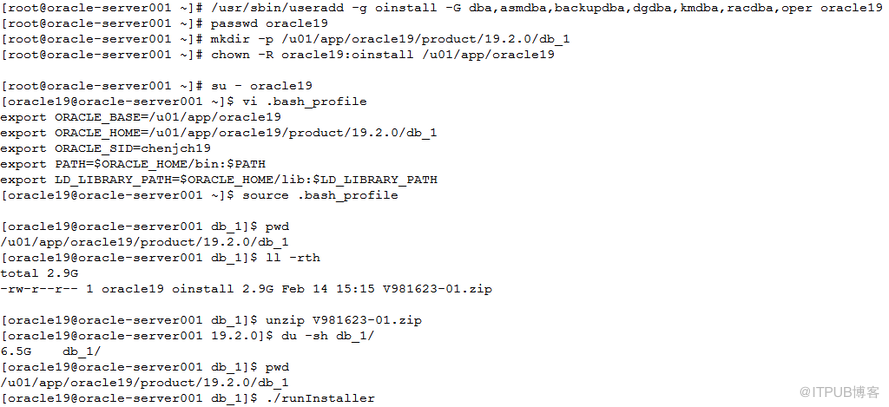
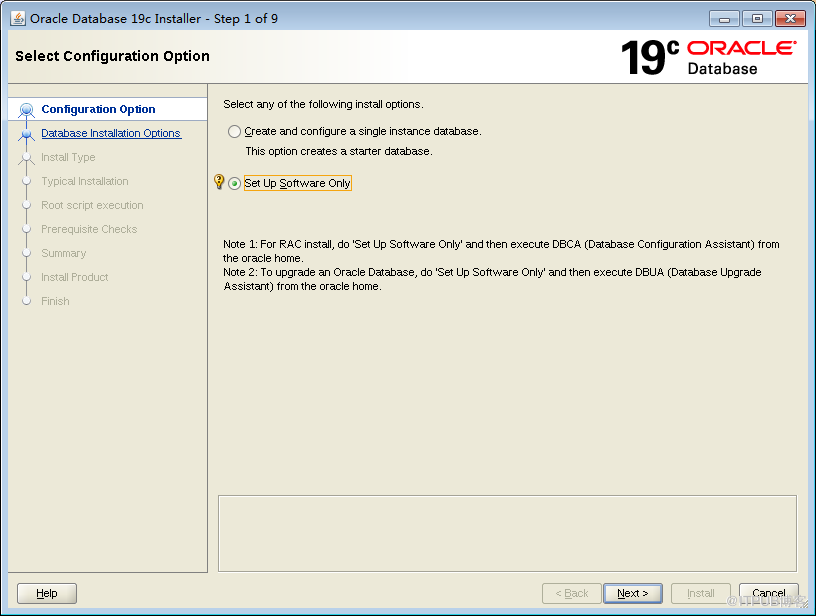
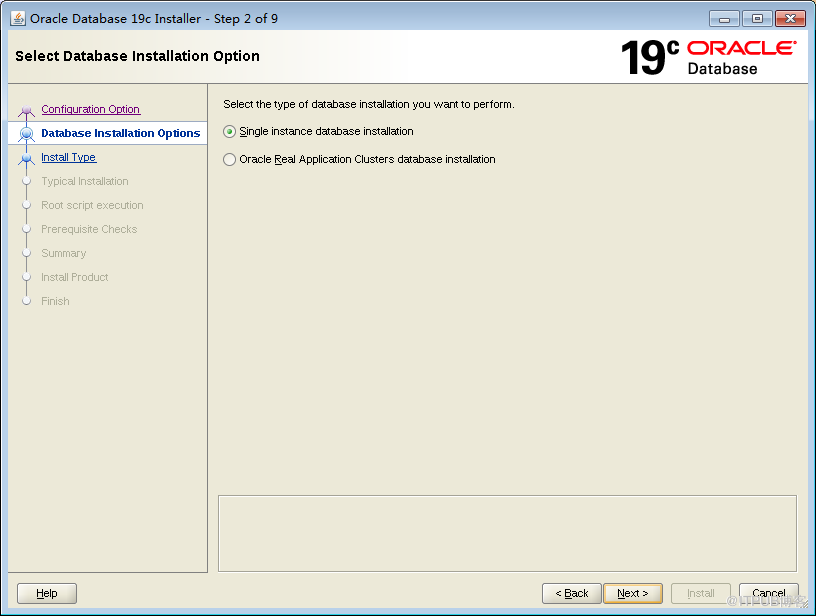
......
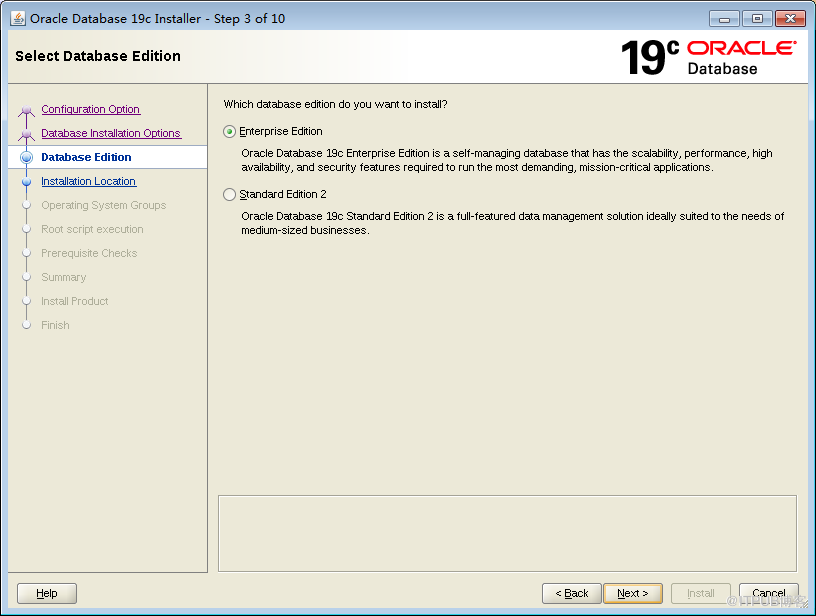
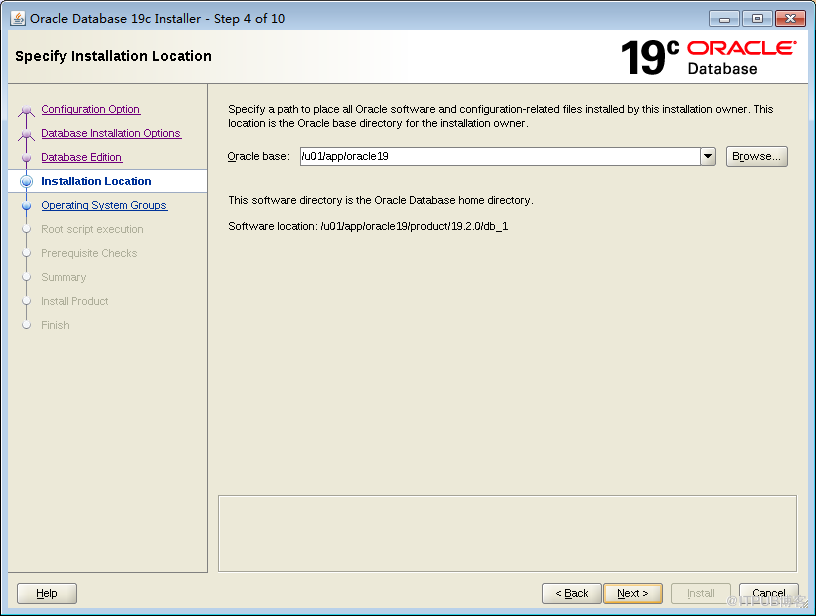
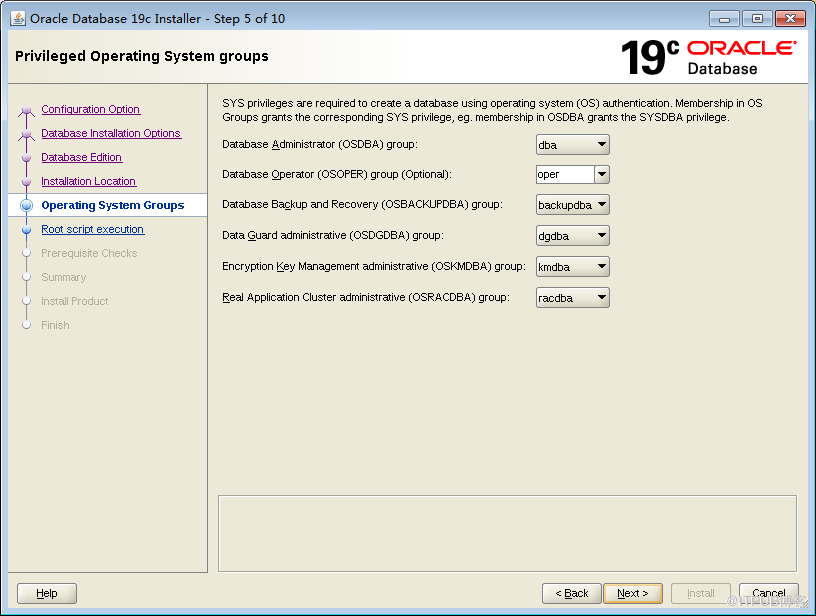
这里可以自动跑root脚本,不需要在单独跑root了
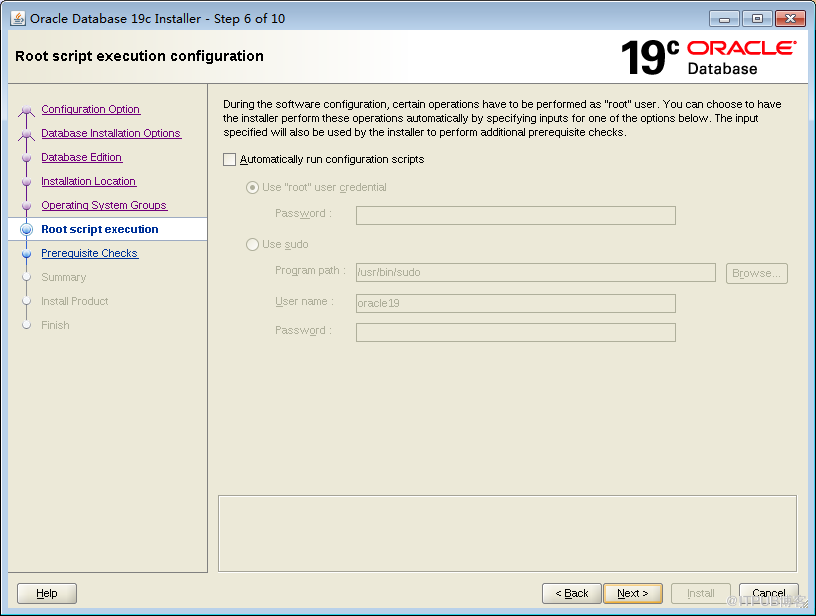
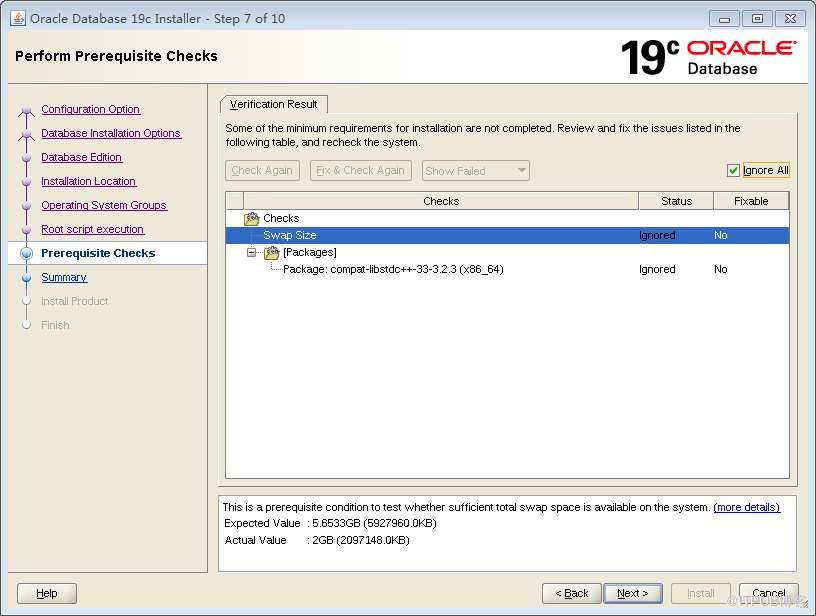
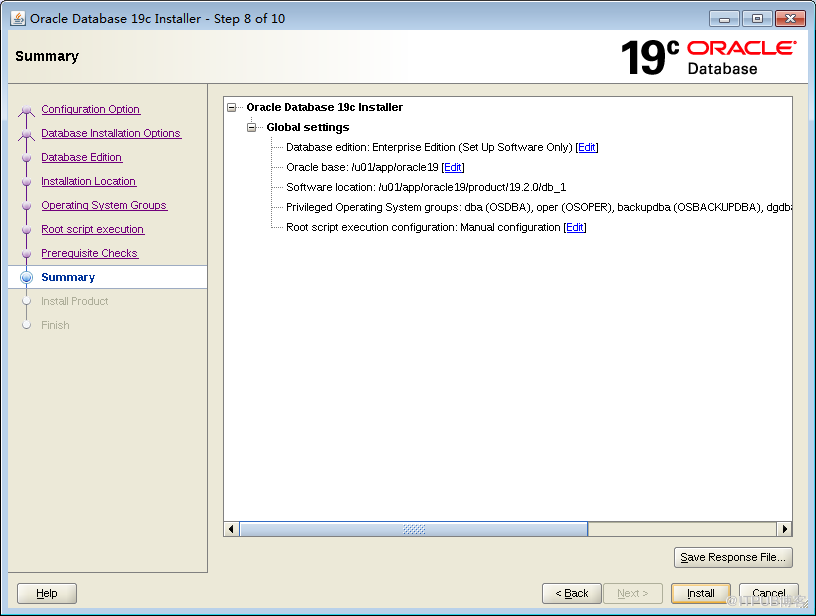
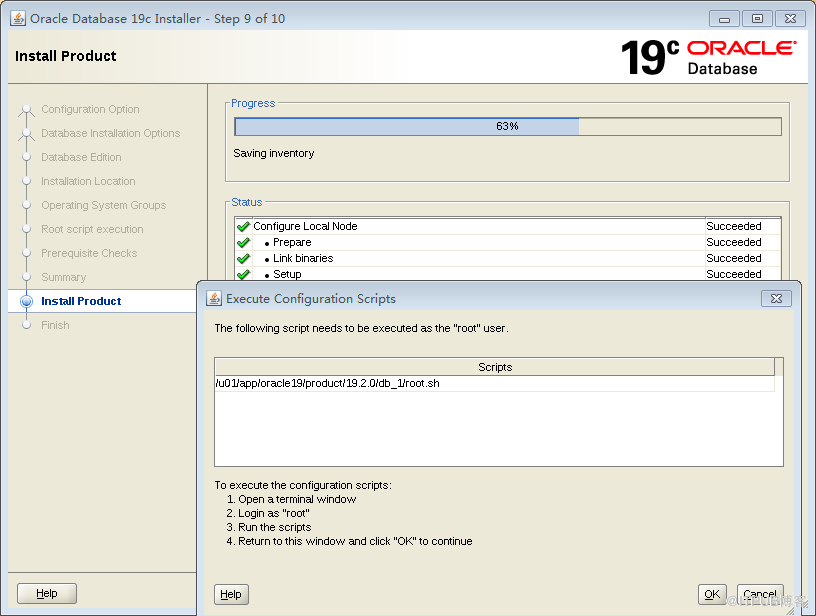
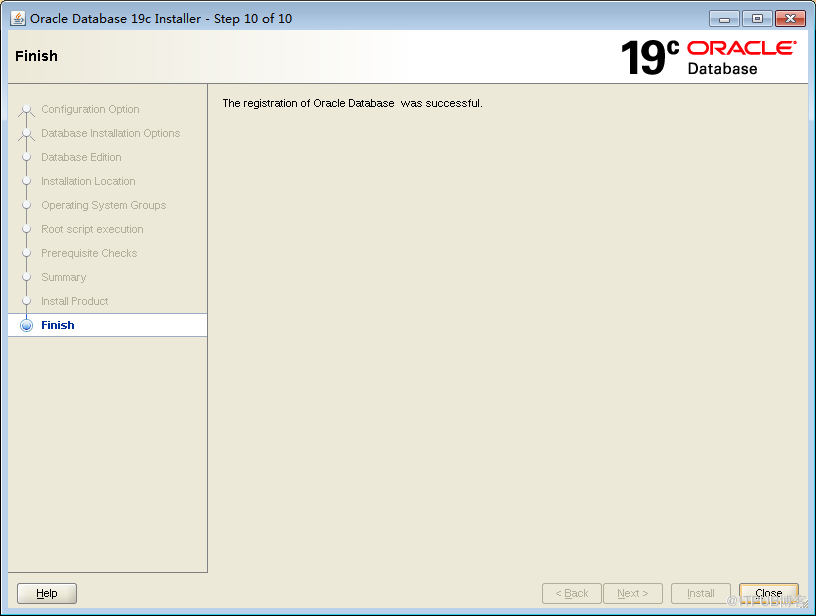
[root@oracle-server001 19]# /u01/app/oracle19/product/19.2.0/db_1/root.sh
[oracle19@oracle-server001 db_1]$ netca
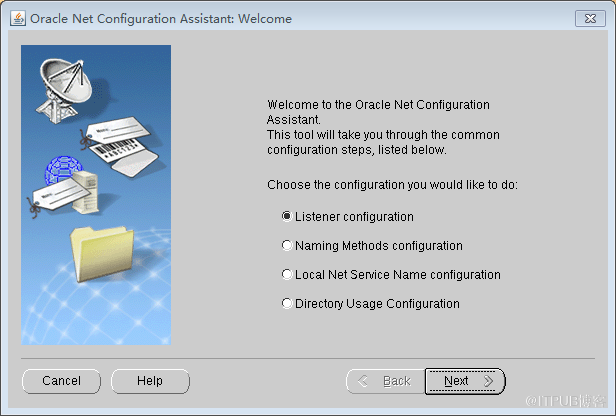
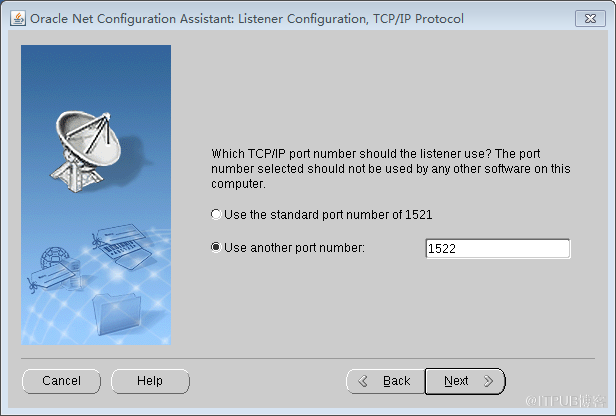
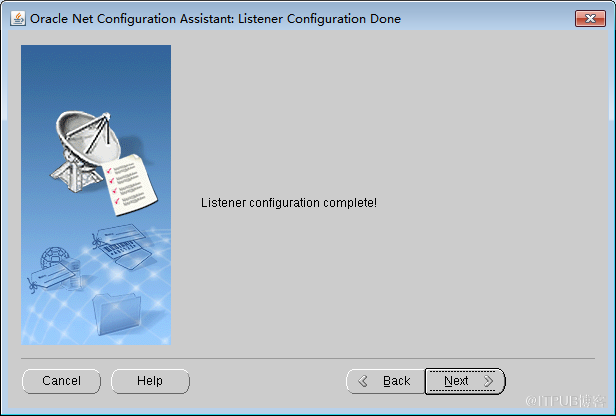
[oracle19@oracle-server001 db_1]$ dbca
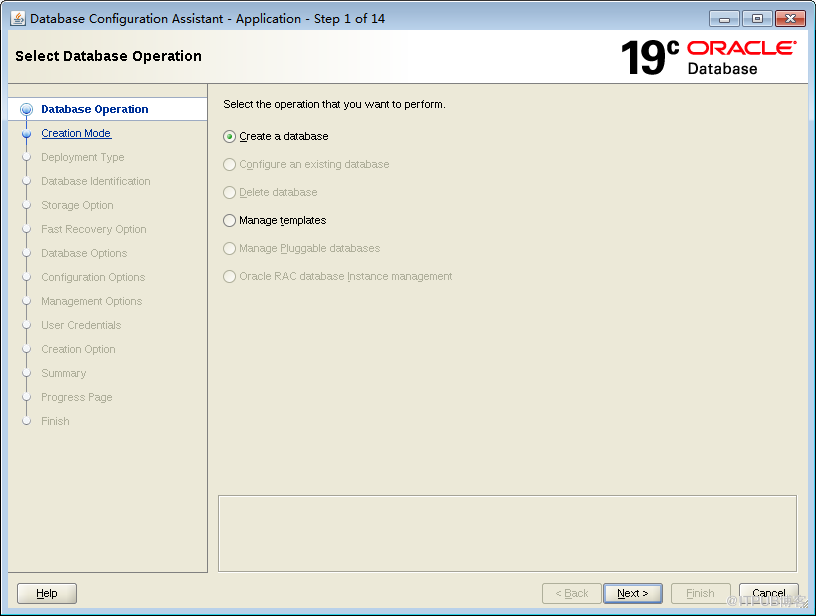
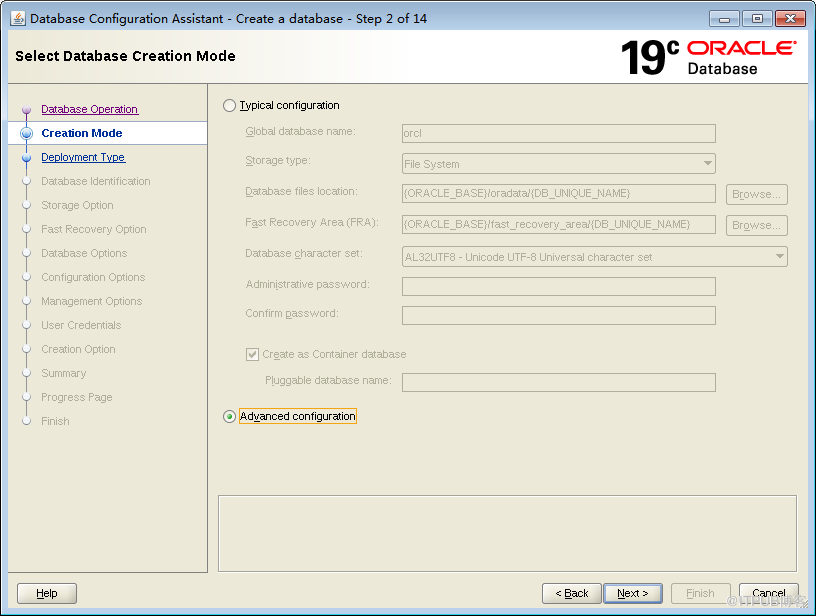
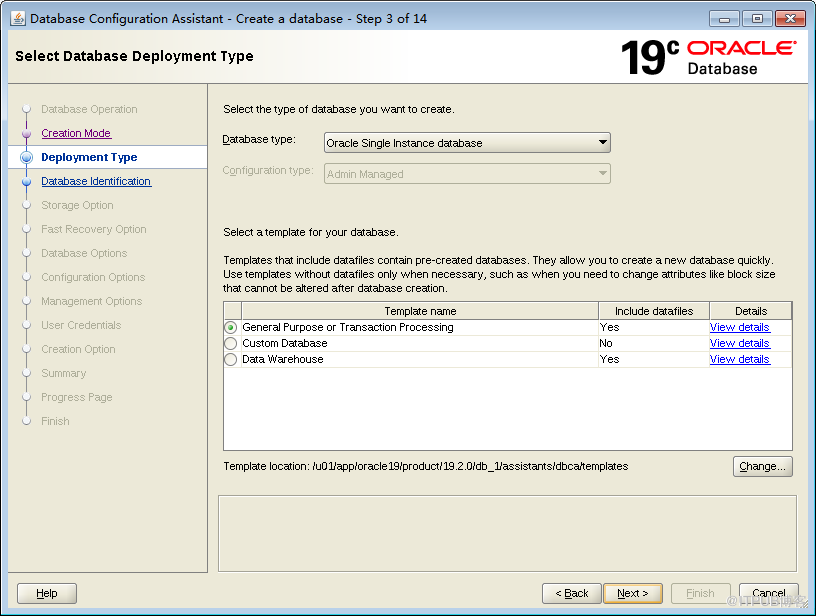
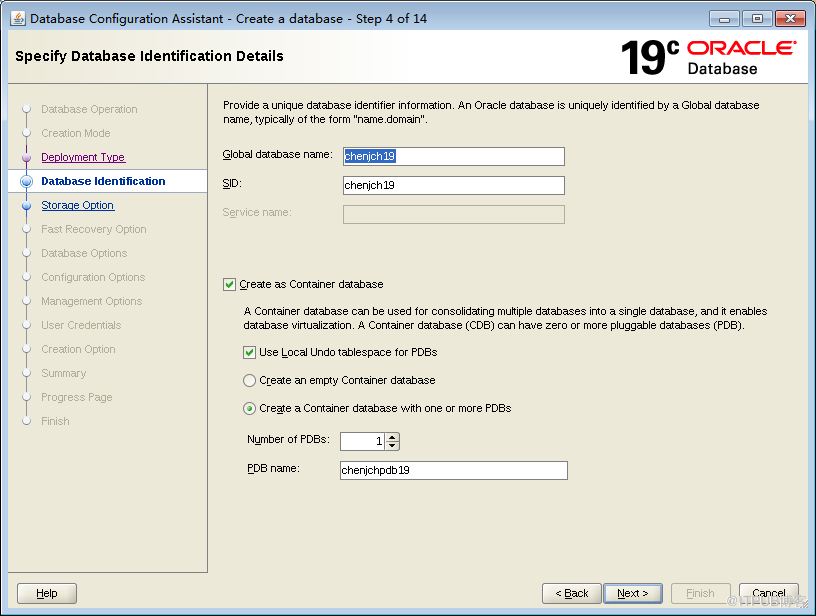
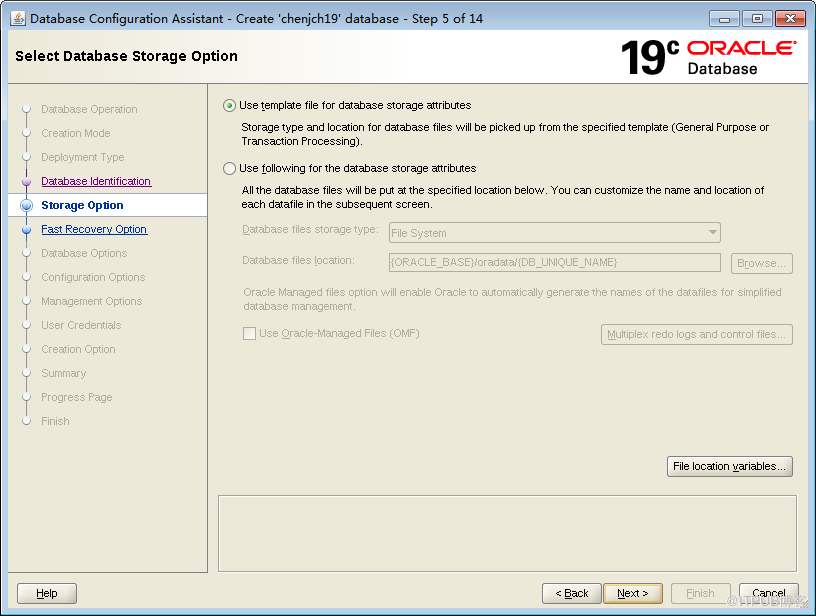
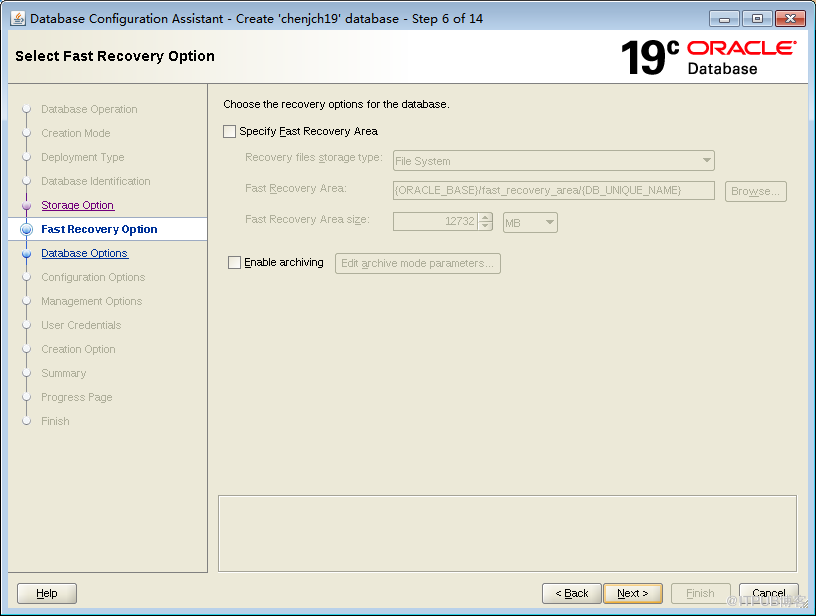
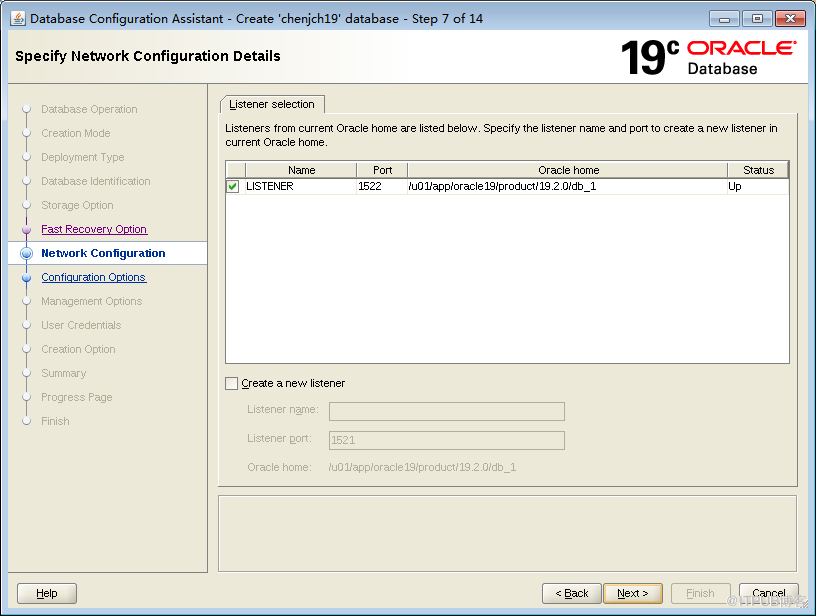

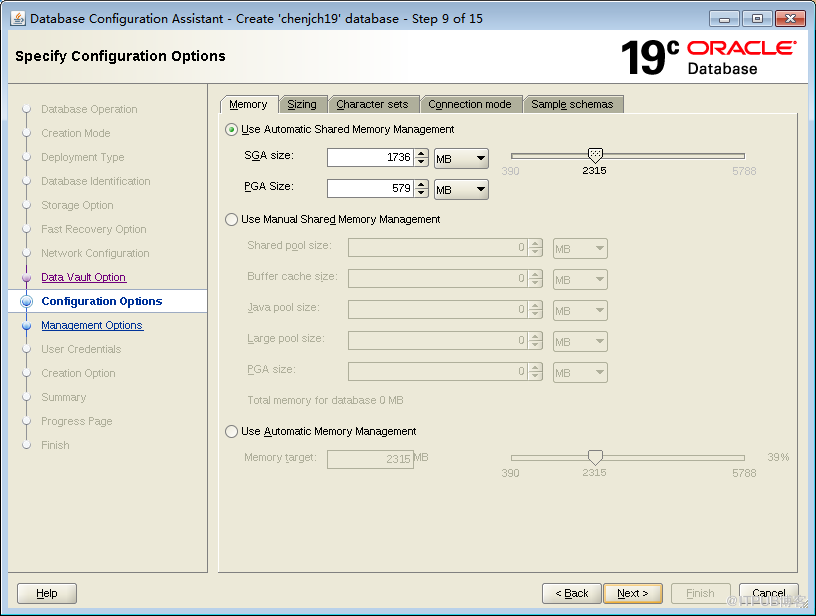
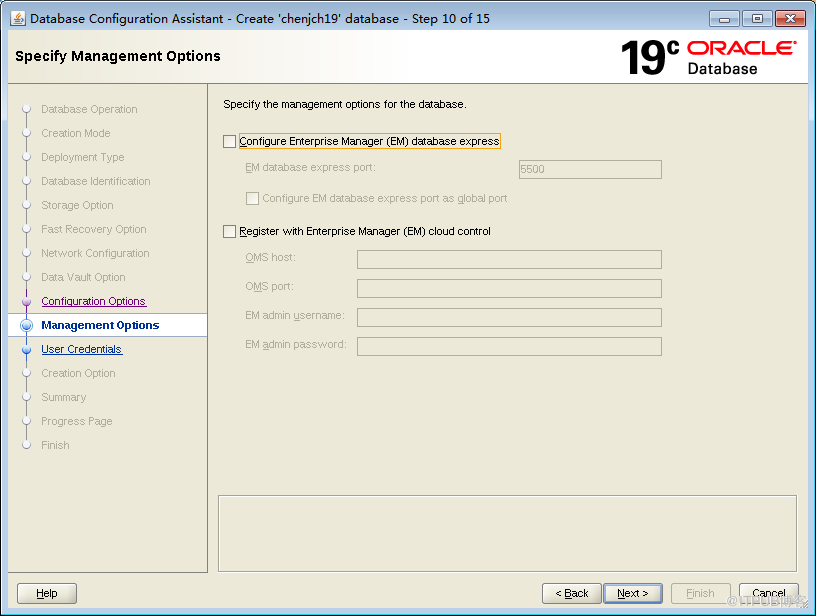
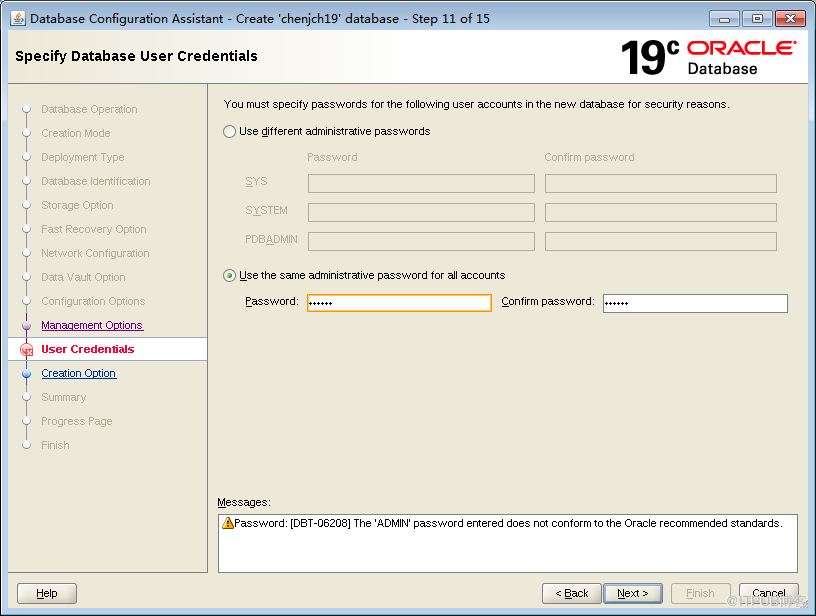
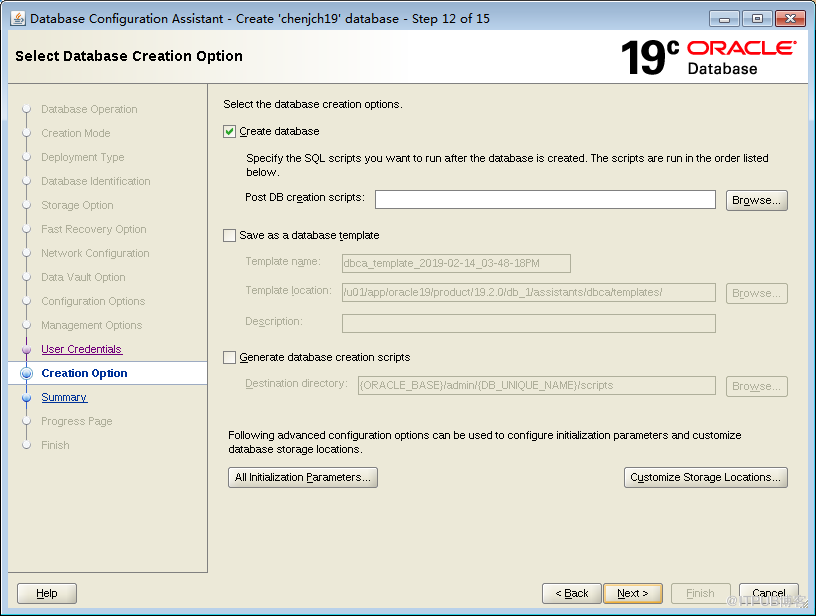
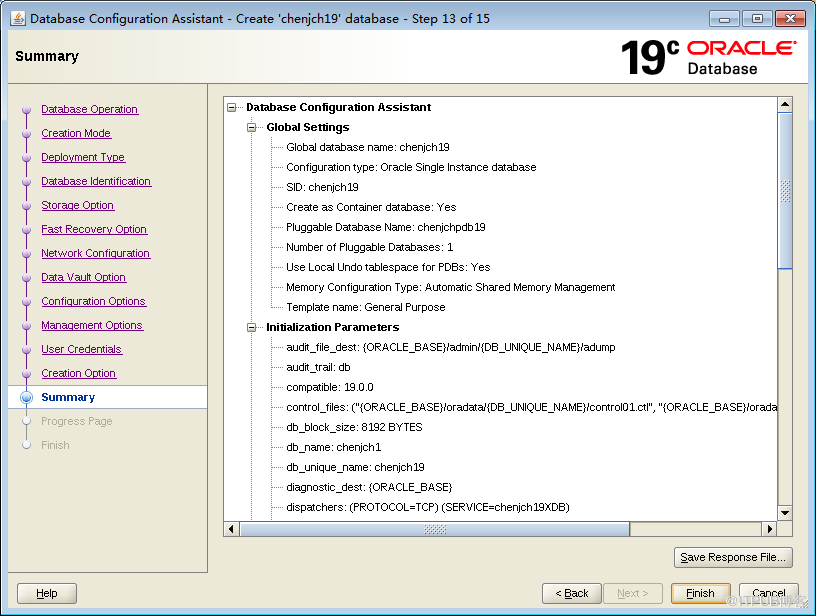
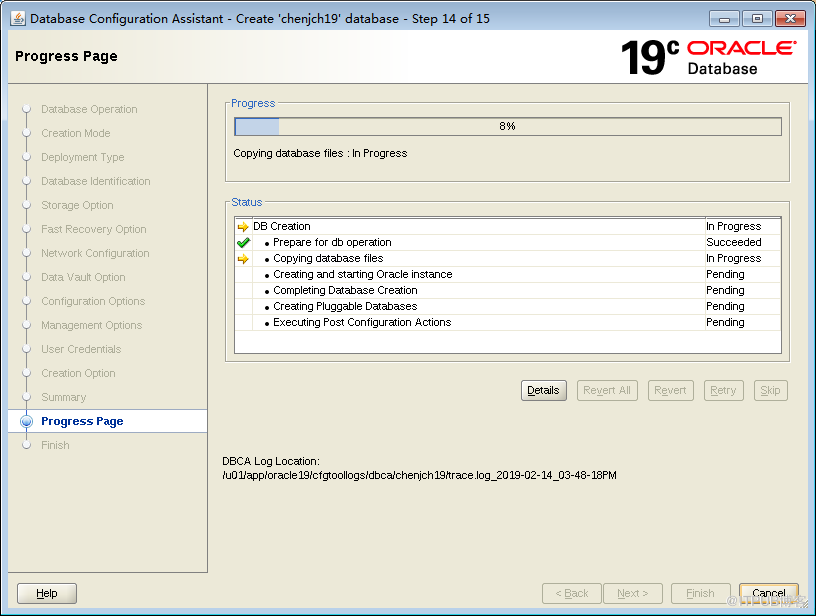
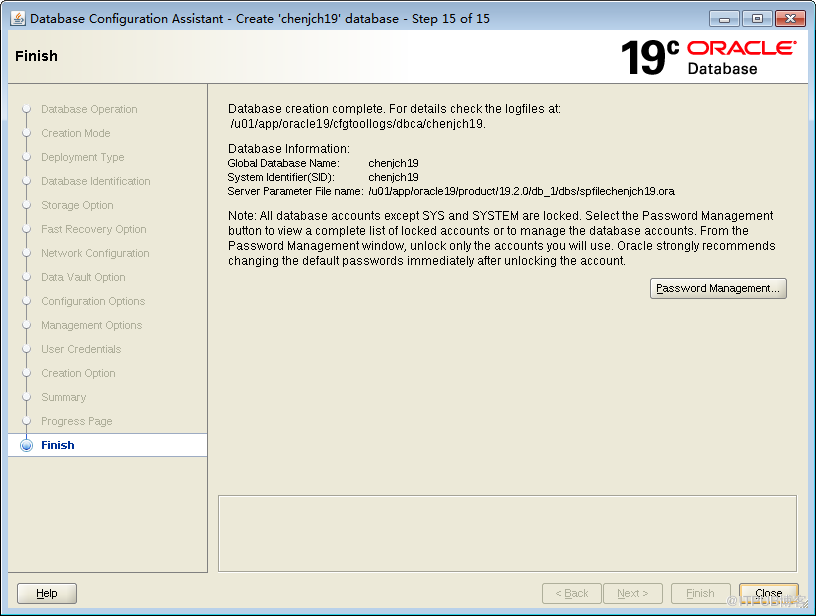
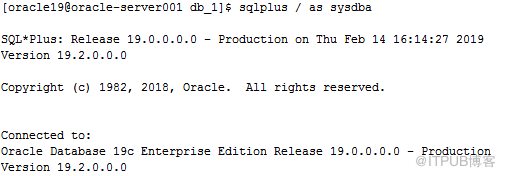
静默部分
V981623-01 db 19.2.0.0.0.zip 安装包大概2.82G,解压后有6.5G ,数据库软件安装完成后有7G ,创建完数据库后有 10G 。
从Oracle 18c开始,在安装数据库软件时,需要把压缩文件解压到 $ORACLE_HOME 路径下,在此目录下运行 ./runInstaller
创建用户oracle19:
|
1
2
3
4
5
|
/usr/sbin/useradd -g oinstall -G oper,dba,asmdba,backupdba,dgdba,kmdba,racdba oracle19passwd oracle19mkdir -p /u19/app/oracle/product/19.2.0/dbhome_1mkdir -p /u19/app/oraInventorychown -R oracle19:oinstall /u19/app |
创建环境变量:
|
1
2
3
4
5
6
7
8
9
10
11
12
13
14
15
16
17
18
19
|
vi .bash_profileumask 022export ORACLE_SID=lhr19cexport ORACLE_BASE=/u19/app/oracleexport ORACLE_HOME=$ORACLE_BASE/product/19.2.0/dbhome_1export LD_LIBRARY_PATH=$ORACLE_HOME/lib:/lib:/usr/libexport NLS_DATE_FORMAT="YYYY-MM-DD HH24:MI:SS"export TMP=/tmpexport TMPDIR=$TMPexport PATH=$ORACLE_HOME/bin:$ORACLE_HOME/OPatch:$PATHexport EDITOR=viexport TNS_ADMIN=$ORACLE_HOME/network/adminexport ORACLE_PATH=.:$ORACLE_BASE/dba_scripts/sql:$ORACLE_HOME/rdbms/adminexport SQLPATH=$ORACLE_HOME/sqlplus/admin#export NLS_LANG="SIMPLIFIED CHINESE_CHINA.ZHS16GBK" --AL32UTF8 SELECT userenv('LANGUAGE') db_NLS_LANG FROM DUAL;export NLS_LANG="AMERICAN_CHINA.ZHS16GBK"alias sqlplus='rlwrap sqlplus'alias rman='rlwrap rman'alias asmcmd='rlwrap asmcmd' |
安装:
|
1
2
|
cd $ORACLE_HOMEunzip /V981623-01-db-19.2.0.0.0.zip |
响应文件:$ORACLE_HOME/install/response/db_install.rsp
静默安装19c:
|
1
2
3
4
5
6
7
8
9
10
11
12
13
14
15
16
17
|
---静默安装 19c 数据库单机软件/u19/app/oracle/product/19.2.0/dbhome_1/runInstaller -silent -force -noconfig -ignorePrereq \oracle.install.responseFileVersion=/oracle/install/rspfmt_dbinstall_response_schema_v19.0.0 \oracle.install.option=INSTALL_DB_SWONLY \UNIX_GROUP_NAME=oinstall \INVENTORY_LOCATION=/u19/app/oraInventory \ORACLE_BASE=/u19/app/oracle \ORACLE_HOME=/u19/app/oracle/product/19.2.0/dbhome_1 \oracle.install.db.InstallEdition=EE \oracle.install.db.OSDBA_GROUP=dba \oracle.install.db.OSOPER_GROUP=oper \oracle.install.db.OSBACKUPDBA_GROUP=backupdba \oracle.install.db.OSDGDBA_GROUP=dgdba \oracle.install.db.OSKMDBA_GROUP=kmdba \oracle.install.db.OSRACDBA_GROUP=racdba \oracle.install.db.rootconfig.executeRootScript=true \oracle.install.db.rootconfig.configMethod=ROOT |
静默方式创建FS存储方式的单实例(含一个PDB):
|
1
2
3
4
5
6
7
8
9
10
11
12
13
14
15
16
|
dbca -silent -createDatabase -templateName General_Purpose.dbc -responseFile NO_VALUE \-gdbname lhr19c -sid lhr19c \-createAsContainerDatabase TRUE \-numberOfPDBs 1 \-pdbName lhrpdb2 \-pdbAdminPassword lhr \-sysPassword lhr -systemPassword lhr \-datafileDestination '/u01/app/oracle/oradata' \-recoveryAreaDestination '/u01/app/oracle/flash_recovery_area' \-redoLogFileSize 50 \-storageType FS \-characterset AL32UTF8 -nationalCharacterSet AL16UTF16 \-sampleSchema true \-totalMemory 2048 \-databaseType OLTP \-emConfiguration NONE |
执行过程:
|
1
2
3
4
5
6
7
8
9
10
11
12
13
14
15
16
17
18
19
20
21
22
23
24
25
26
27
28
29
30
31
32
33
34
35
36
37
38
39
40
41
42
43
44
45
46
47
48
49
50
51
52
53
54
55
56
57
58
59
60
61
62
63
64
65
66
67
68
69
70
71
72
73
74
75
76
77
78
79
80
81
82
|
[oracle19@rac18c-n1 dbhome_1]$ /u01/u19/app/oracle/product/19.2.0/dbhome_1/runInstaller -silent -force -noconfig -ignorePrereq \> oracle.install.responseFileVersion=/oracle/install/rspfmt_dbinstall_response_schema_v19.0.0 \> oracle.install.option=INSTALL_DB_SWONLY \> UNIX_GROUP_NAME=oinstall \> INVENTORY_LOCATION=/u01/u19/app/oraInventory \> ORACLE_BASE=/u01/u19/app/oracle \> ORACLE_HOME=/u01/u19/app/oracle/product/19.2.0/dbhome_1 \> oracle.install.db.InstallEdition=EE \> oracle.install.db.OSDBA_GROUP=dba \> oracle.install.db.OSOPER_GROUP=oper \> oracle.install.db.OSBACKUPDBA_GROUP=backupdba \> oracle.install.db.OSDGDBA_GROUP=dgdba \> oracle.install.db.OSKMDBA_GROUP=kmdba \> oracle.install.db.OSRACDBA_GROUP=racdba \> oracle.install.db.rootconfig.executeRootScript=true \> oracle.install.db.rootconfig.configMethod=ROOTLaunching Oracle Database Setup Wizard... Enter password for 'root' user: [WARNING] [INS-13014] Target environment does not meet some optional requirements. CAUSE: Some of the optional prerequisites are not met. See logs for details. /u01/app/oraInventory/logs/InstallActions2019-03-06_01-06-54PM/installActions2019-03-06_01-06-54PM.log ACTION: Identify the list of failed prerequisite checks from the log: /u01/app/oraInventory/logs/InstallActions2019-03-06_01-06-54PM/installActions2019-03-06_01-06-54PM.log. Then either from the log file or from installation manual find the appropriate configuration to meet the prerequisites and fix it manually.The response file for this session can be found at: /u01/u19/app/oracle/product/19.2.0/dbhome_1/install/response/db_2019-03-06_01-06-54PM.rspYou can find the log of this install session at: /u01/app/oraInventory/logs/InstallActions2019-03-06_01-06-54PM/installActions2019-03-06_01-06-54PM.logSuccessfully Setup Software with warning(s).[oracle19@rac18c-n1 dbhome_1]$ dbca -silent -createDatabase -templateName General_Purpose.dbc -responseFile NO_VALUE \> -gdbname lhr19c -sid lhr19c \> -createAsContainerDatabase TRUE \> -numberOfPDBs 1 \> -pdbName pdb2 \> -pdbAdminPassword lhr \> -sysPassword lhr -systemPassword lhr \> -datafileDestination '/u01/app/oracle/oradata' \> -recoveryAreaDestination '/u01/app/oracle/flash_recovery_area' \> -redoLogFileSize 50 \> -storageType FS \> -characterset AL32UTF8 -nationalCharacterSet AL16UTF16 \> -sampleSchema true \> -totalMemory 2048 \> -databaseType OLTP \> -emConfiguration NONE[WARNING] [DBT-06208] The 'SYS' password entered does not conform to the Oracle recommended standards. CAUSE: a. Oracle recommends that the password entered should be at least 8 characters in length, contain at least 1 uppercase character, 1 lower case character and 1 digit [0-9].b.The password entered is a keyword that Oracle does not recommend to be used as password ACTION: Specify a strong password. If required refer Oracle documentation for guidelines.[WARNING] [DBT-06208] The 'SYSTEM' password entered does not conform to the Oracle recommended standards. CAUSE: a. Oracle recommends that the password entered should be at least 8 characters in length, contain at least 1 uppercase character, 1 lower case character and 1 digit [0-9].b.The password entered is a keyword that Oracle does not recommend to be used as password ACTION: Specify a strong password. If required refer Oracle documentation for guidelines.[WARNING] [DBT-06208] The 'PDBADMIN' password entered does not conform to the Oracle recommended standards. CAUSE: a. Oracle recommends that the password entered should be at least 8 characters in length, contain at least 1 uppercase character, 1 lower case character and 1 digit [0-9].b.The password entered is a keyword that Oracle does not recommend to be used as password ACTION: Specify a strong password. If required refer Oracle documentation for guidelines.Prepare for db operation8% completeCopying database files31% completeCreating and starting Oracle instance32% complete36% complete40% complete43% complete46% completeCompleting Database Creation51% complete53% complete54% completeCreating Pluggable Databases58% complete77% completeExecuting Post Configuration Actions100% completeDatabase creation complete. For details check the logfiles at: /u01/u19/app/oracle/cfgtoollogs/dbca/lhr19c.Database Information:Global Database Name:lhr19cSystem Identifier(SID):lhr19cLook at the log file "/u01/u19/app/oracle/cfgtoollogs/dbca/lhr19c/lhr19c1.log" for further details. |
据说,19c可以这样连接数据库:
|
1
2
3
4
5
6
7
8
9
10
11
12
13
14
15
16
17
18
|
[oracle19@rac18c-n1 bin]$ sqlplus system/lhr@192.168.20.10:1521,192.168.20.12:1521/lhr19c?connect_timeout=60SQL*Plus: Release 19.0.0.0.0 - Production on Wed Mar 6 13:56:20 2019Version 19.2.0.0.0Copyright (c) 1982, 2018, Oracle. All rights reserved.Last Successful login time: Wed Mar 06 2019 13:56:05 +08:00Connected to:Oracle Database 19c Enterprise Edition Release 19.0.0.0.0 - ProductionVersion 19.2.0.0.0SQL> SQL> SQL> SQL> SQL> col BANNER_FULL format a80SQL> select BANNER_FULL,CON_ID from v$version;BANNER_FULL CON_ID-------------------------------------------------------------------------------- ----------Oracle Database 19c Enterprise Edition Release 19.0.0.0.0 - Production 0Version 19.2.0.0.0 |
1、测试可以在CentOS 7.3环境上安装,但是在RHEL6.5上不能安装
2、在安装过程中可以设置root.sh脚本自动执行
Oracle 19C的下载和安装部署(图形安装和静默安装)的更多相关文章
- ORACLE RAC 11.2.0.4 CentOS release 6.9 静默安装1.0版本
RAC11.2.0.4静默安装 1.0版本,20180613 #本文档IP地址使用X隐藏,个人可按照自己的当前环境IP进行适当修改 1. 清除原环境中的单实例软件 #清除原环境: 删除/etc/ora ...
- Azkaban2.5安装部署(系统时区设置 + 安装和配置mysql + Azkaban Web Server 安装 + Azkaban Executor Server安装 + Azkaban web server插件安装 + Azkaban Executor Server 插件安装)(博主推荐)(五)
Azkaban是什么?(一) Azkaban的功能特点(二) Azkaban的架构(三) Hadoop工作流引擎之Azkaban与Oozie对比(四) 不多说,直接上干货! http://www.cn ...
- Docker环境安装部署Java应用(含安装Tomcat和JDK)
1.部署思路 两台docker机(centos 7系统),Docker 版本:18.09.6, build 481bc77156 Docker host IP:192.168.102.135 Dock ...
- 最小安装centos 7 无GUI静默安装 oracle 12c,打造轻量linux化服务器
CentOS 7 下载地址:http://mirrors.opencas.cn/centos/7/isos/x86_64/CentOS-7-x86_64-Everything-1511.iso 一.安 ...
- Windows批处理:自动部署常用软件(静默安装)
一.简介 最近一直在测试使用域组策略自动部署软件,效果并不理想.首先,主机必须加入域才能让策略生效.其实是Windows Server 2012 R2只支持.msi格式的安装包,所以部署前需将软件重新 ...
- Oracle 12c(12.1.0.5) oem agent silent install(静默安装agent)
注释: 文章自oracle support 文档 ID 1360083.1,静默安装agent采用的是把OMS服务端(即oem server端)的agent用压缩包download,远程传到agent ...
- .net安装部署“Error 1001 在初始化安装时发生异常” 的解决方法
状况描述:打包安装后,如果删除安装目录中的某个文件,这时从桌面快捷方式启动软件系统会自动运行修复程序,此时因为路径问题会报出“错误 1001 在初始化安装时发生异常xxx”的异常.(前提是你的安装部署 ...
- CentOS6.7安装部署php5(详解安装选项与主配置文件)
模块安装---PHP 编译环境:gcc gcc-c++ pcre-devel openssl-devel libxml2 libxml2-devel bzip bzip-dev ...
- Oracle 19C的下载和安装部署
1.官网下载zip包. 2.解压到/usr/local/oracle 目录. 3.创建用户和用户组 /usr/sbin/useradd -u oracle //用户组oracle /usr/sbin/ ...
随机推荐
- NodeJS缓冲区
NodeJS缓冲区 JavaScript语言本身在I/O时只有字符串数据类型,没有二进制数据类型,但在处理流数据时,必须用到二进制数据,因此在Node中,定义了一个Buffer类作为存放二进制数据的缓 ...
- sklearn神经网络分类
sklearn神经网络分类 神经网络学习能力强大,在数据量足够,隐藏层足够多的情况下,理论上可以拟合出任何方程. 理论部分 sklearn提供的神经网络算法有三个: neural_network.Be ...
- PAT Basic 1004
1004 成绩排名 (20 分) 读入 n(>0)名学生的姓名.学号.成绩,分别输出成绩最高和成绩最低学生的姓名和学号. 输入格式: 每个测试输入包含 1 个测试用例,格式为 第 1 行:正整数 ...
- java代码发送邮箱验证码与qq邮箱smtp服务
发送邮箱的类封装,在此之前需要一个jar包 javax.mail.jar 下载链接https://github.com/javaee/javamail/releases/download/JAVAM ...
- 卷积cnn总结
阅读了很多篇文章后,还是觉得有两篇文章很好,所以基本上就吸收搬过来了. 从神经网络到卷积神经网络(CNN) 我们知道神经网络的结构是这样的: 那卷积神经网络跟它是什么关系呢? 其实卷积神经网络依旧是层 ...
- 关于 extern "C"的说明
在用C++的项目源码中,经常会不可避免的会看到下面的代码 #ifdef __cplusplus extern "C" { #endif /*...*/ #ifdef __cplus ...
- Servlet(4)—一个简单的Servlet实例
简单实例 页面请求登陆,提交表单数据 <body> <form action="loginServlet" method="get"> ...
- log4j2自定义Appender(输出到文件/RPC服务中)
1.背景 虽然log4j很强大,可以将日志输出到文件.DB.ES等.但是有时候确难免完全适合自己,此时我们就需要自定义Appender,使日志输出到指定的位置上. 本文,将通过两个例子说明自定义APP ...
- ubuntu下安装配置apache2与php
1:安装apache2 sudo apt install apache2 2:修改端口号 sudo vi /etc/apache2/ports.conf 3:修改跟目录 在 /etc/apache2/ ...
- Visual Studio 2017 - Windows应用程序打包成exe文件(2)- Advanced Installer 关于Newtonsoft.Json,LINQ to JSON的一个小demo mysql循环插入数据、生成随机数及CONCAT函数 .NET记录-获取外网IP以及判断该IP是属于网通还是电信 Guid的生成和数据修整(去除空格和小写字符)
Visual Studio 2017 - Windows应用程序打包成exe文件(2)- Advanced Installer Advanced Installer :Free for 30 da ...