
重新整理 .net core 实践篇————配置系统——军令(命令行)[六]
前言
前文已经基本写了一下配置文件系统的一些基本原理。本文介绍一下命令行导入配置系统。
正文
要使用的话,引入Microsoft.extensions.Configuration.commandLine 包。
代码:
IConfigurationBuilder builder = new ConfigurationBuilder();

builder.AddCommandLine(args);

var configurationRoot = builder.Build();

Console.WriteLine($"CommandLineKey1:{configurationRoot["CommandLineKey1"]}");

Console.ReadLine();
写入测试参数:

结果:

另一个问题,就是命令行支持几种命令格式。
无前缀模式 key=value 模式
双中横线模式 --key = value 或 --key vlaue
正斜杠模式 /key=value 或/key value
注:如果--key = value 这种等号模式,那么就不能使用--key vlaue 这种中间空格二点模式。
配置:
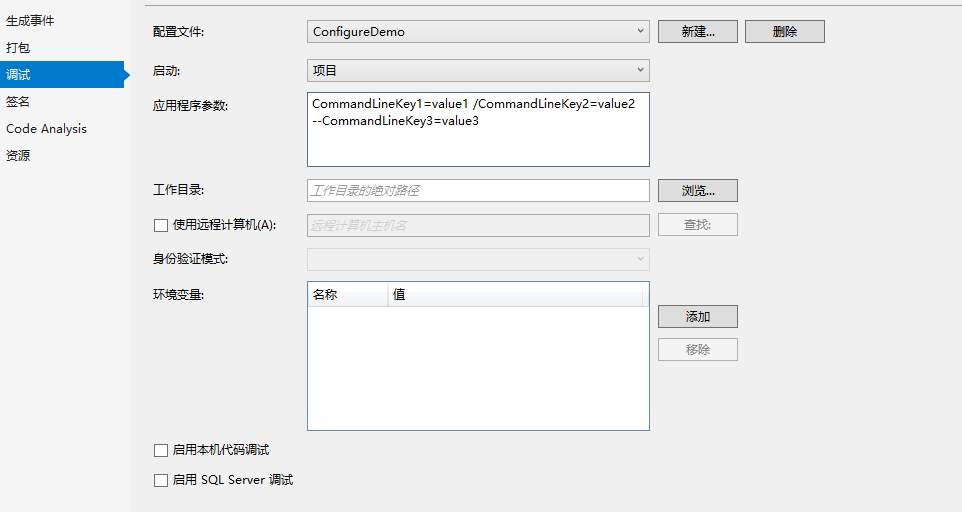
IConfigurationBuilder builder = new ConfigurationBuilder();

builder.AddCommandLine(args);

var configurationRoot = builder.Build();

Console.WriteLine($"CommandLineKey1:{configurationRoot["CommandLineKey1"]}");

Console.WriteLine($"CommandLineKey2:{configurationRoot["CommandLineKey2"]}");

Console.WriteLine($"CommandLineKey3:{configurationRoot["CommandLineKey3"]}");

Console.ReadLine();
结果:
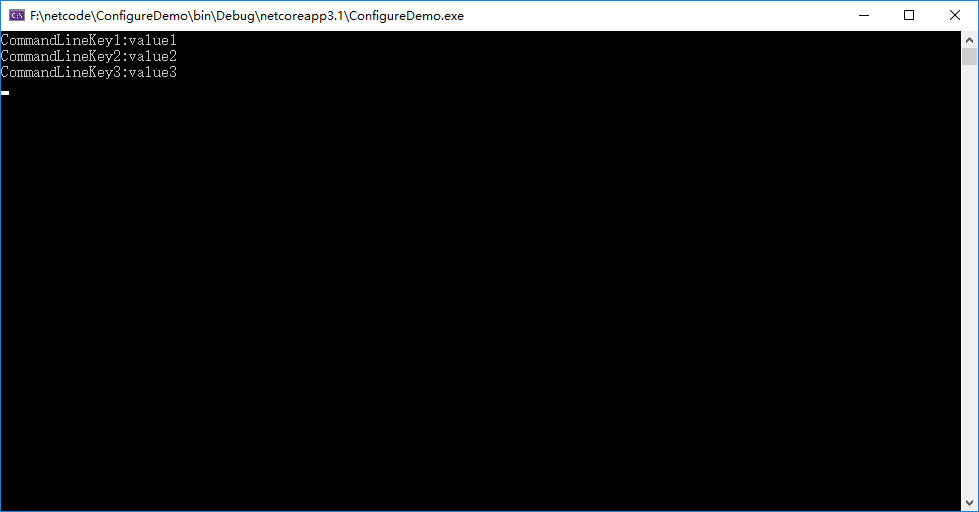
这里其实项目属性在lauchSettings.json 中,后面我就不截图,直接放这个启动配置。
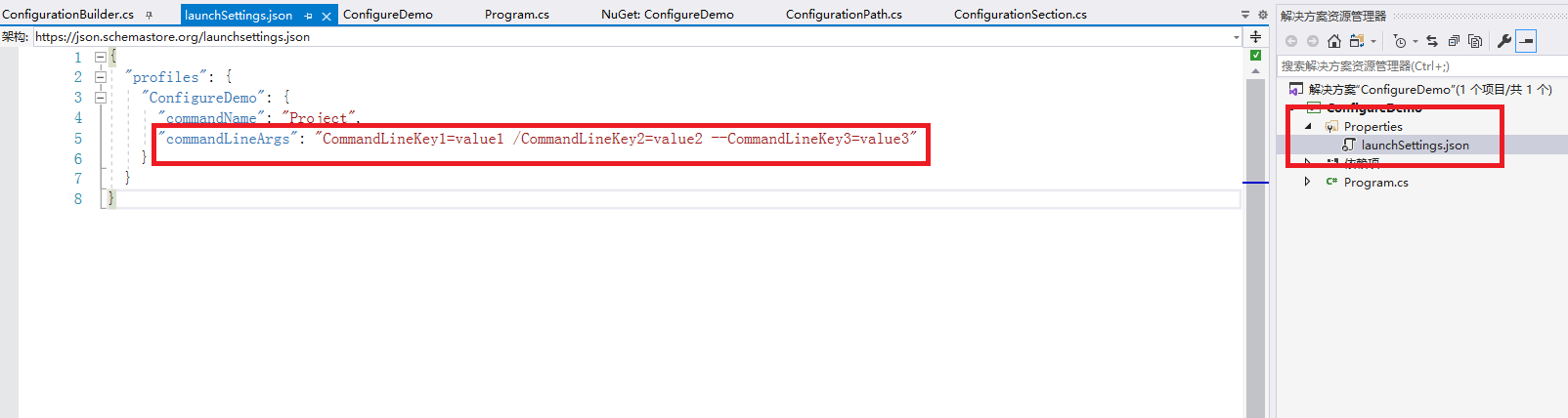
命令替换模式:
{

  "profiles": {

    "ConfigureDemo": {

      "commandName": "Project",

      "commandLineArgs": "CommandLineKey1=value1 /CommandLineKey2=value2 --CommandLineKey3=value3 -k1=value4"

    }

  }

}
代码:
IConfigurationBuilder builder = new ConfigurationBuilder();

var mappers = new Dictionary<string, string>

{

	{"-k1","CommandLineKey1" }

};

builder.AddCommandLine(args, mappers);

var configurationRoot = builder.Build();

Console.WriteLine($"CommandLineKey1:{configurationRoot["CommandLineKey1"]}");

Console.WriteLine($"CommandLineKey2:{configurationRoot["CommandLineKey2"]}");

Console.WriteLine($"CommandLineKey3:{configurationRoot["CommandLineKey3"]}");

Console.ReadLine();
这里面就是以-k1的值替换了CommandLineKey1的值。
上述的-k1也不是随便命名的,要用-开头才可以替换。
那么这种有什么用呢?
这种可以缩短命名。
{

  "profiles": {

    "ConfigureDemo": {

      "commandName": "Project",

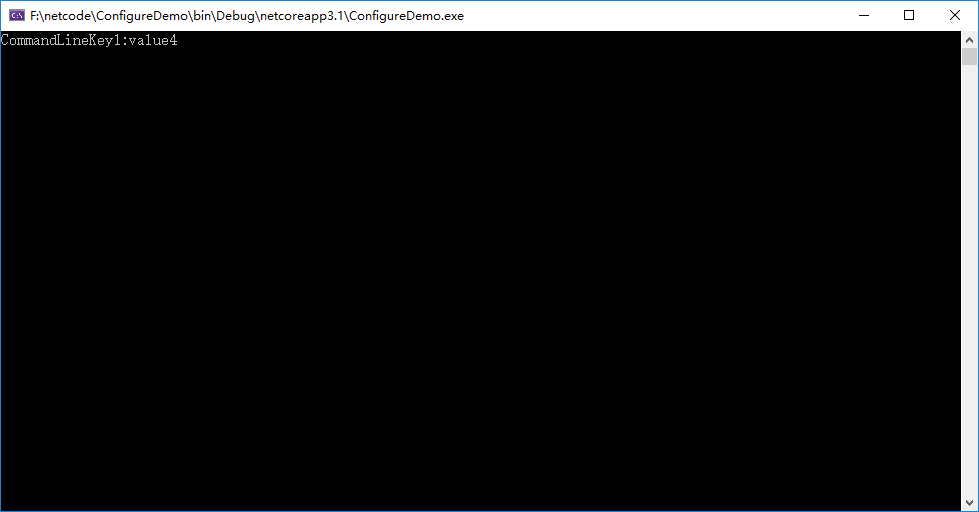
      "commandLineArgs": "-k1=value4"

    }

  }

}
代码:
IConfigurationBuilder builder = new ConfigurationBuilder();

var mappers = new Dictionary<string, string>

{

	{"-k1","CommandLineKey1" }

};

builder.AddCommandLine(args, mappers);

var configurationRoot = builder.Build();

Console.WriteLine($"CommandLineKey1:{configurationRoot["CommandLineKey1"]}");

Console.ReadLine();
结果:
结
下一节配置系统之变色龙(环境配置)
上述为个人整理,如有错误望请指出,谢谢。
重新整理 .net core 实践篇————配置系统——军令(命令行)[六]的更多相关文章
- 重新整理 .net core 实践篇————配置系统之盟约[五]
前言 在asp .net core 中我们会看到一个appsettings.json 文件,它就是我们在服务中的各种配置,是至关重要的一部门. 不管是官方自带的服务,还是我们自己编写的服务都是用它来实 ...
- 重新整理 .net core 实践篇—————配置系统之军令状[七](配置文件)
前言 介绍一下配置系统中的配置文件,很多服务的配置都写在配置文件中,也是配置系统的大头. 正文 在asp .net core 提供了下面几种配置文件格式的读取方式. Microsoft.extensi ...
- 重新整理 .net core 实践篇—————配置系统之间谍[八](文件监控)
前言 前文提及到了当我们的配置文件修改了,那么从 configurationRoot 在此读取会读取到新的数据,本文进行扩展,并从源码方面简单介绍一下,下面内容和前面几节息息相关. 正文 先看一下,如 ...
- 重新整理 .net core 实践篇—————配置系统之强类型配置[十]
前言 前文中我们去获取value值的时候,都是通过configurationRoot 来获取的,如configurationRoot["key"],这种形式. 这种形式有一个不好的 ...
- 重新整理 .net core 实践篇—————配置系统之简单配置中心[十一]
前言 市面上已经有很多配置中心集成工具了,故此不会去实践某个框架. 下面链接是apollo 官网的教程,实在太详细了,本文介绍一下扩展数据源,和简单翻翻阅一下apollo 关键部分. apollo 服 ...
- 重新整理 .net core 实践篇————配置应用[一]
前言 本来想整理到<<重新整理.net core 计1400篇>>里面去,但是后来一想,整理 .net core 实践篇 是偏于实践,故而分开. 因为是重新整理,那么就从配置开 ...
- 重新整理 .net core 实践篇—————日志系统之战地记者[十五]
前言 本节开始整理日志相关的东西.先整理一下日志的基本原理. 正文 首先介绍一下包: Microsoft.Extengsion.Logging.Abstrations 这个是接口包. Microsof ...
- 重新整理 .net core 实践篇—————日志系统之作用域[十七]
前言 前面介绍了服务与日志之间的配置,那么我们服务会遇到下面的场景会被遇到一些打log的问题. 前面我提及到我们的log,其实是在一个队列里面,而我们的请求是在并发的,多个用户同时发送请求这个时候我们 ...
- 重新整理 .net core 实践篇—————日志系统之结构化[十八]
前言 什么是结构化呢? 结构化,就是将原本没有规律的东西进行有规律话. 就比如我们学习数据结构,需要学习排序然后又要学习查询,说白了这就是一套,没有排序,谈如何查询是没有意义的,因为查询算法就是根据某 ...
随机推荐
- 12.VUE - v-bind 详解
v-bind指令用于给html标签设置属性. <!-- 完整语法 --> <a v-bind:href="url"></a> <!-- 缩 ...
- 从西天取经的九九八十一难来看Java设计模式:模板方法模式
目录 示例 模板方法模式 定义 意图 主要解决问题 适用场景 优缺点 西天取经的九九八十一难 示例 当我们设计一个类时,我们能明确它对外提供的某个方法的内部执行步骤, 但一些步骤,不同的子类有不同的行 ...
- 简介TLS 1.3
0x00 前言 最近在阅读论文,其中阅读了 WWW2021的一篇文章"TLS 1.3 in Practice: How TLS 1.3 Contributes to the Internet ...
- day10.闭包函数与装饰器
一.闭包函数 1.闭函数:被封闭起来的函数==>定义在函数内部的函数,特点是只能在函数内调用 2.包函数:该函数引用了一个名字,该名字来自于E这一层 总结:闭包函数指的是定义在函数内部的函数引用 ...
- Day14_82_反射机制输出整个类
利用反射机制输出整个类 代码实例 import java.lang.reflect.Field; import java.lang.reflect.Modifier; public class Ref ...
- 哈工大LTP基本使用-分词、词性标注、依存句法分析、命名实体识别、角色标注
代码 import os from pprint import pprint from pyltp import Segmentor, Postagger, Parser, NamedEntityRe ...
- 抛弃vuex ,拥抱ts,手撸泛型Store<T>!
前段时间学习了下vue3 和ts ,就尝试下做了个项目,结果发现vuex和ts几乎无法结合,越写越别扭,开始怀疑用ts就是自己给自己挖坑,然后加了几个vue相关的群,去抱怨了几句,得到大佬指点:你可以 ...
- 让我们一起建设 Vue DevUI 项目吧!🥳
DevUI Design 是从华为云 DevCloud 众多业务孵化出来的一套设计体系,DevUI 倡导沉浸.灵活.至简的设计价值观,提倡设计者为真实的需求服务,为多数人进行设计,拒绝哗众取宠.取悦眼 ...
- Linux中常见的150个命令(干货)
目录 线上查询及帮助命令 文件和目录操作命令 查看文件和内容处理命令 文件压缩及解压缩命令 信息显示命令 搜索文件命令 进程管理相关命令 用户管理命令 基础网络操作命令 深入网络操作命令 有关磁盘与文 ...
- 9.PHP文件处理
PHP文件系统 (当成是扩展C++来看就行了,几乎一样): 读取整个文件readfile() .file(). file_get_contents() <?php readfile('fi ...