
loadrunner12自带的机票预订服务,解决httpd: Could not reliably determine the server's fully qualified domain name 问题
遇到以上问题是在启动loadrunner12自带的机票预订服务器情况下遇到的,错误提示如下图:
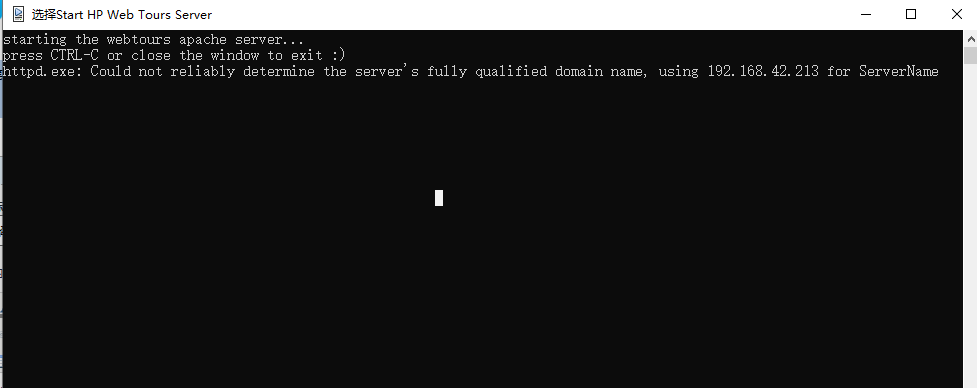
解决方案:
编辑httpd.conf 文件,加入一句 ServerName localhost:1080 重启服务就可以了。
1、loadrunner12的httpd.conf文件位置,如果loadrunner12是默认安装的情况下,位置在(C:\Program Files (x86)\HP\LoadRunner\WebTours\conf)
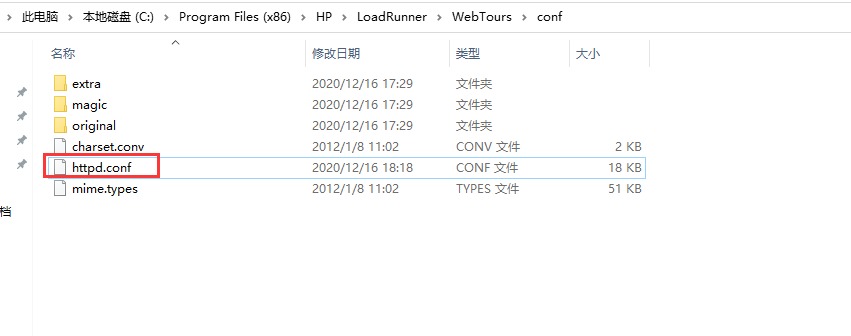
2、修改httpd.conf文件,找到 ServerName localhost:1080 ,去掉前面的“#”,保存,重启服务

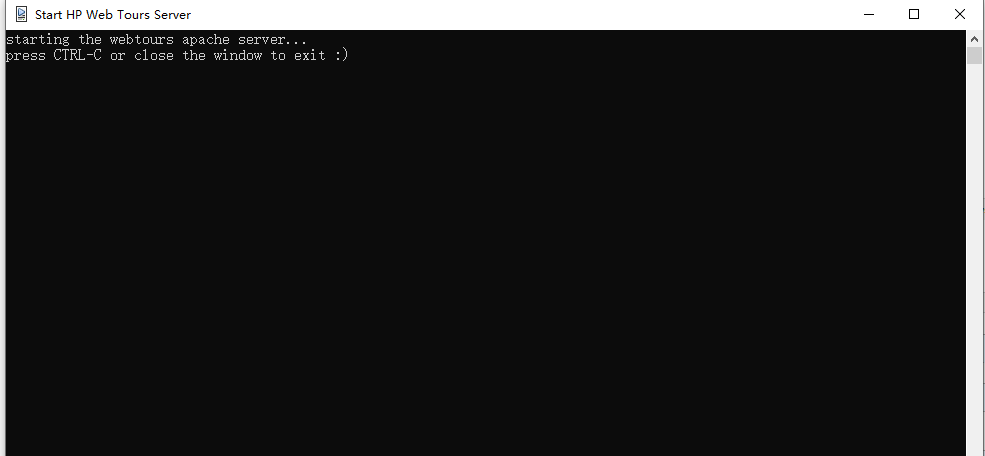
3、重启服务
出现下图表示成功
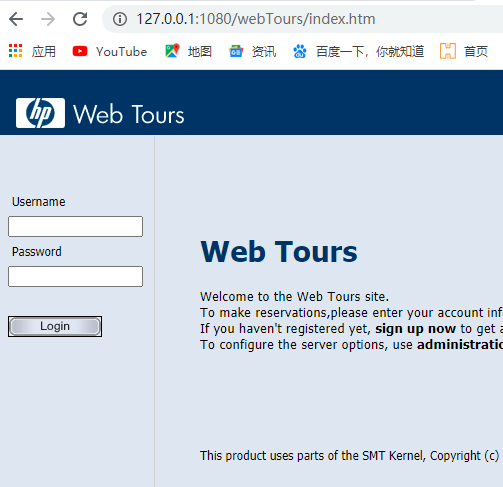
访问首页成功,如下图
loadrunner12自带的机票预订服务,解决httpd: Could not reliably determine the server's fully qualified domain name 问题的更多相关文章
- 解决httpd: Could not reliably determine the server's fully qualified domain name
解决方案: 用记事本打开 httpd.conf 将里面的 #ServerName localhost:80 注释去掉即可. 再执行 httpd 然后可以通过浏览器访问 http://localhost ...
- 解决解决httpd: Could not reliably determine the server's fully qualified domain name
vi /etc/httpd/conf/httpd.conf 加入一句 ServerName localhost:80 参考:https://www.cnblogs.com/52linux/ar ...
- 测试Apache服务器及httpd: Could not reliably determine the server's fully qualified domain name解决办法
测试Apache服务器: 重启apache: sudo /usr/local/apache/bin/apachectl restart 若出现错误: httpd: Could not reliably ...
- 解决Apache启动错误:httpd: Could not reliably determine the server's fully qualified domain name, using 127.0.0.1 for ServerName
启动apache遇到提示: [root@bqh-119 conf]# ../bin/apachectl -thttpd: apr_sockaddr_info_get() failed for bqh- ...
- linux启动httpd服务出现 Could not reliably determine the server`s fully qualified domain name.
安装好apache启动httpd服务时,出现httpd: Could not reliably determine the server's fully qualified domain name, ...
- 重启服务器“AH00558: apache2: Could not reliably determine the server's fully qualified domain name”问题的解决
重启服务器时报错: AH00558: apache2: Could not reliably determine the server's fully qualified domain name, u ...
- 重启Apache报错apache2: Could not reliably determine the server's fully qualified domain name, using 127.0.1.1 for ServerName ... waiting的解决方法
启动apache提示 : apache2: Could not reliably determine the server's fully qualified domain name, using 1 ...
- apache2: Could not reliably determine the server's fully qualified domain name, using 127.0.1.1 for ServerName的解决
apache2: Could not reliably determine the server's fully qualified domain name, using 127.0.1.1 for ...
- 我开启httpd服务的时候 显示Could not reliably determine the server`s fully qualified domain name,
vi /etc/httpd/conf/httpd.conf加入一句 ServerName localhost:80
随机推荐
- Kotlin协程基础
开发环境 IntelliJ IDEA 2021.2.2 (Community Edition) Kotlin: 212-1.5.10-release-IJ5284.40 我们已经通过第一个例子学会了启 ...
- mapper-spring-boot-starter 主要作用是
今天是第一次接触到 这个场景启动器内心中真是一片的茫然,学习了这么长时间我居然还不知道有这个的存在今天好好查一查资料 参考资料(https://blog.csdn.net/crq1205/articl ...
- css布局宽度自适应
随着各种终端的不断涌现,网页中的元素适应不同的分辨率变得特别重要,根据经验,涉及到宽度自适应的一共有四种情况: 左端固定,右边自适应:右端固定,左边自适应:两端固定,中间自适应:中间固定,两端自适应. ...
- sqlalchemy 查询结果转json个人解决方案
参考了网上很多资料,自己搞了一个适合的 在model 内增加一个函数: class User(db.Model): __tablename__ = 'user' userid = db.Column( ...
- sunny 内网穿透使用。
启动方法:
- P2350-[HAOI2012]外星人【线性筛】
正题 题目链接:https://www.luogu.com.cn/problem/P2350 题目大意 给出\(N\)质因数分解之后的结果,求每次\(N=\varphi(N)\),多少次后\(N=1\ ...
- CF757F-Team Rocket Rises Again【最短路,DAG支配树】
正题 题目链接:https://www.luogu.com.cn/problem/CF757F 题目大意 \(n\)个点\(m\)条边的一张无向图,求删除\(s\)以外的一个点改变\(s\)到最多点的 ...
- truncate表时报“唯一/主键被启用的外部关键字引用”解决办法
前言:清空表时提示"唯一/主键被启用的外部关键字引用"这一警告信息 原因:是因为主键被子表引用,所以对主键进行更改就好了 解决: 使用 alter table table_name ...
- Python3入门系列之-----元组
元组 Python 的元组与列表类似,不同之处在于元组的元素不能修改 元组使用小括号,列表使用方括号 元组创建很简单,只需要在括号中添加元素,并使用逗号隔开即可 实例 tup1 = (1,2,3,4, ...
- 使用gitlab runner进行CI(三):使用sonarqube做c++的静态检查
目录 1. gitlab-ci.yml的配置 1.1 几个基本概念 1.2 使用CI进行代码检查demo 2. Sonarqube安装和配置 2.1 Sonarqube安装 2.2 数据库配置 2.3 ...