
编译安装基于fastcgi模式的多虚拟主机的wordpress和discuz的LAMP架构
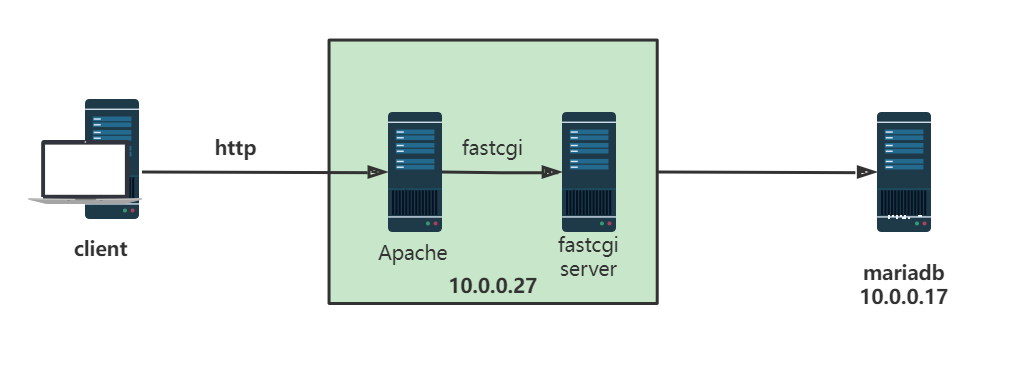
一、环境准备
两台主机:
- httpd+php(fastcgi模式)
- mariadb 服务器
软件版本:
- mariadb-10.2.40-linux-x86_64.tar.gz
- apr-1.7.0.tar.bz2
- apr-util-1.6.1.tar.bz2
- httpd-2.4.46.tar.gz
- php-7.4.27.tar.gz
- latest-zh_CN.tar.gz
- Discuz_X3.4_SC_UTF8_20210926.zip
二、进制安装 mariadb
1、准备二进制包
# tar xvf  mariadb-10.2.40-linux-x86_64.tar.gz -C /usr/local/

# cd /usr/local

# 把解压后的数据库目录通过软链接到usr/local下统一管理

# ln -sv mariadb-10.2.40-linux-x86_64/ mysql

‘mysql’ -> ‘mariadb-10.2.40-linux-x86_64/’
2、安装依赖包,创建用户
# yum install libaio -y

# useradd -r -s /sbin/nologin -d /data/mysql -u 306 mysql

# mkdir -pv /data/mysql

mkdir: created directory ‘/data’

mkdir: created directory ‘/data/mysql’
3、修改mysql目录权限,以 root 身份安装 MariaDB
# chown -R root.root /usr/local/mysql/*

# ll /usr/local/mysql/*

drwxr-xr-x  2 root root  4096 Jul 27 15:08 /usr/local/mysql/bin

-rw-r--r--  1 root root 17987 Aug  2 17:40 /usr/local/mysql/COPYING

-rw-r--r--  1 root root  2093 Aug  2 17:40 /usr/local/mysql/CREDITS

drwxrwxr-x  3 root root    18 Aug  4 06:06 /usr/local/mysql/data

drwxrwxr-x  3 root root    19 Aug  4 06:06 /usr/local/mysql/include

-rw-r--r--  1 root root  8694 Aug  2 17:40 /usr/local/mysql/INSTALL-BINARY

drwxr-xr-x  5 root root   335 Jul 27 15:08 /usr/local/mysql/lib

drwxrwxr-x  4 root root    30 Aug  4 06:06 /usr/local/mysql/man

drwxrwxr-x 11 root root  4096 Aug  4 06:06 /usr/local/mysql/mysql-test

-rw-r--r--  1 root root  2440 Aug  2 17:40 /usr/local/mysql/README.md

-rw-r--r--  1 root root 19477 Aug  2 17:40 /usr/local/mysql/README-wsrep

drwxrwxr-x  2 root root    30 Aug  4 06:06 /usr/local/mysql/scripts

drwxrwxr-x 31 root root  4096 Aug  4 06:06 /usr/local/mysql/share

drwxrwxr-x  4 root root  4096 Aug  4 06:06 /usr/local/mysql/sql-bench

drwxrwxr-x  3 root root   275 Aug  4 06:06 /usr/local/mysql/support-files

-rw-r--r--  1 root root 86263 Aug  2 17:40 /usr/local/mysql/THIRDPARTY
4、运行可执行脚本,生成数据库文件
# /usr/local/mysql/scripts/mysql_install_db --datadir=/data/mysql --user=mysql
5、修改配置文件
# cp /usr/local/mysql/support-files/my-huge.cnf /etc/my.cnf

# vi /etc/my.cnf

[mysqld]

datadir=/data/mysql		#添加这两行

skip_name_resolve=ON
6、将服务设置为开机自启动
# cp /usr/local/mysql/support-files/mysql.server /etc/init.d/mysqld

# chkconfig --add mysqld && chkconfig mysqld on && chkconfig --list

Note: This output shows SysV services only and does not include native

      systemd services. SysV configuration data might be overridden by native

      systemd configuration.

      If you want to list systemd services use 'systemctl list-unit-files'.

      To see services enabled on particular target use

      'systemctl list-dependencies [target]'.

mysqld         	0:off	1:off	2:on	3:on	4:on	5:on	6:off

netconsole     	0:off	1:off	2:off	3:off	4:off	5:off	6:off

network        	0:off	1:off	2:on	3:on	4:on	5:on	6:off
7、添加PATH变量
# echo 'PATH=/usr/local/mysql/bin:$PATH' > /etc/profile.d/mysql.sh

# . /etc/profile.d/mysql.sh
8、启动服务
# service mysqld start

Starting mysqld (via systemctl):                           [  OK  ]
9、为wordprss和discuz应用准备数据库和用户帐号
mysql> create database wordpress;

Query OK, 1 row affected (0.00 sec)

mysql> create database discuz;

Query OK, 1 row affected (0.00 sec)

mysql> grant all on wordpress.* to wordpress@'10.0.0.%' identified by "wppass";

Query OK, 0 rows affected (0.00 sec)

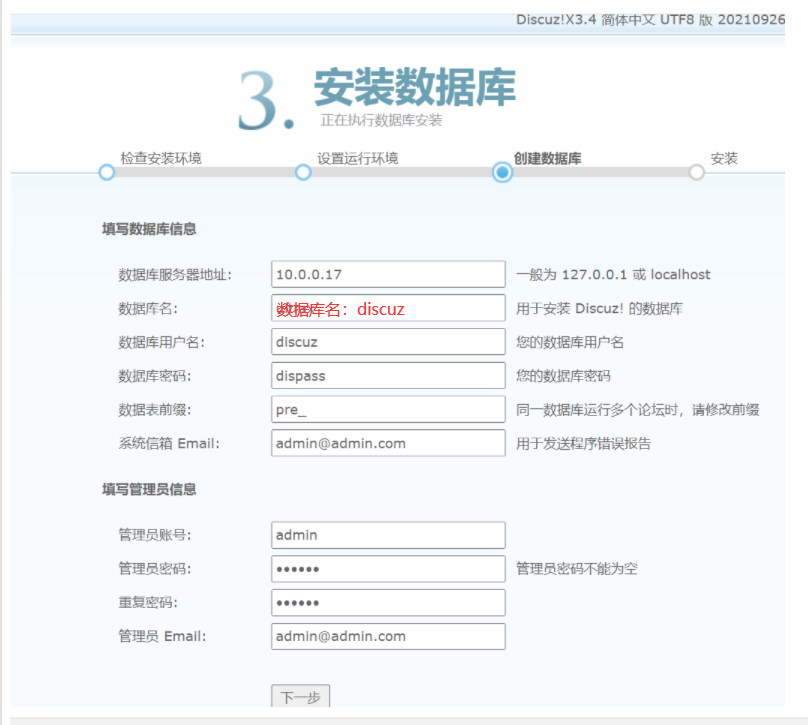
mysql> grant all on discuz.* to discuz@'10.0.0.%' identified by 'dispass';

Query OK, 0 rows affected (0.00 sec)
三、编译安装 httpd 2.4
1、安装相关依赖包
yum install gcc pcre-devel openssl-devel expat-devel -y
2、解压源码包
# wget -O /usr/local/src/ https://mirror.bit.edu.cn/apache//apr/apr-1.7.0.tar.bz2

# wget -O /usr/local/src/ https://mirror.bit.edu.cn/apache//apr/apr-util-1.6.1.tar.gz

# tar xvf apr-1.7.0.tar.bz2

# tar xvf apr-util-1.6.1.tar.bz2

# tar xvf httpd-2.4.46.tar.gz

# 合并三个目录在一起

# mv apr-1.7.0 httpd-2.4.46/srclib/apr

# mv apr-util-1.6.1 httpd-2.4.46/srclib/apr-util
3、开始编译
# cd httpd-2.4.46/

./configure \

--prefix=/apps/httpd \

--enable-so \

--enable-ssl \

--enable-cgi \

--enable-rewrite \

--with-zlib \

--with-pcre \

--with-included-apr \

--enable-modules=most \

--enable-mpms-shared=all \

--with-mpm=event

# make -j 4 && make install
4、准备PATH变量
# echo 'PATH=/apps/httpd/bin:$PATH' >/etc/profile.d/httpd.sh

# . /etc/profile.d/httpd.sh
5、创建和配置用户和组
# useradd -s /sbin/nologin -r -u 88 apache

# vi /apps/httpd/conf/httpd.conf +172

User apache    #改成apache

Group apache   #改成apache
6、设置开机启动
# vi /usr/lib/systemd/system/httpd.service

[Unit]

Description=The Apache HTTP Server

After=network.target remote-fs.target nss-lookup.target

Documentation=man:httpd(8)

Documentation=man:apachectl(8)

[Service]

Type=forking

#EnvironmentFile=/etc/sysconfig/httpd

ExecStart=/apps/httpd/bin/apachectl start

#ExecStart=/apps/httpd/bin/httpd $OPTIONS -k start

ExecReload=/apps/httpd/bin/apachectl graceful

#ExecReload=/apps/httpd/bin/httpd $OPTIONS -k graceful

ExecStop=/apps/httpd/bin/apachectl stop

KillSignal=SIGCONT

PrivateTmp=true

[Install]

WantedBy=multi-user.targe
7、启动服务
# apachectl start

AH00558: httpd: Could not reliably determine the server's fully qualified domain name, using fe80::20c:29ff:fec4:3eef%eth0. Set the 'ServerName' directive globally to suppress this message
四、编译安装 fastcgi 方式的 php 7.4
1、安装依赖包
yum -y install gcc libxml2-devel bzip2-devel libmcrypt-devel sqlite-devel oniguruma-devel
2、解压源码包开始编译
# tar xf php-7.4.27.tar.gz

# cd php-7.4.27/

# ./configure \

--prefix=/apps/php \

--enable-mysqlnd \

--with-mysqli=mysqlnd \

--with-pdo-mysql=mysqlnd \

--with-openssl \

--with-zlib \

--with-config-file-path=/etc \

--with-config-file-scan-dir=/etc/php.d \

--enable-mbstring \

--enable-xml \

--enable-sockets \

--enable-fpm \

--enable-maintainer-zts \

--disable-fileinfo

# make -j 4 && make install
3、添加PATH变量
# echo 'PATH=/apps/php/bin:/apps/httpd/bin:$PATH' > /etc/profile.d/php.sh

# . /etc/profile.d/php.sh

# php --version

PHP 7.4.27 (cli) (built: Dec 24 2021 23:40:16) ( ZTS )

Copyright (c) The PHP Group

Zend Engine v3.4.0, Copyright (c) Zend Technologies
五、修改php配置
1、拷贝模板文件
# cp php.ini-production /etc/php.ini

# cp sapi/fpm/php-fpm.service /usr/lib/systemd/system/

# cd /apps/php/etc

# cp php-fpm.conf.default  php-fpm.conf

# cd php-fpm.d/

# cp www.conf.default  www.conf

# vi /apps/php/etc/php-fpm.d/www.conf

user apache  #修改进程所有者

group apache

pm.status_path = /fpm_status	#开启状态页面status

ping.path = /ping	#开启ping模块
2、启用opcache加速
# mkdir /etc/php.d/

# vi /etc/php.d/opcache.ini

[opcache]

zend_extension=opcache.so

opcache.enable=1
3、启动PHP
# systemctl daemon-reload

# systemctl enable --now php-fpm.service

# ss -ntl	#监听端口127.0.0.1:9000打开

State       Recv-Q Send-Q Local Address:Port                Peer Address:Port

LISTEN      0      128                *:111                            *:*

LISTEN      0      128                *:22                             *:*

LISTEN      0      100        127.0.0.1:25                             *:*

LISTEN      0      128        127.0.0.1:9000                           *:*

LISTEN      0      128             [::]:111                         [::]:*

LISTEN      0      128             [::]:80                          [::]:*

LISTEN      0      128             [::]:22                          [::]:*

LISTEN      0      100            [::1]:25                          [::]:*
六、http配置文件修改
[root@httpd-fastcgi ~]# vi /apps/httpd/conf/httpd.conf

#开启反向代理模块

LoadModule proxy_module modules/mod_proxy.so

LoadModule proxy_fcgi_module modules/mod_proxy_fcgi.so

#添加index为主页面

<IfModule dir_module>

DirectoryIndex index.php index.html

</IfModule>

AddType application/x-httpd-php .php

ProxyRequests Off

# 实现第一个虚拟主机:wordpress

<virtualhost *:80>

servername blog.magedu.org

documentroot /data/wordpress

<directory /data/wordpress>

require all granted

</directory>

ProxyPassMatch ^/(.*\.php)$ fcgi://127.0.0.1:9000/data/wordpress/$1

#实现status和ping页面

ProxyPassMatch ^/(fpm_status|ping)$ fcgi://127.0.0.1:9000/$1

CustomLog "logs/access_wordpress_log" common

</virtualhost>

#实现第二个虚拟主机:discuz

<virtualhost *:80>

servername forum.magedu.org

documentroot /data/discuz

<directory /data/discuz/>

require all granted

</directory>

ProxyPassMatch ^/(.*\.php)$ fcgi://127.0.0.1:9000/data/discuz/$1

CustomLog "logs/access_discuz_log" common

</virtualhost>
七、部署wordpress
1、安装wordpress
# wget https://cn.wordpress.org/latest-zh_CN.tar.gz

# tar xvf latest-zh_CN.tar.gz

# mv wordpress/ /data

# setfacl -R -m u:apache:rwx /data/wordpress/
2、 web界面访问wordpress
在Windows客户端打开hosts文件,添加域名解析:
C:\Windows\System32\drivers\etc\hosts
10.0.0.27 forum.magedu.org blog.magedu.org
打开浏览器输入网址blog.magedu.org访问
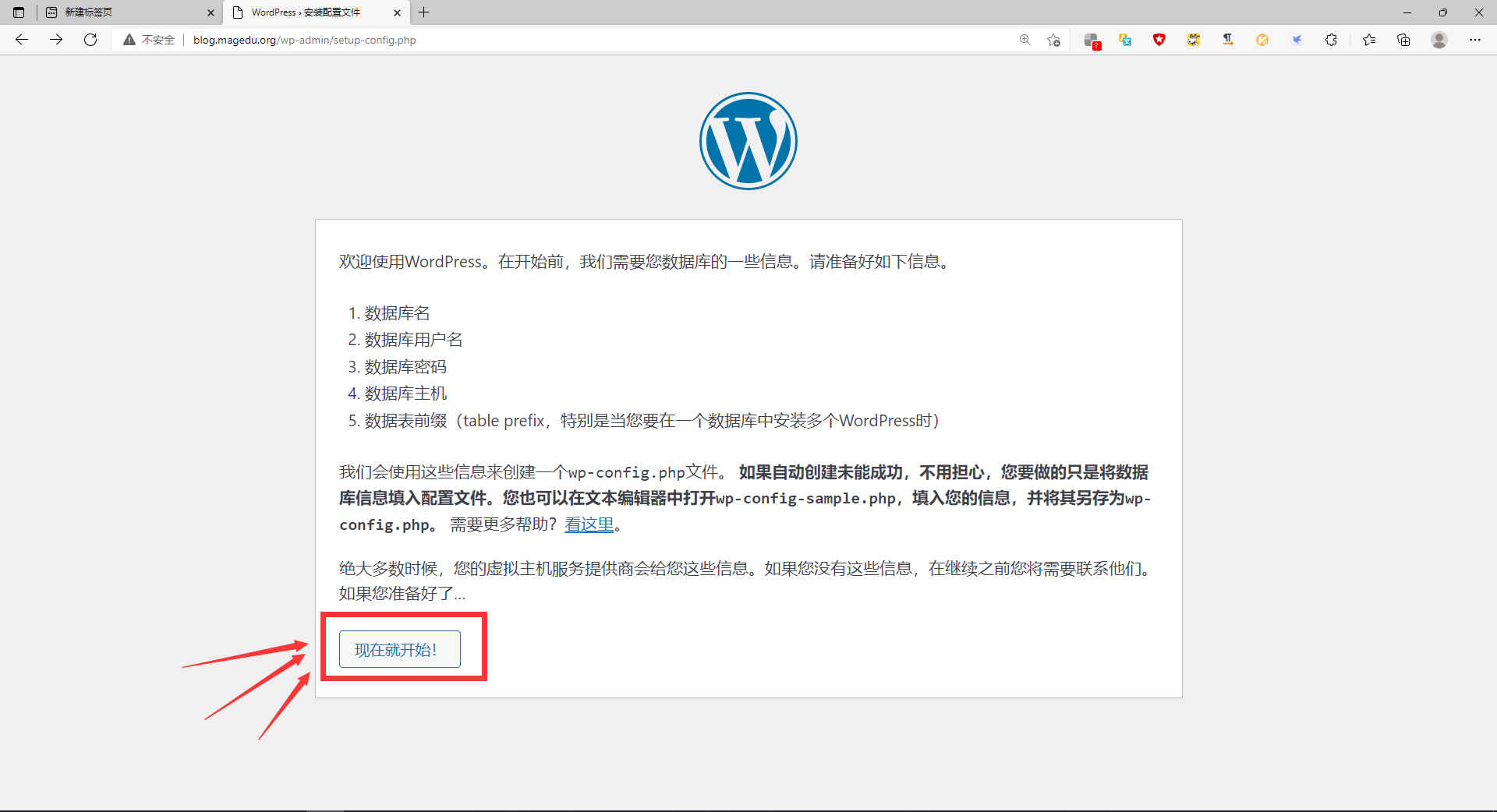
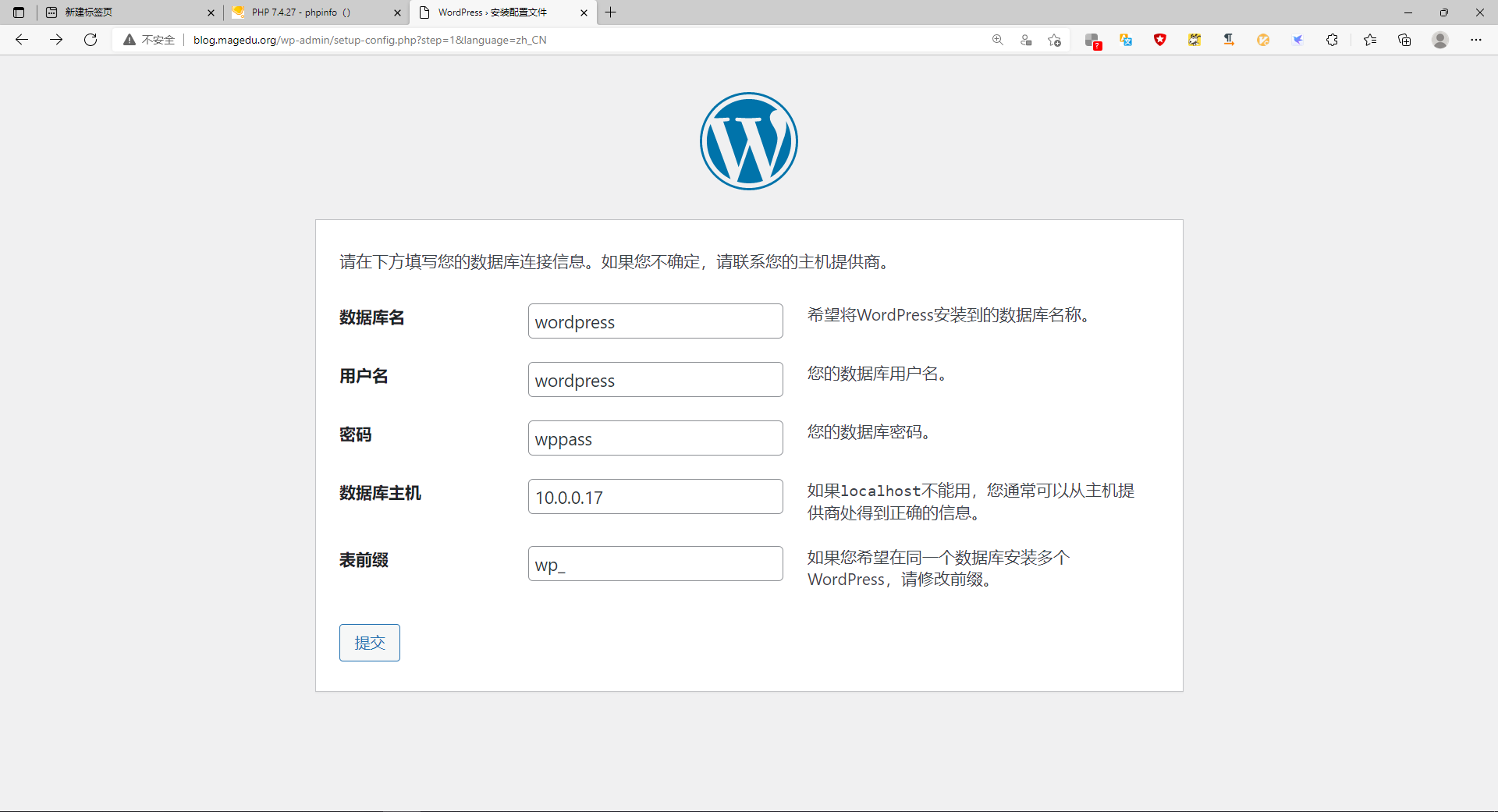

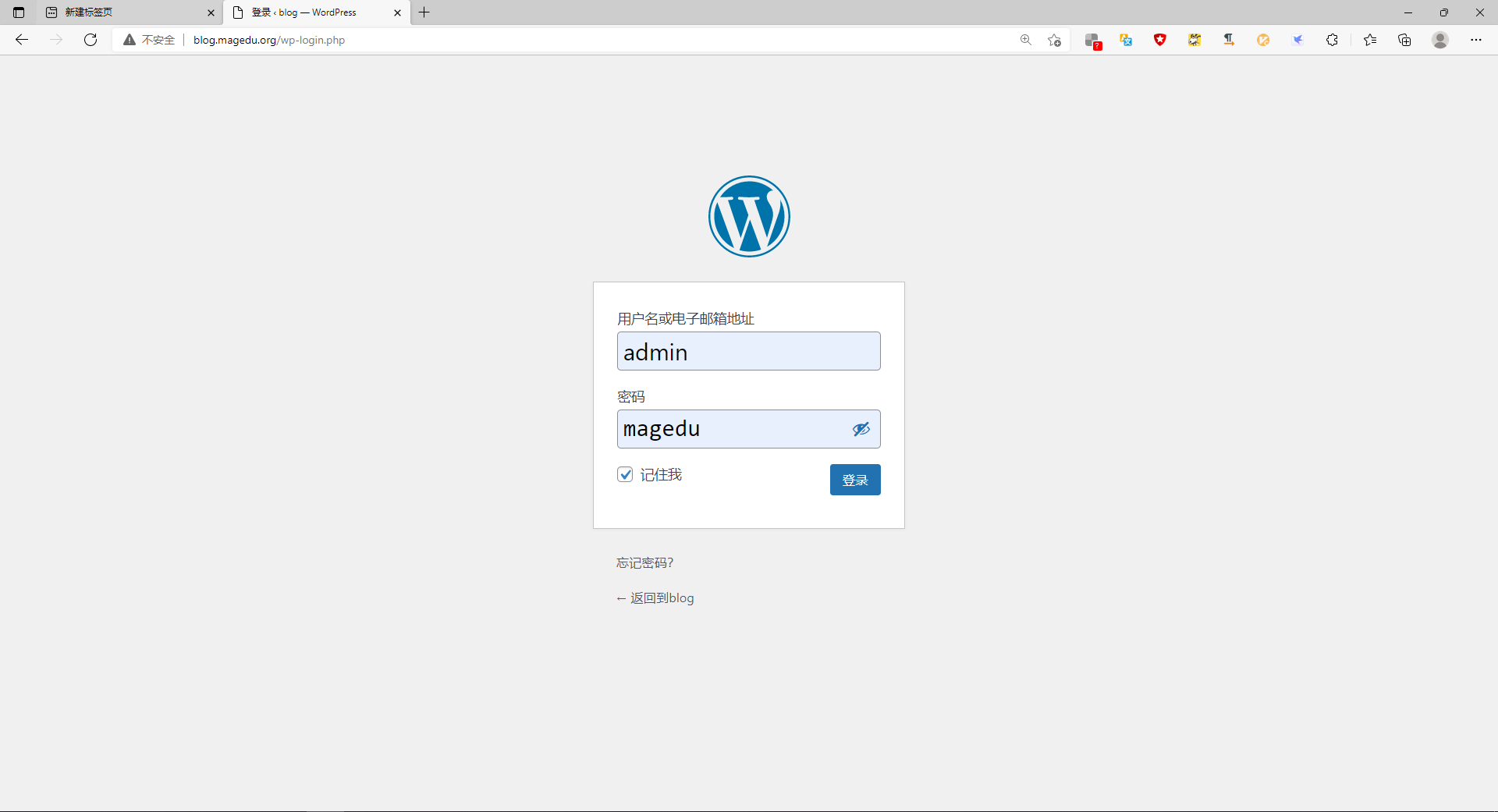

已经可以使用wordpress搭建博客了
八、部署discuz!
1、安装discuz!
# mkdir /data/discuz

# unzip Discuz_X3.4_SC_UTF8_20210926.zip

# mv upload/* /data/discuz

# setfacl -R -m u:apache:rwx /data/discuz/
2、 web界面测试discuz
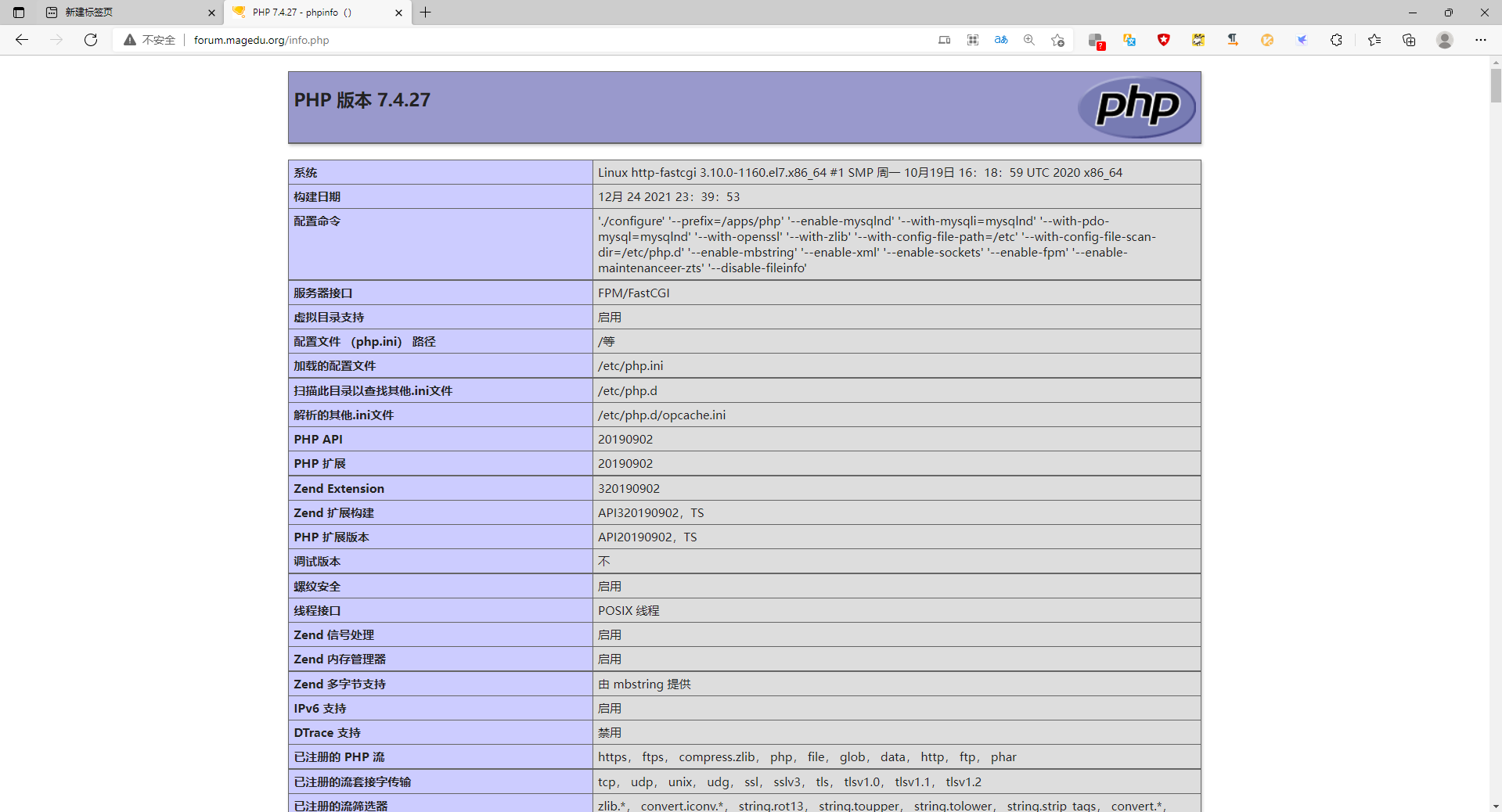
# cat /data/discuz/info.php

  <?php phpinfo() ?>
在浏览器输入地址打开forum.magedu.org/info.php
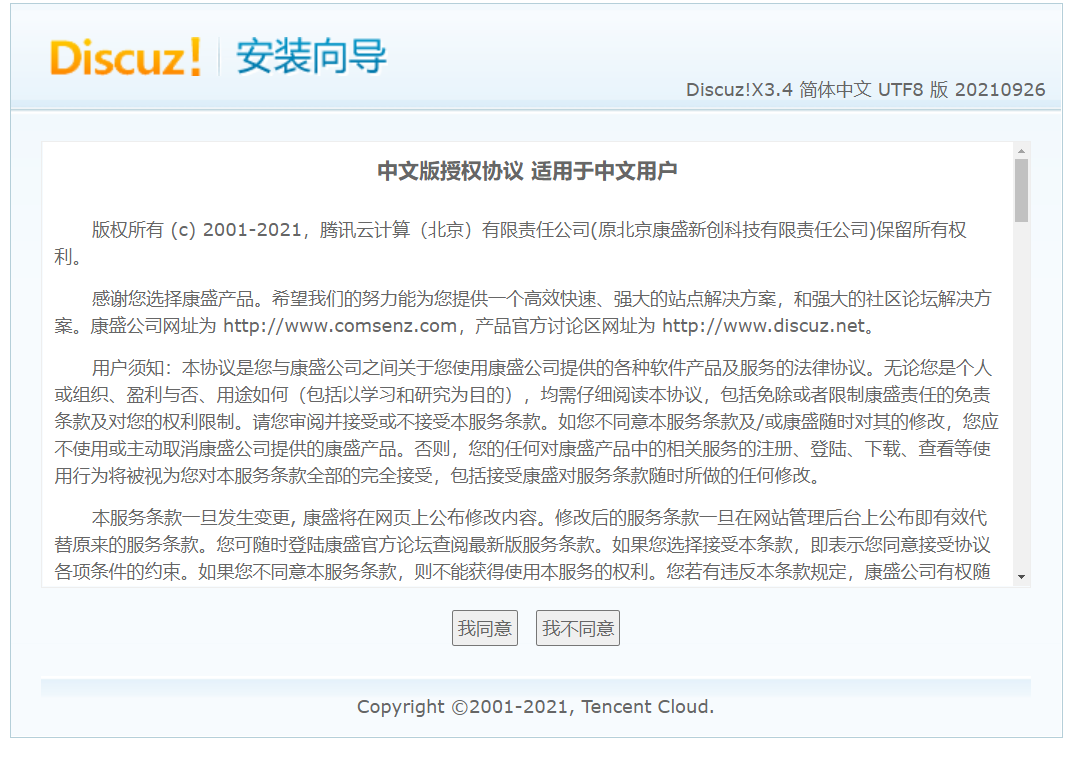
在浏览器输入地址打开forum.magedu.org/install进入安装向导

编译安装基于fastcgi模式的多虚拟主机的wordpress和discuz的LAMP架构的更多相关文章
- 编译安装基于 fastcgi 模式的多虚拟主机的wordpress和discuz的LAMP架构
目录 实现CentOS 7 编译安装基于 fastcgi 模式的多虚拟主机的wordpress和discuz的LAMP架构 准备环境: 准备软件版本: 主机名修改用以区分 数据库服务器 实现数据库二进 ...
- nginx篇最初级用法之三种虚拟主机基于域名\基于端口\基于IP地址端口的虚拟主机
在nginx中虚拟主机的类型与apache一样也有三种 1.基于域名的虚拟主机 2.基于端口的虚拟主机 3.基于IP地址端口的虚拟主机 在nginx配置文件中每一个server为一个虚拟主机如果需要多 ...
- 源码编译安装LAMP环境及配置基于域名访问的多虚拟主机
实验环境及软件版本: CentOS版本: 6.6(2.6.32.-504.el6.x86_64) apache版本: apache2.2.27 mysql版本: Mysql-5.6.23 php版本 ...
- 源码编译安装LNMP环境及配置基于域名访问的多虚拟主机
实验环境及软件版本: CentOS版本: 6.6(2.6.32.-504.el6.x86_64) nginx版本: nginx-1.6.2 mysql版本: Mysql-5.6.23 php版本: ...
- 编译安装基于nginx与lua的高性能web平台-openresty
1.首先编译安装nginx(不多说) 2.开始安装openresty cd /usr/local/src wget https://openresty.org/download/openresty-1 ...
- centos 6.5 安装 tomcat8 及性能优化_虚拟主机
Tomcat服务器是一个免费的开放源代码的Web应用服务器,属于轻量级应用服务器,在中小型系统和并发访问用户不是很多的场合下被普遍使用,是开发和调试JSP程序的首选. Tomcat和Nginx.Apa ...
- nginx笔记 安装nginx 配置 反向代理 多虚拟主机
1,检测linux上是否 通过yum安装了nginxrpm -qi nginx 2.安装nginx之前的依赖包yum install gcc patch libffi-devel python- ...
- Nginx网络架构实战学习笔记(一):Nginx简介、安装、信号控制、nginx虚拟主机配置、日志管理、location 语法、Rewrite语法详解
文章目录 nginx简介 nginx安装 nginx信号控制 nginx虚拟主机配置 日志管理 location 语法 精准匹配的一般匹配 正则匹配 总结 Rewrite语法详解 nginx简介 Ng ...
- centos7 安装 iRedmail 后 给nginx添加虚拟主机
iRedmail安装参考官方文档和 https://ywnz.com/linuxyffq/4563.html 准备工作 更新操作系统 yum update -y 安装必要组件 yum install ...
随机推荐
- python+requests传两种参数体
在JMeter请求参数中,我们了解到,在做接口测试时,发送请求的参数有两种格式,一种是Parameters,一种是JSON.怎么区分请看 https://www.cnblogs.com/testlea ...
- 【Java】简单了解网络编程
文章目录 网络编程 网络编程中有两个主要的问题 网络编程中的两个要素 通信要素一:IP和端口号 实例化InetAddress 两个常用方法 端口号 通信要素二:网络通信协议 实现TCP的网络编程 例子 ...
- Solon Web 开发,五、数据访问、事务与缓存应用
Solon Web 开发 一.开始 二.开发知识准备 三.打包与运行 四.请求上下文 五.数据访问.事务与缓存应用 六.过滤器.处理.拦截器 七.视图模板与Mvc注解 八.校验.及定制与扩展 九.跨域 ...
- [Windows]为windows系统鼠标右键添加软件和图标
转载自 https://blog.csdn.net/p312011150/article/details/81207059 一.打开注册表 首先打开windows的注册表,当然了,我个人倾向于 (1) ...
- 记录python2.7迁移到python3.6过程中的一些代码差异
python2.7 python 3.6 import urllib2 import urllib import urlparse import urllib import exceptions 废弃 ...
- WebGPU图形编程(3):构建三角形图元<学习引自徐博士教程>
一.首先修改你的index.html文件 请注意主要在html页面修改添加的是需要加选择项:"triangle-list"和"triangle-strip",如 ...
- echart的x轴或y轴区间标签如何从大到小排列
1.有时候我们做echart时,从后台接收返回回来的数据,没有按顺序排列,这里我遇到的是区间的值,看图 我这里是处理好了的,一开始,50-100这个区间在数组的最后一列,也就是在150-200后面的这 ...
- IDEA包名分层问题
解决办法: 将默认的"Hide empty Middle Packages"或者"compact middle packages"勾选项去掉,这样就不会把中间空 ...
- python全局解释器GIL锁(-死锁)
目录 一:Python中的GIL锁 1.GIL介绍 2.GIL的作用 3.cpython 4.内存管理>>>垃圾回收机制 二:全局解释器锁GIL 1.GIL特点 三:计算密集型与IO ...
- Redis命令大全(超详细)
一:序 其实本文的命令大家都可以去官网学习,但是我出这篇文章只是以更直观的方式来解读官网上的命令,让大家一眼可以看得懂,看的明白: 注意:我全文使用的Redis版本为 6.2.x 版本,低版本可能有些 ...