
ASP.NET Core 使用 Redis 实现分布式缓存:Docker、IDistributedCache、StackExchangeRedis
ASP.NET Core 使用 Redis 实现分布式缓存:Docker、IDistributedCache、StackExchangeRedis
前提:一台 Linux 服务器、已安装 Docker。
一,Docker 中运行 Redis
拉取 Redis 镜像
docker pull redis
查询镜像列表
docker imgaes
运行 Redis的几种方法
①运行并且设置 Redis 端口
docker run -p 6379:6379 -d redis:latest redis-server
②
docker run -p 6379:6379 -d {镜像id} redis-server
③持久化
将 Docker 里的 Redis 数据持久化到物理机
docker run -p 6379:6379 -v {物理机路径}:/data -d redis:latest redis-server --appendonly yes
下载 Windows 版的 Redis 管理器
Windows 版本的 Redis Desktop Manager 64位 2019.1(中文版) 下载地址 https://www.7down.com/soft/233274.html
官方正版最新版本下载地址 https://redisdesktop.com/download
另附 Redis 学习教程:
Redis 中文网 https://www.redis.net.cn/
.NET 使用 Redis 学习 地址(貌似这个教程版本过时了) https://www.cnblogs.com/cang12138/p/8884362.html
搭建 Master/Slaver 模式的 Redis 集群 https://blog.csdn.net/lupengfei1009/article/details/88323561#_154
使用 Redis Desktop Manager 连接 Redis
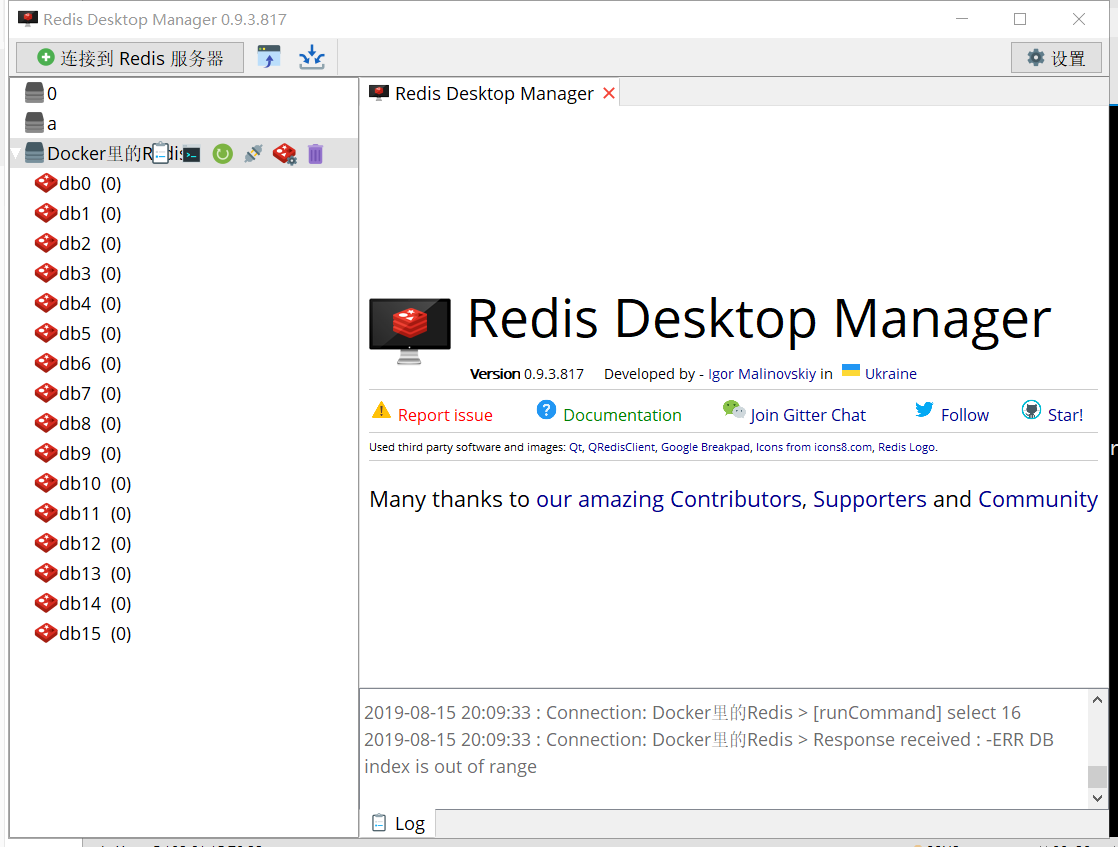
二,ASP.NET Core 使用分布式缓存
ASP.NET Core 中,支持使用多种数据库进行缓存,ASP.NET Core 提供了统一的接口给开发者使用。
IDistributedCache
ASP.NET Core 中,使用 IDistributedCache 为开发者提供统一的缓存使用接口,而不必关注使用的是何种数据库。
IDistributedCache]接口提供了以下方法操作的分布式的缓存实现中的项:
- GetAsync –接受字符串键和检索缓存的项作为
byte[]数组如果在缓存中找到。 - SetAsync –中添加项 (作为
byte[]数组) 到使用字符串键的缓存。 - RefreshAsync –刷新缓存基于其密钥,重置其滑动到期超时值 (如果有) 中的项。
- RemoveAsync –移除缓存项根据其字符串键值。
IDistributedCache 提供的常用方法如下:
| 方法 | 说明 |
|---|---|
| Get(String) | 获取Key(键)的值 |
| GetAsync(String, CancellationToken) | 异步获取键的值 |
| Refresh(String) | 刷新缓存 |
| RefreshAsync(String, CancellationToken) | Refreshes a value in the cache based on its key, resetting its sliding expiration timeout (if any). |
| Remove(String) | 移除某个值 |
| RemoveAsync(String, CancellationToken) | Removes the value with the given key. |
| [Set(String, Byte], DistributedCacheEntryOptions) | Sets a value with the given key. |
| [SetAsync(String, Byte], DistributedCacheEntryOptions, CancellationToken) | Sets the value with the given key. |
官方文档很详细https://docs.microsoft.com/zh-cn/dotnet/api/microsoft.extensions.caching.distributed.idistributedcache?view=aspnetcore-2.2
ASP.NET Core 中配置缓存
新建一个 ASP.NET Core WebApi 项目
Nuget 管理器安装
Microsoft.Extensions.Caching.StackExchangeRedis
ConfigureServices 中使用服务
services.AddDistributedMemoryCache();
配置 Redis 服务器
            services.AddStackExchangeRedisCache(options =>

            {

                options.Configuration = "localhost:6379";

                options.InstanceName = "mvc";

            });
InstanceName 是你自定义的实例名称,创建缓存时会以此名称开头。
这样就配置好了。
使用缓存
修改默认生成的 ValuesController.cs。
注入缓存服务
        private readonly IDistributedCache _cache;

        public ValuesController(IDistributedCache cache)

        {

            _cache = cache;

        }
设置缓存和使用缓存:
await _cache.GetAsync("{键名}");

_cache.SetAsync("键名", {值}, {设置});
删除原来的方法,添加以下代码:
        [HttpGet("Set")]

        public async Task<JsonResult> SetCache(string setkey, string setvalue)

        {

            string key = "key1";

            if (!string.IsNullOrEmpty(setkey))

                key = setkey;

            string value = DateTime.Now.ToLongTimeString();

            if (!string.IsNullOrEmpty(setvalue))

                value = setvalue;

            await _cache.SetStringAsync(key, value);

            return new JsonResult(new { Code = 200, Message = "设置缓存成功", Data = "key=" + key + "    value=" + value });

        }

        [HttpGet("Get")]

        public async Task<JsonResult> GetCache(string setkey)

        {

            string key = "key1";

            if (!string.IsNullOrEmpty(setkey))

                key = setkey;

            var value = await _cache.GetStringAsync(key);

            return new JsonResult(new { Code = 200, Message = "设置缓存成功", Data = "key=" + key + "    value=" + value });

        }
在 URL 添加 QueryString 可以设置缓存内容,如果没有带参数的话,就使用默认的值。
打开 https://localhost:5001/api/values/set 可以看到设置了默认值。
或者访问 https://localhost:5001/api/values/set?setkey=key11111&setvalue=asafesfdsreg
自定义设置缓存值。
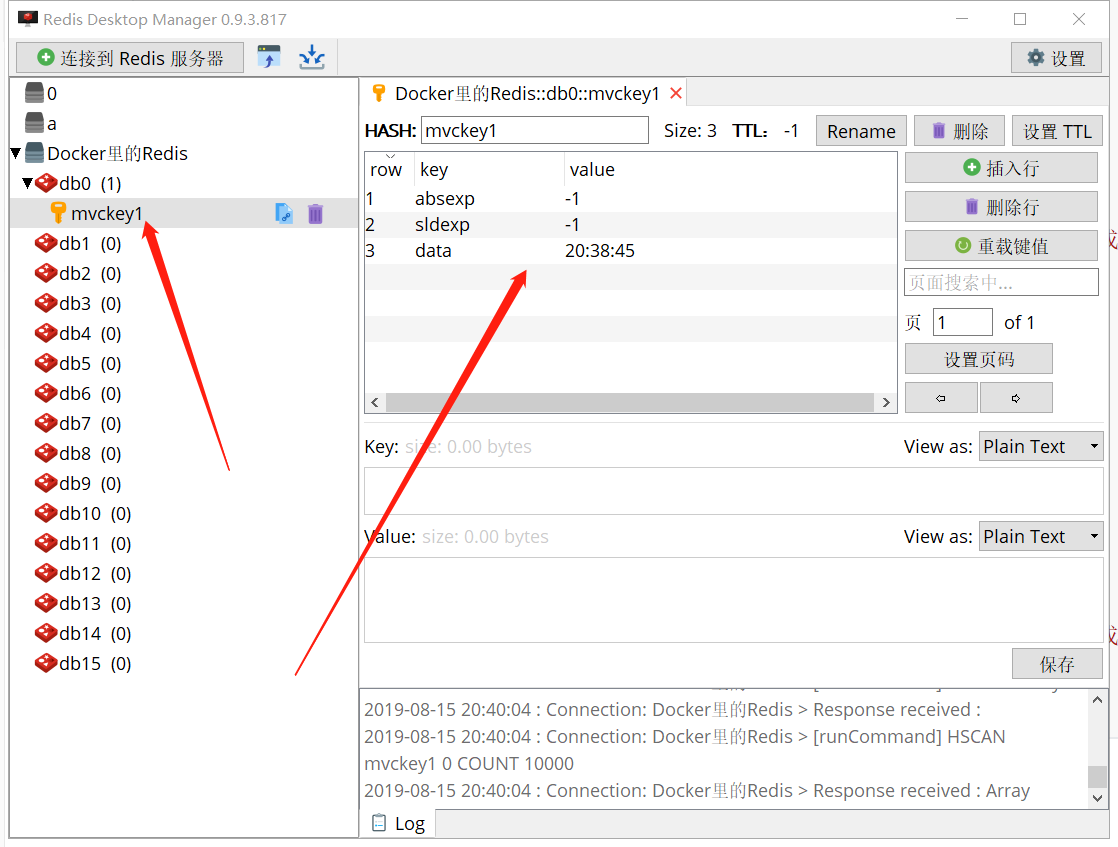
打开 https://localhost:5001/api/values/get?setkey=key11111
可以获取缓存值。
设置缓存过期时间
使用 DistributedCacheEntryOptions 可以设置缓存过期时间
DistributedCacheEntryOptions 有三个属性,表示相对时间、绝对时间。
使用方法
        [HttpGet("Set")]

        public async Task<JsonResult> SetCache(string setkey, string setvalue)

        {

            string key = "key1";

            if (!string.IsNullOrEmpty(setkey))

                key = setkey;

            string value = DateTime.Now.ToLongTimeString();

            if (!string.IsNullOrEmpty(setvalue))

                value = setvalue;

            var options = new DistributedCacheEntryOptions()

            .SetSlidingExpiration(TimeSpan.FromSeconds(20));

            await _cache.SetStringAsync(key, value, options);

            return new JsonResult(new { Code = 200, Message = "设置缓存成功", Data = "key=" + key + "    value=" + value });

        }
缓存 20 秒,20秒过后此缓存将被清除。
ASP.NET Core 使用 Redis 实现分布式缓存:Docker、IDistributedCache、StackExchangeRedis的更多相关文章
- ASP.Net Core 使用Redis实现分布式缓存
本篇我们记录的内容是怎么在Core中使用Redis 和 SQL Server 实现分布式缓存. 一.文章概念描述 分布式缓存描述: 分布式缓存重点是在分布式上,相信大家接触过的分布式有很多中,像分 ...
- .NET Core应用中使用分布式缓存及内存缓存
.NET Core针对缓存提供了很好的支持 ,我们不仅可以选择将数据缓存在应用进程自身的内存中,还可以采用分布式的形式将缓存数据存储在一个“中心数据库”中.对于分布式缓存,.NET Core提供了针对 ...
- ASP.Net MVC4+Memcached+CodeFirst实现分布式缓存
ASP.Net MVC4+Memcached+CodeFirst实现分布式缓存 part 1:给我点时间,允许我感慨一下2016年 正好有时间,总结一下最近使用的一些技术,也算是为2016年画上一个完 ...
- asp.net core 使用 Redis 和 Protobuf
asp.net core 使用 Redis 和 Protobuf 前言 上篇博文介绍了怎么样在 asp.net core 中使用中间件,以及如何自定义中间件.项目中刚好也用到了Redis,所以本篇就介 ...
- ASP.NET Core 使用 Redis 客户端
Mac OS 安装 Redis(用于连 Redis 服务器,方便查看数据):https://redis.io/topics/quickstart wget http://download.redis. ...
- 在AspNetCore 中 使用Redis实现分布式缓存
AspNetCore 使用Redis实现分布式缓存 上一篇讲到了,Core的内置缓存:IMemoryCache,以及缓存的基础概念.本篇会进行一些概念上的补充. 本篇我们记录的内容是怎么在Core中使 ...
- 【转载】在AspNetCore 中 使用Redis实现分布式缓存
原文地址:https://www.cnblogs.com/szlblog/p/9045209.html AspNetCore 使用Redis实现分布式缓存 上一篇讲到了,Core的内置缓存:IMemo ...
- asp.net Core 使用redis(StackExchange.Redis)
原文:asp.net Core 使用redis(StackExchange.Redis) 一.添加配置(appsettings.json) "Redis": { "Def ...
- ASP.NET Core 中间件之压缩、缓存
前言 今天给大家介绍一下在 ASP.NET Core 日常开发中用的比较多的两个中间件,它们都是出自于微软的 ASP.NET 团队,他们分别是 Microsoft.AspNetCore.Respons ...
随机推荐
- Linux 部署 java1.8
1.安装 查看java安装包 yum list | grep java 使用yum安装 yum install java-1.8.0-openjdk.x86_64 修改环境变量 vi /etc/pro ...
- 如何开启php错误日志
nginx与apache不一样,在apache中可以直接指定php的错误日志,那样在php执行中的错误信息就直接输入到php的错误日志中,可以方便查询. 在nginx中事情就变成了这样:nginx只对 ...
- HDU - 5952 Counting Cliques
Counting Cliques HDU - 5952 OJ-ID: hdu-5952 author:Caution_X date of submission:20191110 tags:dfs,gr ...
- Selenium(十七):unittest单元测试框架(三) 脚本分析、编写Web用例
1. 带unittest的脚本分析 也许你现在心里还有疑问,unittest框架与我们前面所编写的Web自动化测试之间有什么必然联系吗?当然有,既然unittest可以组织.运行测试用例,那么为什么不 ...
- css基础,css选择器
07.29自我总结 css基础 一.什么是CSS CSS是级联样式表 CSS术语标记语言,没有逻辑 CSS作用 完成网页内容的样式与布局 二.CSS的三种引入方式 1. 内联式 书写位置:在 head ...
- 【Visio流程图】借助redis来实现数据即时刷新
[需求:]数据从竞品网站爬过来,经过分析处理之后,把结果通过网页实时反馈给业务人员. [应用:]2个应用: 一个是爬取数据的应用:不断从竞品网站爬数据,每次爬到的数据为一批.然后,对每一批爬到的数据进 ...
- SSM框架之SpringMVC(1)入门程序
SpringMVC(1) 1.三层架构和MVC 1.1. 三层架构 咱们开发服务器端程序,一般都基于两种形式,一种C/S架构程序,一种B/S架构程序 使用Java语言基本上都是开发B/S架构的程序,B ...
- Vue组件通信的几种方法
上一节说到,vue.js是允许子组件通过props接受父组件的信息,但是不允许父组件通过props接受子组件的信息 1. $emit()和on 当子组件需要向父组件传递数据时,就要用到自定义事件. 使 ...
- oracle12.2RAC之OGG安装配置(一)
前面配置了ACFS用于ogg目录. 上传软件并解压安装: unzip 123014_fbo_ggs_Linux_x64_shiphome.zip cd fbo_ggs_Linux_x64_shipho ...
- docker in docker 的启动方式
--privileged -v /var/run/docker.sock:/var/run/docker.sock -v $(which docker):/bin/docker 启动容器时添加上面 ...