
Android开发:文本控件详解——RadioButton和CheckBox(一)基本属性
一、RadioButton和RadioGroup:
RadioButton是单个的圆形单选框,而RadioGroup是可以容纳多个RadioButton存在的容器,因此RadioButton和RadioGroup往往都配合使用。
每个已经放入RadioGroup中的RadioButton只能有一个被选中,不放入RadioGroup中的RadioButton可以多选,和checkbox无异。
1、简单实例:
<RadioGroup

        android:layout_width="wrap_content"

        android:layout_height="wrap_content"

        android:layout_centerVertical="true"

        android:layout_centerHorizontal="true">

        <RadioButton

            android:id="@+id/buttonSchool1"

            android:layout_width="wrap_content"

            android:layout_height="wrap_content"

            android:text="@string/school1"

            android:checked="true"/>

        <RadioButton

            android:id="@+id/buttonSchool2"

            android:layout_width="wrap_content"

            android:layout_height="wrap_content"

            android:text="@string/school2"/>

        <RadioButton

            android:id="@+id/buttonSchool3"

            android:layout_width="wrap_content"

            android:layout_height="wrap_content"

            android:text="@string/school3"/>

        <RadioButton

            android:id="@+id/buttonSchool4"

            android:layout_width="wrap_content"

            android:layout_height="wrap_content"

            android:text="@string/school4"/>

    </RadioGroup>
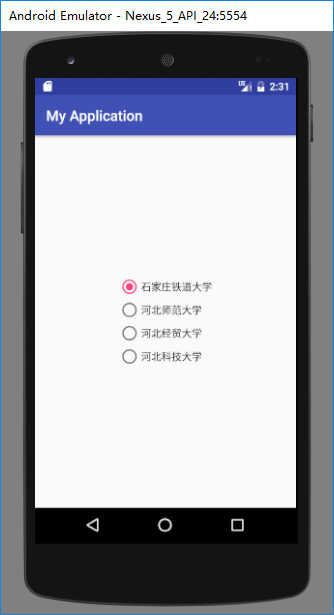
运行结果如下:
2、RadioGroup基本属性:
(1)、orientation:排列方式
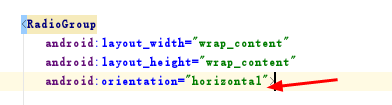
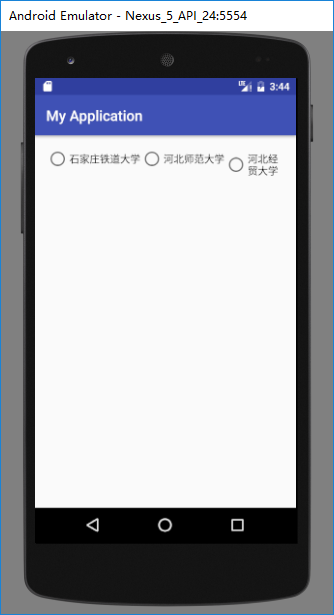
若值为horizontal,则为横向,水平排列:
android:orientation="horizontal"
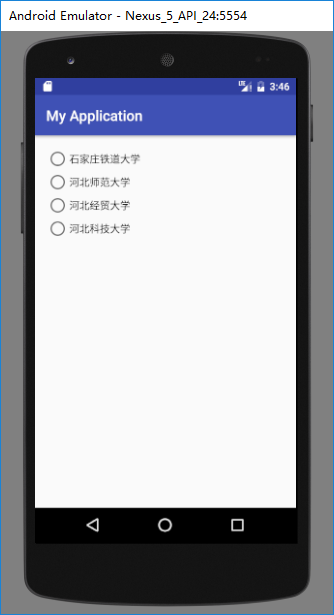
若值为vertical,则为纵向,垂直排列。
android:orientation="vertical"

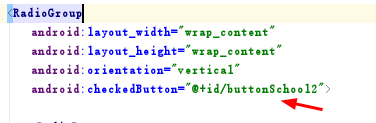
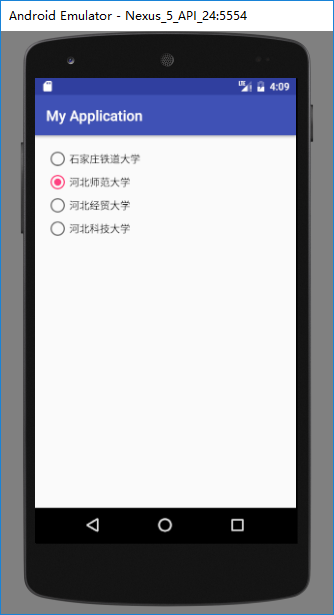
(2)、checkedButton:默认选中
直接调用已经放入在radiogroup中且已有id的radiobutton即可默认选中此项。
android:checkedButton="@+id/buttonSchool2"
3、RadioButton基本属性:
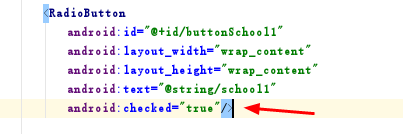
(1)、checked:选中状态
若为true则默认被选中,false则默认不被选中。

(2)、text等相关属性:
text是按钮的文本内容;
textSize是文本字体大小;
textColor是文本字体颜色······
这些属性和TextView一致。


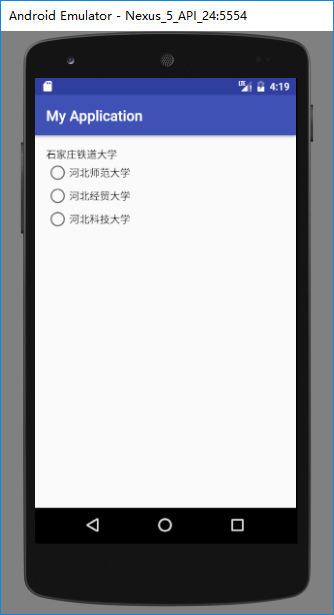
(3)、button:按钮属性
若button的值设为“@null”则不显示前面的圆形按钮,只显示文本内容本身
android:button="@null"

二、CheckBox:
1、简单实例:
    <CheckBox

        android:text="@string/school1"

        android:layout_width="wrap_content"

        android:layout_height="wrap_content"

        android:layout_alignParentTop="true"

        android:layout_alignParentLeft="true"

        android:layout_alignParentStart="true"

        android:id="@+id/checkBox" />

    <CheckBox

        android:text="@string/school2"

        android:layout_width="wrap_content"

        android:layout_height="wrap_content"

        android:layout_below="@+id/checkBox"

        android:layout_alignParentLeft="true"

        android:layout_alignParentStart="true"

        android:layout_marginTop="19dp"

        android:id="@+id/checkBox2" />

    <CheckBox

        android:text="@string/school3"

        android:layout_width="wrap_content"

        android:layout_height="wrap_content"

        android:layout_below="@+id/checkBox2"

        android:layout_alignParentLeft="true"

        android:layout_alignParentStart="true"

        android:layout_marginTop="23dp"

        android:id="@+id/checkBox3" />
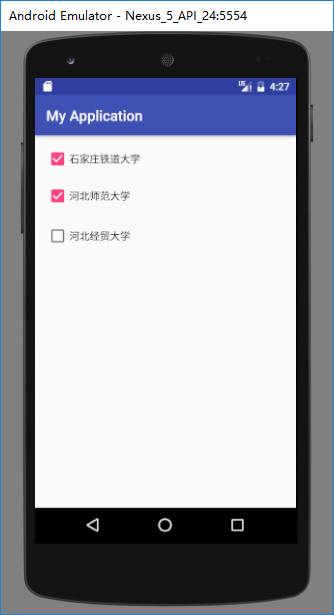
2、基本属性:
checkbox和radiobutton的属性基本一致。
(1)、checked:是否被默认选中
android:checked="true"


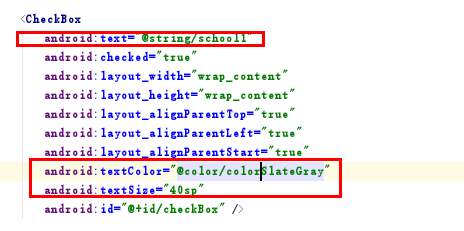
(2)、text等相关属性:

(3)、button:按钮属性
若button的值设为“@null”则不显示前面的方形按钮,只显示文本内容本身
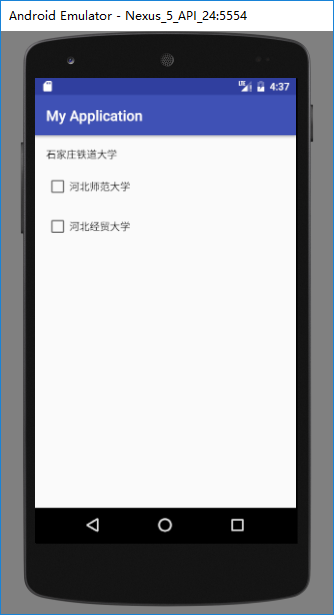
button属性对按钮的设置可以搭配drawable对按钮的样式进行修改和美化。
三、CheckBox和RadioButton区别:
| RadioButton | CheckBox |
| 选中后,通过点击无法变为未选中 | 选中后,通过点击可以变为未选中 |
| 只能同时选中一个 | 能同时选中多个 |
| 大部分UI框架中,默认圆形表示 | 大部分UI框架中,默认方形表示 |
Android开发:文本控件详解——RadioButton和CheckBox(一)基本属性的更多相关文章
- Android开发:文本控件详解——TextView(一)基本属性
一.简单实例: 新建的Android项目初始自带的Hello World!其实就是一个TextView. 在activity_main.xml中可以新建TextView,从左侧组件里拖拽到右侧预览界面 ...
- Android开发:文本控件详解——EditText(一)基本属性
一.简单实例: EditText输入的文字样式部分的属性,基本都是和TextView中的属性一样. 除此之外,EditText还有自己独有的属性. 二.基本属性: hint 输入框显示的提示文本 ...
- Android开发:文本控件详解——TextView(二)文字跑马灯效果实现
一.需要使用的属性: 1.android:ellipsize 作用:若文字过长,控制该控件如何显示. 对于同样的文字“Android开发:文本控件详解——TextView(二)文字跑马灯效果实现”,不 ...
- IOS—UITextFiled控件详解
IOS—UITextFiled控件详解 //初始化textfield并设置位置及大小 UITextField *text = [[UITextField alloc]initWithFrame:CGR ...
- Switch控件详解
Switch控件详解 原生效果 5.x 4.x 布局 <Switch android:id="@+id/setting_switch" android:layout_widt ...
- ToolBar控件详解
ToolBar控件详解 在Activity中添加ToolBar 1.添加库 dependencies { ... compile "com.android.support:appcompat ...
- Spinner控件详解
Spinner控件详解 效果图 修改Spinner样式 在介绍之前,先看一下系统原生的样式 6.x & 5.x系统样式 4.x系统样式 官方文档 XML属性 方法 描述 android:dro ...
- CAD控件,CAD插件使用教程:Android开发使用控件--开发环境的搭建
Android开发使用控件入门--环境搭建 2014-12-24 09:57 14人阅读 评论(0) 收藏 编辑 删除 CAD控件.CAD三维控件,手机 ...
- Android开发使用控件入门--环境搭建
Android开发使用控件入门--环境搭建 软件名称(,梦,,想.CAD ,控件) 1. 环境搭建: 3 1.1. 安装Eclipse 3 1.2. 下载JDK 3 1.3. 下载Android S ...
随机推荐
- Tomcat配置https加密连接
配置https安全连接(ssl加密连接) https连接需要用到数字证书与数字签名(MD5算法),网站https连接首先需要申请数字证书,配置加密连接器,浏览器安装证书. 证书运用到RSA技术,RSA ...
- VUE组件1
1.组件基础 通过import引入.vue的文件,在componet中注册,在template中使用. 2.数据,方法和计算属性 注意点: 因为组件是用来复用的,且 JS 里对象是引用关系,如果组件中 ...
- 英文INSURAUNCE保险INSURAUNCE词汇
世界保险INSURAUNCE 人类社会从开始就面临着自然灾害和意外事故的侵扰,在与大自然抗争的过程中,古代人们就萌生了对付灾害事故的保险思想和原始形态的保险方法.公元前2500年前后,古巴比伦王国国王 ...
- HTTP协议中GET和POST
1. get 它用于获取信息,注意,他只是获取.查询数据,也就是说它不会修改服务器上的数据,从这点来讲,它是数据安全的,而稍后会提到的Post它是可以修改数据的,所以这也是两者差别之一了 2. pos ...
- 05-Vue组件
定义Vue组件 什么是组件: 组件的出现,就是为了拆分Vue实例的代码量的,能够让我们以不同的组件,来划分不同的功能模块,将来我们需要什么样的功能,就可以去调用对应的组件即可: 组件化和模块化的不同: ...
- 将exe和dll打包为一个exe文件
通过Nuget安装Costura.Fody 公司项目需要支持.NET 4.0(使用VS2017),Costura.Fody库从3.2.1开始支持4.0,但是不能装最新的Fody,否则会提示: Fody ...
- 排序算法的c++实现——快速排序
快速排序是分治思想的又一典型代表,是应用最广的排序算法.分治思想就是把原问题的解分解为两个或多个子问题解,求解出子问题的解之后再构造出原问题的解. 在快速排序算法中,它的思想是把一个待排序的数组分成前 ...
- MySQL用户及权限
1. MySQL根据对象级别划分的权限类别: 常见的权限类别:库级别.表级别.字段级别.管理类权限.程序类权限 管理类权限: CREATE TEMPORARY TABLES 创建临时表,一般为16M; ...
- SQL-连接查询:left join,right join,inner join,full join之间的区别
参考: https://www.cnblogs.com/lijingran/p/9001302.html https://www.cnblogs.com/assasion/p/7768931.html ...
- FormData使用方法详解
FormData的主要用途有两个: 1.将form表单元素的name与value进行组合,实现表单数据的序列化,从而减少表单元素的拼接,提高工作效率. 2.异步上传文件 一.创建formData对象 ...