
Android开发:文本控件详解——RadioButton和CheckBox(一)基本属性
一、RadioButton和RadioGroup:
RadioButton是单个的圆形单选框,而RadioGroup是可以容纳多个RadioButton存在的容器,因此RadioButton和RadioGroup往往都配合使用。
每个已经放入RadioGroup中的RadioButton只能有一个被选中,不放入RadioGroup中的RadioButton可以多选,和checkbox无异。
1、简单实例:
<RadioGroup

        android:layout_width="wrap_content"

        android:layout_height="wrap_content"

        android:layout_centerVertical="true"

        android:layout_centerHorizontal="true">

        <RadioButton

            android:id="@+id/buttonSchool1"

            android:layout_width="wrap_content"

            android:layout_height="wrap_content"

            android:text="@string/school1"

            android:checked="true"/>

        <RadioButton

            android:id="@+id/buttonSchool2"

            android:layout_width="wrap_content"

            android:layout_height="wrap_content"

            android:text="@string/school2"/>

        <RadioButton

            android:id="@+id/buttonSchool3"

            android:layout_width="wrap_content"

            android:layout_height="wrap_content"

            android:text="@string/school3"/>

        <RadioButton

            android:id="@+id/buttonSchool4"

            android:layout_width="wrap_content"

            android:layout_height="wrap_content"

            android:text="@string/school4"/>

    </RadioGroup>
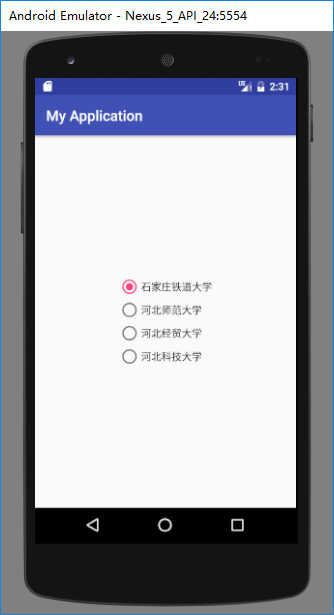
运行结果如下:
2、RadioGroup基本属性:
(1)、orientation:排列方式
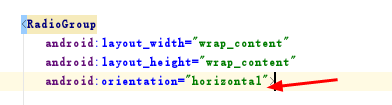
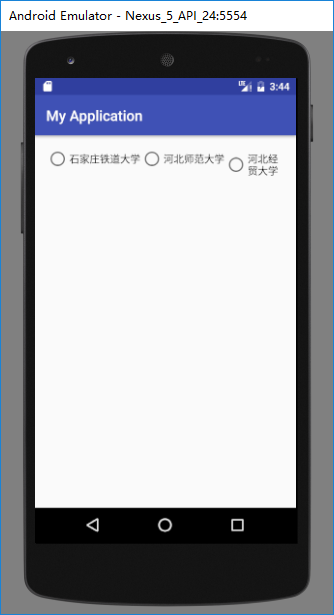
若值为horizontal,则为横向,水平排列:
android:orientation="horizontal"
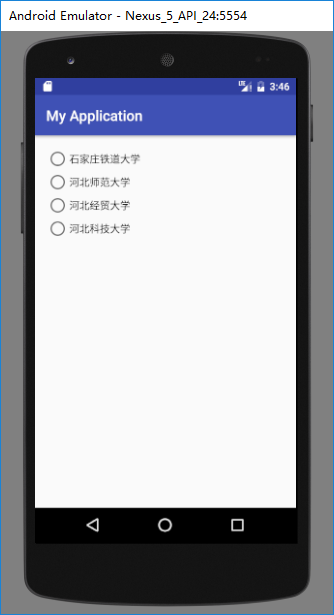
若值为vertical,则为纵向,垂直排列。
android:orientation="vertical"

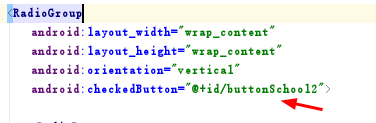
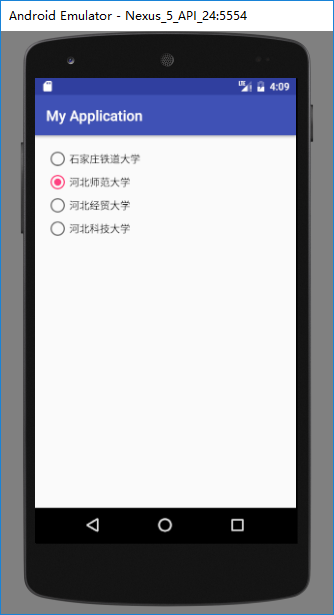
(2)、checkedButton:默认选中
直接调用已经放入在radiogroup中且已有id的radiobutton即可默认选中此项。
android:checkedButton="@+id/buttonSchool2"
3、RadioButton基本属性:
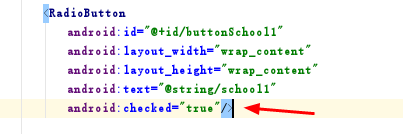
(1)、checked:选中状态
若为true则默认被选中,false则默认不被选中。

(2)、text等相关属性:
text是按钮的文本内容;
textSize是文本字体大小;
textColor是文本字体颜色······
这些属性和TextView一致。


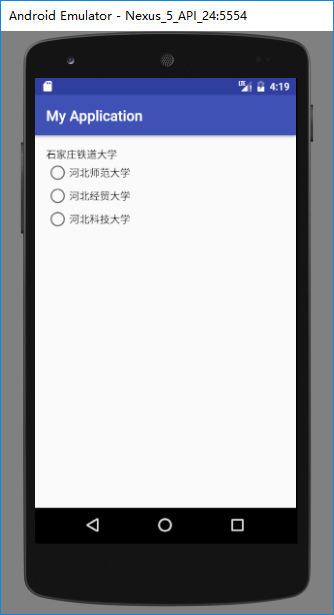
(3)、button:按钮属性
若button的值设为“@null”则不显示前面的圆形按钮,只显示文本内容本身
android:button="@null"

二、CheckBox:
1、简单实例:
    <CheckBox

        android:text="@string/school1"

        android:layout_width="wrap_content"

        android:layout_height="wrap_content"

        android:layout_alignParentTop="true"

        android:layout_alignParentLeft="true"

        android:layout_alignParentStart="true"

        android:id="@+id/checkBox" />

    <CheckBox

        android:text="@string/school2"

        android:layout_width="wrap_content"

        android:layout_height="wrap_content"

        android:layout_below="@+id/checkBox"

        android:layout_alignParentLeft="true"

        android:layout_alignParentStart="true"

        android:layout_marginTop="19dp"

        android:id="@+id/checkBox2" />

    <CheckBox

        android:text="@string/school3"

        android:layout_width="wrap_content"

        android:layout_height="wrap_content"

        android:layout_below="@+id/checkBox2"

        android:layout_alignParentLeft="true"

        android:layout_alignParentStart="true"

        android:layout_marginTop="23dp"

        android:id="@+id/checkBox3" />
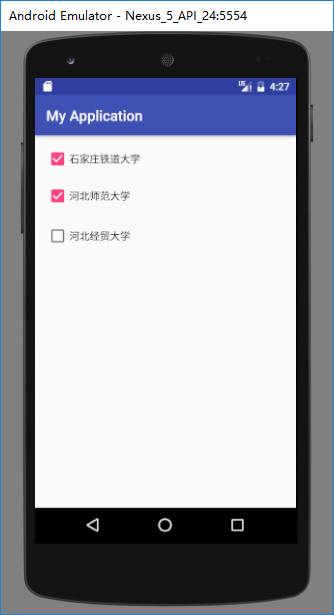
2、基本属性:
checkbox和radiobutton的属性基本一致。
(1)、checked:是否被默认选中
android:checked="true"


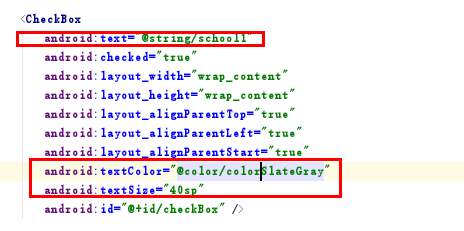
(2)、text等相关属性:

(3)、button:按钮属性
若button的值设为“@null”则不显示前面的方形按钮,只显示文本内容本身
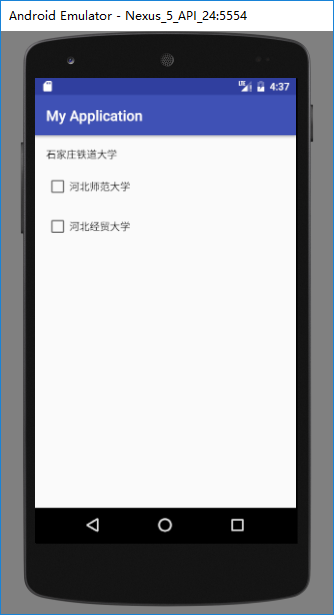
button属性对按钮的设置可以搭配drawable对按钮的样式进行修改和美化。
三、CheckBox和RadioButton区别:
| RadioButton | CheckBox |
| 选中后,通过点击无法变为未选中 | 选中后,通过点击可以变为未选中 |
| 只能同时选中一个 | 能同时选中多个 |
| 大部分UI框架中,默认圆形表示 | 大部分UI框架中,默认方形表示 |
Android开发:文本控件详解——RadioButton和CheckBox(一)基本属性的更多相关文章
- Android开发:文本控件详解——TextView(一)基本属性
一.简单实例: 新建的Android项目初始自带的Hello World!其实就是一个TextView. 在activity_main.xml中可以新建TextView,从左侧组件里拖拽到右侧预览界面 ...
- Android开发:文本控件详解——EditText(一)基本属性
一.简单实例: EditText输入的文字样式部分的属性,基本都是和TextView中的属性一样. 除此之外,EditText还有自己独有的属性. 二.基本属性: hint 输入框显示的提示文本 ...
- Android开发:文本控件详解——TextView(二)文字跑马灯效果实现
一.需要使用的属性: 1.android:ellipsize 作用:若文字过长,控制该控件如何显示. 对于同样的文字“Android开发:文本控件详解——TextView(二)文字跑马灯效果实现”,不 ...
- IOS—UITextFiled控件详解
IOS—UITextFiled控件详解 //初始化textfield并设置位置及大小 UITextField *text = [[UITextField alloc]initWithFrame:CGR ...
- Switch控件详解
Switch控件详解 原生效果 5.x 4.x 布局 <Switch android:id="@+id/setting_switch" android:layout_widt ...
- ToolBar控件详解
ToolBar控件详解 在Activity中添加ToolBar 1.添加库 dependencies { ... compile "com.android.support:appcompat ...
- Spinner控件详解
Spinner控件详解 效果图 修改Spinner样式 在介绍之前,先看一下系统原生的样式 6.x & 5.x系统样式 4.x系统样式 官方文档 XML属性 方法 描述 android:dro ...
- CAD控件,CAD插件使用教程:Android开发使用控件--开发环境的搭建
Android开发使用控件入门--环境搭建 2014-12-24 09:57 14人阅读 评论(0) 收藏 编辑 删除 CAD控件.CAD三维控件,手机 ...
- Android开发使用控件入门--环境搭建
Android开发使用控件入门--环境搭建 软件名称(,梦,,想.CAD ,控件) 1. 环境搭建: 3 1.1. 安装Eclipse 3 1.2. 下载JDK 3 1.3. 下载Android S ...
随机推荐
- Django---CBV和FBV的使用,CBV的流程,给视图加装饰器,Request对象方法,属性和Response对象,form表单的上传
Django---CBV和FBV的使用,CBV的流程,给视图加装饰器,Request请求对象方法,属性和Response响应对象,form表单的上传 一丶CBV和FBV 在Django中存 ...
- 在win10、Ubuntu双系统下,卸载Ubuntu
一.Win下确定ubuntu的磁盘分区 这个步骤是为了删除Ubuntu的系统分区,这种直接删除的方式来重新安装ubuntu的低版本比较省事. (1)右键计算机->管理->磁盘管理,打开磁盘 ...
- ASP.NET Core中使用Cache缓存
ASP.NET Core中使用Cache缓存 缓存介绍: 通过减少生成内容所需的工作,缓存可以显著提高应用的性能和可伸缩性. 缓存对不经常更改的数据效果最佳. 缓存生成的数据副本的返回速度可以比从原始 ...
- 从零开始react实战:云书签(总览)
一个合格的全栈开发怎么能不会 react 呢?所以从现在开始系统的学习 react 开发.目标:完成完成一个云书签,包含前后台. 基于create-react-app进行开发,选择这个框架有以下两个原 ...
- Vue学习之路由vue-router传参及嵌套小结(十)
一.路由传递参数: 1.使用query传值: <!DOCTYPE html> <html lang="en"> <head> <meta ...
- Vue学习之vue-resource小结(五)
一.Vue实现数据交互的方式: 1.Vue除了vue-resource之外,还可以使用‘axios’的第三方包实现数据的请求: 2.常见的数据请求类型有: get.post.jsonp 3.JSONP ...
- 44、css实现水波纹效果
<div class="container"> <div class="wave"><span>50%</span&g ...
- 解决服务器kipmid导致的CPU核心负载问题
临时解决 echo 100 > /sys/module/ipmi_si/parameters/kipmid_max_busy_us 永久生效配置/etc/modprobe.d/ipmi.conf ...
- Cheat Engine 特征码
打开游戏 引用自动注入 搜索特征码 特征码,是游戏运行中,唯一的汇编代码 验证,特征码是游戏中唯一代码 添加特征码 添加特征码,以及金钱只增不减代码 进行激活测试 特征码,只有在游戏过程中才会执行到 ...
- C/ C++ 快速上手
C++ 快速上手 (一)https://www.cnblogs.com/cosmo89929/archive/2012/12/22/2828745.html C++ 快速上手 (二)https://w ...