
Web用户控件开发--星型评分控件
本文中分享一个实现简单,使用方便的星型评分控件。
一:贴几张测试图片先:
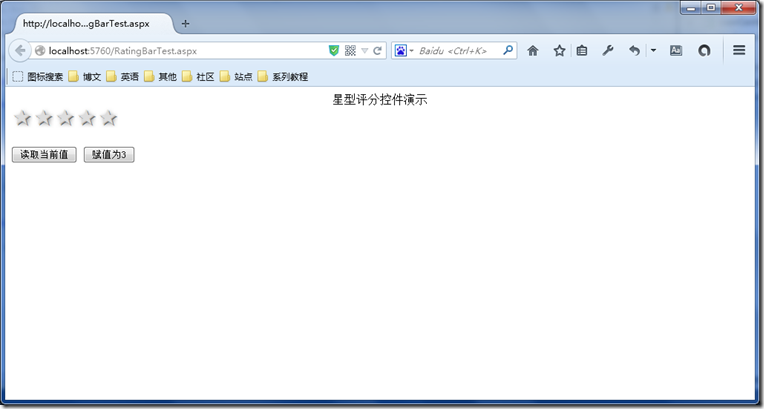
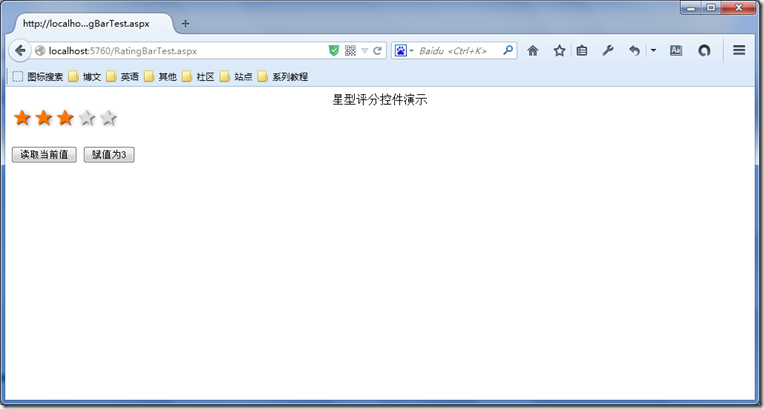
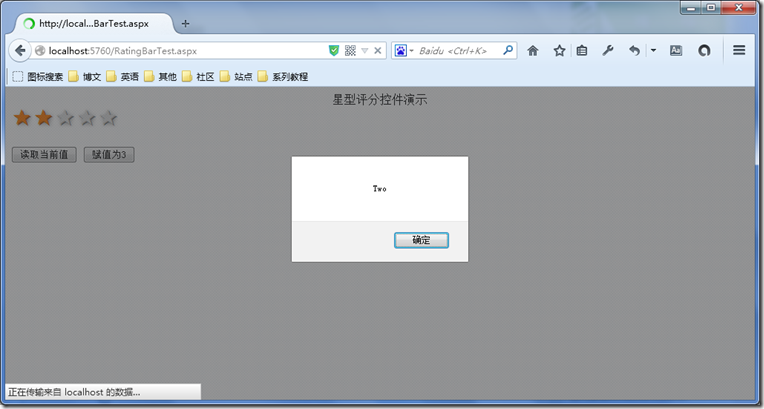
二、星型评分控件的实现:
RatingBar.ascx:
<%@ Control Language="C#" AutoEventWireup="true" CodeBehind="RatingBar.ascx.cs" Inherits="UserControls.Controls.RatingBar" %>
<style type="text/css">
.rating {
float:left;
}
.rating:not(:checked) > input {
position:absolute;
top:-9999px;
clip:rect(0,0,0,0);
}
.rating:not(:checked) > label {
float:right;
width:1em;
padding:0 .1em;
overflow:hidden;
white-space:nowrap;
cursor:pointer;
font-size:150%;
line-height:1.2;
color:#ddd;
text-shadow:1px 1px #bbb, 2px 2px #666, .1em .1em .2em rgba(0,0,0,.5);
}
.rating:not(:checked) > label:before {
content: '★ ';
}
.rating > input:checked ~ label {
color: #f70;
text-shadow:1px 1px #c60, 2px 2px #940, .1em .1em .2em rgba(0,0,0,.5);
}
.rating:not(:checked) > label:hover,
.rating:not(:checked) > label:hover ~ label {
color: gold;
text-shadow:1px 1px goldenrod, 2px 2px #B57340, .1em .1em .2em rgba(0,0,0,.5);
}
.rating > input:checked + label:hover,
.rating > input:checked + label:hover ~ label,
.rating > input:checked ~ label:hover,
.rating > input:checked ~ label:hover ~ label,
.rating > label:hover ~ input:checked ~ label {
color: #ea0;
text-shadow:1px 1px goldenrod, 2px 2px #B57340, .1em .1em .2em rgba(0,0,0,.5);
}
.rating > label:active {
position:relative;
top:2px;
left:2px;
}
</style>
<span class="rating">
<input type="radio" id="star5" name="rating" value="5" runat="server" /><label for="<%=this.ClientID + "_star5"%>"
title="5分">5 stars</label>
<input type="radio" id="star4" name="rating" value="4" runat="server" /><label for="<%=this.ClientID + "_star4"%>"
title="4分">4 stars</label>
<input type="radio" id="star3" name="rating" value="3" runat="server" /><label for="<%=this.ClientID + "_star3"%>"
title="3分">3 stars</label>
<input type="radio" id="star2" name="rating" value="2" runat="server" /><label for="<%=this.ClientID + "_star2"%>"
title="2分">2 stars</label>
<input type="radio" id="star1" name="rating" value="1" runat="server" /><label for="<%=this.ClientID + "_star1"%>"
title="1分">1 star</label>
</span>
RatingBar.ascx.cs:
using System;
namespace UserControls.Controls
{
public partial class RatingBar : System.Web.UI.UserControl
{
protected void Page_Load(object sender, EventArgs e)
{
SyncInterfaceByReadOnlyProperties();
}
public Grade Value
{
get
{
if (star5.Checked)
{
return Grade.Five;
}
else if (star4.Checked)
{
return Grade.Four;
}
else if (star3.Checked)
{
return Grade.Three;
}
else if (star2.Checked)
{
return Grade.Two;
}
else if (star1.Checked)
{
return Grade.One;
}
else
{
return Grade.Zero;
}
}
set
{
star5.Checked = false;
star4.Checked = false;
star3.Checked = false;
star2.Checked = false;
star1.Checked = false;
switch (value)
{
case Grade.Five:
star5.Checked = true;
break;
case Grade.Four:
star4.Checked = true;
break;
case Grade.Three:
star3.Checked = true;
break;
case Grade.Two:
star2.Checked = true;
break;
case Grade.One:
star1.Checked = true;
break;
default:
break;
}
}
}
public bool ReadOnly
{
set
{
this.ViewState["ReadOnly"] = value;
SyncInterfaceByReadOnlyProperties();
}
get
{
object obj = this.ViewState["ReadOnly"];
if (obj == null)
{
return false;
}
else
{
return (bool)obj;
}
}
}
private void SyncInterfaceByReadOnlyProperties()
{
if (this.ReadOnly)
{
star1.Attributes.Add("disabled", "disabled");
star2.Attributes.Add("disabled", "disabled");
star3.Attributes.Add("disabled", "disabled");
star4.Attributes.Add("disabled", "disabled");
star5.Attributes.Add("disabled", "disabled");
}
else
{
star1.Attributes.Remove("disabled");
star2.Attributes.Remove("disabled");
star3.Attributes.Remove("disabled");
star4.Attributes.Remove("disabled");
star5.Attributes.Remove("disabled");
}
}
}
public enum Grade
{
Zero = 0,
One = 1,
Two = 2,
Three = 3,
Four = 4,
Five = 5
}
}
三、控件使用演示:
为RatingBar控件赋值:
RatingBar1.Value = Grade.Three;
打印RatingBar控件的值:
ClientScript.RegisterStartupScript(this.GetType(), null, string.Format("<script>alert('{0}');</script>", RatingBar1.Value));
RatingBar控件的ReadOnly属性(属性值取反):
RatingBar1.ReadOnly = !RatingBar1.ReadOnly;
Web用户控件开发--星型评分控件的更多相关文章
- UWP开发---DIY星级评分控件
一,需求来源 在开发韩剧TV UWP过程中,遇到了星级评分的控件问题,在安卓和html中很容易用现有的轮子实现星级评分,搜索了一下目前UWP还未有相关文章,在WPF的一篇文章中使用Photo shop ...
- iOS- 非整星的评分控件(支持小数)
概述 订单评论里实现星级评分控件: 简单整星评价与非整星的精评价. 详细 代码下载:http://www.demodashi.com/demo/10711.html 现在很多应用都有评分功能. 有了订 ...
- WinForm控件开发总结目录
WinForm控件开发总结(一)------开篇 WinForm控件开发总结(二)------使用和调试自定义控件 WinForm控件开发总结(三)------认识WinForm控件常用的Attrib ...
- Atitit.hybrid混合型应用 浏览器插件,控件的实现方式 浏览器运行本地程序的解决方案大的总结---提升用户体验and开发效率..
Atitit.hybrid混合型应用 浏览器插件,控件的实现方式 浏览器运行本地程序的解决方案大的总结---提升用户体验and开发效率.. 1. hybrid App 1 1.1. Hybrid Ap ...
- Android星星评分控件RatingBar的使用
在Android的开发中,有一个叫做评分控件RatingBar,我们可以使用该控件做等级划分.评分等作用,星星形状显示,也可以半星级别,我们来看一下评分控件如何使用. 布局文件中定义控件以及属性,这里 ...
- VC2005从开发MFC ActiveX ocx控件到发布到.net网站的全部过程
开篇语:最近在弄ocx控件发布到asp.net网站上使用,就是用户在使用过程中,自动下载安装ocx控件.(此文章也是总结了网上好多人写的文章,我只是汇总一下,加上部分自己的东西,在这里感谢所有在网 ...
- 最全的基于MFC的ActiveX控件开发教程
浏览器插件之ActiveX开发(一) 一般的Web应用对于浏览器插件能不使用的建议尽量不使用,因为其涉及到安全问题以及影响用户安装(或自动下载注册安装)体验问题.在有特殊需求(如涉及数据安全的金融业务 ...
- ActiveX控件开发
VC2005从开发MFC ActiveX ocx控件到发布到.net网站的全部过程 开篇语:最近在弄ocx控件发布到asp.net网站上使用,就是用户在使用过程中,自动下载安装ocx控件.(此文章也是 ...
- MFC-[转]基于MFC的ActiveX控件开发
作者:lidan | 出处:博客园 | 2012/3/13 16:10:34 | 阅读22次 ActiveX 控件是基于组件对象模型 (COM) 的可重用软件组件,广泛应用于桌面及Web应用中.在VC ...
随机推荐
- C# “贝格尔”编排法
采用“贝格尔”编排法,编排时如果参赛队为双数时,把参赛队数分一半(参赛队为单数时,最后以“0”表示形成双数),前一半由1号开始,自上而下写在左边:后一半的数自下而上写在右边,然后用横线把相对的号数连接 ...
- 牛客网-《剑指offer》-重建二叉树
题目:http://www.nowcoder.com/practice/8a19cbe657394eeaac2f6ea9b0f6fcf6 C++ /** * Definition for binary ...
- 使用docker api
前提: 系统centos 7 docker version 1.10.3 使用systemd启动docker 访问方式: 修改/usr/lib/systemd/system/docker.servic ...
- Plupload上传插件中文帮助文档
Plupload上传插件中文帮助文档 配置参数 实例化一个plupload对象时,也就是 new plupload.Uploader(),需要传入一个对象作为配置参数.后面内容中出现的plupload ...
- Ubuntu Server无法安装busybox-initramfs
解决方法很简单,使用英文安装就好,可以参考这个帖子:http://forum.ubuntu.com.cn/viewtopic.php?f=77&t=471547&p=3137632
- scala 基础语法
文章内容全部来自:http://twitter.github.io/scala_school/zh_cn/index.html 表达式 scala> 1 + 1 res0: Int = 2 值 ...
- MapReduce实现大矩阵乘法
来自:http://blog.csdn.net/xyilu/article/details/9066973 引言 何 为大矩阵?Excel.SPSS,甚至SAS处理不了或者处理起来非常困难,需要设计巧 ...
- hadoop 文件合并
来自:http://blog.csdn.net/dandingyy/article/details/7490046 众所周知,Hadoop对处理单个大文件比处理多个小文件更有效率,另外单个文件也非常占 ...
- 《Cocos2d-JS开发之旅》重印在即,感谢大家的支持
3月第一次印刷的<Cocos2d-JS开发之旅>已经销售完毕,即将启动第二次印刷. 感谢各位读者的支持,最近<开发之旅>荣登京东cocos2d-x系列书籍的销售排行首位. 新版 ...
- Java程序监控指标
监控指标: 1.CPU平均使用率 2.内存平均使用率 3.应用程序错误数 4.应用程序请求量 5.应用平均响应时间 6.硬件I/O指标 7.JMX 7.1.Full gc count 7.2.Full ...