
V-rep学习笔记:ROSInterface
- Ubuntu 14.04 上安装V-rep 3.4.0
进入VREP官网下载Linux版本的V-rep(注意V-rep 3.4.0只有64位的版本,因此操作系统也要与之对应,Ubuntu 32位系统就无法运行V-rep 3.4。如果想使用以前的V-rep版本,可以进入这个网址下载)
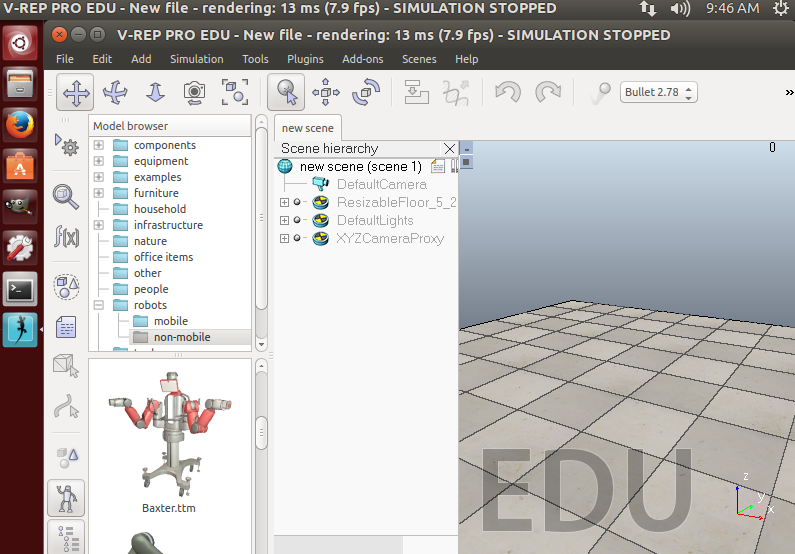
将下载的压缩文件解压后放到合适的位置,进入该目录下,执行sh脚本文件打开V-rep程序:
./vrep.sh
VREP与ROS的连接主要有三种方法:
- The RosInterface: RosInterface是V-rep官方推荐的用来跟ROS通信的插件(We highly recommend you to first try your hands on the RosInterface, since this is the most flexible and natural approach)
- The ROS plugin skeleton: 可以让用户实现特定功能的ROS插件框架(This represents a skeleton project that can be used to create a new ROS plugin for V-REP / create your own specific ROS plugin for V-REP. e.g. to support ROS messages for a specific robot)
- ROS interfaces developed by others: 其他非V-rep官方支持的通信接口,比如V-REP ROS bridge.
RosInterface
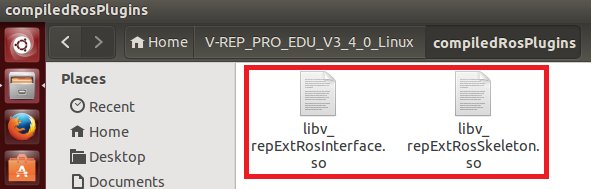
将VREP安装路径下的compiledRosPlugins文件夹中的libv_repExtRosInterface.so或libv_repExtRosSkeleton.so库复制到上层目录(VREP安装目录)中:
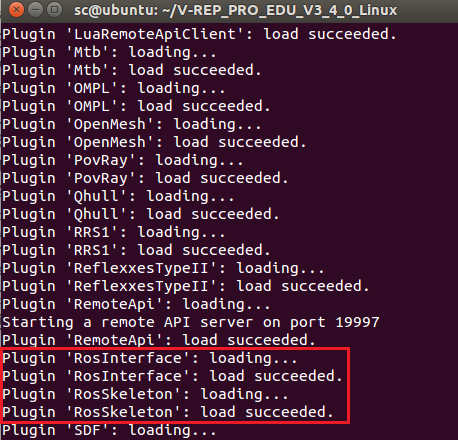
然后在终端中运行roscore开启ROS master,接着执行vrep.sh脚本打开VREP,打开过程中会导入插件。可以看到RosInterface插件已经成功加载:
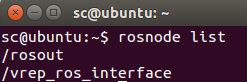
开启一个新终端,输入rosnode list查看运行的ros节点。可以看到除了ros master以外vrep_ros_interface也成功运行:
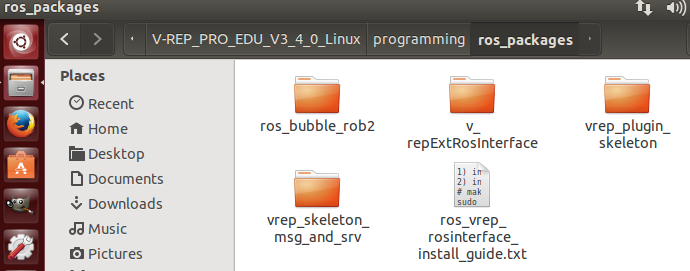
如果插件没能成功导入(我使用的ROS Indigo版本没遇到这种情况,但是ROS Kinetic会出错),则需要自己重新编译库文件。编译所需的几个package位于VREP安装目录的programming/ros_packages下,将其复制到自己的catkin_ws/src中,用catkin工具进行编译。具体步骤可以参照帮助文件中的ROS tutorial - Indigo页面或者文件夹中的ros_vrep_rosinterface_install_guide.txt安装说明。编译成功后将生成的.so库文件复制到V-rep安装目录中即可。
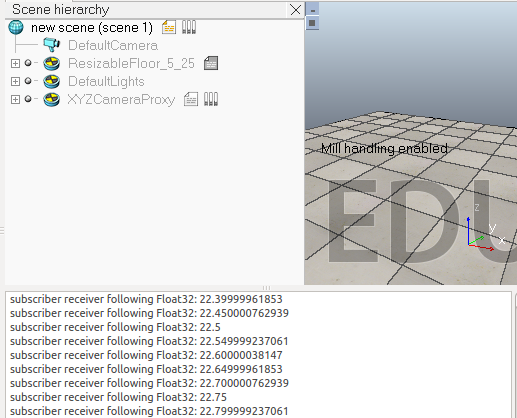
下面看一个简单的例子。在场景中选择一个物体添加一个non-threaded脚本,这个脚本会发布仿真时间然后自己订阅它,并且还会发布坐标变换消息:
function subscriber_callback(msg)

    -- This is the subscriber callback function

    simAddStatusbarMessage('subscriber receiver following Float32: '..msg.data)

end

function getTransformStamped(objHandle,name,relTo,relToName)

    -- This function retrieves the stamped transform for a specific object

    t=simGetSystemTime()

    p=simGetObjectPosition(objHandle,relTo)

    o=simGetObjectQuaternion(objHandle,relTo)

    return {

        header={

            stamp=t,

            frame_id=relToName

        },

        child_frame_id=name,

        transform={

            translation={x=p[],y=p[],z=p[]},

            rotation={x=o[],y=o[],z=o[],w=o[]}

        }

    }

end

if (sim_call_type==sim_childscriptcall_initialization) then

    -- The child script initialization

    objectHandle=simGetObjectAssociatedWithScript(sim_handle_self)

    objectName=simGetObjectName(objectHandle)

    -- Check if the required RosInterface is there:

    moduleName=

    index=

    rosInterfacePresent=false

    while moduleName do

        moduleName=simGetModuleName(index)

        if (moduleName=='RosInterface') then

            rosInterfacePresent=true

        end

        index=index+

    end

    -- Prepare the float32 publisher and subscriber (we subscribe to the topic we advertise):

    if rosInterfacePresent then

        publisher=simExtRosInterface_advertise('/simulationTime','std_msgs/Float32')

        subscriber=simExtRosInterface_subscribe('/simulationTime','std_msgs/Float32','subscriber_callback')

    end

end

if (sim_call_type==sim_childscriptcall_actuation) then

    -- Send an updated simulation time message, and send the transform of the object attached to this script:

    if rosInterfacePresent then

        simExtRosInterface_publish(publisher,{data=simGetSimulationTime()})

        simExtRosInterface_sendTransform(getTransformStamped(objectHandle,objectName,-,'world'))

        -- To send several transforms at once, use simExtRosInterface_sendTransforms instead

    end

end

if (sim_call_type==sim_childscriptcall_cleanup) then

    -- Following not really needed in a simulation script (i.e. automatically shut down at simulation end):

    if rosInterfacePresent then

        simExtRosInterface_shutdownPublisher(publisher)

        simExtRosInterface_shutdownSubscriber(subscriber)

    end

end
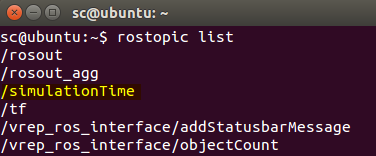
终端中输入rostopic list指令查看话题:
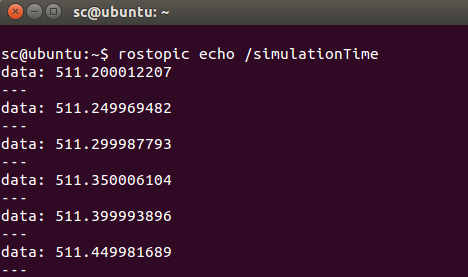
为了查看消息的内容,可以输入:
$ rostopic echo /simulationTime
脚本中主要用到下面几个函数:
- simExtRosInterface_advertise

- simExtRosInterface_subscribe
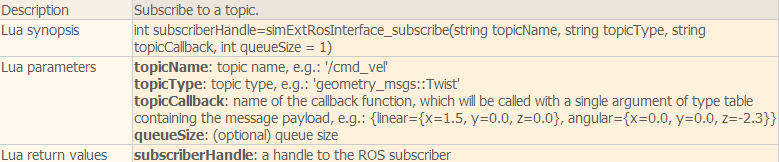
- simExtRosInterface_publish

- simExtRosInterface_sendTransform

rosInterfaceTopicPublisherAndSubscriber
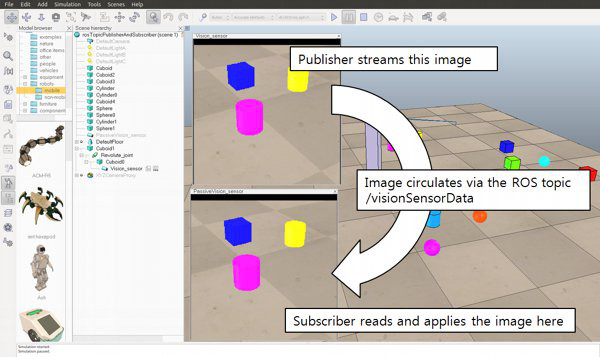
在V-rep自带的例子中还有一个场景模型"rosInterfaceTopicPublisherAndSubscriber.ttt",脚本代码中会发布视觉传感器捕获的图像信息到/image话题上,同时会自己订阅这个信息并显示出来。
-- This illustrates how to publish and subscribe to an image using the ROS Interface.

-- An alternate version using image transport can be created with following functions:

--

-- simExtRosInterface_imageTransportAdvertise

-- simExtRosInterface_imageTransportPublish

-- simExtRosInterface_imageTransportShutdownPublisher

-- simExtRosInterface_imageTransportShutdownSubscriber

-- simExtRosInterface_imageTransportSubscribe

function imageMessage_callback(msg)

    -- Apply the received image to the passive vision sensor that acts as an image container

    simSetVisionSensorCharImage(passiveVisionSensor,msg.data)

end

if (sim_call_type==sim_childscriptcall_initialization) then

    -- Get some handles:

    activeVisionSensor=simGetObjectHandle('Vision_sensor')

    passiveVisionSensor=simGetObjectHandle('PassiveVision_sensor')

    -- Enable an image publisher and subscriber:

    pub=simExtRosInterface_advertise('/image', 'sensor_msgs/Image')

    --After calling this function, this publisher will treat uint8 arrays as string. Using strings should be in general much faster that using int arrays in Lua.

    simExtRosInterface_publisherTreatUInt8ArrayAsString(pub) -- treat uint8 arrays as strings (much faster, tables/arrays are kind of slow in Lua)

    sub=simExtRosInterface_subscribe('/image', 'sensor_msgs/Image', 'imageMessage_callback')

    simExtRosInterface_subscriberTreatUInt8ArrayAsString(sub) -- treat uint8 arrays as strings (much faster, tables/arrays are kind of slow in Lua)

end

if (sim_call_type==sim_childscriptcall_sensing) then

    -- Publish the image of the active vision sensor:

    local data,w,h=simGetVisionSensorCharImage(activeVisionSensor)

    d={}

    d['header']={seq=,stamp=simExtRosInterface_getTime(), frame_id="a"}

    d['height']=h

    d['width']=w

    d['encoding']='rgb8'

    d['is_bigendian']=

    d['step']=w*

    d['data']=data

    simExtRosInterface_publish(pub,d)

end

if (sim_call_type==sim_childscriptcall_cleanup) then

    -- Shut down publisher and subscriber. Not really needed from a simulation script (automatic shutdown)

    simExtRosInterface_shutdownPublisher(pub)

    simExtRosInterface_shutdownSubscriber(sub)

end
可以在终端中输入下面的命令来显示/image话题的图像:
$ rosrun image_view image_view image:=/image
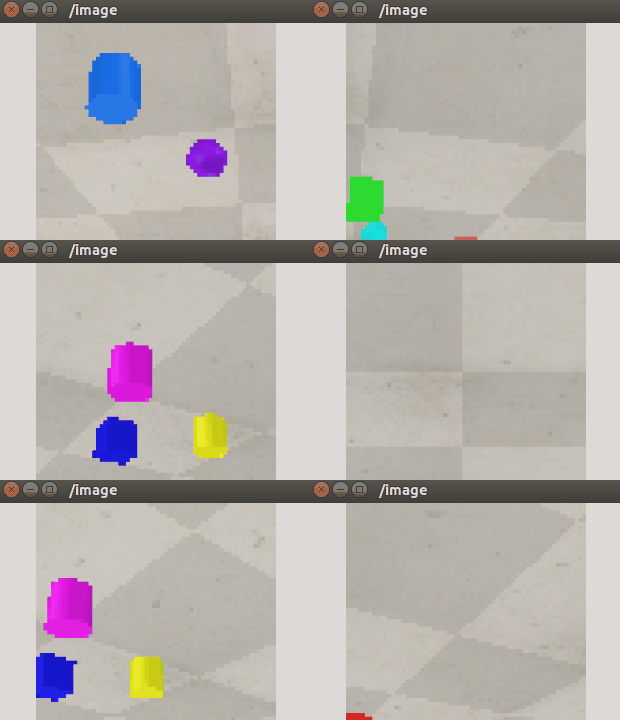
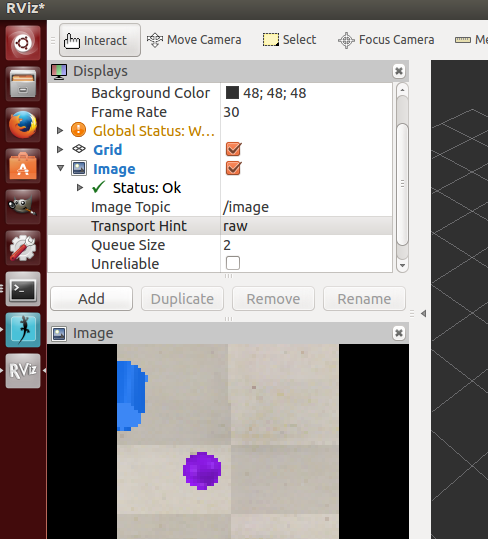
在rviz中添加Image,将话题选为/image也可以查看图像信息:
controlTypeExamples
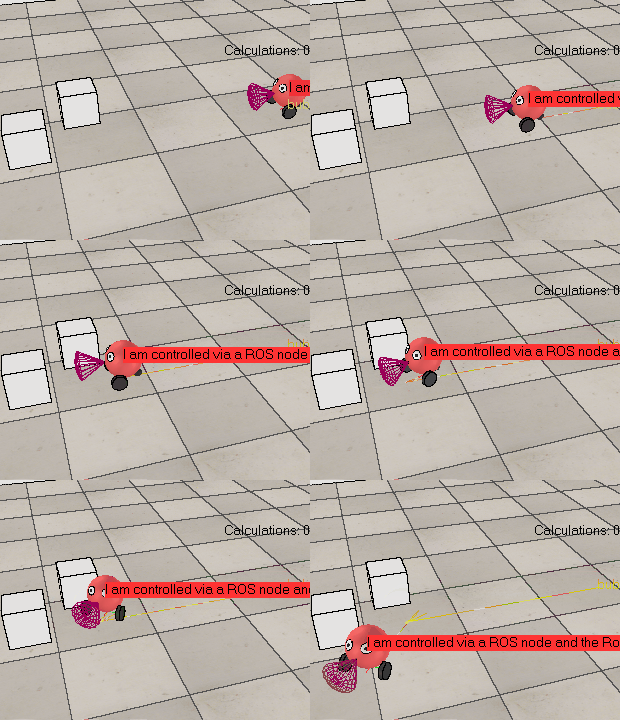
还有一个例子是controlTypeExamples.ttt,V-rep中的脚本负责发布接近传感器的信息以及仿真时间并订阅左右轮驱动的话题。外部的ros程序rosBubbleRob2根据接收到的传感器信息生成左右轮速度指令,并发布出去,V-rep中订阅后在回调函数里控制左右轮关节转动。
V-rep中脚本代码如下:
function setLeftMotorVelocity_cb(msg)

    -- Left motor speed subscriber callback

    simSetJointTargetVelocity(leftMotor,msg.data)

end

function setRightMotorVelocity_cb(msg)

    -- Right motor speed subscriber callback

    simSetJointTargetVelocity(rightMotor,msg.data)

end

function getTransformStamped(objHandle,name,relTo,relToName)

    t=simGetSystemTime()

    p=simGetObjectPosition(objHandle,relTo)

    o=simGetObjectQuaternion(objHandle,relTo)

    return {

        header={

            stamp=t,

            frame_id=relToName

        },

        child_frame_id=name,

        transform={

            translation={x=p[],y=p[],z=p[]},

            rotation={x=o[],y=o[],z=o[],w=o[]}

        }

    }

end

if (sim_call_type==sim_childscriptcall_initialization) then

    robotHandle=simGetObjectAssociatedWithScript(sim_handle_self)

    leftMotor=simGetObjectHandle("rosInterfaceControlledBubbleRobLeftMotor") -- Handle of the left motor

    rightMotor=simGetObjectHandle("rosInterfaceControlledBubbleRobRightMotor") -- Handle of the right motor

    noseSensor=simGetObjectHandle("rosInterfaceControlledBubbleRobSensingNose") -- Handle of the proximity sensor

    -- Check if the required ROS plugin is there:

    moduleName=

    moduleVersion=

    index=

    pluginNotFound=true

    while moduleName do

        moduleName,moduleVersion=simGetModuleName(index)

        if (moduleName=='RosInterface') then

            pluginNotFound=false

        end

        index=index+

    end

    -- Add a banner:

    if (pluginNotFound) then

        bannerText="I cannot run! (I couldn't find my RosInterface plugin)"

    else

        bannerText="I am controlled via a ROS node and the RosInterface! ('rosBubbleRob2' controlls me)"

    end

    black={,,,,,,,,,,,}

    red={,,,,,,,,,,0.2,0.2}

    simAddBanner(bannerText,,sim_banner_bitmapfont+sim_banner_overlay,nil,simGetObjectAssociatedWithScript(sim_handle_self),black,red)

    -- Ok now launch the ROS client application:

    if (not pluginNotFound) then

        local sysTime=simGetSystemTimeInMs(-)

        local leftMotorTopicName='leftMotorSpeed'..sysTime -- we add a random component so that we can have several instances of this robot running

        local rightMotorTopicName='rightMotorSpeed'..sysTime -- we add a random component so that we can have several instances of this robot running

        local sensorTopicName='sensorTrigger'..sysTime -- we add a random component so that we can have several instances of this robot running

        local simulationTimeTopicName='simTime'..sysTime -- we add a random component so that we can have several instances of this robot running

        -- Prepare the sensor publisher and the motor speed subscribers:

        sensorPub=simExtRosInterface_advertise('/'..sensorTopicName,'std_msgs/Bool')

        simTimePub=simExtRosInterface_advertise('/'..simulationTimeTopicName,'std_msgs/Float32')

        leftMotorSub=simExtRosInterface_subscribe('/'..leftMotorTopicName,'std_msgs/Float32','setLeftMotorVelocity_cb')

        rightMotorSub=simExtRosInterface_subscribe('/'..rightMotorTopicName,'std_msgs/Float32','setRightMotorVelocity_cb')

        -- Now we start the client application:

        result=simLaunchExecutable('rosBubbleRob2',leftMotorTopicName.." "..rightMotorTopicName.." "..sensorTopicName.." "..simulationTimeTopicName,)

    end

end

if (sim_call_type==sim_childscriptcall_actuation) then

    -- Send an updated sensor and simulation time message, and send the transform of the robot:

    if not pluginNotFound then

        local result=simReadProximitySensor(noseSensor)

        local detectionTrigger={}

        detectionTrigger['data']=result>

        simExtRosInterface_publish(sensorPub,detectionTrigger)

        simExtRosInterface_publish(simTimePub,{data=simGetSimulationTime()})

        -- Send the robot's transform:

        simExtRosInterface_sendTransform(getTransformStamped(robotHandle,'rosInterfaceControlledBubbleRob',-,'world'))

        -- To send several transforms at once, use simExtRosInterface_sendTransforms instead

    end

end

if (sim_call_type==sim_childscriptcall_cleanup) then

    if not pluginNotFound then

        -- Following not really needed in a simulation script (i.e. automatically shut down at simulation end):

        simExtRosInterface_shutdownPublisher(sensorPub)

        simExtRosInterface_shutdownSubscriber(leftMotorSub)

        simExtRosInterface_shutdownSubscriber(rightMotorSub)

    end

end
rosInterface helper tool
在模型浏览器的tools文件夹中有一个RosInterface的帮助工具,将其拖入场景中可以方便实现一些控制功能。
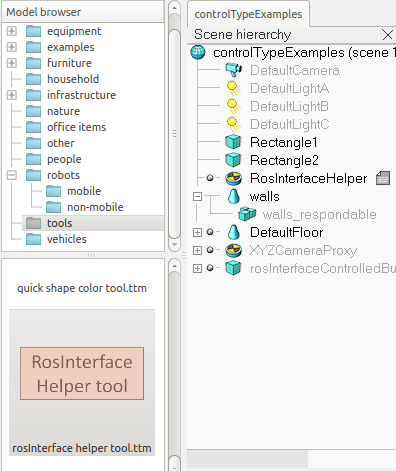
主要有下面一些功能:
- startSimulation topic: can be used to start a simulation by publishing on this topic a std_msgs::Bool message.
- pauseSimulation topic: can be used to pause a simulation by publishing on this topic a std_msgs::Bool message.
- stopSimulation topic: can be used to stop a simulation by publishing on this topic a std_msgs::Bool message.
- enableSyncMode topic: by publishing a std_msgs::Bool message on this topic, you can enable/disable the synchronous simulation mode.
- triggerNextStep topic: by publishing a std_msgs::Bool message on this topic, you can trigger the next simulation step, while in the synchronous simulation mode.
- simulationStepDone topic: a message of type std_msgs::Bool will be published at the end of each simulation pass.
- simulationState topic: messages of type std_msgs::Int32 will be published on a regular basis. 0 indicates that the simulation is stopped, 1 that it is running and 2 that it is paused.
- simulationTime topic: messages of type std_msgs::Float32 will be published on a regular basis, indicating the current simulation time.
可以在终端中输入下面的一些命令进行测试:
$ rostopic pub /startSimulation std_msgs/Bool true --once

$ rostopic pub /pauseSimulation std_msgs/Bool true --once

$ rostopic pub /stopSimulation std_msgs/Bool true --once

$ rostopic pub /enableSyncMode std_msgs/Bool true --once

$ rostopic pub /triggerNextStep std_msgs/Bool true --once
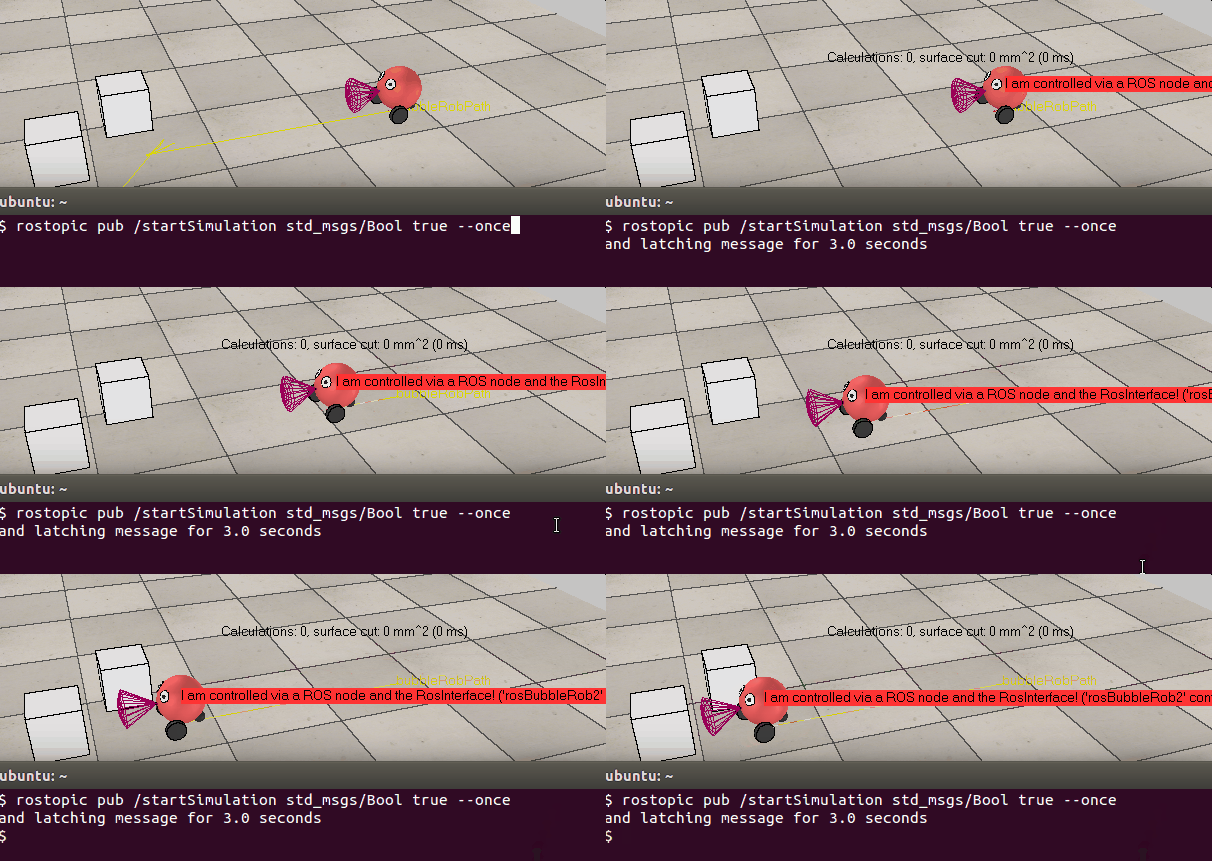
比如在终端中输入:rostopic pub /startSimulation std_msgs/Bool true --once, 就可以开始仿真,跟手动点击仿真按钮效果一样。
参考:
机器人操作系统ROS(indigo)与三维仿真软件V-Rep(3.2.1)通信接口使用笔记
从零开始的仿真之旅——在Ubuntu下配置V-Rep仿真平台下的搭载ROS系统的机器人仿真
V-rep学习笔记:ROSInterface的更多相关文章
- R语言与机器学习学习笔记
人工神经网络(ANN),简称神经网络,是一种模仿生物神经网络的结构和功能的数学模型或计算模型.神经网络由大量的人工神经元联结进行计算.大多数情况下人工神经网络能在外界信息的基础上改变内部结构,是一种自 ...
- 蒟蒻的长链剖分学习笔记(例题:HOTEL加强版、重建计划)
长链剖分学习笔记 说到树的链剖,大多数人都会首先想到重链剖分.的确,目前重链剖分在OI中有更加多样化的应用,但它大多时候是替代不了长链剖分的. 重链剖分是把size最大的儿子当成重儿子,顾名思义长链剖 ...
- KD-Tree 学习笔记
这是一篇又长又烂的学习笔记,请做好及时退出的准备. KD-Tree 的复杂度大概是 \(O(n^{1-\frac{1}{k}})\) \(k\) 是维度 由于网上找不到靠谱的证明,咕了. 会证明之后再 ...
- 「学习笔记」FFT 快速傅里叶变换
目录 「学习笔记」FFT 快速傅里叶变换 啥是 FFT 呀?它可以干什么? 必备芝士 点值表示 复数 傅立叶正变换 傅里叶逆变换 FFT 的代码实现 还会有的 NTT 和三模数 NTT... 「学习笔 ...
- CF1147F Zigzag Game & 稳定婚姻问题学习笔记
CF1147F Zigzag Game 这题太神仙了,不得不记录一下. 我网络流做不动了,DS做不动了,DP做不动了,特别自闭.于是博弈论之神(就是随手切3500博弈的那种) \(\color{bla ...
- DirectX Graphics Infrastructure(DXGI):最佳范例 学习笔记
今天要学习的这篇文章写的算是比较早的了,大概在DX11时代就写好了,当时龙书11版看得很潦草,并没有注意这篇文章,现在看12,觉得是跳不过去的一篇文章,地址如下: https://msdn.micro ...
- Sass学习笔记之入门篇
Sass又名SCSS,是CSS预处理器之一,,它能用来清晰地.结构化地描述文件样式,有着比普通 CSS 更加强大的功能. Sass 能够提供更简洁.更优雅的语法,同时提供多种功能来创建可维护和管理的样 ...
- react-native学习笔记--史上最详细Windows版本搭建安装React Native环境配置
参考:http://www.lcode.org/react-native/ React native中文网:http://reactnative.cn/docs/0.23/android-setup. ...
- swift学习笔记5——其它部分(自动引用计数、错误处理、泛型...)
之前学习swift时的个人笔记,根据github:the-swift-programming-language-in-chinese学习.总结,将重要的内容提取,加以理解后整理为学习笔记,方便以后查询 ...
- Oracle学习笔记三 SQL命令
SQL简介 SQL 支持下列类别的命令: 1.数据定义语言(DDL) 2.数据操纵语言(DML) 3.事务控制语言(TCL) 4.数据控制语言(DCL)
随机推荐
- Could not execute method of the activity Android
导致此问题的原因有, 一:未注册 如果是 ActivityNotFoundException 的,那说明没在 Manifest.xml 的 application 标签下注册 activity. 二: ...
- [转]11个在线编码大赛,与全球程序员PK
From : http://news.cnblogs.com/n/187196/ 英文原文:10 Online Coding Contests For Programmers! 如果你拥有出色的编码技 ...
- PL2303 Windows8.1驱动
常用的USB转串口下载芯片驱动可以参照我这篇文章USB转串口 FT232/PL2303/CH340 驱动以及使用体会 ,今天有找出了那根串口线打算使用,由于系统已经换为Windows8.1 X64所以 ...
- 给Spring的placeholder设置默认值
问题:使用Spring时,可以方便地通过placeholder的形式${key}将key对应的properities定义value,注入到Bean中.但是如果在properities文件中,没有对ke ...
- 析构函数 (C++)
最近发现自己对析构函数的认知有一定的问题,因为之前有在使用placement new时主动调用对象的析构函数,所以觉得析构函数只是个普通的成员函数,调用的时候只会执行自己方法体内的代码内容,而回收内存 ...
- 第二十八章 springboot + zipkin(brave定制-AsyncHttpClient)
brave本身没有对AsyncHttpClient提供类似于brave-okhttp的ClientRequestInterceptor和ClientResponseInterceptor,所以需要我们 ...
- FastReport.Net 入门
任何一门编程技术入门体验都是以“Hello World”开始的,但我想再复杂一点的“Hello World”,才能算真正的入门. FastReport.Net V1.2.76 ,vs2008 在 ...
- Android -- Camera2(Android5.0)
Camera2 Camera2是Android5.0中的其中一个新的特性,新的API.与原来的camera API相比,不同之处在于: 原生支持RAW照片输出 突发拍摄模式 制约拍照速度的不再是软件而 ...
- iOS - 切换图片/clip subview/iCarousel
源代码:点击打开链接 这个图片展示的时候,我只想让它在蓝色的view上展示..就需要去设置view的一个属性clip subview..把这个属性打勾...view有个clip subview属性,选 ...
- 日志收集以及分析:Splunk
转自:http://blog.163.com/guaiguai_family/blog/static/20078414520132181010189/ 写代码的人都知道日志很重要,机器不多的时候,查看 ...