
33、springboot整合springcloud
Spring Cloud

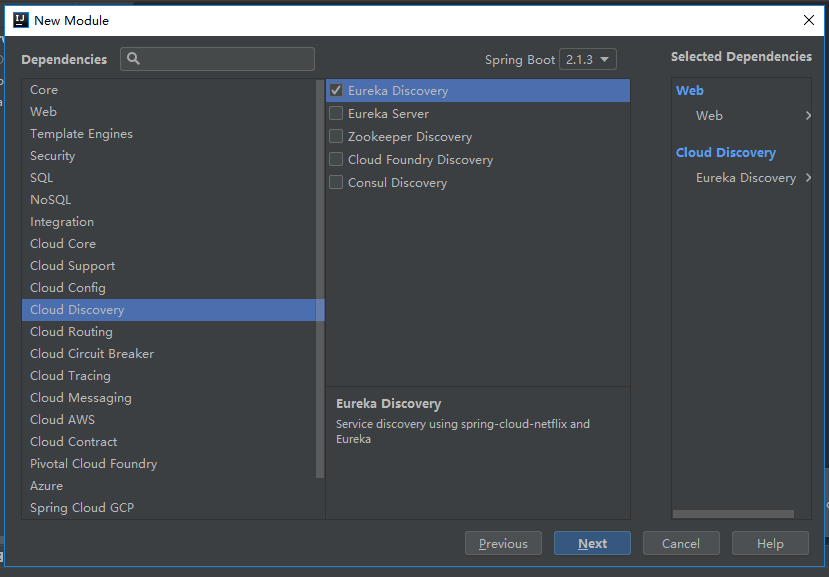
此时需要引入:
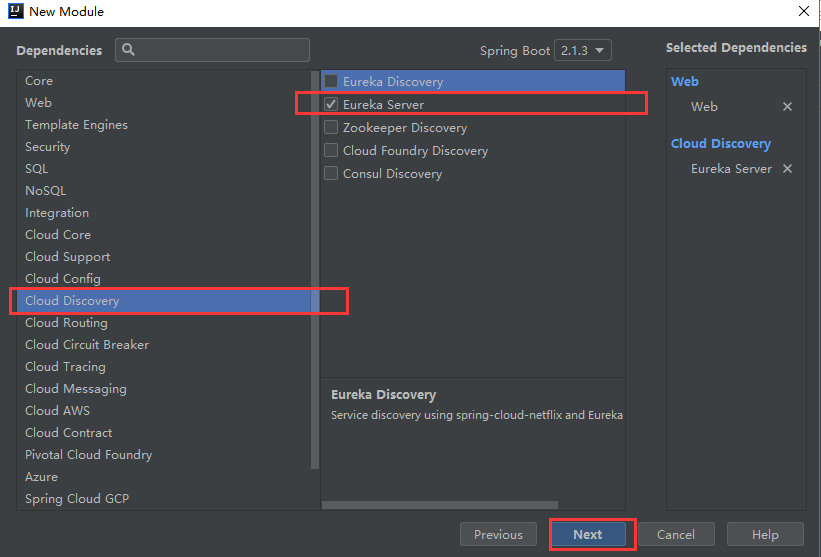
配置文件
server.port=

#主机名

eureka.instance.hostname=server

#不做高可用不进行设置

#不把本身注册在注册中心

eureka.client.register-with-eureka=false

#不从eureka上获取服务的注册信息

eureka.client.fetch-registry=false

#服务中心地址

eureka.client.service-url.DEFAULT_ZONE=http://localhost:8761/eureka/
开启服务:
@EnableEurekaServer

@SpringBootApplication

public class EurekaServerApplication {

    public static void main(String[] args) {

        SpringApplication.run(EurekaServerApplication.class, args);

    }

}
访问网页:
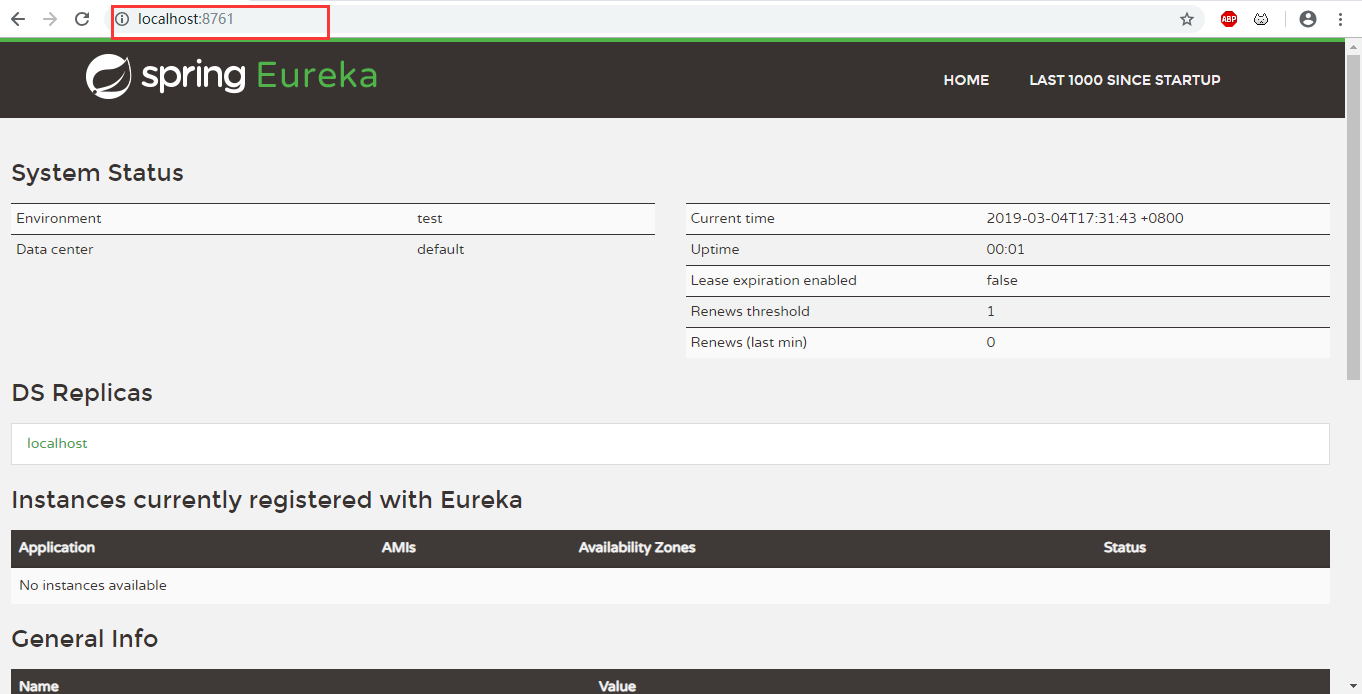
此时的服务是开启的!!!
服务提供者:

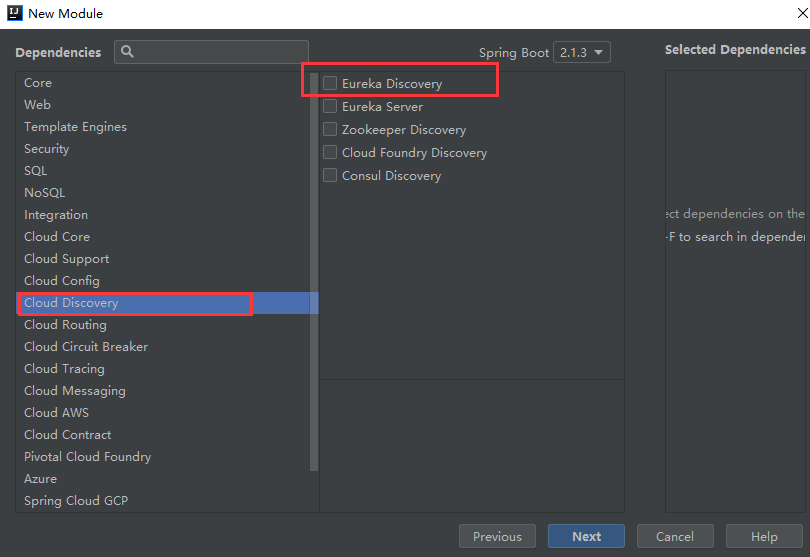
TicketService.java
package com.cr.provider.service;

import org.springframework.stereotype.Service;

@Service

public class TicketService {

    public String buyTicket(){

        return "战狼2";

    }

}
TicketController.java
import org.springframework.web.bind.annotation.RestController;

@RestController

public class TicketController {

    @Autowired

    TicketService ticketService;

    //通过http协议进行发送的

    @GetMapping("/buy")

    public String getTicket(){

        return ticketService.buyTicket();

    }

}
配置文件:
server.port=8081
#应用起名字spring.application.name=provider
#注册服务时使用服务的ip地址
eureka.instance.prefer-ip-address=true
#服务中心地址
eureka.client.service-url.DEFAULT_ZONE=http://localhost:8761/eureka/
@SpringBootApplication

public class ProviderApplication {

    public static void main(String[] args) {

        SpringApplication.run(ProviderApplication.class, args);

    }

}
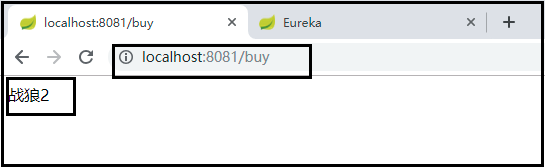
此时查看注册证中心:
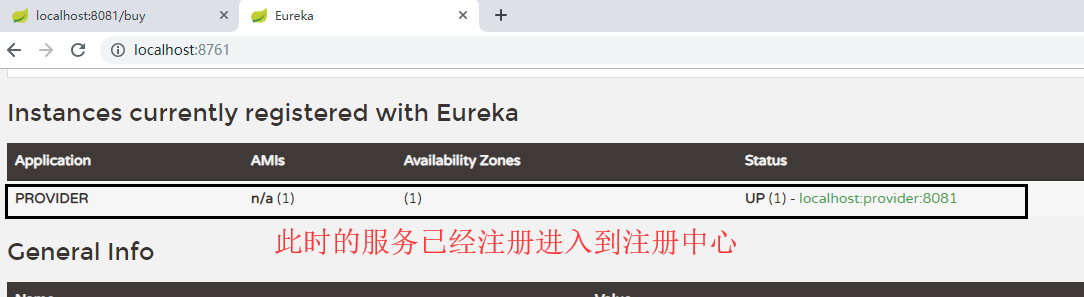
此时打包两个jar文件分别未8081、8082端口,分别进行多个服务的注册

此时:同一个应用的两个实例

服务消费者:

UserController.java
package com.cr.consumer.controller;

import org.springframework.beans.factory.annotation.Autowired;

import org.springframework.web.bind.annotation.GetMapping;

import org.springframework.web.bind.annotation.RestController;

import org.springframework.web.client.RestTemplate;

@RestController

public class UserController {

    //用于获取http请求的信息

    @Autowired

    RestTemplate restTemplate;

    @GetMapping("/buyTicket")

    public  String buyTicket(String name){

        String ticket = restTemplate.getForObject("http://PROVIDER/buy", String.class);

        return name + "购买了" + ticket ;

    }

}
配置文件:
server.port=8088spring.application.name=consumer
#注册服务时使用服务的ip地址
eureka.instance.prefer-ip-address=true
#服务中心地址
eureka.client.service-url.DEFAULT_ZONE=http://localhost:8761/eureka/
主类:
package com.cr.consumer;

import org.springframework.boot.SpringApplication;

import org.springframework.boot.autoconfigure.SpringBootApplication;

import org.springframework.cloud.client.discovery.EnableDiscoveryClient;

import org.springframework.cloud.client.loadbalancer.LoadBalanced;

import org.springframework.context.annotation.Bean;

import org.springframework.web.client.RestTemplate;

//开启发现服务功能

@EnableDiscoveryClient

@SpringBootApplication

public class ConsumerApplication {

    public static void main(String[] args) {

        SpringApplication.run(ConsumerApplication.class, args);

    }

    //http请求

    @LoadBalanced//使用负载均衡机制

    @Bean

    public RestTemplate restTemplate(){

        return new RestTemplate();

    }

}
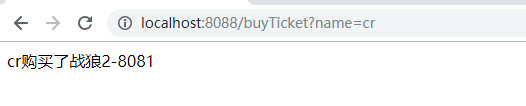
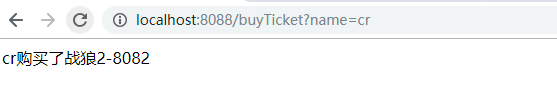
启动服务:

33、springboot整合springcloud的更多相关文章
- SpringBoot整合SpringCloud搭建分布式应用
什么是SpringCloud? SpringCloud是一个分布式的整体解决方案.SpringCloud为开发者提供了在分布式系统中快速构建的工具,使用SpringCloud可以快速的启动服务或构建应 ...
- SpringCloud:SpringBoot整合SpringCloud项目
划分模块 这里我划分了四个模块 Common: 存放bean和Dao模块 Consumer: 消费者模块,提供对外暴露接口服务 EurekaServer: Eureka注册中心模块,主要用于启动注册中 ...
- Java-SpringBoot整合SpringCloud
SpringBoot整合SpringCloud 1. SpringCloud特点 SpringCloud专注于为典型的用例和扩展机制提供良好的开箱即用体验,以涵盖其他情况: 分布式/版本化配置 服务注 ...
- Rabbitmq基本使用 SpringBoot整合Rabbit SpringCloud Stream+Rabbit
https://blog.csdn.net/m0_37867405/article/details/80793601 四.docker中使用rabbitmq 1. 搭建和启动 使用地址:rabbitm ...
- SpringBoot分布式篇Ⅷ --- 整合SpringCloud
SpringCloud是一个分布式的整体解决方案.Spring Cloud为开发者提供了在分布式系统(配置管理,服务发现,熔断,路由,微代理,控制总线,一次性token,全局锁,leader选举.分布 ...
- SpringBoot系列十二:SpringBoot整合 Shiro
声明:本文来源于MLDN培训视频的课堂笔记,写在这里只是为了方便查阅. 1.概念:SpringBoot 整合 Shiro 2.具体内容 Shiro 是现在最为流行的权限认证开发框架,与它起名的只有最初 ...
- SpringBoot整合Kafka和Storm
前言 本篇文章主要介绍的是SpringBoot整合kafka和storm以及在这过程遇到的一些问题和解决方案. kafka和storm的相关知识 如果你对kafka和storm熟悉的话,这一段可以直接 ...
- SpringBoot整合RabbitMQ-整合演示
本系列是学习SpringBoot整合RabbitMQ的练手,包含服务安装,RabbitMQ整合SpringBoot2.x,消息可靠性投递实现等三篇博客. 学习路径:https://www.imooc. ...
- SpringBoot整合Netty并使用Protobuf进行数据传输(附工程)
前言 本篇文章主要介绍的是SpringBoot整合Netty以及使用Protobuf进行数据传输的相关内容.Protobuf会简单的介绍下用法,至于Netty在之前的文章中已经简单的介绍过了,这里就不 ...
随机推荐
- 十、spark graphx的scala示例
简介 spark graphx官网:http://spark.apache.org/docs/latest/graphx-programming-guide.html#overview spark g ...
- centos文件/文件夹操作-检查磁盘、内存、cpu使用情况-vi操作命令
Part1:CentOS文件/文件夹操作 1.新建文件夹 即创建目录 mkdir 文件名 新建一个名为test的文件夹在home下 vi source1 mkdir /home/test 注意:当创建 ...
- varchar(n)跟varchar(max)的区别
本文来源于翁舒航的博客,点击即可跳转原文观看!!!(被转载或者拷贝走的内容可能缺失图片.视频等原文的内容) 若网站将链接屏蔽,可直接拷贝原文链接到地址栏跳转观看,原文链接:https://www.cn ...
- JRE“瘦身”&桌面程序集成JRE
项目是一个桌面程序,程序文件不大,但运行jre有198 MB,因此需要"瘦身". jre包含bin.lib两部分,分别为93.6 MB.104 MB. 1.精简bin 运行桌面程序 ...
- 原生canvas写的飞机游戏
一个原生canvas写的飞机游戏,实用性不大,主要用于熟悉canvas的一些熟悉用法. 项目地址:https://github.com/BothEyes1993/canvas_game
- 前端动画小记---bilibili ( ゜-゜)つロ客户下载小动画
逛哔哩哔哩 ( ゜-゜)つロPC版的时候看到一个蛮有意思的动画,指导用户去下载客户端,于是摸索实现了一个. 原动画效果 可以看到,一个静止的小电视人,当鼠标移动到电视人身上时,电视人慢慢变身成为一个小 ...
- JS cookie 设置 查看 删除
JScookie 常用的3个预设函数(库) <!DOCTYPE HTML> <html> <head> <meta charset="utf-8&q ...
- Linux 中常用命令
命令基本格式: 命令提示符:[root@localhost ~]# root 代表当前的登录用户(linux当中管理员账号是root) @ 无实际意义 localhost ...
- ArcGIS最权威、最专业的技术分享网站:积思园(www.iarcgis.com)
你对iArcGIS.com说点什么 为什么会有该网站的产生 在这个所谓的“大数据”的时代,每个人都深陷于海量信息无法自拔,因为过多碎片化的数据只会让自己的思维更加迷离,快餐式的阅读只会让自己变得虚胖. ...
- Same Tree 比较两个二叉树是否完全相同
Given two binary trees, write a function to check if they are equal or not. Two binary trees are con ...