
第四周WordCount优化
一、GitHub地址
https://github.com/kawoyi/Advanced-WordCounter最终由组长整合的组长github
二、psp表格
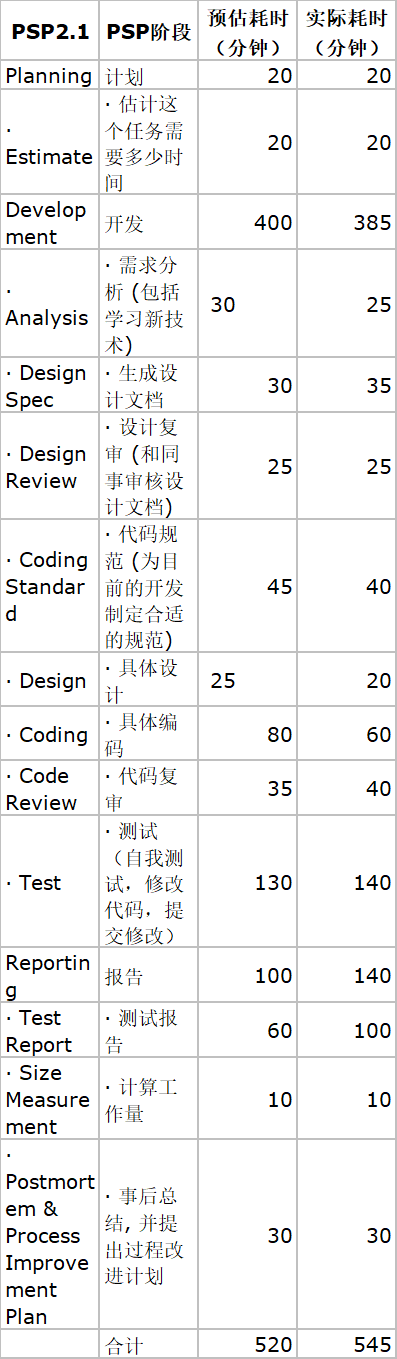
三、个人模块及实现
我负责的是输入模块,由FileUnit类里的readFile函数进行文件读取输入
public class FileUnit
{
public static void fileWriter(String outputpath,Map<String,Integer> map)throws IOException
{ //结果写到输出文件中
File file=new File(outputpath);
FileWriter fw = new FileWriter(file,false);
BufferedWriter bw = new BufferedWriter(fw);
List<Map.Entry<String,Integer>> list = new ArrayList<Map.Entry<String,Integer>>(map.entrySet());//实现按Value排序
//然后通过比较器来实现排序
Collections.sort(list,new Comparator<Map.Entry<String,Integer>>()
{
//降序排序
public int compare(Entry<String, Integer> o1,
Entry<String, Integer> o2)
{
int p1=o1.getValue();
int p2=o2.getValue();
int p=p1-p2;
if(p>0)
{
return -1;
}
else if(p==0)
{
return 0;
}
else
return 1;
}
});
for (Map.Entry<String, Integer> mapping:list)
{ //向result.txt写结果
int temp=0;
if(temp<100)
{
bw.write( mapping.getKey() + " " + mapping.getValue());
bw.newLine();
}
temp++;
}
bw.close();
}
public static void readFile(String filepath,StringBuffer buffer) //读取文件
{
try {
FileReader fis = new FileReader(filepath);
BufferedReader br = new BufferedReader(fis);
int temp=-1;
while ((temp = br.read()) != -1) {
buffer.append((char)(temp));
}
} catch (FileNotFoundException e) {
System.out.println("源文件未找到!");
e.printStackTrace();
} catch (IOException e) {
System.out.println("读写文件出现异常!");
e.printStackTrace();
}
}
}
四、测试用例设计及测试结果
测试程序对文件内容的识别分割是否正确,对各种情况下的单词进行测试,
包括纯字母单词,大写字母单词,字母和连字符组成的单词,字母和数字组成的单词,由空格分隔的单词,由符号分割的单词等等情况。
运用白盒测试的方法测试该程序是否能按照需求来识别文件标题,而对于20个测试用例来讲10个不到也足以覆盖要求,后续的文件内容采用了黑盒测试的方式偏重于考虑各类输出会出现的结果,总共20个数量较多,这里就只放出截图。
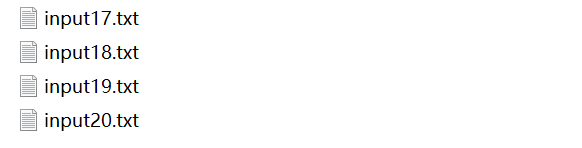
五,测试用例运行截图
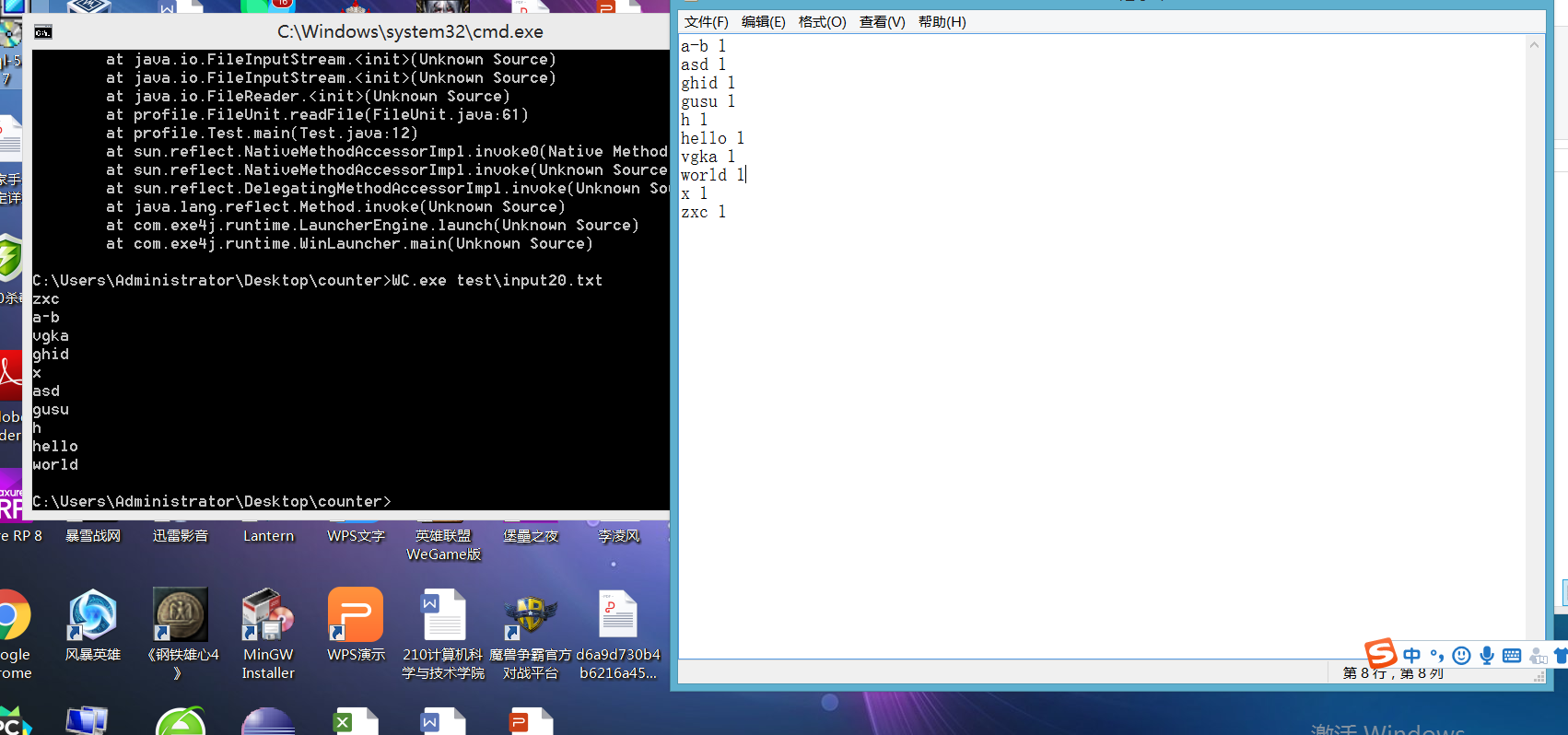
由于总数过多只放出了其中一个的截图
六、小组贡献
0.25
第四周WordCount优化的更多相关文章
- HUST软测1504班第4周小组作业成绩:WordCount优化
说明 本次公布的成绩为第四周作业的结果: 第4周小组作业:WordCount优化 博客推荐:本次作业有一位同学完成有创意,推荐优秀博客.(优秀博客不会对成绩带来正面或者负面影响)PS:做任何创新的任务 ...
- 第四周小组作业:Wordcount优化
1.小组github地址 https://github.com/muzhailong/wcPro 2.PSP表格 PSP2.1 PSP阶段 预计耗时(分钟) 实际耗时(分钟) Planning 计划 ...
- WordCount优化-第四周小组作业
一.基本功能 GITHUB项目地址:https://github.com/LongtermPartner/ExtendWordCount PSP表格填写: PSP2.1 PSP阶段 预估耗时 (分钟) ...
- WcPro项目(WordCount优化)
1 基本任务:代码编写+单元测试 1.1 项目GitHub地址 https://github.com/ReWr1te/WcPro 1.2 项目PSP表格 PSP2.1 PSP阶段 预估耗时(分钟) 实 ...
- WordCount优化
Github 地址:chaosrings/wcPro 1.PSP2.1表格 psp 2.1 psp阶段 预估耗时(分钟) 实际耗时(分钟) Planning 计划 10 10 Estimate 估计这 ...
- WordCount 优化版测试小程序实现
Stage1:代码编写+单元测试 Github地址: https://github.com/245553473/wcPro.git PSP表格: PSP PSP阶段 预估耗时(分钟) 实际耗时(分钟) ...
- 软件测试第4周小组作业:WordCount优化
一.基本任务:代码编写+单元测试 1.Github地址: https://github.com/Wegnery/New_WordCount 2.PSP2.1表格 PSP2.1 PSP阶段 预估耗时 ( ...
- WordCount优化版测试小程序实现
Github地址:https://github.com/hcy6668/wordCountPro.git PSP表格: PSP PSP阶段 预估耗时(小时) 实际耗时(小时) Planning ...
- 第4周小组作业:WordCount优化
Github项目地址:https://github.com/chaseMengdi/wcPro stage1:代码编写+单元测试 PSP表格 PSP2.1 PSP阶段 预估耗时(分钟) 实际耗时(分 ...
随机推荐
- c/c++ 模板 类型推断
模板类型的推断 下面的函数f是个模板函数,typename T.下表是,根据调用测的实参,推断出来的T的类型. 请注意下表的红字部分, f(T&& t)看起来是右值引用,但其实它会根据 ...
- Python基础之if判断,while循环,循环嵌套
if判断 判断的定义 如果条件满足,就做一件事:条件不满足,就做另一件事: 判断语句又被称为分支语句,有判断,才有分支: if判断语句基本语法 if语句格式: if 判断的条件: 条件成立后做的事 . ...
- Shell 全局变量、环境变量和局部变量
Shell 变量的作用域(Scope),就是 Shell 变量的有效范围(可以使用的范围). 在不同的作用域中,同名的变量不会相互干涉,就好像 A 班有个叫小明的同学,B 班也有个叫小明的同学,虽然他 ...
- 多态练习题(通过UML建模语言来实现饲养员喂养动物)
项目需求如下图: package com.Summer_0428.cn; /** * @author Summer * 1.构建一个食物抽象类,Bone和Fish分别为其实现类,通过super传参. ...
- 在Winform开发中使用Grid++报表
之前一直使用各种报表工具,如RDLC.DevExpress套件的XtraReport报表,在之前一些随笔也有介绍,最近接触锐浪的Grid++报表,做了一些测试例子和辅助类来处理报表内容,觉得还是很不错 ...
- Windows下切分文件(GnuWin32)
windows下碰到查看大日志文件还真麻烦,今天找了个工具来做这个:安装GnuWin32,然后用里面的split命令分割日志文件 ps:发现intellij idea还挺好,超过2g的日志文件也能进行 ...
- Characterization of Dynkin diagrams
Nowadays, I am reading D.J.Benson's nice book, volume I of Representations and cohomology. I found i ...
- WMI测试器
WMI是... 来自百度百科:WMI(Windows Management Instrumentation,Windows 管理规范)是一项核心的 Windows 管理技术:用户可以使用 WMI 管理 ...
- 加载hive-jdbc driver时报错:java.lang.NoClassDefFoundError: org/apache/hadoop/conf/Configuration
这是因为缺少一个hadoop-common包,引入即可: <dependency> <groupId>org.apache.hadoop</groupId> < ...
- Heap Partition ZOJ - 3963(贪心)
ZOJ - 3963 贪心做一下就好了 反正别用memset #include <iostream> #include <cstdio> #include <sstrea ...